
- Altersfreigabe4+
- KategorieProduktivität
- EntwicklerTom Byrne
- SprachenEnglisch
- Größe3,5 MB
Reckoner ist bei App Store derzeit möglicherweise nicht verfügbar
Bei unserer letzten Prüfung war der Store-Eintrag nicht erreichbar. Der Link führt weiterhin zur offiziellen App Store-Seite.
Screenshots



Info
Der Entwickler hat diesen Text nicht in Ihrer Sprache bereitgestellt.
```
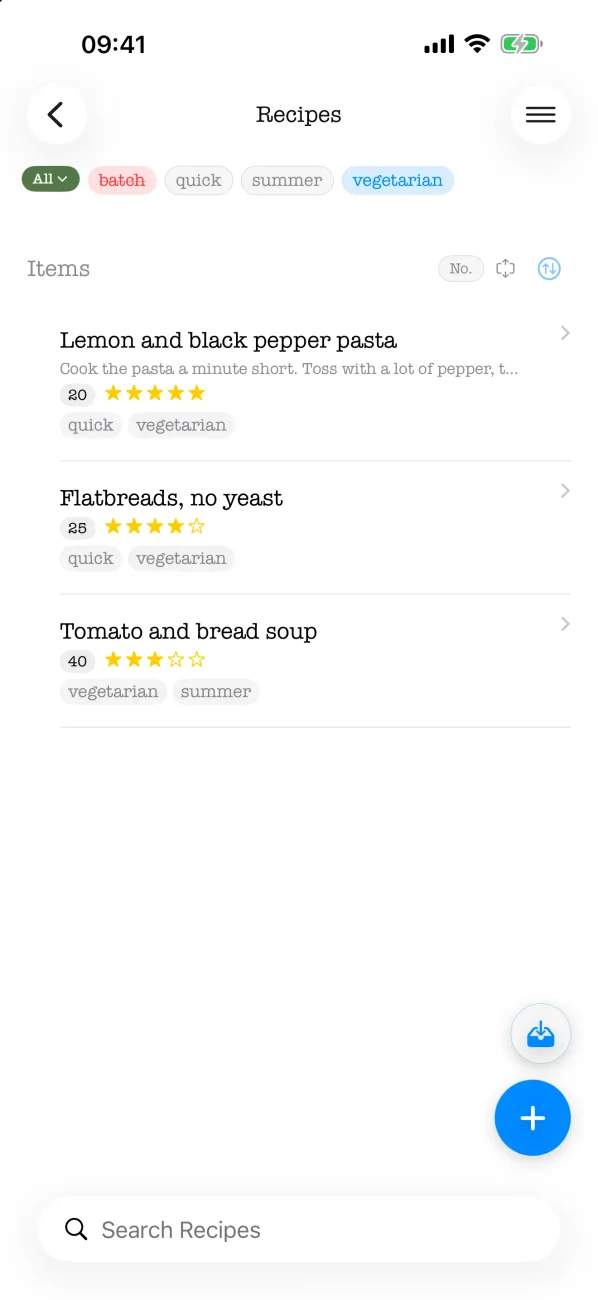
Reckoner is a list app. Every list can hold items, other lists, or both, nested as deep as you want: a packing list inside a trip inside Travel, Fiction inside Books. It is the same screen at every level.
WHAT AN ITEM CAN CARRY
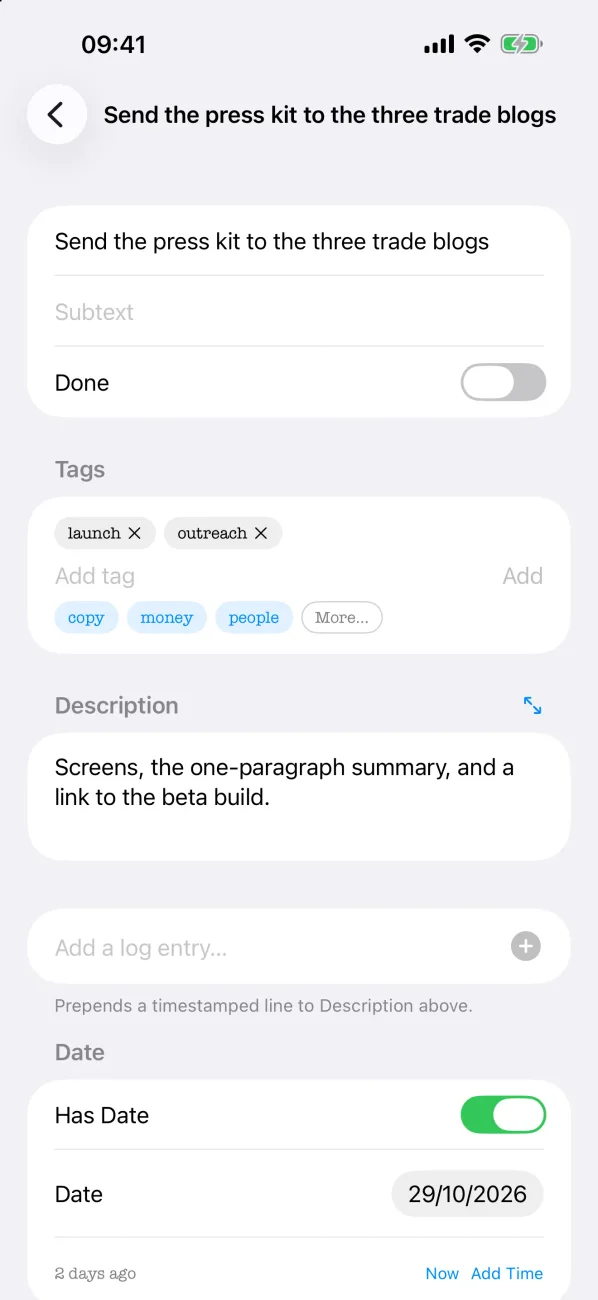
An item needs a title. Everything else is optional and stays out of the way until you use it.
• A description, for the longer note
• A date, read back as "today", "in 3 days", "5 days ago"
• A number — price, page count, distance, reps, whatever the list is about
• A line of subtext under the title: an author, a brand, a time
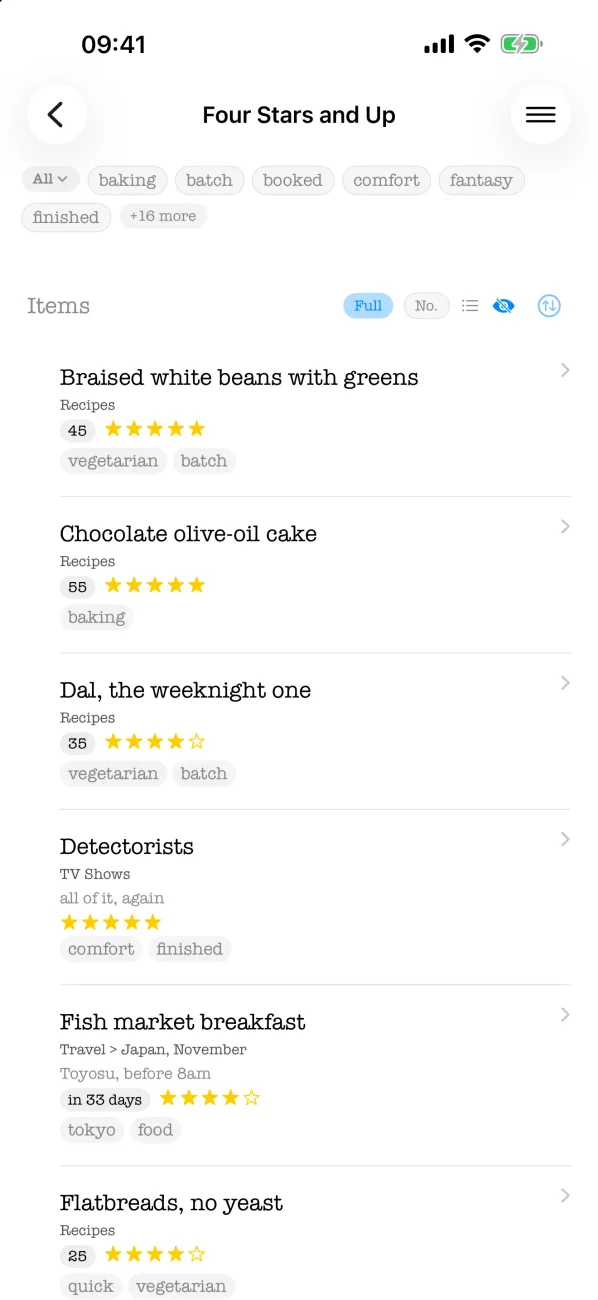
• A rating out of five
• Tags
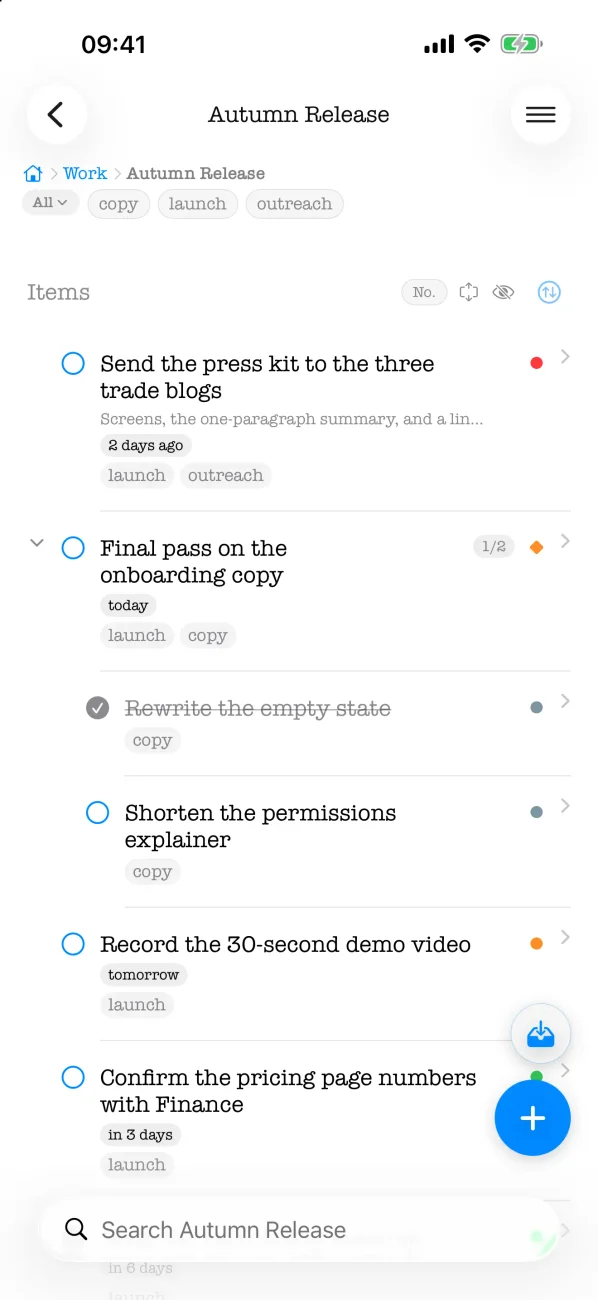
• Sub-items. Swipe right on a row to tuck it under the one above.
LIST TYPES
Each list has a few switches you set once.
• Task list — dates become deadlines. Every dated row is tinted by how soon it is due, and everything flagged this way gathers in one All Tasks view.
• Sum list — totals the Number field of everything not yet done, including every sub-list underneath, and re-totals as you filter. Show it as currency if it is money.
• Checkboxes off — for a reference list, where "done" does not mean anything.
• Folder — a container for unrelated lists, so their tags stay out of each other's way.
RECKONS
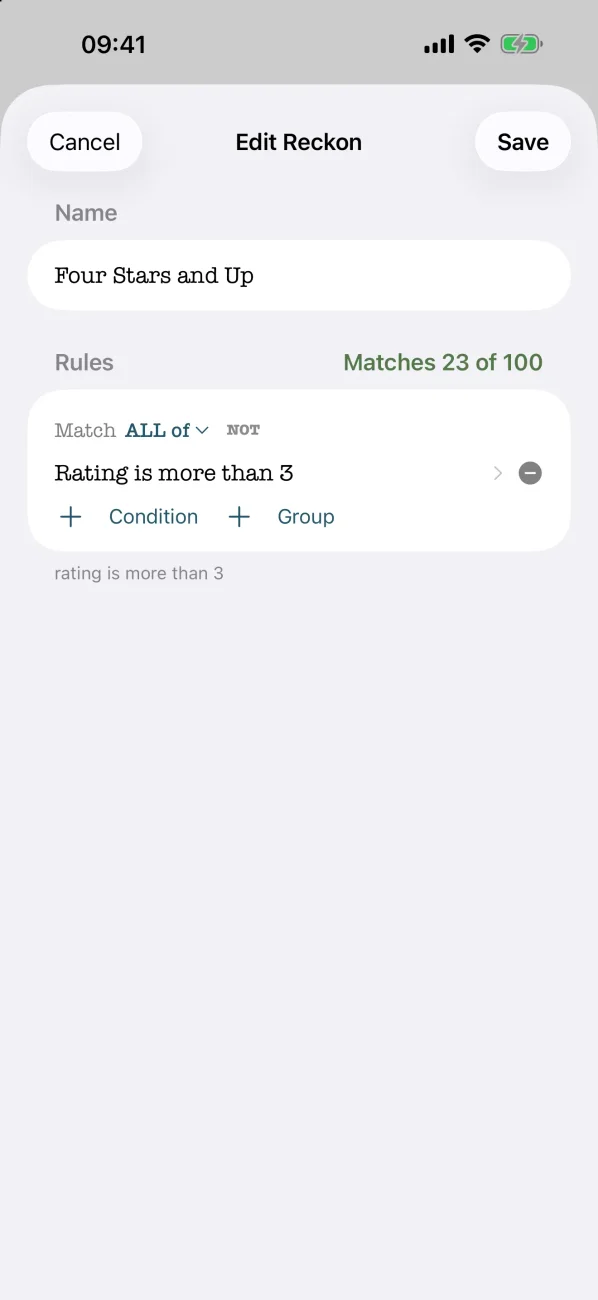
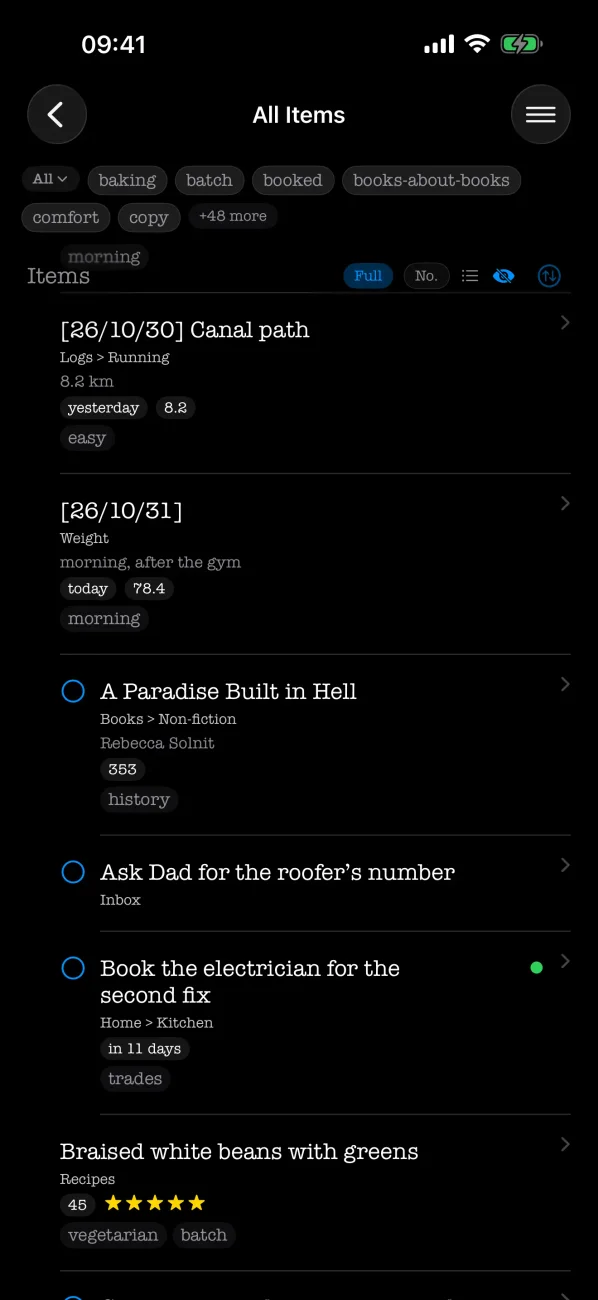
A Reckon is a set of rules you save: has this tag, is in these lists, due before Friday, rated four or more, number over 20. It collects matching items from every list at once and stays current as things change. All Items and All Tasks are built in. Group by list, total or average a column, and each Reckon remembers how you left it.
FINDING THINGS
• Search every list at once, or only the one you are in. Results show the full path, sub-items included: BOOKS > FICTION > Piranesi.
• Tag chips cycle three ways — off, only this, hide this — and match on All or Any.
• Sort each section how you like, or drag rows exactly where you want them.
• Select several items and move, tag, complete, reorder or delete them in one go.
TWO PANES
On iPad, a Mac, or any wide enough window, your lists sit down one side and the selected list's contents beside them. Narrow the window and it folds back to one screen at a time, mid-session, with nothing lost. On a folding phone, the inner screen held sideways gives you both panes; upright or folded shut gives you one.
DELETING AND ARCHIVING
• Swipe to delete and an Undo banner catches it before it is real.
• After that it goes to the Rubbish Bin, where you can read it, put it back, or throw it away for good. Only Empty Rubbish Bin is final.
• Archive instead and it stays exactly where it is, hidden, until you ask for View Archive.
EXPORT AND IMPORT
• Export the whole tree to a JSON file, or one list on its own.
• Import hands you a checklist of what is in the file, and asks what to do about anything already there: skip it, keep both, or replace.
• Share as Text turns a list into a Markdown outline that reads properly wherever you paste it, sub-items and all.
SYNC
Your lists follow you across your own devices through your own iCloud account. No setup, no button to press. There is no Reckoner account, no server and no analytics — the developer cannot read your lists because there is nowhere for them to be read from.
```
Neue Funktionen
Version 1.3 · 31.10.2026
Reckons — saved views that collect items from every list by rules you set. Plus a rubbish bin, and lists beside their contents on iPad and Mac.
updated for the iPhone Duo
App-Datenschutz
Was Tom Byrne im App Store zum Umgang dieser App mit Daten angibt.
-
Keine Daten erfasst
Der Entwickler erfasst keine Daten von dieser App.
Die Datenschutzpraktiken können variieren, zum Beispiel je nach den von Ihnen verwendeten Funktionen oder Ihrem Alter.
Informationen
- Anbieter
- Tom Byrne
- Kategorie
- Produktivität
- Version
- 1.3
- Aktualisiert
- 31.10.2026
- Veröffentlicht
- 01.09.2026
- Größe
- 3,5 MB
- Erfordert
- iOS 17.0 oder neuer
- Altersfreigabe
- 4+
- Sprachen
- Englisch
- Copyright
- © 2026 Thom Byrne