
rmmbrly: your memory engine
find anything you've saved
Entwickelt für iPhone, iPad
- Altersfreigabe17+
- KategorieProduktivität
- Entwicklerrmmbrly, Inc.
- SprachenEnglisch
- Größe39,9 MB
rmmbrly: your memory engine ist bei App Store derzeit möglicherweise nicht verfügbar
Bei unserer letzten Prüfung war der Store-Eintrag nicht erreichbar. Der Link führt weiterhin zur offiziellen App Store-Seite.
Screenshots
Info
Der Entwickler hat diesen Text nicht in Ihrer Sprache bereitgestellt.
rmmbrly is your personal memory engine for the things you save online. Save links, posts, notes, and photos in one private place, then find them using the details you still remember.
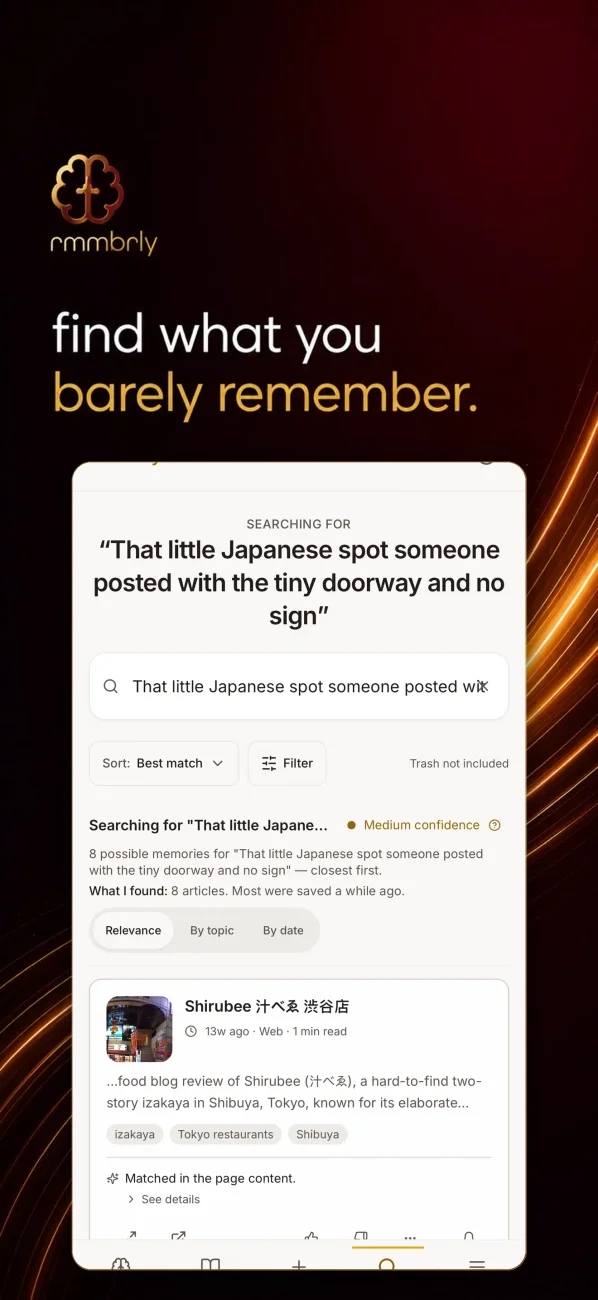
The restaurant with the courtyard. The recipe with anchovies. The article a friend recommended. You don’t need the exact title. Describe what stayed with you, find the saved item, and return to the original.
The internet remembers posts. rmmbrly remembers meaning.
SAVE IT IN SECONDS
Paste a link, jot a note, or add a photo. Share straight from Safari or any app with the iOS share sheet, or email a link to your personal save address. rmmbrly fills in the rest.
IT READS WHAT YOU SAVE
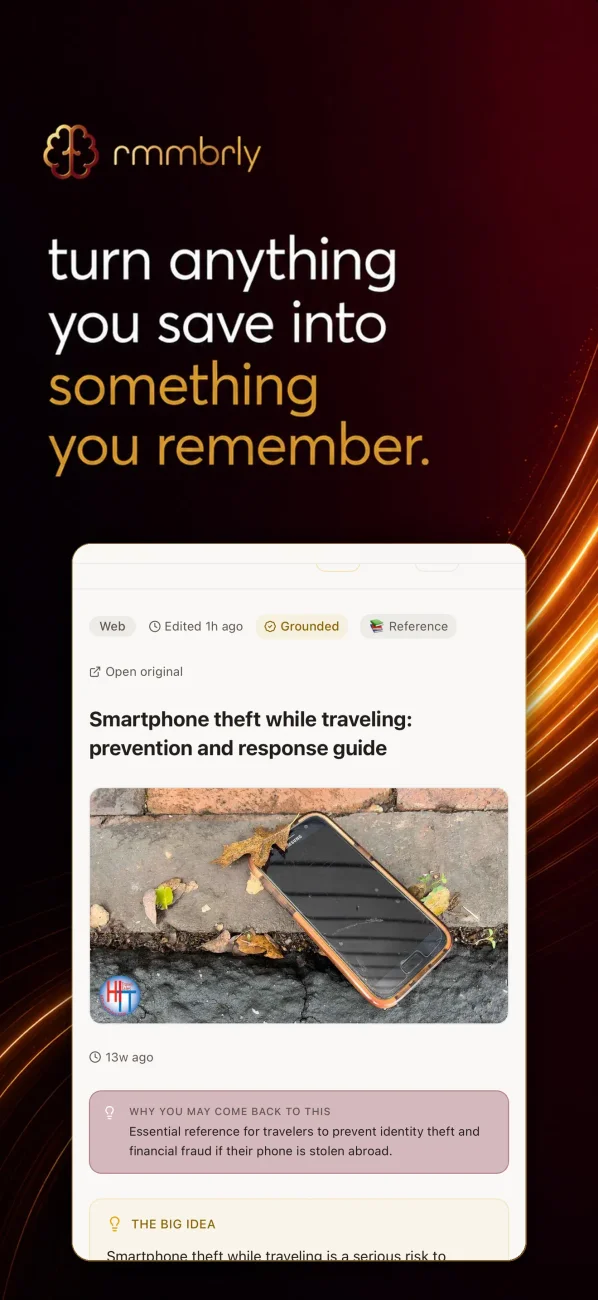
Every save is given a title, a summary, and tags, with the key takeaways pulled out, so a link you saved months ago still makes sense today. How long that takes varies, and big imports fill in over a few days.
SEARCH THE WAY YOU REMEMBER
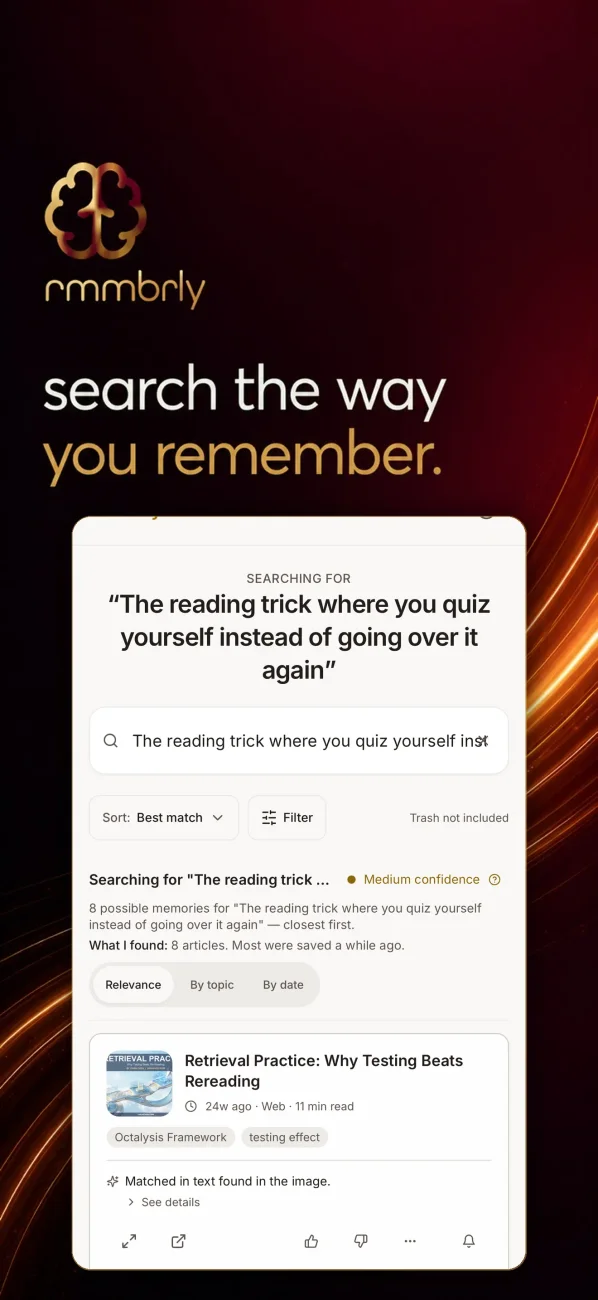
Describe what you’re after, like “that pasta recipe with anchovies” or “the article about sleep and focus”, and rmmbrly matches on meaning, not exact words. You don’t have to remember the title. Tell it when a result is it, close, or not it, and it keeps looking from what you said.
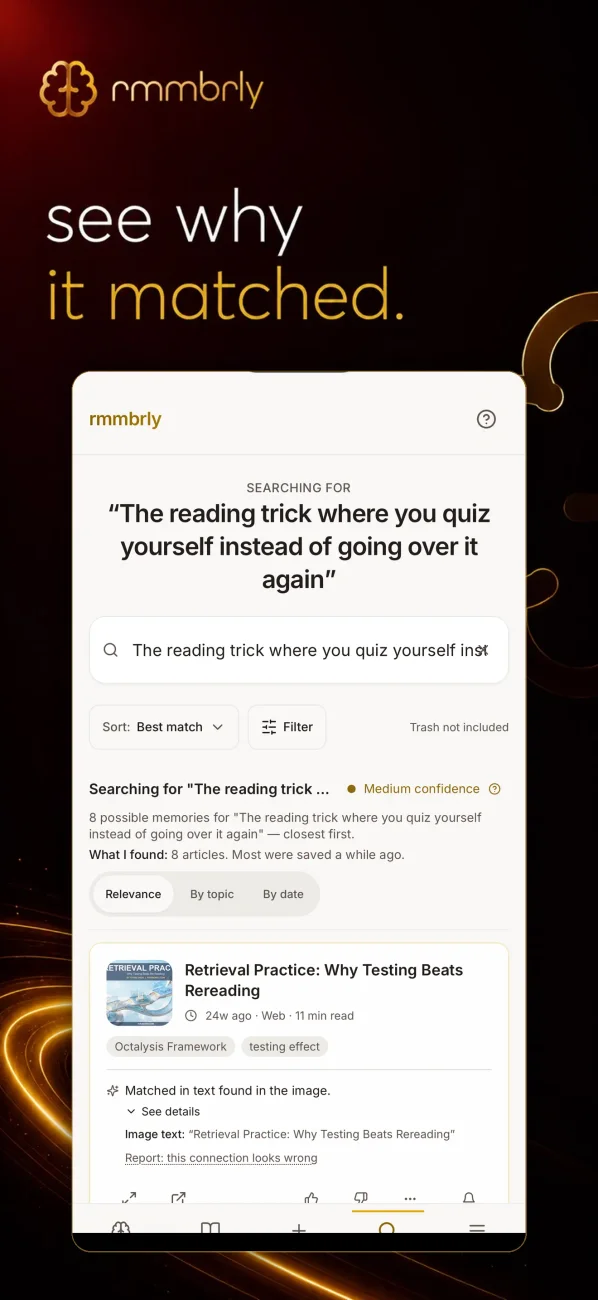
SEE WHY EACH RESULT SURFACED
rmmbrly shows the evidence behind a match: the words it recognized, where they matched, and a jump straight to that moment in the source. It won’t show you a summary it can’t back up.
PEOPLE
Say who a save came from or who it’s for, and find it later by that person: “what did Maya recommend”. Set a follow-up about a save next to someone. Your people, and what you connect to them, stay private to you.
SHARE WITH PEOPLE YOU KNOW
Connect with someone who uses rmmbrly through an invite link, then send them a save with a short message, or share a collection you can both add to. Only what you choose is shared, and you can stop sharing at any time.
BRING YOUR BACKLOG WITH YOU
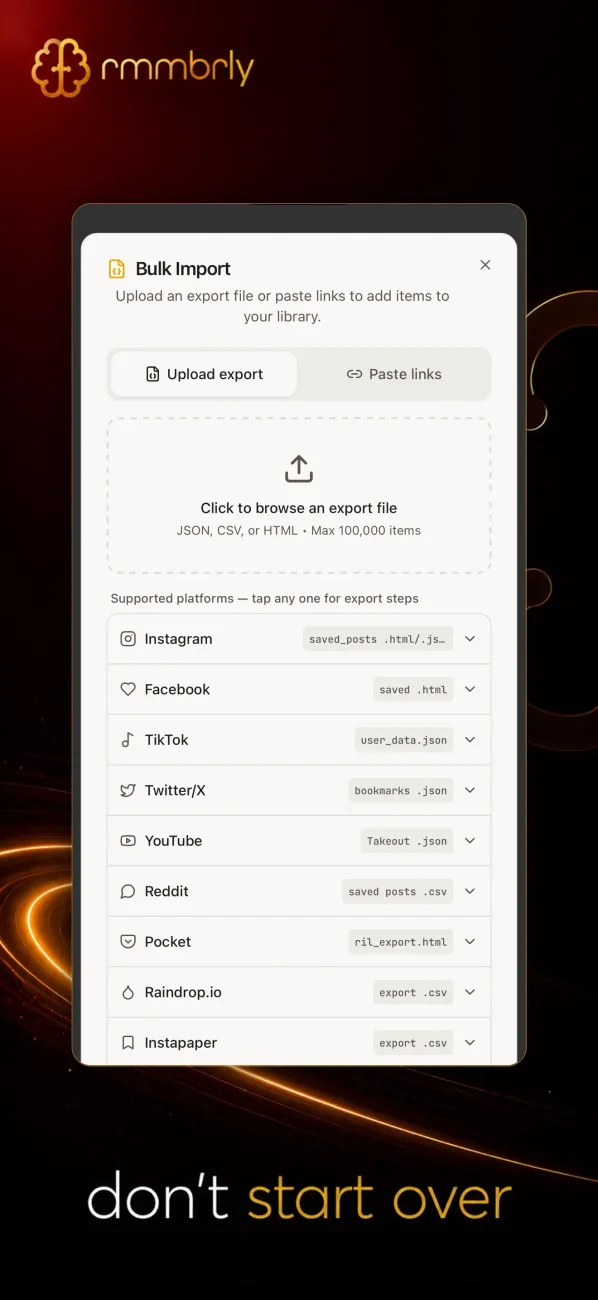
Already have years of saves elsewhere? Import them from your own data export: Instagram, TikTok, X, YouTube, Reddit, Pocket, Raindrop, Instapaper, Notion, Obsidian, Readwise, or browser bookmarks. You upload the file yourself; importing never signs in to those accounts.
REDISCOVER WHAT YOU FORGOT
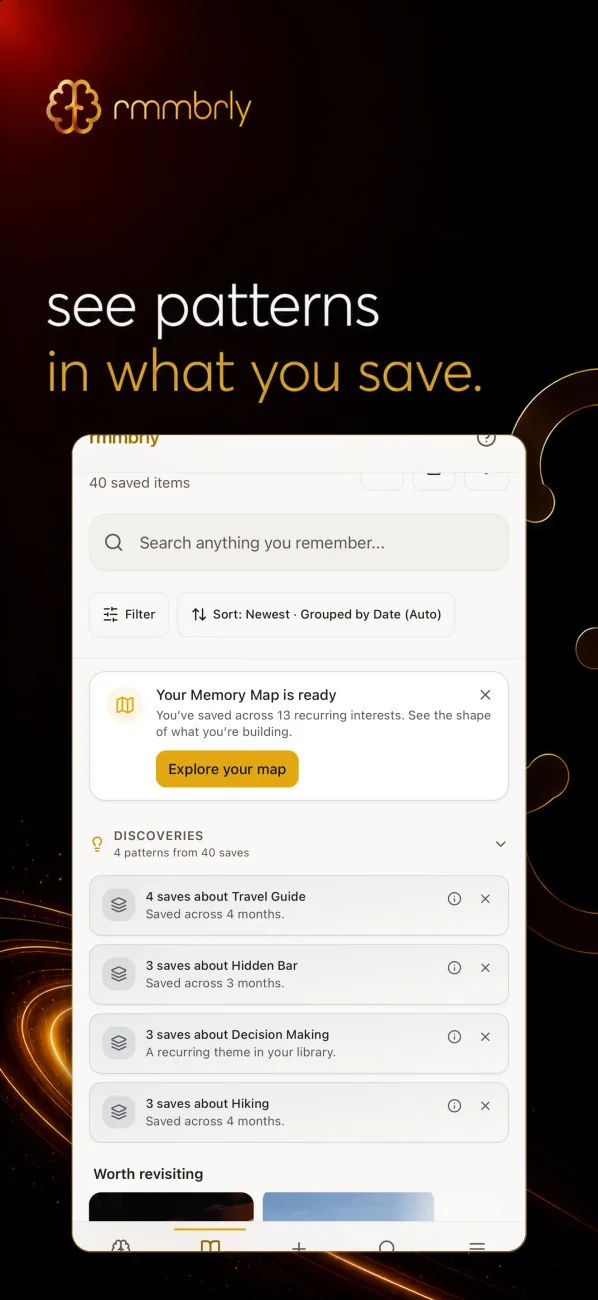
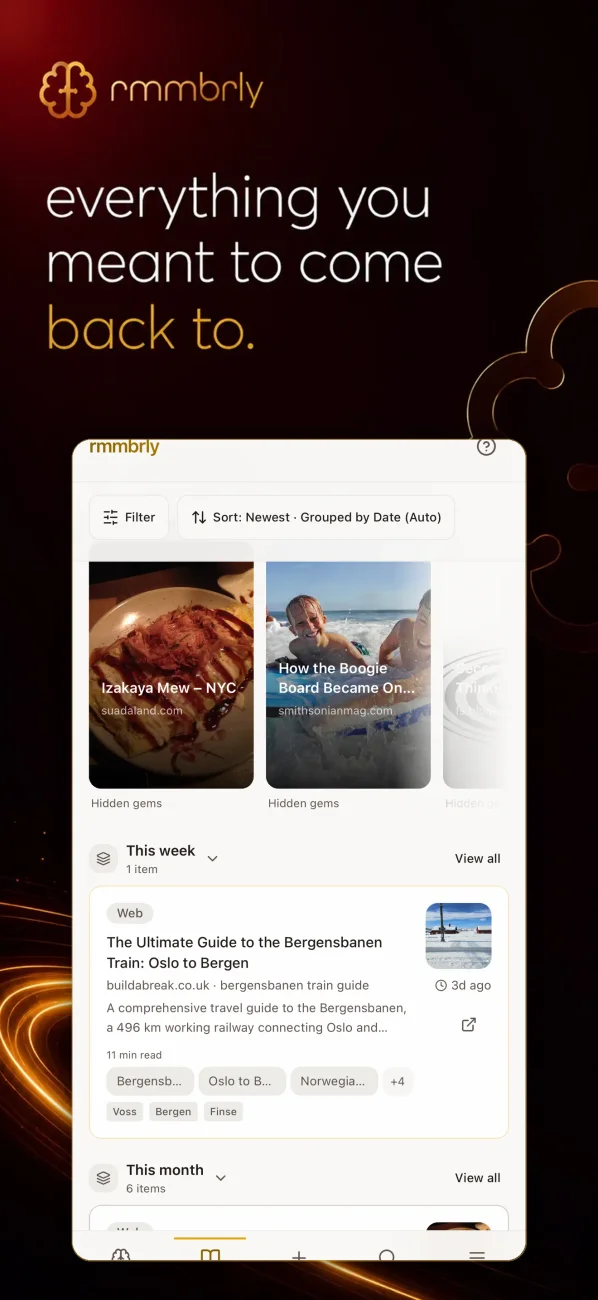
Highlights brings back saves worth a second look. Your library groups itself by theme, so you can see what you actually keep coming back to. Plans gather saves for a trip or a project.
COLLECTIONS
Group saves into Collections for a trip, a project, or a reading list. Share one with a link if you want to. Nothing is shared unless you choose it.
PRIVATE BY DEFAULT
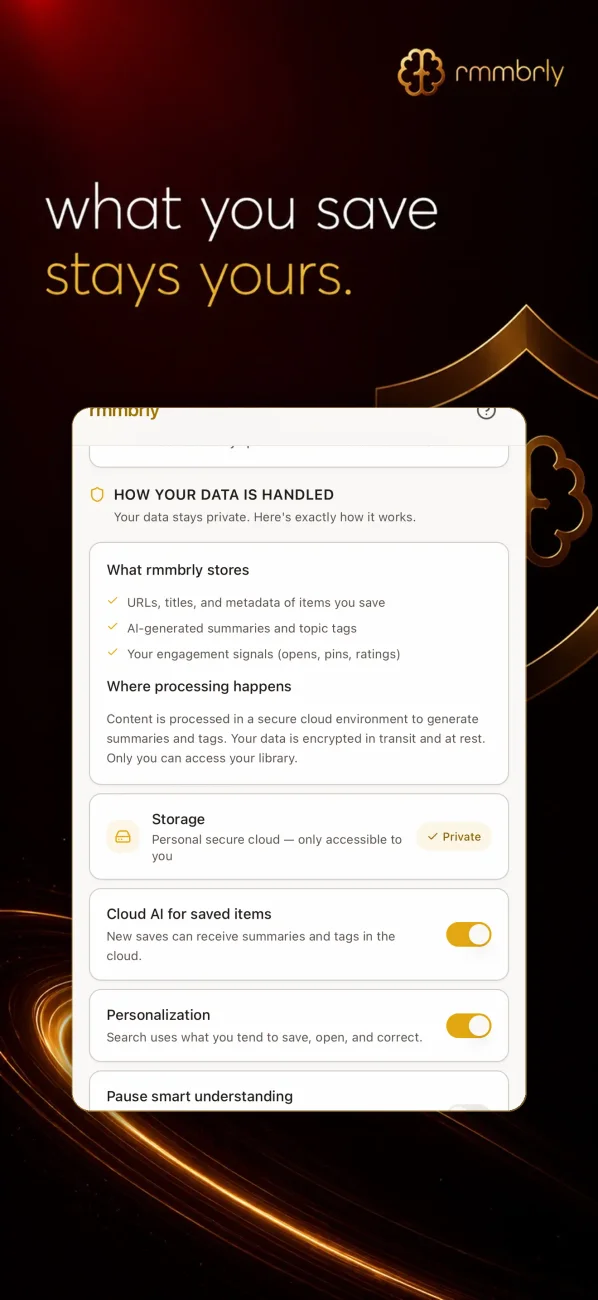
Only you can see your library unless you share something. No ads, no selling your data, no tracking you across apps. Analytics are off until you turn them on. Optional location and calendar context are off until you turn each one on in Privacy settings. Export everything or delete your account and all its data, whenever you want.
rmmbrly is invite-only during its private beta. Join the private beta at rmmbrly.io to request access.
Neue Funktionen
Version 1.2 · 13.11.2026
Share from any app
- In Safari or another app, tap Share, then rmmbrly. It starts saving right away, with nothing to fill in.
- If you like, pick what it's for, like Visit later or Gift idea, or add a memory cue: a few words about how you'd remember it. Your words are kept as you write them.
- Signed out, or no signal? The share is kept on your iPhone and finishes saving when you open rmmbrly. If you've switched accounts, rmmbrly asks which account it belongs to first.
- Sharing something you already saved says "Already in rmmbrly" instead of making a copy.
- The share sheet saves links and text. To save a photo, use the + button in the app.
Finding things
- When nothing you saved matches, search says "Not yet." instead of offering an unrelated save.
- Search for a site like nytimes.com and the links you saved from it come first. Numbers like 1984 and words in other scripts, like Москва or 東京, work too.
- When your own note is what found a save, search says it's sure, and the top answer shows your note.
- The line under a result quotes the part that matched, not the page's menu or banner.
- Everyday words like "the", and words that only look like yours, no longer count as a match. One misspelt word, like "quoka", still finds its save.
- Search asks you a question only when the answer narrows things down, and says plainly when it can't run, with Retry.
- On a keyboard, / jumps to search again.
Your saves
- Fix a detail rmmbrly got wrong: open Evidence & provenance, tap the detail, and choose "Not right?". Your version stays when rmmbrly reads the save again.
- A video shows a transcript only when rmmbrly heard the words. When it can't hear them, a description of what the video shows gets its own section.
- PDFs you forward to your save address are read, so search covers the text inside.
- Editing a save that's still getting ready keeps what rmmbrly filled in.
- Saving a link no longer sends a copy to the Internet Archive unless you turn that on in Profile.
Imports, collections and plans
- An import of 5,000 saves or more is searchable right away, and rmmbrly reads each save in depth as you open or search for it.
- Import and sync messages say how many saves are waiting, why, and when they'll start.
- Suggested collections are never empty, and creating one from Topics puts it under Library → Collections.
- When a new save fits one of your plans, "Add to plan" adds it in one tap.
Getting started
- New accounts start with the getting-started steps, and your first save says when search can find it.
- Searching an empty library shows you the ways to save your first thing.
App-Datenschutz
Was rmmbrly, Inc. im App Store zum Umgang dieser App mit Daten angibt.
-
Mit Ihnen verknüpfte Daten
Können erfasst und mit Ihrer Identität verknüpft werden.
- Standort
- Kontaktinformationen
- Kontakte
- Benutzerinhalte
- Suchverlauf
- Kennungen
- Nutzungsdaten
- Sonstige Daten
-
Nicht mit Ihnen verknüpfte Daten
Können erfasst werden, sind aber nicht mit Ihrer Identität verknüpft.
- Diagnose
Die Datenschutzpraktiken können variieren, zum Beispiel je nach den von Ihnen verwendeten Funktionen oder Ihrem Alter.
Informationen
- Anbieter
- rmmbrly, Inc.
- Kategorie
- Produktivität
- Version
- 1.2
- Aktualisiert
- 13.11.2026
- Veröffentlicht
- 26.08.2026
- Größe
- 39,9 MB
- Erfordert
- iOS 16.0 oder neuer
- Altersfreigabe
- 17+
- Sprachen
- Englisch
- Copyright
- © 2026 rmmbrly, Inc.
Das könnte Ihnen auch gefallen
-
 with eepProduktivität
-
 CleverNote: Notes & RemindersProduktivität
-
 Prompto Your AI prompt libraryProduktivität
-
 kip!Organize every screenshots.
-
 Foto Cleaner: Speicher leerenDuplikate & ähnliche Bilder
-
 KI Chatbot auf DeutschChat,Text,bild,rede Generator
-
 Covve: Personal CRM & ContactsProduktivität
-
 Salesloft MobileProduktivität
-
 PUSH MODELS MOBILEProduktivität
-
 Bucked Up AmbassadorProduktivität