
root workspace
Capture first. Organize later.
Entwickelt für iPhone
Kostenlos · In-App-Käufe
- Altersfreigabe4+
- KategorieProduktivität
- EntwicklerJOEAL MANIMTIM
- SprachenEnglisch
- Größe15,1 MB
Verlinkt auf die offizielle App Store-Seite
Download.org hostet keine Datei von root workspace. Die Schaltfläche öffnet die App-Seite bei App Store, wo JOEAL MANIMTIM die App veröffentlicht. Eintrag zuletzt geprüft am 22.11.2026.
Screenshots

Info
Der Entwickler hat diesen Text nicht in Ihrer Sprache bereitgestellt.
Capture first. Organize when you're ready.
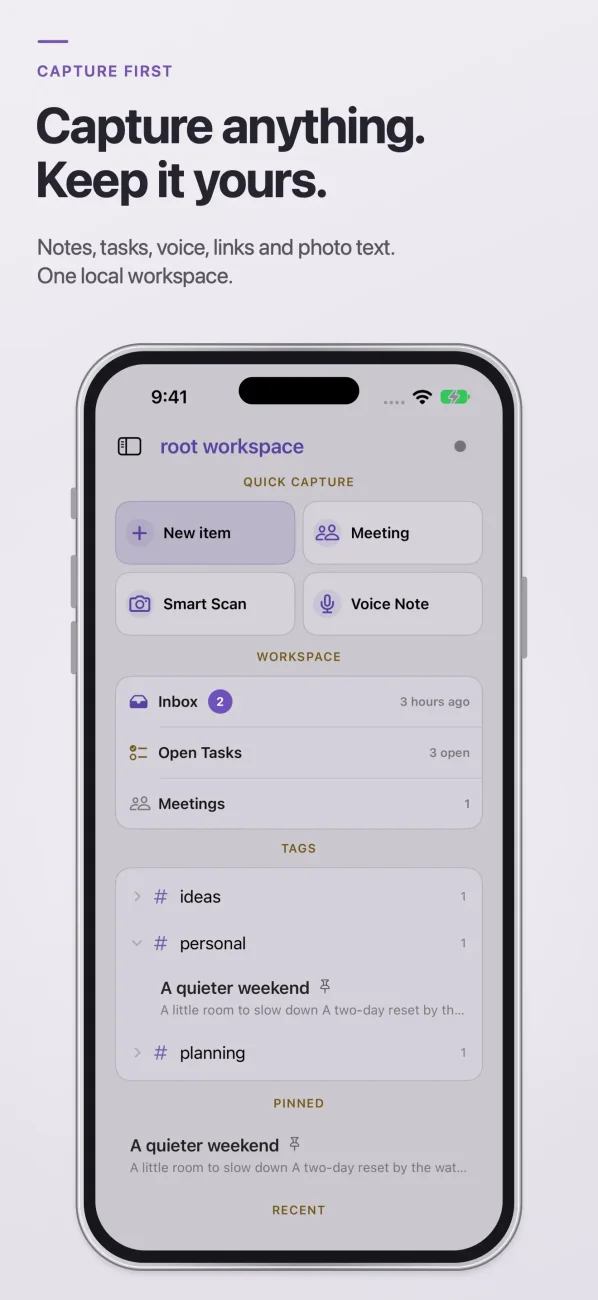
Root gives your thoughts, links, meeting notes, tasks and reusable text one place to land on your iPhone. Get something down while it's fresh, return to it when you have time, and keep the useful parts moving.
The iPhone app is free. Create, edit, search, organize and export your local workspace without a Root account or purchase.
CAPTURE IN THE MOMENT
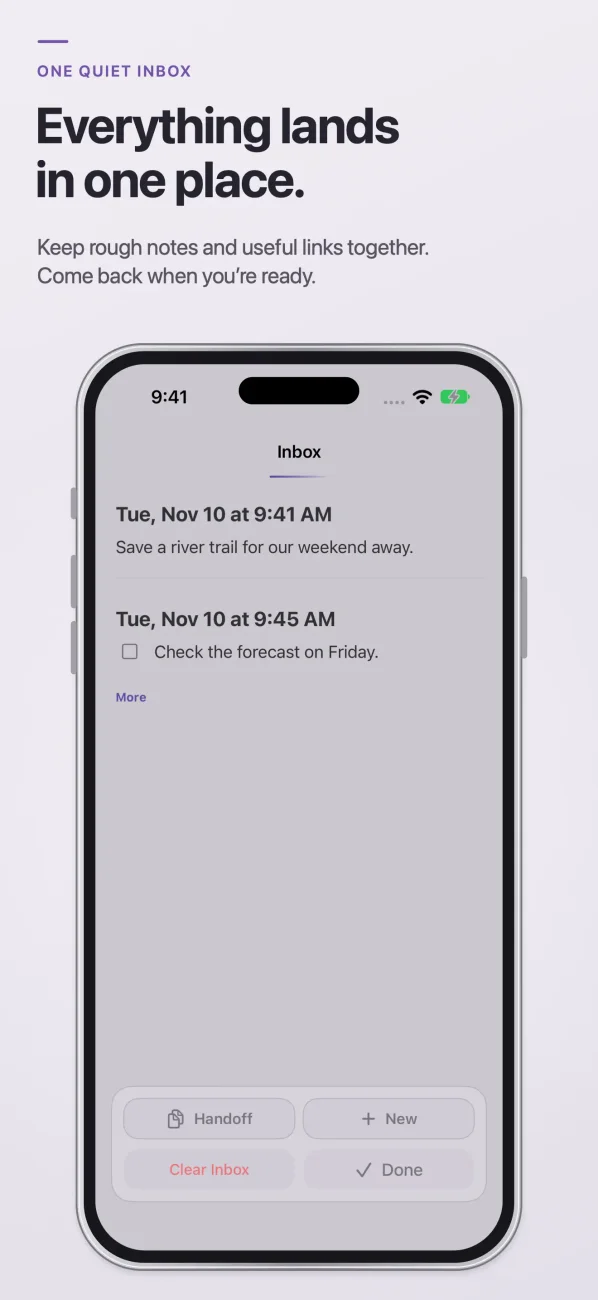
Type a quick thought into Inbox, start a note, or use the capture tool that fits:
• Voice Transcribe uses Apple's speech recognition to turn spoken thoughts into a raw transcript you can review and edit before saving.
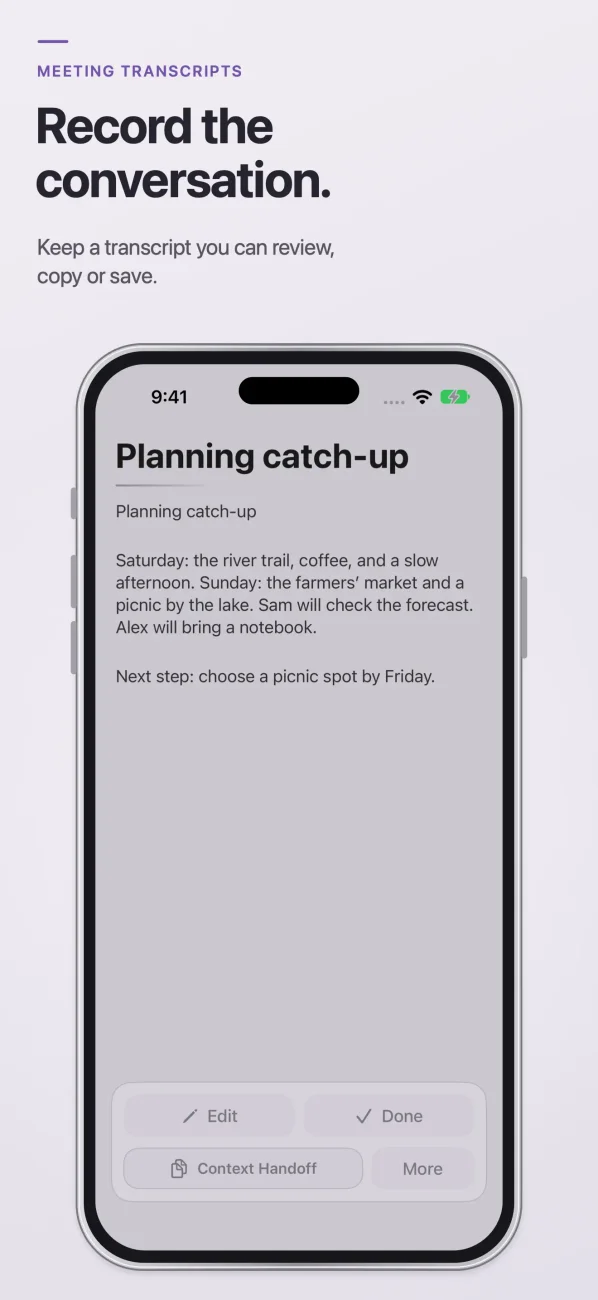
• Meetings capture conversations as searchable transcripts, with Pause, Resume and Finish controls.
• Smart Scan reads supported QR details and text from photos. Review and edit the result before using or saving it.
• Share links and selected text from Safari and other apps straight into Root Inbox using the iPhone share sheet.
• Quick Capture and Capture Tools widgets put useful actions within reach.
TURN CAPTURES INTO USEFUL WORK
Keep rough material in Inbox until you're ready to shape it. Write and edit notes, add tags, pin what matters and search when you need it again. Browse notes by tag without building a folder system first.
Open Tasks brings unfinished checkboxes together while keeping them connected to their original notes. Save reusable wording and prompts in Snippets. Archive finished work, use Trash for unwanted items and export your library when you need a portable copy.
SHARE THE PART THAT MATTERS
Context Handoff helps you prepare a focused packet from a note, selected notes or open tasks. Review it first, then copy clean text, save Markdown, share text or PDF, or print.
When you're continuing in an AI assistant, add an optional instruction and use Copy for AI. You choose the context to take with you, without handing over the rest of your workspace.
SYNC WITH CHROME ON DESKTOP
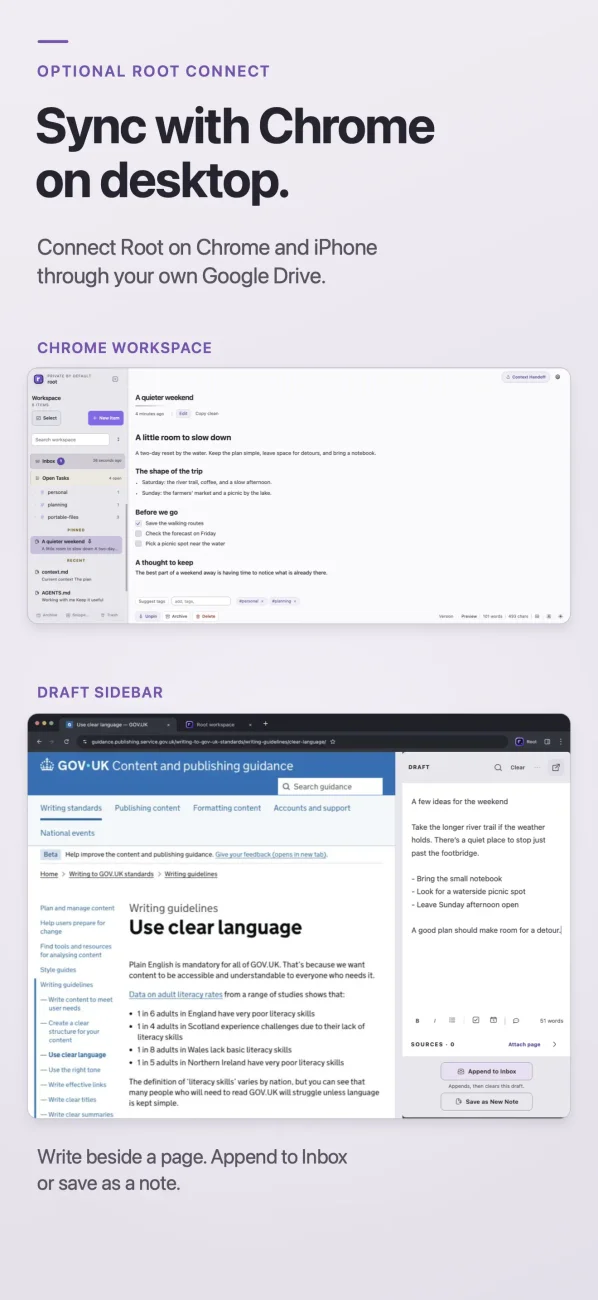
Root for Chrome gives you room to keep working beside the web. Use its side-panel Draft to collect quotes, links and your own thinking while you browse, then save the work with its sources.
Optional Root Connect syncs your iPhone and Chrome workspace through your own Google Drive. Capture on your phone, continue at your desk and bring the work back with you.
Root Connect is a one-time in-app purchase, with no subscription. Sync has visible status and Pause and Resume controls. The iPhone app and Chrome extension each remain free to use locally on their own.
PRIVATE BY DEFAULT
Your workspace starts locally. No Root account is required, and Root does not operate a hosted notes or sync service. You decide what to copy, share, export or sync.
Smart Scan handles useful QR information without displaying or saving Wi-Fi passwords, authentication secrets or payment requests.
WHAT'S NEW IN THIS UPDATE
• Improved privacy for meeting drafts and task priorities.
• More reliable draft recovery and cleanup after save errors.
• Security improvements when opening, saving, and deleting notes.
Neue Funktionen
Version 1.0.14 · 18.11.2026
• Improved privacy for meeting drafts and task priorities.
• More reliable draft recovery and cleanup after save errors.
• Security improvements when opening, saving, and deleting notes.
App-Datenschutz
Was JOEAL MANIMTIM im App Store zum Umgang dieser App mit Daten angibt.
-
Mit Ihnen verknüpfte Daten
Können erfasst und mit Ihrer Identität verknüpft werden.
- Standort
- Kontaktinformationen
- Benutzerinhalte
- Kennungen
- Nutzungsdaten
- Sonstige Daten
Die Datenschutzpraktiken können variieren, zum Beispiel je nach den von Ihnen verwendeten Funktionen oder Ihrem Alter.
Informationen
- Anbieter
- JOEAL MANIMTIM
- Kategorie
- Produktivität
- Version
- 1.0.14
- Aktualisiert
- 18.11.2026
- Veröffentlicht
- 24.07.2026
- Größe
- 15,1 MB
- Erfordert
- iOS 18.0 oder neuer
- Altersfreigabe
- 4+
- Preis
- Kostenlos
- In-App-Käufe
- Ja
- Sprachen
- Englisch
- Copyright
- © 2026 Joeal Manimtim
Das könnte Ihnen auch gefallen
-
 Supaplan – AI Calendar PlannerProduktivität
-
 graynotes: hold that thoughtProduktivität
-
 Elevate: Planer & GewohnheitRoutinen, Aufgaben & ToDos
-
 Arabische Tastatur & NotizenSpracheingabe, KI-Schreiber
-
 Transcriber: Offline speechProduktivität
-
 Atomic Chat: Private Local AIProduktivität
-
 Runrun.it LiteProduktivität
-
 Hedy: KI-Notizen für MeetingsZusammenfassung & Protokolle
-
 Delta Executor RBX Ai StudioProduktivität
-
 Bullet: Daily Planner, JournalADHD Day: Digital Journaling