
Safelop: Family Document Vault
Expiry Reminders & Backup Plan
Entwickelt für iPhone, iPad
Kostenlos · In-App-Käufe
- Altersfreigabe4+
- KategorieProduktivität
- EntwicklerDan Burian
- SprachenEnglisch
- Größe3,7 MB
Verlinkt auf die offizielle App Store-Seite
Download.org hostet keine Datei von Safelop: Family Document Vault. Die Schaltfläche öffnet die App-Seite bei App Store, wo Dan Burian die App veröffentlicht. Eintrag zuletzt geprüft am 23.11.2026.
Screenshots



Info
Der Entwickler hat diesen Text nicht in Ihrer Sprache bereitgestellt.
Safelop is a family documents app with a backup plan: one vault for your important documents, reminders before anything expires, and a locked plan for the day something happens to you. Think of it as your family's operating manual, or an in case of emergency binder that you and your partner can both open. Everything stays in your family's iCloud.
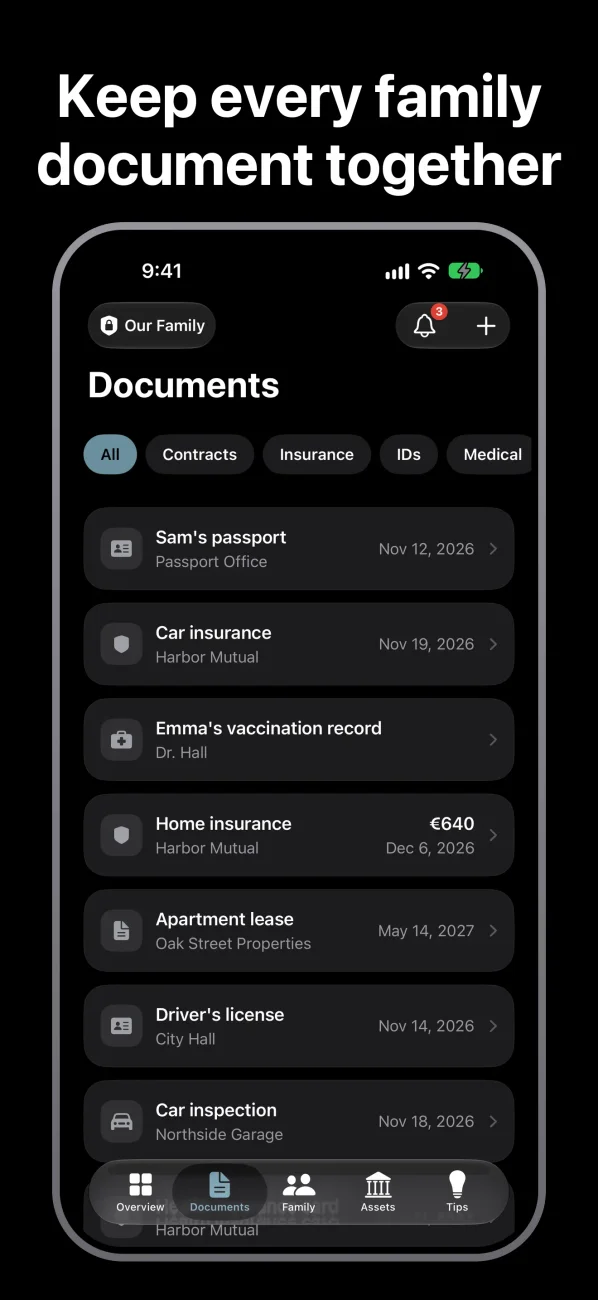
KEEP DOCUMENTS TOGETHER
Contracts, insurance, IDs, medical records, property and vehicle papers in one vault you share with your partner. Attach PDFs and photos and assign a document to anyone with access to the vault.
NEVER MISS A DEADLINE
Get reminders 90, 30, 7 and 1 day before a document expires, or choose your own lead time of up to a year. If you like, expiry dates also go to a Safelop calendar in Apple Calendar. The Overview shows what needs attention, what falls due this week and what is coming up.
BACKUP PLANS
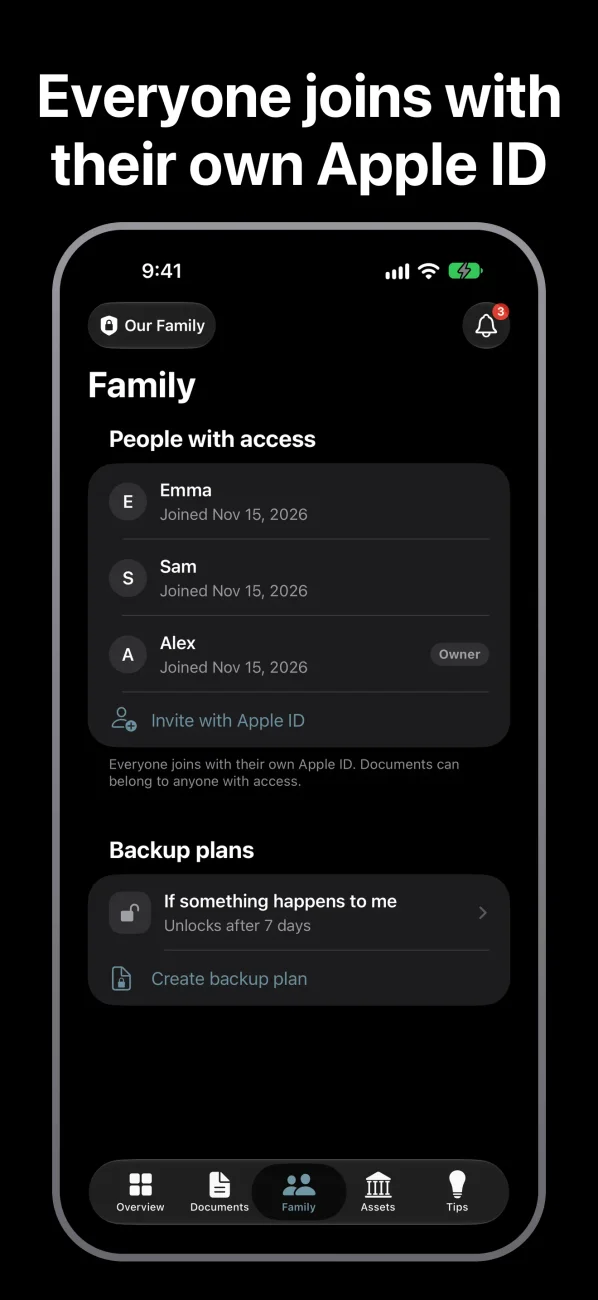
Write down what your family would need to know and add documents that only the plan holds. A plan stays locked until a member of your vault asks for it. You get a notification and can deny the request. If you do not respond, it unlocks for that one person after the delay you chose: 48 hours, 7 days or 30 days.
ON IPAD, A HOUSEHOLD NOTICEBOARD
See what is overdue and what falls due this week on one screen.
With Pro, Household mode turns an iPad into a full-screen board with a clock, today and the next 7 days, and your deadlines. It can show the calendars you choose, run your Home scenes and show the weather from Apple Weather. All are off until you turn them on. Calendar events and scene names stay on your device; the weather uses your approximate location with Apple Weather. Leaving Household mode always asks for Face ID or your passcode.
PRIVATE BY DESIGN
No server. No analytics. Your vaults live on your devices and in your own iCloud, protected by Sign in with Apple and Face ID. Reading a document from a photo and summarising it run on your device, with Apple's Vision and the on-device Apple Intelligence model. Nothing goes to an outside language model. Summaries need a device with Apple Intelligence.
FREE TO START
One vault, 10 documents and expiry reminders. Safelop Pro is a single payment, with no subscription: invite your partner, unlimited vaults and documents, backup plans, reading documents from photos, the assets widget and Household mode. A partner in your vault gets Pro features in that vault.
Terms of Use (EULA): https://www.apple.com/legal/internet-services/itunes/dev/stdeula/
Terms of Use: https://safelop.app/terms/
Privacy Policy: https://safelop.app/privacy/
Support: use@safelop.app
Neue Funktionen
Version 2.0.1 · 21.11.2026
Safelop 2.0 turns your vault into your family's operating manual.
• New Overview: what needs attention, what falls due this week and what is coming up
• Everyone in your vault joins with their own Apple ID, and a document can belong to any of them
• On iPad, a noticeboard for the household
• Household mode with Pro: a full-screen board on iPad with your calendars, Home scenes and the weather, and Face ID to leave it
• Reminders 90, 30, 7 and 1 day before, or your own lead time, and expiry dates in Apple Calendar if you want them
• Backup plans can hold documents that appear nowhere else
• Pro Lifetime: pay once, no subscription. Existing subscriptions keep working.
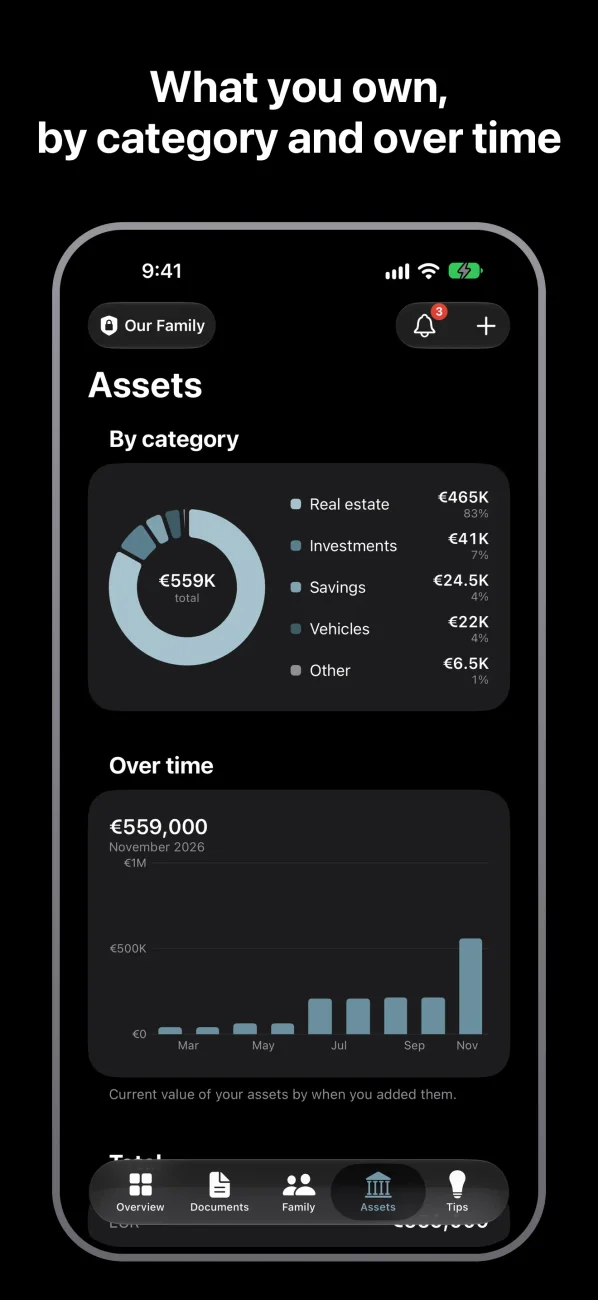
• Assets in their own tab, by category and over time, and a Home Screen widget with Pro
App-Datenschutz
Was Dan Burian im App Store zum Umgang dieser App mit Daten angibt.
-
Keine Daten erfasst
Der Entwickler erfasst keine Daten von dieser App.
Die Datenschutzpraktiken können variieren, zum Beispiel je nach den von Ihnen verwendeten Funktionen oder Ihrem Alter.
Informationen
- Anbieter
- Dan Burian
- Kategorie
- Produktivität
- Version
- 2.0.1
- Aktualisiert
- 21.11.2026
- Veröffentlicht
- 23.02.2026
- Größe
- 3,7 MB
- Erfordert
- iOS 26.0 oder neuer
- Altersfreigabe
- 4+
- Preis
- Kostenlos
- In-App-Käufe
- Ja
- Sprachen
- Englisch
- Copyright
- © 2026 Dan Burian
Das könnte Ihnen auch gefallen
-
 MionitorsProduktivität
-
 NotelockedProduktivität
-
 Quick Scan And ShareProduktivität
-
 super copy: smart keyboardProduktivität
-
 MyAdvo – Private AI AdvisersProduktivität
-
 Ai Scan Lite - PDF ScannerProduktivität
-
 BulkHeadProduktivität
-
 Email FormatterProduktivität
-
 NANOASCANProduktivität
-
 Contact Archive : Clear GuideProduktivität