
- Altersfreigabe17+
- KategorieDienstprogramme
- EntwicklerJoseph Tso
- SprachenEnglisch
- Größe25,0 MB
Verlinkt auf die offizielle App Store-Seite
Download.org hostet keine Datei von Sail Browser. Die Schaltfläche öffnet die App-Seite bei App Store, wo Joseph Tso die App veröffentlicht. Eintrag zuletzt geprüft am 15.11.2026.
Screenshots



Info
Der Entwickler hat diesen Text nicht in Ihrer Sprache bereitgestellt.
Swipe along the bottom bar to change tabs. Pull up from the tab button, or pinch the page, to see every tab at once, then flick away the ones you are done with.
Sail blocks ads, trackers and cookie banners from the start, asks for no account, and keeps everything on your phone.
TABS THAT MOVE WITH YOUR FINGER
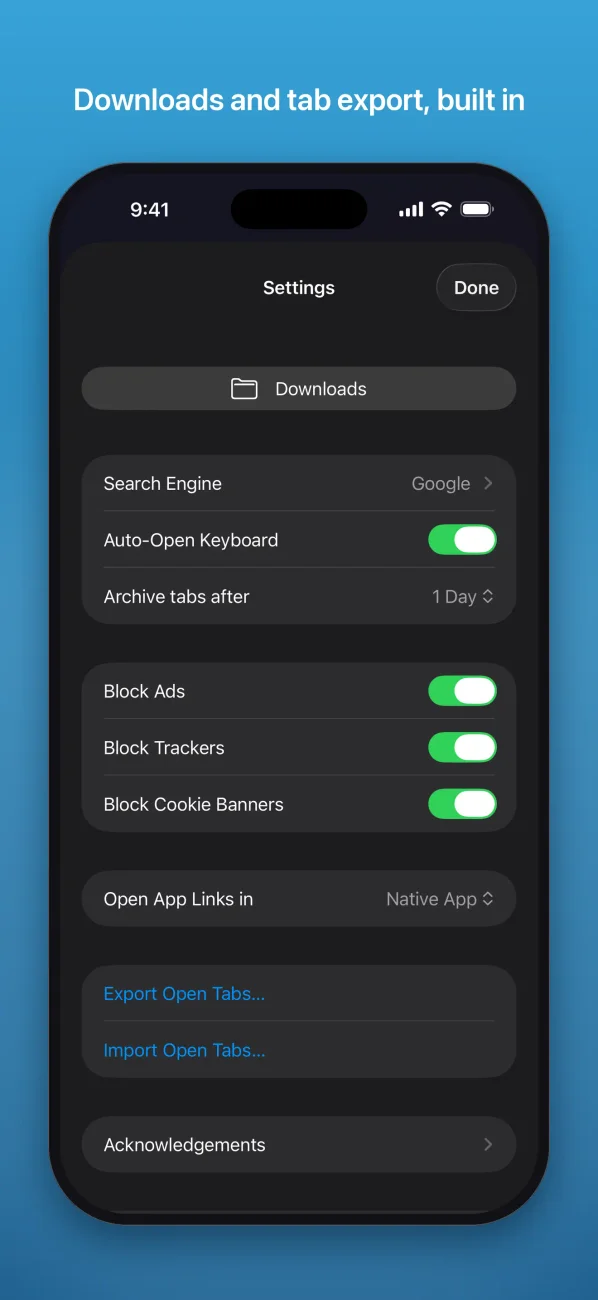
Your tabs sit side by side in a deck, newest on the right. Swipe the bar to move to the next one, or flick up from the tab button to jump back to the tab you were on before. Pinch in on a page and the deck opens, the same way as tapping the tab button. Swipe a card up to archive it. Tabs you leave alone are archived for you after a day; choose 12 hours, a day, or 3, 7 or 30 days in Settings, or pin a tab so it stays. The archive is searchable, and a tap brings a page back. Every landing comes with a small tap you can feel.
SEARCH THAT IS READY WHEN YOU ARE
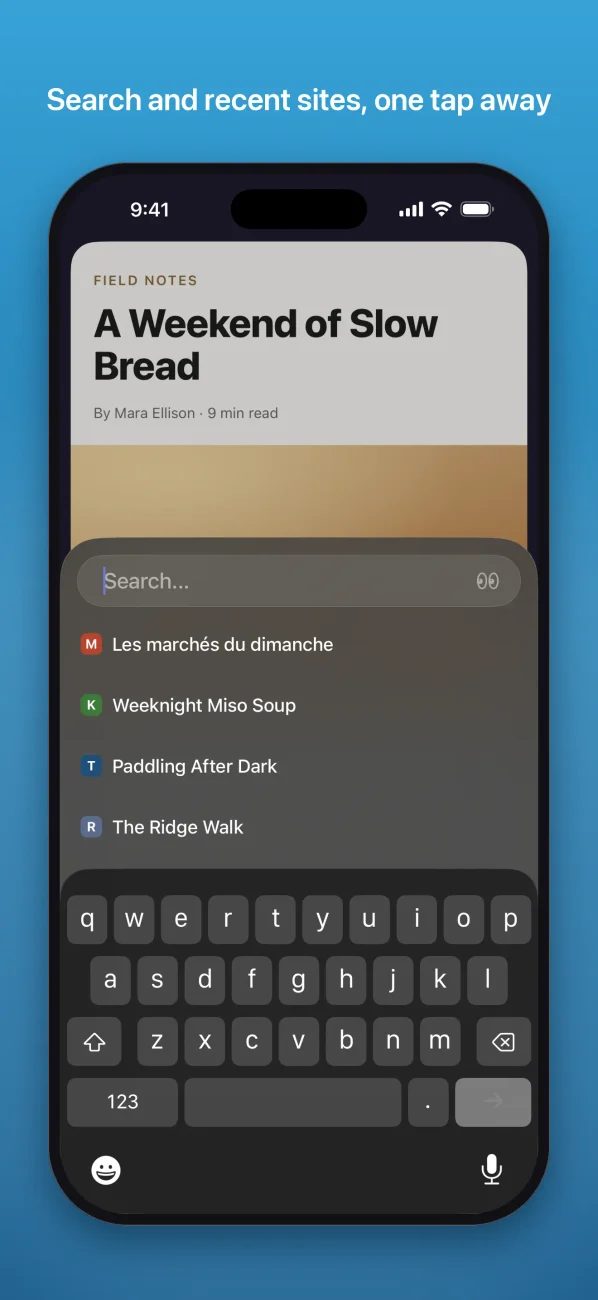
Tap the plus button and the keyboard is already up. You see the sites you visit most, then your history and suggestions as you type. Return opens a new tab. Pick Google, DuckDuckGo, Bing, Ecosia, Kagi or Perplexity as your search engine.
ADS, TRACKERS AND COOKIE BANNERS, GONE
Blocking is on from the first page. The page menu shows how many trackers were stopped. If a site breaks, one tap allows it, for that site only. The block lists (EasyList, EasyPrivacy, EasyList Cookie List and Fanboy's Annoyance List) ship inside the app. The app downloads no lists and talks to no server of ours.
A PAGE WITH NOTHING IN THE WAY
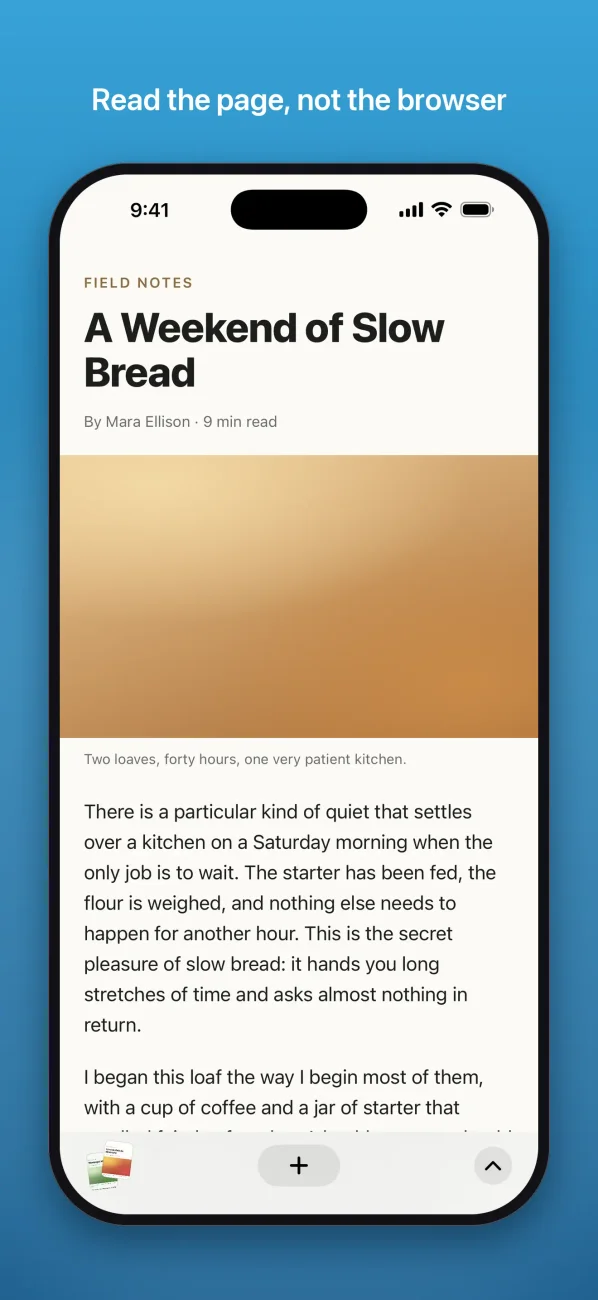
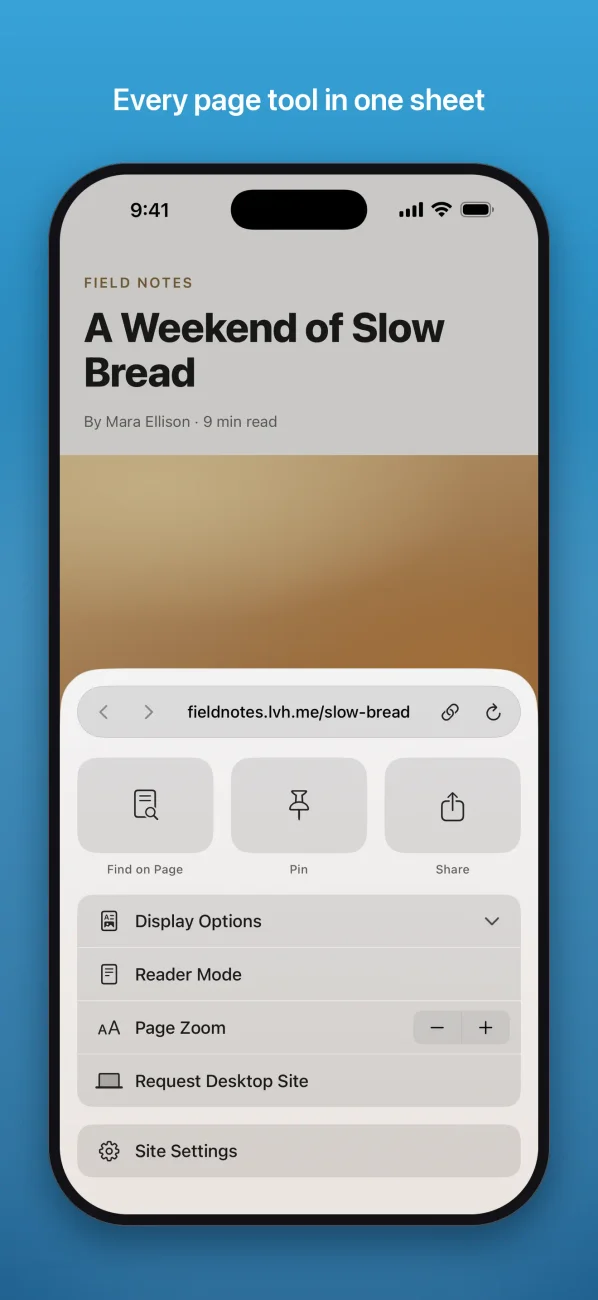
No address bar. The bar slides away when you scroll down and comes back when you scroll up. Pull down to refresh. Swipe in from the edge to go back or forward. The page menu holds back, forward, copy link, reload, find on page, pin, share, reader mode, page zoom, desktop site and site settings. Links that belong to an app on your phone can open in that app or stay in Sail; you choose in Settings.
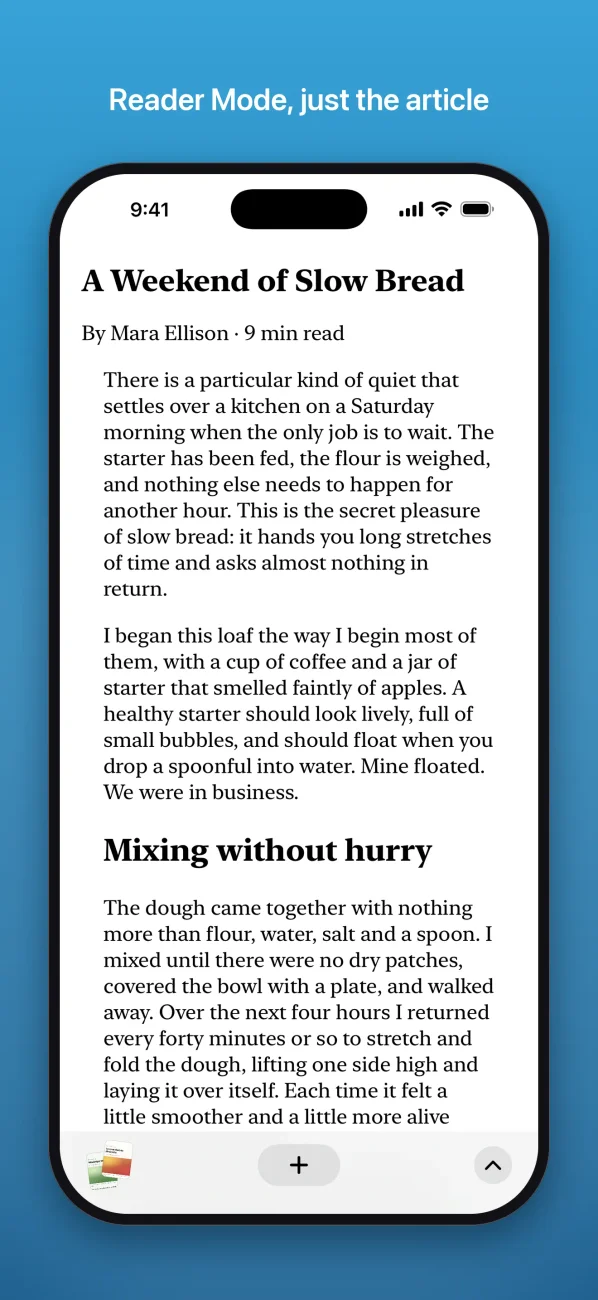
READER MODE
Open an article as clean text, with no clutter around it. Page zoom applies to the reader too.
TRANSLATE ON YOUR PHONE
When a page is in another language, a translate button appears in the bar. Tap to translate, tap again for the original. Translation runs on your phone with Apple's on-device translation and the languages installed in iOS. The page is not sent to a translation service.
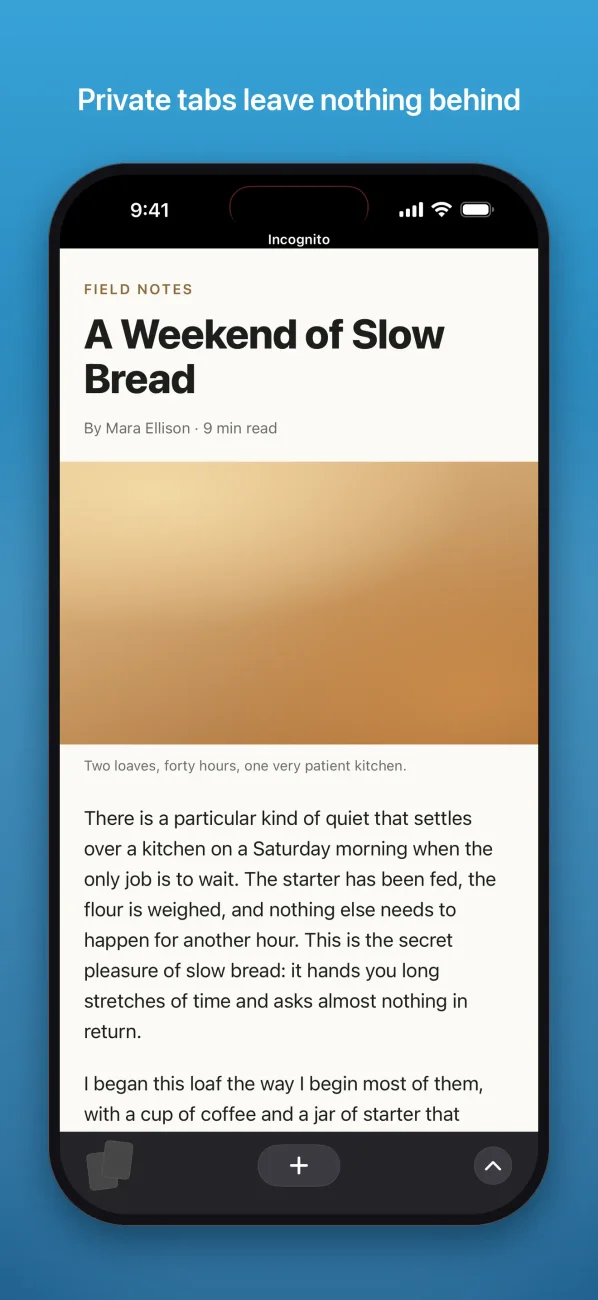
INCOGNITO TABS
Tap the eyes in the search field to turn Incognito on. Incognito tabs keep no history, are not saved between launches, and drop their website data when the app closes.
DOWNLOADS
Files land in a Downloads folder you can open in the Files app under On My iPhone. A download that fails can be retried, even after a relaunch.
TAKE YOUR TABS WITH YOU
Export your open tabs as a list of links to share or save. Import a list of links from pasted text or a file, and Sail opens them as tabs.
PRIVATE BY DESIGN
No account. No sign-in. No sync. No analytics. No servers of ours. What leaves your phone is what you asked for: the pages you load, and what you type in search, which goes to the search engine you chose. Website data, history and archived tabs can be cleared from Settings at any time.
Sail is Sailfish for iPhone.
Neue Funktionen
Version 1.0.4 · 10.11.2026
The tab deck follows the finger and coasts like Arc, the close swipe follows the finger, the tab stack shows pictures, and the pinch summary folds the right way.
App-Datenschutz
Was Joseph Tso im App Store zum Umgang dieser App mit Daten angibt.
-
Keine Daten erfasst
Der Entwickler erfasst keine Daten von dieser App.
Die Datenschutzpraktiken können variieren, zum Beispiel je nach den von Ihnen verwendeten Funktionen oder Ihrem Alter.
Informationen
- Anbieter
- Joseph Tso
- Kategorie
- Dienstprogramme
- Version
- 1.0.4
- Aktualisiert
- 10.11.2026
- Veröffentlicht
- 31.10.2026
- Größe
- 25,0 MB
- Erfordert
- iOS 26.0 oder neuer
- Altersfreigabe
- 17+
- Preis
- Kostenlos
- Sprachen
- Englisch
- Copyright
- © 2026 Joseph Tso
Das könnte Ihnen auch gefallen
-
 Lean BrowserDienstprogramme
-
 Nova Browser: One ExperienceDienstprogramme
-
 Aetherium BrowserDienstprogramme
-
 Brilliance Private BrowserDienstprogramme
-
 TitleLess BrowserDienstprogramme
-
 Kesl AI BrowserDienstprogramme
-
 Blanc: Web BrowserDienstprogramme
-
 WikBrowserDienstprogramme
-
 DefaultAI: Default browserDienstprogramme
-
 GestabloDienstprogramme