
SavePiks: Photo Cleaner
Swipe to clean your gallery
Entwickelt für iPhone, iPod touch
Kostenlos
- Altersfreigabe4+
- KategorieDienstprogramme
- EntwicklerJuan Jose Diaz Rodriguez
- SprachenEnglisch+ 1 weitere
- Größe33,8 MB
Verlinkt auf die offizielle App Store-Seite
Download.org hostet keine Datei von SavePiks: Photo Cleaner. Die Schaltfläche öffnet die App-Seite bei App Store, wo Juan Jose Diaz Rodriguez die App veröffentlicht. Eintrag zuletzt geprüft am 18.11.2026.
Screenshots

Info
Der Entwickler hat diesen Text nicht in Ihrer Sprache bereitgestellt.
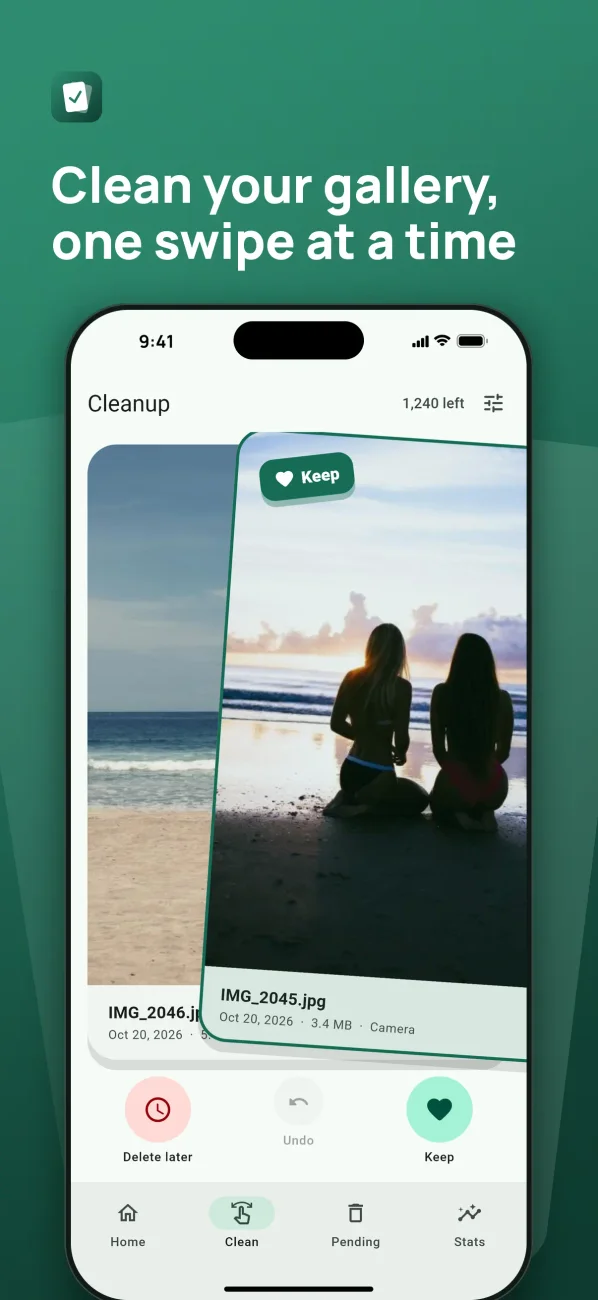
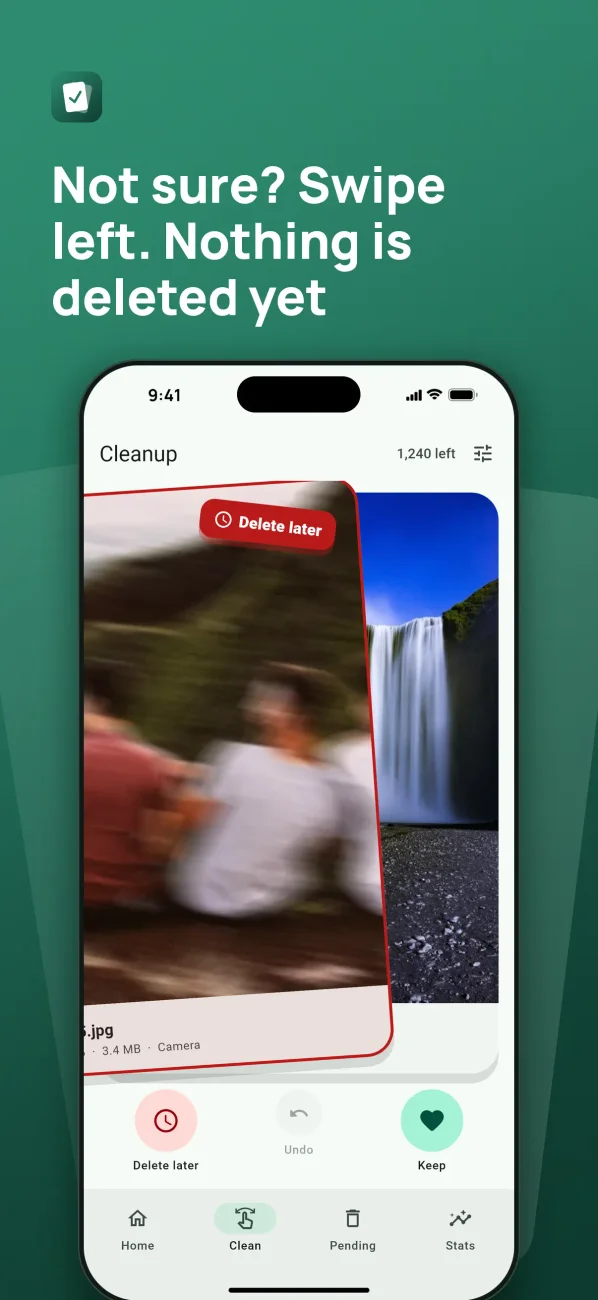
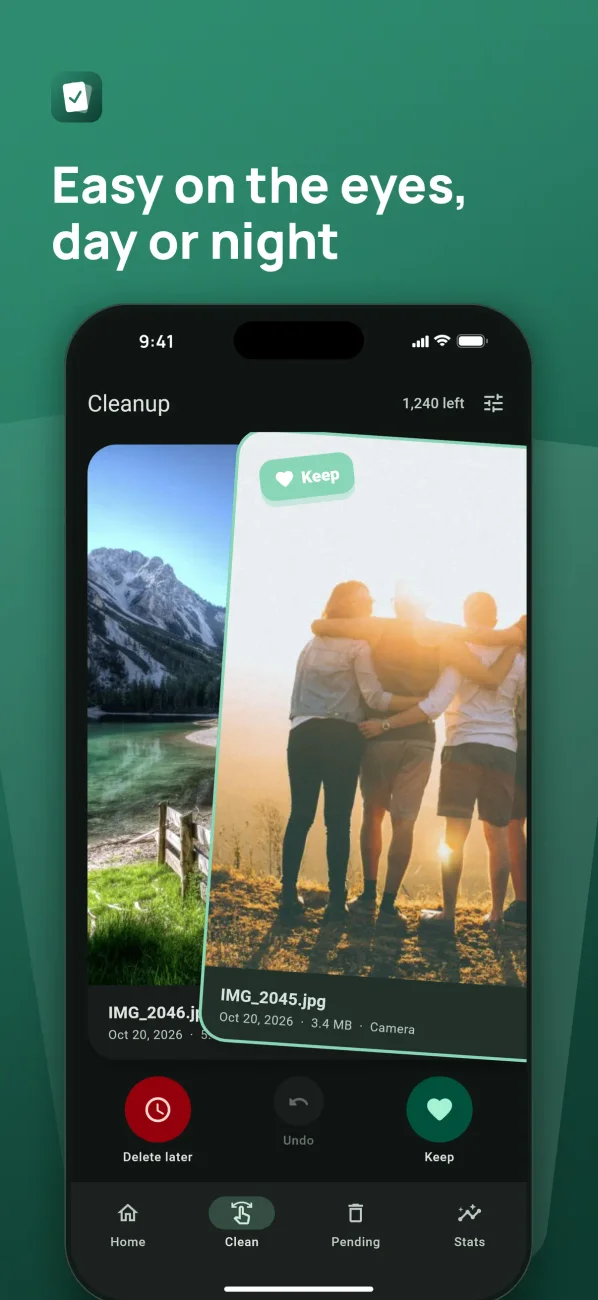
SavePiks turns cleaning your photo library into a quick swipe. Go through your photos and videos one at a time: swipe right to keep a memory, swipe left to send it to Pending deletion. Nothing is deleted right away, so you can sort thousands of shots without worrying about losing the one that mattered.
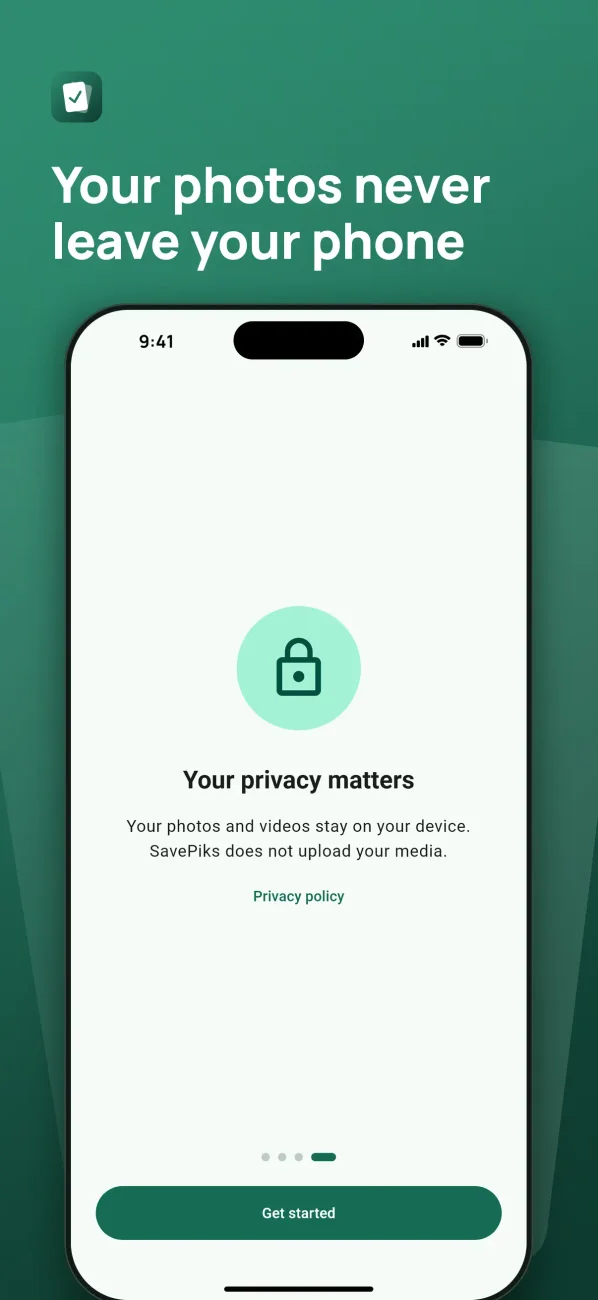
Your photos and videos stay on your iPhone. There is no account and nothing is uploaded: SavePiks reviews your library on your device and only deletes what you confirm.
Why SavePiks
• One decision per swipe: keep it or let it go, photo by photo and video by video.
• A safety net: left swipes go to a queue, not straight to deletion. Undo your last swipe or restore any item from the queue.
• You choose the wait: queued items are deleted after 1, 3, 7, 14, 30 or 60 days, or only when you decide.
• Private by design: no sign-up, no uploads, no SavePiks servers.
How it works
1. Swipe right to keep, or swipe left to queue for deletion. Tap a card to see it full screen or play a video.
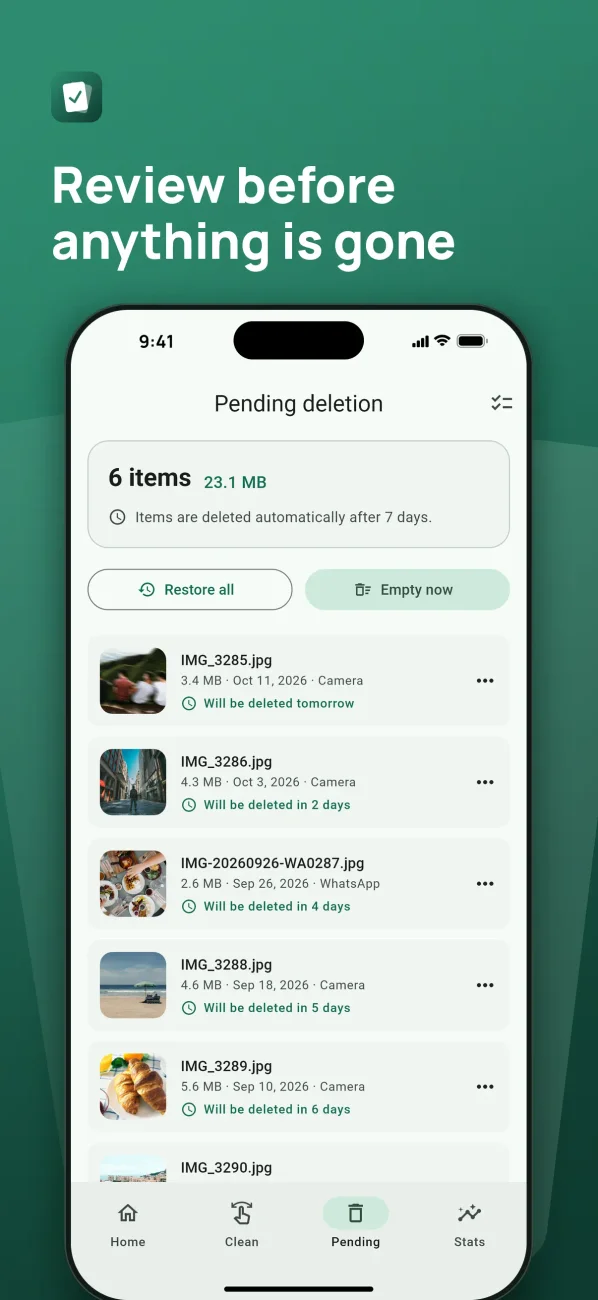
2. Queued items wait in Pending deletion for the period you chose. There you can restore anything, see roughly how much space they take, or delete items yourself at any time.
3. When the period ends, SavePiks reminds you with a notification (if you allow it). Open the app and confirm: every deletion goes through the system's own confirmation, so nothing disappears without your say.
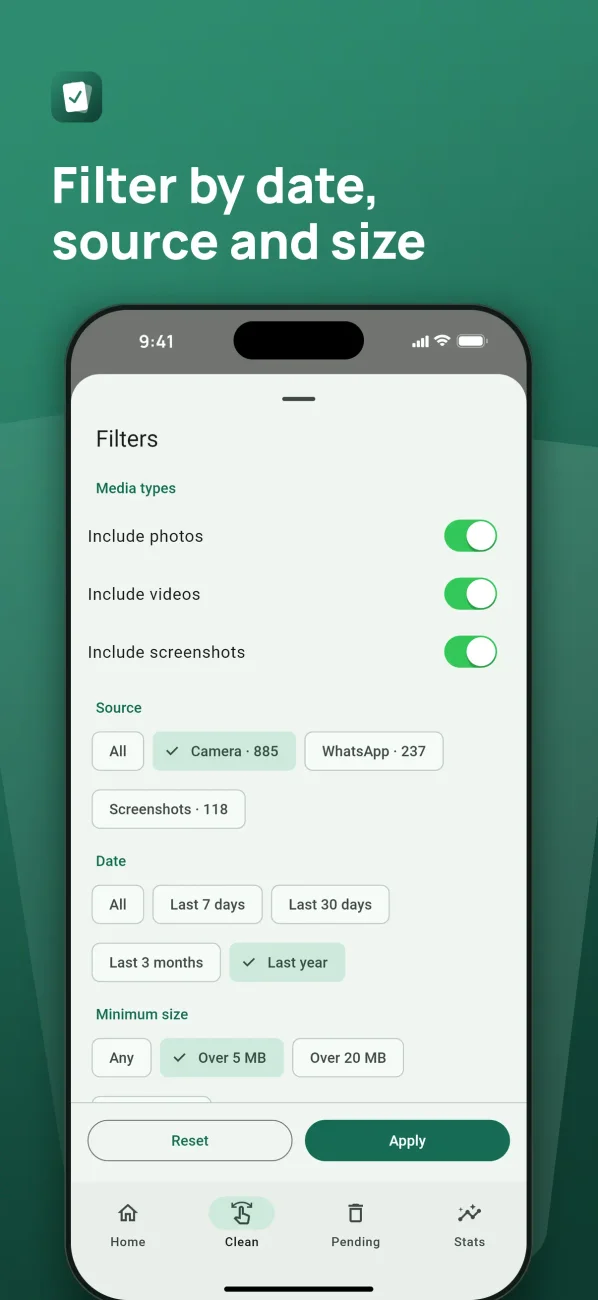
Focus on what takes up space
• Date: last 7 days, last 30 days, last 3 months or last year.
• Source: the album an item belongs to, or Screenshots.
• Type: photos, videos or both, with or without screenshots.
• Minimum size: start with the biggest files.
Save your favourite filters as defaults. Kept items can be shown again whenever you want to change your mind.
See your progress
Statistics show how many items you have reviewed, kept, queued and permanently deleted, the space waiting in Pending deletion and the space you have recovered.
Made to be comfortable
Light and dark themes, optional haptics and sound, and full English and Spanish support.
Privacy
SavePiks processes your photos and videos only on your device and never uploads them. Your decisions are kept in a local database that is removed when you delete the app. The app uses Google AdMob for ads and Firebase Crashlytics for crash reports, which never include your photos.
SavePiks is free and shows ads: a banner and, from time to time, a full-screen ad. Where the law requires it, you are asked for consent first, and you can change your choice later in Settings > Privacy options.
Questions or feedback? Write to support@savepiks.com.
Neue Funktionen
Version 1.0.1 · 17.11.2026
• Pending deletion reminders now arrive on time.
• New reminder after 2 weeks without a cleanup (turn it off in Settings).
App-Datenschutz
Was Juan Jose Diaz Rodriguez im App Store zum Umgang dieser App mit Daten angibt.
-
Daten, die zum Tracking Ihrer Person verwendet werden
Können verwendet werden, um Sie über Apps und Websites anderer Unternehmen hinweg zu verfolgen.
- Kennungen
-
Mit Ihnen verknüpfte Daten
Können erfasst und mit Ihrer Identität verknüpft werden.
- Kennungen
-
Nicht mit Ihnen verknüpfte Daten
Können erfasst werden, sind aber nicht mit Ihrer Identität verknüpft.
- Standort
- Nutzungsdaten
- Diagnose
Die Datenschutzpraktiken können variieren, zum Beispiel je nach den von Ihnen verwendeten Funktionen oder Ihrem Alter.
Informationen
- Anbieter
- Juan Jose Diaz Rodriguez
- Kategorie
- Dienstprogramme
- Version
- 1.0.1
- Aktualisiert
- 17.11.2026
- Veröffentlicht
- 23.10.2026
- Größe
- 33,8 MB
- Erfordert
- iOS 15.0 oder neuer
- Altersfreigabe
- 4+
- Preis
- Kostenlos
- Sprachen
- Englisch, Spanisch
- Copyright
- © 2026 Juan José Díaz Rodríguez
Das könnte Ihnen auch gefallen
-
 ShelfNudge: Expiration TrackerDienstprogramme
-
 (thinking) Screenshots & LinksDienstprogramme
-
 GIF-Maker: Video zu GIFFotos & Live Photos umwandeln
-
 iLed FlashlightTimer und Klatschen
-
 Khoala: Clean your galleryDienstprogramme
-
 Ringgröße MessenRinggrösse Finden & Ermitteln
-
 Carpeta CiudadanaDienstprogramme
-
 uLampDienstprogramme
-
 Best Flash Light! - BlitzlichtTaschenlampe mit Zoom
-
 Sauber MeisteriPhone schnell bereinigen