
Saves Library: Posts & Links
Search every save in one place
Entwickelt für iPhone, iPad, iPod touch
Kostenlos · In-App-Käufe
- Altersfreigabe4+
- KategorieProduktivität
- EntwicklerHo Ming Chan
- SprachenEnglisch+ 4 weitere
- Größe63,1 MB
Verlinkt auf die offizielle App Store-Seite
Download.org hostet keine Datei von Saves Library: Posts & Links. Die Schaltfläche öffnet die App-Seite bei App Store, wo Ho Ming Chan die App veröffentlicht. Eintrag zuletzt geprüft am 20.11.2026.
Screenshots

Info
Der Entwickler hat diesen Text nicht in Ihrer Sprache bereitgestellt.
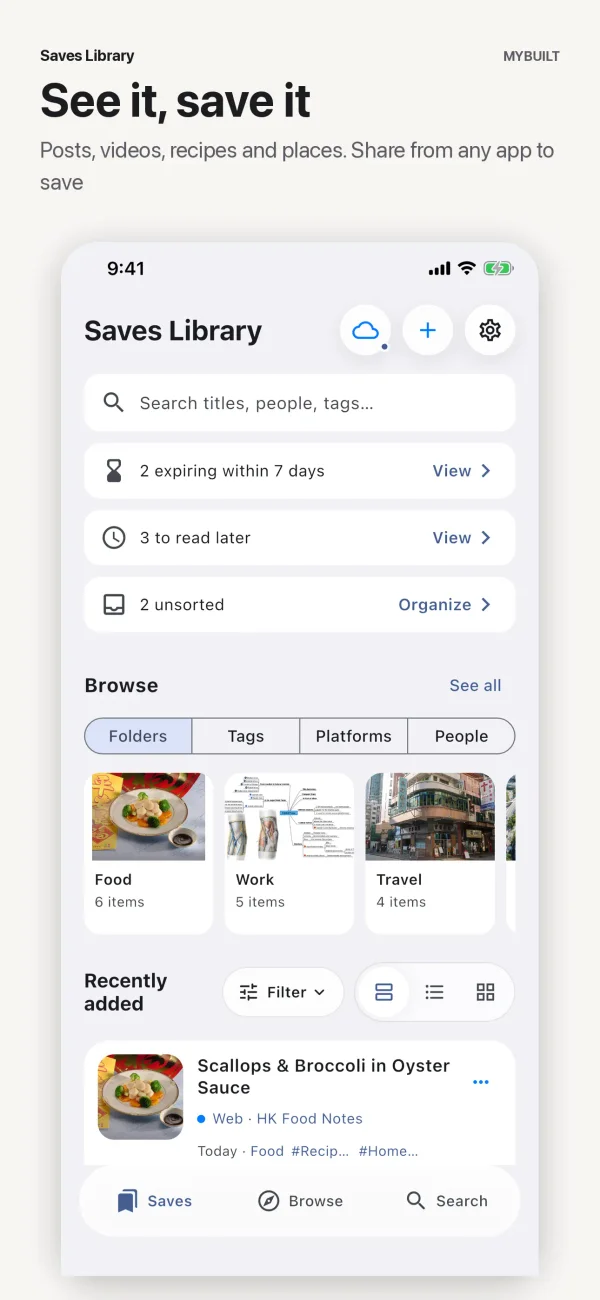
Saved posts end up scattered across different apps, and finding them again means digging through each one. Saves Library lets you save links and screenshots from the Share menu, then organizes them with search, tags and folders so you can find them in one search.
One-tap saving
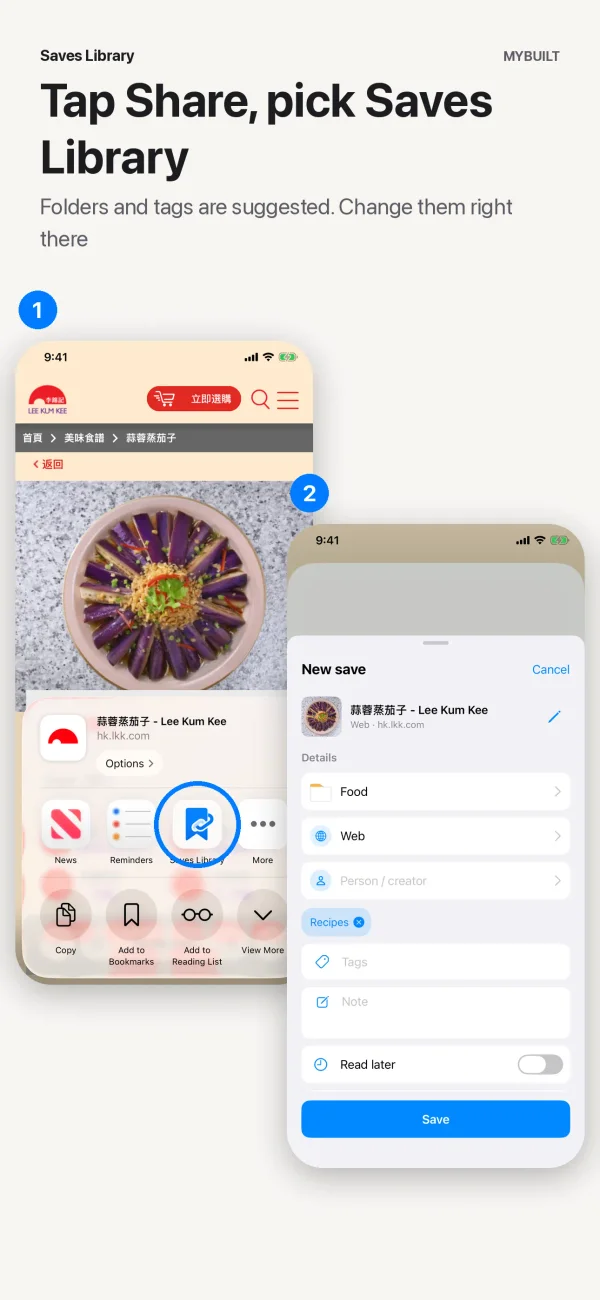
• Tap Share in any app and choose Saves Library
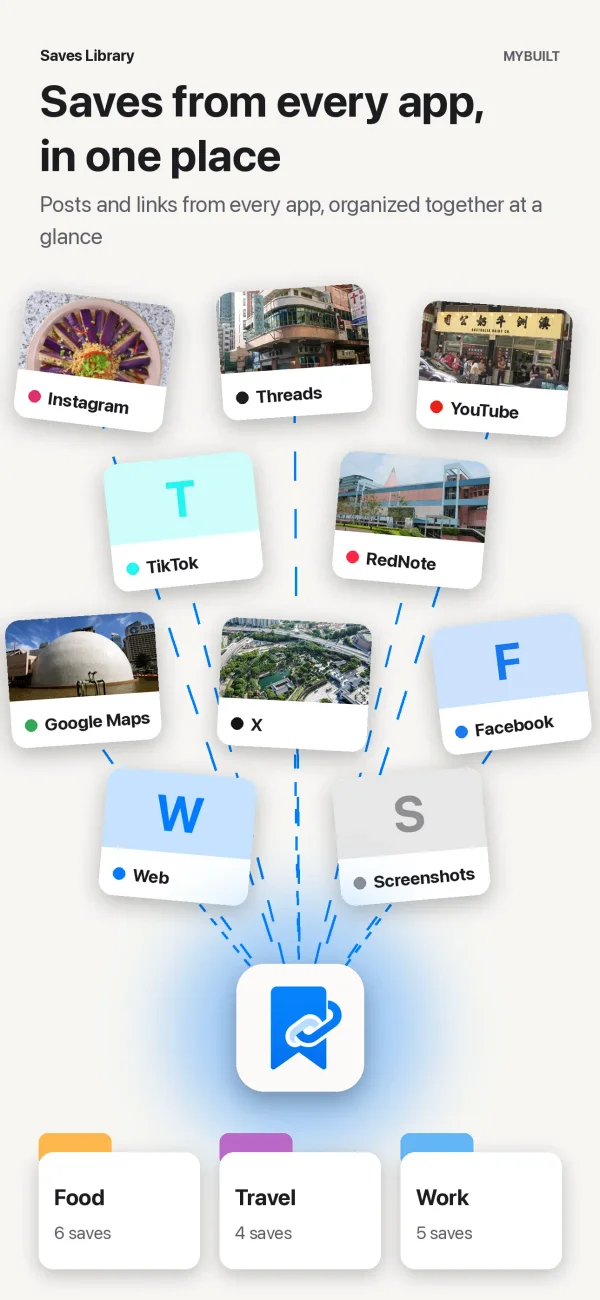
• Works with Instagram, Threads, Facebook, TikTok, X, YouTube and regular web pages
• Share screenshots from Photos; text is recognized on your iPhone and sorted automatically
Organized for you
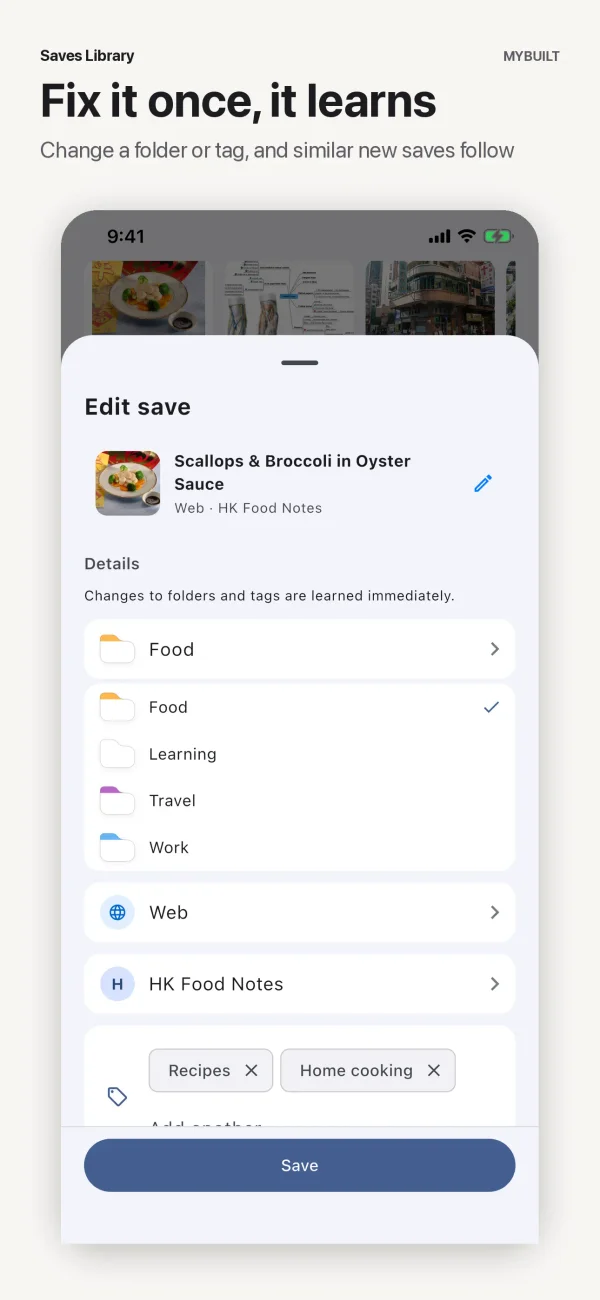
• Detects the platform and suggests folders and tags
• Learns from your edits, so the next similar save is filed the way you like
• Recognizes restaurants and places, ready to open in Maps
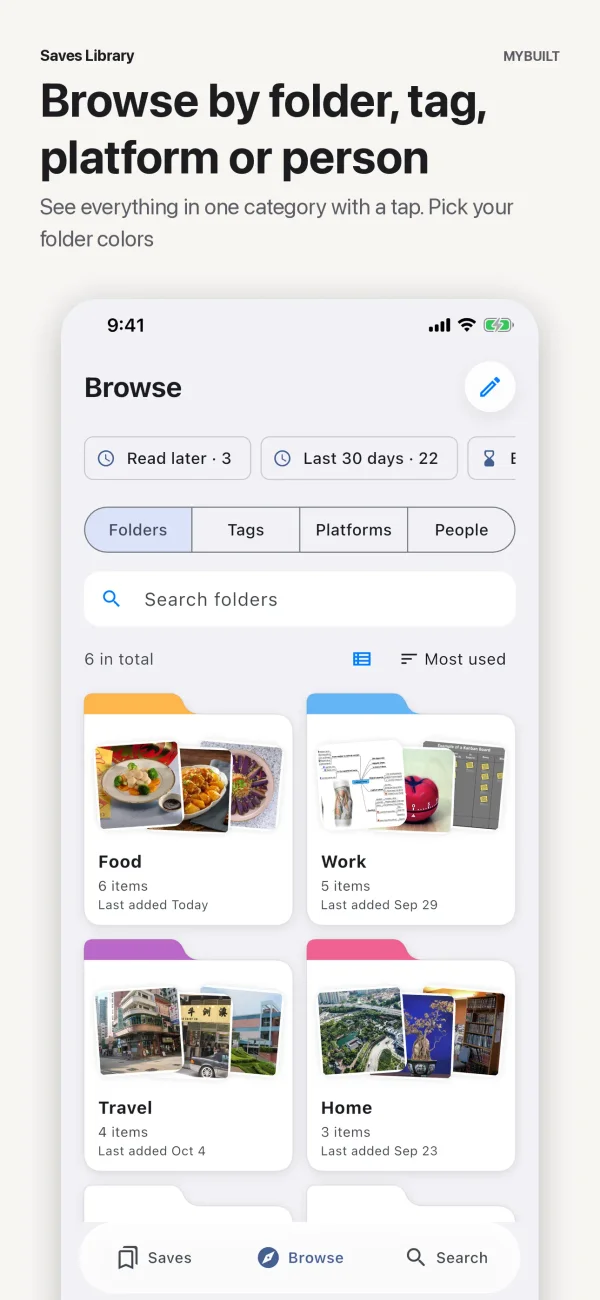
• Keeps track of creators so you can browse by person
• Spots duplicates, even when the same post is saved from Instagram and Threads, and offers to merge them
Find it again
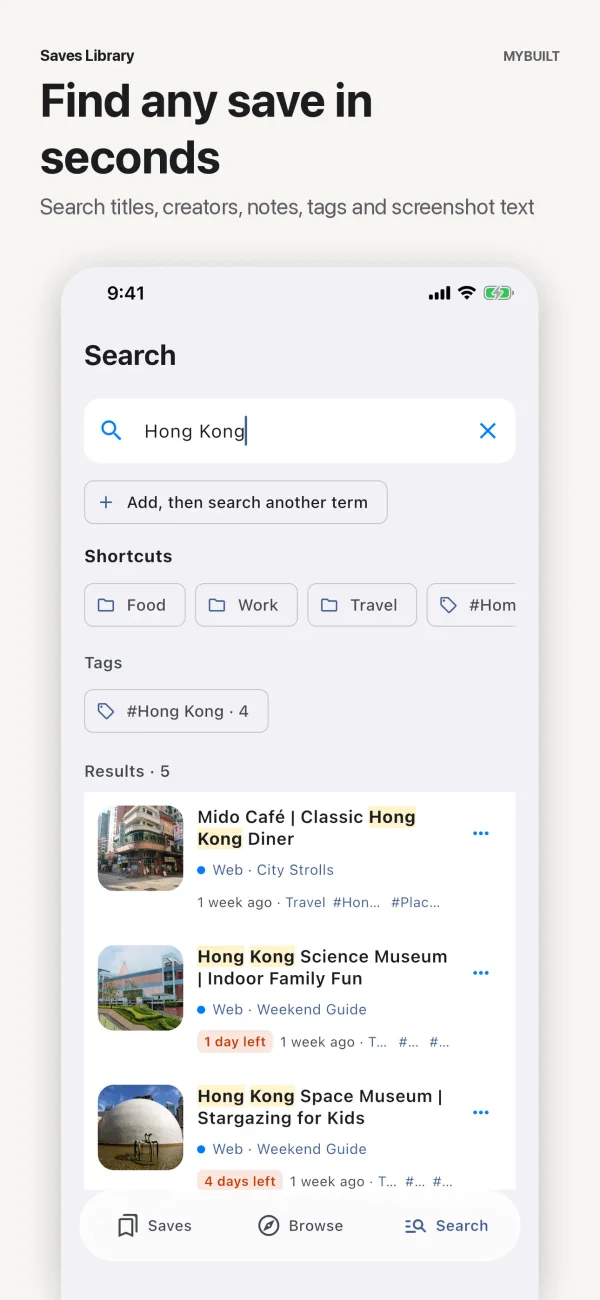
• Searches titles, creators, notes, tags, URLs and screenshot text at once
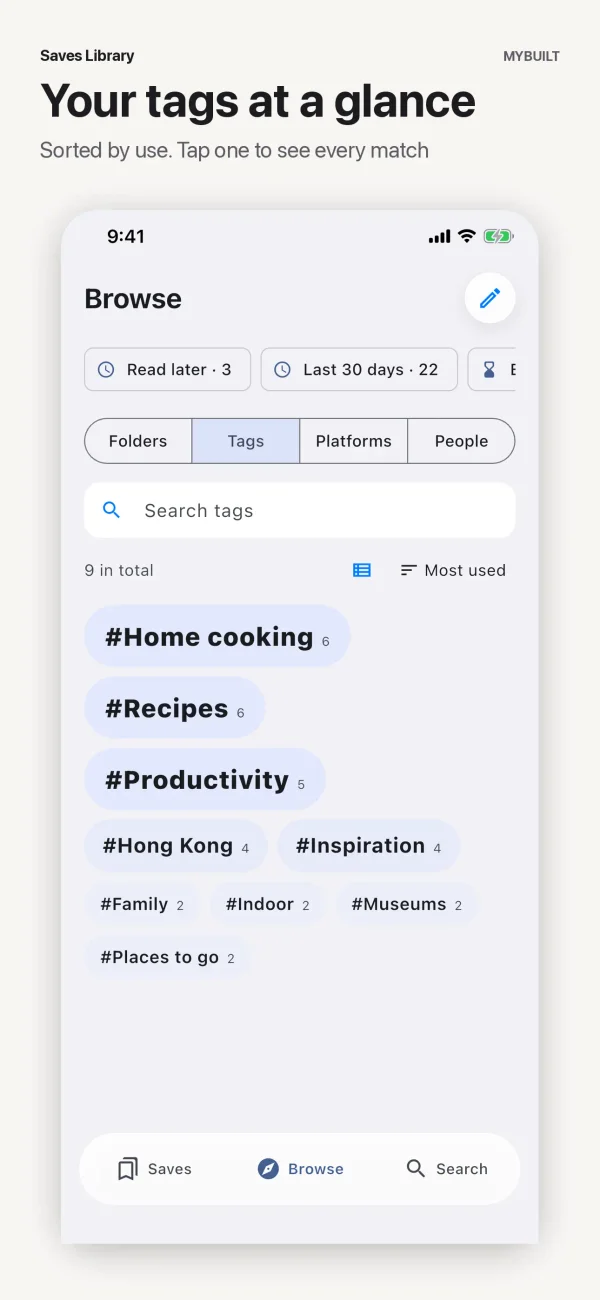
• Browse by folder, tag, platform or person, each with its own grid view, and stack filters
• Quick in-app preview from any list
• Long-press to select many, then move, tag or delete together
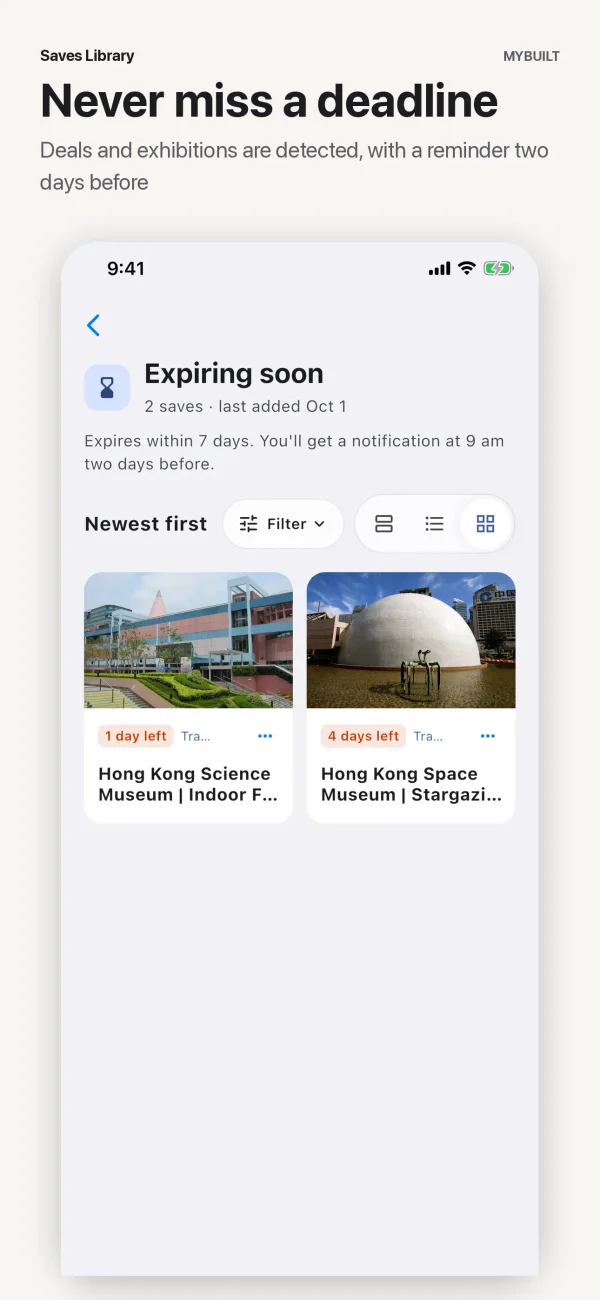
Never miss a deadline
• Detects deadlines for deals and exhibitions and reminds you two days before
• Read Later list and reminder dates, so saves don't get forgotten
On your Home Screen
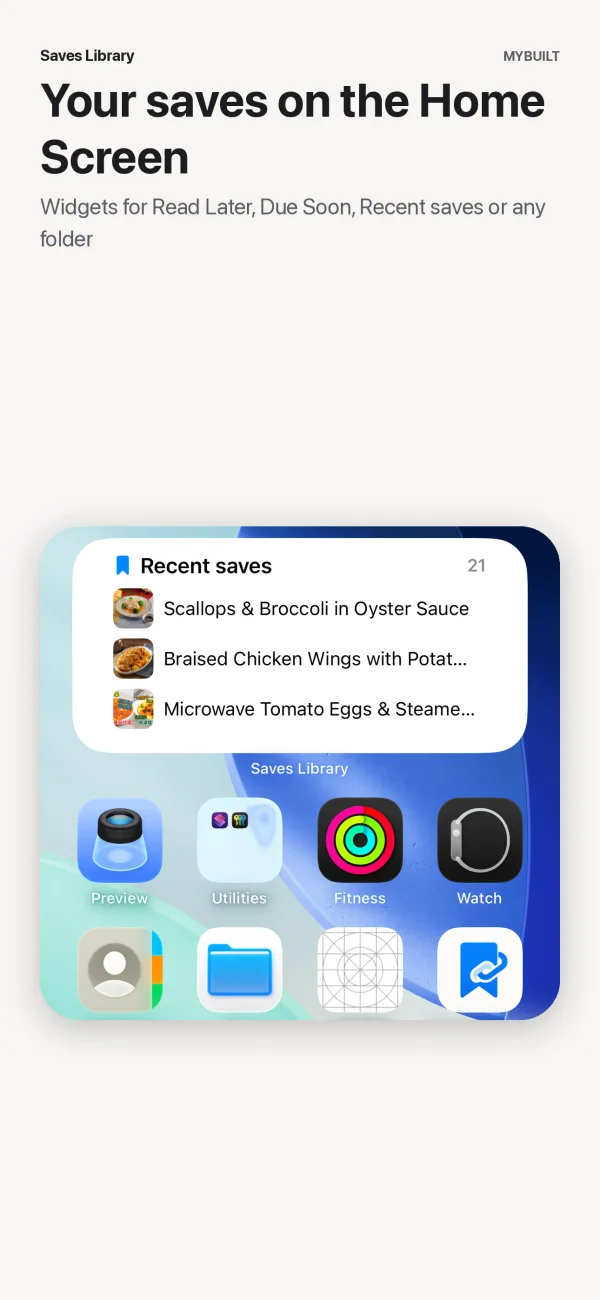
• Widgets for Read Later, Due Soon, Recent saves or any folder, in small, medium and large sizes
• Siri and Shortcuts: add a link, search your library, or open Read Later
• Share a folder as a long image or a Markdown list
Bring your saves
• Import JSON, CSV and browser bookmarks (HTML)
Privacy and sync
• No social accounts to connect, no ads, no subscription
• Screenshot text recognition runs only on your device
• Optional sync across devices through iCloud or your own private Google Drive space
• Available in English, Traditional Chinese, Simplified Chinese, Japanese and Korean
Free and unlock
• Save up to 100 items for free, with every feature included
• One-time purchase unlocks unlimited saves
Saves Library stores links, screenshots, an index and the organization you add. Tapping a save opens the original platform; if a post is deleted, made private or region-locked, Saves Library cannot restore it.
Neue Funktionen
Version 1.1.11 · 18.11.2026
Custom preview images: give any save your own image, or restore the automatic preview in one tap. Fixed blank cards when a thumbnail fails to load.
App-Datenschutz
Was Ho Ming Chan im App Store zum Umgang dieser App mit Daten angibt.
-
Mit Ihnen verknüpfte Daten
Können erfasst und mit Ihrer Identität verknüpft werden.
- Standort
- Kontaktinformationen
- Benutzerinhalte
- Kennungen
- Nutzungsdaten
- Sonstige Daten
Die Datenschutzpraktiken können variieren, zum Beispiel je nach den von Ihnen verwendeten Funktionen oder Ihrem Alter.
Informationen
- Anbieter
- Ho Ming Chan
- Kategorie
- Produktivität
- Version
- 1.1.11
- Aktualisiert
- 18.11.2026
- Veröffentlicht
- 05.09.2026
- Größe
- 63,1 MB
- Erfordert
- iOS 15.0 oder neuer
- Altersfreigabe
- 4+
- Preis
- Kostenlos
- In-App-Käufe
- Ja
- Sprachen
- Englisch, Japanisch, Koreanisch, Vereinf. Chinesisch, Tradit. Chinesisch
- Copyright
- © 2026 MY Built
Das könnte Ihnen auch gefallen
-
 Stash: Save Posts & Read LaterProduktivität
-
 KeepNest: Screenshots ordnenLinks & Videos für später
-
 LinkSpace: Links & MemoriesSave Links. Keep Memories.
-
 Tuckii - Lesezeichen ManagerLinksammlung ohne Anmeldung
-
 ThreadPocket - WebLink ManagerProduktivität
-
 CollectHub-智慧收藏整理Produktivität
-
 ScriptileProduktivität
-
 Picki - Bookmark Social PostsProduktivität
-
 NuttoProduktivität
-
 Linkfisher: Bookmark CatcherProduktivität