Scale Navigator Dashboard
Explore Musical Harmony
Entwickelt für iPhone, iPad, iPod touch
Kostenlos
- Altersfreigabe4+
- KategorieMusik
- EntwicklerNathan Turczan
- SprachenEnglisch
- Größe13,2 MB
Verlinkt auf die offizielle App Store-Seite
Download.org hostet keine Datei von Scale Navigator Dashboard. Die Schaltfläche öffnet die App-Seite bei App Store, wo Nathan Turczan die App veröffentlicht. Eintrag zuletzt geprüft am 13.11.2026.
Screenshots
Info
Der Entwickler hat diesen Text nicht in Ihrer Sprache bereitgestellt.
What key are we in, what’s the chord right now, and what comes next?
Scale Navigator answers that question by giving you a way to explore harmony and keep what you find.
You can move through scales and chords, try things, and hear how they connect. Stay in one area or move somewhere new. When you come across something you like, you can save it.
Build sequences of harmonic states and chain them into a progression or a full song.
Whether you’re exploring or building, the foundation stays the same: a shared harmonic state. Once it’s set, everything can follow it. Your playing, your instruments, your DAW, or other musicians in the room.
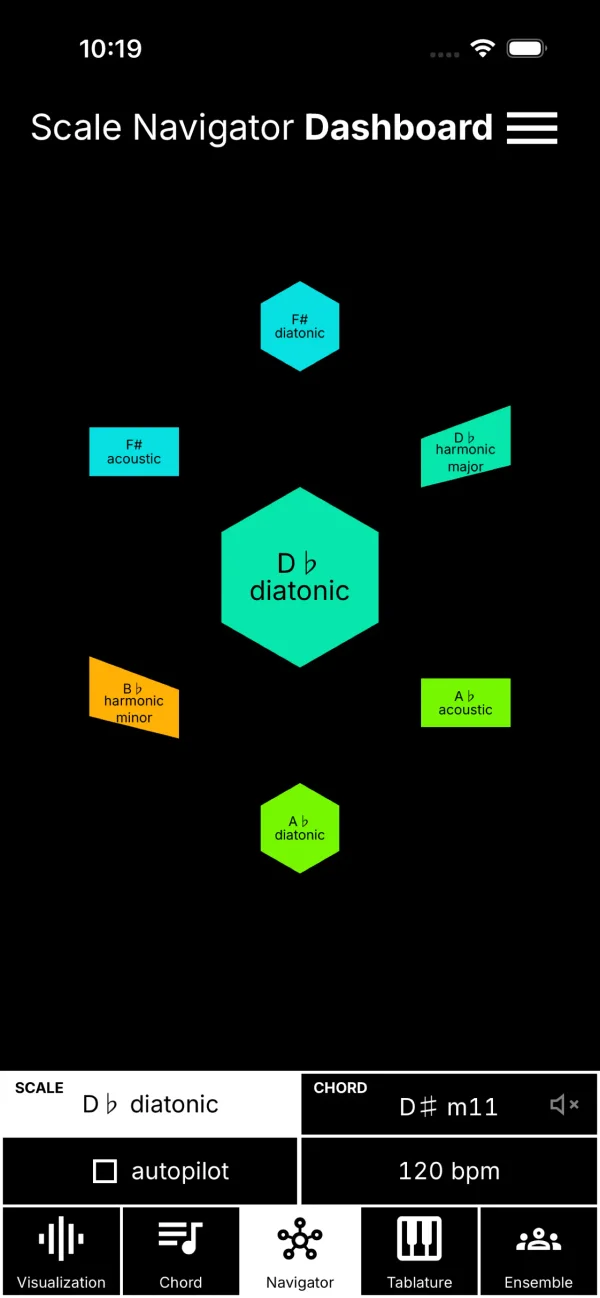
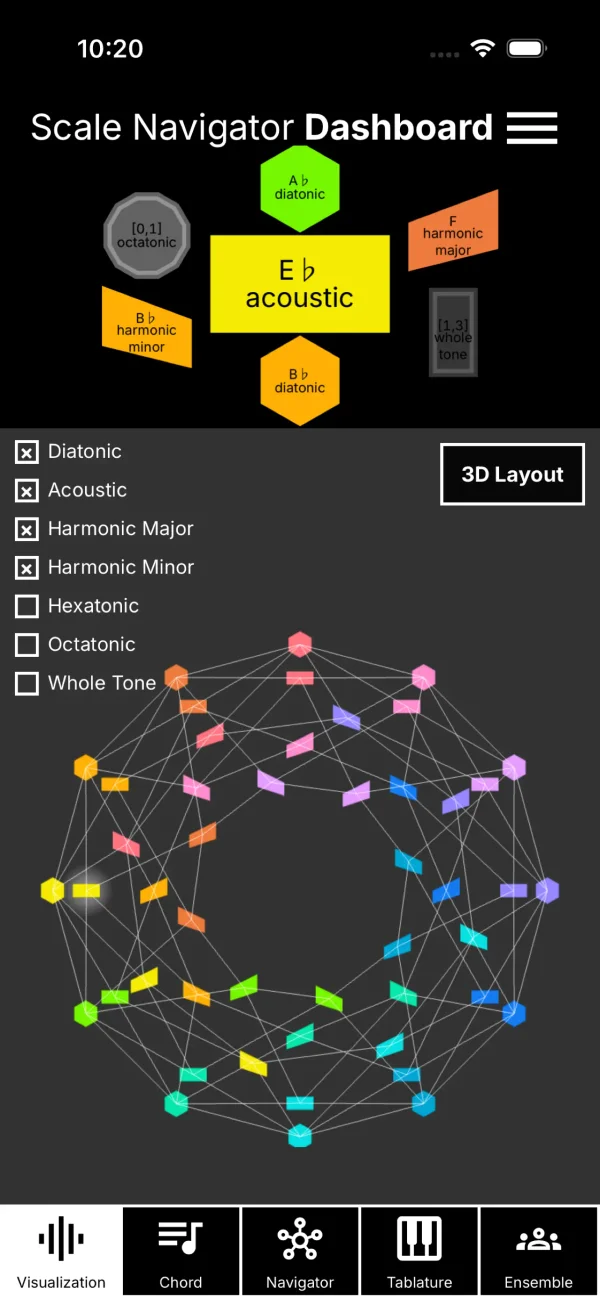
THE SCALE NETWORK
Scales are arranged in a connected network: think of it like the circle of fifths on steroids. Each scale sits next to neighbors that are related, so moving between them feels smooth.
Move locally for subtle changes, or jump across the network for contrast.
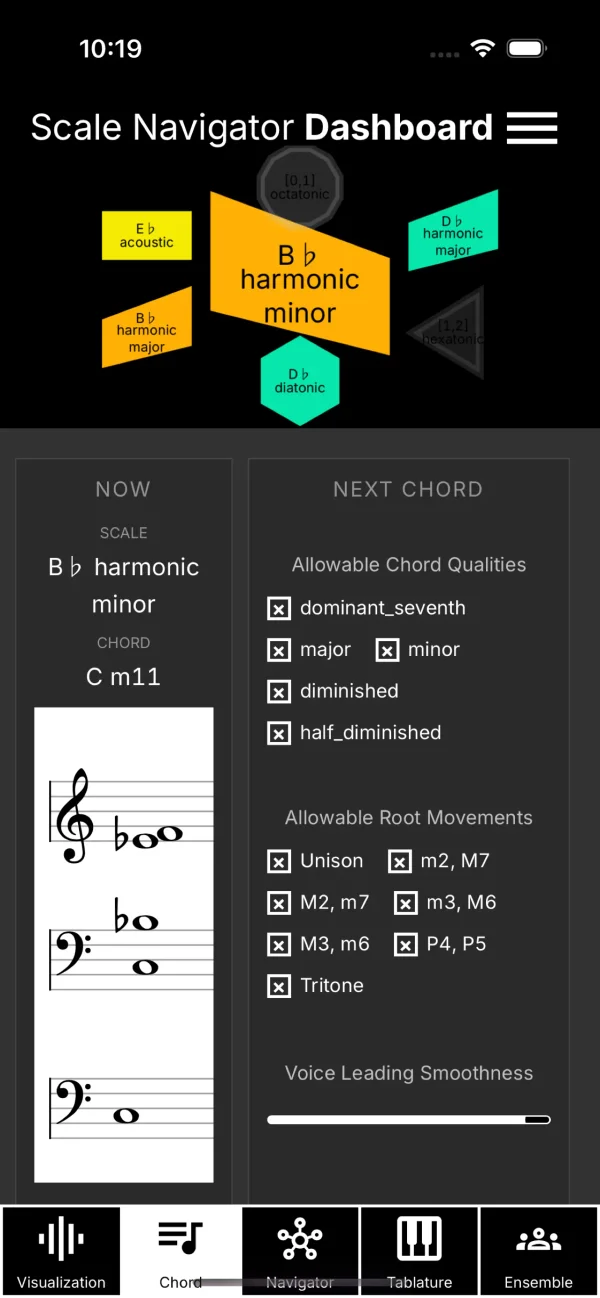
CHORD PROGRESSIONS
Every scale contains its own set of chords.
You can adjust chord quality, control how roots move, and shape the voice leading. This gives you a structured way to explore chords, try ideas, and keep what works as you move through different harmonic areas.
SKETCHPAD
When you land on something you like, you can save it.
Each saved state keeps the scale and chord together, so you can return to it, compare it, and build from it. Write music step by step by chaining together the moments you want to keep.
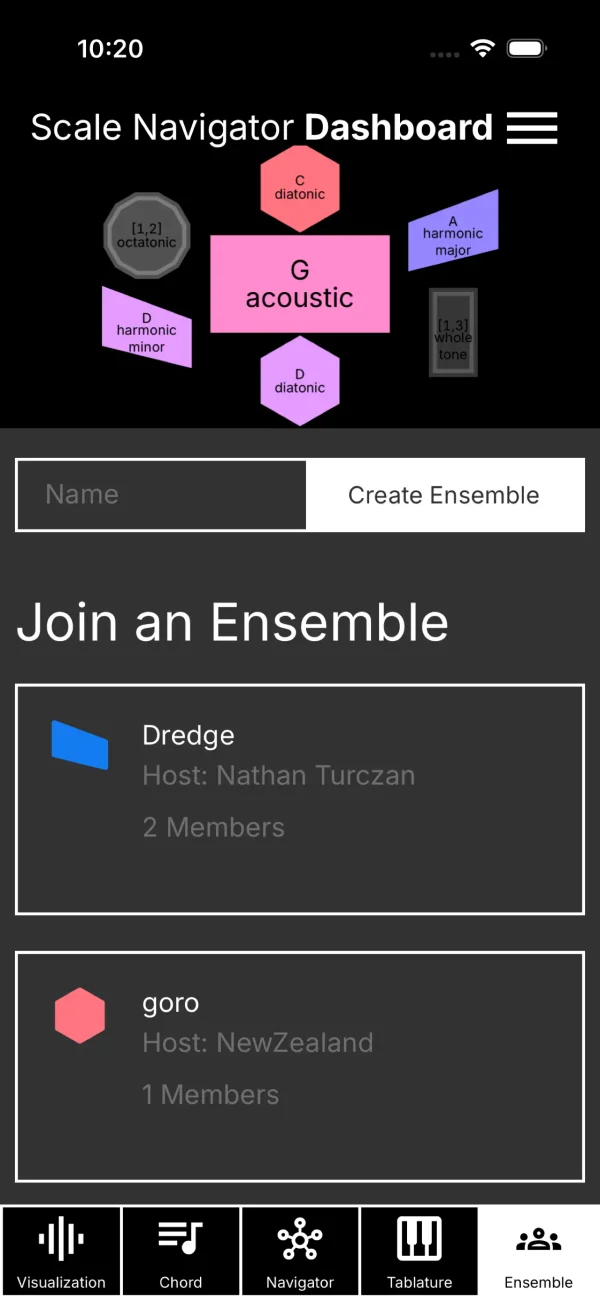
ENSEMBLE
Create an ensemble and share a link.
The host controls the harmonic state. Anyone who joins stays in sync with the same scale and chord in real time.
Each person or instrument can use it differently. Play directly, improvise, read notation or tablature, or route it into MIDI. It works just as well for coordinating multiple instruments on your own as it does for playing with other people.
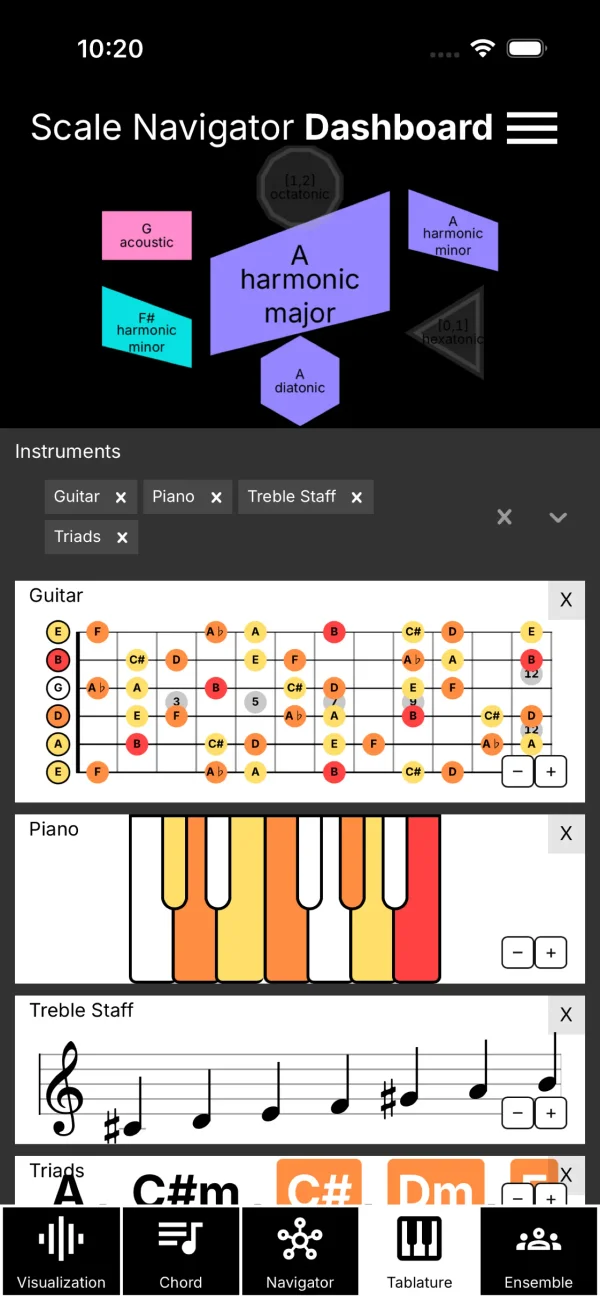
TABLATURE
View scales and chords on piano, guitar, bass, mandolin, and other instruments, along with standard notation.
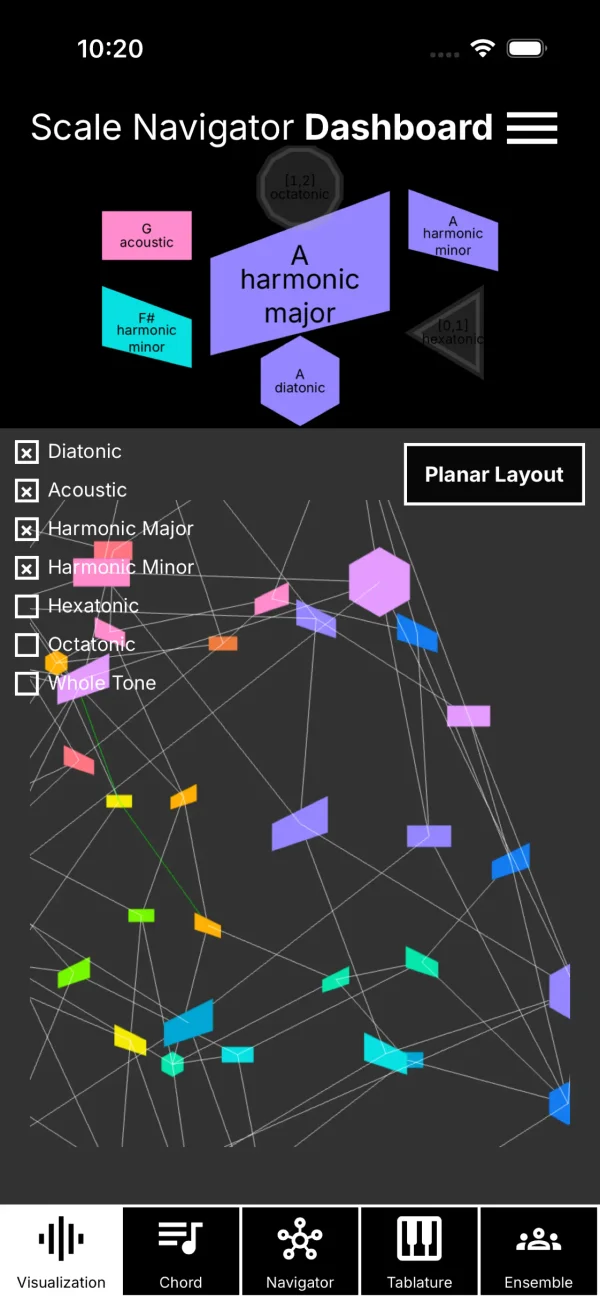
3D VIEW
The network can also be explored in 3D, with zooming and rotation control.
DAW INTEGRATION
Connects to your DAW, so your session stays in sync with the current harmonic state.
Neue Funktionen
Version 1.0.6 · 09.04.2026
- Fixed audio playback. Sound works regardless of mute switch position
- Paste song structure JSON to Sketchpad: easily import progressions on iPad (tap "Paste JSON" in empty sketchpad)
- Fixed chord spelling display in Sketchpad
- Version info in Account tab
- Bug fixes and performance improvements
App-Datenschutz
Was Nathan Turczan im App Store zum Umgang dieser App mit Daten angibt.
-
Mit Ihnen verknüpfte Daten
Können erfasst und mit Ihrer Identität verknüpft werden.
- Kontaktinformationen
-
Nicht mit Ihnen verknüpfte Daten
Können erfasst werden, sind aber nicht mit Ihrer Identität verknüpft.
- Kontaktinformationen
- Kennungen
Die Datenschutzpraktiken können variieren, zum Beispiel je nach den von Ihnen verwendeten Funktionen oder Ihrem Alter.
Informationen
- Anbieter
- Nathan Turczan
- Kategorie
- Musik
- Version
- 1.0.6
- Aktualisiert
- 09.04.2026
- Veröffentlicht
- 15.03.2026
- Größe
- 13,2 MB
- Erfordert
- iOS 15.5 oder neuer
- Altersfreigabe
- 4+
- Preis
- Kostenlos
- Sprachen
- Englisch
- Copyright
- © 2026 Scale Navigator