Scanner • PDF Document Scanner
Cam scanner PDF scanner app
Entwickelt für iPhone, iPad, iPod touch
Kostenlos
- Altersfreigabe4+
- KategorieProduktivität
- EntwicklerNarendra Sorathiya
- SprachenEnglisch
- Größe49,3 MB
Verlinkt auf die offizielle App Store-Seite
Download.org hostet keine Datei von Scanner • PDF Document Scanner. Die Schaltfläche öffnet die App-Seite bei App Store, wo Narendra Sorathiya die App veröffentlicht. Eintrag zuletzt geprüft am 13.11.2026.
Screenshots

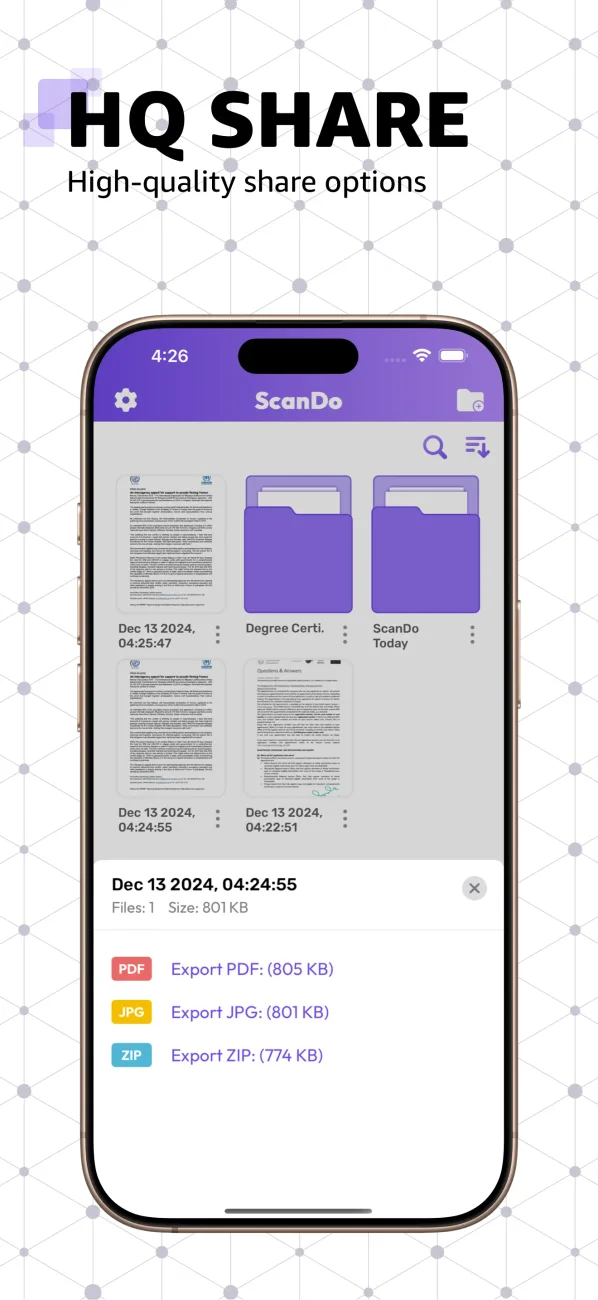
Info
Der Entwickler hat diesen Text nicht in Ihrer Sprache bereitgestellt.
ScanDo: Cam Scanner – Your Ultimate Document Scanning Tool
Transform your iPhone into a powerful document scanner with ScanDo! Whether you need to scan, sign, edit, or share documents, this app is your all-in-one solution for seamless document management.
Key Features
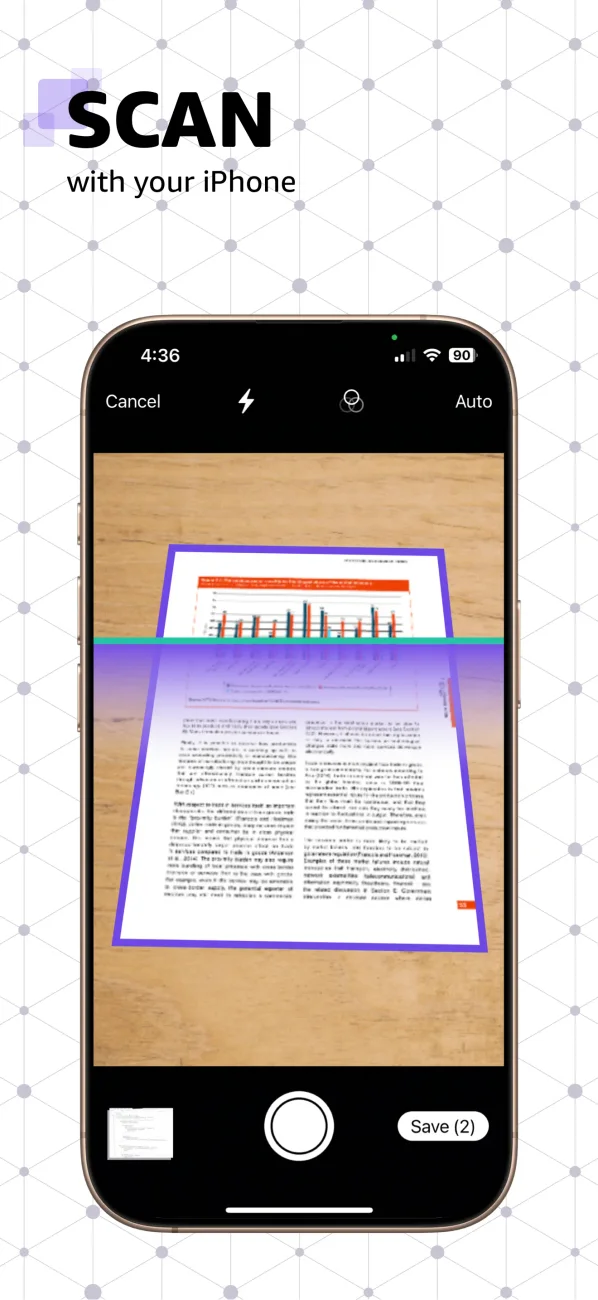
‣ Automatic Document Scanning: Effortlessly scan documents using your iPhone camera with smart edge detection.
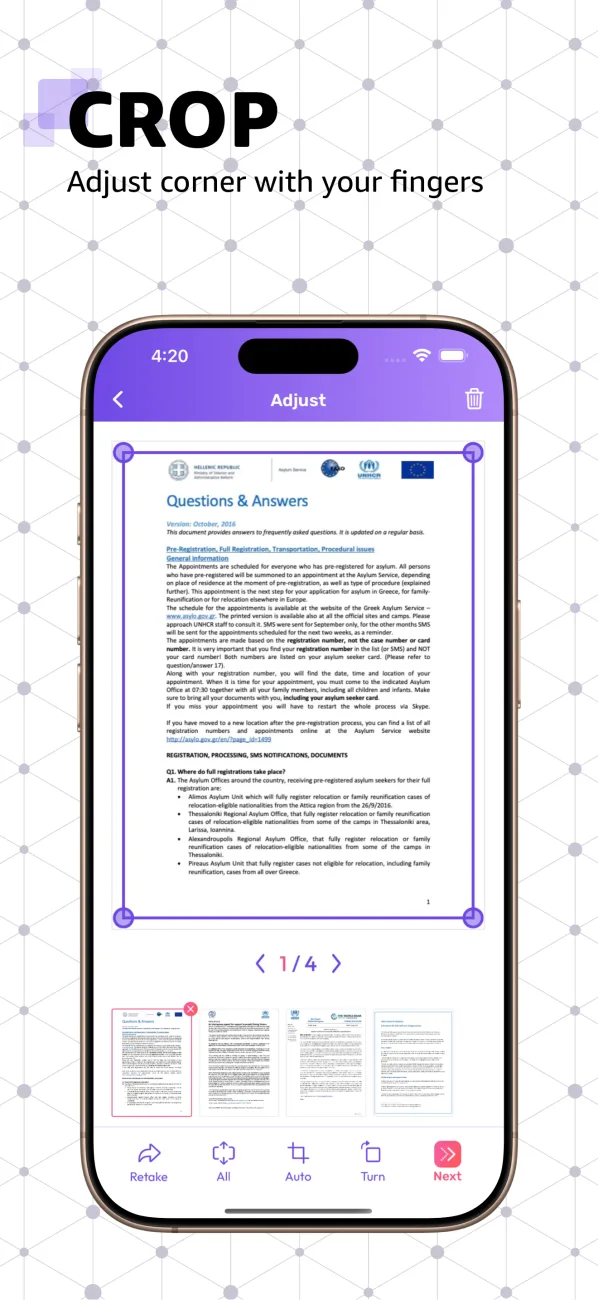
‣ Precise Cropping: Adjust scans with multi-corner cropping for accurate results.
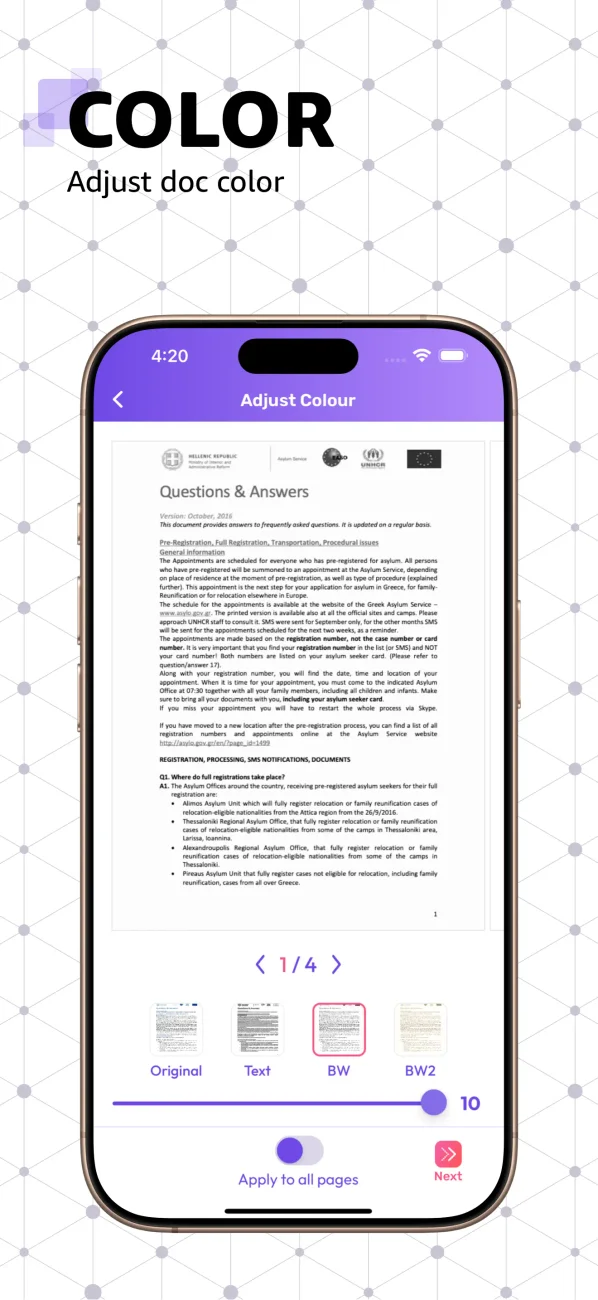
‣ Color and Filter Adjustments: Enhance your scanned documents with customizable colors and filters.
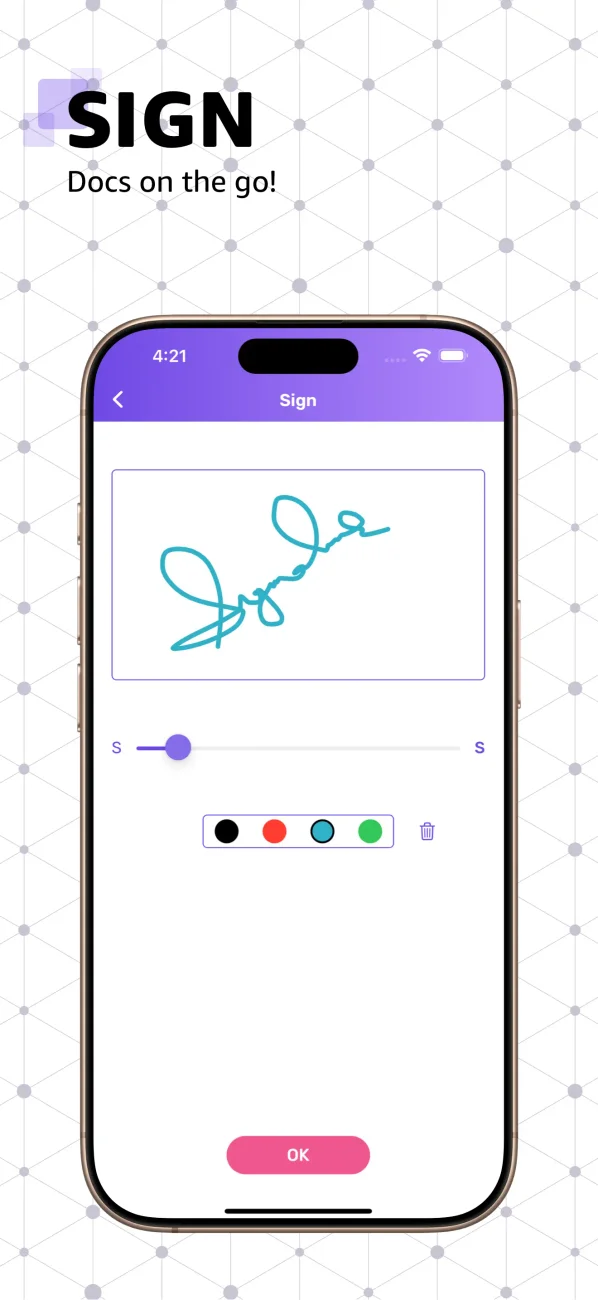
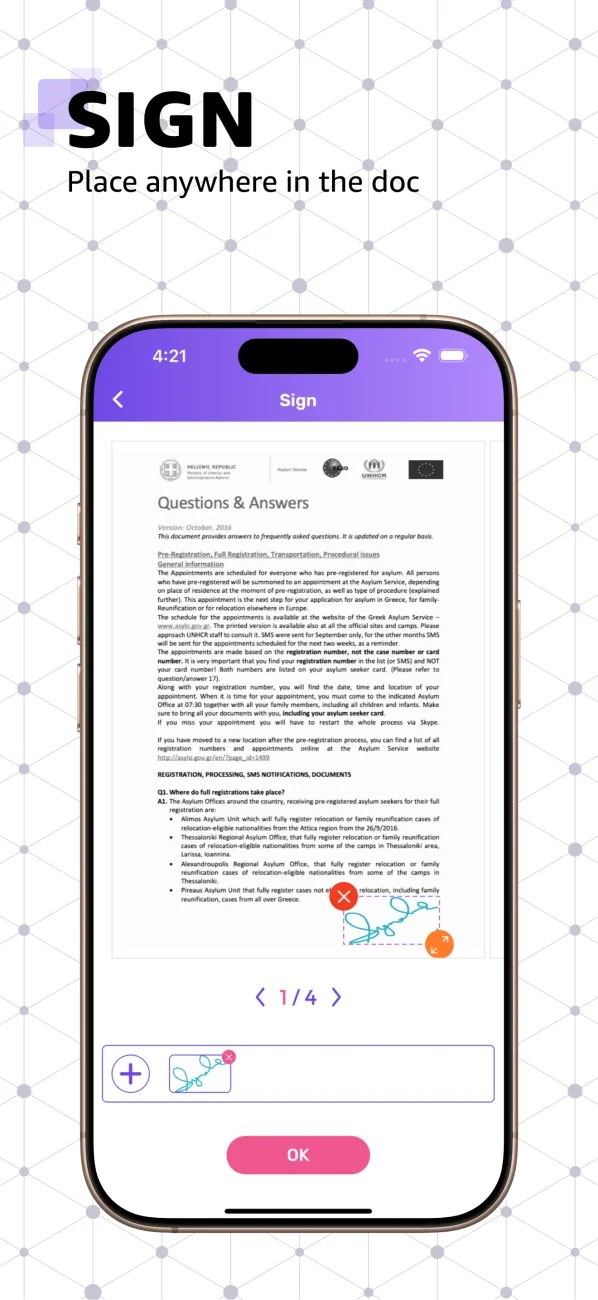
‣ Digital Signature: Create, save, and apply your signature across all pages at once for a professional touch.
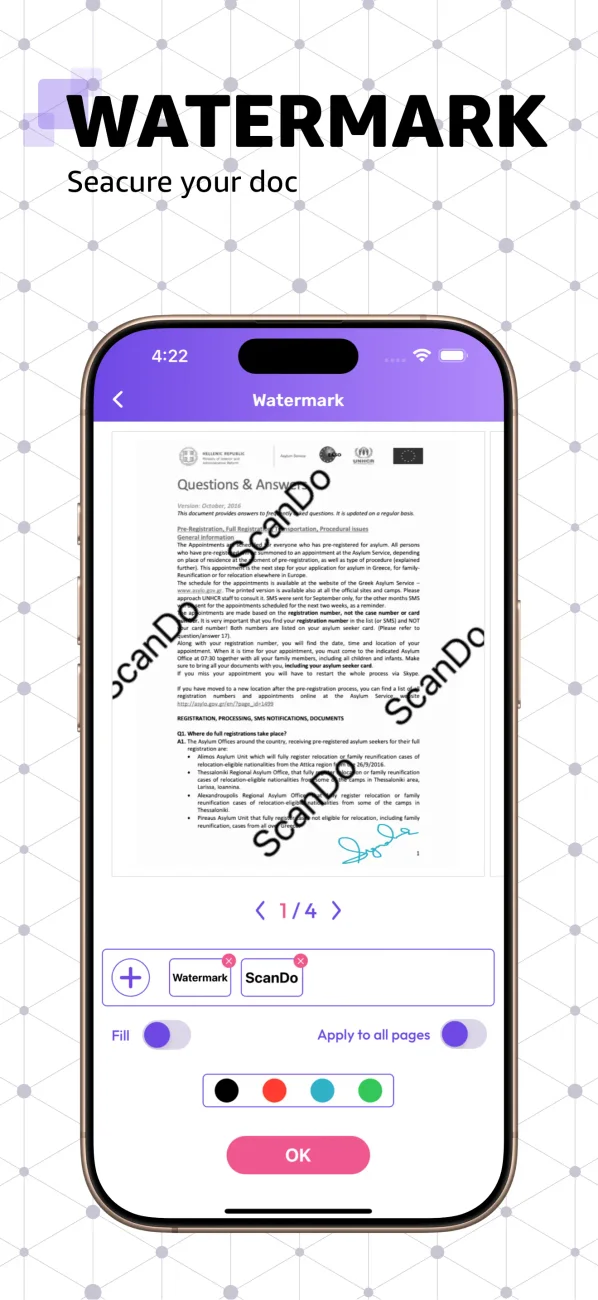
‣ Watermark Protection: Add personalized watermarks to every page to secure your documents.
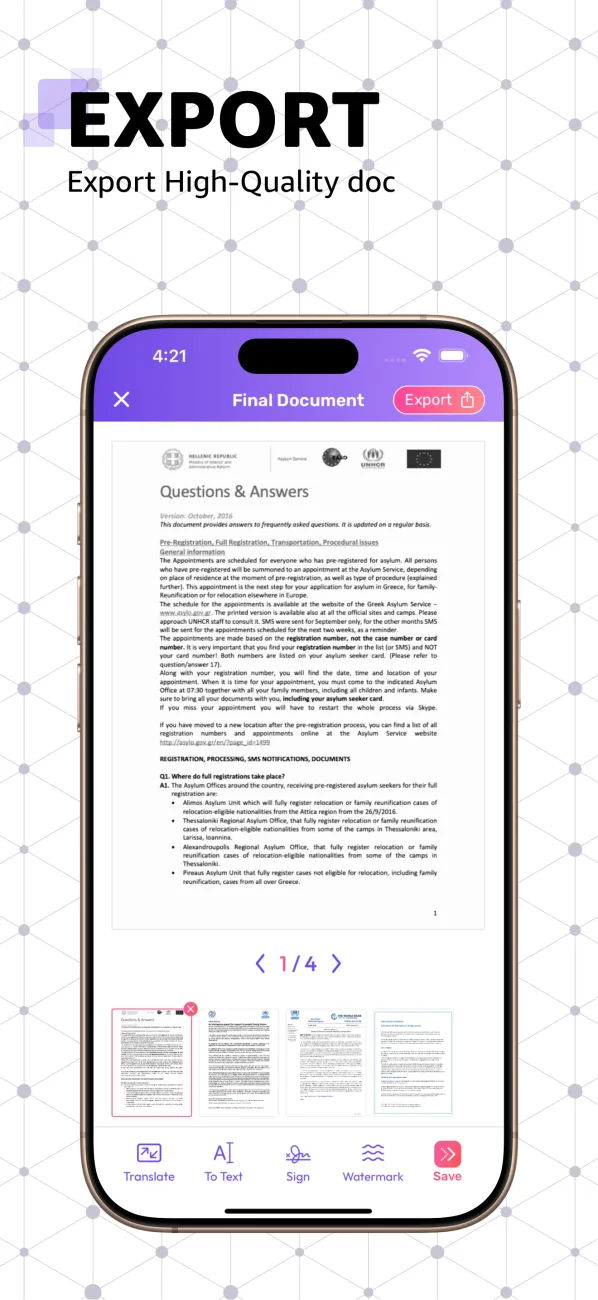
‣ Multiple Export Options: Export high-quality files in JPG, PDF, or ZIP formats to meet your needs.
‣ User-Friendly Interface: Intuitive and easy-to-use design for hassle-free navigation.
‣ Effortless Sharing: Share your scanned files in high quality directly from the app.
Why Choose ScanDo?
Whether you're managing business documents, personal files, or academic notes, ScanDo ensures you can handle your paperwork quickly, efficiently, and professionally.
Download ScanDo: Cam Scanner today and take your productivity to the next level!
Neue Funktionen
Version 2.1 · 26.01.2026
- Bug fixes and performance improvements
App-Datenschutz
Was Narendra Sorathiya im App Store zum Umgang dieser App mit Daten angibt.
-
Daten, die zum Tracking Ihrer Person verwendet werden
Können verwendet werden, um Sie über Apps und Websites anderer Unternehmen hinweg zu verfolgen.
- Nutzungsdaten
-
Nicht mit Ihnen verknüpfte Daten
Können erfasst werden, sind aber nicht mit Ihrer Identität verknüpft.
- Nutzungsdaten
Die Datenschutzpraktiken können variieren, zum Beispiel je nach den von Ihnen verwendeten Funktionen oder Ihrem Alter.
Informationen
- Anbieter
- Narendra Sorathiya
- Kategorie
- Produktivität
- Version
- 2.1
- Aktualisiert
- 26.01.2026
- Veröffentlicht
- 14.12.2024
- Größe
- 49,3 MB
- Erfordert
- iOS 15.0 oder neuer
- Altersfreigabe
- 4+
- Preis
- Kostenlos
- Sprachen
- Englisch
- Copyright
- © Narendra Sorathiya
Das könnte Ihnen auch gefallen
-
 Dokumenten Scanner-Scan PDFDokumente Scannen: Foto zu PDF
-
 Cam scan : Pdf and Doc ScannerProduktivität
-
 Doc Scanner – PDF Scan & OCRProduktivität
-
 PDF Scanner: Dokumente OCRRechnung,Vertrag,Beleg scannen
-
 Scanner App: Cam ScannableProduktivität
-
 AI Image TranslatorProduktivität
-
 FreePDF: PDF Scanner & WandlerScannen, umwandeln, verbinden
-
 PDFAI Scan - DokumentenscannerPDF Konverter, OCR, DOCX, PPTX
-
 PDF to Word: OCR, DOC, DOCXProduktivität
-
 DocScanner: PDF ScanProduktivität