Screen Time App Limit
Stay Focused for Daily Goals
Entwickelt für iPhone
Kostenlos · In-App-Käufe
- Altersfreigabe4+
- KategorieProduktivität
- EntwicklerDATA FORVARD TOV
- SprachenEnglisch
- Größe10,1 MB
Verlinkt auf die offizielle App Store-Seite
Download.org hostet keine Datei von Screen Time App Limit. Die Schaltfläche öffnet die App-Seite bei App Store, wo DATA FORVARD TOV die App veröffentlicht. Eintrag zuletzt geprüft am 12.11.2026.
Screenshots
Info
Der Entwickler hat diesen Text nicht in Ihrer Sprache bereitgestellt.
Screen Time App Limit helps you stay focused by blocking distracting apps and setting clear usage boundaries.
Take control of your time with flexible restrictions, smart schedules, and meaningful insights into your app activity.
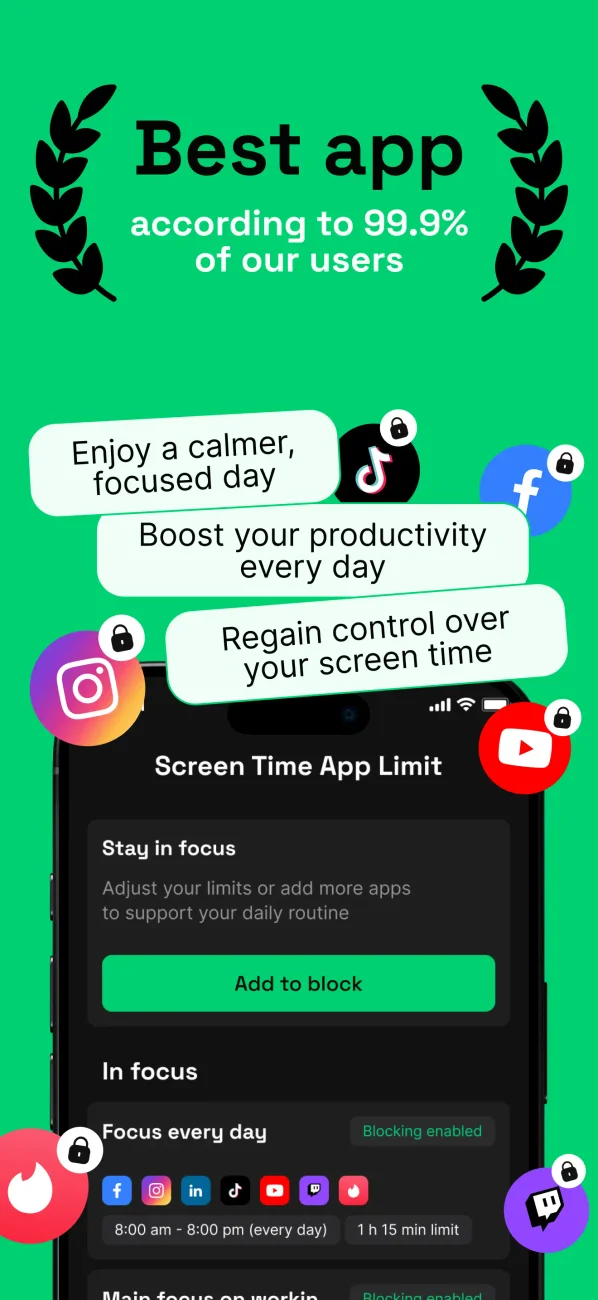
APP BLOCK
Block selected apps based on your personal rules.
1. Block chosen apps instantly
2. Set daily usage time limits
3. Limit the number of app launches
4. Create custom blocking schedules
5. See current blocking status at a glance
When a restricted app is opened, a lock screen clearly explains the reason — time period, usage limit, or launch limit reached.
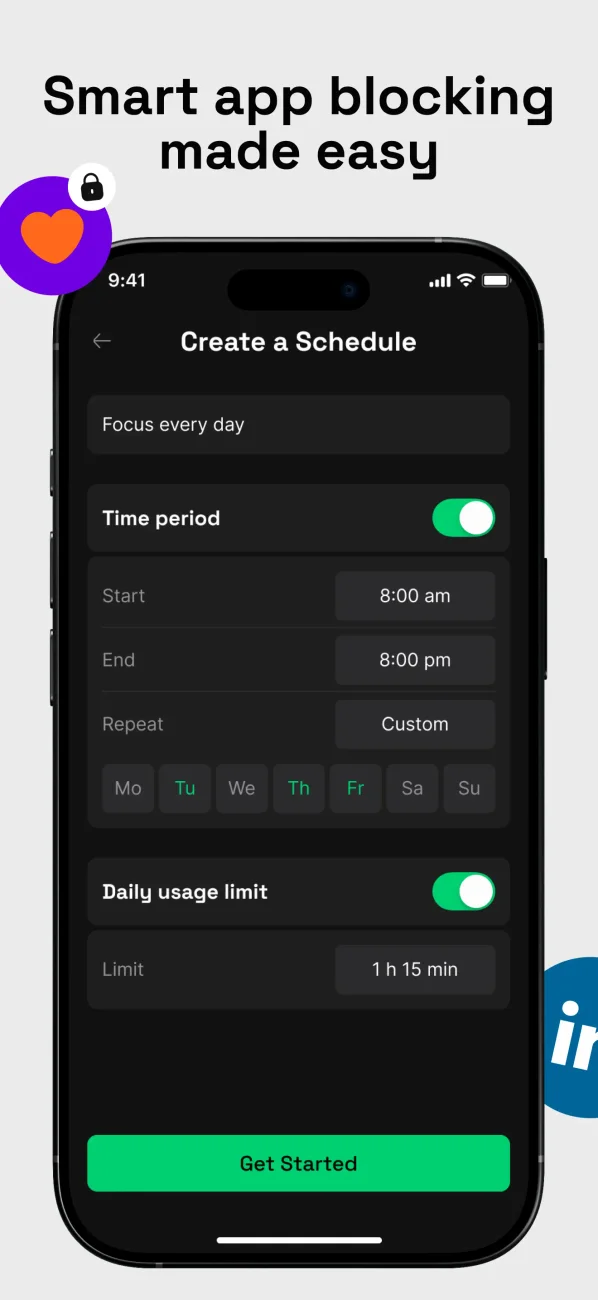
CREATE A SCHEDULE
Build powerful focus scenarios with three types of limits:
Time Period
Set start and end times, choose weekdays, weekends, or custom days of the week. Create multiple time periods for different days.
Usage Limit
Set a daily time allowance. Once exceeded, the app is automatically blocked.
Start Counter
Limit how many times an app can be opened per day.
Restrictions can work independently or together, depending on your plan.
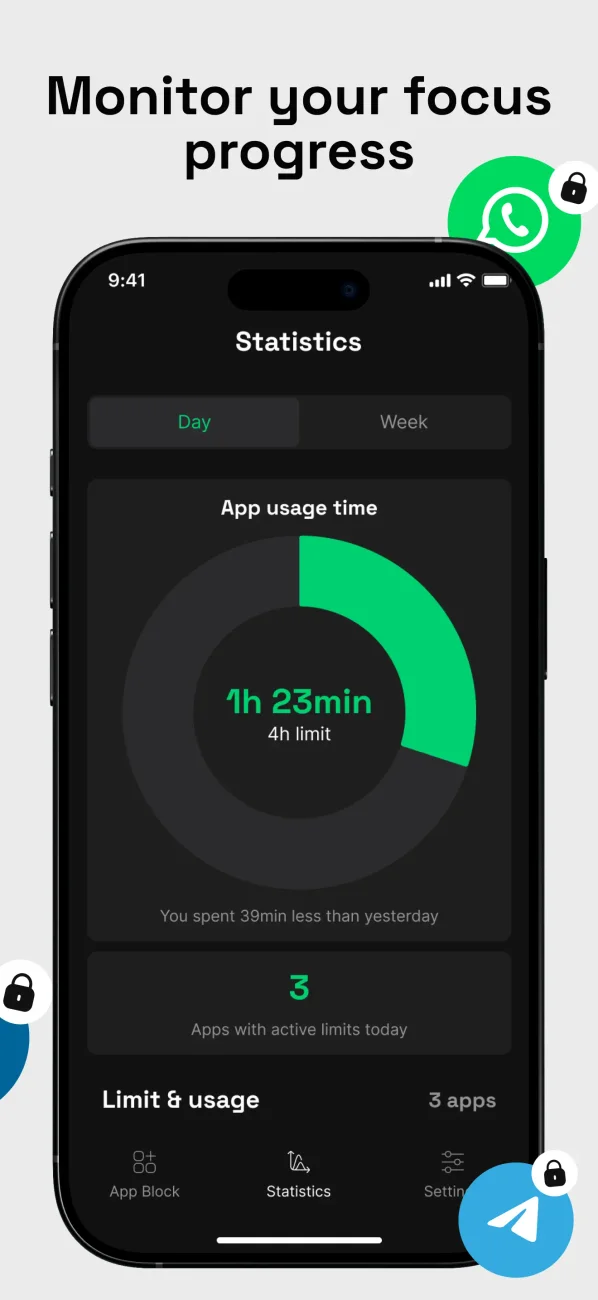
STATISTICS
Track your progress and build healthier digital habits.
– Daily and weekly usage overview
– Time spent per selected app
– Clear charts and summary metrics
– Focus-driven insights
Premium users get advanced statistics including detailed app history, launch counts, average session duration, blocking reasons, and comparative analysis across day, week, and month.
SETTINGS & PROTECTION
Enable or disable blocking with a global switch.
Premium includes Delay Protection — a safeguard against impulsive disabling. When attempting to turn off blocking, a countdown pause is triggered to help you stay committed to your focus goals.
FREE VERSION
• Block up to 3 apps
• One active blocking scenario
• Basic statistics
PREMIUM VERSION
• Unlimited schedules
• Multiple restriction types per app
• Advanced statistics
• Delay Protection against instant disabling
Stay intentional. Stay productive. Take control of your screen time.
Privacy Policy: https://docs.google.com/document/d/1YE14BlvZaR6RLtu2SXvSEWNKFCV439YWnmv7yzYViCs/edit?usp=sharing
Term of Use: https://docs.google.com/document/d/1QhNedZK8zLFmuNkAGigHDZRg5jvXIErsEn9djjx9EAA/edit?usp=sharing
Neue Funktionen
Version 1.0.2 · 21.05.2026
Optimization Updates
App-Datenschutz
Was DATA FORVARD TOV im App Store zum Umgang dieser App mit Daten angibt.
-
Keine Daten erfasst
Der Entwickler erfasst keine Daten von dieser App.
Die Datenschutzpraktiken können variieren, zum Beispiel je nach den von Ihnen verwendeten Funktionen oder Ihrem Alter.
Informationen
- Anbieter
- DATA FORVARD TOV
- Kategorie
- Produktivität
- Version
- 1.0.2
- Aktualisiert
- 21.05.2026
- Veröffentlicht
- 17.04.2026
- Größe
- 10,1 MB
- Erfordert
- iOS 17.0 oder neuer
- Altersfreigabe
- 4+
- Preis
- Kostenlos
- In-App-Käufe
- Ja
- Sprachen
- Englisch
- Copyright
- © DATA FORVARD TOV
Das könnte Ihnen auch gefallen
-
 2FA Authenticator Password AppProduktivität
-
 Live Voice: AI TranslatorProduktivität
-
 PDF-Konverter: Signieren, ErstDokumentenscanner & Editor
-
 Hidden Camera Detector TrackerProduktivität
-
 KI Sprache zu Text Notizen AppTranskription & Karteikarten
-
 Hidden Camera Scanner Find SpyProduktivität
-
 Sign Documents PDF SignatureProduktivität
-
 PDF Scanner: Scanning DocumentScan Documents, PDF to Voice
-
 Verwalten Ihrer EinkaufslisteFamilien Gesunde Rezepte App