Second Brain Vault
On-device AI memory you recall
Entwickelt für iPhone
Kostenlos · In-App-Käufe
- Altersfreigabe4+
- KategorieProduktivität
- EntwicklerByoungho Kim
- SprachenEnglisch+ 3 weitere
- Größe2,2 MB
Verlinkt auf die offizielle App Store-Seite
Download.org hostet keine Datei von Second Brain Vault. Die Schaltfläche öffnet die App-Seite bei App Store, wo Byoungho Kim die App veröffentlicht. Eintrag zuletzt geprüft am 17.11.2026.
Screenshots

Info
Der Entwickler hat diesen Text nicht in Ihrer Sprache bereitgestellt.
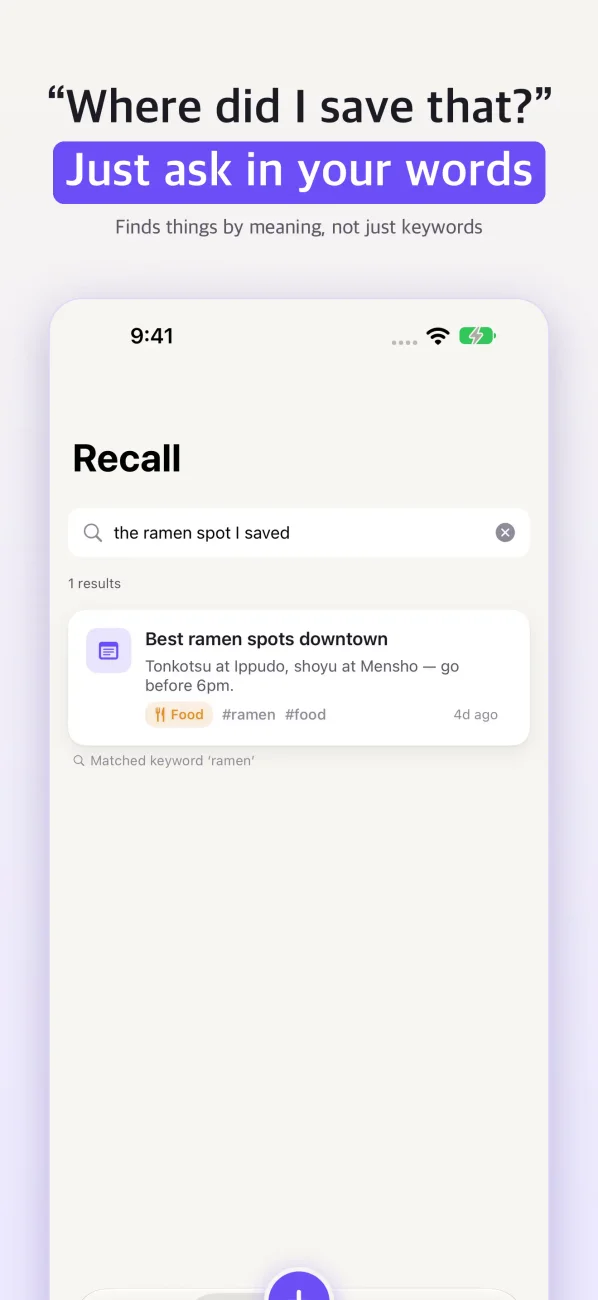
“Where did I save that?” — now you can just ask. Save a note, photo, PDF, voice memo or link; the on-device AI titles, summarizes and tags it, then finds it by meaning later. Free for 100 saves. No account, no server.
We're all good at saving. The real question was always "where did I put that?" Second Brain Vault flips the order: you save, the AI organizes and recalls.
HOW IT WORKS
• Save in one tap — a note, a photo, a voice memo, a PDF, or a web link. Anything, instantly, into your vault.
• AI organizes it for you — every saved item gets a title, a summary, a category, and tags, automatically. Photos are read with OCR, voice is transcribed, PDFs and links have their text extracted.
• Recall like a person — ask "that real-estate article I read last year," "the best cold-noodle place I saved," "the app idea I jotted last month," and it finds the right memory. It's hybrid retrieval — semantic meaning plus keywords plus recency — so it works even when you don't remember the exact words.
• It grows with you — Insights show your top topics and saving trends, and every week the AI writes a short Retrospective of what you saved. The more you save, the higher your Brain Level.
WHAT'S INSIDE
• Home — today's and recent items, plus a one-line AI insight
• Quick capture — five kinds: note, photo, audio, PDF, link
• Natural-language Recall — hybrid semantic + keyword + recency ranking
• Insights — top topics, save volume, Brain Level growth
• Weekly Retrospective — an AI recap of your week of memories
• Automatic categories & tags — organized without you filing anything
PRIVACY BY CONSTRUCTION
Everything is processed on this iPhone. Because it uses Apple's on-device AI (Foundation Models), your notes, photos, voice and documents never leave the device. No account, no server, no ads, no tracking. The only time it uses the internet is to fetch the page of a web link you choose to save.
APPLE INTELLIGENCE REQUIRED
Auto-organizing, natural-language search, Insights and the Retrospective run on Apple-Intelligence-capable devices. On other devices you can still save and search by keyword; the AI features show an "Apple Intelligence required" state.
START FREE, UNLOCK WHEN YOU NEED IT
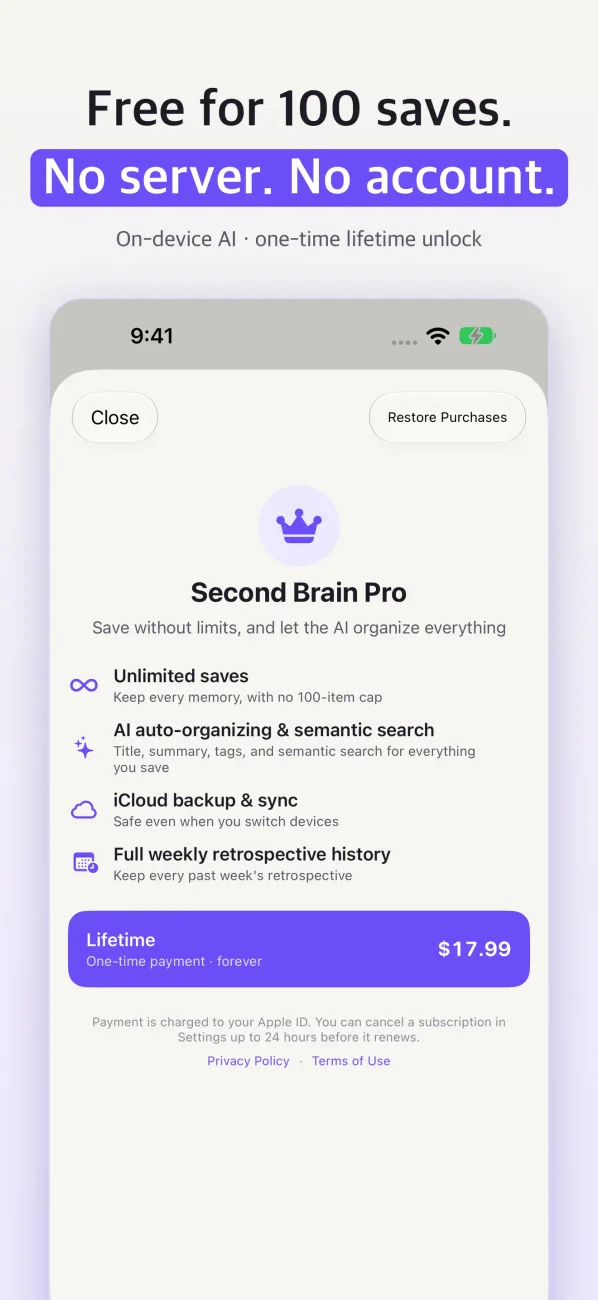
Free: up to 100 items, full on-device AI organizing & search on all 100, every capture type, Insights and Brain Level included.
Pro (₩6,600 / year): unlimited saves, iCloud backup & sync, weekly Retrospective history, and more.
Lifetime (₩29,000, one-time): everything in Pro, forever, no renewal.
You save it; Second Brain Vault remembers it. Drop in your first memory today.
■ Device requirements
AI auto-organizing and semantic (meaning-based) search require an Apple Intelligence–capable device — iPhone 15 Pro / 15 Pro Max and iPhone 16/17 or later, iOS 26 or later. On other devices, saving and keyword search still work fully. Everything is processed on-device; nothing is ever sent off your iPhone.
■ Terms of Use (EULA)
https://www.apple.com/legal/internet-services/itunes/dev/stdeula/
Privacy Policy: https://blue-code.github.io/legal/second-brain-vault/privacy.en.html
Neue Funktionen
Version 1.0.1 · 05.11.2026
• Category names, Insights, the Pro screen and search examples no longer appear in Korean
• iPhone Duo: on the wide display the save (+) button moves to the top corner instead of covering your notes
• Send feedback from Settings
App-Datenschutz
Was Byoungho Kim im App Store zum Umgang dieser App mit Daten angibt.
-
Keine Daten erfasst
Der Entwickler erfasst keine Daten von dieser App.
Die Datenschutzpraktiken können variieren, zum Beispiel je nach den von Ihnen verwendeten Funktionen oder Ihrem Alter.
Informationen
- Anbieter
- Byoungho Kim
- Kategorie
- Produktivität
- Version
- 1.0.1
- Aktualisiert
- 05.11.2026
- Veröffentlicht
- 24.06.2026
- Größe
- 2,2 MB
- Erfordert
- iOS 26.0 oder neuer
- Altersfreigabe
- 4+
- Preis
- Kostenlos
- In-App-Käufe
- Ja
- Sprachen
- Englisch, Japanisch, Koreanisch, Vereinf. Chinesisch
- Copyright
- © 2026 blue-code
Das könnte Ihnen auch gefallen
-
 SolmariProduktivität
-
 埋めもProduktivität
-
 Bodcat NotebookProduktivität
-
 TypewriterDiaryProduktivität
-
 MemoLinkerURLs mit Notizen organisieren
-
 ThinkFlow KI-NotizenSprachnotiz, KI-Notizen, Todos
-
 BrainDump - Voice to NotionProduktivität
-
 Second Brain: Notes&KnowledgeProduktivität
-
 Epitome: KI-ZusammenfassungSeiten & Videos zusammenfassen
-
 ntoday - Brain Dump NotesProduktivität