Second View - viewfinder
Light meter, film tools & more
Entwickelt für iPhone
Kostenlos · In-App-Käufe
- Altersfreigabe4+
- KategorieFoto und Video
- EntwicklerBenoit Linard
- SprachenEnglisch
- Größe44,3 MB
Verlinkt auf die offizielle App Store-Seite
Download.org hostet keine Datei von Second View - viewfinder. Die Schaltfläche öffnet die App-Seite bei App Store, wo Benoit Linard die App veröffentlicht. Eintrag zuletzt geprüft am 13.11.2026.
Screenshots

Info
Der Entwickler hat diesen Text nicht in Ihrer Sprache bereitgestellt.
PLEASE READ FIRST
Second View is not a camera app and does not take photos for you. It helps you frame, meter, and plan shots before you press the shutter on your own camera. The photos it saves are framing aids, not final images.
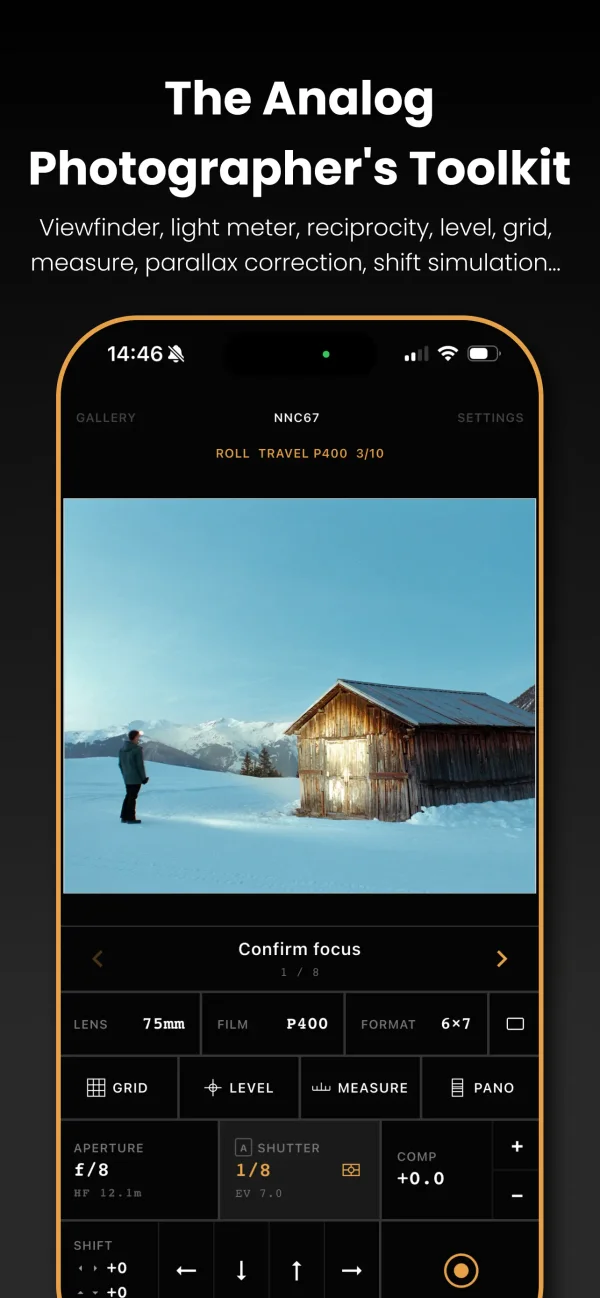
Second View turns your iPhone into a precision field toolkit for analog photographers. Set your lens and format, and it crops the iPhone camera to match what your film camera will capture: same field of view, aspect ratio, and framing.
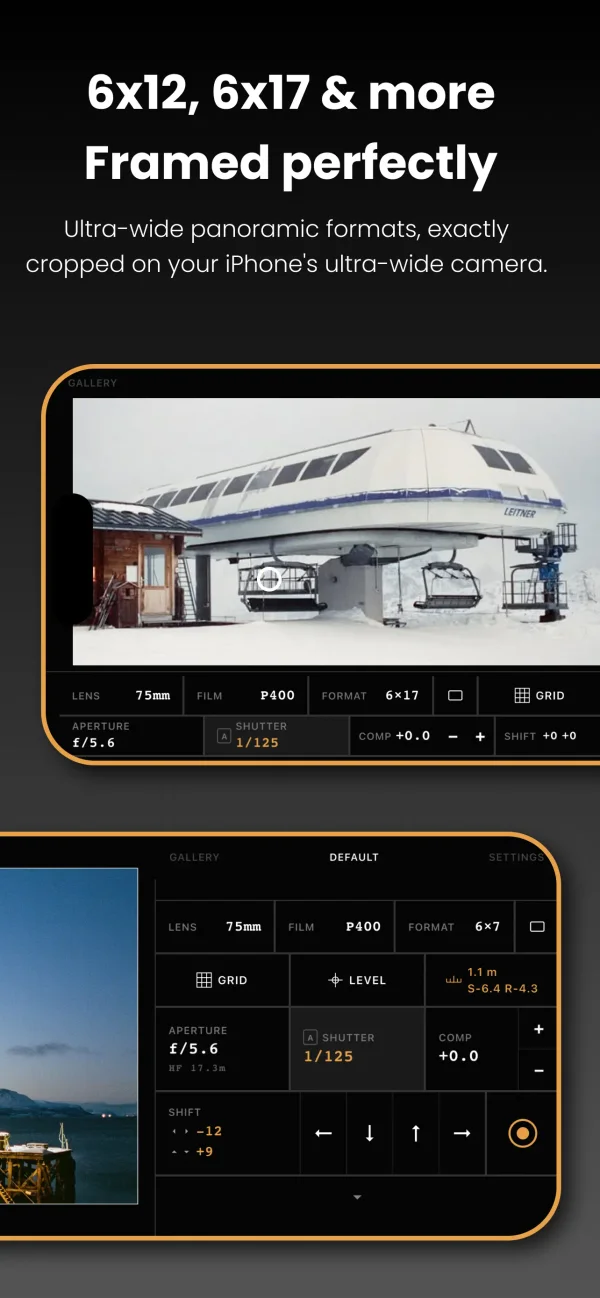
Supports 35mm, medium format (6x4.5 through 6x17), large format (4x5, 5x7, 8x10), digital sensors, and custom sizes.
VIEWFINDER
Precise field-of-view matching for any focal length and format. Portrait or landscape, control side of your choice, preview rotation per kit.
AUTOMATIC LENS SELECTION
Frames through the sharpest back camera that holds your crop (ultra-wide, wide or tele), so long lenses look crisp. Calibrate each lens with a sheet of paper.
FRAMES MODE
Rangefinder-style bright lines for every lens in your kit at once.
WORKSPACES
Design your own control panel and switch layouts with a swipe.
FREEZE MODE
Hold a full-resolution still to compose rise and shift, spot-meter, and measure distance without the scene moving.
LIGHT METER
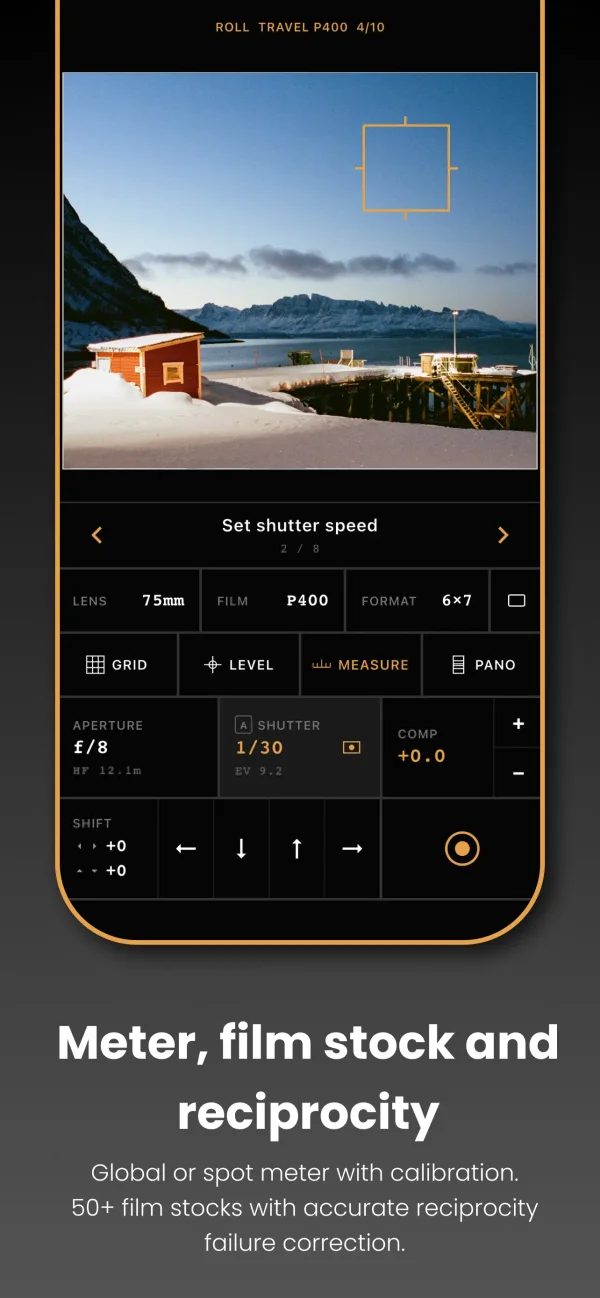
Pick your aperture and get the shutter speed. EV compensation, hyperfocal distance, auto/manual modes, and whole/half/third stops.
SPOT METERING
Meter the whole frame or a spot down to 1° through the telephoto.
ZONE SYSTEM
Log spot readings on a zone scale from 0 to X and slide it to place shadows and highlights. Zone V sets the exposure, with contrast range, an N+/N- hint and film latitude.
METER CALIBRATION
Calibrate against your reference meter at several light levels, per lens.
BELLOWS COMPENSATION
Folds close-focus light loss into the reading, set manually or by LiDAR.
LENS FILTERS
Log ND, polarizer, and color filters. The meter compensates and every capture records them.
RECIPROCITY CORRECTION
60 film stocks with accurate reciprocity curves, plus your own: Portra, CineStill, Tri-X, Velvia, ECN-2 and more. Exposures over one second are corrected automatically.
FILM PREVIEW
Simulate B&W film with color filters, and preview color-film white balance from the loaded stock.
SUN AND MOON PLANNER
The day's sun path, golden and blue hour and the moon drawn over your frame. Plan any date and place on a map with sunrise, sunset and moon directions.
LONG EXPOSURE TIMER
Countdown with a full-screen progress ring, on the Lock Screen and in the Dynamic Island, with an optional end alert.
HARDWARE BUTTONS
Map the volume buttons, Camera Control, the Action button or a Bluetooth remote to shutter, timer, freeze, lens steps and more.
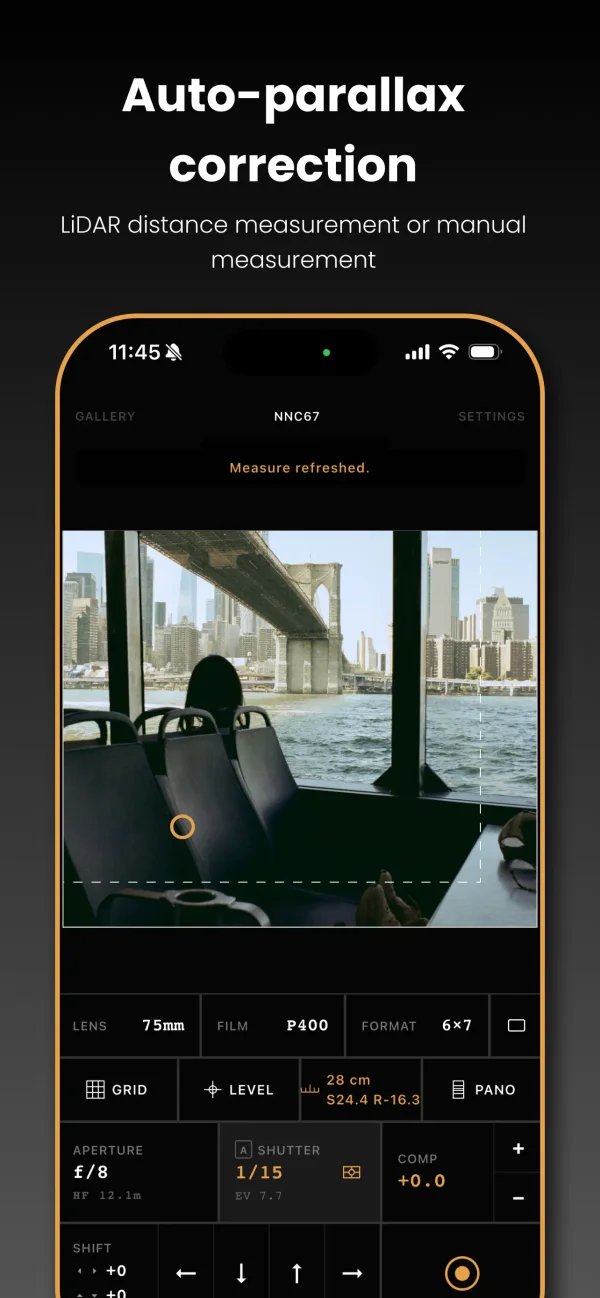
LIDAR DISTANCE AND PARALLAX
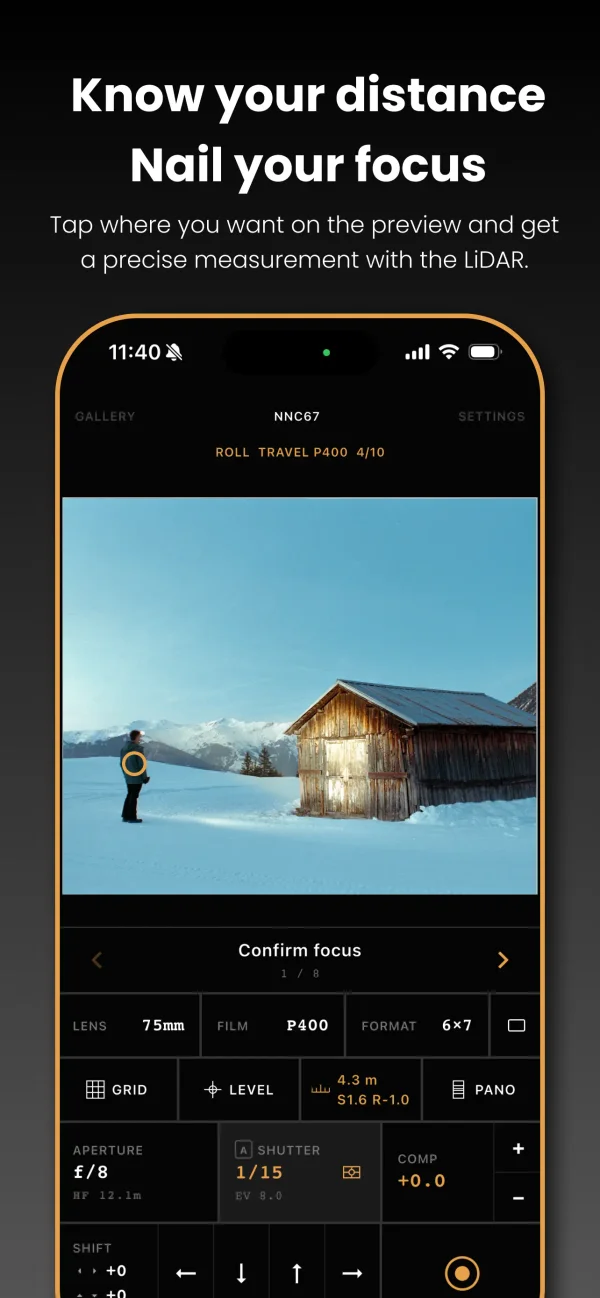
Measure subject distance with LiDAR (iPhone 12 Pro and later) or enter it manually. Parallax between the iPhone and your lens is corrected automatically.
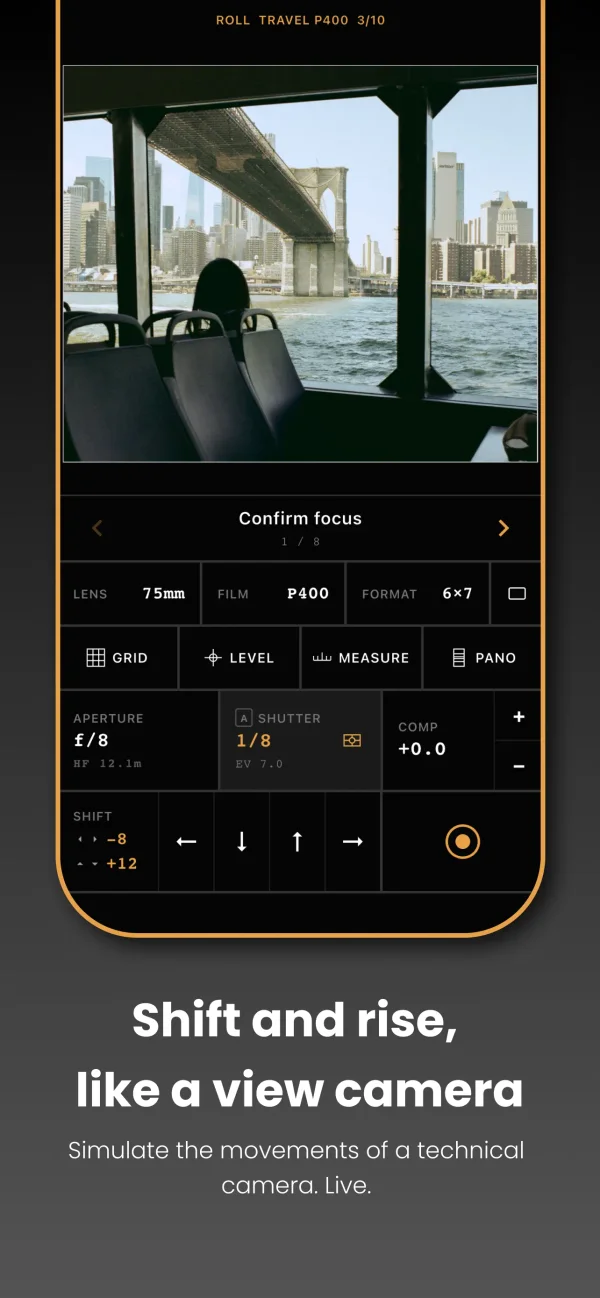
RISE, FALL AND SHIFT
Simulate view camera movements in 1mm steps, up to your kit's maximum travel.
COMPOSITION TOOLS
Rule of thirds, phi grid, golden triangle, square, and custom grids up to 12x12. Bubble level with roll and pitch.
PANORAMA SIMULATION
Preview a stitched multi-frame panorama and save it as a plan.
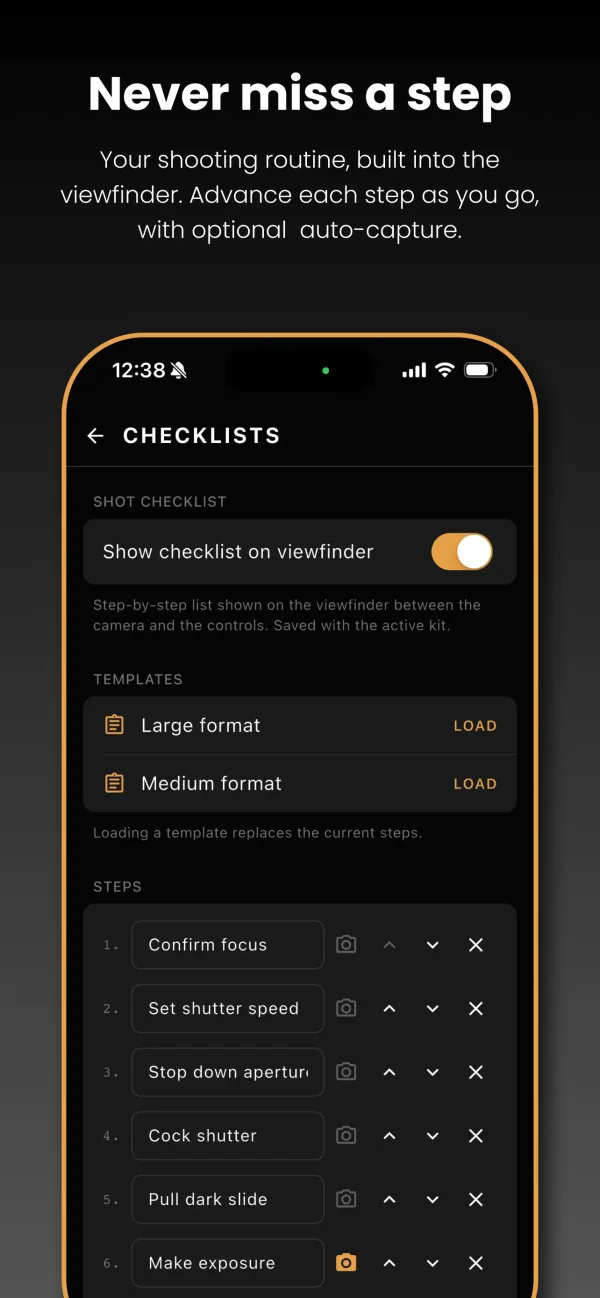
SHOT CHECKLIST
Run a per-kit checklist in the viewfinder. One step can fire the shutter automatically.
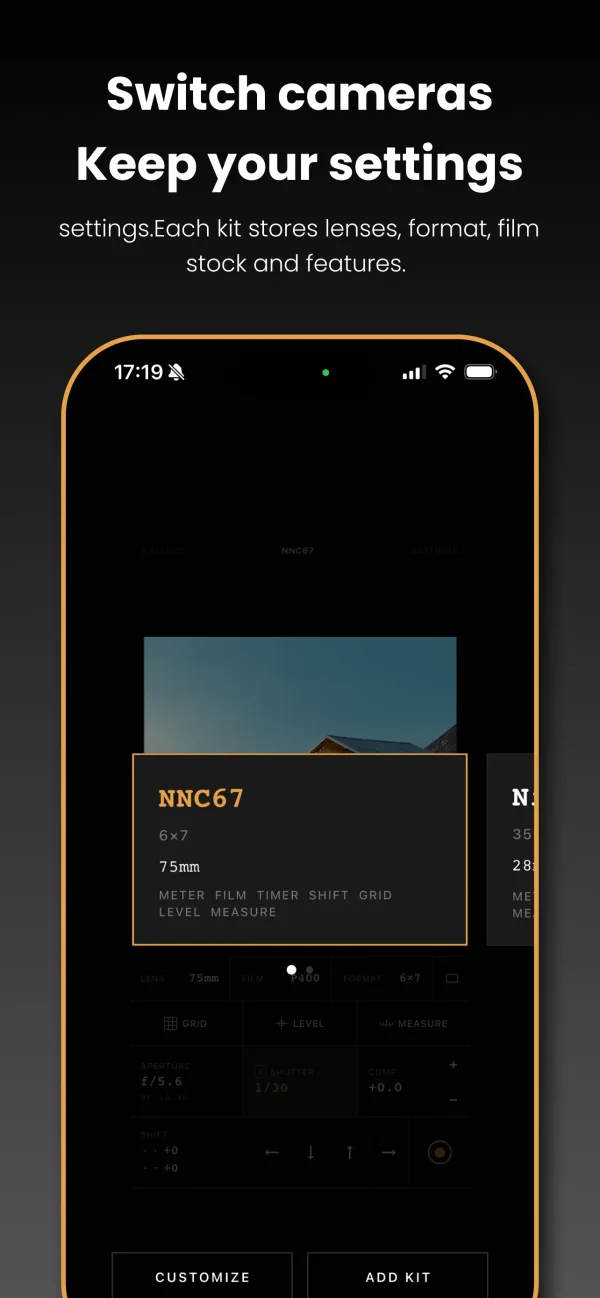
CAMERA KITS
Save complete setups and switch instantly: lenses, format, stocks, workspace, parallax, and checklist. Pick a body and the format picker shows only the masks it can shoot.
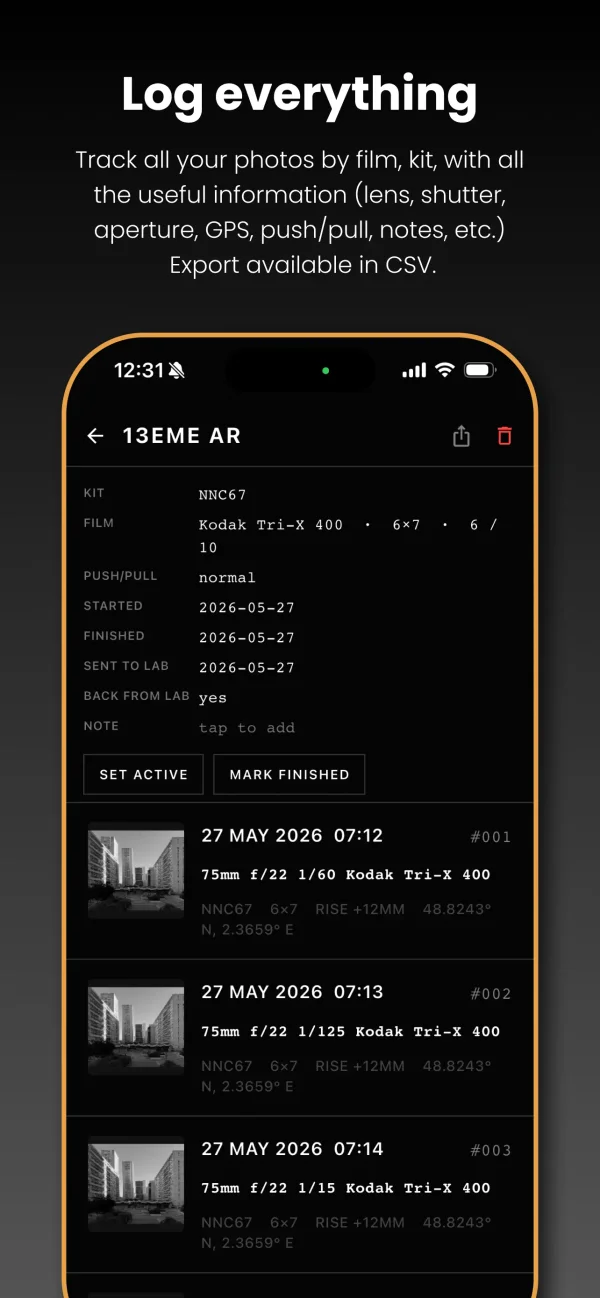
FILM ROLL TRACKING
Know which roll is loaded and when every frame was exposed.
CAPTURE AND GALLERY
Save a reference photo with the exact framing and full metadata: lens, format, stock, filters, exposure, rise/shift, GPS, time, and sun and moon position. Export with a data overlay, add notes, group into rolls, and export a CSV log.
Terms of Use : https://www.apple.com/legal/internet-services/itunes/dev/stdeula/
Privacy policy : https://secondview.app/privacy
Neue Funktionen
Version 1.4 · 04.11.2026
Second View 1.4 brings two new Pro workspaces for planning light and exposure.
ZONE SYSTEM
Spot-meter the scene and log each reading on a zone scale from 0 to X. Slide the scale to place your shadows and highlights, and shoot at the EV on zone V. Shows the contrast range, an N+/N- development hint and your film's latitude. Tap the ruler to add a reading from an external meter.
SUN AND MOON
See the day's sun path, golden and blue hour and the moon drawn over your frame, with a countdown to the next light. Plan any date and place on a map with sunrise, sunset and moon directions, and search places by address.
SUN AND MOON ON EVERY CAPTURE
Captures with a GPS fix now log where the sun and moon were. The gallery shows them, draws the day's sun path over the photo, and adds them to exports and the CSV log.
App-Datenschutz
Was Benoit Linard im App Store zum Umgang dieser App mit Daten angibt.
-
Daten, die zum Tracking Ihrer Person verwendet werden
Können verwendet werden, um Sie über Apps und Websites anderer Unternehmen hinweg zu verfolgen.
- Käufe
- Kennungen
-
Mit Ihnen verknüpfte Daten
Können erfasst und mit Ihrer Identität verknüpft werden.
- Kennungen
-
Nicht mit Ihnen verknüpfte Daten
Können erfasst werden, sind aber nicht mit Ihrer Identität verknüpft.
- Käufe
- Nutzungsdaten
- Diagnose
Die Datenschutzpraktiken können variieren, zum Beispiel je nach den von Ihnen verwendeten Funktionen oder Ihrem Alter.
Informationen
- Anbieter
- Benoit Linard
- Kategorie
- Foto und Video
- Version
- 1.4
- Aktualisiert
- 04.11.2026
- Veröffentlicht
- 28.04.2026
- Größe
- 44,3 MB
- Erfordert
- iOS 16.0 oder neuer
- Altersfreigabe
- 4+
- Preis
- Kostenlos
- In-App-Käufe
- Ja
- Sprachen
- Englisch
- Copyright
- © Benoit Linard
Das könnte Ihnen auch gefallen
-
 GrayZone – BelichtungsmesserSpotmessung & Zonensystem
-
 Film Photography ViewfinderFoto und Video
-
 CDNC — Video CameraFoto und Video
-
 Kamera Iphone & Raw & PresetsPro Camera + HD Fotos & Video
-
 Pellica: BelichtungsmesserLuxmeter, Film-Log & Labore
-
 CamPlot Director's ViewfinderFoto und Video
-
 Analog FilmStockFoto und Video
-
 FilmMeterFoto und Video
-
 Frames: Analog Foto LogbuchLogge Filmrollen & Bilder EXIF
-
 Better Camera: Point & ShootFilmlook. Dein Foto, nicht KI.