Sensor Canvas: Altimeter Depth
Compass, Barometer, One Screen
Entwickelt für iPhone
Kostenlos · In-App-Käufe
- Altersfreigabe4+
- KategorieGesundheit und Fitness
- EntwicklerSami Kuribara
- SprachenEnglisch+ 9 weitere
- Größe8,6 MB
Verlinkt auf die offizielle App Store-Seite
Download.org hostet keine Datei von Sensor Canvas: Altimeter Depth. Die Schaltfläche öffnet die App-Seite bei App Store, wo Sami Kuribara die App veröffentlicht. Eintrag zuletzt geprüft am 17.11.2026.
Screenshots
Info
Der Entwickler hat diesen Text nicht in Ihrer Sprache bereitgestellt.
Turn the sensors of your Apple Watch and iPhone into your own custom instrument panel.
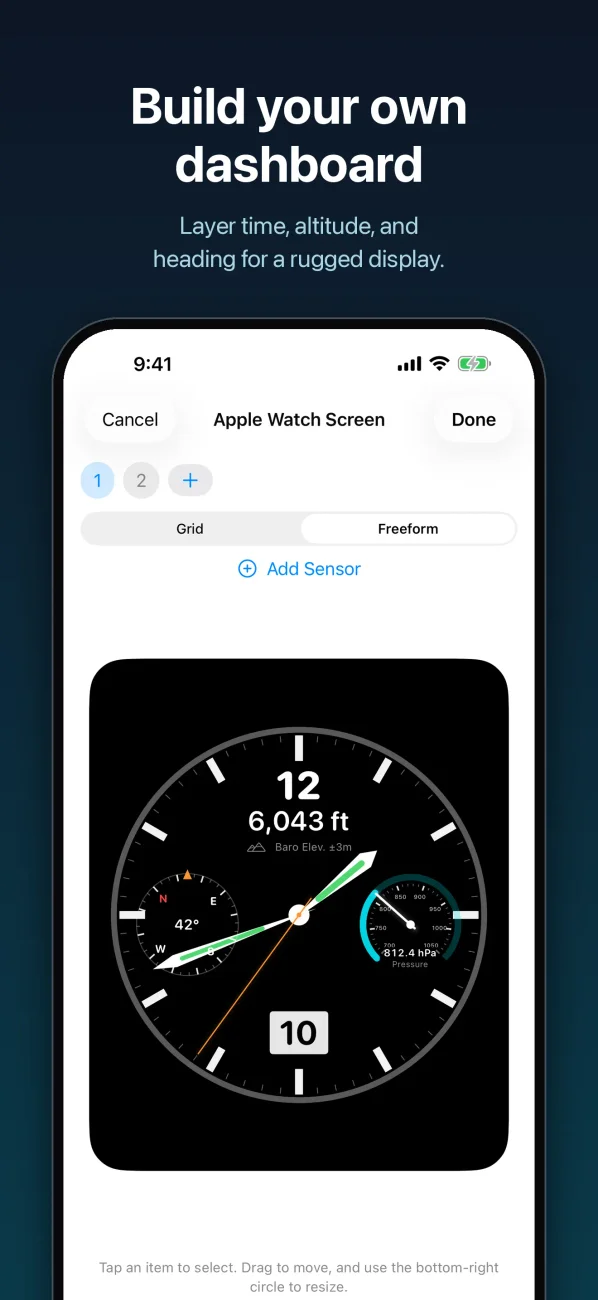
Select and arrange only the information you want to see—such as altitude, barometric pressure, depth, heart rate, compass, pace, and distance—to create a dashboard that perfectly fits your needs.
■ Freely Arrange and Overlay
- Place altitude over an analog clock, with a compass and barometer on the sides. Overlay instruments in any position and size to create a rugged watch face.
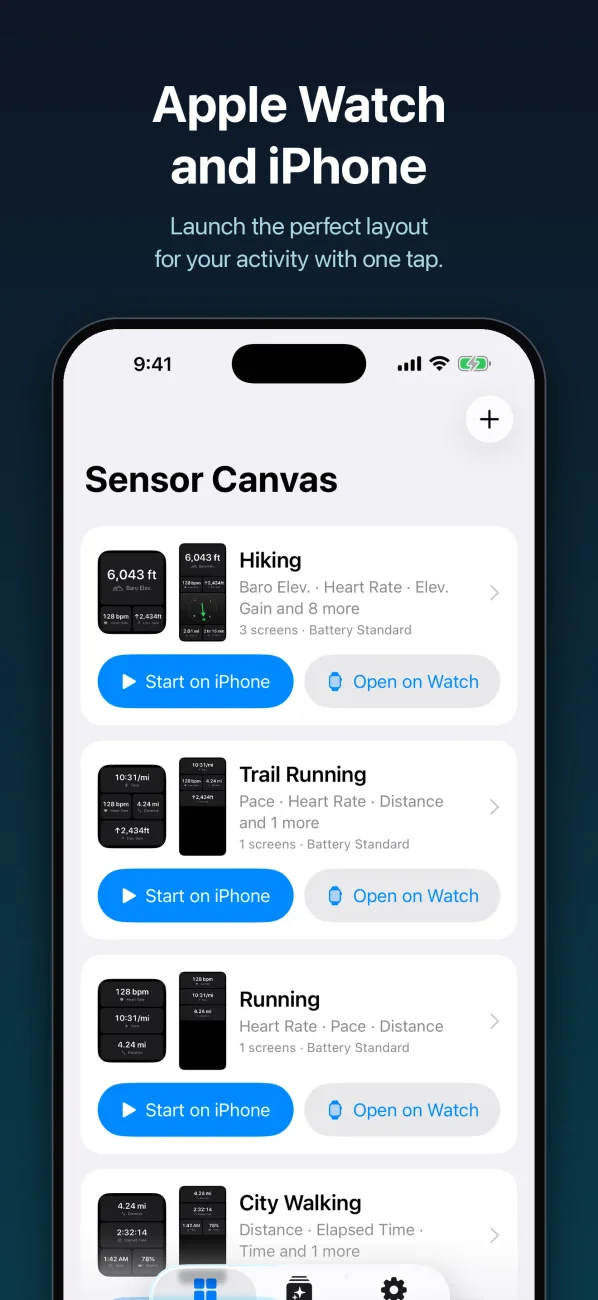
- Quickly align items using a grid, or create separate layouts for your Apple Watch and iPhone.
■ Numbers, Gauges, and Graphs
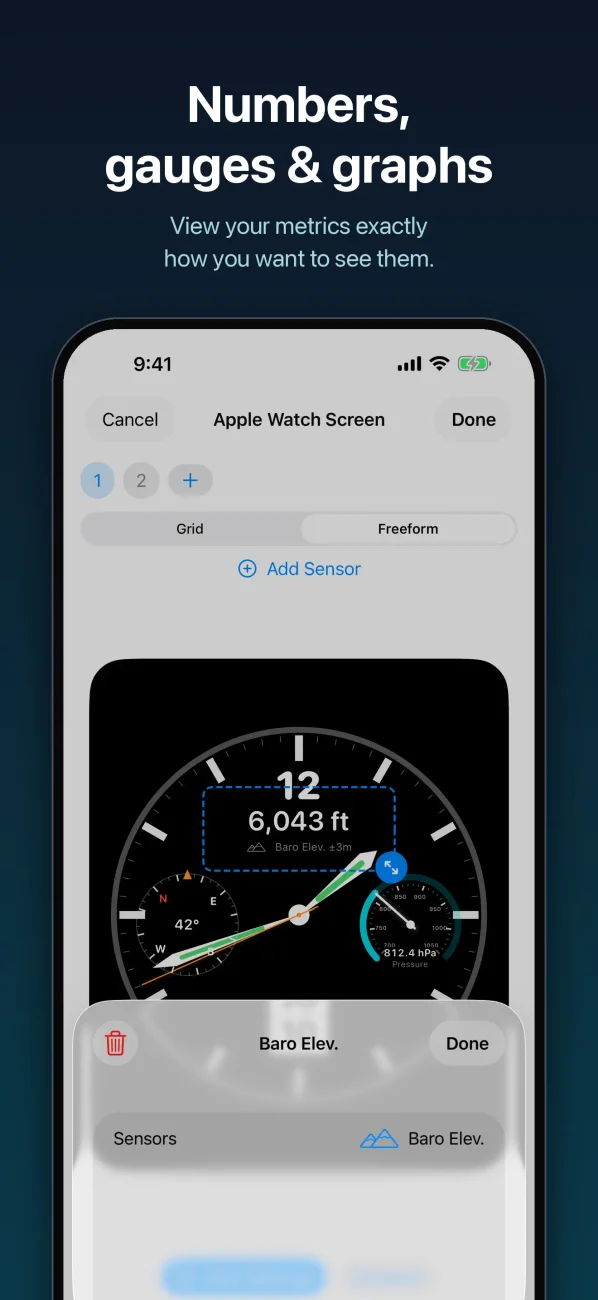
- Display each metric as a number, a beautiful analog gauge, or a trend graph.
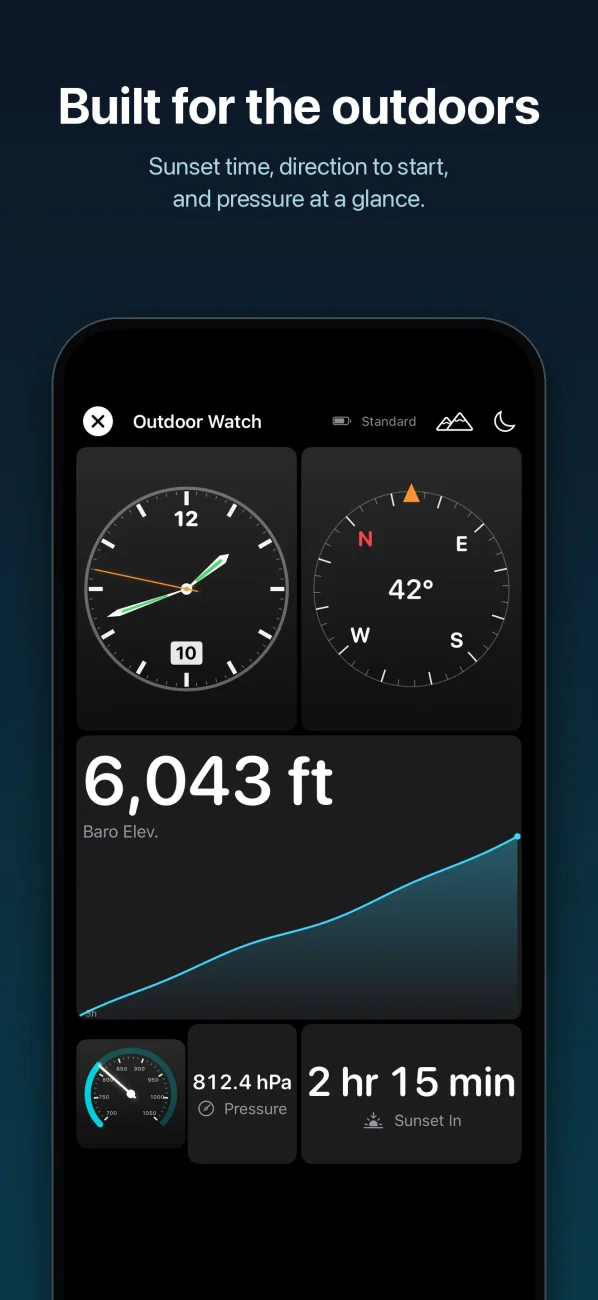
- Barometric pressure and altitude show a 3-hour trend, letting you spot incoming weather changes or check your climbing pace at a glance.
■ Useful Metrics for the Mountains
- Barometric altitude (calibrate with trail signs), total ascent/descent, vertical speed, and maximum altitude.
- Time to sunset, plus the direction and distance back to start (works offline).
■ Underwater Capabilities (Apple Watch Ultra)
- Displays depth (up to 6 m), maximum depth, water temperature, dive time, surface interval, dive count, and ascent rate.
- Automatically disables touch input (Water Lock) when submerged. Alerts you with color and vibration if ascending too quickly.
- Ideal for snorkeling, freediving, and shallow water play. *Note: This is for recreational reference only. The app is not a dive computer; please use a certified dive computer for diving safety management.
■ Running & Cycling
- Cadence, step count, heart rate zones, running power, stride length, vertical oscillation, and ground contact time (Apple Watch).
- Time to sunrise and moon phase, available even without a connection.
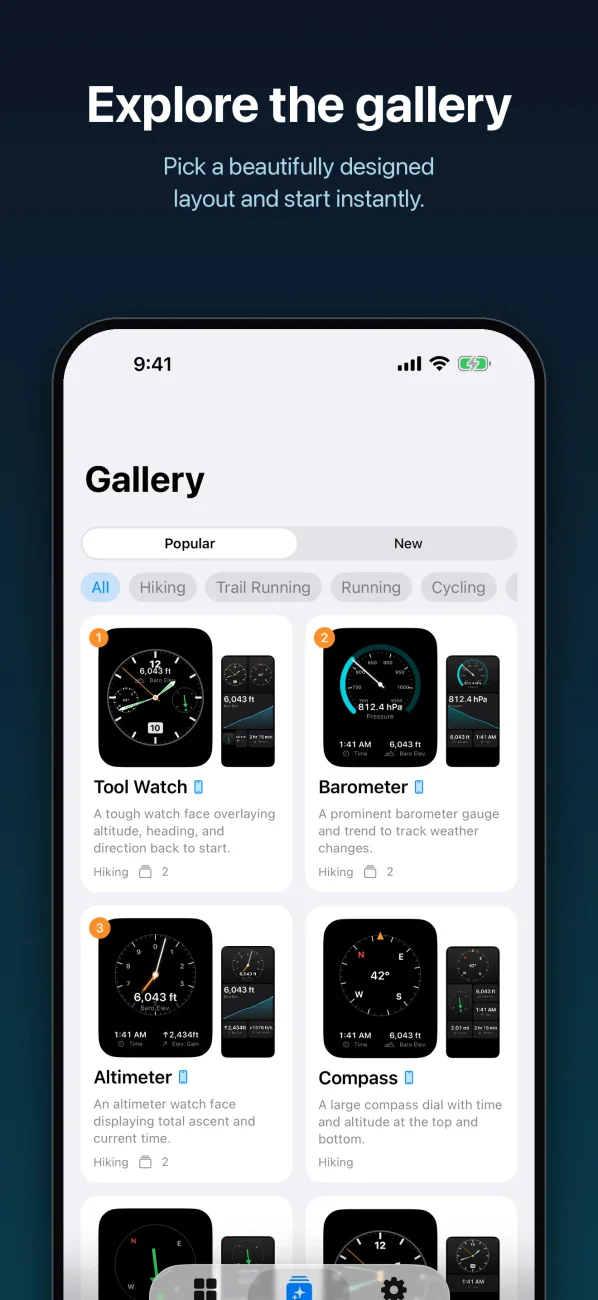
■ Gallery
- Instantly use pre-designed watch faces and instrument panels.
- Share your own layout via a link or publish it to the gallery.
■ Works with Apple Watch or Just Your iPhone
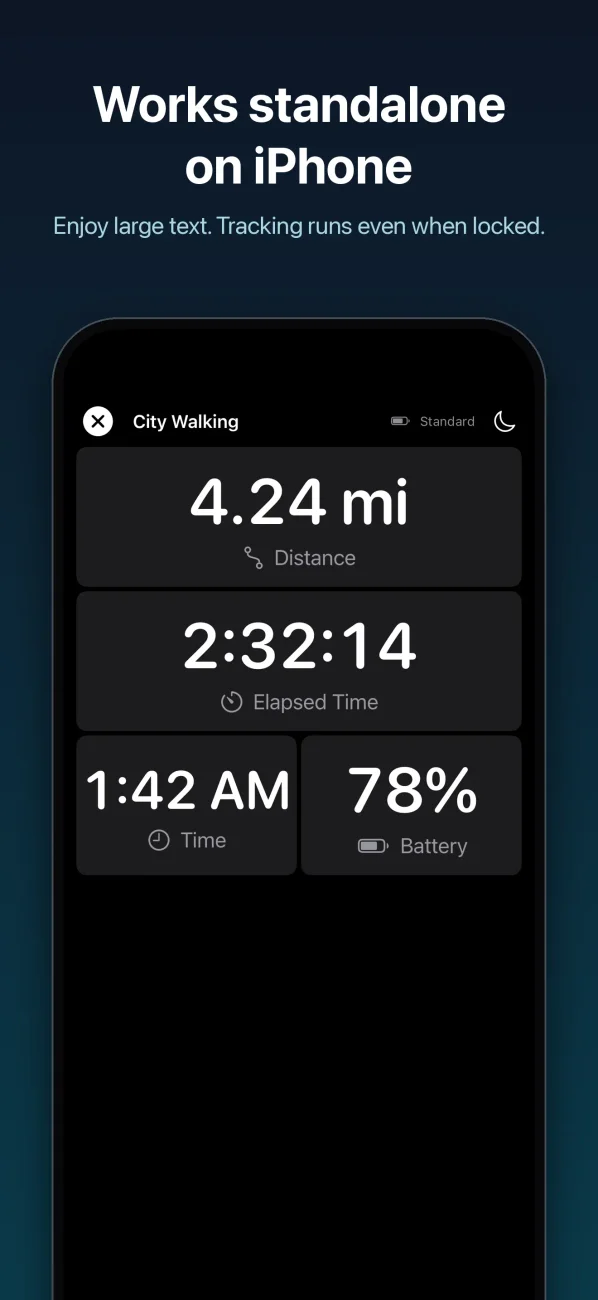
Screens created on your iPhone automatically sync to your Apple Watch. On Apple Watch Ultra, start instantly with the Action Button, and save your session as a Workout to the Health app when finished. Even without an Apple Watch, you can mount your iPhone to your bike handlebars and keep tracking. Measurements continue even when the screen is locked.
■ Battery Friendly
Choose from 3 battery life settings: precise, standard, and long-lasting. Automatically switches to long-lasting mode when battery is low.
■ Units
Meters and feet are set automatically based on your region, and can be switched manually in settings.
■ Privacy
Measurement data like location and heart rate are processed entirely on your device and are never sent externally. No ads, no tracking.
■ Sensor Canvas Premium (Auto-Renewable Subscription)
Basic features are free. Premium unlocks unlimited layouts, freeform arrangement, and trend graphs. Available as a monthly or annual plan, both with a 7-day free trial. Payment will be charged to your Apple ID upon purchase confirmation. The subscription automatically renews unless canceled at least 24 hours before the end of the current period. You can cancel anytime in your App Store account settings.
Terms of Use (EULA): https://www.apple.com/legal/internet-services/itunes/dev/stdeula/
Privacy Policy: https://explorerslab-inc.com/sensorcanvas/#privacy
Neue Funktionen
Version 1.5.1 · 04.11.2026
Minor improvements and bug fixes.
App-Datenschutz
Was Sami Kuribara im App Store zum Umgang dieser App mit Daten angibt.
-
Mit Ihnen verknüpfte Daten
Können erfasst und mit Ihrer Identität verknüpft werden.
- Benutzerinhalte
- Kennungen
-
Nicht mit Ihnen verknüpfte Daten
Können erfasst werden, sind aber nicht mit Ihrer Identität verknüpft.
- Kennungen
Die Datenschutzpraktiken können variieren, zum Beispiel je nach den von Ihnen verwendeten Funktionen oder Ihrem Alter.
Informationen
- Anbieter
- Sami Kuribara
- Kategorie
- Gesundheit und Fitness
- Version
- 1.5.1
- Aktualisiert
- 04.11.2026
- Veröffentlicht
- 09.10.2026
- Größe
- 8,6 MB
- Erfordert
- iOS 18.0 oder neuer
- Altersfreigabe
- 4+
- Preis
- Kostenlos
- In-App-Käufe
- Ja
- Sprachen
- Englisch, Französisch, Deutsch, Italienisch, Japanisch, Koreanisch, Portugiesisch, Vereinf. Chinesisch, Spanisch, Tradit. Chinesisch
- Copyright
- © 2026 Explorers Lab Inc.
Das könnte Ihnen auch gefallen
-
 MindPulse - 压力与心率监测Gesundheit und Fitness
-
 Equalization & Apnea TrainerGesundheit und Fitness
-
 Zenith: Elevation TrackerGesundheit und Fitness
-
 happytics: Fidget & FocusGesundheit und Fitness
-
 Stresscan:Your Alex 压力侦测辅助系统Gesundheit und Fitness
-
 Mulbyul - ApnoetrainingCO2-Tabellen & Luft anhalten
-
 Otonote - いつ届くかわからない、おとなの交換ノートGesundheit und Fitness
-
 Widgethy: Gesundheits-WidgetsSchritte, Puls & Schlaf u.v.m.
-
 FitX - AI Gym & Workout CoachGesundheit und Fitness
-
 Reaction Light Trainer: ReflexGesundheit und Fitness