
Sheet Metal Layout: Patterns
Cone, elbow & duct flat layout
Entwickelt für iPhone, iPad, iPod touch
Kostenlos · In-App-Käufe
- Altersfreigabe4+
- KategorieProduktivität
- EntwicklerGun woo Kim
- SprachenEnglisch
- Größe29,7 MB
Verlinkt auf die offizielle App Store-Seite
Download.org hostet keine Datei von Sheet Metal Layout: Patterns. Die Schaltfläche öffnet die App-Seite bei App Store, wo Gun woo Kim die App veröffentlicht. Eintrag zuletzt geprüft am 23.11.2026.
Screenshots

Info
Der Entwickler hat diesen Text nicht in Ihrer Sprache bereitgestellt.
Mark out the flat pattern, cut once. Sheet Metal Layout develops the patterns fabricators lay out every day — cones, miter elbows, tees, reducers and square-to-round transitions — right on your phone, fully offline.
PATTERNS THAT MATTER
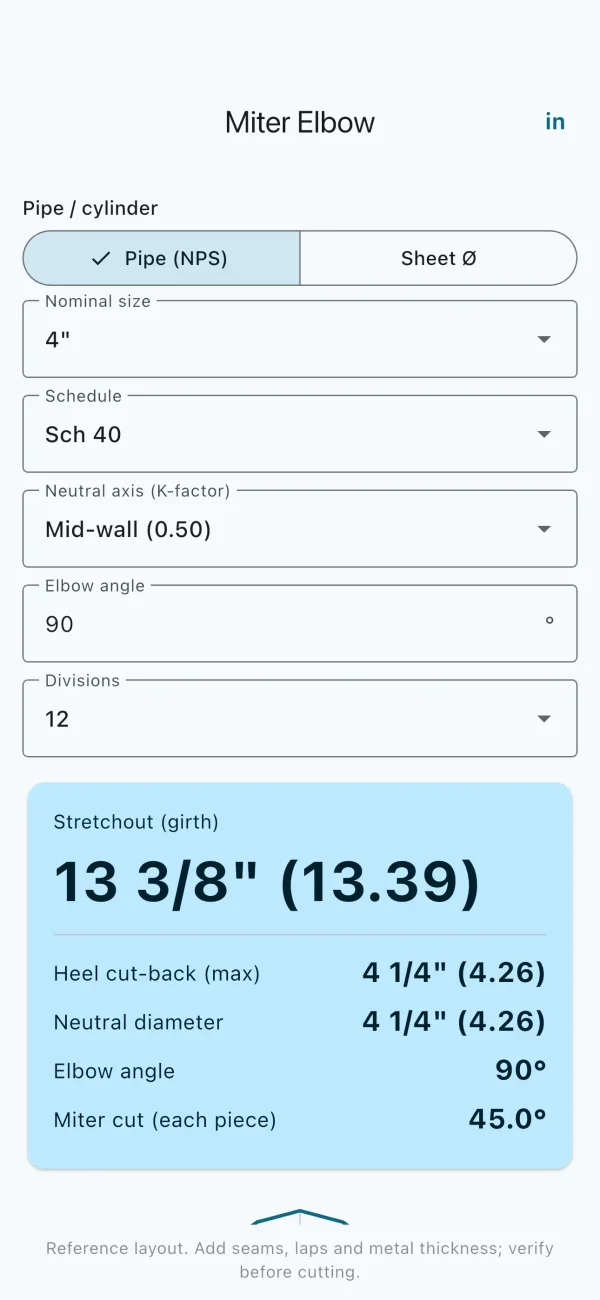
• Miter elbow — two-piece, any angle
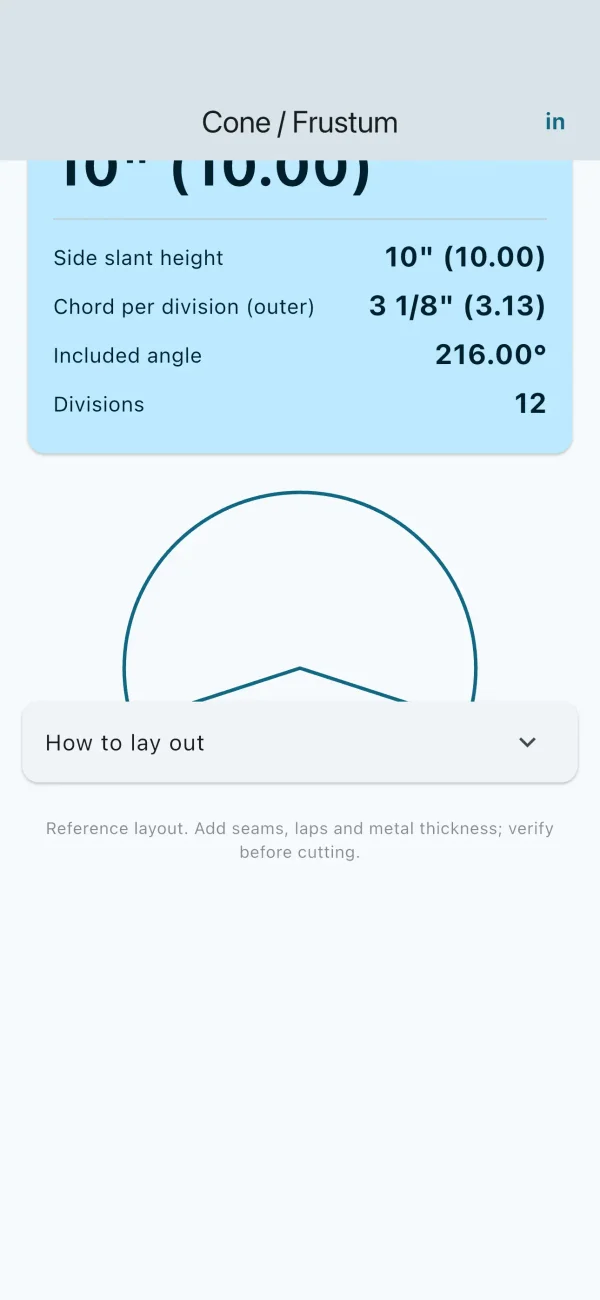
• Cone and frustum — full radial-line development with sector angle
• Concentric and eccentric reducers — triangulated true lengths
• Round offsets and lobster-back (segmented) elbows
• Equal and unequal tees — branch saddle cut depths
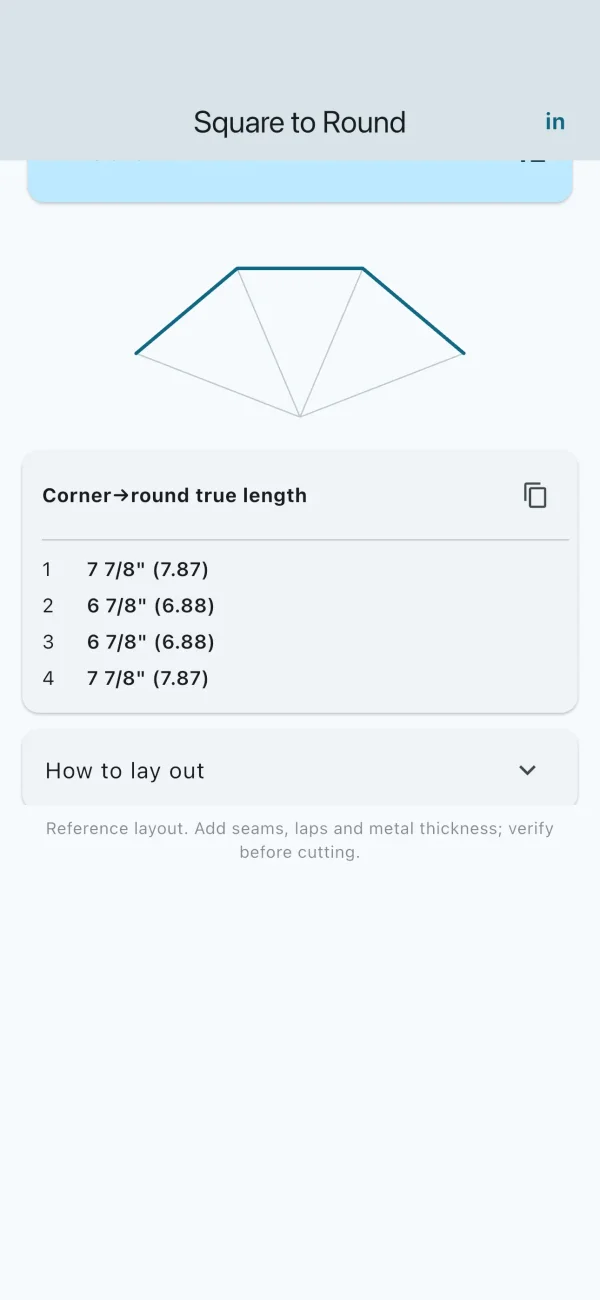
• Square to round — corner true lengths, laid out
LAID OUT RIGHT
• Every pattern gives you key dimensions, a schematic and a numbered ordinate / true-length table
• A step-by-step "How to lay out" list walks the parallel-line, radial-line or triangulation construction
• Copy any ordinate table as text to keep with your job notes
• Recent valid calculations stay on your device, ready to rename, reopen, copy or share
ACCURATE TO THE METAL
• Layout follows the neutral fibre — set the K-factor (mid-wall by default) so bend allowance is built in, not guessed
• Pipe mode auto-fills outside diameter and wall from a built-in nominal pipe-size table (½"–12", schedule 40/80)
• Sheet mode takes diameter and thickness directly
BUILT FOR THE SHOP AND THE FIELD
• Inch (fractions to 1/16") or millimetre — one tap to switch
• 100% offline — works anywhere, no signal needed
• Big controls, screen stays awake, no account
• Your inputs never leave your phone
SHEET METAL LAYOUT PRO
The free version includes the miter elbow, cone / frustum and reducer patterns, plus your three newest saved calculations. Pro unlocks the remaining five patterns and your full local calculation history. Choose a monthly or yearly subscription, or a one-time lifetime option. The three lifetime options unlock the same Pro features; only the support amount differs. Prices are shown in the app before you buy. No ads.
Subscriptions are charged to your Apple ID and renew automatically unless cancelled at least 24 hours before the end of the current period. Manage or cancel in your App Store account settings. If you bought Pro before, it stays unlocked: use Restore purchases.
Reference layout only. Add your own seams, laps and material allowance, and always verify before cutting.
Terms of Use (EULA): https://www.apple.com/legal/internet-services/itunes/dev/stdeula/
Privacy: https://cleverlywittyapps.notion.site/Privacy-Policy-39bc23508849817f844ac12c5cbbba60
Support: cleverlywittyapps@gmail.com
Neue Funktionen
Version 1.2.2 · 20.11.2026
Refreshed App Store page visuals and minor improvements.
App-Datenschutz
Was Gun woo Kim im App Store zum Umgang dieser App mit Daten angibt.
-
Nicht mit Ihnen verknüpfte Daten
Können erfasst werden, sind aber nicht mit Ihrer Identität verknüpft.
- Kennungen
- Nutzungsdaten
- Diagnose
Die Datenschutzpraktiken können variieren, zum Beispiel je nach den von Ihnen verwendeten Funktionen oder Ihrem Alter.
Informationen
- Anbieter
- Gun woo Kim
- Kategorie
- Produktivität
- Version
- 1.2.2
- Aktualisiert
- 20.11.2026
- Veröffentlicht
- 23.07.2026
- Größe
- 29,7 MB
- Erfordert
- iOS 15.0 oder neuer
- Altersfreigabe
- 4+
- Preis
- Kostenlos
- In-App-Käufe
- Ja
- Sprachen
- Englisch
- Copyright
- © 2026 WittyApps
Das könnte Ihnen auch gefallen
-
 IsoToolProduktivität
-
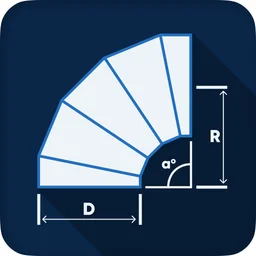 Ellenbogen - FlachmusterEllenbogen Flachmuster Rechner
-
 Unbend Blechabwicklung RechnerBlechbiege-Rechner
-
 ElbowCalc – SchnittmusterersteIntelligentes
-
 FabricatorPro: Metal CalcProduktivität
-
 Flat Pattern Cone CalculatorsProduktivität
-
 Abwicklung Blech: TrueflatKegel, Rohrbogen, Übergang
-
 Fabrication Tools CalculatorProduktivität
-
 Thermal Insulation CalculatorProduktivität
-
 Metal Forming - Quick FormingProduktivität