
Shift Scheduler - Shiftmate
Work schedule maker for shops
Entwickelt für iPhone, iPad
Kostenlos · In-App-Käufe
- Altersfreigabe4+
- KategorieWirtschaft
- EntwicklerToshihiro Nakao
- SprachenJapanisch+ 1 weitere
- Größe12,9 MB
Verlinkt auf die offizielle App Store-Seite
Download.org hostet keine Datei von Shift Scheduler - Shiftmate. Die Schaltfläche öffnet die App-Seite bei App Store, wo Toshihiro Nakao die App veröffentlicht. Eintrag zuletzt geprüft am 16.11.2026.
Screenshots

Info
Der Entwickler hat diesen Text nicht in Ihrer Sprache bereitgestellt.
Still building the schedule on paper, a whiteboard or a spreadsheet?
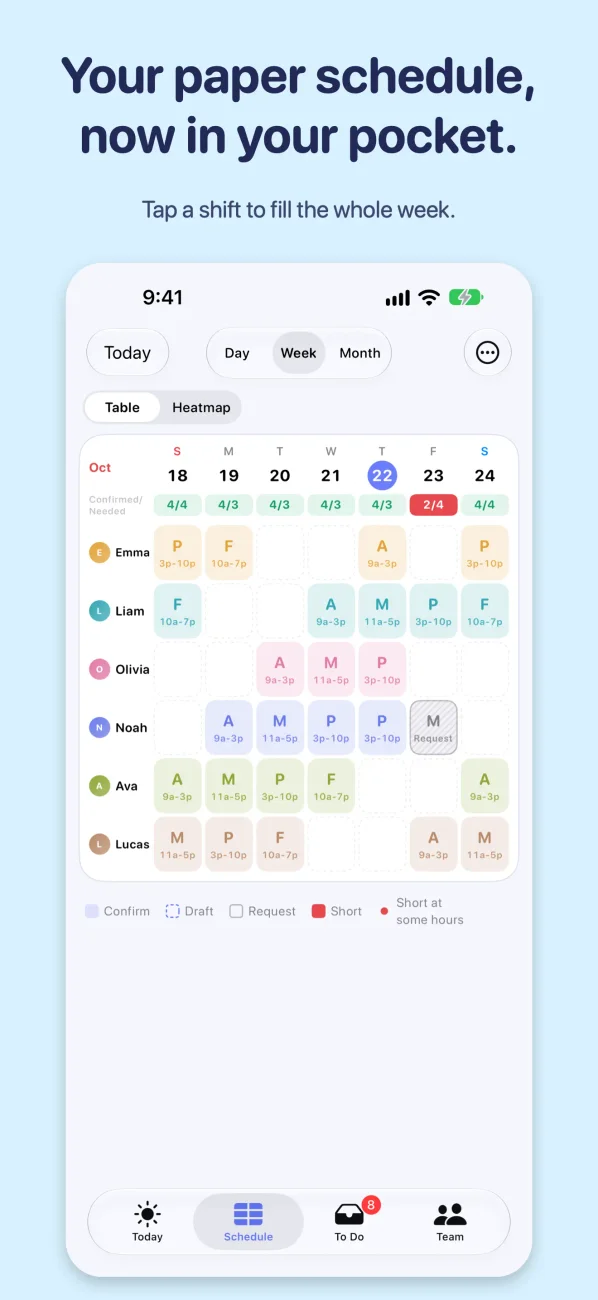
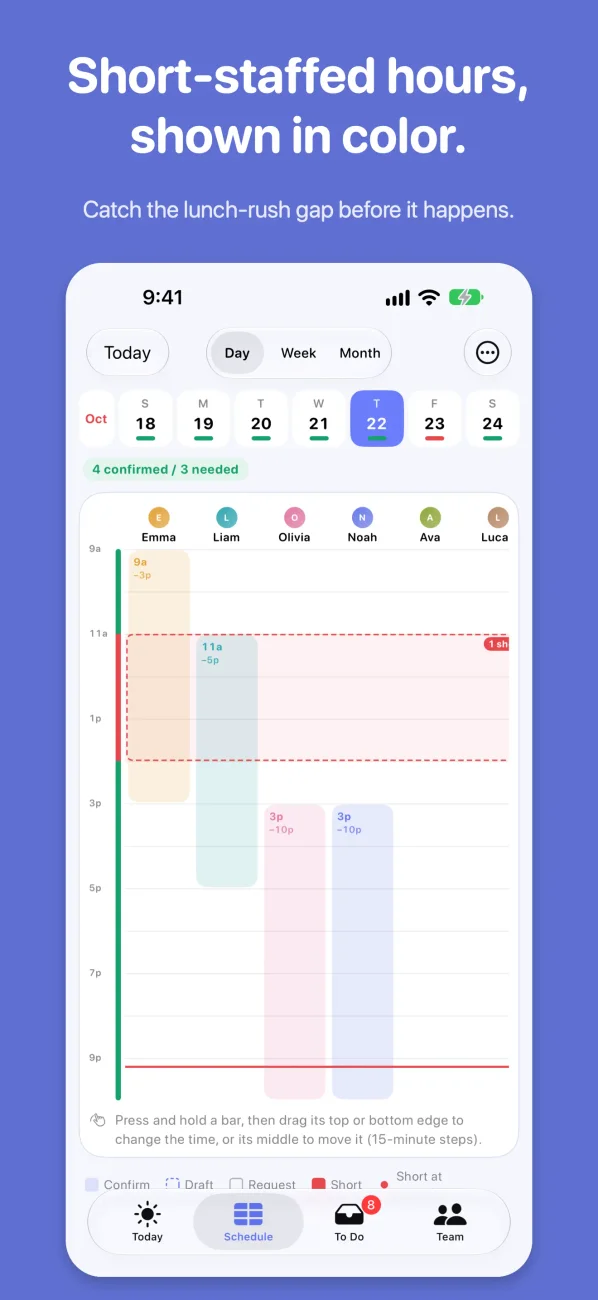
Shiftmate puts it in your pocket: tap a shift and the week fills in, and short-staffed days and hours stand out at a glance.
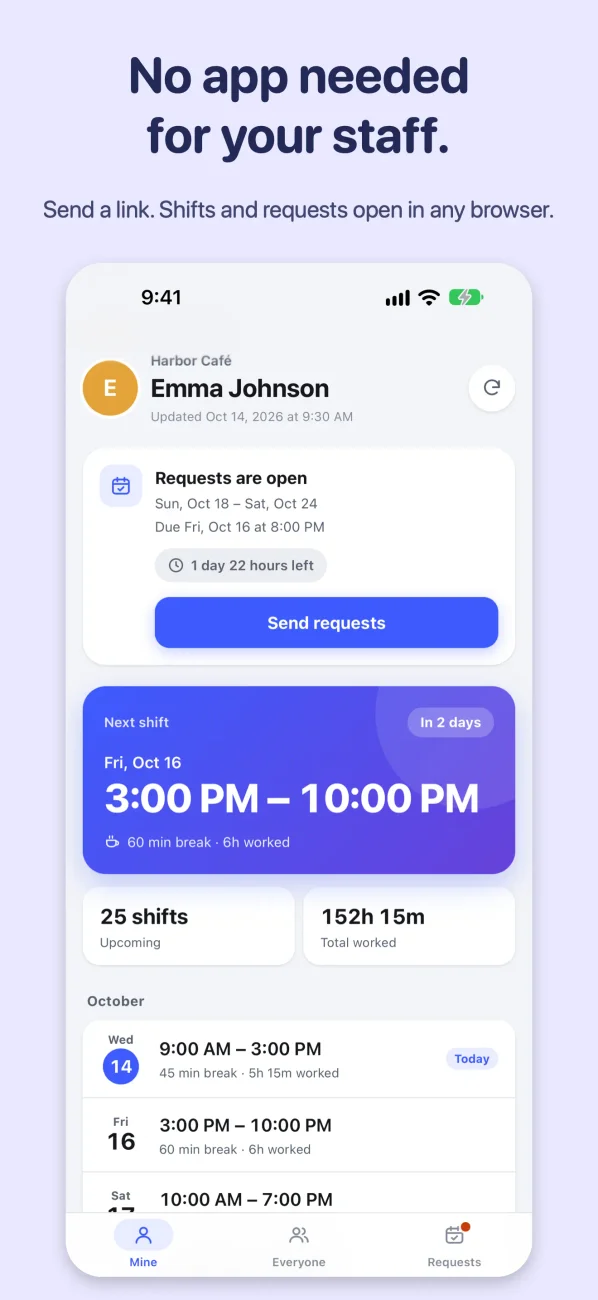
Then send it to staff with one link, even if they don't have the app.
For small shops with up to about 20 staff: cafes, restaurants, salons and retail. Add names and go. No account needed.
[BUILD THE SCHEDULE]
- A staff-by-day grid, just like paper. Tap a template to add a shift; copy last week in one go
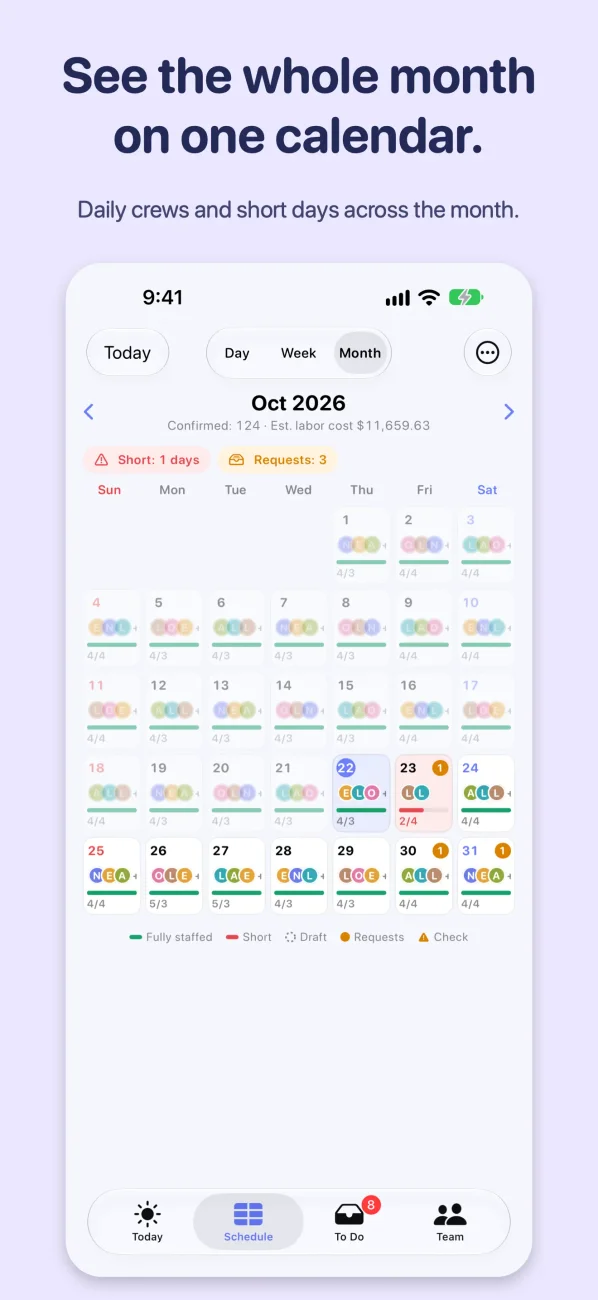
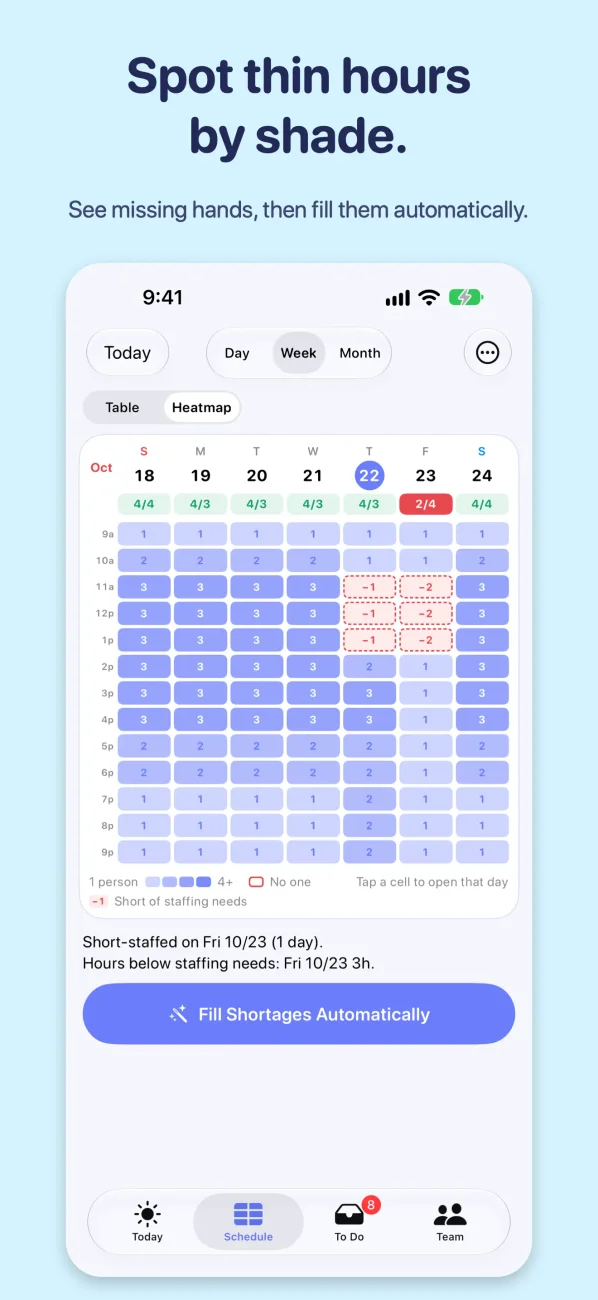
- Day, Week and Month views, plus an hourly headcount heatmap. Swipe to the next week or day
[SEE WHERE YOU'RE SHORT]
- Set staffing needs by weekday, by time of day (say, 3 people from 11a to 2p) and by role
- Short days turn red, short hours are outlined, and the Day view lists what's missing
- "Add Here" suggests the shift that covers the most missing hours, and who can work it
- Alerts for empty hours, long streaks, short breaks and short rest
[KNOW EACH PERSON'S LIMITS]
- Save each person's unavailable times, temporary conflicts, weekly limits and shift length
- Give staff several roles (front, kitchen) and mark trainees
- Get alerted when no one can open, close or lead
- Mismatches are flagged as you schedule (nothing is blocked)
[CALL-OUTS AND COVER]
- Mark a call-out; the original hours are kept
- See who can step in, with overtime notes, and give them the shift
- Hand off the rest of a shift partway through
[COLLECT STAFF REQUESTS]
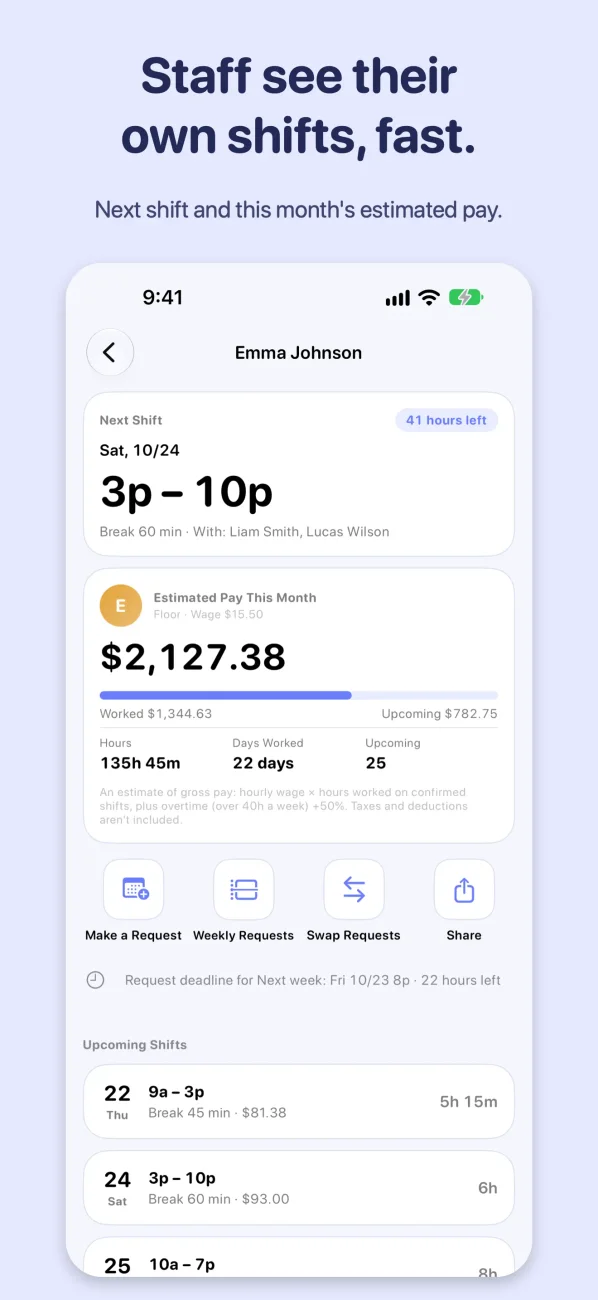
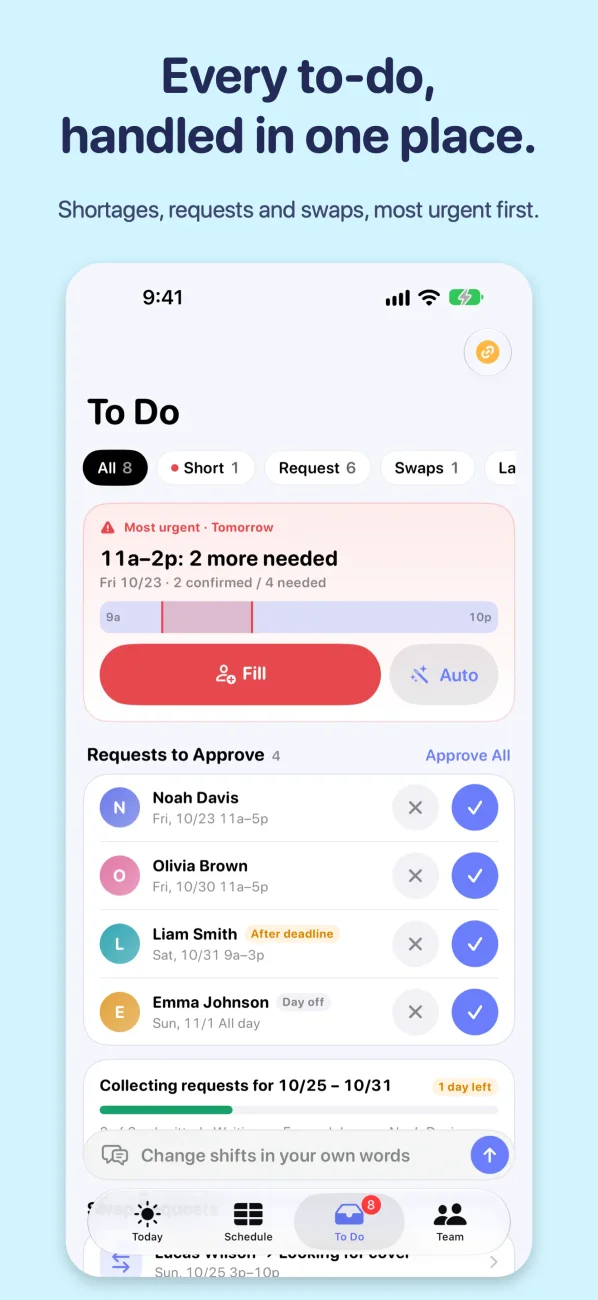
- Staff check their shifts and send shift, day-off and swap requests
- Weekly Requests cover a whole week; late ones are marked
- To Do puts the most urgent shortage first; approve or decline requests right there
- Swaps show who can take them, and the effect on hours, roles and cost
[SHIFTMATE LINK] (separate auto-renewable subscription)
- Each person gets their own page: their shifts and everyone's, in any browser
- The same link always shows the latest
- Collect requests by a deadline; staff send them from a browser to your To Do
- Use on a PC: edit the week and approve requests in a browser (Premium: view only)
- End-to-end encrypted; we can't read it. Wages, phone numbers and notes aren't included
- Monthly or yearly; separate from one-time Premium
[FILL GAPS AUTOMATICALLY] (Premium)
- Drafts shifts for short days from needs and requests
- Respects each person's limits and roles, rest between shifts and fairness
- Nothing is final until you confirm
[LABOR COST AND HOURS]
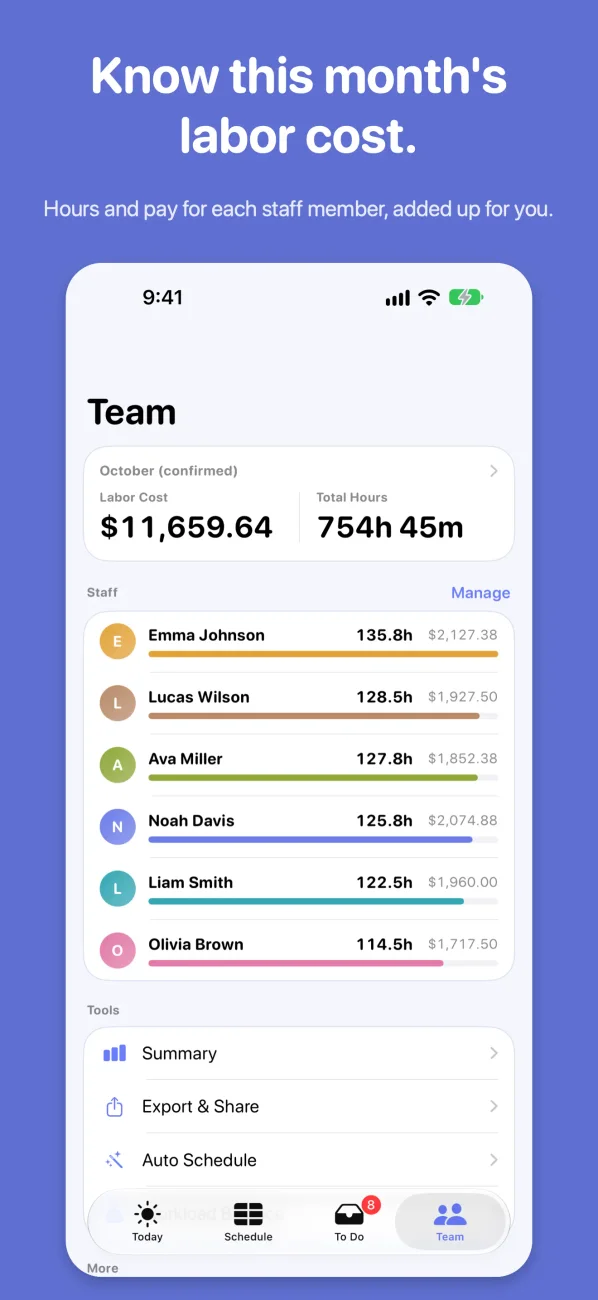
- Hours and estimated labor cost per person
- U.S. federal overtime (1.5x over 40 hours a week), or a custom rule with daily overtime and night premiums
- Totals follow your payroll period
- Schedule raises ahead; overnight shifts split the rate at midnight
- Staff see their estimated gross pay (before taxes and deductions)
[TODAY AT A GLANCE]
- Today's Staffing: headcount through the day, who's on now and today's labor cost. Contact or adjust anyone from their row
- Tomorrow's shortages show here and in the day-before reminder
- Home Screen and Lock Screen widgets show today's lineup, shortages and to-dos
[SHARE AND EXPORT]
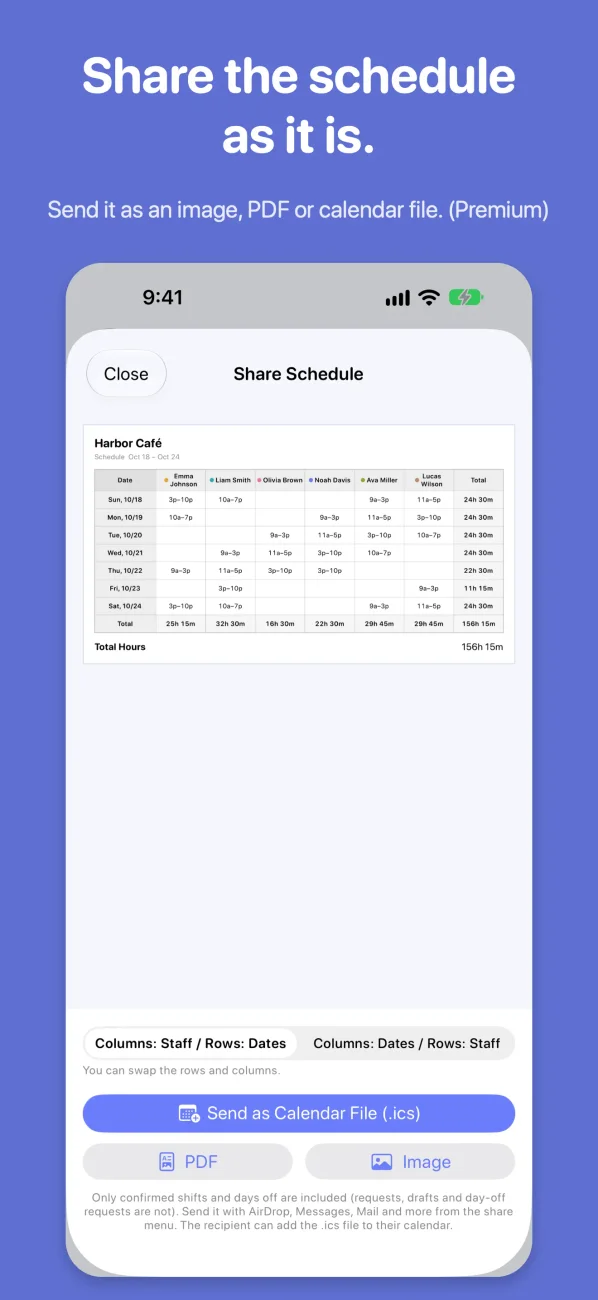
- Add confirmed shifts to your device's calendar
- Share the schedule as an image or PDF, or send a calendar file (Premium)
- Export totals as CSV by pay period (Premium)
[ON SUPPORTED DEVICES]
- Ask about shifts by voice, or describe changes in plain words in the To Do chat (saved only when you apply; stays on-device)
[PRIVATE AND OFFLINE]
- Data stays on your device and works offline (except Shiftmate Link)
- Lock manager screens with an admin PIN (biometric unlock supported)
- Light or dark appearance
[PREMIUM (ONE-TIME PURCHASE)]
Without Premium: up to 3 active staff. Premium adds unlimited staff, multiple locations, sync and backup across your devices, automatic scheduling, and sharing and export. Buy once; restore on your other devices.
Terms of Use: https://www.apple.com/legal/internet-services/itunes/dev/stdeula/
Privacy Policy: https://kobako-apps.github.io/shiftmate/privacy/en/
Neue Funktionen
Version 1.6.2 · 12.11.2026
- Leave early / extend: extending a shift now asks first when it goes against the staff member's conditions (available hours, weekly limit and so on), and a change that overlaps their other shift is stopped
- Fixed shifts copied from last week on a PC, and requests sent through links, sometimes landing a day early at a location in a different time zone
- Fixed stopping request collection on one device sometimes removing requests another device was still taking in
- Widgets can now be added on every device running iOS 18 or later (they only showed up on the newest iOS before)
- Fixed a staff member's income goal not accepting amounts over a million
- Fixed an absence still showing as covered after the person covering left early. Today and the schedule now say the rest is still open
- Fixed rejecting a request on one device removing the confirmed shift when another device had already approved it
- Fixed "Discard all" removing auto-generated drafts you had edited by hand
- Fixed work conditions switching back to the current set when you returned from a weekday while editing an upcoming set
- Fixed the web admin on a PC sometimes showing a closed day as short-staffed
App-Datenschutz
Was Toshihiro Nakao im App Store zum Umgang dieser App mit Daten angibt.
-
Keine Daten erfasst
Der Entwickler erfasst keine Daten von dieser App.
Die Datenschutzpraktiken können variieren, zum Beispiel je nach den von Ihnen verwendeten Funktionen oder Ihrem Alter.
Informationen
- Anbieter
- Toshihiro Nakao
- Kategorie
- Wirtschaft
- Version
- 1.6.2
- Aktualisiert
- 12.11.2026
- Veröffentlicht
- 15.06.2026
- Größe
- 12,9 MB
- Erfordert
- iOS 18.0 oder neuer
- Altersfreigabe
- 4+
- Preis
- Kostenlos
- In-App-Käufe
- Ja
- Sprachen
- Japanisch, Englisch
- Copyright
- © 2026 Toshihiro Nakao
Das könnte Ihnen auch gefallen
-
 APieceOfCake-easy schedulingProduktivität
-
 Shift_MateProduktivität
-
 自動シフト作成 SalonShift - サロン向けProduktivität
-
 Work Assignment SheetProduktivität
-
 シフタス|店長のシフト自動作成・管理アプリWirtschaft
-
 EaseShift: DienstplanTeampläne erstellen & teilen
-
 みせばんシフト - シフト表の自動作成Wirtschaft
-
 シフトも予定も忘れないカレンダー&アラーム|NarukaProduktivität
-
 Haushalt & Schichten ShiftPayBudget und Schichten in einem
-
 Onlyシフト シフト作成・シフト表・勤務表管理Produktivität