
ShiftStub: Hours Tracker
Time card, pay & OT calculator
Entwickelt für iPhone
In-App-Käufe
- Altersfreigabe4+
- KategorieFinanzen
- EntwicklerAlberto Sebastian Valverde
- SprachenEnglisch
- Größe52,8 MB
ShiftStub: Hours Tracker ist bei App Store derzeit möglicherweise nicht verfügbar
Bei unserer letzten Prüfung war der Store-Eintrag nicht erreichbar. Der Link führt weiterhin zur offiziellen App Store-Seite.
Screenshots

Info
Der Entwickler hat diesen Text nicht in Ihrer Sprache bereitgestellt.
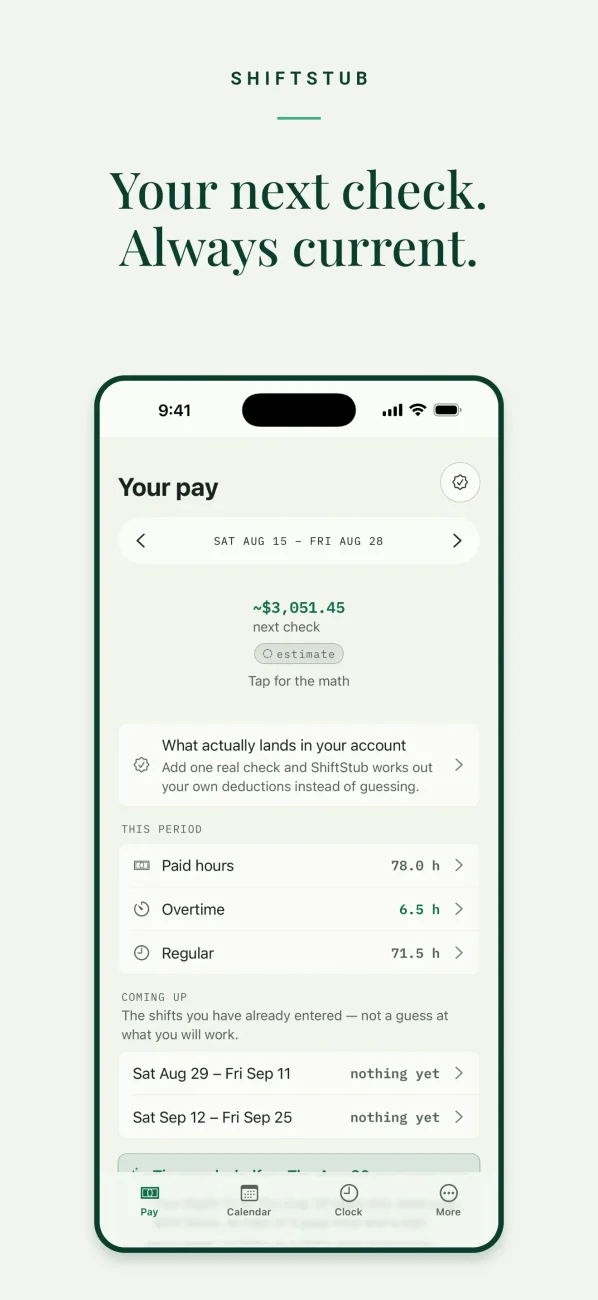
Know your next check before it lands.
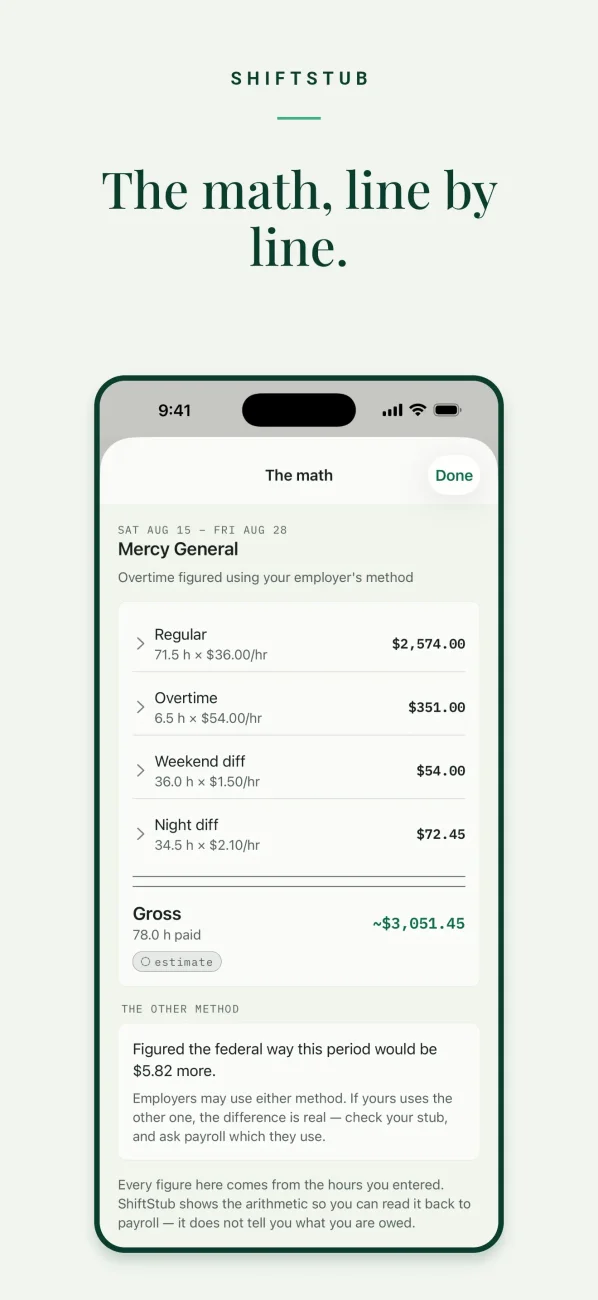
ShiftStub tracks your shifts and shows what they add up to — with the math on screen, line by line, so you can see where every dollar came from.
WHAT IT DOES
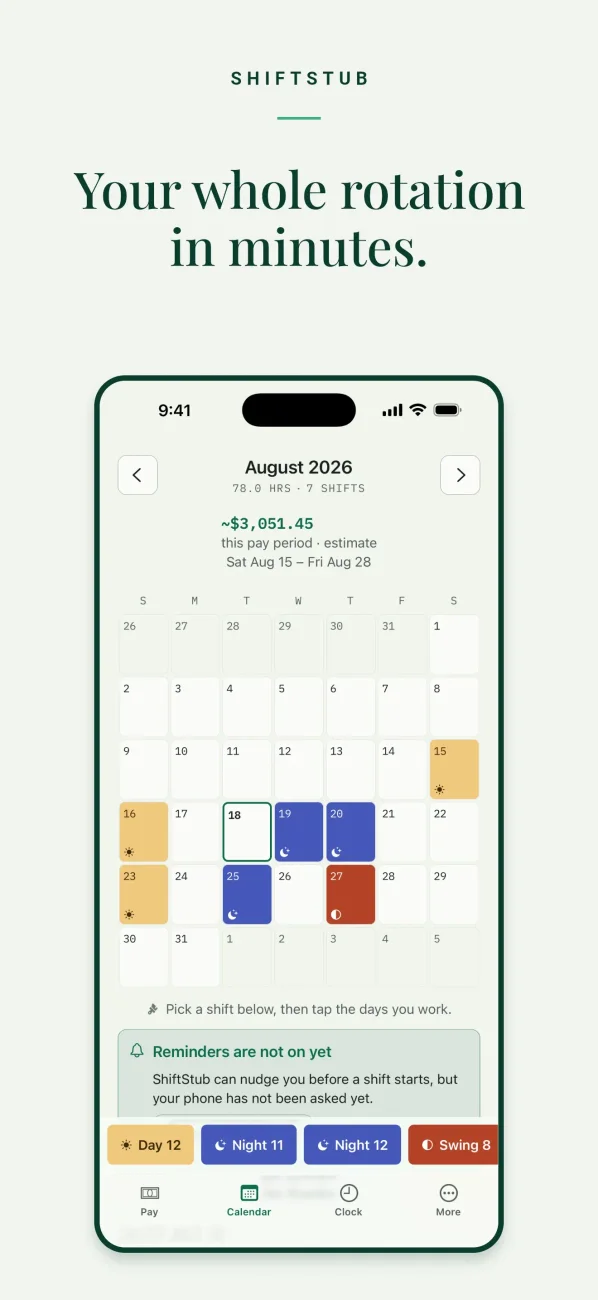
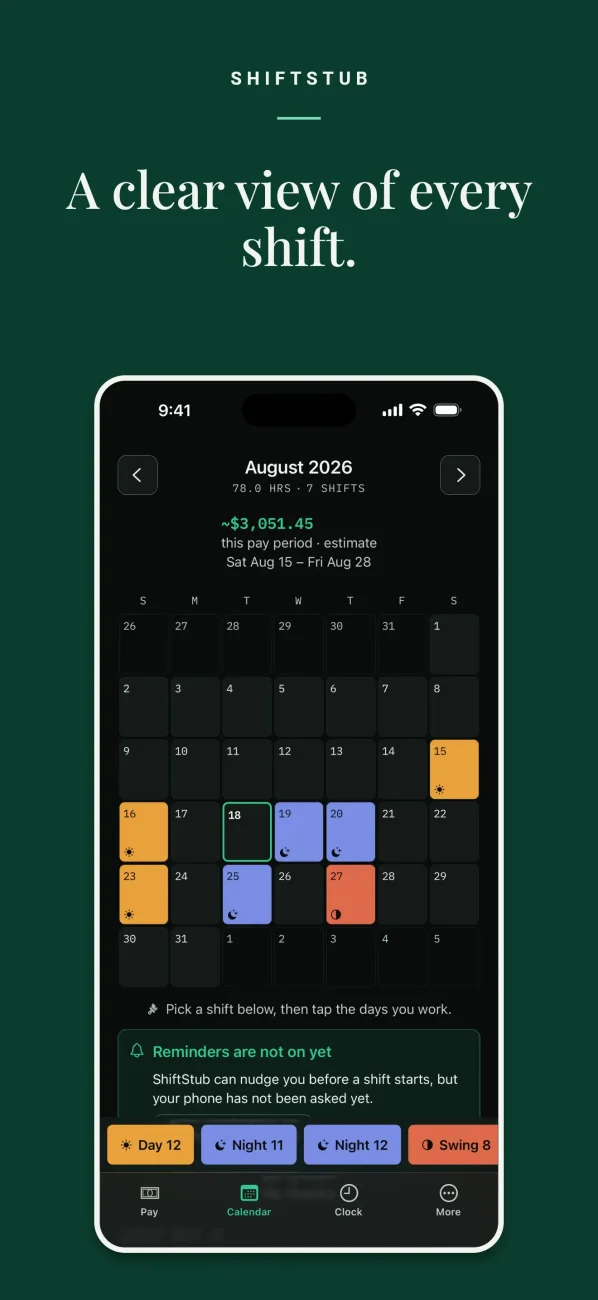
• Paint your whole rotation in minutes. Tap the days you work, or set up a repeating pattern once — 2-2-3, 4 on 4 off, Panama, whatever yours is — and the calendar fills itself.
• See your next check. The number updates as you work, and the forecast tells you where the period is heading.
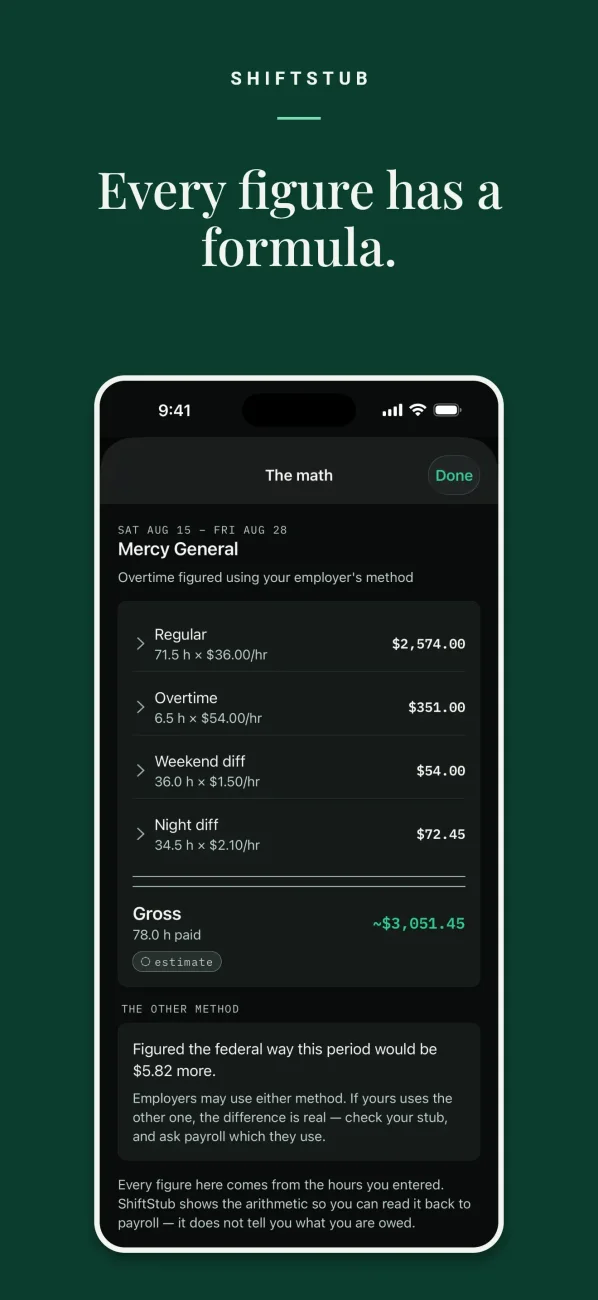
• Show the math. Every figure opens into the arithmetic behind it: hours, rate, overtime, differentials, unpaid breaks. Nothing is a black box.
• Overtime, in all the shapes it comes in. Time and a half, double time, daily overtime, the seventh consecutive day, the hospital 8/80 rule. Pick your state and the rules come set up; 8/80 and longer work periods are one tap away under Pay rules.
• Night and weekend differentials, and shift premiums, priced into every hour they apply to.
• Clock in and out, with a running clock on your lock screen and a widget on your home screen.
• Import your schedule. Drop in a calendar file from your work portal, or paste the text your manager sent. ShiftStub reads it and asks about anything unclear.
• Track your tips. Cash, card, and what you tipped out — with what you actually kept, per shift and per hour.
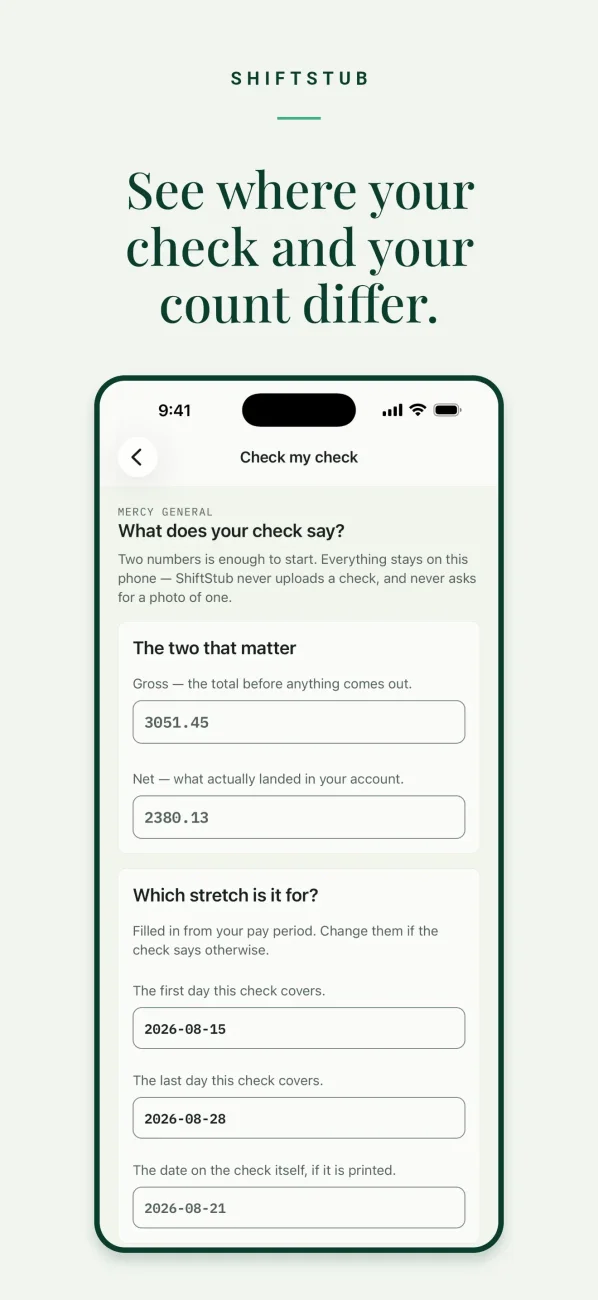
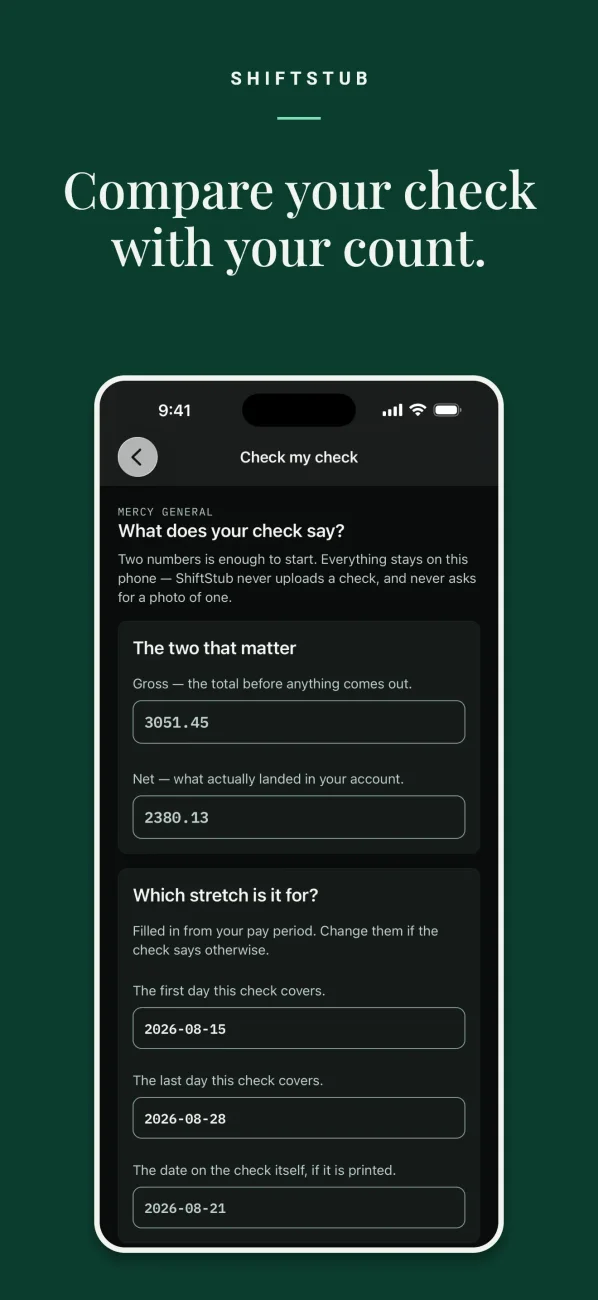
• Check your check. Type in what your pay stub says and ShiftStub tells you where it differs from what it counted, line by line, with the arithmetic behind each one.
WHAT IT DOESN'T DO
No account. No sign-up. No ads. No tracking.
Your hours, your rate and your pay never leave your phone. There is no server holding your pay data, because there is no server. Everything is worked out on the device in your hand, and it all works with no signal at all.
FREE, AND STAYING FREE
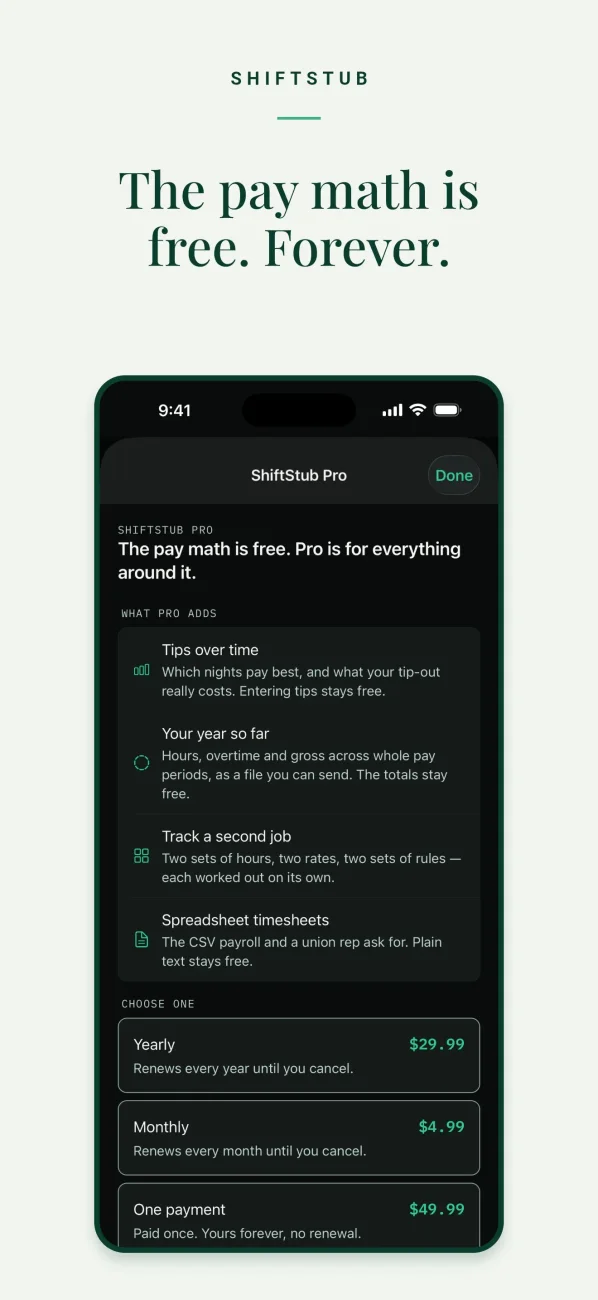
The pay math is free forever. So is the calendar, the clock, the widgets, the timesheet, the schedule import, the tip tracking, the paycheck check, the plain-text export of your hours, and the encrypted backup of everything.
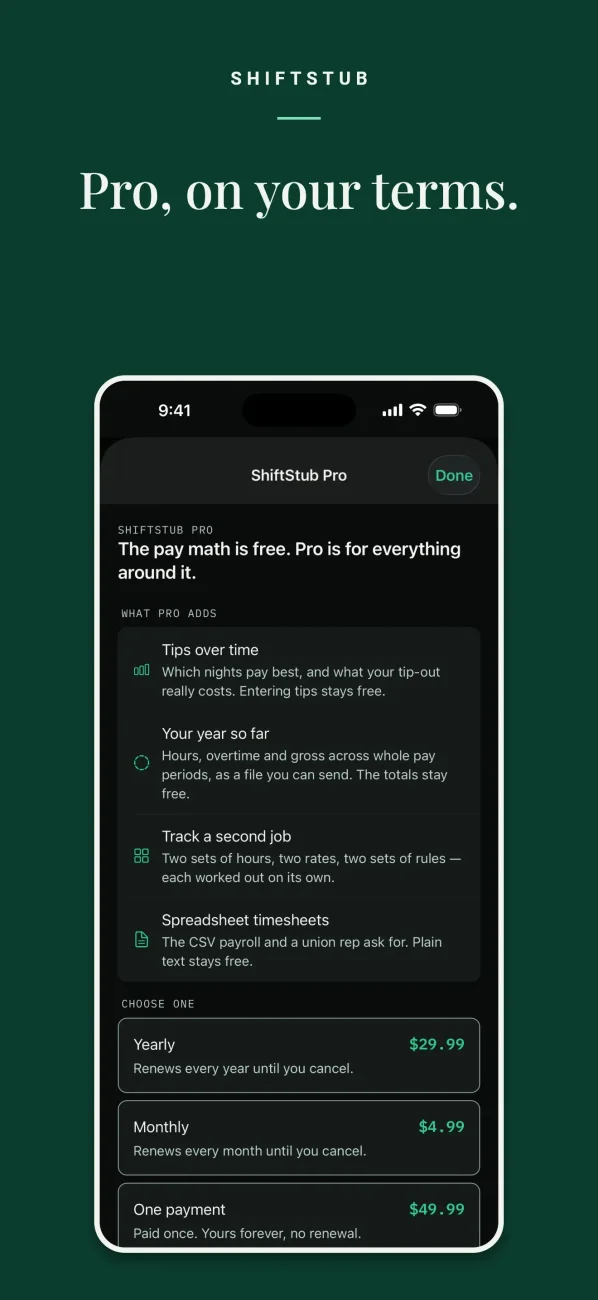
ShiftStub Pro adds spreadsheet (CSV) exports, up to five jobs, and tip comparisons across pay periods. $4.99 a month, $29.99 a year, or $49.99 once. If it lapses, nothing is deleted, hidden or locked — you keep every figure you entered, and every way of getting it out that was free before.
HONEST ABOUT WHAT IT IS
ShiftStub is a calculator, not your employer's payroll system, and not legal advice. Its figures are estimates based on what you tell it about your job. When it thinks a check looks short, it says so with the arithmetic and suggests asking your employer — it never tells you what you are owed, because it cannot know that.
Built for nurses, servers, EMS, warehouse and retail workers, and anyone else paid by the hour on a schedule that moves.
Terms of Use: https://shiftstub.com/terms
Privacy Policy: https://shiftstub.com/privacy
End User License Agreement: https://www.apple.com/legal/internet-services/itunes/dev/stdeula/
App-Datenschutz
Was Alberto Sebastian Valverde im App Store zum Umgang dieser App mit Daten angibt.
-
Nicht mit Ihnen verknüpfte Daten
Können erfasst werden, sind aber nicht mit Ihrer Identität verknüpft.
- Käufe
- Kennungen
- Nutzungsdaten
- Diagnose
Die Datenschutzpraktiken können variieren, zum Beispiel je nach den von Ihnen verwendeten Funktionen oder Ihrem Alter.
Informationen
- Anbieter
- Alberto Sebastian Valverde
- Kategorie
- Finanzen
- Version
- 1.0
- Aktualisiert
- 14.09.2026
- Veröffentlicht
- 14.09.2026
- Größe
- 52,8 MB
- Erfordert
- iOS 16.4 oder neuer
- Altersfreigabe
- 4+
- In-App-Käufe
- Ja
- Sprachen
- Englisch
- Copyright
- © 2026 Alberto Valverde
Das könnte Ihnen auch gefallen
-
 Nurse Paycheck CalculatorFinanzen
-
 fsbt1ViewFinanzen
-
 BMI Ahorro EcuadorFinanzen
-
 OKCU Digital BankingFinanzen
-
 What's Due: RechnungsplanerEinnahmen & Rechnungen planen
-
 RRCU MobileFinanzen
-
 Kiwipop - Payoff Credit CardsFinanzen
-
 Forage EBT Balance & RewardsFinanzen
-
 Tinker FCUFinanzen
-
 Money Manager (Remove Ads)20M+DN, Haushaltsbuch