
ShotPin
Geotag photos. Share the spot.
Entwickelt für iPhone, iPad
Kostenlos · In-App-Käufe
- Altersfreigabe4+
- KategorieFoto und Video
- Entwickler威 金
- SprachenEnglisch+ 3 weitere
- Größe6,5 MB
Verlinkt auf die offizielle App Store-Seite
Download.org hostet keine Datei von ShotPin. Die Schaltfläche öffnet die App-Seite bei App Store, wo 威 金 die App veröffentlicht. Eintrag zuletzt geprüft am 23.11.2026.
Screenshots


Info
Der Entwickler hat diesen Text nicht in Ihrer Sprache bereitgestellt.
ShotPin is a bridge: on one side the route you walked, on the other the photos in your library that have no location.
■ Walk it once, and your photos have a location
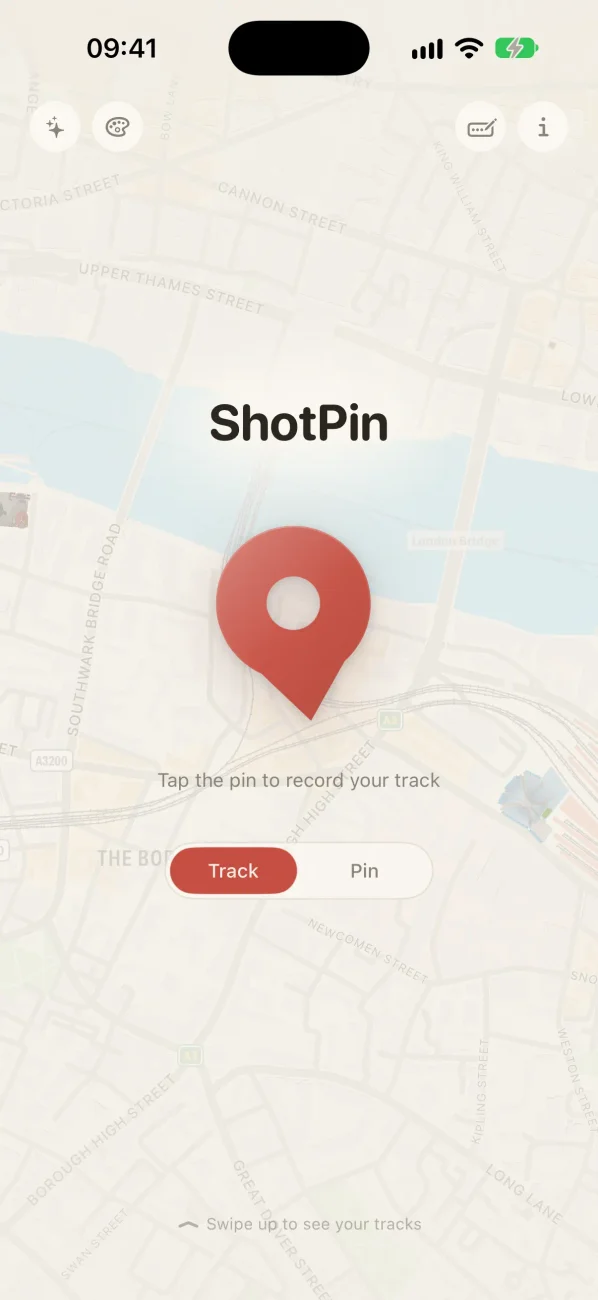
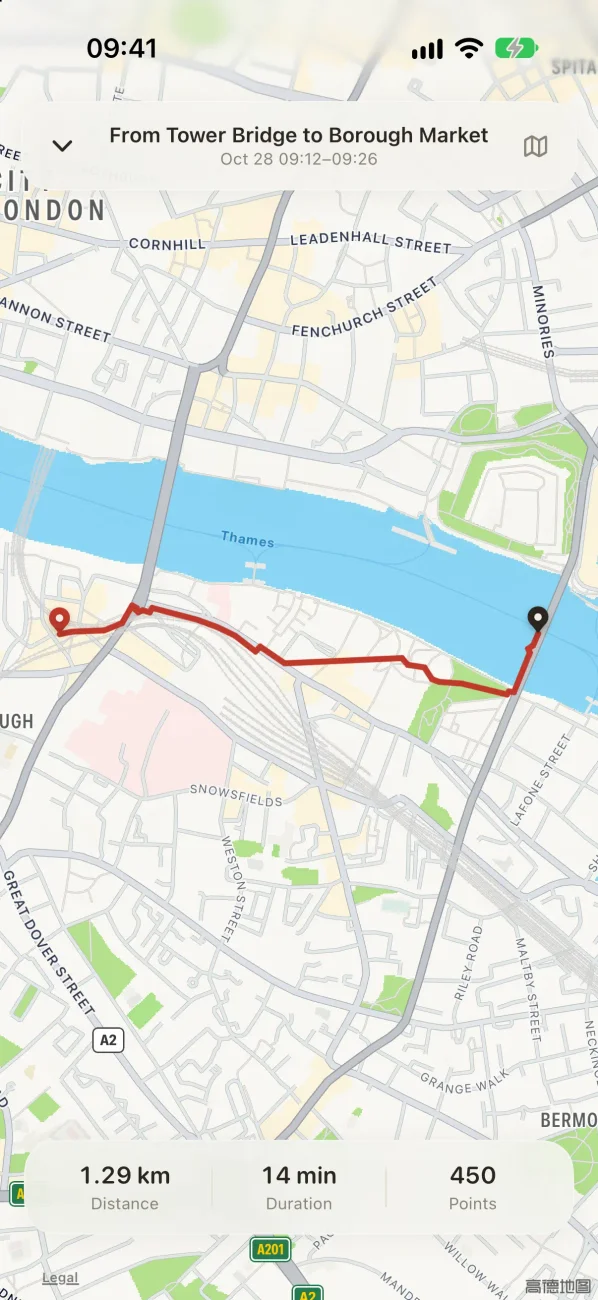
Tap the pin on the home screen when you set off. ShotPin records a track as you go: the screen can lock, the app can slip into the background, and it keeps recording. Nothing else to press. Back home, pick the photos you took in that window and ShotPin looks each one up in the track by its capture time, then writes that location in. Camera photos, pictures someone sent you, images saved from a screenshot — all the same.
· The Lock Screen and Dynamic Island show the track's name, distance and duration while recording, with one tap to stop
· Dozens of photos at a time
· Pause, merge, rename, star and filter tracks by date
■ The location is exact, and it really is written into the photo
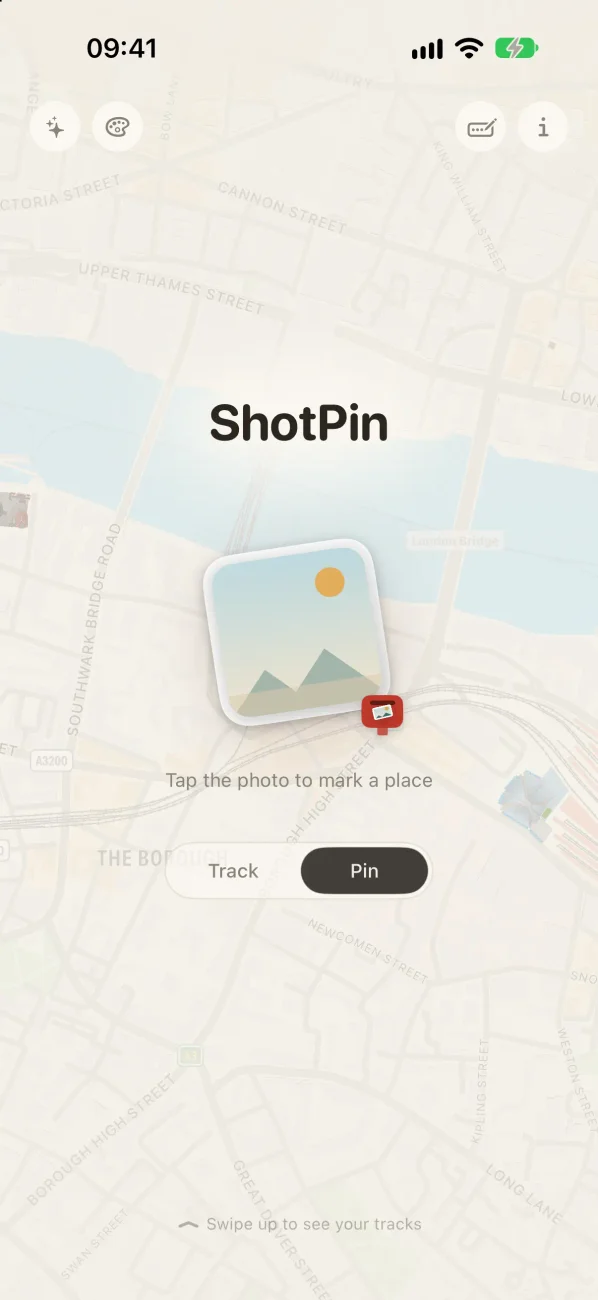
The Photos app can only drop a photo roughly where a place name is — not on that corner, not on that building. ShotPin writes coordinates: from the day's track, or from the point you tap on the full-screen map.
· Only the original photo's location field changes — no copy, no re-encoding, no change in quality or file size
· When the file itself needs a location (cloud drives, a desktop, other software), tick the option to save a JPEG copy with GPS inside; the original is still untouched
· If a photo already has a location, ShotPin asks before overwriting
■ Send the spot along with the photo
Photographers and models have to tell people where a shot was taken, and the old way was a screenshot of a map stitched on. ShotPin turns that into templates:
· Four templates: Flat, Instant, Postcard and Atlas, with the photo shapes each one supports listed on the template page
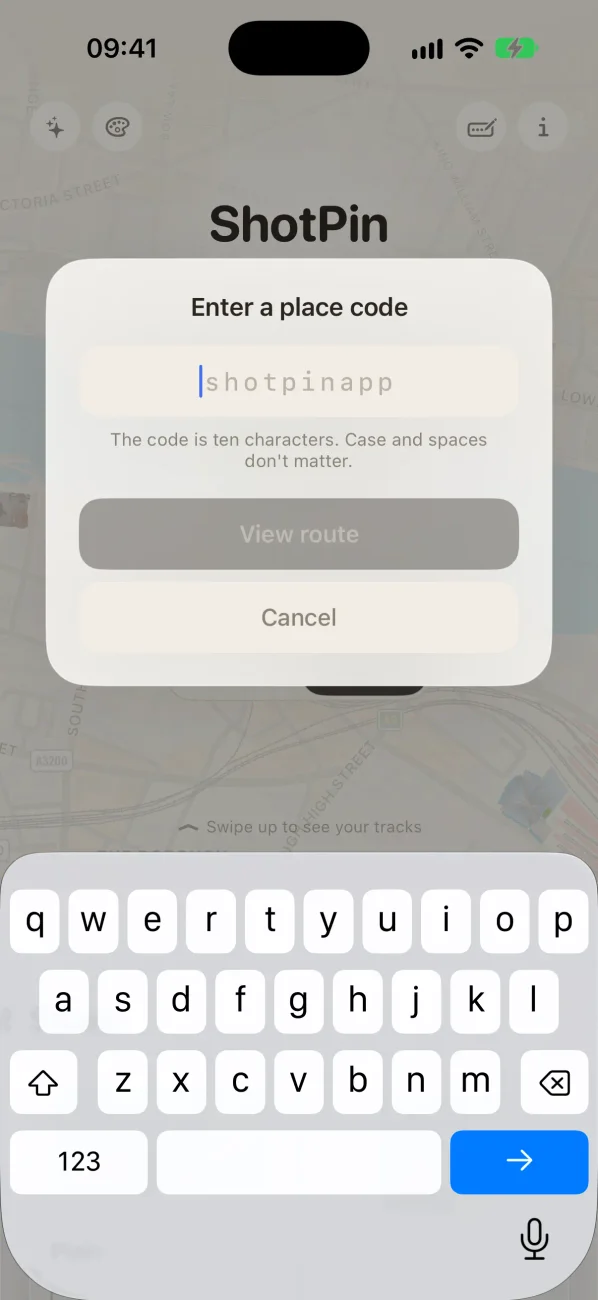
· A card can carry a QR code, a ten-character place code, or nothing at all
· Whoever receives it scans the code, or types it into the top-right corner of ShotPin's home screen, and sees the spot — then starts navigating
· It is a coordinate, not "somewhere near that road"
■ The rest
· Export tracks as GPX / KML, or as a single backup file that brings back names, stars and merged segments on a new phone
· Simplified Chinese, Traditional Chinese, English and Japanese
· No account, no server, no analytics SDK; tracks and photos stay on your phone
■ About the price
Recording tracks, matching photos, backups, the Flat share card, and both the QR code and the place code stay free. The full version adds the other three templates, the Sakura palette and theme, picking photos from Files, and professional import and export — plus every template and theme added later, at no extra cost. Buy once, or support it monthly (the subscription renews monthly and can be cancelled in Settings at any time).
■ Terms
Terms of Use (EULA): https://www.apple.com/legal/internet-services/itunes/dev/stdeula/
Privacy Policy: https://walter-king.github.io/shotpin/#privacy
Neue Funktionen
Version 1.4.1 · 18.11.2026
· When choosing photos, each thumbnail shows whether it carries location information; the top bar can show only the ones without it
· Photos can be filtered by date: today, last 7 days, last 30 days, this year, or a range you choose
· Matching photos to a track, Mark mode and changing the photo on a share card use the same photo picker; if you would rather not grant library access, the system picker is still available
· In the About panel the tips are listed as icons — tap one to read it
· The About, Theme, Purchase and Place Code cards close when you tap outside them
· After exporting a track, the share sheet shows its content the first time
App-Datenschutz
Was 威 金 im App Store zum Umgang dieser App mit Daten angibt.
-
Keine Daten erfasst
Der Entwickler erfasst keine Daten von dieser App.
Die Datenschutzpraktiken können variieren, zum Beispiel je nach den von Ihnen verwendeten Funktionen oder Ihrem Alter.
Informationen
- Anbieter
- 威 金
- Kategorie
- Foto und Video
- Version
- 1.4.1
- Aktualisiert
- 18.11.2026
- Veröffentlicht
- 22.10.2026
- Größe
- 6,5 MB
- Erfordert
- iOS 17.0 oder neuer
- Altersfreigabe
- 4+
- Preis
- Kostenlos
- In-App-Käufe
- Ja
- Sprachen
- Englisch, Japanisch, Vereinf. Chinesisch, Tradit. Chinesisch
- Copyright
- © 2026 Wei Jin
Das könnte Ihnen auch gefallen
-
 iMark - Fotorahmen & EXIFVideo·Wasserzeichen·Stapel
-
 Picslog - Plog & DiaryFoto und Video
-
 MarkMe.Foto und Video
-
 MarkFrameFoto und Video
-
 Frame ElfFoto und Video
-
 ZoraCam - Retro & Vintage FilmFoto und Video
-
 Foto - Photo Diary & MemoriesFoto und Video
-
 PickPic: Beste Fotos AuswählenBilder & Hashtags kuratieren
-
 Phorase - AI Object RemoverFoto und Video
-
 Green Camera - Build Your OwnFoto und Video