Shruti Laya
Tambura and Tala Instruments
Entwickelt für iPhone, iPad, iPod touch
Kostenlos
- Altersfreigabe4+
- KategorieMusik
- EntwicklerRamachandra Mallappa
- SprachenEnglisch
- Größe11,3 MB
Verlinkt auf die offizielle App Store-Seite
Download.org hostet keine Datei von Shruti Laya. Die Schaltfläche öffnet die App-Seite bei App Store, wo Ramachandra Mallappa die App veröffentlicht. Eintrag zuletzt geprüft am 15.11.2026.
Screenshots


Info
Der Entwickler hat diesen Text nicht in Ihrer Sprache bereitgestellt.
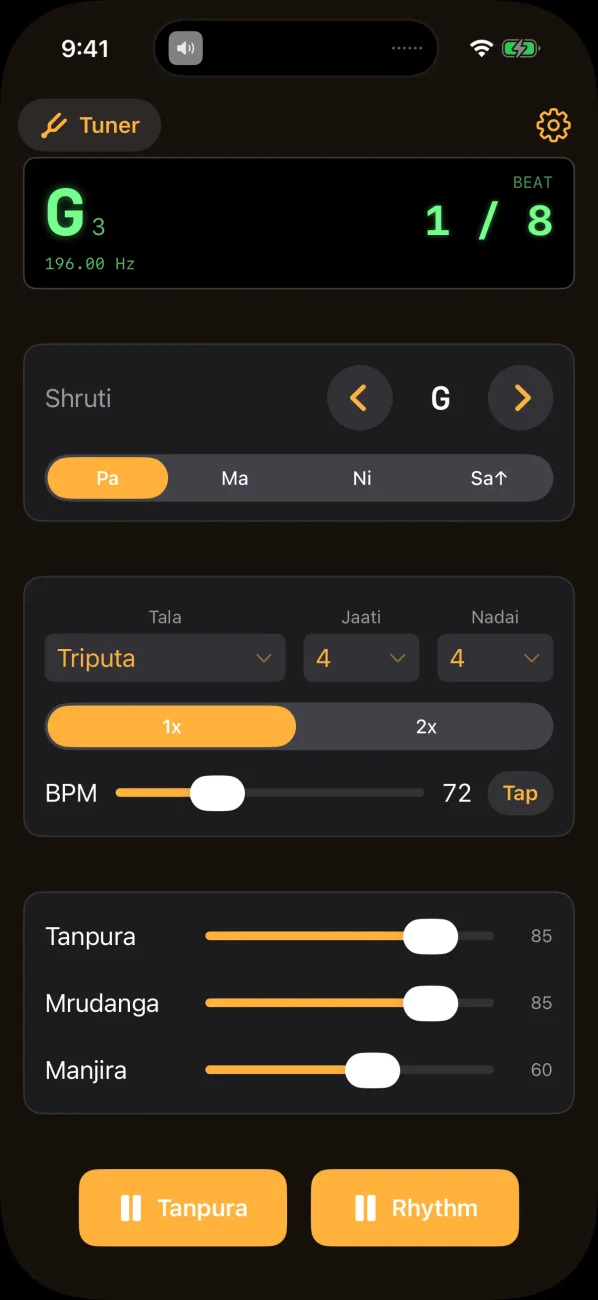
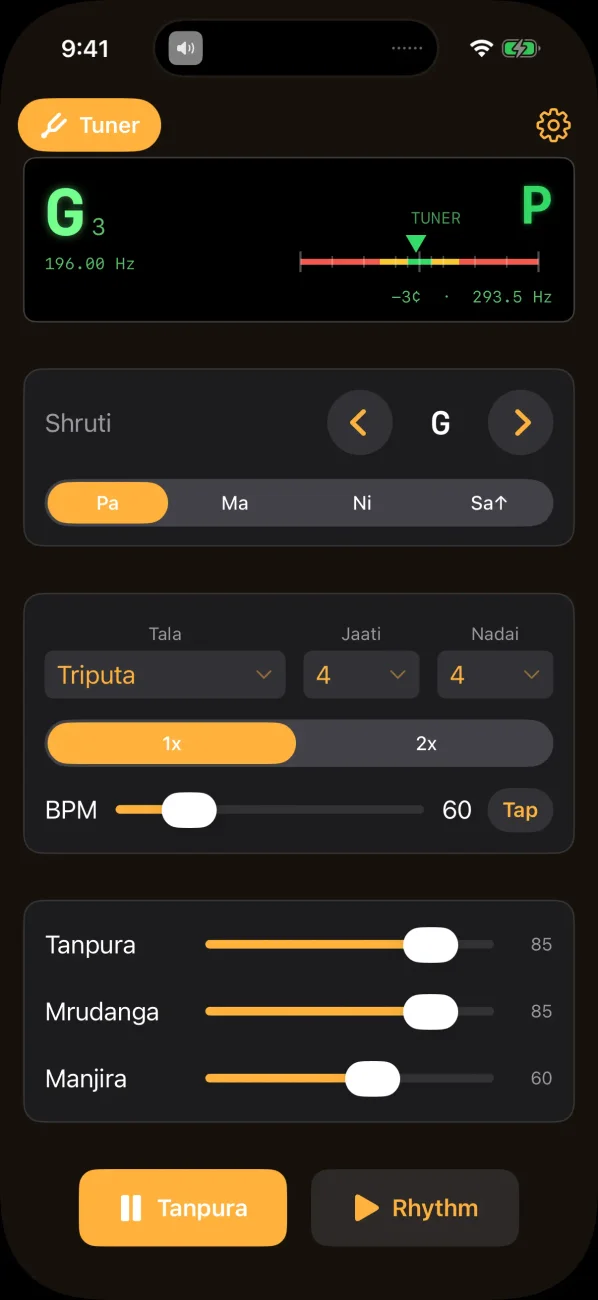
Shruti Laya is a practice companion for Carnatic music. It gives you a tanpura drone, a Mrudanga and a Manjira that play together, locked to one beat, in the tala you choose. Turn on any of them, set your shruti and tempo, and practise.
TANPURA
• Set the shruti (Sa) to any standard pitch, or to a custom pitch.
• Choose the first string: Pa, Ma, Ni or upper Sa.
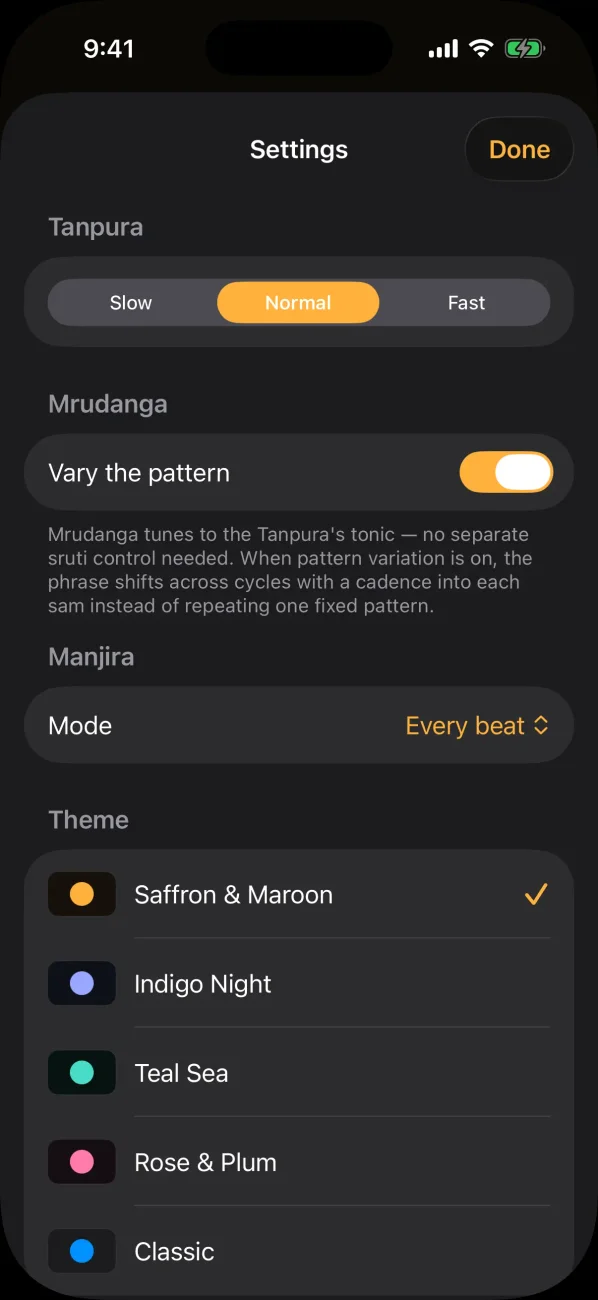
• Slow, Normal or Fast plucking.
• Keeps playing when the screen locks.
MRUDANGA
• Plays a theka in Adi tala, built from real recorded strokes and traditional nadai patterns.
• Tuned to your shruti automatically, so it always sits with the tanpura.
• Accents on sam and on each anga, with a natural, human feel.
• Other talas are kept with the Manjira and the tanpura.
• Optional variation: the Mrudanga brings in variations of the theka across cycles instead of repeating one fixed phrase.
MANJIRA
• Strikes on every beat, on claps only, or on sam only.
• In Misra Chapu and Khanda Chapu, a soft tick marks the beats between the claps. Switch it off in Settings to hear only the claps.
TALA
• All seven Suladi Sapta talas: Dhruva, Matya, Rupaka, Jhampa, Triputa (Adi), Ata and Eka.
• Misra Chapu and Khanda Chapu.
• Jaati: Tisra, Chatusra, Khanda, Misra, Sankeerna.
• Gati (nadai): Tisra, Chatusra, Khanda, Misra, Sankeerna.
• Kalai: 1x or 2x.
• Tempo from 40 to 150 BPM. Set it with the slider, or tap the beat with Tap Tempo.
• Each tala remembers its own tempo.
• A four-click count-in before the rhythm starts, always at sam, with a big 4, 3, 2, 1 on screen.
ON STAGE
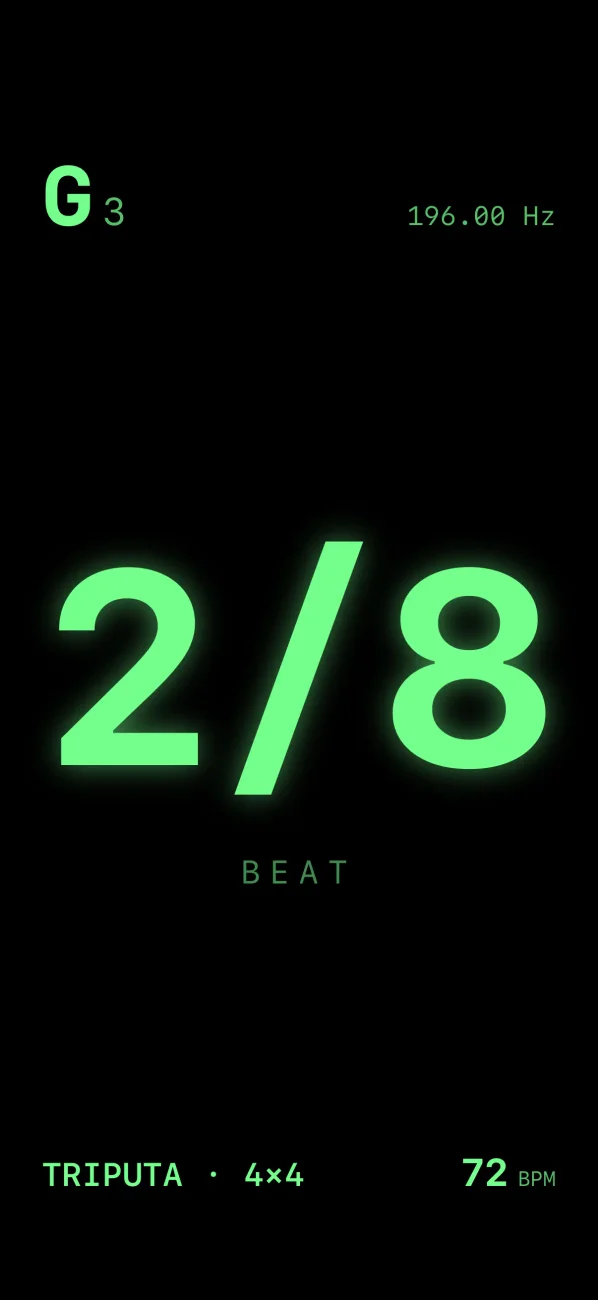
A full-screen performance display shows the beat count, tala and tempo in large type, readable from across the room. It opens on its own a few seconds after the rhythm starts.
MUKTHAYA
• In Adi tala, tap Mukthaya on the performance display and the Mrudanga plays a mukthaya that fills the rest of the cycle and lands on sam, then goes back to the theka.
• Tap End to finish the same way: the mukthaya lands on sam with Dhin and Thom, and the rhythm stops.
• The mukthaya fits whatever is left of the cycle, from 2 to 8 beats, drawn from traditional lesson patterns.
TUNER
Check your voice or instrument against your shruti. The tuner shows the swara you're on and how many cents sharp or flat you are.
ALSO
• Five colour themes.
• Play and pause from the Lock Screen and Control Center. It never starts on its own when you connect to a car or headset.
• Works on iPhone and iPad, with a layout made for the larger iPad screen.
PRIVATE
The microphone is used only by the Tuner, and only while it's on. Sound is analysed on your device. Nothing is recorded, stored or sent anywhere. No accounts, no ads, no tracking.
Neue Funktionen
Version 6.7 · 02.11.2026
• Misra Chapu and Khanda Chapu: the Manjira now marks the beats between the claps with a soft tick. Prefer only the claps? Turn on “Silent Chapu Beats” in Settings → Manjira.
• Tap Tempo in Misra Chapu and Khanda Chapu: tap every beat, the same as other talas.
App-Datenschutz
Was Ramachandra Mallappa im App Store zum Umgang dieser App mit Daten angibt.
-
Keine Daten erfasst
Der Entwickler erfasst keine Daten von dieser App.
Die Datenschutzpraktiken können variieren, zum Beispiel je nach den von Ihnen verwendeten Funktionen oder Ihrem Alter.
Informationen
- Anbieter
- Ramachandra Mallappa
- Kategorie
- Musik
- Version
- 6.7
- Aktualisiert
- 02.11.2026
- Veröffentlicht
- 01.02.2020
- Größe
- 11,3 MB
- Erfordert
- iOS 15.0 oder neuer
- Altersfreigabe
- 4+
- Preis
- Kostenlos
- Sprachen
- Englisch
- Copyright
- © 2020 Ram Mallappa