Skanner: PDF document scanner
Blackout, Draw, Import
Entwickelt für iPhone, iPod touch
Kostenlos
- Altersfreigabe4+
- KategorieProduktivität
- EntwicklerVladimir Fridman
- SprachenEnglisch
- Größe25,0 MB
Verlinkt auf die offizielle App Store-Seite
Download.org hostet keine Datei von Skanner: PDF document scanner. Die Schaltfläche öffnet die App-Seite bei App Store, wo Vladimir Fridman die App veröffentlicht. Eintrag zuletzt geprüft am 17.11.2026.
Screenshots
Info
Der Entwickler hat diesen Text nicht in Ihrer Sprache bereitgestellt.
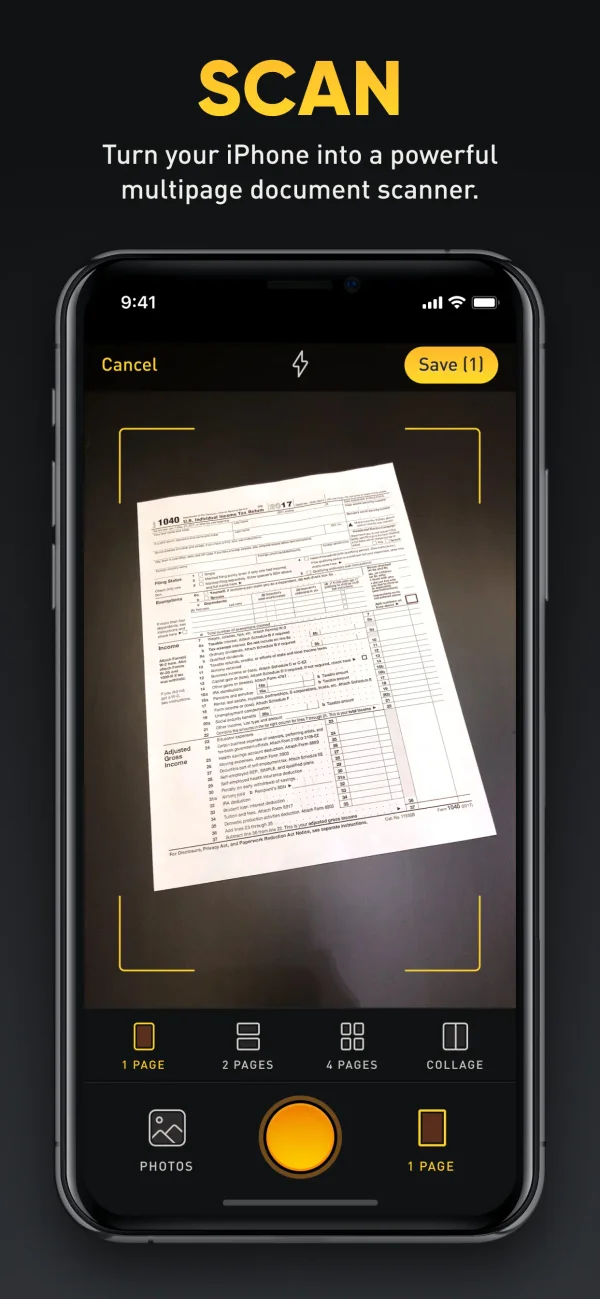
Download Skanner and turn your iPhone into a powerful document scanner.
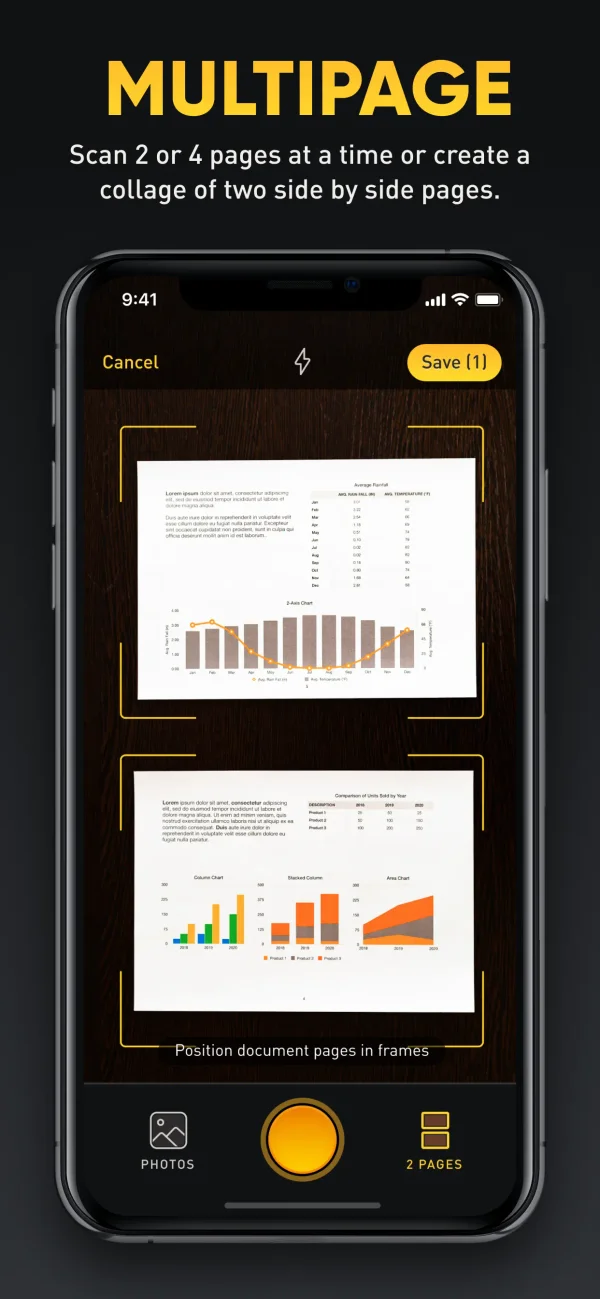
Scan one, two or four pages at a time or scan from multiple document photos from the camera roll. Create a collage of two side by side document pages.
Skanner automatically detects document borders and straightens the document out. Borders can be adjusted if necessary.
Store scanned documents, annotate them with a title and a comment and share them in a multi-page PDF file or in JPEG format.
Share scanned documents through your favorite messaging app, document sharing app, email or Airdrop.
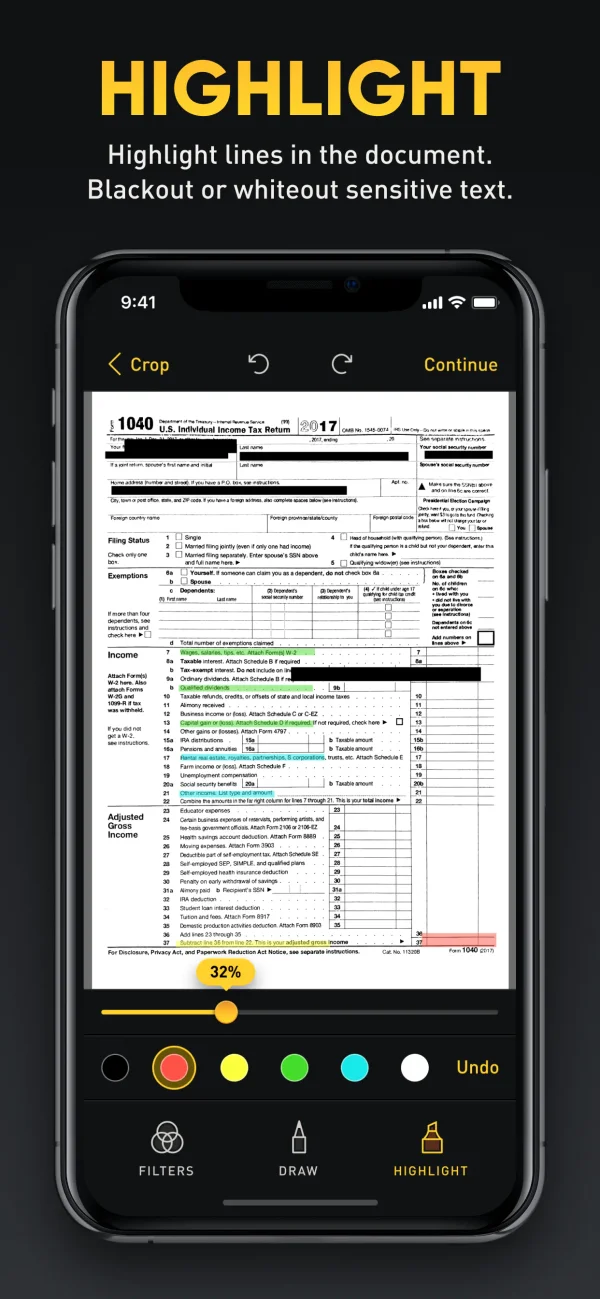
Highlight lines of text in your documents, blackout or whiteout sensitive text.
Draw on top of a scanned document with the Pen tool.
Use one of several available filters to achieve best document quality.
View all scanned documents in form or a feed.
Search documents by their title, comment or hashtags.
Adjust settings to either use high, medium or low compression rate when storing documents.
Copy already scanned documents and store them separately from the originals, add new highlights to them and share them in PDF of JPEG formats.
Scan documents from Camera Roll or from any other photo album.
Share a photo with Skanner via iOS Share Sheet extension for further processing in the Skanner.
Neue Funktionen
Version 2.2.7 · 21.08.2025
Update edge detection
App-Datenschutz
Was Vladimir Fridman im App Store zum Umgang dieser App mit Daten angibt.
-
Nicht mit Ihnen verknüpfte Daten
Können erfasst werden, sind aber nicht mit Ihrer Identität verknüpft.
- Nutzungsdaten
Die Datenschutzpraktiken können variieren, zum Beispiel je nach den von Ihnen verwendeten Funktionen oder Ihrem Alter.
Informationen
- Anbieter
- Vladimir Fridman
- Kategorie
- Produktivität
- Version
- 2.2.7
- Aktualisiert
- 21.08.2025
- Veröffentlicht
- 14.03.2019
- Größe
- 25,0 MB
- Erfordert
- iOS 12.0 oder neuer
- Altersfreigabe
- 4+
- Preis
- Kostenlos
- Sprachen
- Englisch
- Copyright
- © Vladimir Fridman
Das könnte Ihnen auch gefallen
-
 Dokumenten Scanner-Scan PDFDokumente Scannen: Foto zu PDF
-
 Scan to PDF: SignierenDokumente scannen & schwärzen
-
 SwiftScan: PDF Scanner & ToolsProduktivität
-
 Photos to PDF :PDFCameraProduktivität
-
 EasyScan: PDF-Scanner & OCRDokumente scannen: Text & Bild
-
 PDF Master - AllInOne ConvertProduktivität
-
 PDF Editor - Draw & AnnotateProduktivität
-
 PDF Masker - Secure RedactionWörter sicher schwärzen
-
 Dokumentenscanner: PDF ScanFoto-zu-PDF-Konvertierung
-
 All Mail - Email HomeProduktivität