Smart Printer: Hpsmart Printer
Print, Edit & for hp, canon
Entwickelt für iPhone, iPad, iPod touch
Kostenlos · In-App-Käufe
- Altersfreigabe12+
- KategorieWirtschaft
- EntwicklerTouseef Akram
- SprachenEnglisch
- Größe56,4 MB
Verlinkt auf die offizielle App Store-Seite
Download.org hostet keine Datei von Smart Printer: Hpsmart Printer. Die Schaltfläche öffnet die App-Seite bei App Store, wo Touseef Akram die App veröffentlicht. Eintrag zuletzt geprüft am 15.11.2026.
Screenshots

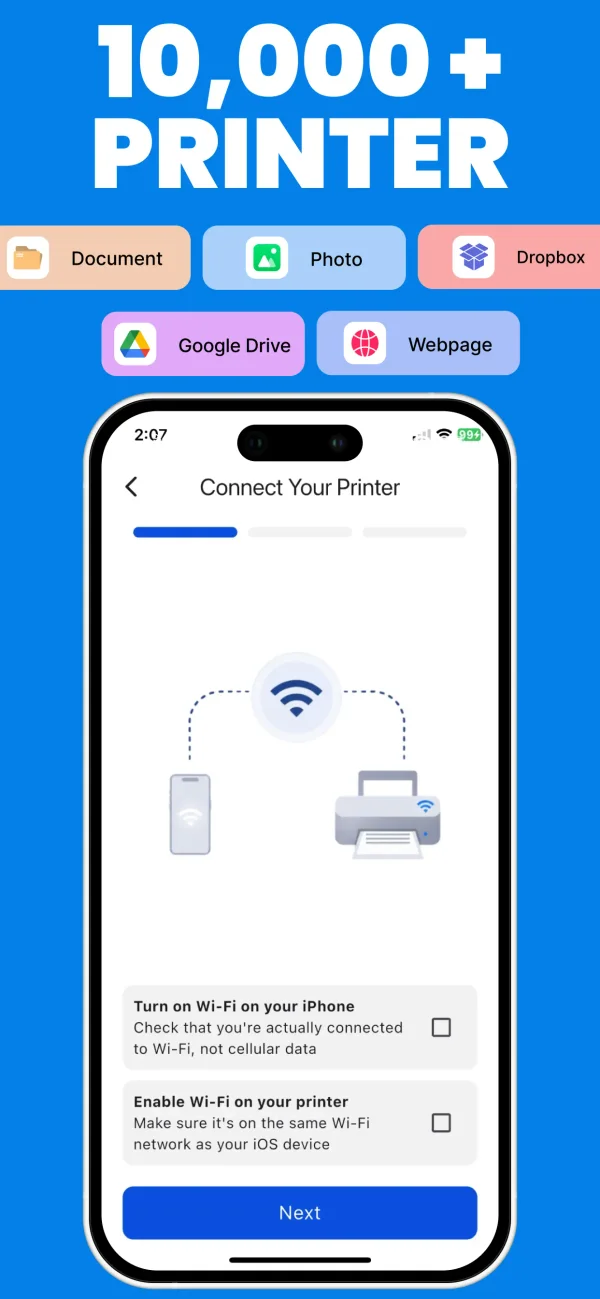
Info
Der Entwickler hat diesen Text nicht in Ihrer Sprache bereitgestellt.
Smart Printer for smart print is a powerful and easy to use printing solution designed to simplify the way you print your files. Whether you want to print documents, photos, or web pages, Printer provides a seamless and efficient printing experience directly. With its clean interface and smart tools, the app allows you to manage and print content from multiple sources quickly and effortlessly.
No more complicated printing processes. With just a few clicks, you can upload your files, connect to your printer, and print high-quality results instantly.
Simple & Efficient Printing
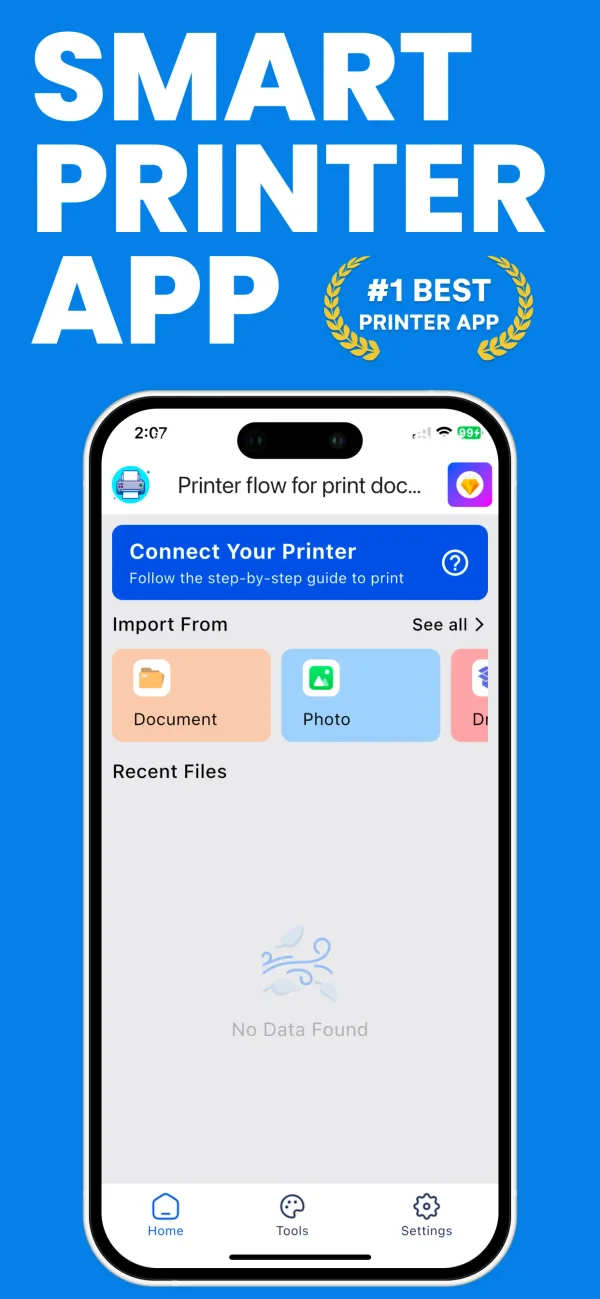
Printer is built to make printing as simple as possible. The intuitive dashboard allows users to quickly access their files, select printing options, and send them directly to a connected printer. Whether you're printing work documents, study materials, or personal files, the app ensures smooth and reliable performance.
Print Multiple File Types
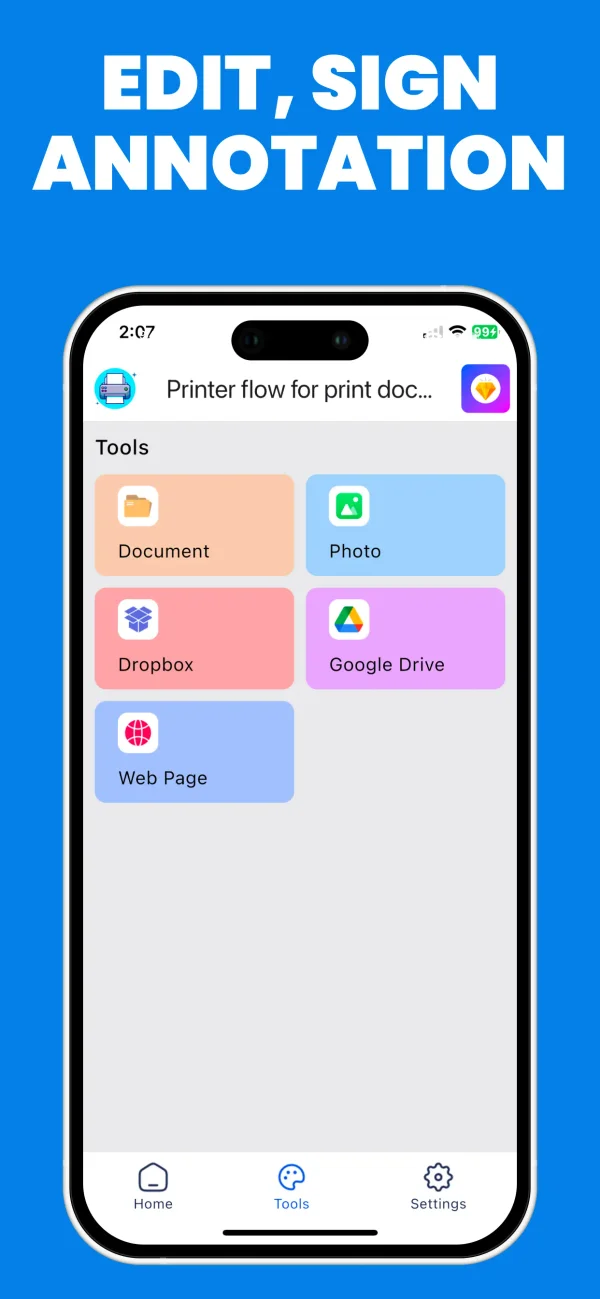
The app supports printing from various file sources so you can access your content without switching between different tools. Upload and print documents directly or import files from cloud storage platforms.
Print Photos in High Quality
Easily print your favorite images and photos with optimized print settings. Printer ensures that your images are printed clearly and accurately, maintaining quality and detail.
Cloud Integration
Printer integrates with popular cloud services, allowing you to access and print files stored online. This makes it convenient for users who store their important files in the cloud and want quick printing access.
Print Web Pages Instantly
Need to print information from a website? Document Printer lets you load and print web pages directly from the app. This is perfect for saving articles, invoices, forms, and online resources.
Smart File Management
The app keeps track of your recently printed files so you can easily access and print them again without uploading them multiple times. The Recents section helps improve productivity and saves time.
Clean and User-Friendly Interface
Designed specifically Printer provides a modern and simple user interface that makes navigation effortless. Even first-time users can easily understand how to upload files, connect printers, and print within seconds.
Key Features
• Print documents directly
• Upload and print photos quickly
• Access files from Dropbox
• Print documents stored in Google Drive
• Print web pages instantly
• Simple file upload system
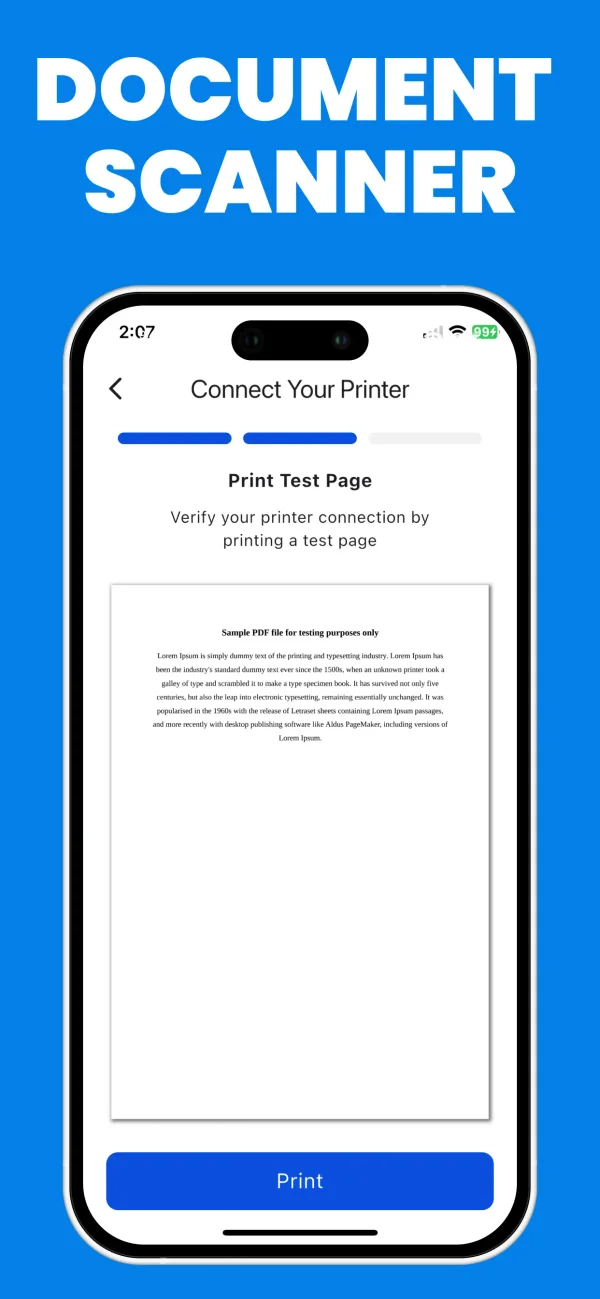
• Easy printer connection and management
• Recent files history for quick access
• Clean and modern macOS interface
• Fast and reliable printing experience
Subscription Plans
Choose a plan that fits your needs:
• Weekly Subscription 4.99$
• Monthly Subscription 12.99$
• Yearly Subscription 29.99$
Subscriptions automatically renew unless canceled at least 24 hours before the end of the current period.
Designed for Productivity
Whether you are a student, office professional, teacher, or home user, Document Printer helps you handle your printing tasks more efficiently. From quick document printing to accessing cloud files, the app provides everything you need in one convenient place.
Seamless Printing Experience.
Printer combines powerful functionality with simplicity to deliver a smooth printing experience. Upload your files, choose your printer, and print instantly anytime you need.
EULA : https://www.apple.com/legal/internet-services/itunes/dev/stdeula/
Terms & Conditions : https://labelmakerandcreator.blogspot.com/p/terms-conditions.html
Privacy Policy : https://labelmakerandcreator.blogspot.com/p/privacy-policy.html
Neue Funktionen
Version 1.5 · 31.08.2026
Many UI Improvements including printable are added and editor is functionaly Working
Performance Improvements
Languages are added
Also some bug fixes
App-Datenschutz
Was Touseef Akram im App Store zum Umgang dieser App mit Daten angibt.
-
Keine Daten erfasst
Der Entwickler erfasst keine Daten von dieser App.
Die Datenschutzpraktiken können variieren, zum Beispiel je nach den von Ihnen verwendeten Funktionen oder Ihrem Alter.
Informationen
- Anbieter
- Touseef Akram
- Kategorie
- Wirtschaft
- Version
- 1.5
- Aktualisiert
- 31.08.2026
- Veröffentlicht
- 09.05.2026
- Größe
- 56,4 MB
- Erfordert
- iOS 15.0 oder neuer
- Altersfreigabe
- 12+
- Preis
- Kostenlos
- In-App-Käufe
- Ja
- Sprachen
- Englisch
- Copyright
- Copyright © 2023 Touseef Akram
Das könnte Ihnen auch gefallen
-
 FairInvoice: Invoice Maker AppWirtschaft
-
 Fax App: Send & Receive FaxesFaxing app for phone & Tablet
-
 SyngoProduktivität
-
 RepublicWirtschaft
-
 Printer App - Scan & Print PDFWirtschaft
-
 Smart Printer App - Print PDFWirtschaft
-
 Mill MitraProduktivität
-
 Fax App:Faxen Senden EmpfangenPhone Faxen Senden & Empfangen
-
 Smart Print App: Printer, ScanWirtschaft
-
 Contacts PrinterProduktivität