Smart Share Data File Transfer
Fast & Secure Data Switch
Entwickelt für iPhone, iPad, iPod touch
Kostenlos · In-App-Käufe
- Altersfreigabe4+
- KategorieProduktivität
- EntwicklerMS AppBotics
- SprachenEnglisch
- Größe31,8 MB
Verlinkt auf die offizielle App Store-Seite
Download.org hostet keine Datei von Smart Share Data File Transfer. Die Schaltfläche öffnet die App-Seite bei App Store, wo MS AppBotics die App veröffentlicht. Eintrag zuletzt geprüft am 17.11.2026.
Screenshots
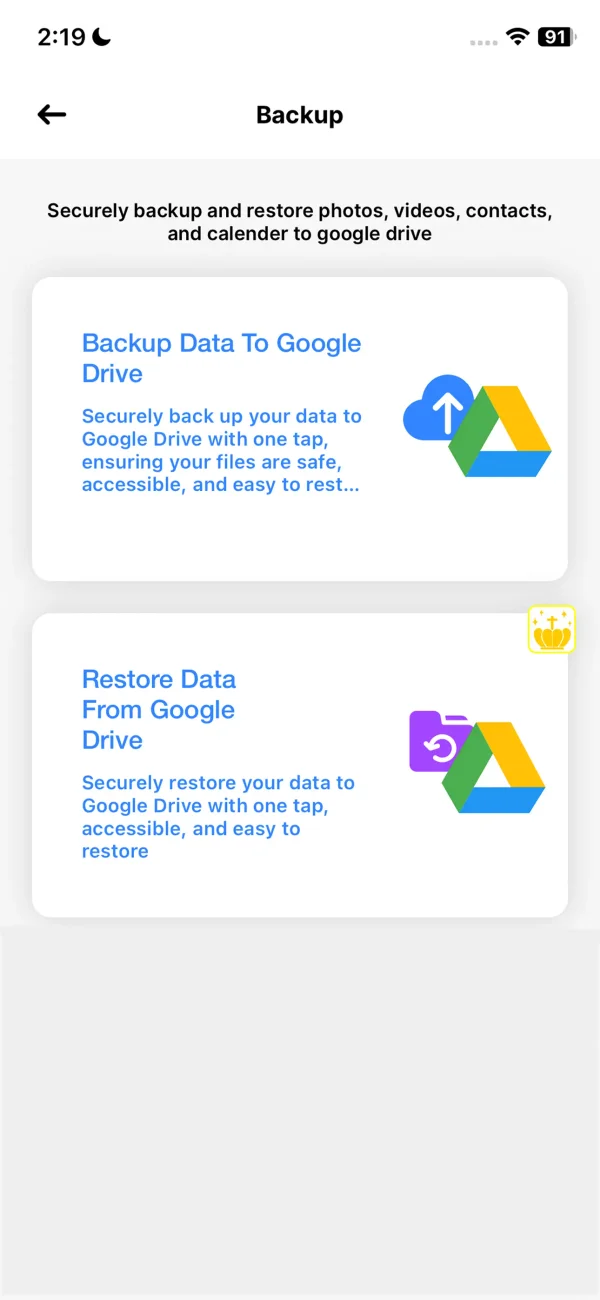
Info
Der Entwickler hat diesen Text nicht in Ihrer Sprache bereitgestellt.
Smart Share: Data File Transfer: Fast, Safe & Easy Phone Switch App
Smart Share: Data File Transfer helps you move everything from your old phone to your new one quickly and safely. You can transfer photos, videos, contacts, messages, apps, documents, and more in just a few minutes.
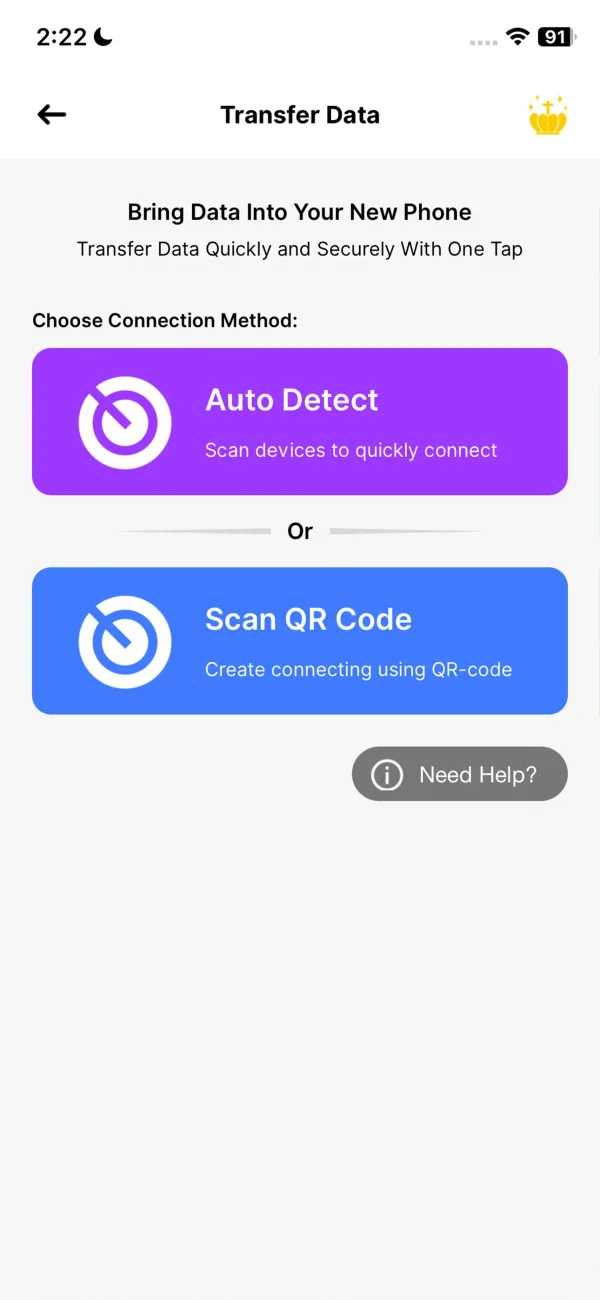
Smart Share uses a private Wi-Fi hotspot for wireless transfer, so you don’t need mobile data or cables. It is the easiest way to send files, share files, and copy data between any two devices.
Fast & Easy File Transfer:
Move your important data with fast and stable speed. Transfer photos, videos, contacts, apps, and documents smoothly without losing quality. Smart Share makes the complete device transfer process simple for everyone.
No Cable Needed:
Smart Share works without USB cables or internet. Both phones connect through a secure hotspot, allowing quick and cost-free file transfer. This makes it perfect for no cable transfer and offline use.
Works Across All Phones:
You can send files and share files between any two phones, even if they are from different brands. The app supports all major device types, making phone switching easy and stress-free.
Secure & Private:
Your privacy is important. Smart Share performs secure file transfer directly between devices. Your data is not uploaded or stored on any external server. Everything stays safe, local, and private through secure sharing.
Safe Transfer App:
Smart Share is designed to give you a reliable and safe transfer app experience. It helps you move your content to a new device with confidence and without risk.
By using this app, you agree to our Privacy Policy and Terms of Use.
Privacy Policy: https://www.appbotics.net/privacy-policy.html
Terms of Use: https://www.appbotics.net/terms-and-conditions.html
Neue Funktionen
Version 1.1 · 16.11.2025
- Bugs Fixed
App-Datenschutz
Was MS AppBotics im App Store zum Umgang dieser App mit Daten angibt.
-
Daten, die zum Tracking Ihrer Person verwendet werden
Können verwendet werden, um Sie über Apps und Websites anderer Unternehmen hinweg zu verfolgen.
- Kennungen
- Nutzungsdaten
-
Nicht mit Ihnen verknüpfte Daten
Können erfasst werden, sind aber nicht mit Ihrer Identität verknüpft.
- Kennungen
- Nutzungsdaten
Die Datenschutzpraktiken können variieren, zum Beispiel je nach den von Ihnen verwendeten Funktionen oder Ihrem Alter.
Informationen
- Anbieter
- MS AppBotics
- Kategorie
- Produktivität
- Version
- 1.1
- Aktualisiert
- 16.11.2025
- Veröffentlicht
- 05.11.2025
- Größe
- 31,8 MB
- Erfordert
- iOS 15.6 oder neuer
- Altersfreigabe
- 4+
- Preis
- Kostenlos
- In-App-Käufe
- Ja
- Sprachen
- Englisch
- Copyright
- © M/S AppBotics
Das könnte Ihnen auch gefallen
-
 Smart Switch, kopi min DatenDatenübertragung: Dateifreigab
-
 Daten übertragen : Phone CloneApp Telefon übertragen
-
 Phone Clone - iOS übertragenAuf iOS übertragen Von Apps
-
 Smart Switch・Copy & Move DataProduktivität
-
 Daten kopieren -Telefon klonenMigrieren Kontakte, Fotos
-
 Datei teilen: Daten übertragenDateien übertragen und teilen
-
 Smart Switch, Daten ÜbertragenTelefonklon: Datenübertragung
-
 Smart Switch - Phone Clone .Produktivität
-
 Phone Clone - Data TransferProduktivität
-
 Auf OS Übertragen -Von Andr Auf OS Übertragen