SnapSSH.ai
SSH, SFTP & AI CLI Tasks
Entwickelt für iPhone, iPad, Mac, iPod touch
Kostenlos
- Altersfreigabe4+
- KategorieEntwickler-Tools
- EntwicklerMocoplex, Inc.
- SprachenEnglisch
- Größe87,0 MB
Verlinkt auf die offizielle App Store-Seite
Download.org hostet keine Datei von SnapSSH.ai. Die Schaltfläche öffnet die App-Seite bei App Store, wo Mocoplex, Inc. die App veröffentlicht. Eintrag zuletzt geprüft am 10.11.2026.
Screenshots

Info
Der Entwickler hat diesen Text nicht in Ihrer Sprache bereitgestellt.
Your servers, terminals and AI tasks in one workspace.
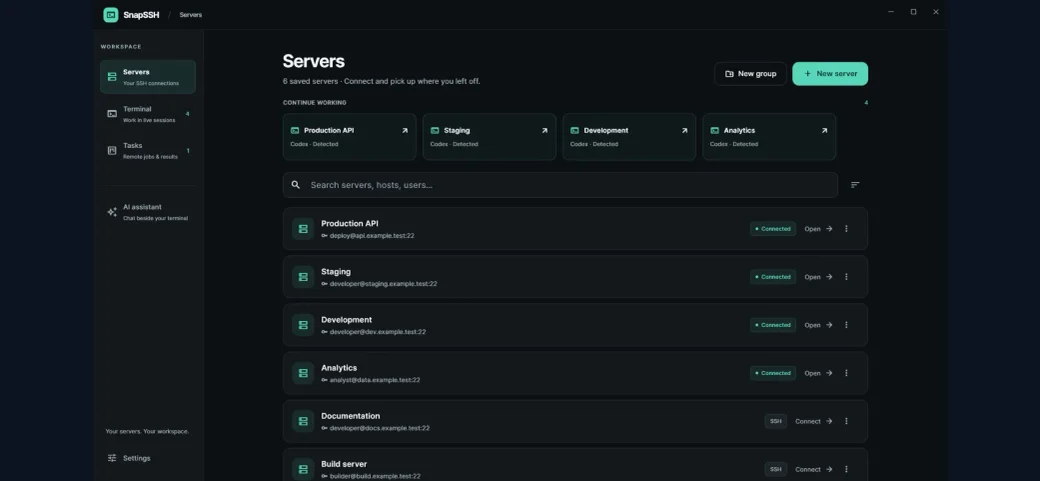
SnapSSH.ai brings SSH connections, a terminal, file tools and AI CLI task management into one app. Move from a saved server to an active terminal, inspect task results and keep useful review notes together.
WORK COMFORTABLY IN THE TERMINAL
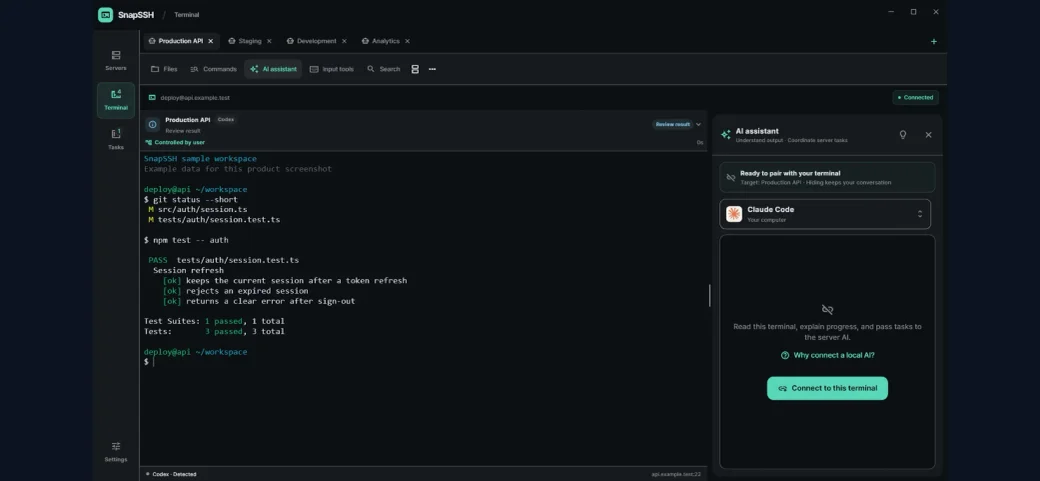
Organize saved SSH connections and work across tabs or split panes. Search terminal output, copy commands, open links and keep frequently used keys and snippets close at hand. Choose terminal color themes and fonts independently of the app's light or dark appearance.
USE AI WHERE IT MAKES SENSE
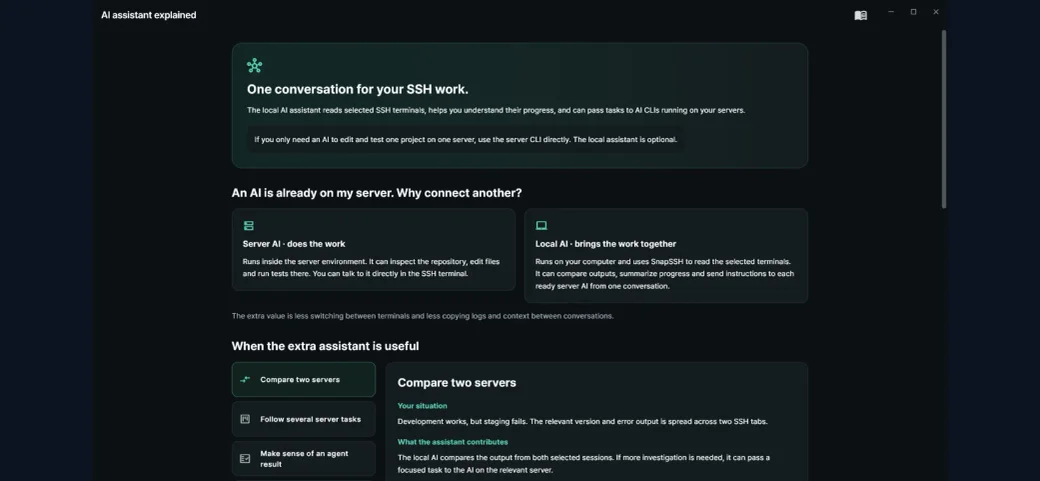
Already use an AI CLI on a server? Run it in the SSH terminal and use task management to follow progress and review results. On macOS, the optional local AI assistant can run a supported CLI on your Mac and use SnapSSH tools to inspect only the SSH sessions you allow. On iPhone and iPad, follow server AI tasks or enter commands directly. You choose the target connections and remain in control of terminal input and approvals.
MANAGE TASKS BEYOND A SINGLE CONVERSATION
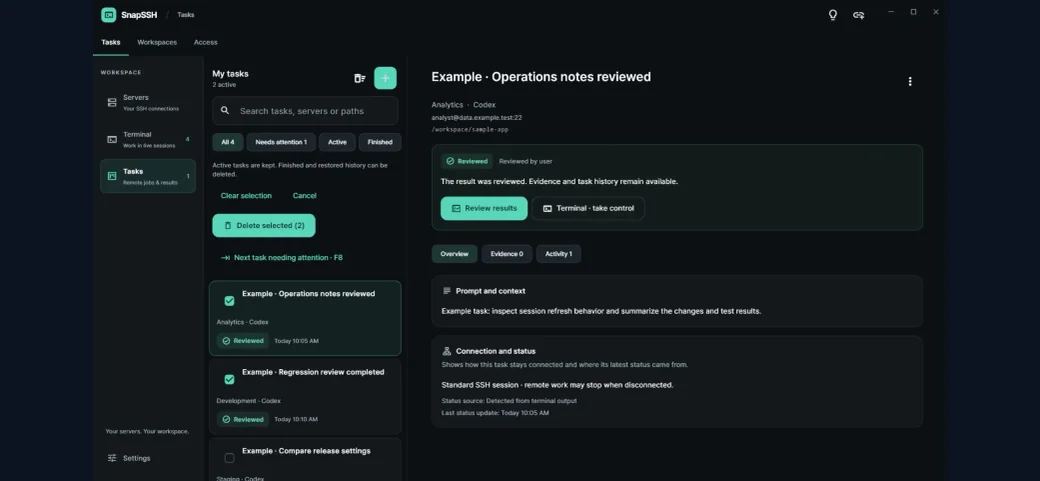
Search tasks by name, server or path. See which tasks need attention, attach selected output, file excerpts or notes, and record your own review decision. Save workspace configurations and reusable task instructions. Reconnect to verified existing tmux sessions when available. Delete finished or restored history individually, by selection or within the current filtered list.
WORK WITH REMOTE FILES
Browse servers with SFTP, transfer files and edit supported text files from the app. Transfer progress and unsaved editor changes remain visible so you can follow what is happening.
MAKE THE WORKSPACE YOURS
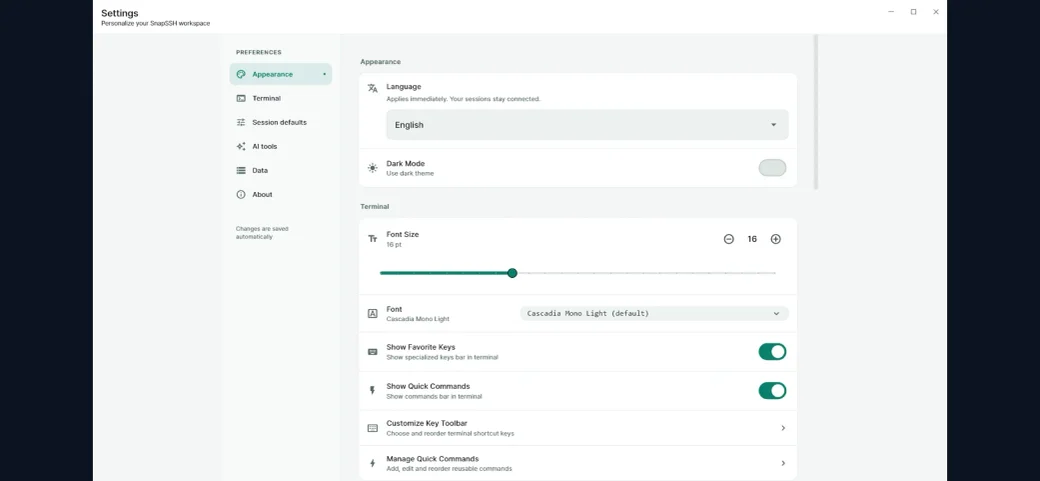
Use a refined light or dark interface with clear navigation, readable terminal controls and scrollable settings. Switch the app language to English, Korean, Japanese, Simplified Chinese, Traditional Chinese, Spanish, French, German, Portuguese or Arabic. An in-app guide explains when server AI and the optional desktop local assistant are useful.
WHAT YOU NEED
An SSH server and your own access credentials are required for remote connections. AI features use separately installed third-party CLI tools and may require those services' accounts, subscriptions or API usage charges; SnapSSH does not include an AI model or subscription. The local assistant is available on macOS and requires access to the selected live SSH sessions. Remote task persistence and recovery require an existing, verified tmux session on the server. Task history is stored on the current device; automatic history synchronization between devices is not included.
App-Datenschutz
Was Mocoplex, Inc. im App Store zum Umgang dieser App mit Daten angibt.
-
Keine Daten erfasst
Der Entwickler erfasst keine Daten von dieser App.
Die Datenschutzpraktiken können variieren, zum Beispiel je nach den von Ihnen verwendeten Funktionen oder Ihrem Alter.
Informationen
- Anbieter
- Mocoplex, Inc.
- Kategorie
- Entwickler-Tools
- Version
- 2.1.0
- Aktualisiert
- 15.09.2026
- Veröffentlicht
- 14.09.2026
- Größe
- 87,0 MB
- Erfordert
- iOS 15.0 oder neuer
- Altersfreigabe
- 4+
- Preis
- Kostenlos
- Sprachen
- Englisch
- Copyright
- © 2026 Mocoplex, Inc.
Das könnte Ihnen auch gefallen
-
 Terminal WEntwickler-Tools
-
 The Architect SSHSie sind der ultimative Agent.
-
 ShellTime.xyzEntwickler-Tools
-
 mobittyEntwickler-Tools
-
 EzsshEntwickler-Tools
-
 CLI FilesEntwickler-Tools
-
 ssh ChatEntwickler-Tools
-
 Moku: SSH & AI Agent TerminalEntwickler-Tools
-
 Muxly: Native tmux & SSHEntwickler-Tools
-
 Sandbox RelayEntwickler-Tools