Snippy: Quick Paste Keyboard
Clipboard Manager & Templates
Entwickelt für iPhone, iPad
Kostenlos · In-App-Käufe
- Altersfreigabe4+
- KategorieProduktivität
- EntwicklerSaim Zafar
- SprachenEnglisch
- Größe9,2 MB
Verlinkt auf die offizielle App Store-Seite
Download.org hostet keine Datei von Snippy: Quick Paste Keyboard. Die Schaltfläche öffnet die App-Seite bei App Store, wo Saim Zafar die App veröffentlicht. Eintrag zuletzt geprüft am 23.11.2026.
Screenshots

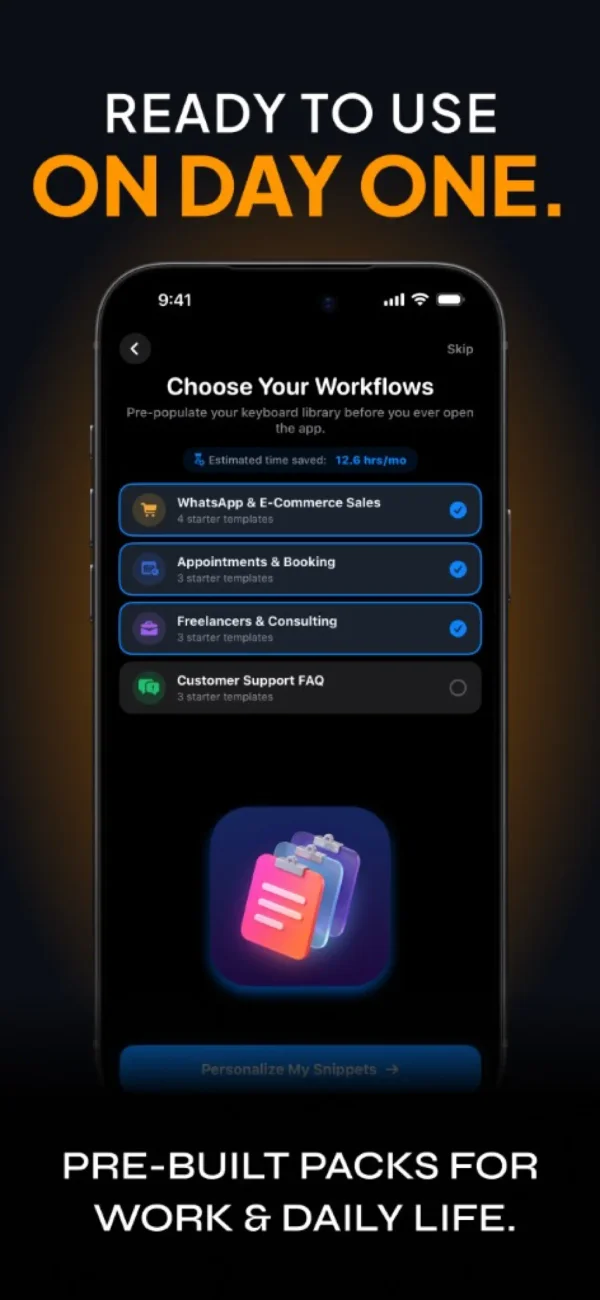
Info
Der Entwickler hat diesen Text nicht in Ihrer Sprache bereitgestellt.
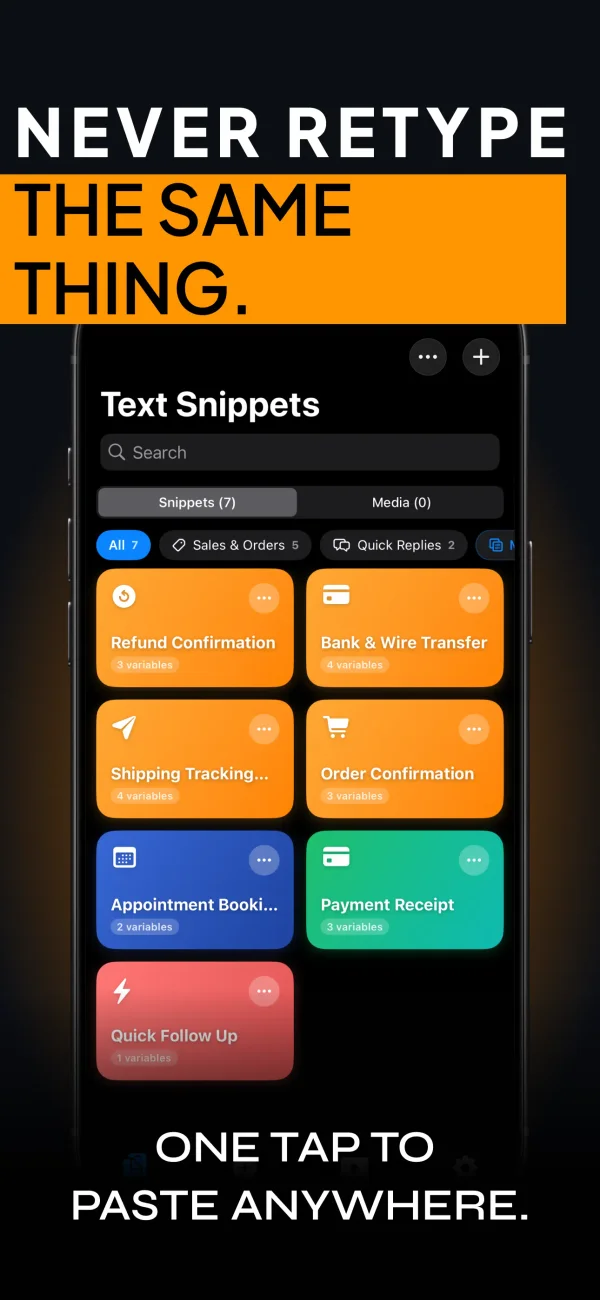
Tired of retyping the same messages, emails, links, and addresses over and over?
Snippy is your streamlined snippet organizer and custom keyboard extension for iOS. Designed to save you hours every week, Snippy puts your personalized snippet library and frequently used message templates right at your fingertips inside every app—messaging apps, email clients, social media, work chats, and web browsers.
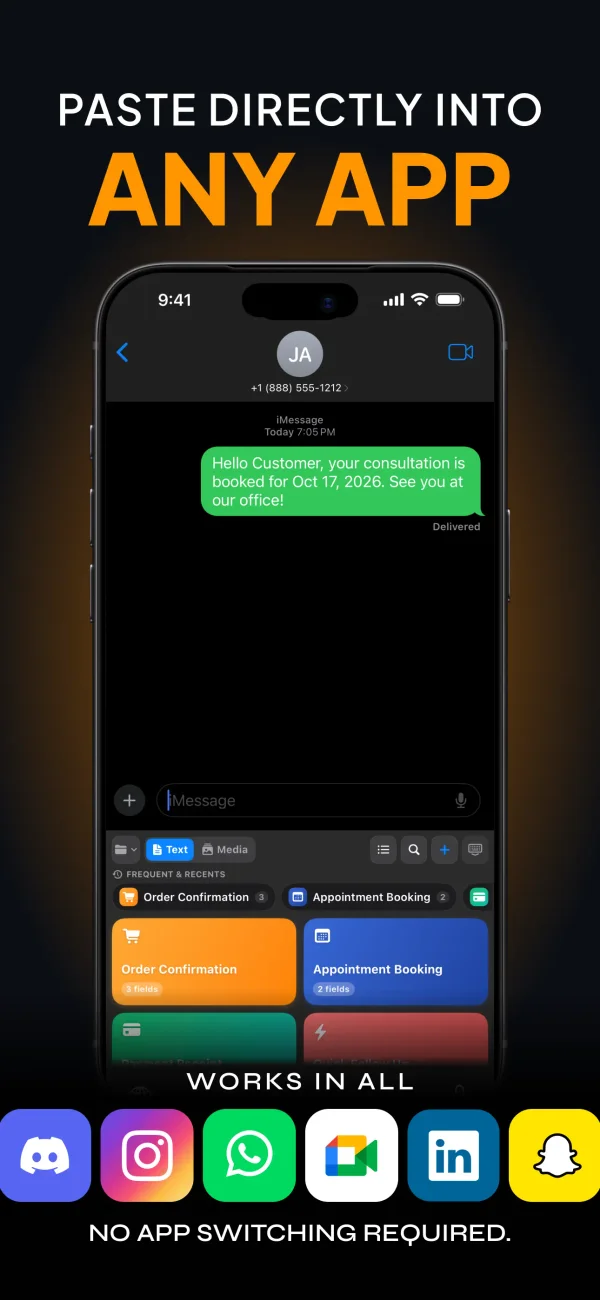
KEYBOARD EXTENSION: 1-TAP QUICK PASTE
Switch to the Snippy keyboard in any app to paste saved phrases, canned responses, links, and contact info with a single tap. No more switching back and forth between apps to copy and paste.
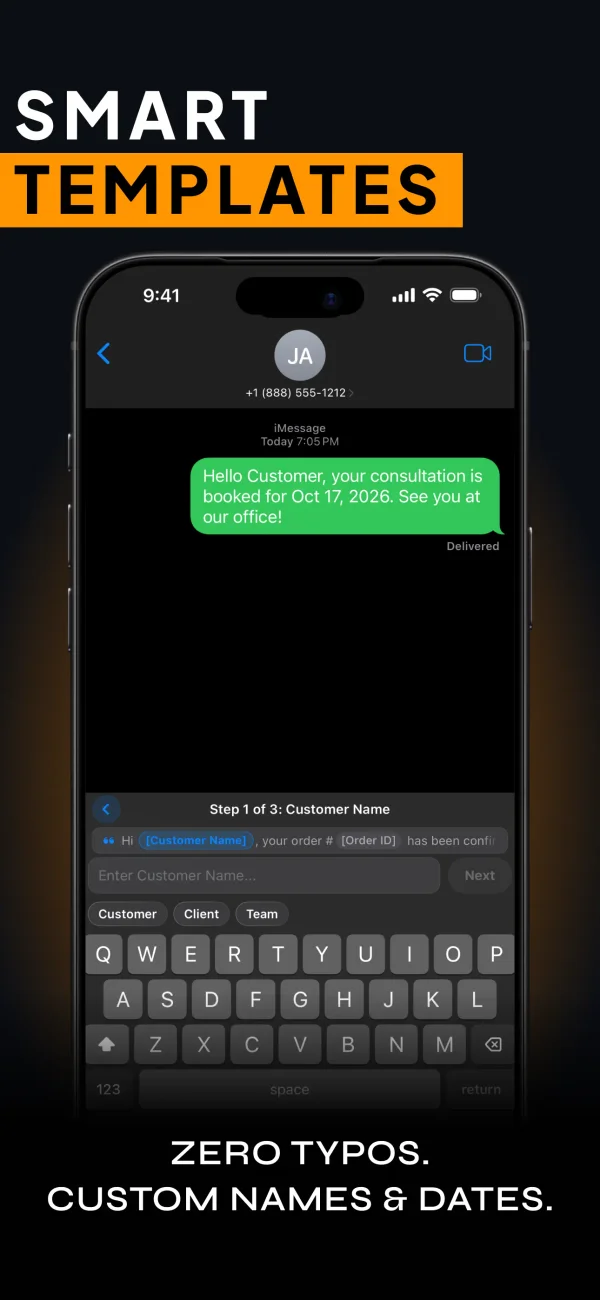
SMART DYNAMIC TEMPLATES & VARIABLES (MODIFY ON THE FLY)
Take your shortcuts to the next level. Snippy lets you insert dynamic placeholders like {Name}, {Date}, and {Time} into your message templates. When you tap to paste, Snippy immediately prompts you to fill in or modify the variable on the spot—making personalized client emails, outreach, and fast replies completely effortless.
POWERFUL SNIPPET ORGANIZER & QUICK PASTE
• Unlimited Snippet Storage: Save, organize, and access all your essential notes, links, and text.
• Instant Search: Find any saved snippet or canned response in milliseconds.
• Custom Folders & Categories: Organize your snippets by Work, Personal, Social, and Customer Support.
• Color Tags: Visually highlight priority snippets for rapid scanning.
BUILT FOR SPEED & MAXIMUM PRODUCTIVITY
Whether you are replying to customer support inquiries, sending sales pitches, managing social media comments, or filling out repetitive forms, Snippy dramatically reduces your typing time.
PRIVATE & ON-DEVICE BY DESIGN
Your data is yours alone. Snippy stores your saved snippets locally on your device. We do not track, collect, or transmit your keystrokes or personal information. Full access is only used on-device to enable direct keyboard insertion and quick clipboard actions.
Download Snippy today and experience typing at the speed of thought!
---
Terms of Use (EULA) & Support: https://sites.google.com/view/snippyapp-tos/home
Privacy Policy: https://sites.google.com/view/snippyapp-pp/home
Neue Funktionen
Version 1.0.2 · 19.11.2026
• All-New 3-Page Native Keyboard: Switch seamlessly between Letters, Numbers (123), and Extended Symbols (#+=) including underscores, brackets, and math symbols.
• Precision Typing Geometry: Ergonomically balanced key widths and row alignment matching iOS muscle memory for fast, accurate typing.
• Spacebar Double-Tap for Period: Tap space twice to insert a period and space, with automatic sentence capitalization.
• 1-Tap Variable Skipping: Skip any template variable with one tap; adjacent spacing and punctuation clean up automatically.
• In-Keyboard Quick Actions: Dedicated buttons to save new snippets directly from your clipboard or jump straight into editing.
• Spacebar Trackpad Cursor: Drag smoothly across the spacebar to position your cursor with precision.
• Visual Refresh: Fresh 3D app icon and refined tactile haptic feedback.
App-Datenschutz
Was Saim Zafar im App Store zum Umgang dieser App mit Daten angibt.
-
Keine Daten erfasst
Der Entwickler erfasst keine Daten von dieser App.
Die Datenschutzpraktiken können variieren, zum Beispiel je nach den von Ihnen verwendeten Funktionen oder Ihrem Alter.
Informationen
- Anbieter
- Saim Zafar
- Kategorie
- Produktivität
- Version
- 1.0.2
- Aktualisiert
- 19.11.2026
- Veröffentlicht
- 05.11.2026
- Größe
- 9,2 MB
- Erfordert
- iOS 17.0 oder neuer
- Altersfreigabe
- 4+
- Preis
- Kostenlos
- In-App-Käufe
- Ja
- Sprachen
- Englisch
- Copyright
- © 2026 Zirob
Das könnte Ihnen auch gefallen
-
 CopymunkProduktivität
-
 Yank Clipboard ManagerProduktivität
-
 Kopieren & Einfügen - copipiZwischenablage & Textbausteine
-
 ClawVoice for OpenClawProduktivität
-
 LumiereOpenClaw KI-Orchestrierung
-
 Copy BetterProduktivität
-
 CopyClip: Clipboard MangerProduktivität
-
 Awesome Copy Mobile ClipboardProduktivität
-
 Tempus: Tagesplaner & To-DoTime Blocking & Fokus für ADHS