
Solve calculation by cellphone
Studying problem by calculator
Entwickelt für iPhone, iPad, iPod touch
In-App-Käufe
- Altersfreigabe4+
- KategorieBildung
- EntwicklerMUTSUMI SUZUKI
- SprachenEnglisch+ 1 weitere
- Größe53,0 MB
Solve calculation by cellphone ist bei App Store derzeit möglicherweise nicht verfügbar
Bei unserer letzten Prüfung war der Store-Eintrag nicht erreichbar. Der Link führt weiterhin zur offiziellen App Store-Seite.
Screenshots



Info
Der Entwickler hat diesen Text nicht in Ihrer Sprache bereitgestellt.
【SAT/ACT】 【GMAT】 【CFA】【USCPA】【FE/PE】 ... And so on!
A fill-in-the-blanks type learning application specialized for learning calculation problems using a calculator is now available!
For certification exams where you want to practice questions using a calculator, this app makes it easy to start learning on your smartphone!
With this app, you can take a picture of a reference book, problem set, or explanation with the camera, process it into a fill-in-the-blank format, and start learning right away using the in-app calculator!
Learning method: Two types of learning modes are available: Tap mode and Input mode.
Fill-in-the-blanks mode: Tap to display the filled-in area, with the answer hidden by a fill-in-the-blank.
Input mode: Enter numerical values in the filled-in areas and check your answers at the end.
Fill-in-the-blanks mode is for studying how to solve puzzles easily.
Fill-in-the-blanks mode is for studying in earnest in preparation for the real exam.
You can change the learning method according to your learning steps and time availability.
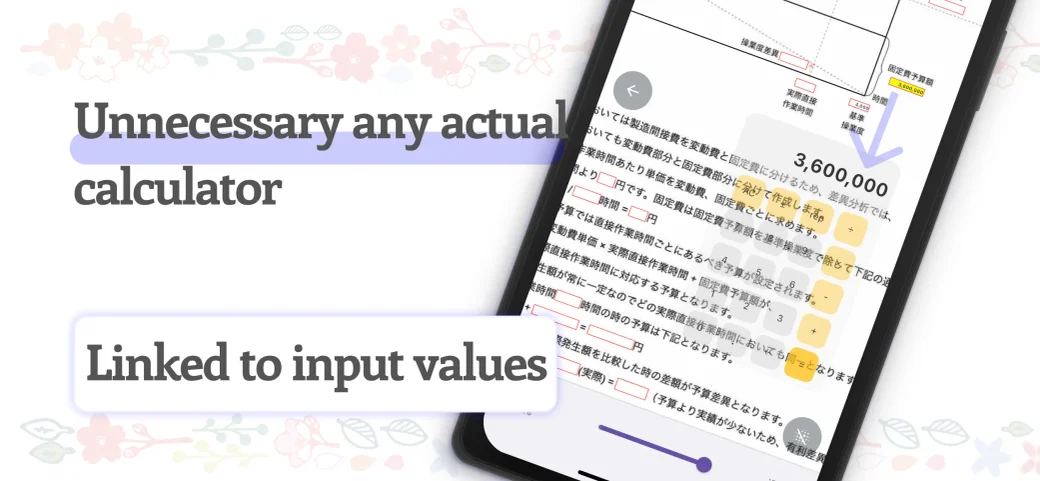
In-app calculator: In the input mode, you can use the calculator in the app to enter numbers, but it is difficult to type numbers on a calculator on a smartphone.
So, you can register numerical values to fill in the holes
When in tap mode... Tap a fill-in-the-blank and the calculator will instantly reflect the registered numerical value.
In input mode: ...... Tap a fill-in-the-blank to instantly reflect the value you have entered into the calculator.
Reduce the number of times you have to type on the calculator and focus on learning how to solve math problems.
Start learning instantly: Numerical value recognition automatically creates fill-in-the-blanks where you want to hide numbers.
You can also manually add as many fill-in-the-blanks as you like, and change their size and position.
The recognized numerical values are automatically registered as fill-in-the-blanks.
Offline support: Once you create a question in the application, you can study it even without an Internet connection.
(Please note that some functions, such as image recognition, will not be available.)
---------About Subscription Plans---------
In the free version...
△ Create up to 3 questions...
△ Add up to 5 pages per question...
△ Advertisements are displayed at the top of the screen and in other places...
Subscribe to our plans
- Unlimited number of questions!
- Unlimited number of additional pages!
- No ads!
You can add unlimited questions and pages to your plan without any advertising!
(However, if you delete a question or page from the menu, you will not be able to restore it.)
You can subscribe to the plan only when you want to add more questions and concentrate on learning.
-Restoration when changing the device model
When you change your device, you can restore your previously purchased subscription plan for free as long as you are still within the subscription period.
-Confirmation and cancellation
Open the "Settings" app from your iPhone-> Select Apple ID-> Select "Subscriptions"-> From this screen you can check the next auto-renewal timing and cancel/set auto-renewal.
-About auto-renewal billing
If you do not cancel the auto-renewal at least 24 hours before the end of the subscription period, the subscription period will be automatically renewed. Auto renewal billing will be performed within 24 hours of the end of the subscription period.
-Notes
If you have been billed in the application, you cannot cancel by any method other than those listed above.
Cancellation of the current month's subscription will not be accepted.
Billing is done via your iTunes account.
Privacy Policy and Terms of Use
Please refer to the link below or from the menu in the application.
Privacy Policy
https://mutsumi-suzuki-developpage.web.app
Terms of Use
https://mutsumi-suzuki-developpage.web.app?section=terms
Neue Funktionen
Version 3.0.0 · 04.04.2024
1. iPad is now supported.
2. The design and UI of the study page and question edit page have been changed as follows
Study page
-Image pages can now be scrolled horizontally.
-The bottom navigation at the bottom of the screen can now be used to navigate through image pages.
-The position of the in-app calculator can now be adjusted.
Problem Editing Page
-Fill-in-the-blanks can now be resized by dragging the corners.
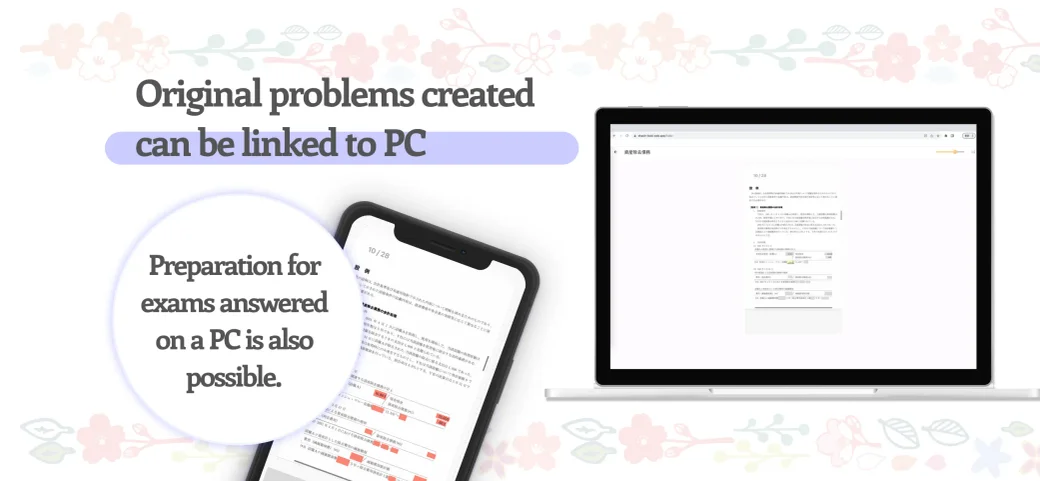
-When adding an image page by camera, documents can now be cropped and their orientation can be corrected.
3. In addition, dark mode is now supported and a contact form has been set up.
App-Datenschutz
Was MUTSUMI SUZUKI im App Store zum Umgang dieser App mit Daten angibt.
-
Daten, die zum Tracking Ihrer Person verwendet werden
Können verwendet werden, um Sie über Apps und Websites anderer Unternehmen hinweg zu verfolgen.
- Standort
- Kennungen
- Nutzungsdaten
- Diagnose
-
Mit Ihnen verknüpfte Daten
Können erfasst und mit Ihrer Identität verknüpft werden.
- Standort
- Kennungen
- Nutzungsdaten
- Diagnose
Die Datenschutzpraktiken können variieren, zum Beispiel je nach den von Ihnen verwendeten Funktionen oder Ihrem Alter.
Informationen
- Anbieter
- MUTSUMI SUZUKI
- Kategorie
- Bildung
- Version
- 3.0.0
- Aktualisiert
- 04.04.2024
- Veröffentlicht
- 11.07.2023
- Größe
- 53,0 MB
- Erfordert
- iOS 12.0 oder neuer
- Altersfreigabe
- 4+
- In-App-Käufe
- Ja
- Sprachen
- Englisch, Japanisch
- Copyright
- © 2024 m suzuki