- Altersfreigabe4+
- KategorieDienstprogramme
- EntwicklerMICHAEL ANDREW SYREE
- SprachenEnglisch
- Größe2,1 MB
Verlinkt auf die offizielle App Store-Seite
Download.org hostet keine Datei von SonoStats. Die Schaltfläche öffnet die App-Seite bei App Store, wo MICHAEL ANDREW SYREE die App veröffentlicht. Eintrag zuletzt geprüft am 16.11.2026.
Screenshots

Info
Der Entwickler hat diesen Text nicht in Ihrer Sprache bereitgestellt.
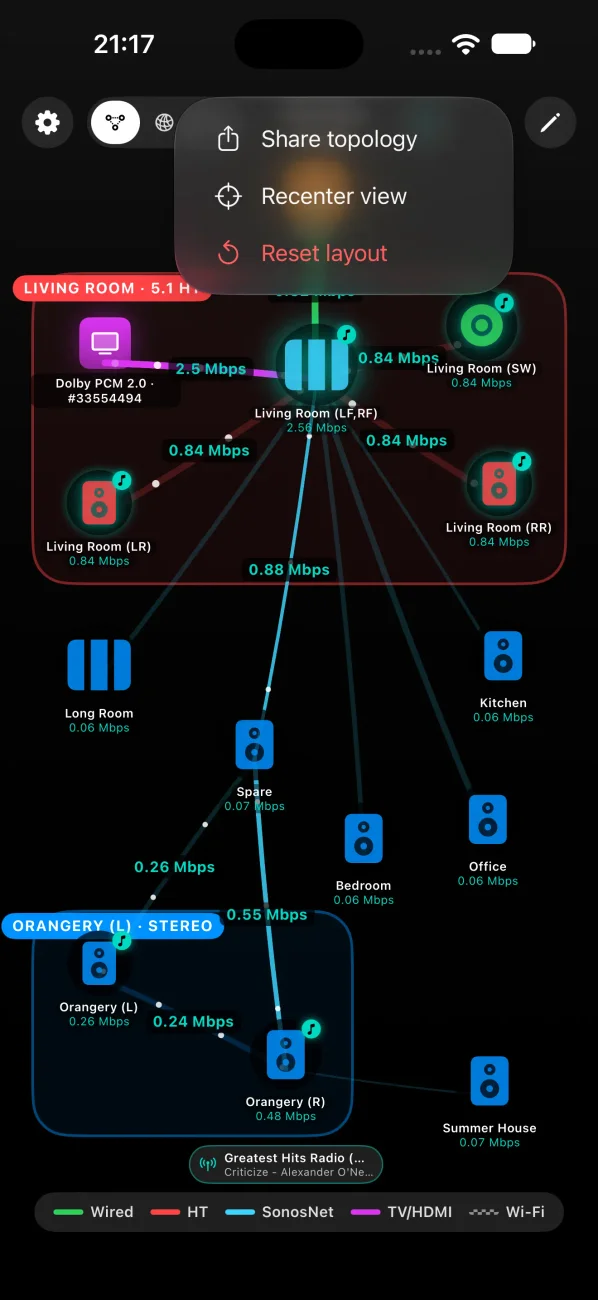
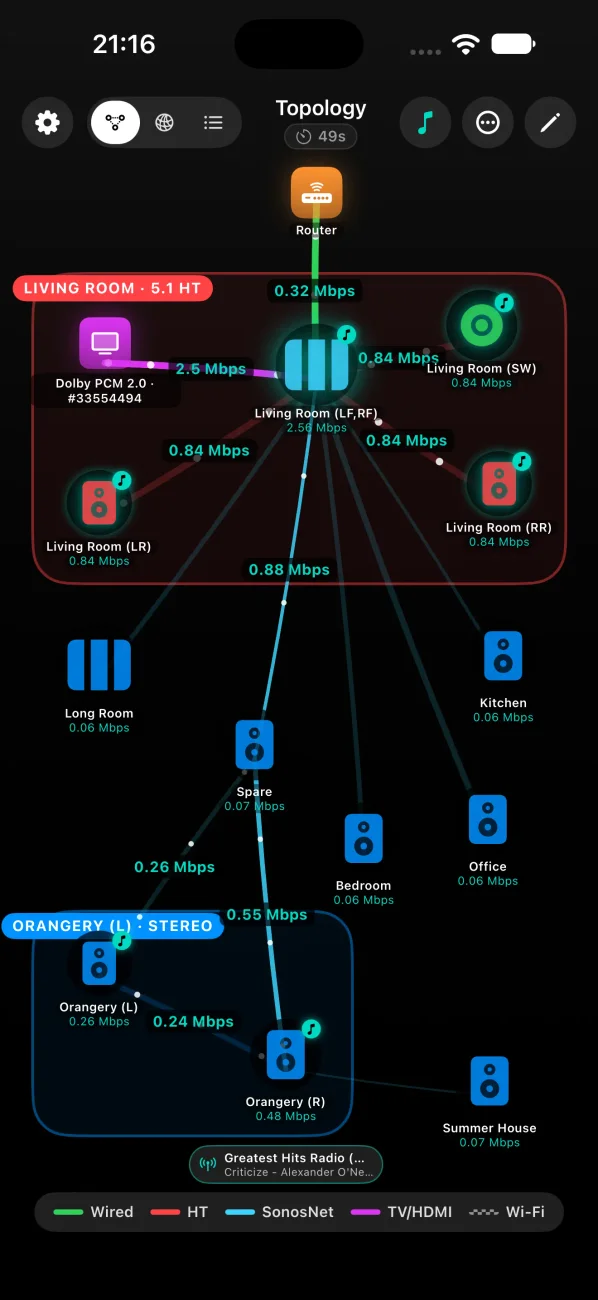
SonoStats is a real-time visualiser for your Sonos household. See every speaker, every group, every connection on one clean canvas — the topology map you always wished the Sonos app would show you.
WHAT YOU SEE
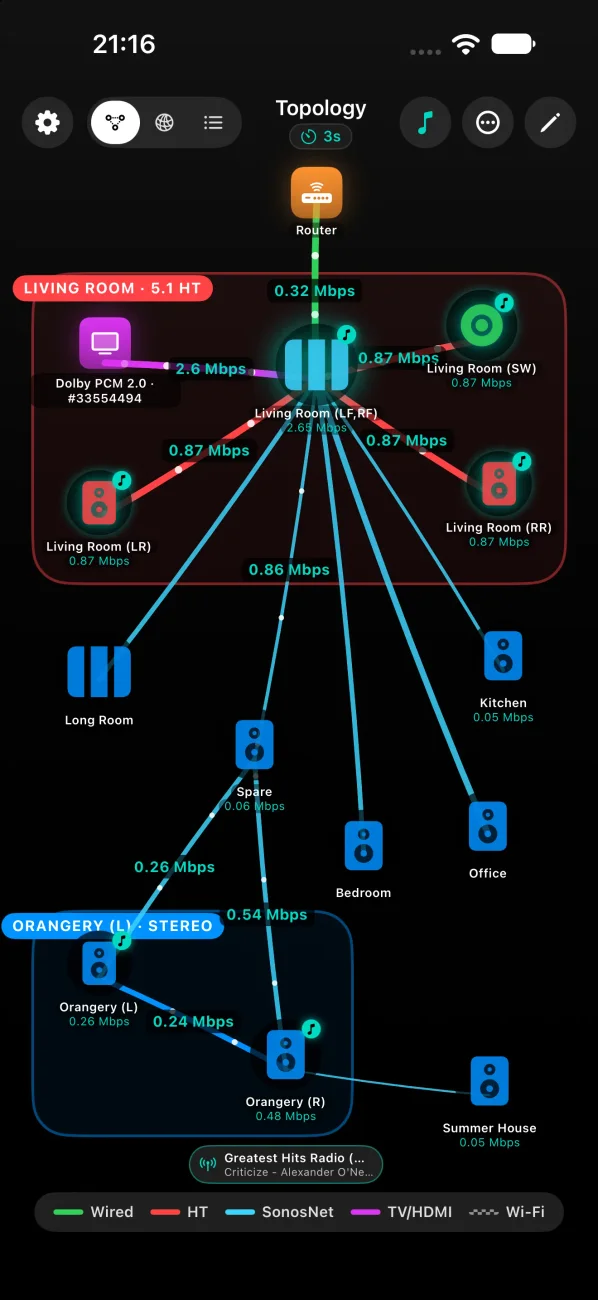
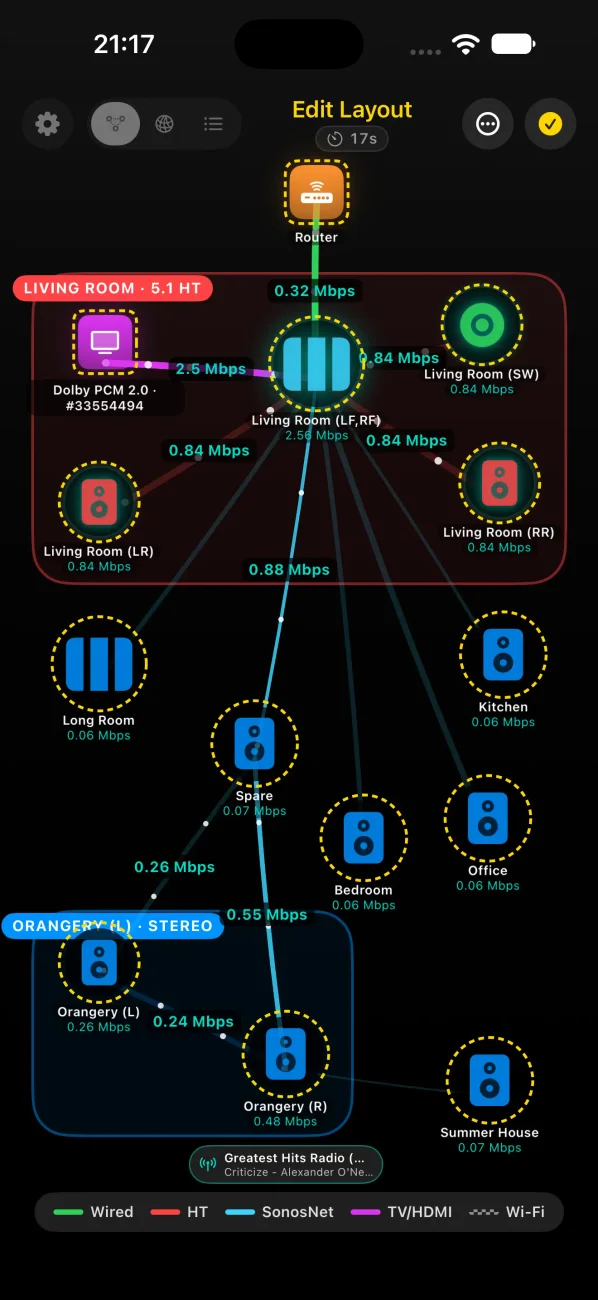
Your household laid out live. Router at the top, wired root, home theater clusters, stereo pairs, and every Wi-Fi speaker in its rightful place. Tap any speaker for details.
Audio in motion. Watch throughput flow between speakers as music plays. See which speaker is the coordinator, which are followers, and where the traffic actually goes.
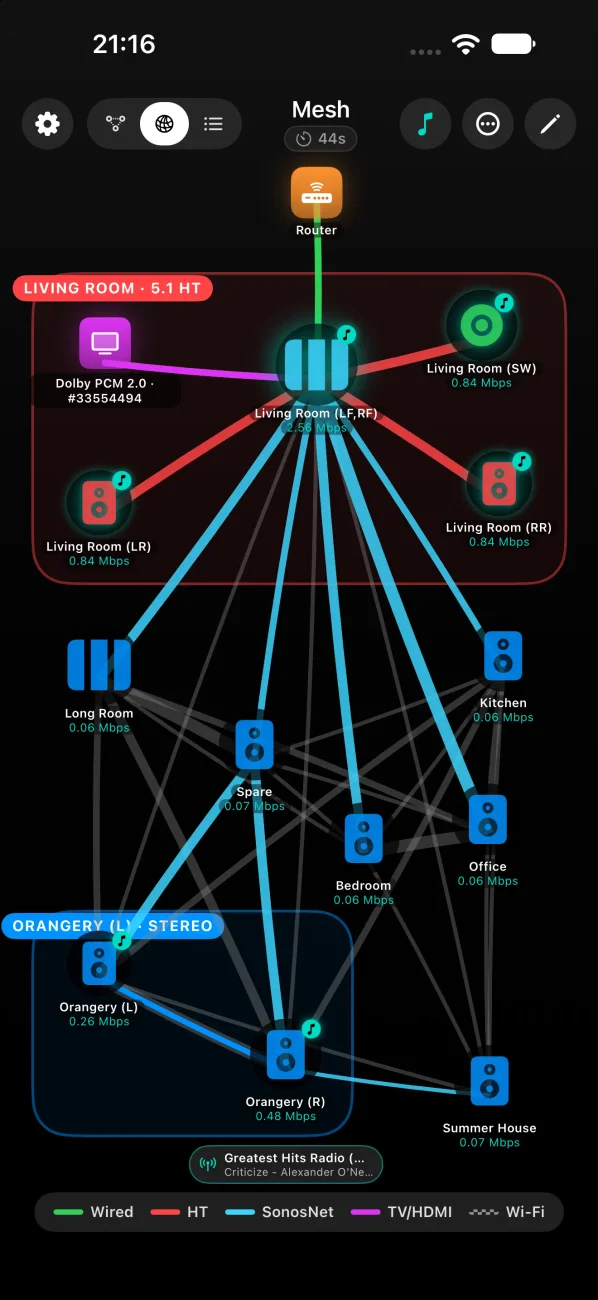
A mesh view for the deeper divers. Every peer-to-peer SonosNet link, with edge width showing signal strength. Spot marginal connections before they turn into dropouts.
Streaming Discovery. Watch speakers appear one by one as your network resolves them, identified with their zone and product model the moment they respond.
Bond halos. Home theater clusters and stereo pairs are visually grouped so you can tell at a glance which speakers belong together.
Signal indicators, colour-coded from healthy green through borderline yellow to weak red.
Multi-household support. Save every network you visit — home, cottage, office — and SonoStats picks the right one automatically based on Wi-Fi.
BUILT LOCALLY, KEPT LOCALLY
SonoStats talks to your speakers directly over your Wi-Fi. No cloud, no account, no telemetry. Your data never leaves your home network.
Built-in snapshot capture and honest, privacy-friendly diagnostics logs make it easy to save what your household looks like — useful when troubleshooting, or when you just want a record of the setup before moving something.
NOTE: This is app is not connected or endorsed by Sonos and is supplied for your own use.
Neue Funktionen
Version 0.2.0 · 08.11.2026
Built for iPhone Duo and iPad
• Open iPhone Duo in landscape, or use an iPad in landscape, and the device list sits beside the map — tap a room to highlight its path, double-tap for details.
• Choose the split in Settings › App: 50/50, 40/60, 30/70 or None.
• iPhone Duo: the map adapts to every pose — closed, partially open and fully open — and keeps clear of the hinge and the camera.
Better maps on every screen
• Rooms no longer pile onto the home-theatre surrounds on wider screens, and the automatic layout now keeps the surrounds, the other rooms and the legend apart.
• Each screen shape remembers its own custom layout, so positions you drag on the outer display don't disturb the open display (and vice versa). "Reset this layout" now means exactly the one you're looking at.
Also
• Upside-down portrait supported on iPhone.
• Developer website link under Settings › Follow.
App-Datenschutz
Was MICHAEL ANDREW SYREE im App Store zum Umgang dieser App mit Daten angibt.
-
Keine Daten erfasst
Der Entwickler erfasst keine Daten von dieser App.
Die Datenschutzpraktiken können variieren, zum Beispiel je nach den von Ihnen verwendeten Funktionen oder Ihrem Alter.
Informationen
- Anbieter
- MICHAEL ANDREW SYREE
- Kategorie
- Dienstprogramme
- Version
- 0.2.0
- Aktualisiert
- 08.11.2026
- Veröffentlicht
- 10.06.2026
- Größe
- 2,1 MB
- Erfordert
- iOS 17.6 oder neuer
- Altersfreigabe
- 4+
- Preis
- Kostenlos
- Sprachen
- Englisch
- Copyright
- © 2026 MSyree
Das könnte Ihnen auch gefallen
-
 Itsytv: Remote for Apple TVFernbedienung, Tastatur, Apps
-
 Dashboard: Smart Home & RTSPWandpanel für Apple Home
-
 SonARC for Sonance UA SeriesDienstprogramme
-
 Quartermaster: Homelab StackDienstprogramme
-
 Netzero for PowerwallDienstprogramme
-
 Sonos|S1 & S2 ControllerKopfhörer & Lautsprecher
-
 NetSpot WLAN AnalyzerWiFi Heatmap & SpeedTest
-
 Screens 5: VNC Remote-DesktopSchneller und sicherer Zugriff
-
 Jabra PlusDein Gerät.Deine Einstellungen
-
 Wallet CreatorEigene Apple Wallet Karten