SpendlyGo
AI receipt scanner, ERP-ready
Entwickelt für iPhone
Kostenlos · In-App-Käufe
- Altersfreigabe4+
- KategorieFinanzen
- EntwicklerArtan Karrica
- SprachenDeutsch+ 5 weitere
- Größe8,6 MB
Verlinkt auf die offizielle App Store-Seite
Download.org hostet keine Datei von SpendlyGo. Die Schaltfläche öffnet die App-Seite bei App Store, wo Artan Karrica die App veröffentlicht. Eintrag zuletzt geprüft am 15.11.2026.
Screenshots


Info
Der Entwickler hat diesen Text nicht in Ihrer Sprache bereitgestellt.
FREE
• 10 receipt scans every calendar month, with full AI extraction
• Organize with categories, notes, Business/Personal marking and search
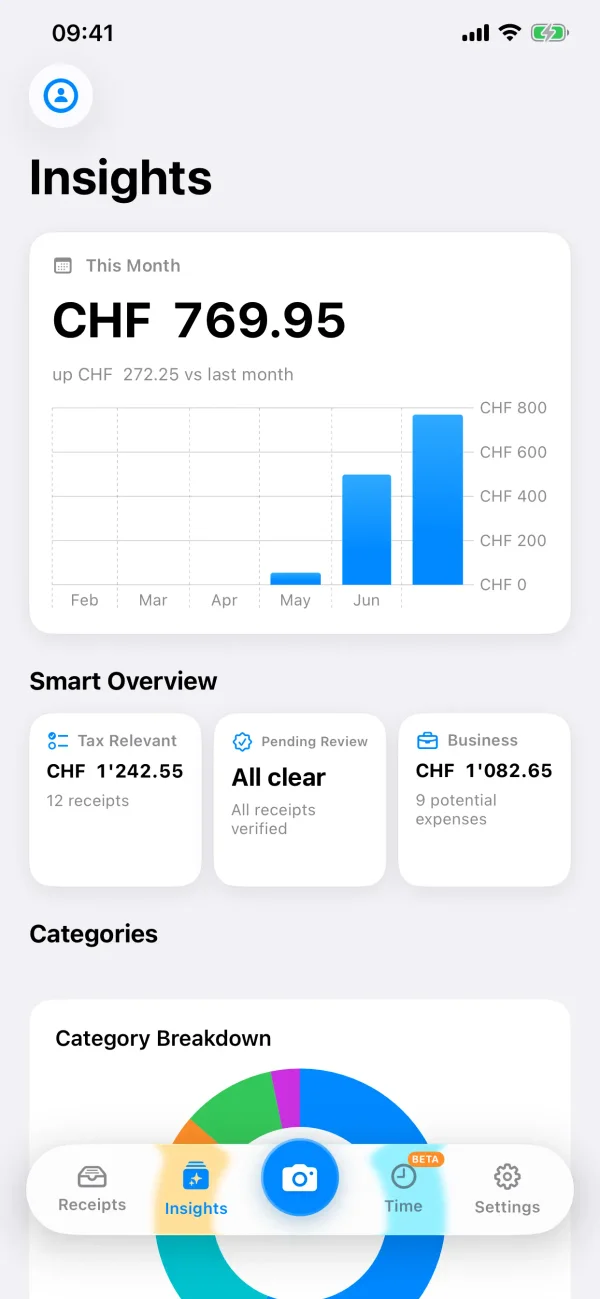
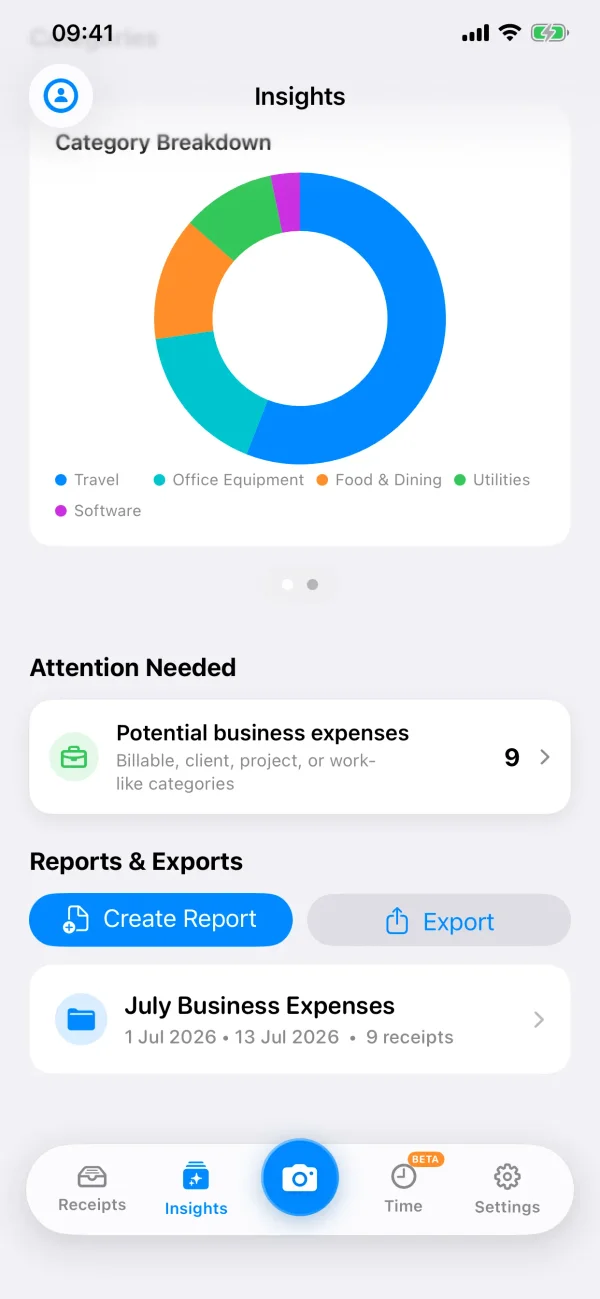
• VAT and duplicate review, Month close preview
• CSV and PDF exports
SPENDLYGO PRO (auto-renewing subscription; see the price in the app)
• Unlimited receipt scans
• Month close package for your accountant: expenses CSV, VAT summary, PDF summary and your receipt documents in one ZIP
HOW TO UPGRADE
1. Open the Insights tab and tap Month close, or use Settings.
2. Tap "Unlock with Pro" (or "Go Premium" after your 10 free scans are used).
3. Choose monthly or yearly and confirm with Face ID or Touch ID.
Pro unlocks immediately. Manage or cancel any time in iOS Settings > Apple ID > Subscriptions. If you cancel, your receipts and past packages stay on your device; scanning returns to 10 per month.
SCAN RECEIPTS FAST
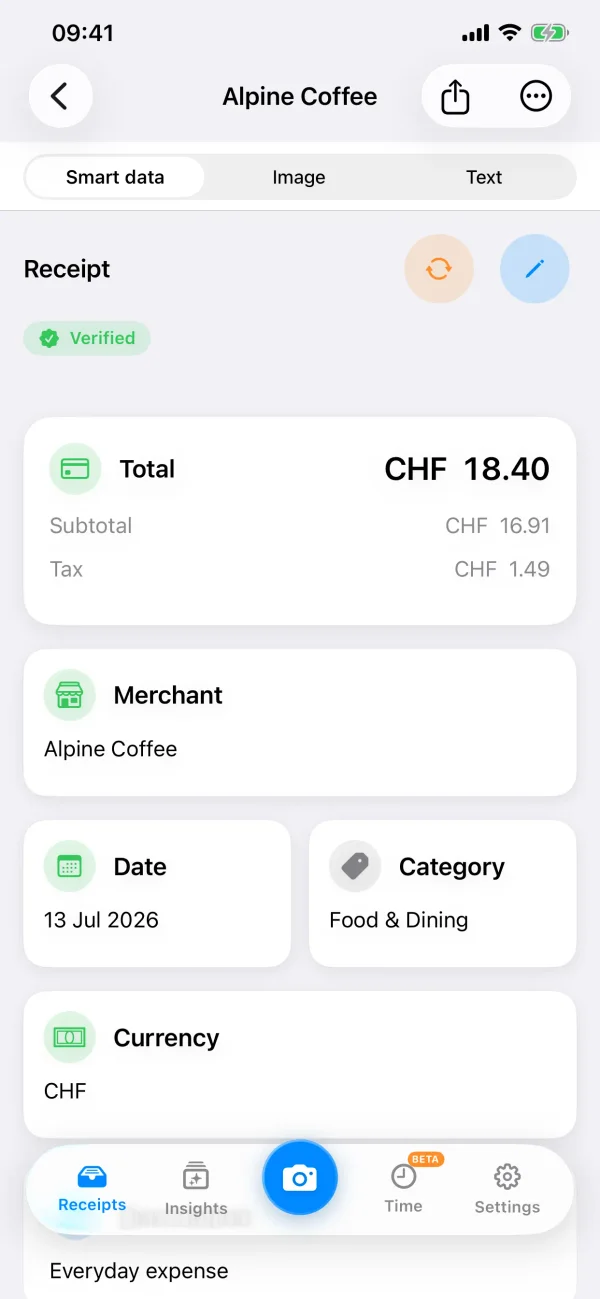
Capture paper receipts with your iPhone camera or import receipt images and documents. SpendlyGo reads key details such as merchant, date, total, tax, currency, and category, then lets you review and correct fields before saving.
ORGANIZE EVERY EXPENSE
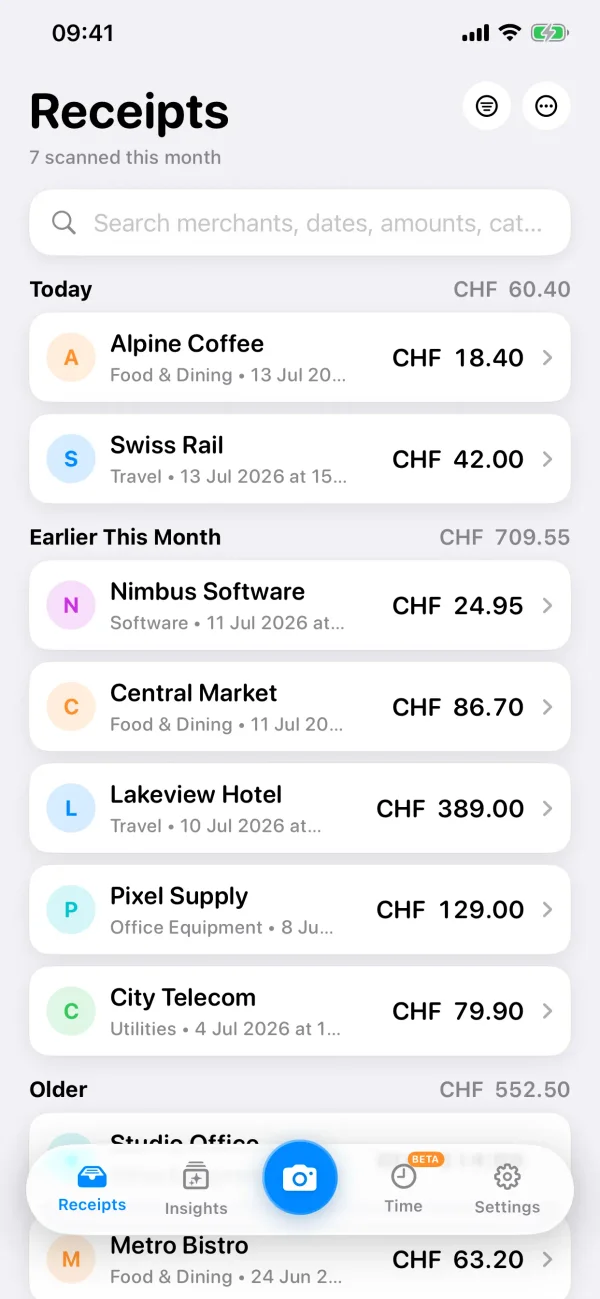
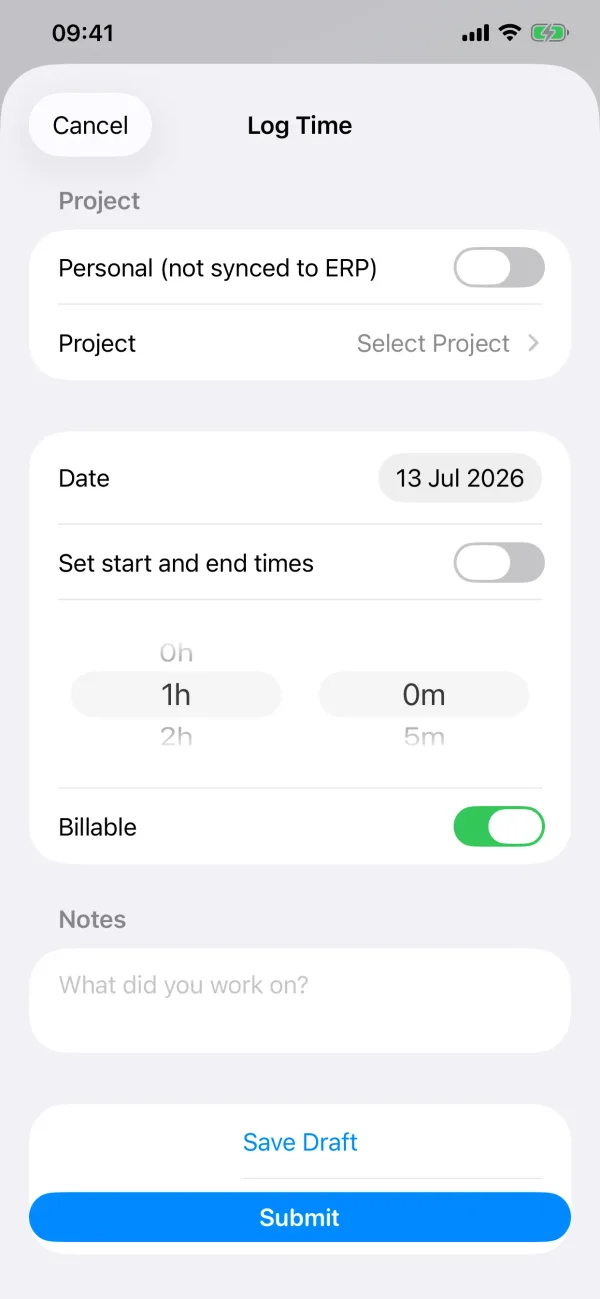
Keep receipts searchable and structured on iOS. Add categories, notes, projects, cost centers, and business context so each expense is easier to find later. Search by merchant, amount, date, category, note, or receipt text when preparing reports, taxes, reimbursements, or client records.
EXPORT FOR ACCOUNTING
Create clean CSV exports with receipt fields such as merchant, date, total, tax, category, currency, and notes. Generate PDF summaries with receipt images for review and recordkeeping. Create ZIP bundles with images and metadata when you need a complete archive.
CONNECT YOUR WORKFLOW
SpendlyGo is built for people who need receipts to move into real finance workflows. Use exports for spreadsheets, bookkeeping tools, accounting software, or ERP imports. Premium users can configure advanced destinations, mappings, and delivery workflows where supported.
PRIVACY-FIRST RECEIPT SCANNING
Receipt extraction runs on your device by default, helping keep sensitive purchase data under your control. Your receipts can stay stored locally on your iPhone, with optional iCloud sync if you choose. SpendlyGo does not use third-party advertising trackers.
FREE PLAN
The free version includes:
• 10 receipt scans
• AI receipt extraction
• Receipt review and editing
• Basic receipt organization
• Local receipt storage
SPENDLYGO PREMIUM
Upgrade to SpendlyGo Premium to unlock:
• Unlimited receipt scans
• Advanced CSV, PDF, and ZIP exports
• Custom mappings and destinations
• Receipt workflow automation features
• Full access to premium organization and export tools
HOW TO UPGRADE
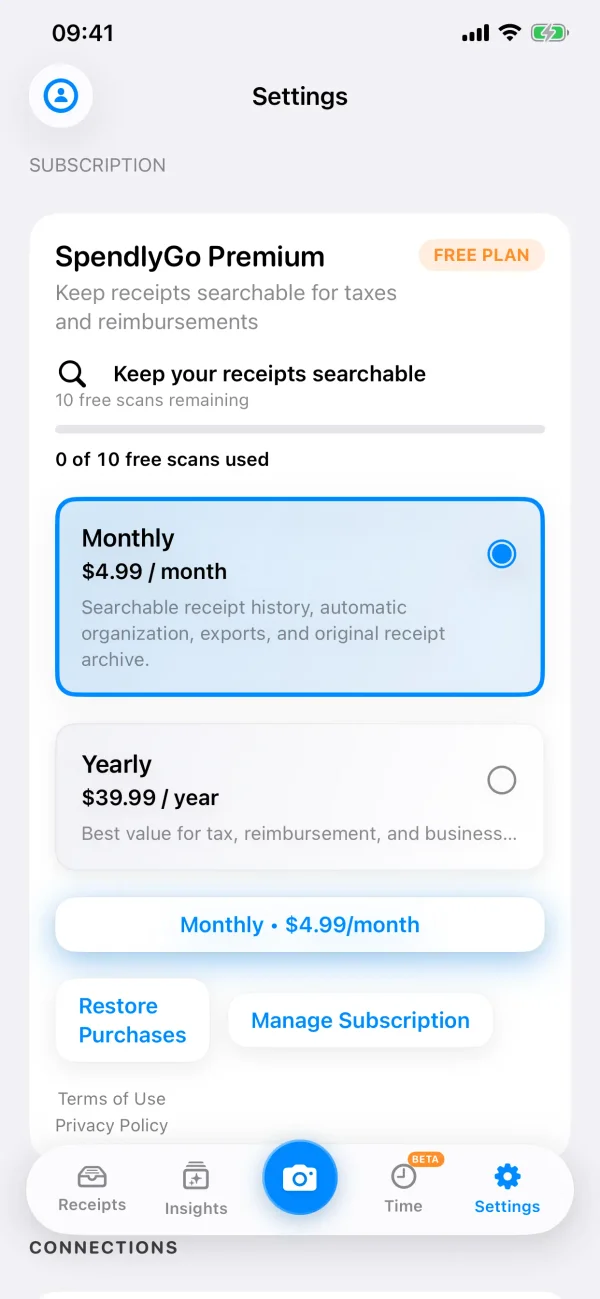
You can upgrade after using your 10 free scans, or anytime from Settings > Subscription inside the app. Tap the Premium plan, confirm with your Apple ID, and Premium features unlock immediately.
SUBSCRIPTION PRICING
SpendlyGo Premium is available as an auto-renewing subscription:
Monthly: CHF 4.99 per month
Yearly: CHF 39.99 per year
Payment is charged to your Apple ID at confirmation of purchase. Subscriptions renew automatically unless canceled at least 24 hours before the end of the current billing period. You can manage or cancel your subscription anytime in iOS Settings > Your Name > Subscriptions.
If you cancel, Premium access remains active until the end of the billing period. Your existing receipts remain visible, and future scanning/export access returns to the free-plan limits.
SpendlyGo helps freelancers, small businesses, and professionals turn receipt chaos into structured, searchable, accounting-ready records.
Terms of Use: https://www.apple.com/legal/internet-services/itunes/dev/stdeula/
Privacy Policy: https://www.apple.com/legal/internet-services/itunes/dev/stdeula/
Neue Funktionen
Version 2.0 · 11.11.2026
Month close for freelancers and small businesses
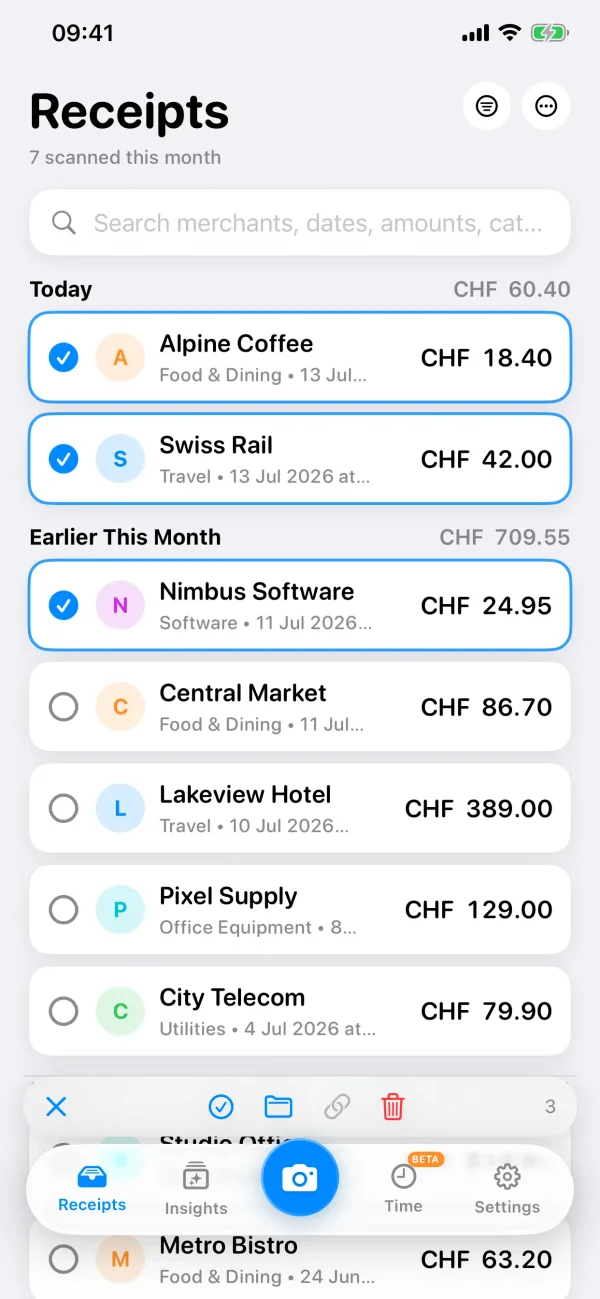
• Mark receipts Business or Personal, one by one or in bulk
• VAT lines are read from German, French, Italian and English receipts
• Possible duplicates are flagged; imported PDFs are kept as originals
• Month close: one ZIP with expenses CSV, VAT summary, PDF summary and documents (Pro)
• Optional reminder on the 1st of each month
A refreshed, more native design
• New system tab bar with a Scan button always within reach
• Native Receipts list with search, filters and swipe actions
• Cleaner receipt details, editing and Settings
• Better support for large text and Reduce Motion
• More of the app in German, French, Spanish, Portuguese and Chinese
App-Datenschutz
Was Artan Karrica im App Store zum Umgang dieser App mit Daten angibt.
-
Keine Daten erfasst
Der Entwickler erfasst keine Daten von dieser App.
Die Datenschutzpraktiken können variieren, zum Beispiel je nach den von Ihnen verwendeten Funktionen oder Ihrem Alter.
Informationen
- Anbieter
- Artan Karrica
- Kategorie
- Finanzen
- Version
- 2.0
- Aktualisiert
- 11.11.2026
- Veröffentlicht
- 14.11.2025
- Größe
- 8,6 MB
- Erfordert
- iOS 26.0 oder neuer
- Altersfreigabe
- 4+
- Preis
- Kostenlos
- In-App-Käufe
- Ja
- Sprachen
- Deutsch, Englisch, Französisch, Portugiesisch, Spanisch, Vereinf. Chinesisch
- Copyright
- © SpendlyGo 2025