
Spent. — Spending Tracker
Your bank alerts, written down
Entwickelt für iPhone, iPad
In-App-Käufe
- Altersfreigabe4+
- KategorieFinanzen
- EntwicklerChee Leong CHONG
- SprachenEnglisch
- Größe40,0 MB
Spent. — Spending Tracker ist bei App Store derzeit möglicherweise nicht verfügbar
Bei unserer letzten Prüfung war der Store-Eintrag nicht erreichbar. Der Link führt weiterhin zur offiziellen App Store-Seite.
Screenshots




Info
Der Entwickler hat diesen Text nicht in Ihrer Sprache bereitgestellt.
Your bank already tells you. Spent. writes it down.
Spent. is a private expense tracker for iPhone. After a one-time Shortcuts setup, payments arrive from Apple Pay and, on iOS 27, from your bank's alerts. You check each one and it's logged. No account, no tracking, and your records stay on your phone.
BANK ALERTS (FREE, iOS 27)
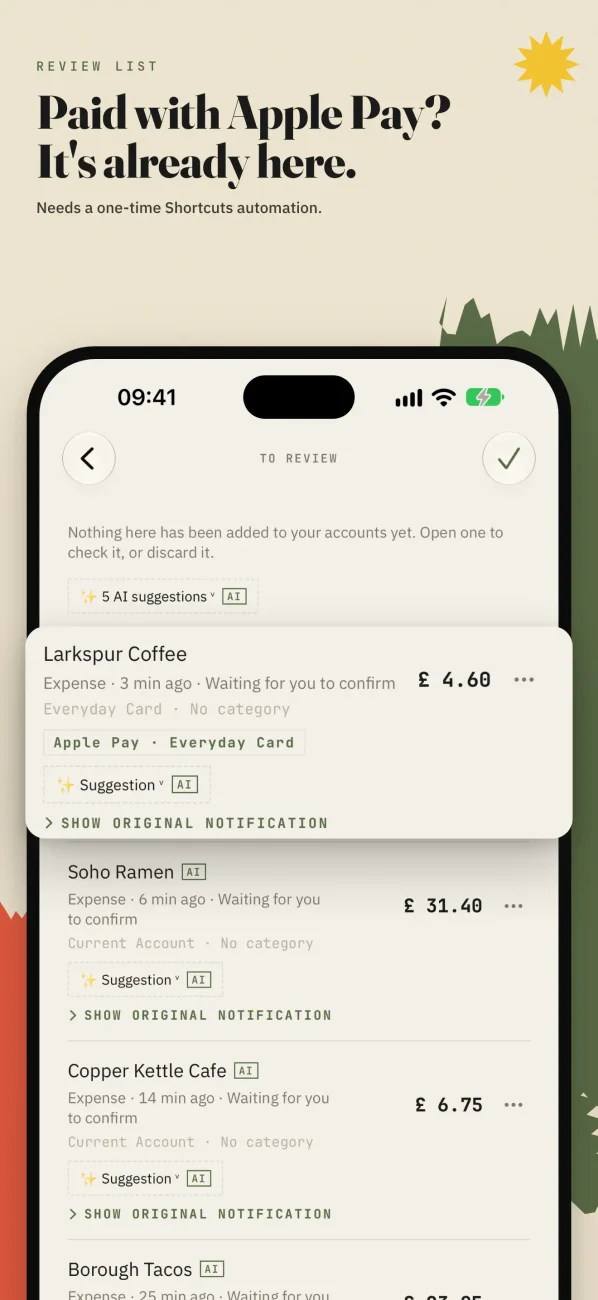
Your bank or wallet app already tells you when you've paid. Get the shortcut and choose those apps. There's no rule to write: each payment alert waits in your review list, and Spent. learns which account it belongs to from what you approve. No bank login, no connection to your bank, no server.
Apple Pay capture (FREE)
Add the shortcut in Settings > Apple Pay. Each time you pay with Apple Pay, the purchase waits in your review list with the merchant and amount filled in. Approve them one at a time or all at once.
AI UNLOCK
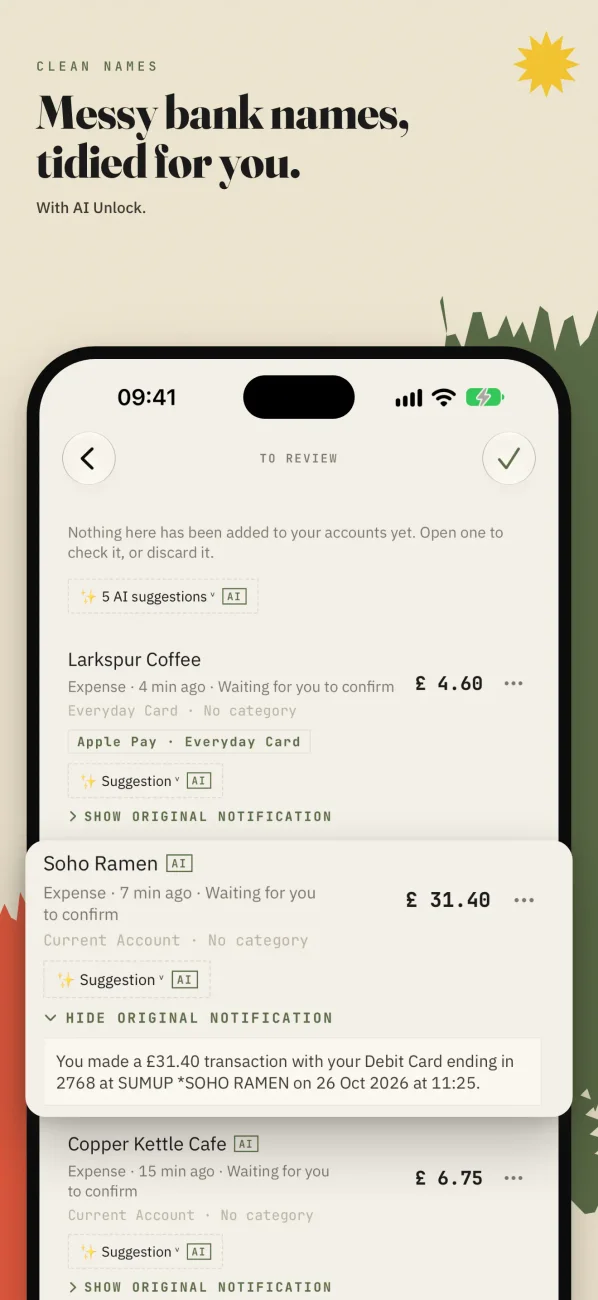
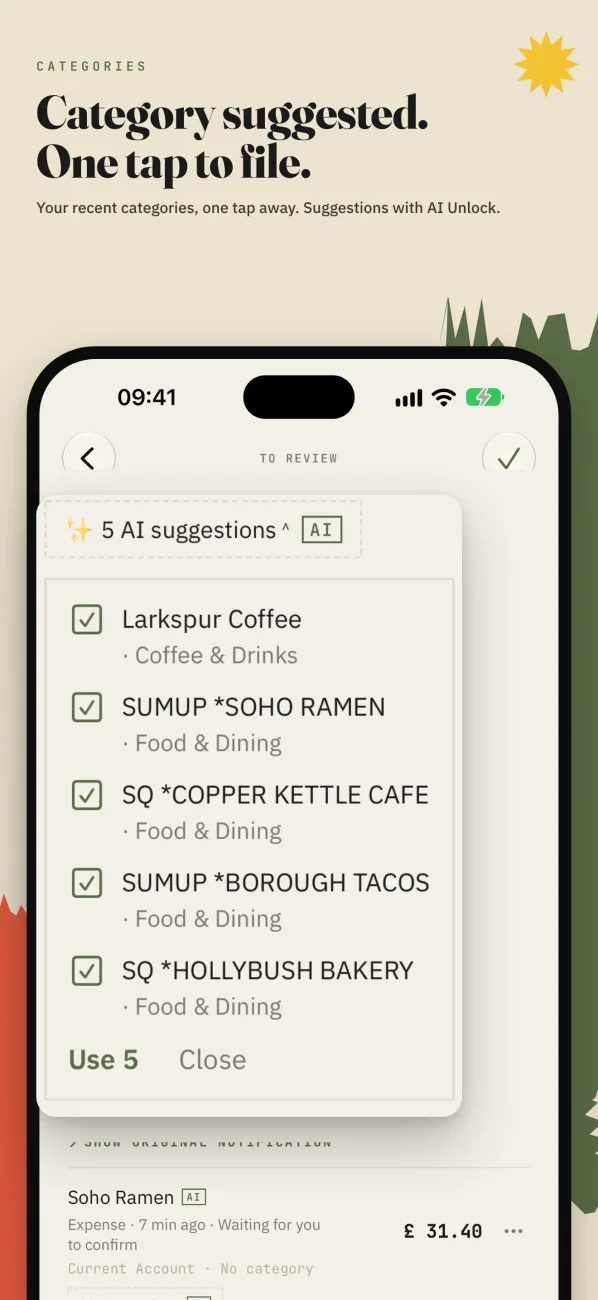
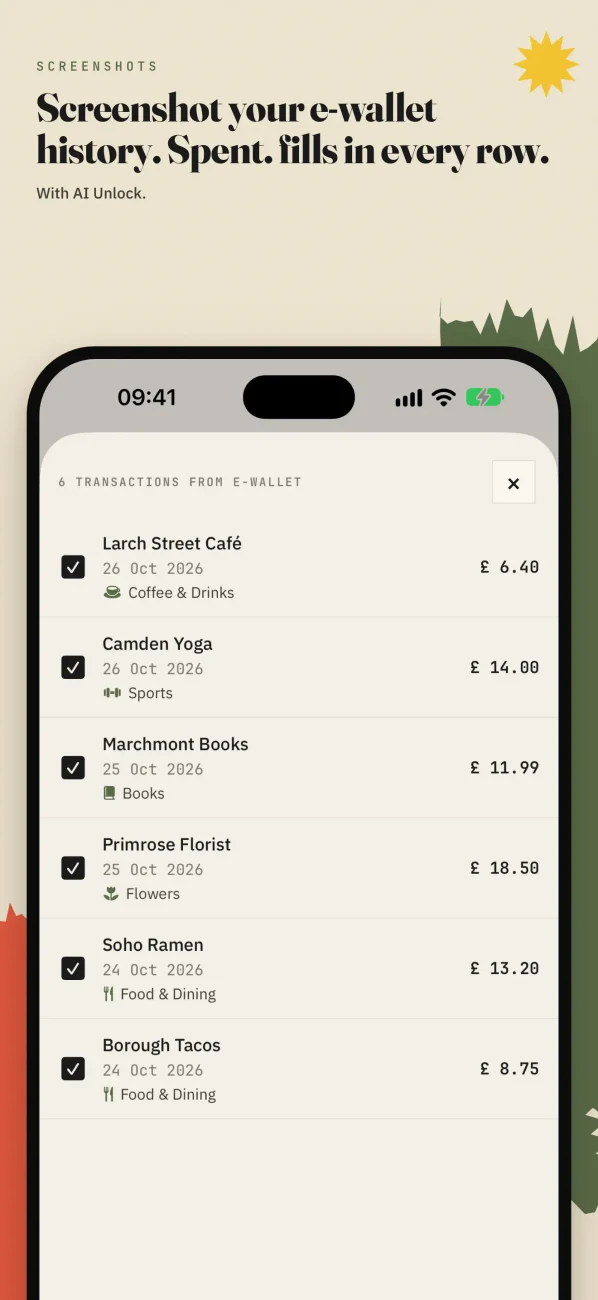
Screenshot your e-wallet history. Spent. fills in every row. It reads bank and wallet screenshots and receipts, turns "lunch 12" into an entry, and suggests clean names and categories. On iPhone 15 Pro or later running iOS 26 or later with Apple Intelligence on, this runs on Apple's on-device model with nothing to download, and you can try it free for 7 days. Other iPhones download Spent.'s model once (3.6 GB). Either way it reads on your phone (Cloud check, below, is the one optional exception), and you check every entry before it saves.
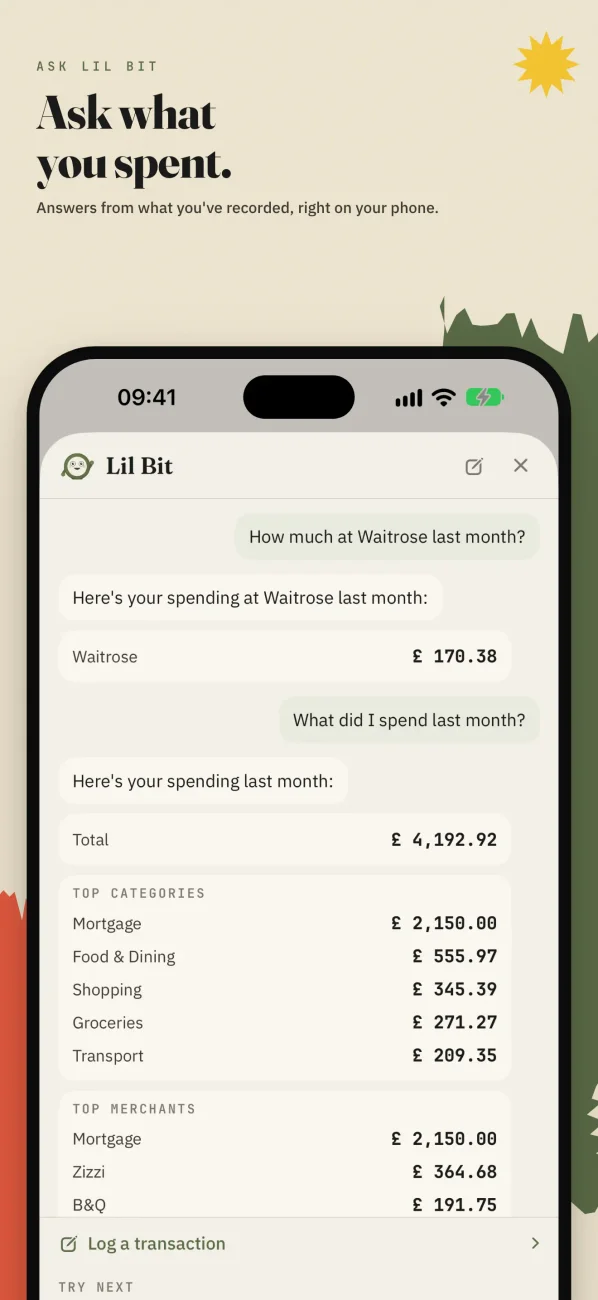
ASK LIL BIT (FREE)
Lil Bit, the little bookkeeper inside Spent., answers from what you've recorded, right on your phone.
• "How much on food this month?"
• "How much at Waitrose last month?"
• "Compare this month and last"
• "Am I over budget?"
BUDGETS
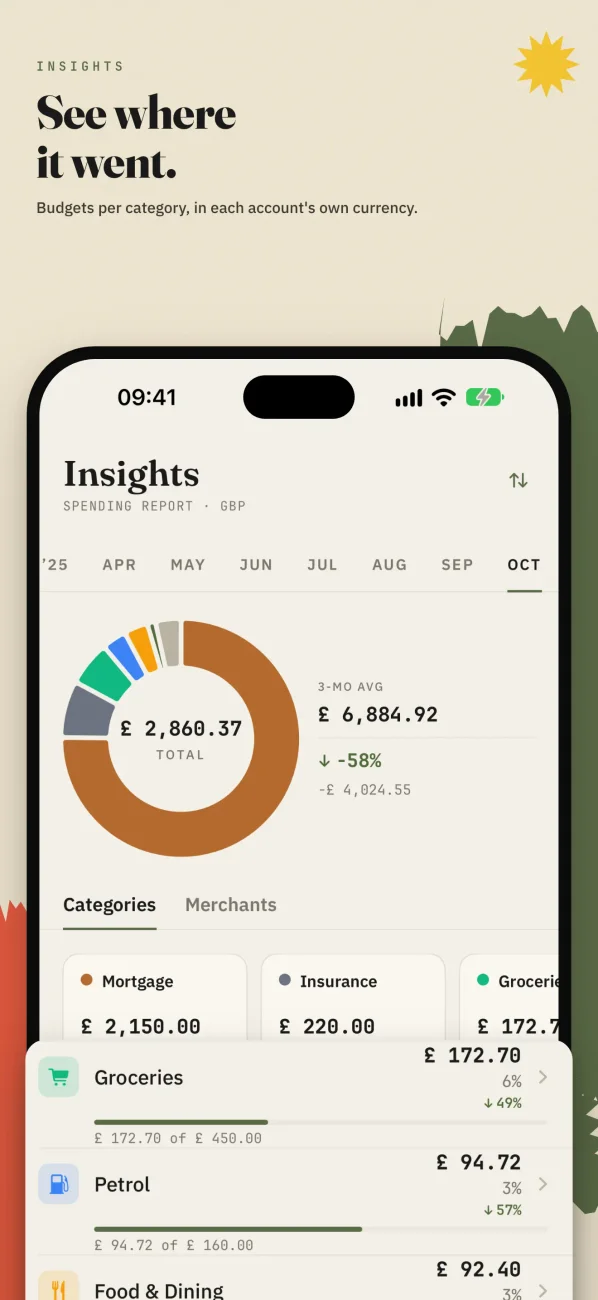
Set a monthly limit for any category and Insights draws a quiet bar under it, so you can see under, near or over at a glance. Per currency, and included in your backups.
WHAT ELSE YOU CAN DO
• Track expenses, income and transfers across accounts
• Multi-currency: each account keeps its own currency, with no conversions
• Insights by category and merchant, month over month
• Scan a pile of receipts for free with on-device text recognition; each waits in your review list with its photo
• Double-tap the back of your iPhone on a payment screen to log it (one-time Back Tap setup)
• Pick a category for new captures with one tap in your review list
• Select several transactions and change their category, merchant, account or notes at once
• See and edit what Spent. remembers about each merchant
• Recurring transactions and duplicate detection
• Home Screen widget to log, scan or ask in one tap; it shows no data by design
• Privacy mask hides every balance with one tap
• Siri and Shortcuts
• Full backup and restore, any time
PRIVACY BY DESIGN
Spent. has no server and no account. Nothing is collected, so there is nothing to leak. The AI runs on your iPhone. Cloud check is optional: only if you allow it, Spent. sends the text it read, never the photo, to Apple's Private Cloud Compute for a second look, and Apple can't store it. Your receipts, balances and habits stay with you.
Free: manual tracking, bank alerts, Apple Pay capture, Lil Bit chat, receipt scanning, budgets and insights. AI Unlock is one payment for screenshot import, AI receipt reading, typed entries and AI suggestions. No subscription, ever.
Your expenses, tracked privately.
Neue Funktionen
Version 2.2 · 02.11.2026
Your bank already tells you. Now you just pick the apps.
• Bank alerts, no rules. On iOS 27, open Settings > Bank notifications, get the shortcut and pick the apps that tell you you've paid. Each payment waits for you to check.
• Scan a pile of receipts and keep going. Spent. reads them while you carry on. Check each one against its photo, and Save opens the next. Without AI Unlock, 3 are read at a time.
• Settings, rearranged. What you capture comes first. What Spent. knows lists each shop once.
App-Datenschutz
Was Chee Leong CHONG im App Store zum Umgang dieser App mit Daten angibt.
-
Keine Daten erfasst
Der Entwickler erfasst keine Daten von dieser App.
Die Datenschutzpraktiken können variieren, zum Beispiel je nach den von Ihnen verwendeten Funktionen oder Ihrem Alter.
Informationen
- Anbieter
- Chee Leong CHONG
- Kategorie
- Finanzen
- Version
- 2.2
- Aktualisiert
- 02.11.2026
- Veröffentlicht
- 25.06.2026
- Größe
- 40,0 MB
- Erfordert
- iOS 18.6 oder neuer
- Altersfreigabe
- 4+
- In-App-Käufe
- Ja
- Sprachen
- Englisch
- Copyright
- © 2026 EC
Das könnte Ihnen auch gefallen
-
 Spent: Expense TrackerFinanzen
-
 Spenti: Kassenbon & AusgabenKassenbon-KI, offline & privat
-
 Spent - Speak it. It's saved.Finanzen
-
 wym: where's your moneyFinanzen
-
 Daytab: HaushaltsbuchAusgaben & Belege erfassen
-
 AI Expense Tracker: SpentFinanzen
-
 Plut: Track, Budget, PlanFinanzen
-
 Bdgt - Monthly Budget TrackerFinanzen
-
 Orbit SpendingFinanzen
-
 CoffrBox - Spending TrackerFinanzen