
Stashwise: AI Second Brain
Teach AI to use your knowledge
Entwickelt für iPhone, iPod touch
Kostenlos · In-App-Käufe
- Altersfreigabe4+
- KategorieProduktivität
- EntwicklerScott Lai
- SprachenEnglisch
- Größe105,7 MB
Verlinkt auf die offizielle App Store-Seite
Download.org hostet keine Datei von Stashwise: AI Second Brain. Die Schaltfläche öffnet die App-Seite bei App Store, wo Scott Lai die App veröffentlicht. Eintrag zuletzt geprüft am 18.11.2026.
Screenshots
Info
Der Entwickler hat diesen Text nicht in Ihrer Sprache bereitgestellt.
Stashwise is the second brain your AI can actually use.
You already collect the good stuff: articles, videos, posts, ideas, tutorials, research, tools. But it piles up, disappears into folders, and goes missing the moment you need it. Worse, none of it is available to the AI tools you work in every day.
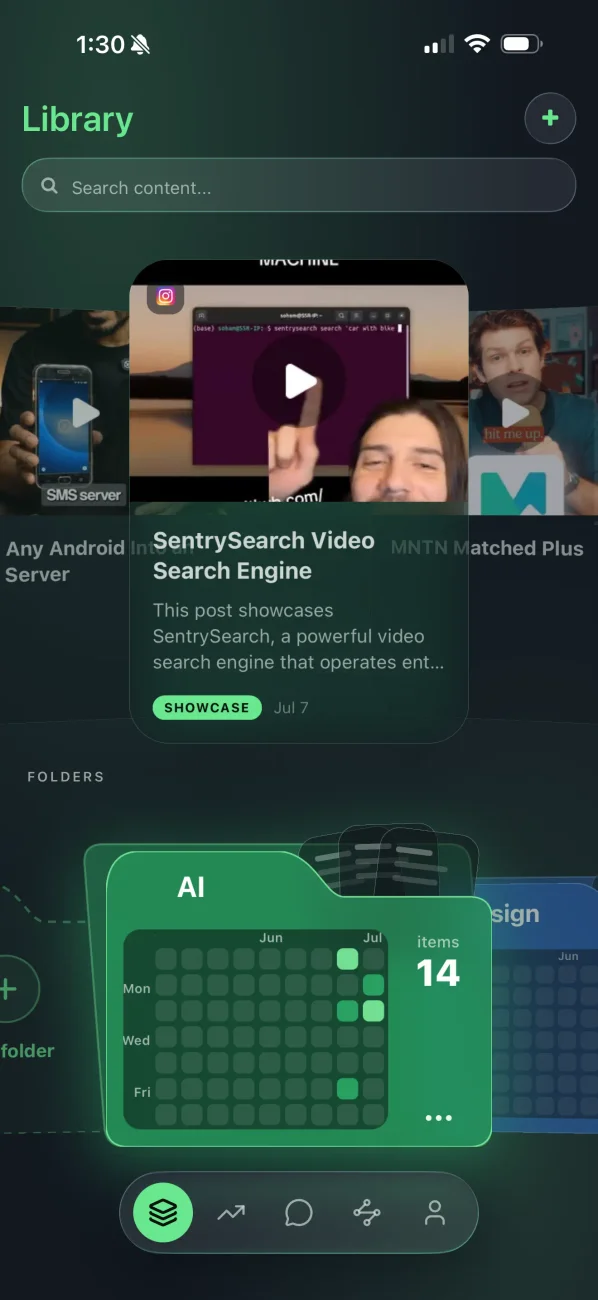
Stashwise fixes both. Save a link, video, or note, and it pulls out the useful parts for you: summaries, key takeaways, topics, connections, and learning paths. Everything you keep becomes a structured, searchable personal wiki.
Then it goes further than a notes app ever could. Connect your AI tools, and they can read and search everything you have saved, right inside your own workflow. You choose what goes in, so your assistant is grounded in sources you actually trust instead of whatever the open web returns. You are building the knowledge, and putting your AI to work on it.
Collect what matters. Your AI uses it anywhere you want.
- What you can do:
- Give your AI your knowledge
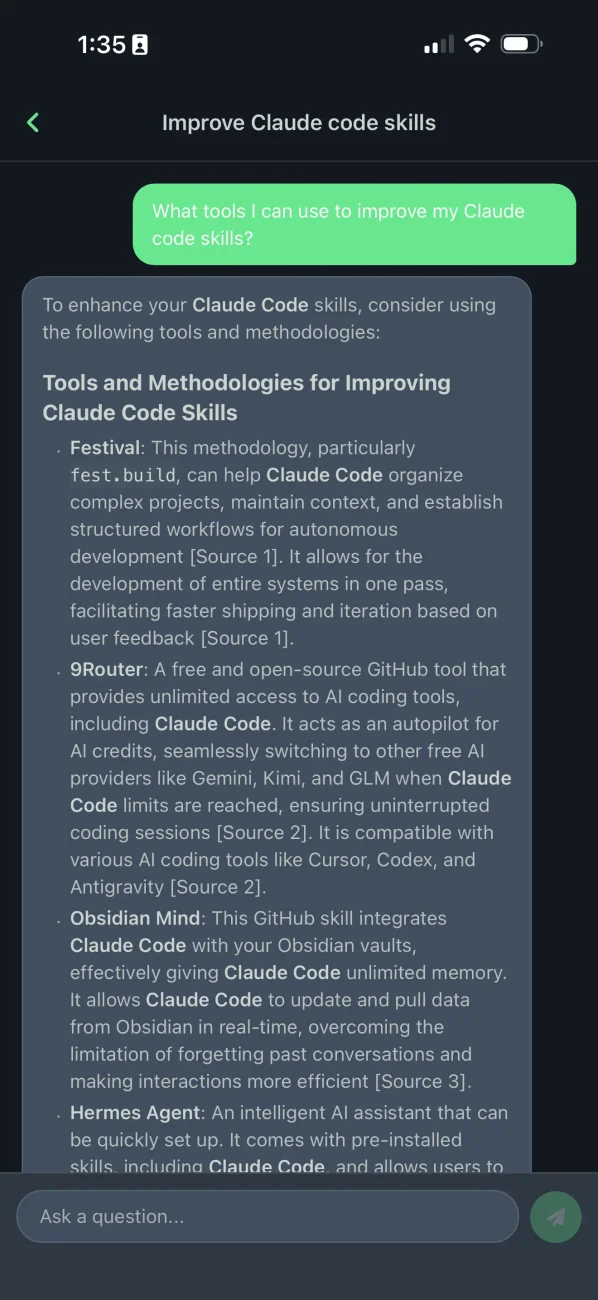
Connect Stashwise to your AI tools so they can draw on your saved library while you work, grounded in what you collected, not random web results.
- Search your own collection
Ask questions and get answers from the things you saved, not the open web.
- Chat with your saves
Understand articles, compare ideas, pull out details, and make sense of a messy collection.
- Create Learn Guides
Turn saved material into structured learning paths built from resources you already found interesting.
- Analyze videos
Save supported videos and clips so they become searchable, summarized, and easy to revisit.
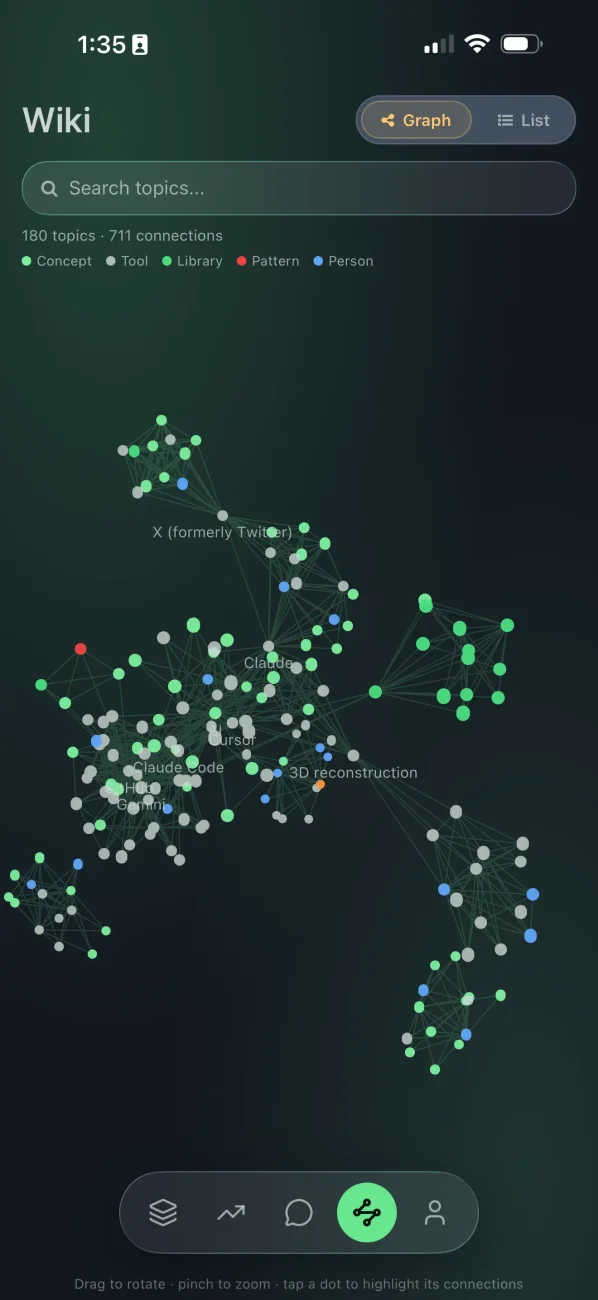
- Build a personal wiki automatically
Stashwise extracts topics, summaries, and relationships without making you tag everything by hand.
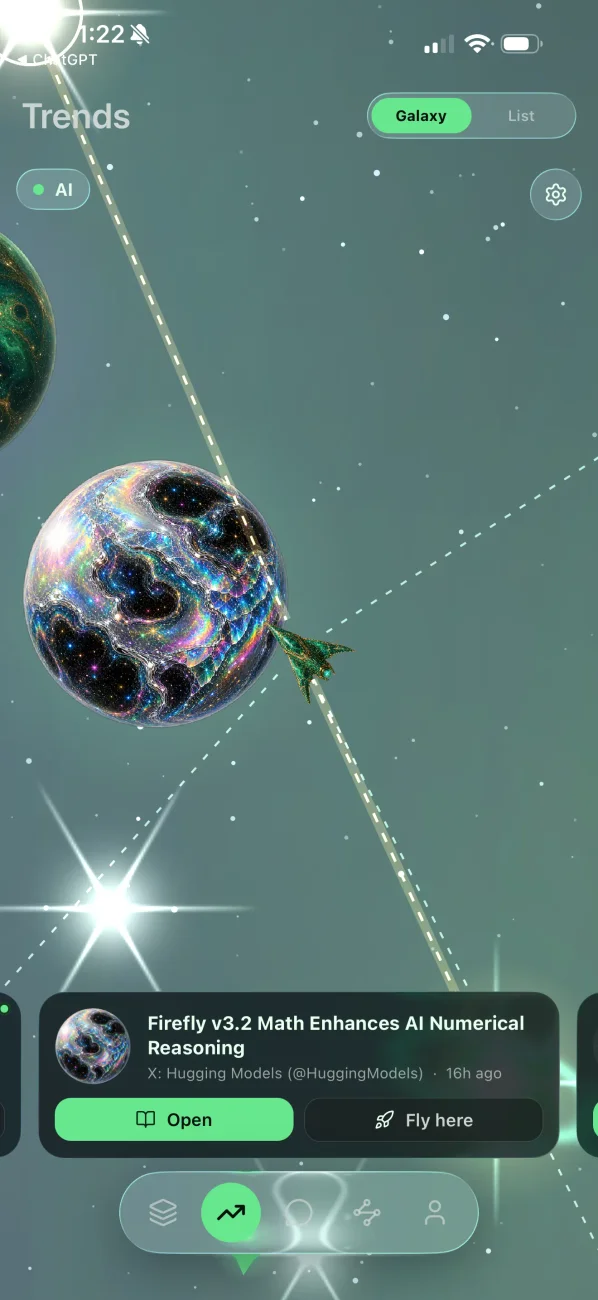
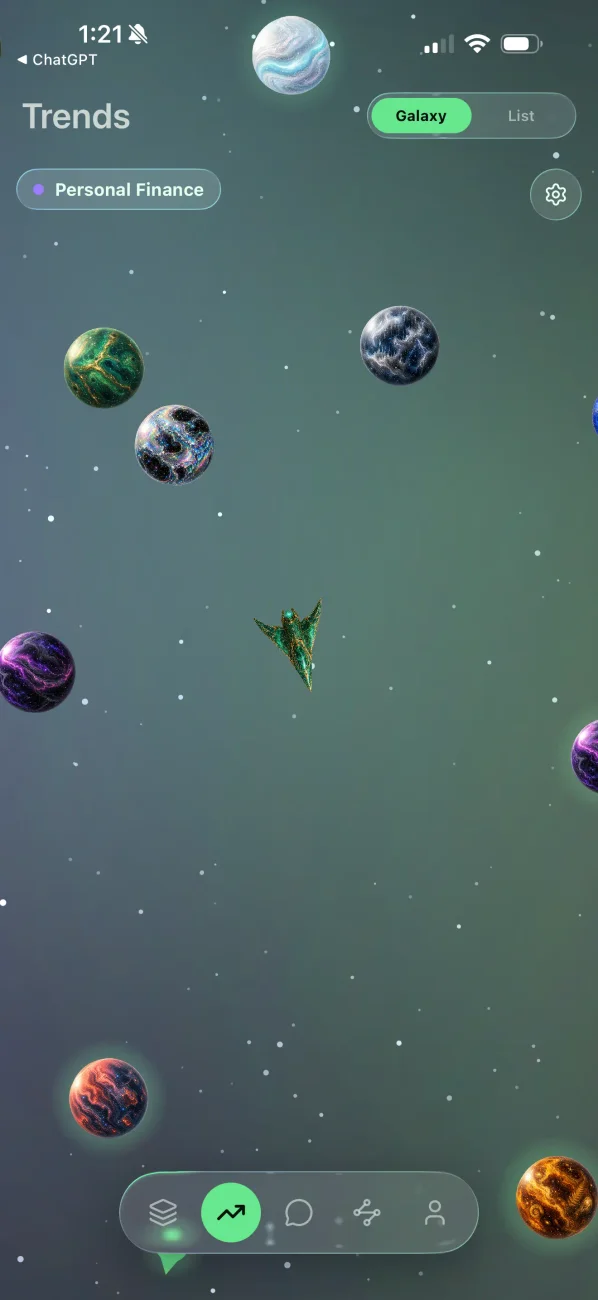
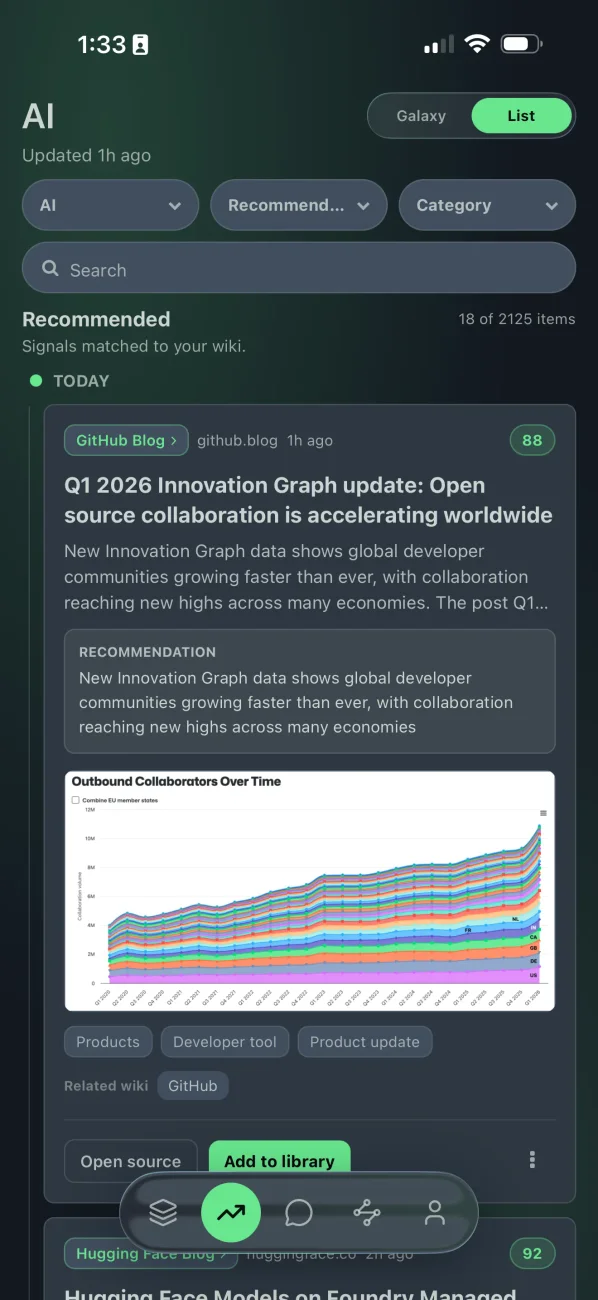
- Catch relevant trends
See emerging topics that connect back to your saved knowledge, so new ideas are easier to place.
- Own your knowledge
Your wiki is never locked in. Export to Markdown or Obsidian, keep a local backup, or bring your saved context into your own workflows. Your notes, your wiki, and your AI should all be able to use the knowledge you already collected.
- Who it is for
Stashwise is for builders, students, researchers, creators, and curious people who save more than they can process. If your bookmarks, notes, and watch lists are a pile you meant to come back to, Stashwise turns that pile into knowledge you and your AI can actually use.
Collect the knowledge. Put your AI to work on it. Grow a brain you own.
Terms of Use (EULA): https://stashwise.co/terms
Privacy Policy: https://stashwise.co/privacy
Neue Funktionen
Version 1.2.0 · 25.08.2026
This release is built around what you actually do with the things you save.
- MIRROR
Your profile is now Mirror: a read of what your library says about your interests and how they connect. Settings moved to the button in the top right.
- TIMELINE
A fourth way to see your Library, in date order, grouped by day, week or month. Select several saves at once to file, flag, retire or delete them together.
- GRAPH
Your wiki and the uses you have built up now sit side by side. Tap any point to see what it connects to and which saves it came from.
LINKEDIN
- Profiles and posts now save properly, and a saved post appears the way LinkedIn shows it. Sign in once on your device, and end that session whenever you want.
- SMALLER THINGS
Your Library refreshes when you come back to it, so anything saved on the web or through the extension turns up without a restart. Pull to refresh works again. The first run explains itself in an order that makes sense. Pairing links open straight in the app. Xiaohongshu no longer asks for a sign in it never needed.
App-Datenschutz
Was Scott Lai im App Store zum Umgang dieser App mit Daten angibt.
-
Mit Ihnen verknüpfte Daten
Können erfasst und mit Ihrer Identität verknüpft werden.
- Käufe
- Kontaktinformationen
- Benutzerinhalte
- Suchverlauf
- Browserverlauf
- Kennungen
- Nutzungsdaten
Die Datenschutzpraktiken können variieren, zum Beispiel je nach den von Ihnen verwendeten Funktionen oder Ihrem Alter.
Informationen
- Anbieter
- Scott Lai
- Kategorie
- Produktivität
- Version
- 1.2.0
- Aktualisiert
- 25.08.2026
- Veröffentlicht
- 22.06.2026
- Größe
- 105,7 MB
- Erfordert
- iOS 15.1 oder neuer
- Altersfreigabe
- 4+
- Preis
- Kostenlos
- In-App-Käufe
- Ja
- Sprachen
- Englisch
- Copyright
- © 2026 Stashwise LLC
Das könnte Ihnen auch gefallen
-
 Qibbi: Journal, Tasks & HabitsProduktivität
-
 Echo • Thinks like youProduktivität
-
 MonoPress: Thermal Day PlannerProduktivität
-
 Mother AI: Private AI MemoryProduktivität
-
 Ragondin AssistantProduktivität
-
 NoteAi - AI Note TakerProduktivität
-
 Memry.AIProduktivität
-
 Marko Viewer: Markdown-LeserKI-Dokumente live lesen
-
 Sublime Task: Focus PlannerProduktivität
-
 Orbit - AI Second BrainProduktivität