SteadyFlow
On-device AI photo-to-video
Entwickelt für iPhone, iPad, Mac
Kostenlos · In-App-Käufe
- Altersfreigabe4+
- KategorieFoto und Video
- EntwicklerLale Taneri
- SprachenEnglisch
- Größe23,4 MB
Verlinkt auf die offizielle App Store-Seite
Download.org hostet keine Datei von SteadyFlow. Die Schaltfläche öffnet die App-Seite bei App Store, wo Lale Taneri die App veröffentlicht. Eintrag zuletzt geprüft am 17.11.2026.
Screenshots
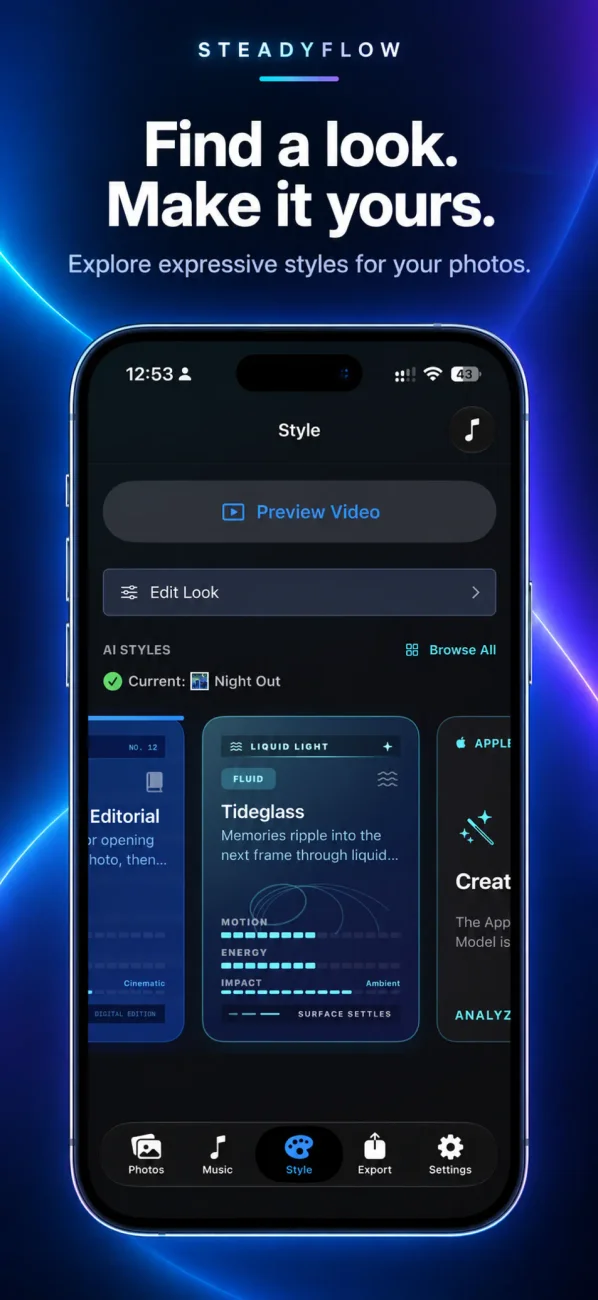
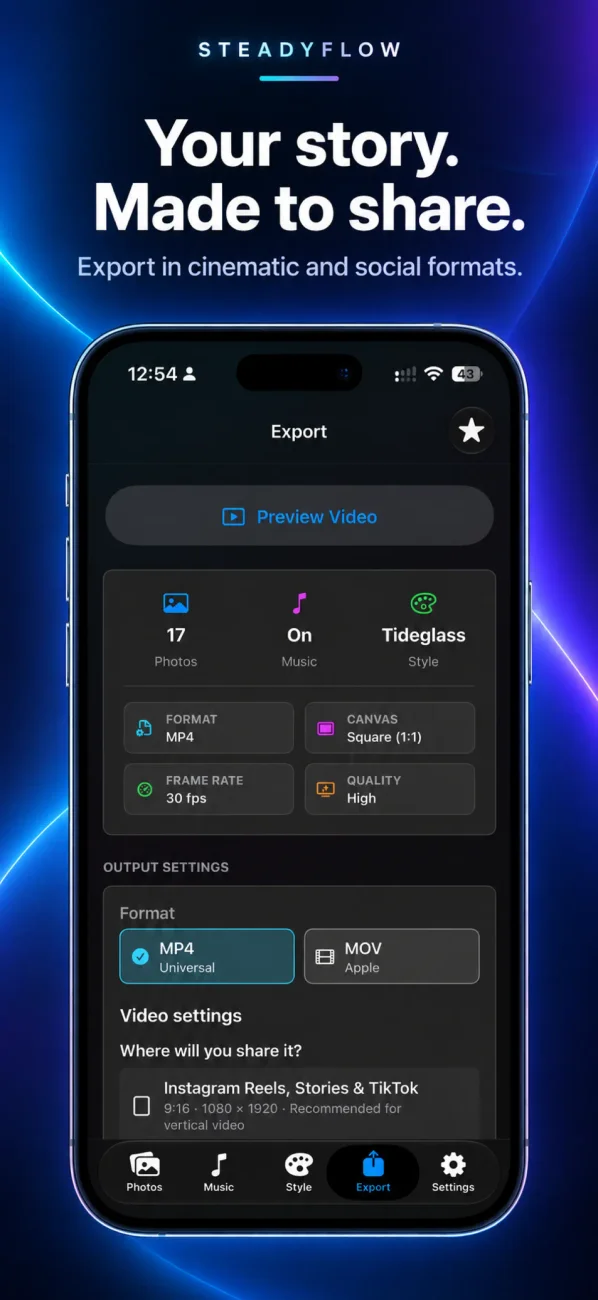

Info
Der Entwickler hat diesen Text nicht in Ihrer Sprache bereitgestellt.
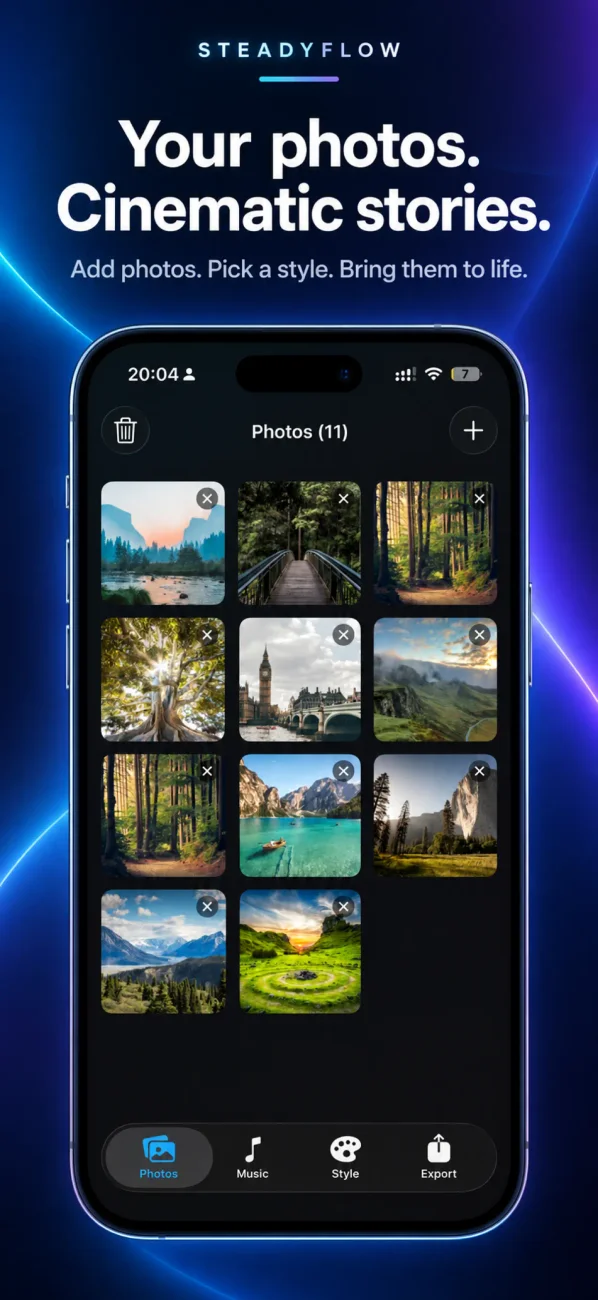
SteadyFlow turns your photos, Live Photos, and video clips into beat-synced videos right on your device. Powered by Apple’s Vision Framework, Core ML, and Metal, SteadyFlow analyzes your scenes, matches cuts to the music, and renders up to 4K locally—with no account and no subscription.
New in 8.0
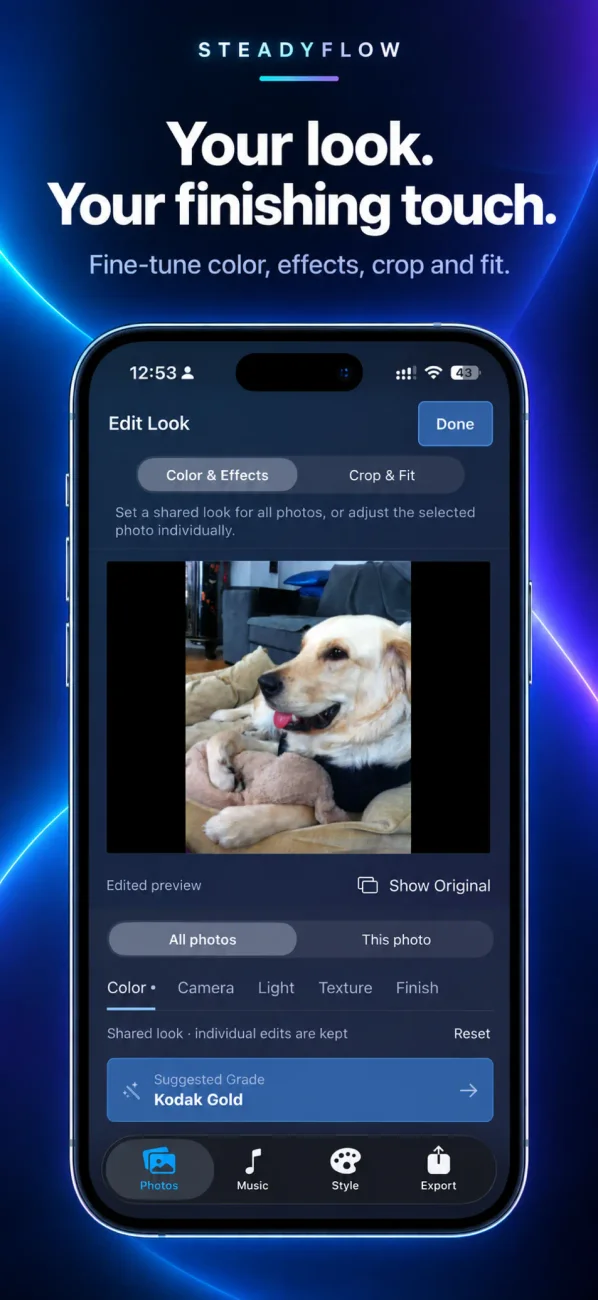
Video Clip Start Time: import any video (.mp4, .mov, .m4v) and scrub the filmstrip in Crop & Fit to choose the exact moment playback begins.
Cartoon Reveal: transform any photo from original to cartoon mid-slide with six transitions—Shatter, Tile Flip, Mosaic Pop, Wipe, Dissolve, and Drawn-in—timed to the beat.
Photo Stickers Studio & AI Cutouts: lift any subject from a photo in one tap with Apple Vision, or layer text badges, emoji, icons, and shapes with beat-synced animations.
Cuts & Beats Studio: see every musical beat, bar start, and energy peak on an interactive waveform, snap cuts to beats, and add Beat Hits.
Signature Styles: Fashion Editorial (with face-safe magazine framing), Emberglass (real-fire transitions and crackling fire soundscape), 3D Photo Cube, and Stacked Polaroid.
Captions, Title Cards & Cartoons: write on any photo with speech bubbles and styles, open on a six-look title card, or turn photos into 3D animation, illustration, or sketch with Apple Intelligence.
Forget complex timelines. SteadyFlow’s AI Director analyzes your media, understands each scene, and builds a story with matching mood, music, and motion—or lets you fine-tune every cut and look yourself.
Built on Apple technology:
Deep Scene Understanding (Vision Framework): Recognizes faces, pets, landscapes, and action scenes to frame subjects cleanly and choose a fitting editing strategy.
High-Performance Rendering (Metal): Delivers smooth real-time previews and fast hardware-accelerated exports on Apple Silicon.
On-Device Intelligence (Core ML): Runs scene, beat, and subject cutout analysis locally on the Neural Engine.
Key Features:
AI Director Mode
Adaptive Styles: Automatically selects themes like "Urban Velocity" for city trips, "Warm Vintage" for family moments, or "Monochrome Soul" for black & white scenes.
Smart Pacing: Adjusts cut speed and energy to match your content—fast and rhythmic for action, slow and cinematic for nature.
Cinematic Visuals
3D Parallax & Live Motion: Adds depth separation to still photos and plays Live Photos and trimmed video clips seamlessly inside any style.
Pro Color Grading: Includes procedural color presets like Teal & Orange, Vibrant, Warm Vintage, and Film Noir.
Dynamic Transitions & Beat Hits: Pairs context-aware transitions—Whip Pans, Light Leaks, Zoom Bursts, and Emberglass fire—with beat-synced accents.
Music & Beat Sync
Beat-Matched Editing: Cuts photos and triggers transitions and sticker animations on the beat.
Smart Audio: Detects high-energy sections of a song so your video starts at the best moment with smooth audio fades.
Library & Import: Choose from bundled royalty-free tracks or import your own audio files.
Privacy First
Your media stays on your device. SteadyFlow works privately and offline using on-device machine learning. The one exception is cartoons: Apple Intelligence may create them using Apple’s Private Cloud Compute.
Pricing
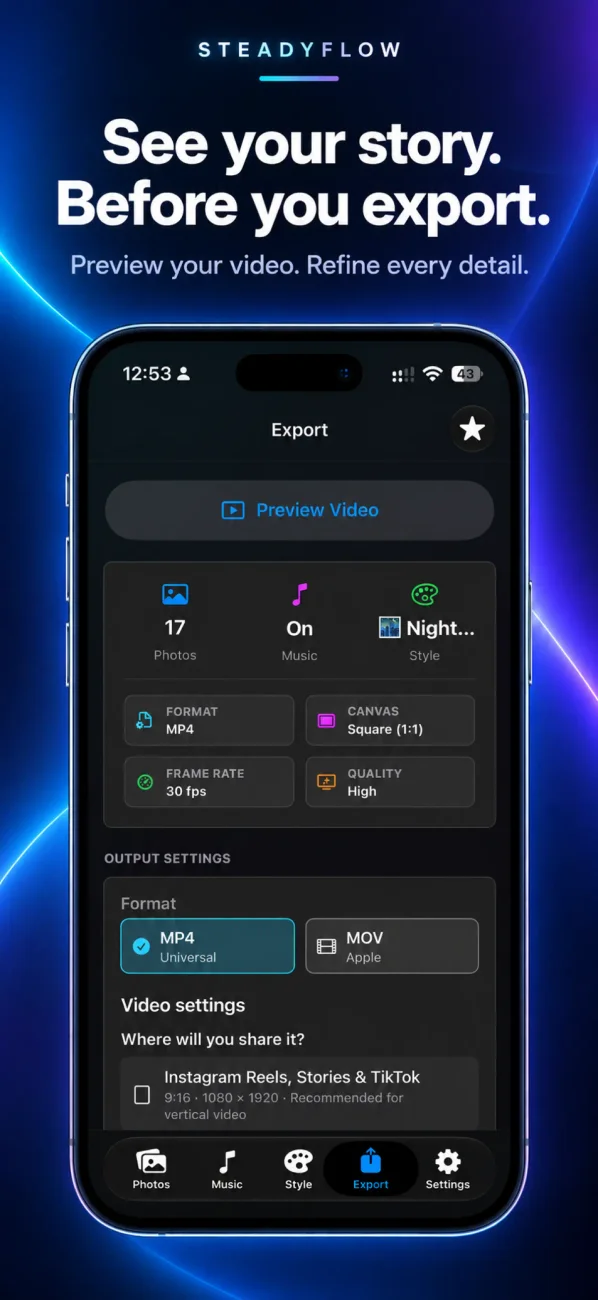
Free to download, with 5 free standard exports. Preview Video and all studio tools—Edit Look (color, captions, title cards, cartoons, and Cartoon Reveal), Stickers (including AI cutouts), and Cuts & Beats Studio—are free to try. One lifetime purchase, with no subscription, unlocks unlimited exports and exporting with every studio feature.
Cartoons need a device with Apple Intelligence turned on.
Neue Funktionen
Version 8.0.0 · 16.11.2026
Video Clip Start Time Trimmer: import any video file (.mp4, .mov, .m4v) and choose the exact moment where playback begins. Scrub the 8-frame filmstrip or slider in Crop & Fit, tap the VIDEO · M:SS badge on any video card, or use Choose Video Start… from the context menu—automatically clamped so the clip fills its full hold duration across Preview, Export, and 3D Photo Cube.
Cartoon Reveal in Edit Look: transform any photo from original to stylized cartoon mid-slide with six reveal transitions—Shatter, Tile Flip, Mosaic Pop, Wipe, Dissolve, and Drawn-in—with automatic 2-beat Beat-Hit snap and live editor preview.
Emberglass Style & Fire Soundscape: a warm real-fire transition style with glowing embers, a twilight finale, and a layered crackling fire soundscape.
Fashion Editorial Face-Safe Framing: focal-aware magazine box placement keeps faces and subjects centered inside editorial spread frames without accidental cropping.
App-Datenschutz
Was Lale Taneri im App Store zum Umgang dieser App mit Daten angibt.
-
Nicht mit Ihnen verknüpfte Daten
Können erfasst werden, sind aber nicht mit Ihrer Identität verknüpft.
- Kennungen
Die Datenschutzpraktiken können variieren, zum Beispiel je nach den von Ihnen verwendeten Funktionen oder Ihrem Alter.
Informationen
- Anbieter
- Lale Taneri
- Kategorie
- Foto und Video
- Version
- 8.0.0
- Aktualisiert
- 16.11.2026
- Veröffentlicht
- 11.02.2026
- Größe
- 23,4 MB
- Erfordert
- iOS 16.0 oder neuer
- Altersfreigabe
- 4+
- Preis
- Kostenlos
- In-App-Käufe
- Ja
- Sprachen
- Englisch
- Copyright
- © @ Lale Taneri 2026
Das könnte Ihnen auch gefallen
-
 2Camera+Foto und Video
-
 Film TimestampFoto und Video
-
 CreatorCam: Dual-VideoaufnahmeHoch + Quer. Ein Tipp.
-
 ExiflyFoto und Video
-
 Stamio: Photo StampsFoto und Video
-
 Foto-Overlay-Kamera MemorieCamGleicher Winkel, neue Aufnahme
-
 PicSift - Fotos AufräumenVideos löschen, Speicher frei
-
 CollectorCam - BilderrahmenBriefmarke, Film & Postkarte
-
 Katzen-Sticker Maker: CatickerKatzenfoto zu KI-Stickern
-
 Mesh - Save Your MemoriesFoto und Video