STMCAM
配信対応のビデオカメラ
Entwickelt für iPhone, iPad, iPod touch
Kostenlos · In-App-Käufe
- Altersfreigabe4+
- KategorieFoto und Video
- EntwicklerSatoshi Warita
- SprachenEnglisch+ 1 weitere
- Größe49,1 MB
Verlinkt auf die offizielle App Store-Seite
Download.org hostet keine Datei von STMCAM. Die Schaltfläche öffnet die App-Seite bei App Store, wo Satoshi Warita die App veröffentlicht. Eintrag zuletzt geprüft am 16.11.2026.
Screenshots
Info
Der Entwickler hat diesen Text nicht in Ihrer Sprache bereitgestellt.
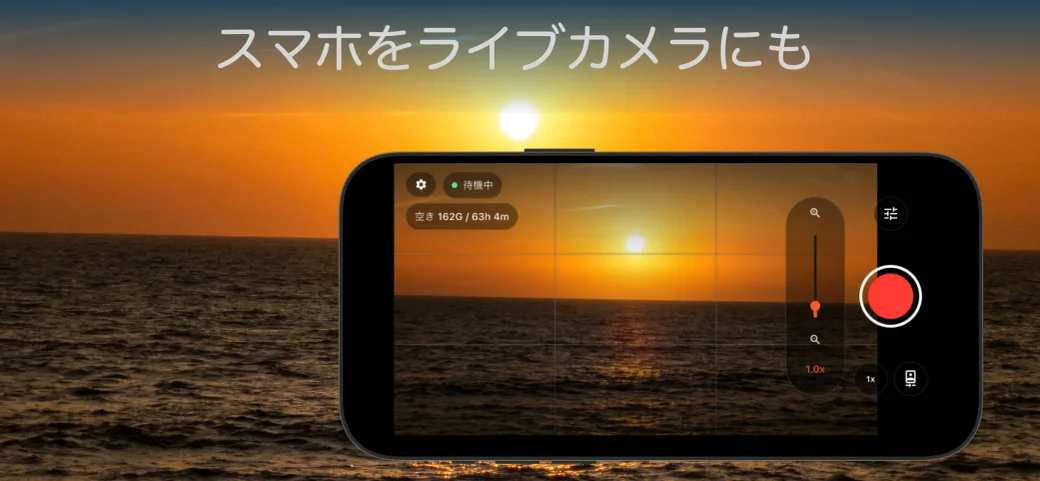
STMCAM turns your smartphone into a professional-grade camera for live streaming and video capture.
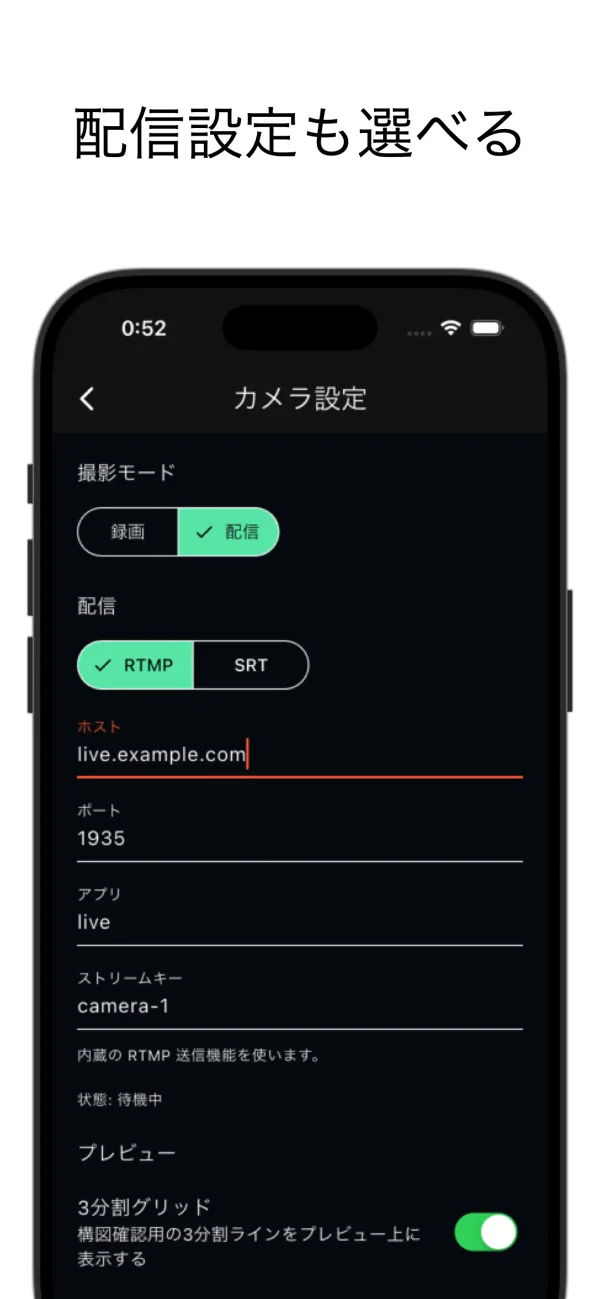
It supports both RTMP and SRT (MPEG-TS) streaming protocols, allowing you to send video directly to major platforms such as YouTube Live, Twitch, and Niconico Live. With SRT support, you can achieve stable streaming even in unstable network conditions.
From manual controls like ISO, shutter speed, and white balance, to composition aids such as a level indicator and rule-of-thirds grid, as well as streaming history and bookmarks, STMCAM provides a complete set of tools for on-site production.
Key Features
● Live Streaming (RTMP / SRT)
Start streaming by simply specifying the host and port. Streams H.264 video and AAC audio in real time.
● Streaming History & Bookmarks
Connection settings (protocol / host / port / app / stream key / stream ID) are automatically saved when you start streaming. Restore past settings with a single tap, or save them as named bookmarks for quick access.
● Video Recording
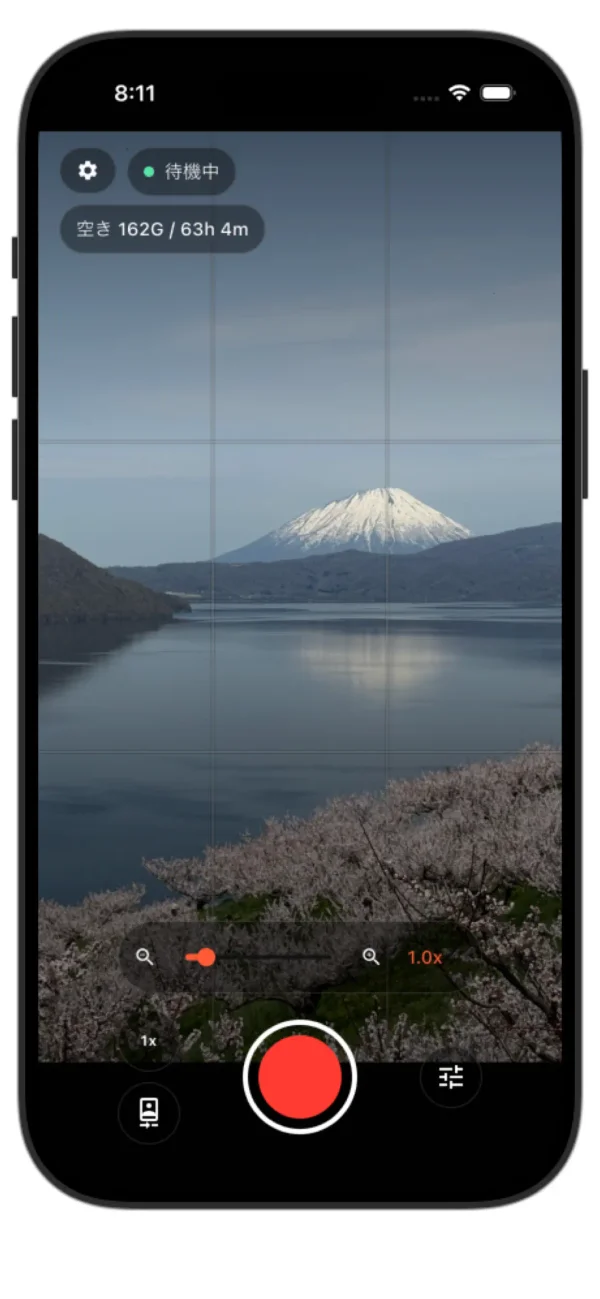
Record high-quality video directly to your device’s photo library. Displays remaining recording time and available storage during recording, and automatically stops when storage runs out.
● Manual Exposure (ISO / Shutter Speed)
Switch between auto and manual exposure. Independently adjust ISO and shutter speed in standard increments, suitable for low-light scenes, fast-moving subjects, and fixed exposure recording.
● White Balance Control
Choose from auto, five presets (daylight, cloudy, shade, fluorescent, tungsten), or custom measurement. For custom mode, simply align the target frame at the center of the screen with your subject to lock the color temperature.
● Focus Control
Switch between autofocus and manual focus. When switching from AF to MF, the current focus distance is preserved, allowing you to lock focus without altering composition.
● Composition Guides
Overlay a rule-of-thirds grid and level indicator on the preview. Achieves horizontal alignment within ±0.5°, with visual feedback turning green.
● Zoom / Exposure Compensation
Adjust seamlessly during both recording and live streaming.
● Audio On/Off
Independently control audio recording for streaming and video capture.
● Portrait & Landscape Support
Supports streaming and recording in all orientations, including portrait and both landscape directions.
Recommended For
* Users who want to live stream easily with just a smartphone
* Creators who need SRT protocol support
* Those streaming from outdoor or on-location environments
* Users who want full manual control over ISO, shutter speed, and white balance
* Those streaming within a local network, such as to a LAN server or OBS in offline environments
Neue Funktionen
Version 1.4.3 · 11.11.2026
Stability and security improvements and minor bug fixes.
App-Datenschutz
Was Satoshi Warita im App Store zum Umgang dieser App mit Daten angibt.
-
Nicht mit Ihnen verknüpfte Daten
Können erfasst werden, sind aber nicht mit Ihrer Identität verknüpft.
- Nutzungsdaten
- Diagnose
Die Datenschutzpraktiken können variieren, zum Beispiel je nach den von Ihnen verwendeten Funktionen oder Ihrem Alter.
Informationen
- Anbieter
- Satoshi Warita
- Kategorie
- Foto und Video
- Version
- 1.4.3
- Aktualisiert
- 11.11.2026
- Veröffentlicht
- 07.04.2026
- Größe
- 49,1 MB
- Erfordert
- iOS 15.0 oder neuer
- Altersfreigabe
- 4+
- Preis
- Kostenlos
- In-App-Käufe
- Ja
- Sprachen
- Englisch, Japanisch
- Copyright
- © Satoshi Warita
Das könnte Ihnen auch gefallen
-
 Hoc DropFoto und Video
-
 DualCam Master PlusFoto und Video
-
 SetMyCameraFotografie-Rechner
-
 Video Konverter Pro15+ Formate, Wasserzeichen
-
 LiveControl: Mobile StreamingFoto und Video
-
 Live Publisher: RTMP SRT NDIFoto und Video
-
 Duo Clean :Swipe Fotos löschenFoto Cleaner & KI-Editor
-
 CastreamGo Live Everywhere in Seconds
-
 VidiUFoto und Video
-
 ZERO RECFoto und Video