Stream Cleaner
Search, Clean & Free Space
Entwickelt für iPhone
Kostenlos · In-App-Käufe
- Altersfreigabe4+
- KategorieDienstprogramme
- EntwicklerDzmitry Yankouski
- SprachenEnglisch+ 25 weitere
- Größe226,1 MB
Verlinkt auf die offizielle App Store-Seite
Download.org hostet keine Datei von Stream Cleaner. Die Schaltfläche öffnet die App-Seite bei App Store, wo Dzmitry Yankouski die App veröffentlicht. Eintrag zuletzt geprüft am 15.11.2026.
Screenshots

Info
Der Entwickler hat diesen Text nicht in Ihrer Sprache bereitgestellt.
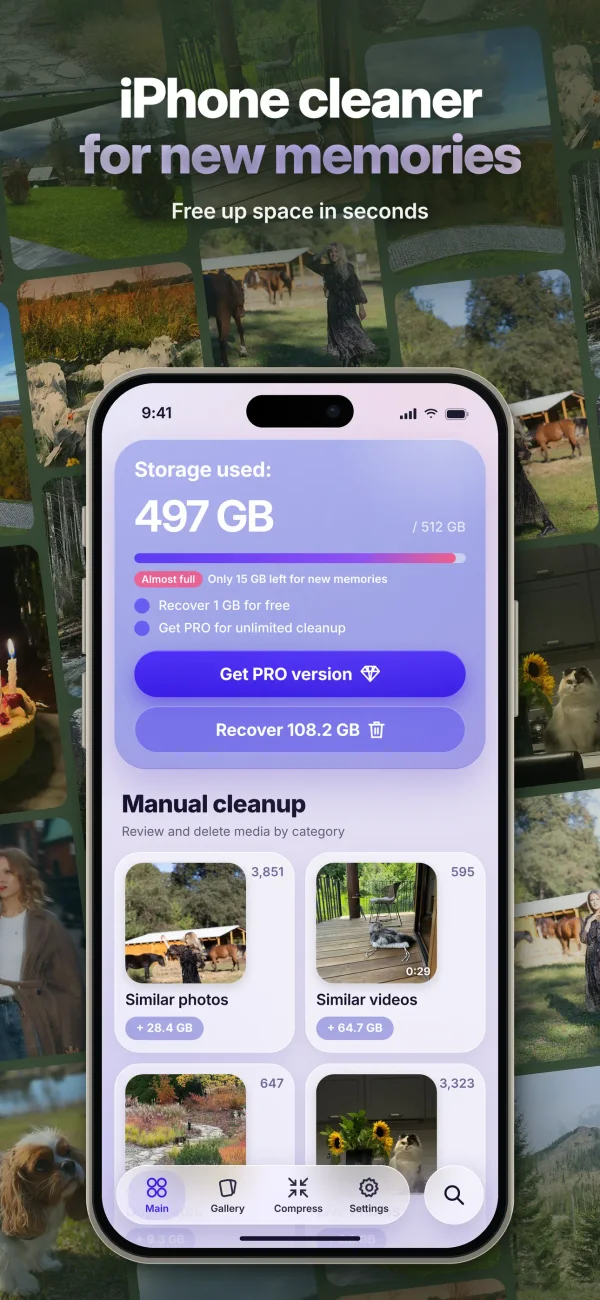
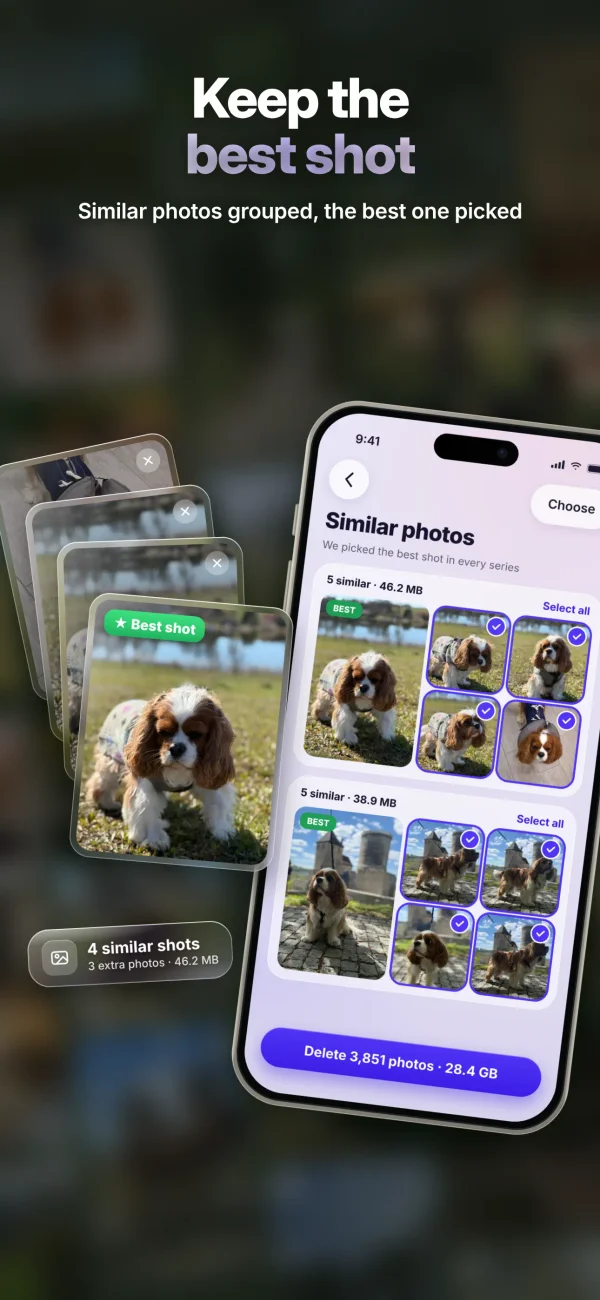
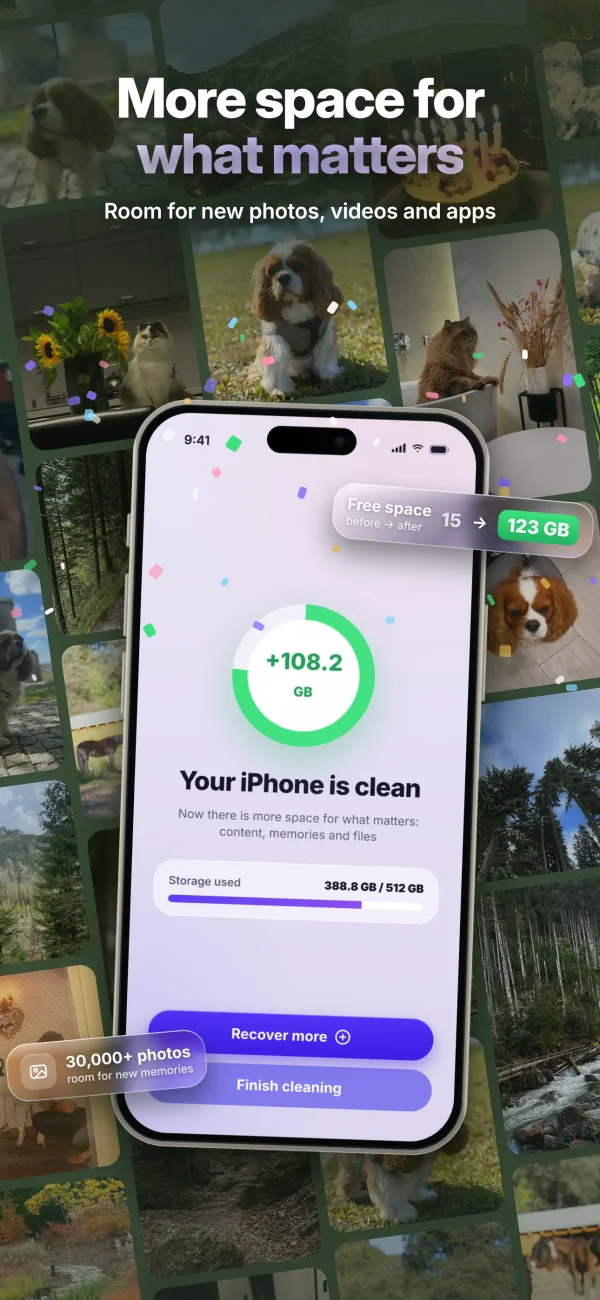
Find duplicate and similar photos and videos, keep your favourites and free up valuable iPhone storage.
Stream Clean combines smart cleanup, AI search, swipe browsing and compression to help you organise your photo library. Find the memories you want, reduce clutter and decide exactly what stays.
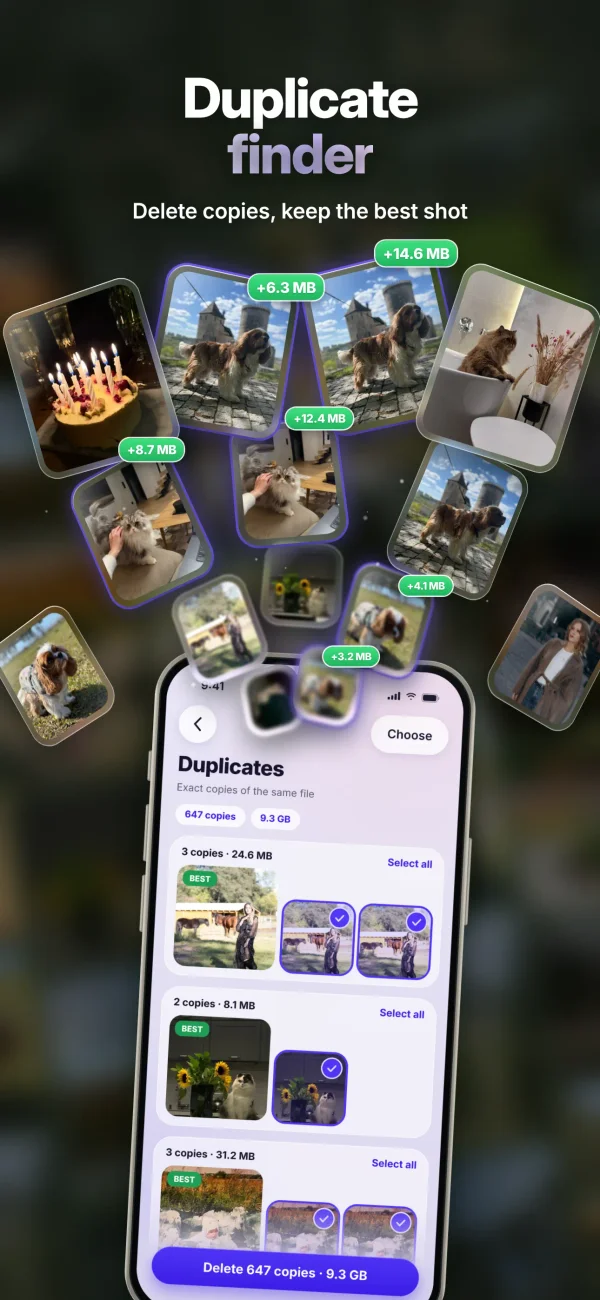
DUPLICATE AND SIMILAR PHOTOS & VIDEOS
Find exact copies and groups of similar photos and videos. Compare repeated shots, choose your favourites and remove the extras.
From dozens of selfies to repeated video clips, make room for new memories without losing track of the ones you love.
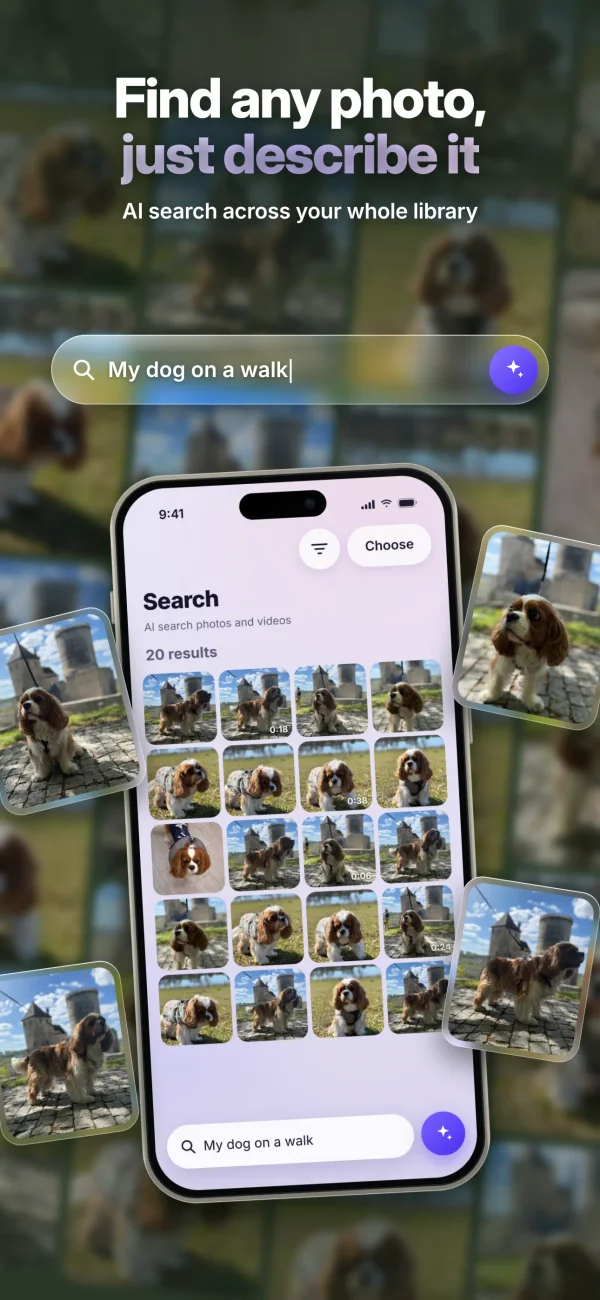
AI SEARCH FOR PHOTOS AND VIDEOS
Find photos and videos by describing what you are looking for.
Enter a word, phrase or full sentence, such as “a dog on the beach”. Stream Clean analyses your library and finds media that matches the meaning of your request.
Search for people, animals, objects, places, activities, events and visual details without scrolling through thousands of files.
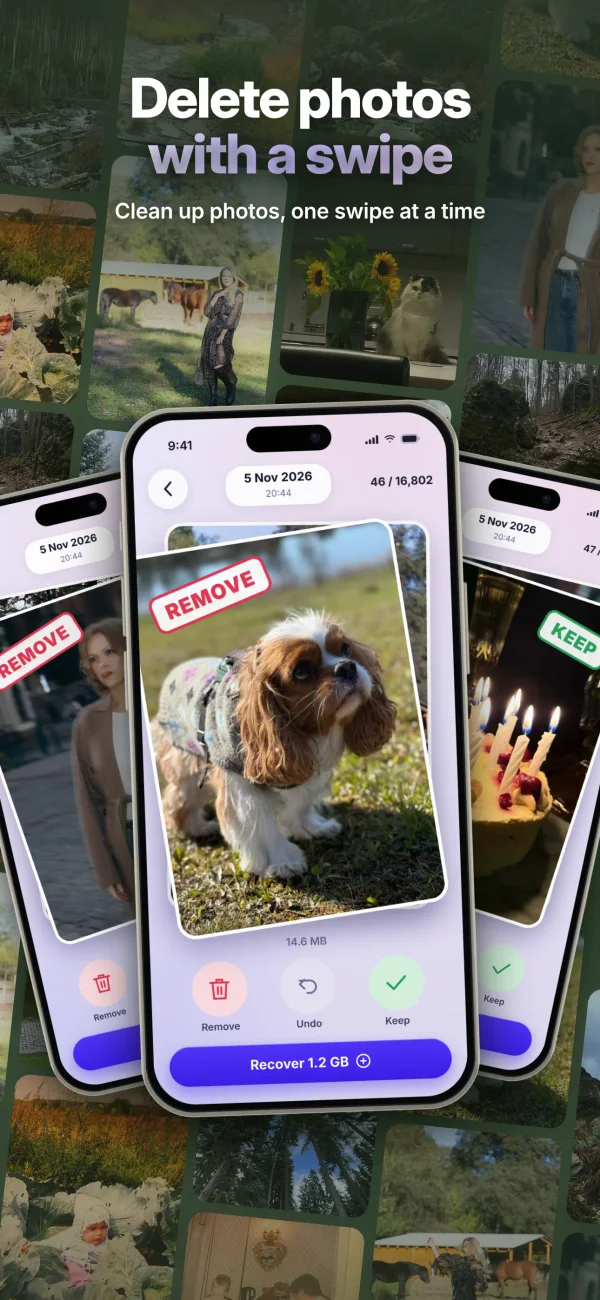
SWIPE TO CLEAN
Review your gallery one photo at a time. Swipe left to mark a photo for removal or right to keep it.
Changed your mind? Undo your last swipe. Review your choices and confirm the cleanup when you are ready.
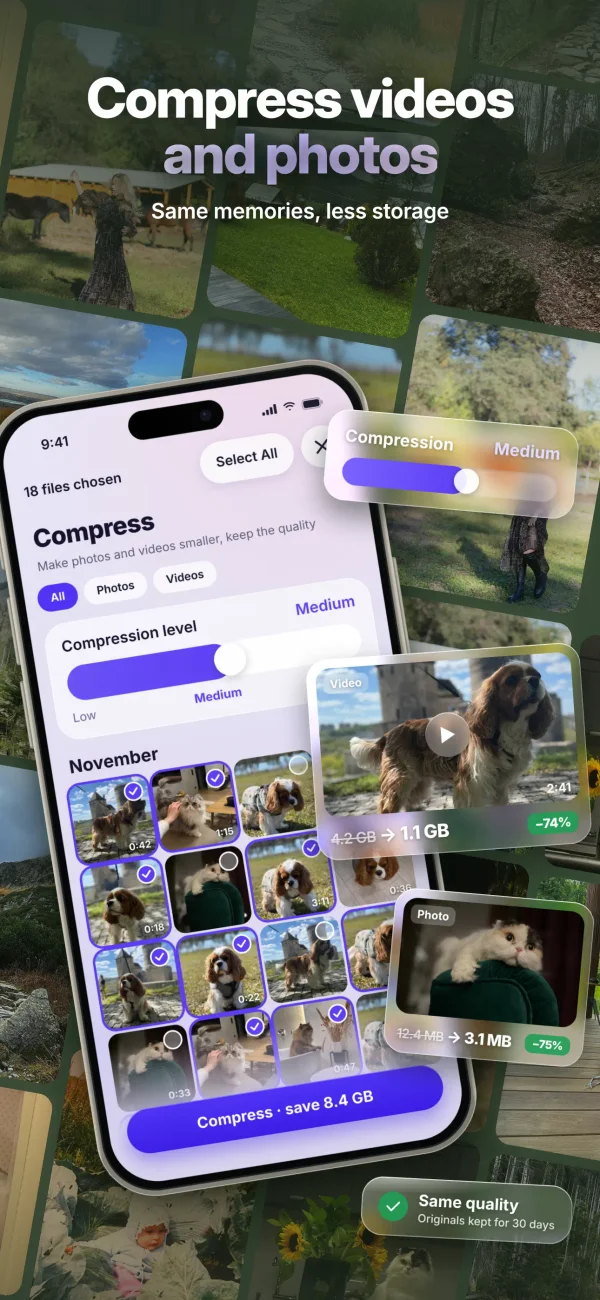
PHOTO AND VIDEO COMPRESSION
Reduce the size of photos and videos to free up storage. Choose the files you want to compress and select a low, medium or high compression level.
SMART AND MANUAL CLEANUP
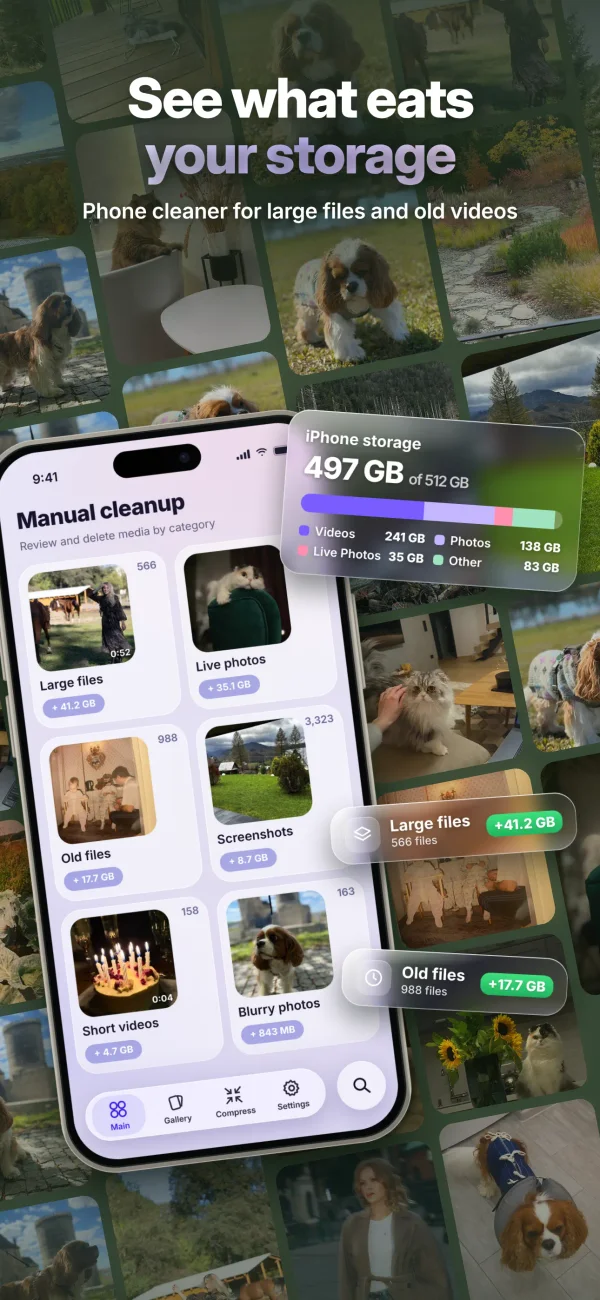
Get personalised cleanup recommendations or browse your media by category.
Find and review:
• Duplicate photos and videos
• Similar photos and videos
• Blurry photos
• Screenshots
• Large files
• Short videos
See how much storage is used and estimate how much space you can recover before completing a cleanup.
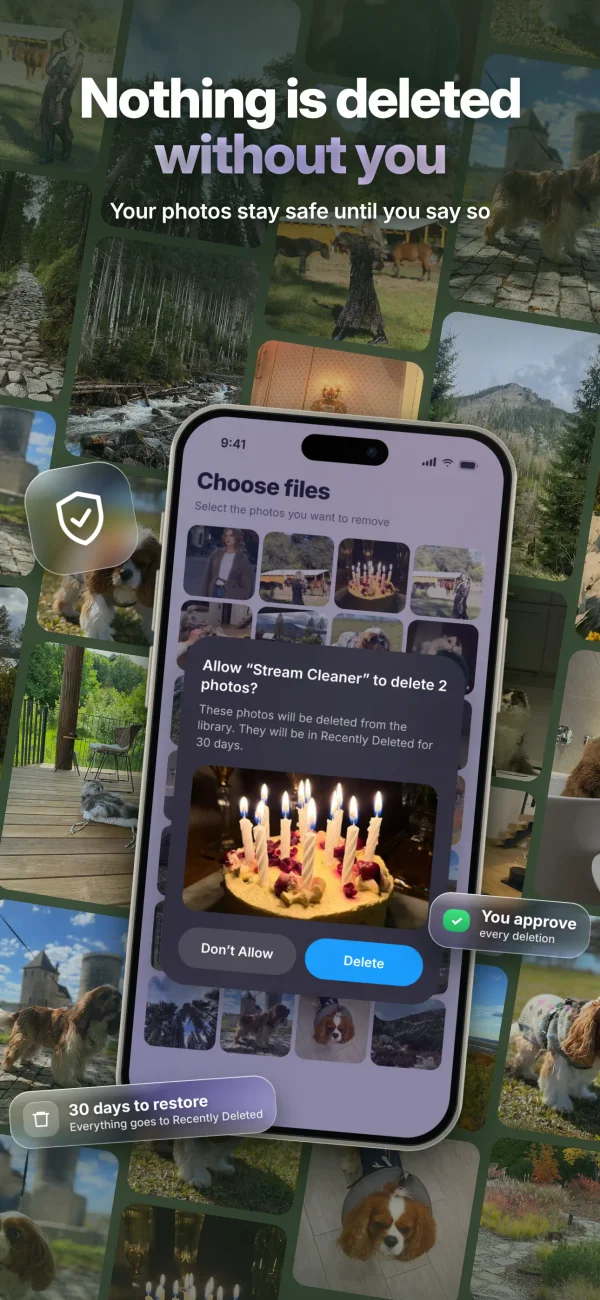
You stay in control: Stream Clean does not automatically delete your photos or videos. Review your selection and confirm what you want to remove.
Deleted items may remain in the Recently Deleted album according to your device settings.
LIVE PHOTO OPTIMISATION
Save space by keeping the still image from a Live Photo and removing its video component.
Optimise your Live Photos first, then remove the originals in a separate step when you are ready.
HOME SCREEN WIDGET
See the storage used by duplicates, similar photos and Live Photos at a glance.
Open AI search or jump to a cleanup category from your Home Screen.
ICLOUD MEDIA
Optionally download and index photos and videos stored only in iCloud so they can be included in the scan.
Downloading iCloud media may use mobile data.
PRIVATE BY DESIGN
Photo and video analysis is performed locally on your device. Your photo library is not uploaded to our servers.
STREAM CLEAN PRO
Upgrade to Stream Clean PRO to unlock unlimited smart cleanup and additional cleanup tools.
Available subscription options may include weekly, monthly and yearly auto-renewable plans. Prices and trial availability are displayed in the app before purchase.
Payment will be charged to your Apple ID through the App Store. Subscriptions renew automatically unless cancelled before the end of the current subscription period. You can manage or cancel your subscription in your Apple ID settings.
Privacy Policy: https://streamclean.evexa.net/policy.pdf
Terms of Use: https://streamclean.evexa.net/terms.pdf
Support: [support@streamclean.evexa.net
Neue Funktionen
Version 1.8 · 11.11.2026
- Improved photo library permissions. If Stream Cleaner doesn’t have access to your photos, you’ll now see a message explaining how to grant access and a button that takes you straight to Settings.
- Fixed an issue that caused the menu to flicker when switching the app’s language.
App-Datenschutz
Was Dzmitry Yankouski im App Store zum Umgang dieser App mit Daten angibt.
-
Mit Ihnen verknüpfte Daten
Können erfasst und mit Ihrer Identität verknüpft werden.
- Käufe
- Standort
- Benutzerinhalte
- Kennungen
- Nutzungsdaten
- Diagnose
-
Nicht mit Ihnen verknüpfte Daten
Können erfasst werden, sind aber nicht mit Ihrer Identität verknüpft.
- Suchverlauf
Die Datenschutzpraktiken können variieren, zum Beispiel je nach den von Ihnen verwendeten Funktionen oder Ihrem Alter.
Informationen
- Anbieter
- Dzmitry Yankouski
- Kategorie
- Dienstprogramme
- Version
- 1.8
- Aktualisiert
- 11.11.2026
- Veröffentlicht
- 28.08.2026
- Größe
- 226,1 MB
- Erfordert
- iOS 26.0 oder neuer
- Altersfreigabe
- 4+
- Preis
- Kostenlos
- In-App-Käufe
- Ja
- Sprachen
- Englisch, Bulgarisch, Kroatisch, Tschechisch, Dänisch, Niederländisch, Estnisch, Finnisch, Französisch, Deutsch, Griechisch, Ungarisch + 14 weitere
- Copyright
- © 2026 Dzmitry Yankouski
Das könnte Ihnen auch gefallen
-
 AquaSweep: Water EjectDienstprogramme
-
 FLOWatchDienstprogramme
-
 SOWA MobileDienstprogramme
-
 12P Mr SwitchDienstprogramme
-
 Convert: DateikonverterMedien-, PDF- und Dateitools
-
 Screen Test UtilityDienstprogramme
-
 Classic FieldSeeker PlantsDienstprogramme
-
 Giga: Fotos löschen per SwipeDoppelte Bilder aufräumen
-
 Home Solar SystemDienstprogramme