
StreamPad - Audio & Deck
Stream control deck & mixer
Entwickelt für iPhone, iPad
Kostenlos · In-App-Käufe
- Altersfreigabe4+
- KategorieDienstprogramme
- EntwicklerYUTA NAKAHAMA
- SprachenEnglisch
- Größe35,4 MB
Verlinkt auf die offizielle App Store-Seite
Download.org hostet keine Datei von StreamPad - Audio & Deck. Die Schaltfläche öffnet die App-Seite bei App Store, wo YUTA NAKAHAMA die App veröffentlicht. Eintrag zuletzt geprüft am 16.11.2026.
Screenshots

Info
Der Entwickler hat diesen Text nicht in Ihrer Sprache bereitgestellt.
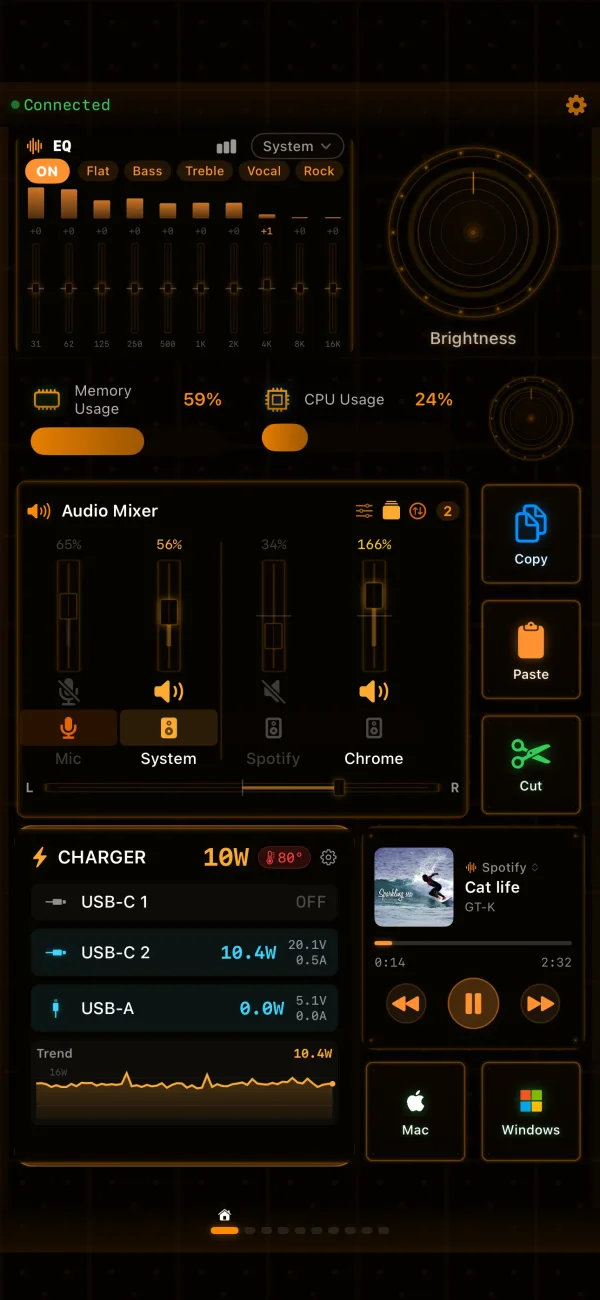
StreamPad — Transform your iPhone or iPad into a professional-grade control surface.
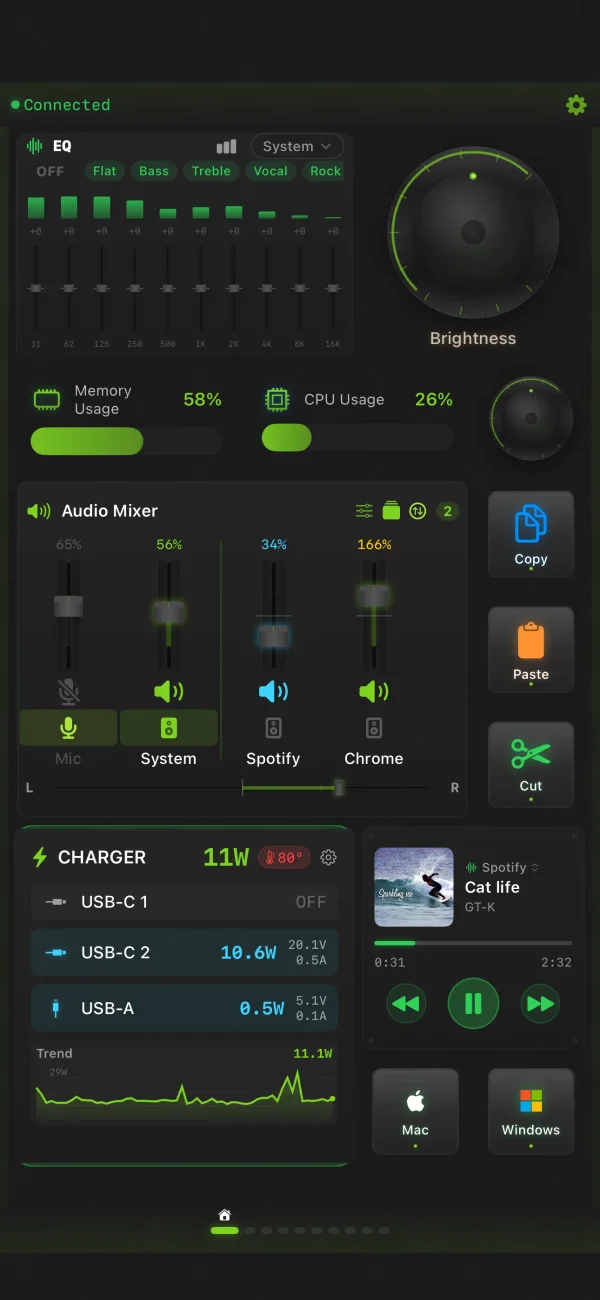
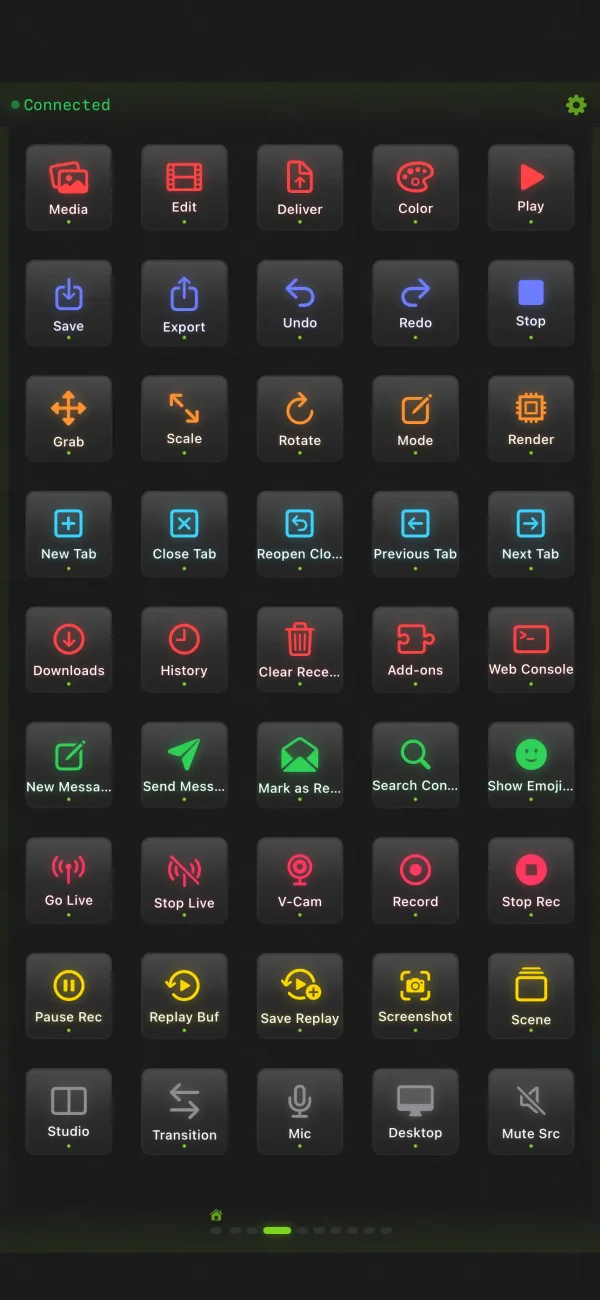
Buttons, dials, sliders, gauges, sound pads, music widgets — 10+ widget types on a free-form grid. 890+ ready-to-use shortcuts for 40 pro apps across macOS and Windows.
Streamer, editor, DJ, musician, developer — one tap, one twist, one slide is all it takes.
■ Pro Audio Mixer — Built In
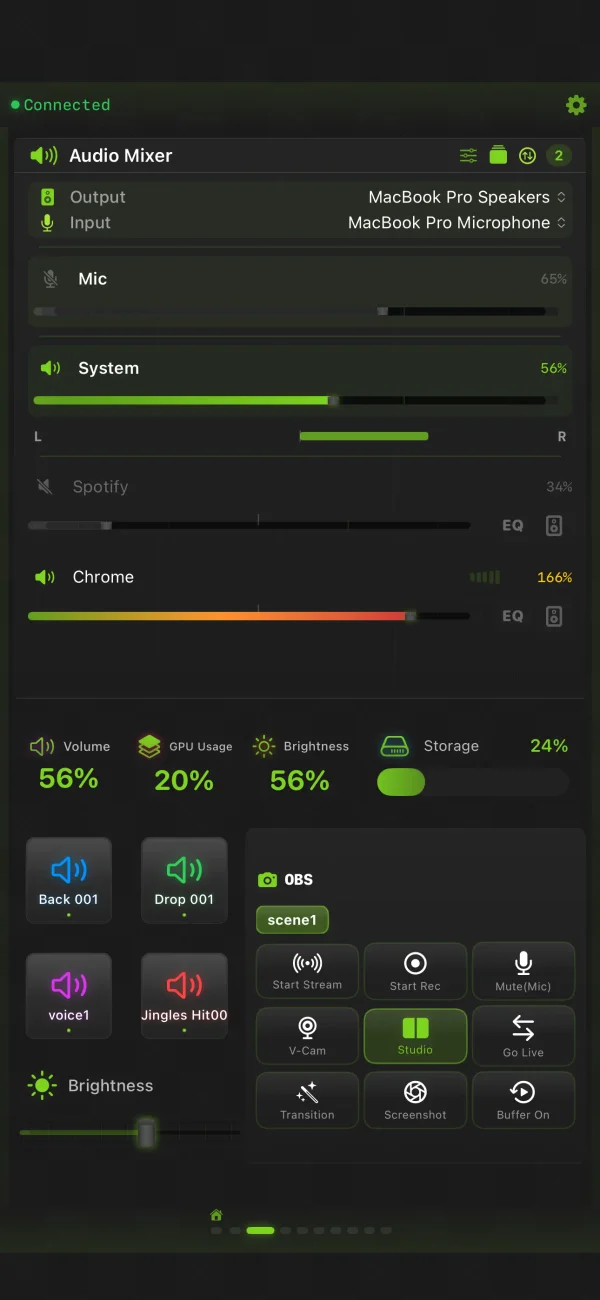
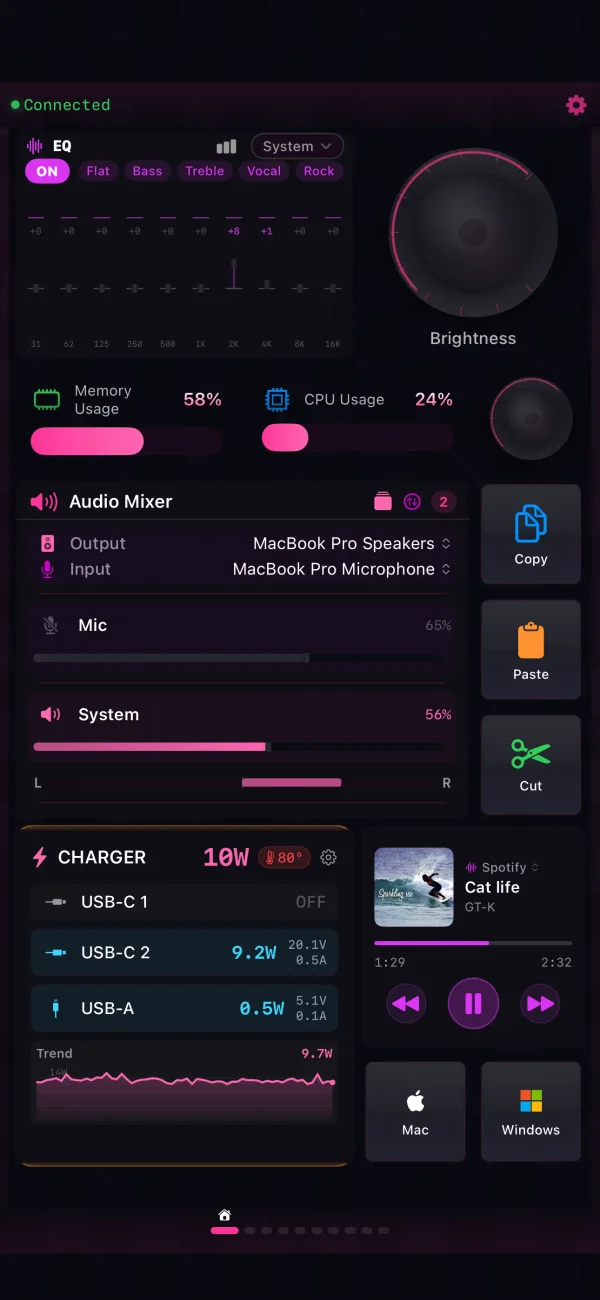
No extra hardware needed. Control each app's volume independently, from silent to 200% overdrive. Mute or boost any source in real time. Switch output devices on the fly.
Adjust L/R stereo balance per channel. 10-band graphic EQ (31 Hz–16 kHz) with real-time spectrum analyzer and 6 presets (Flat / Bass / Treble / Vocal / Rock / Electro). Save
your entire audio setup — volumes, EQ, device routing — with Quick Config. A mixer that rivals standalone apps — built right in.
■ 40 App Presets — 890+ Shortcuts, Zero Setup
Shortcut packs for 40 pro apps across macOS and Windows, in 7 categories — just pick an app, no manual setup.
• Video — Final Cut Pro, Premiere Pro, DaVinci Resolve, After Effects, OBS
• Design — Photoshop, Lightroom, Blender
• Music — Logic Pro, Ableton Live, Spotify, Apple Music
• Browser — Safari, Chrome, Firefox
• Comms — Discord, Zoom, Teams, Slack, Messages
• Dev — VS Code, Xcode, Terminal
• Productivity — Mail, Notes, Reminders, Photos, Finder, and more
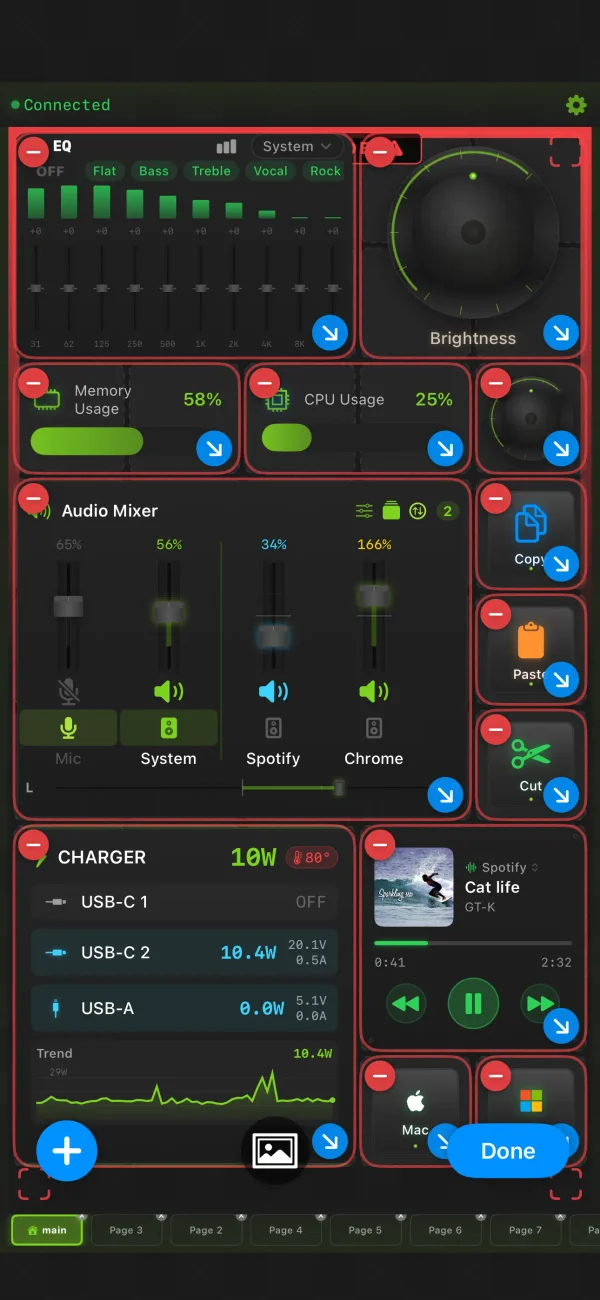
■ Adaptive Grid — Up to 150+ Items Per Page
Auto-adapts to your screen's pixel density. Place any-size widgets — 1×1 buttons, 2×2 dials, 4×1 sliders — wherever you want. Up to 10 pages for 1,000+ total controls. Your
layout, your rules.
* Capacity varies by device and screen size.
■ 13 Action Types
Keyboard shortcuts, text input, app launch, URL, system control (volume / brightness / media), OBS commands, music control, sound board, macros, Apple Shortcuts, Webhook
(GET/POST/PUT/DELETE), and more.
■ OBS Studio — 26 Commands
Full WebSocket v4/v5 support. Scenes, streaming, recording, virtual cam, source visibility, filters, replay buffer, captions, chapter markers — all one tap.
■ Macro Automation
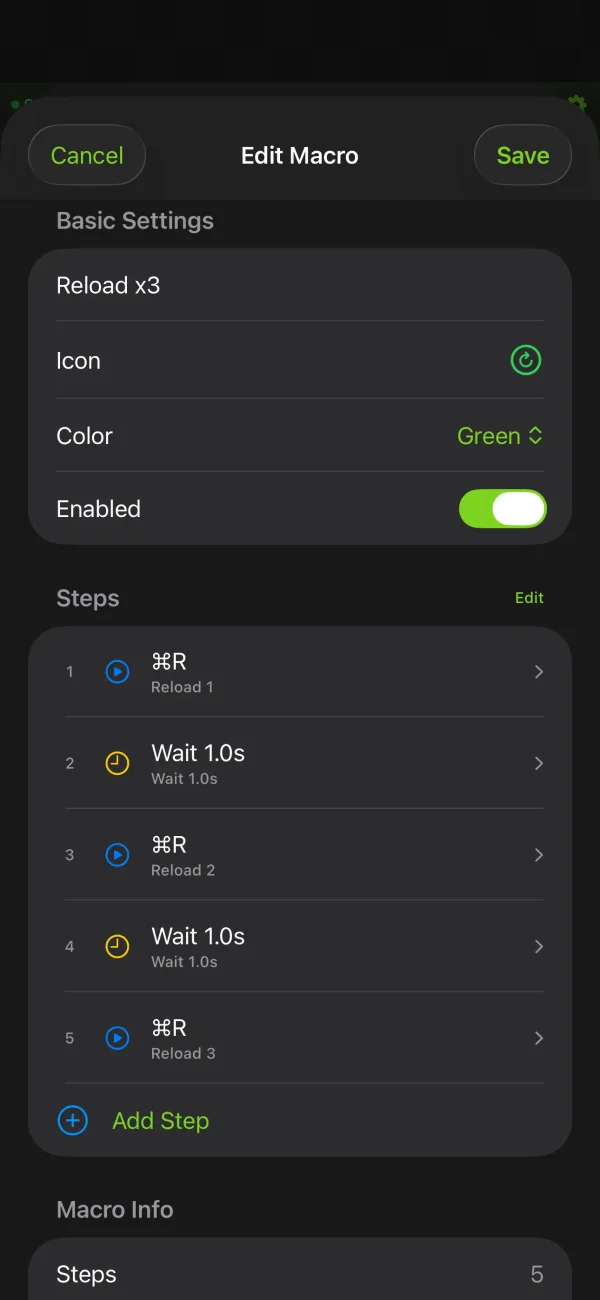
Record keystrokes, add delays and loops, replay complex workflows with one tap. Turn repetitive tasks into one-button operations.
■ Sound Board
Trigger audio clips instantly. Switch between local preview and Mac/Windows playback. Perfect for streams, calls, and presentations.
■ Dials & Touch Strips
Rotary dials for volume, brightness, scroll, zoom — precise, tactile control. Touch strips switch between slider and Touch Bar modes. Vertical and horizontal supported.
■ System Monitor
Live CPU, memory, GPU, storage, volume, brightness. 5 styles: circular, semicircle, linear, compact, vertical bar.
■ Music Widget
Apple Music, Spotify, Chrome (YouTube). Track, artist, album art, position — view and control in one place.
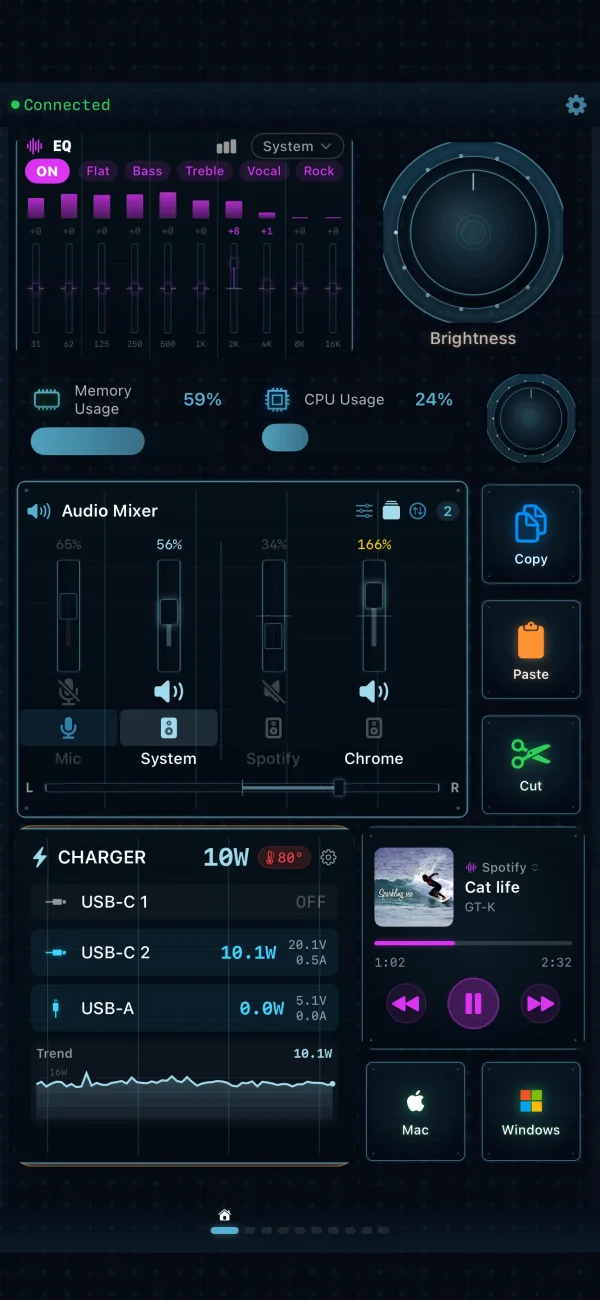
■ 18 Designer Themes
Cyberpunk, Neon, Retro, Wood, Nixie Tube, Ice, DJ, and more. Rich themes with hand-crafted SVG assets for every widget.
■ Profiles & Auto-Switch
Group settings into profiles. Auto-switch based on Mac's active app.
■ Folders & Custom Images
Organize into folders. Set any photo as an icon.
■ Shortcuts & Webhook
Run macOS Shortcuts. HTTP requests for smart home and services.
■ Free Companion App
macOS/Windows Companion for shortcuts, audio mixing, OBS, and monitoring. Wi-Fi auto-discovery + USB for zero-latency control.
■ English / Japanese
——————————
[Free]
• 3 themes • 2 pages / 10 items • 1 profile • 3 macros • 3 sounds • Ads
[Remove Ads — IAP]
• Ad-free
[StreamPad Pro — IAP]
• All 18 themes • Unlimited pages, items, profiles + auto-switch
• Pro Audio Mixer — per-app volume, 200% overdrive, EQ & spectrum
• 40 presets / 890+ shortcuts
• Unlimited macros & sound board
• Folders, custom images, Shortcuts, Webhook
• Power Monitor (Anker BLE) • Quick Config • Ad-free
Neue Funktionen
Version 1.3.1 · 15.06.2026
v1.3.1 - Output Groups, your way
Output Groups let you play to multiple speakers/headphones at once —
now you can control volume and mute for each device individually.
【What's Improved】
■ Per-device Volume (Pro)
Adjust the volume of each device in an output group independently —
from the mixer, touch strip, or volume gauge.
When a group is the output, the UI automatically switches to per-device sliders.
■ Per-device Mute (Pro)
Mute/unmute each device in a group while keeping its volume intact.
Silence just one speaker, instantly.
【Important】
・Requires Mac Companion v1.3.1 or later (free)
Download: https://streampad-app.github.io/streampad-web/
・Output Groups are macOS Companion only.
【Other】
・UI stability improvements
App-Datenschutz
Was YUTA NAKAHAMA im App Store zum Umgang dieser App mit Daten angibt.
-
Daten, die zum Tracking Ihrer Person verwendet werden
Können verwendet werden, um Sie über Apps und Websites anderer Unternehmen hinweg zu verfolgen.
- Kennungen
-
Nicht mit Ihnen verknüpfte Daten
Können erfasst werden, sind aber nicht mit Ihrer Identität verknüpft.
- Kennungen
Die Datenschutzpraktiken können variieren, zum Beispiel je nach den von Ihnen verwendeten Funktionen oder Ihrem Alter.
Informationen
- Anbieter
- YUTA NAKAHAMA
- Kategorie
- Dienstprogramme
- Version
- 1.3.1
- Aktualisiert
- 15.06.2026
- Veröffentlicht
- 17.03.2026
- Größe
- 35,4 MB
- Erfordert
- iOS 16.0 oder neuer
- Altersfreigabe
- 4+
- Preis
- Kostenlos
- In-App-Käufe
- Ja
- Sprachen
- Englisch
- Copyright
- © 2026 StreamPad. All rights reserved.
Das könnte Ihnen auch gefallen
-
 DeskTap Stream DeckDienstprogramme
-
 Virtual Stream DeckDienstprogramme
-
 OBS Virtual DeckDienstprogramme
-
 OBS Fernbedienung - StreamingOBS Studio vom Handy steuern
-
 OBS BladeDienstprogramme
-
 NDI HX Camera - Stream CaptureDienstprogramme
-
 Screens 5: VNC Remote-DesktopSchneller und sicherer Zugriff
-
 TikFinity Mobile - Alerts&TTSDienstprogramme
-
 Camo CameraWebcam für Mac und PC
-
 RustDesk Remote DesktopDienstprogramme