
Stringino - My String Tutor
Violin pitch & rhythm checker
Entwickelt für iPhone, iPad
Kostenlos · In-App-Käufe
- Altersfreigabe4+
- KategorieMusik
- EntwicklerMasaki Naito
- SprachenJapanisch+ 1 weitere
- Größe11,9 MB
Verlinkt auf die offizielle App Store-Seite
Download.org hostet keine Datei von Stringino - My String Tutor. Die Schaltfläche öffnet die App-Seite bei App Store, wo Masaki Naito die App veröffentlicht. Eintrag zuletzt geprüft am 25.11.2026.
Screenshots
Info
Der Entwickler hat diesen Text nicht in Ihrer Sprache bereitgestellt.
Stringino is your practice partner between lessons: a gentle helper for checking pitch and rhythm on the violin. It does not replace your teacher; it helps you practice well in between.
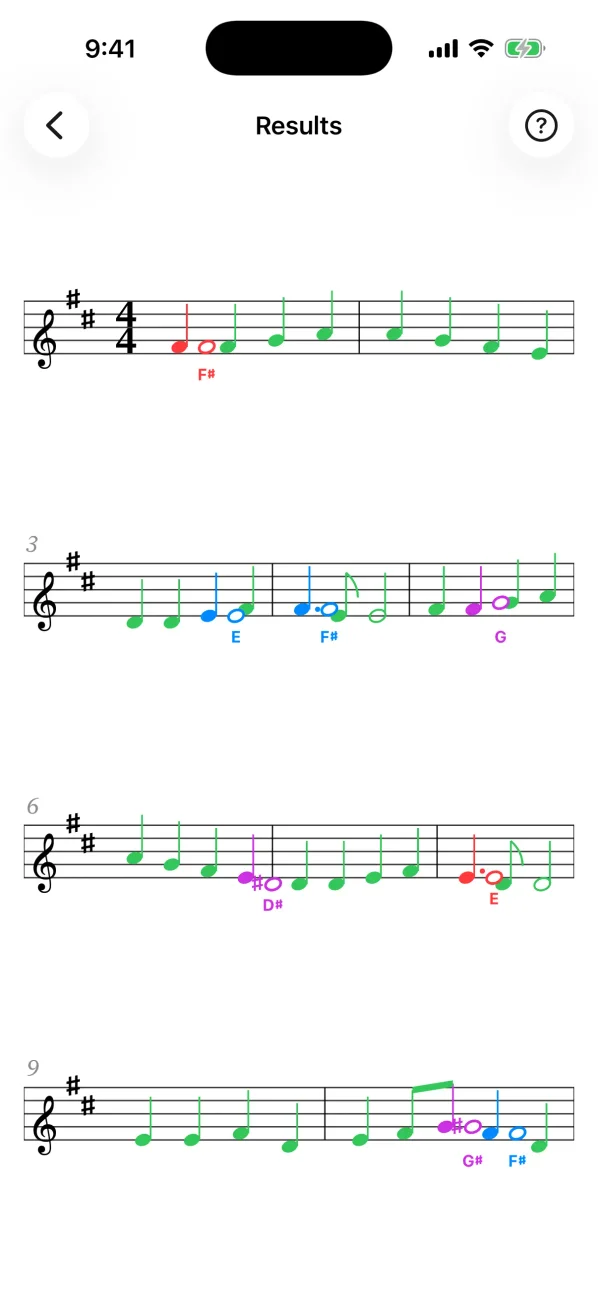
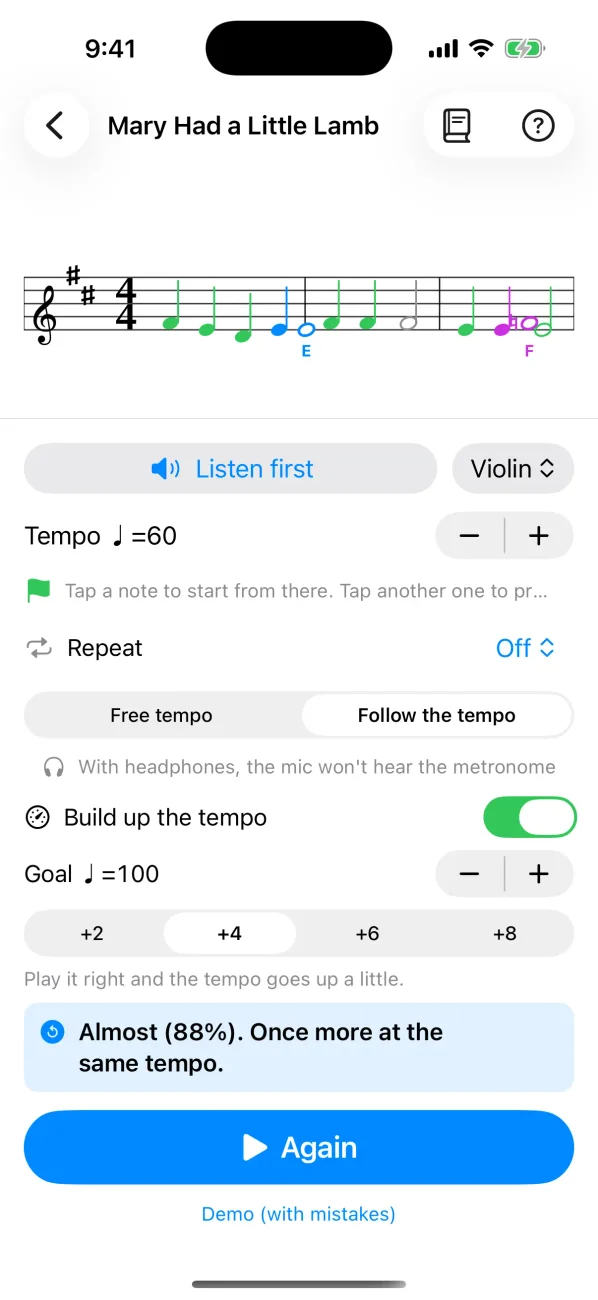
Play from the score and Stringino listens through the microphone, then shows the result in color right on the sheet music. You see at a glance which notes were right and which were off.
SEE YOUR RESULTS IN COLOR • Right notes are green. A little flat is blue, a little sharp is red, and a different note is purple. • The pitch you played is shown on the staff, with its note name. • The result screen points out what to fix: pitch, missed notes and timing.
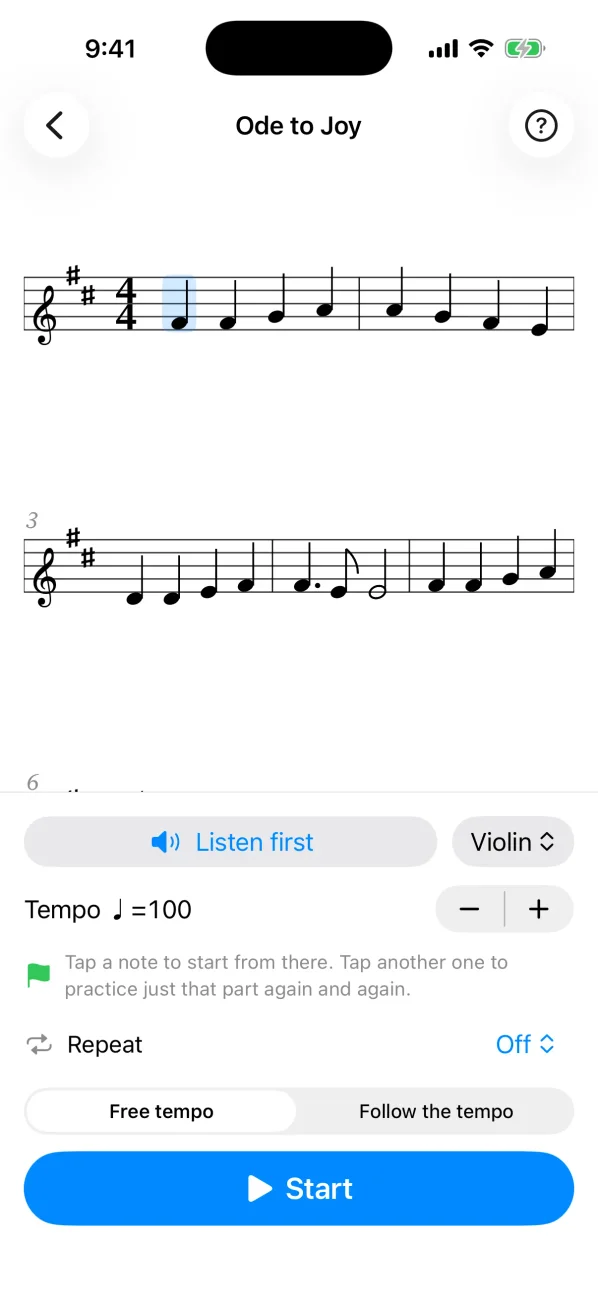
LOOP A PASSAGE • Tap a note to start from there; tap another to set a range. Repeat it 2, 3, 5 or 10 times, or endlessly. • Spots you keep missing are highlighted, and you can retry just that part.
PRACTICE MODES • Free tempo: play at your own pace. • Follow the tempo: play with a metronome and check your timing too. • Tempo build-up: play it right at a slow tempo and it speeds up a little at a time until you reach your goal tempo.
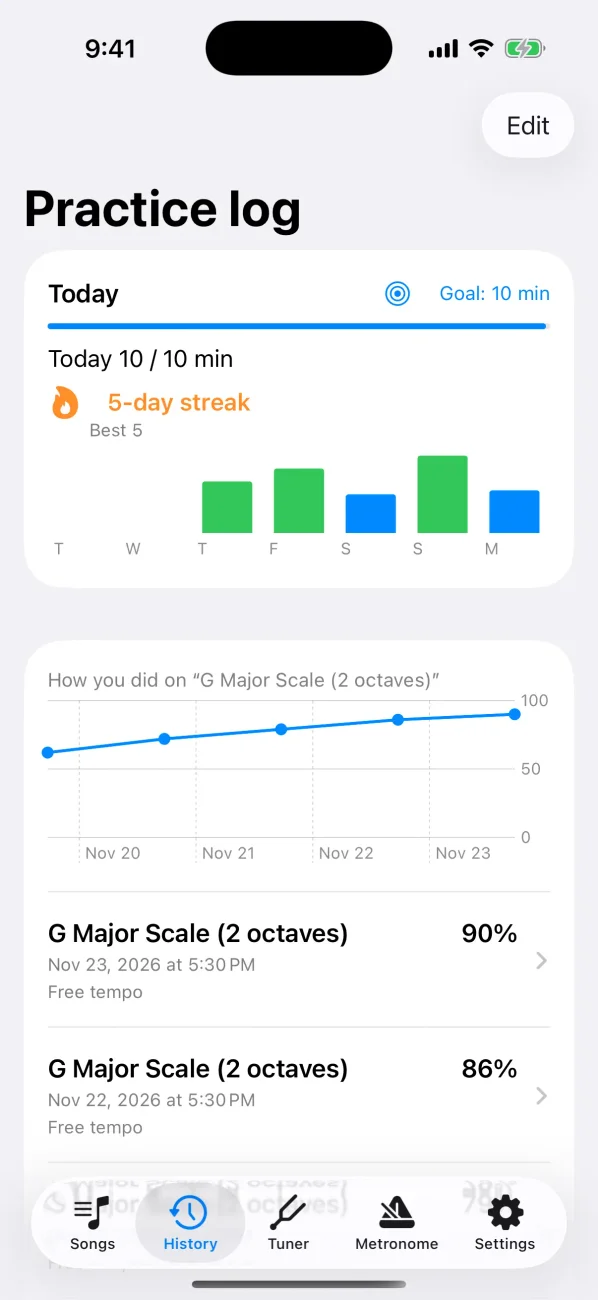
TRACK YOUR PROGRESS • Every session is saved, with a graph of your accuracy for each piece. • Today's practice time, a daily goal (5–30 minutes), your streak and a 7-day chart. • Tips from recent practice, such as "finger 3 tends to be flat" or "you tend to be late". • An optional daily reminder (off by default; turn it on in Settings). • Recordings are never saved — only the pitch and timing of the notes you played.
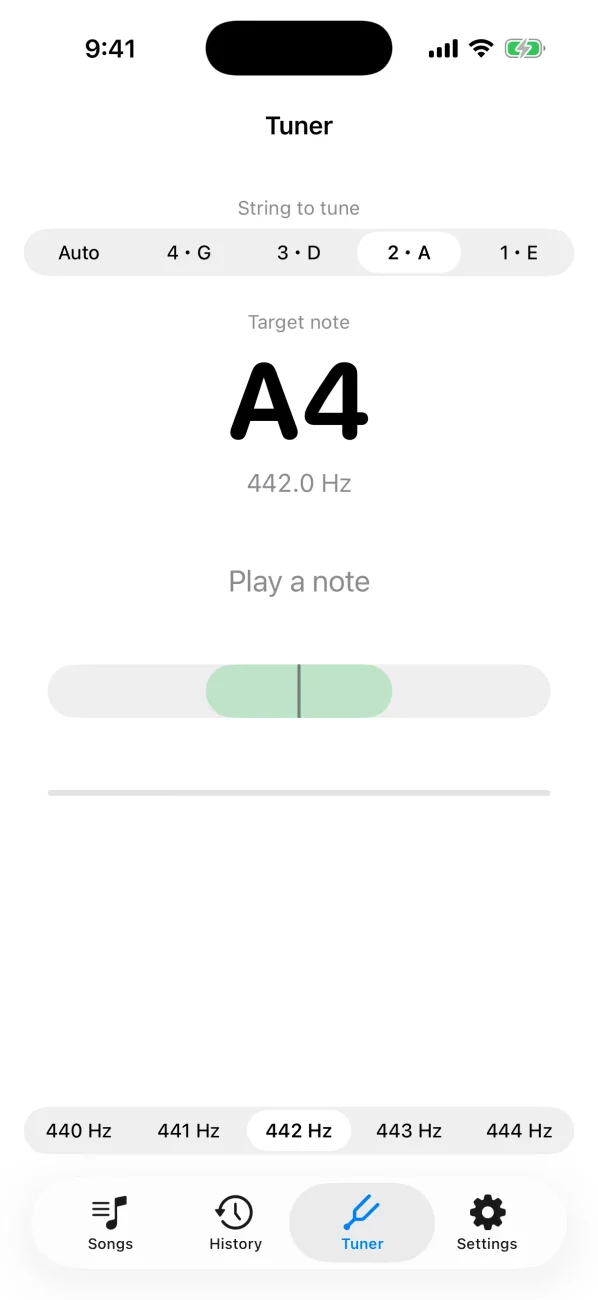
METRONOME AND TUNER • A metronome with tempo 30–240, 1–8 beats per bar and tap tempo. • A tuner with a reference pitch (A4 = 440–444 Hz) and a string picker that shows whether to tune up or down.
LISTEN TO A MODEL • Play the score back with a violin or piano sound. The violin's "Performance" sound is built from how it is played (bow changes, fingers, vibrato).
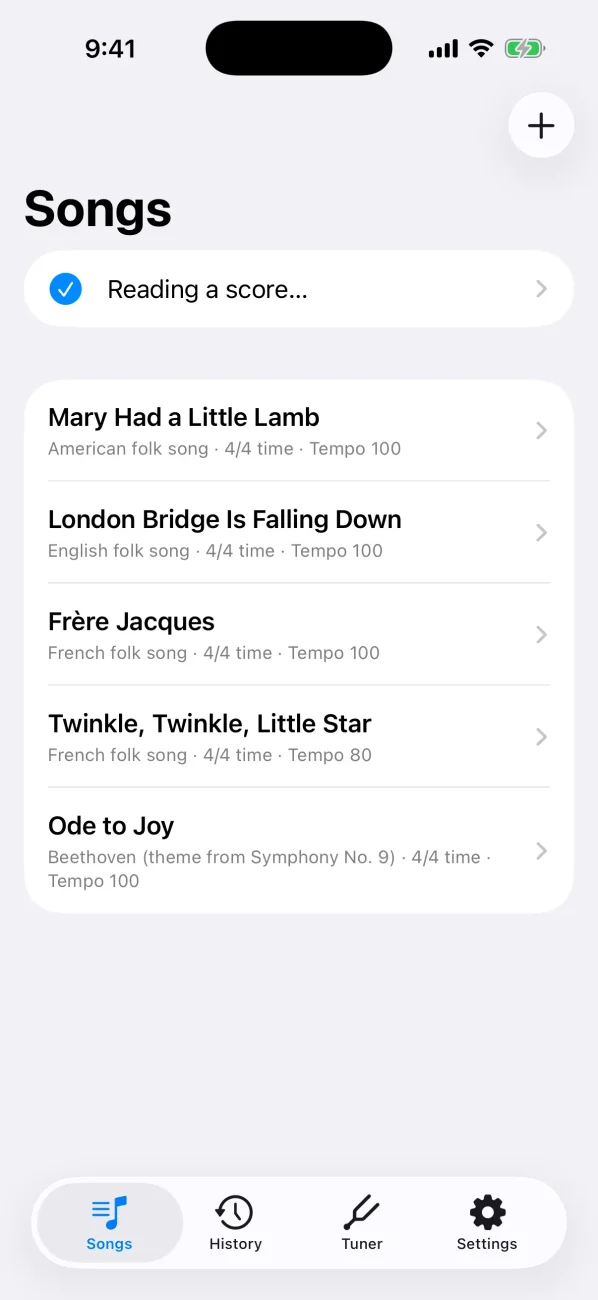
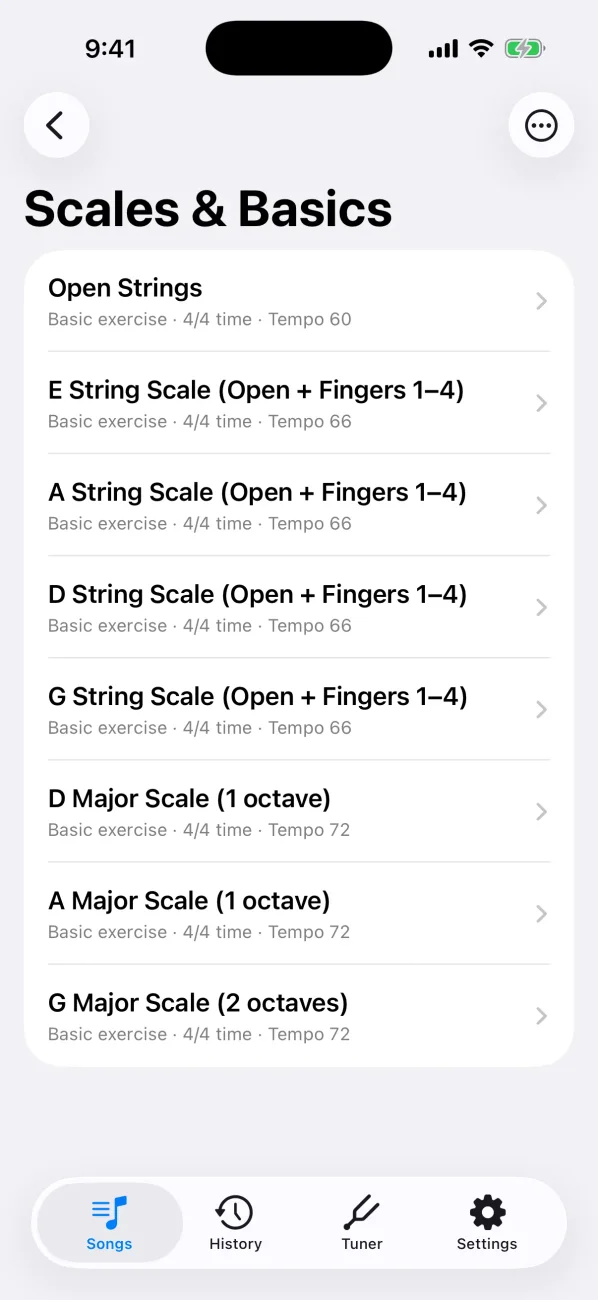
SCALES AND SONGS • Built-in violin scales (one per string, plus D, A and G major) and five songs, in folders. • Wording for children or adults. On iPad in landscape, the controls sit to the right of the score. • Covers the violin range, from the open G string (G3) upward.
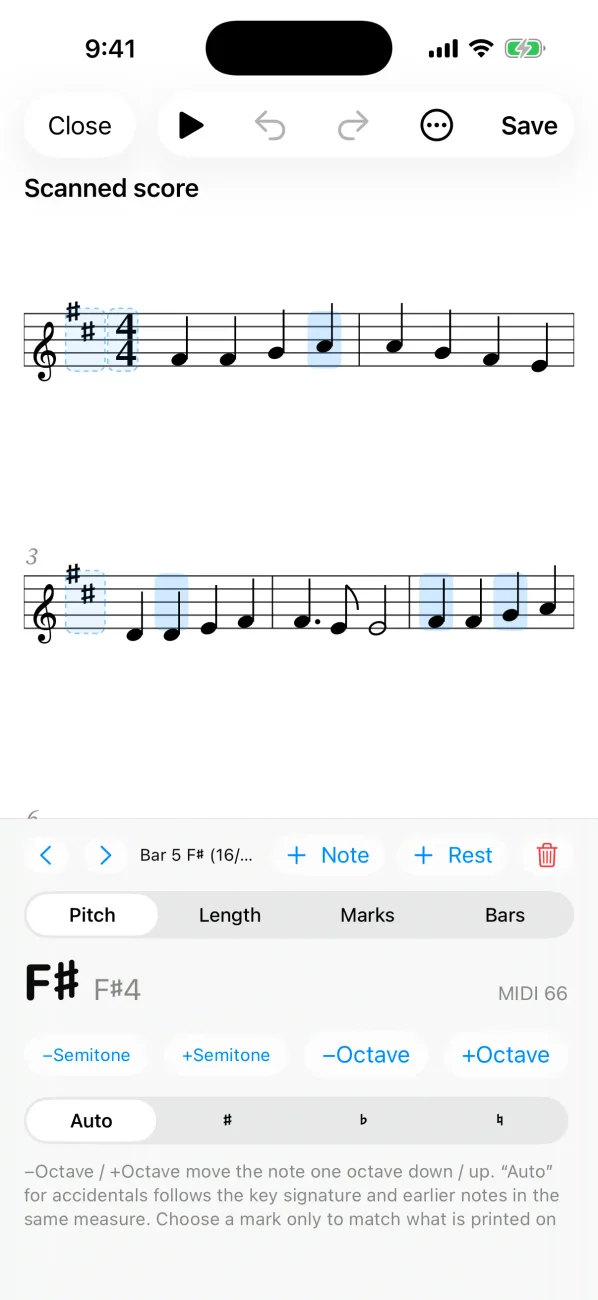
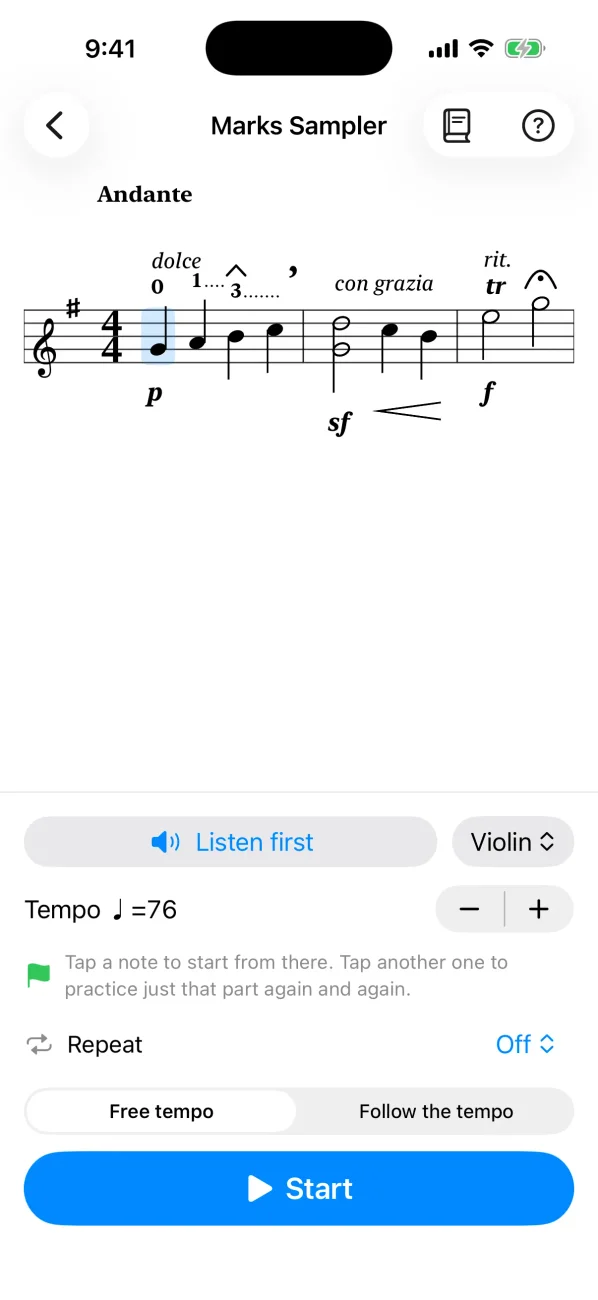
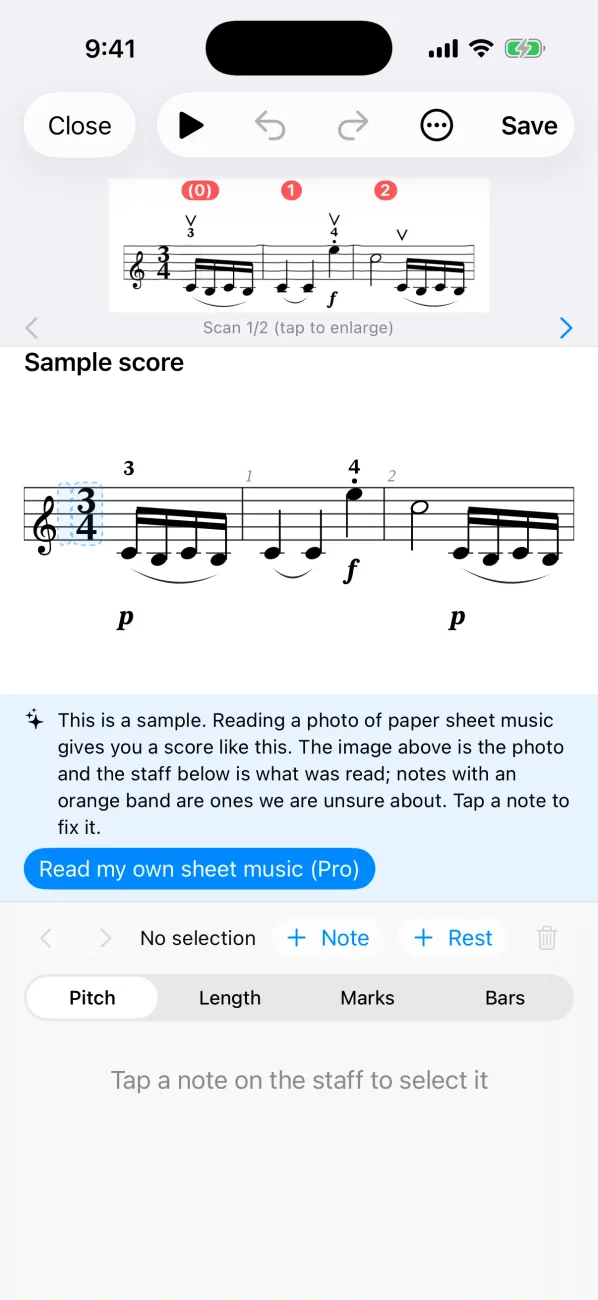
IMPORT, CREATE AND EDIT SCORES • Import MusicXML and MIDI files (including time and key changes mid-piece), and share a score as MusicXML. • Tap a note to change its pitch, length or marks; tap the staff to change the time or key signature. • Method-book marks: double stops, trills, crescendo/diminuendo, staccato, tenuto, accent, sf, ∧, breath marks, finger-hold lines, fermatas, bowings, fingerings. Add words like dolce or rit. and look them up in the word list.
SCAN IMPORT (PRO) • Turn paper sheet music into an editable score from a photo, a PDF or the camera. Reading happens on our server and continues if you close the app; you are notified when it is done. • Notes we are unsure about get a colored band to check against the page. • Try a sample score before subscribing. Your first page is free; after that, read up to a monthly limit (shown in the app). Your image is deleted from the server as soon as reading finishes. • Please use copyrighted music only within the scope of private use.
PRIVACY • Audio is analyzed entirely on your device. It is never recorded or uploaded. • No account needed. No ads and no tracking.
ABOUT PRO (AUTO-RENEWING SUBSCRIPTION) • Scan import is part of Pro: 600 JPY per month in Japan (prices vary by region), renewing monthly. Everything else is free. • Payment is charged to your Apple Account at confirmation of purchase. The subscription renews automatically unless canceled at least 24 hours before the end of the current period. • Manage or cancel any time in Settings → your Apple Account → Subscriptions. • Terms of Use: https://stringino.com/en/terms/ • Privacy Policy: https://stringino.com/en/privacy/ • Apple's Standard EULA: https://www.apple.com/legal/internet-services/itunes/dev/stdeula/
Note: Feedback on your playing is a practice aid. Always check scanned scores against your page.
Neue Funktionen
Version 1.6 · 23.11.2026
Easier to keep practicing.
Tempo build-up: play it right at a slow tempo and Stringino speeds up a little at a time to your goal tempo
The history screen shows today's practice time, your daily goal, your streak and a 7-day chart
Tips from your recent practice, such as "finger 3 tends to be flat" or "you tend to be late"
An optional daily practice reminder at a time you choose (turn it on in Settings; off by default)
A new Metronome tab (tempo, beats per bar, tap tempo)
Share a score as MusicXML; time and key changes in the middle of a MusicXML piece are now imported
On iPad in landscape, the score is larger and the controls are on the right Plus a number of smaller fixes.
App-Datenschutz
Was Masaki Naito im App Store zum Umgang dieser App mit Daten angibt.
-
Nicht mit Ihnen verknüpfte Daten
Können erfasst werden, sind aber nicht mit Ihrer Identität verknüpft.
- Käufe
- Benutzerinhalte
- Kennungen
- Diagnose
Die Datenschutzpraktiken können variieren, zum Beispiel je nach den von Ihnen verwendeten Funktionen oder Ihrem Alter.
Informationen
- Anbieter
- Masaki Naito
- Kategorie
- Musik
- Version
- 1.6
- Aktualisiert
- 23.11.2026
- Veröffentlicht
- 19.10.2026
- Größe
- 11,9 MB
- Erfordert
- iOS 17.0 oder neuer
- Altersfreigabe
- 4+
- Preis
- Kostenlos
- In-App-Käufe
- Ja
- Sprachen
- Japanisch, Englisch
- Copyright
- © 2026 Masaki Naito
Das könnte Ihnen auch gefallen
-
 RehearsioMusik
-
 Scan & Play: Sheet MusicMusik
-
 Soloist Violin: Tuner & SongsMusik
-
 Silent Metronome & TunerMusik
-
 Tonai – KI-IntonationstrainerGeige, Stimme & Bläser stimmen
-
 OKTAV: Geige & Cello spielenMit Noten lernen, Stimmgerät
-
 SmartleggioMusik
-
 ScoreLens: Noten scannenAbspielen, üben, transponieren
-
 V-Drums PlayMusik
-
 PlayScan: Noten ScannerVom Foto abspielen: MIDI, PDF