
Swipeys Keyboard
One thumb, no row hunting.
Entwickelt für iPhone
Kostenlos · In-App-Käufe
- Altersfreigabe4+
- KategorieDienstprogramme
- EntwicklerToni Vaisanen
- Größe2,6 MB
Verlinkt auf die offizielle App Store-Seite
Download.org hostet keine Datei von Swipeys Keyboard. Die Schaltfläche öffnet die App-Seite bei App Store, wo Toni Vaisanen die App veröffentlicht. Eintrag zuletzt geprüft am 17.11.2026.
Screenshots


Info
Der Entwickler hat diesen Text nicht in Ihrer Sprache bereitgestellt.
A keystroke is a tap or a flick.
Swipeys puts every letter on a 3x3 grid of nine keys. Tap a key for its center letter. Flick, a short swipe in one of eight directions, for the rest. Nine keys reach every letter, with no row-hunting and no reaching across the screen.
It's built for one thumb. Once your hand learns the nine positions, you stop looking at the keyboard and type.
MAKE IT YOURS
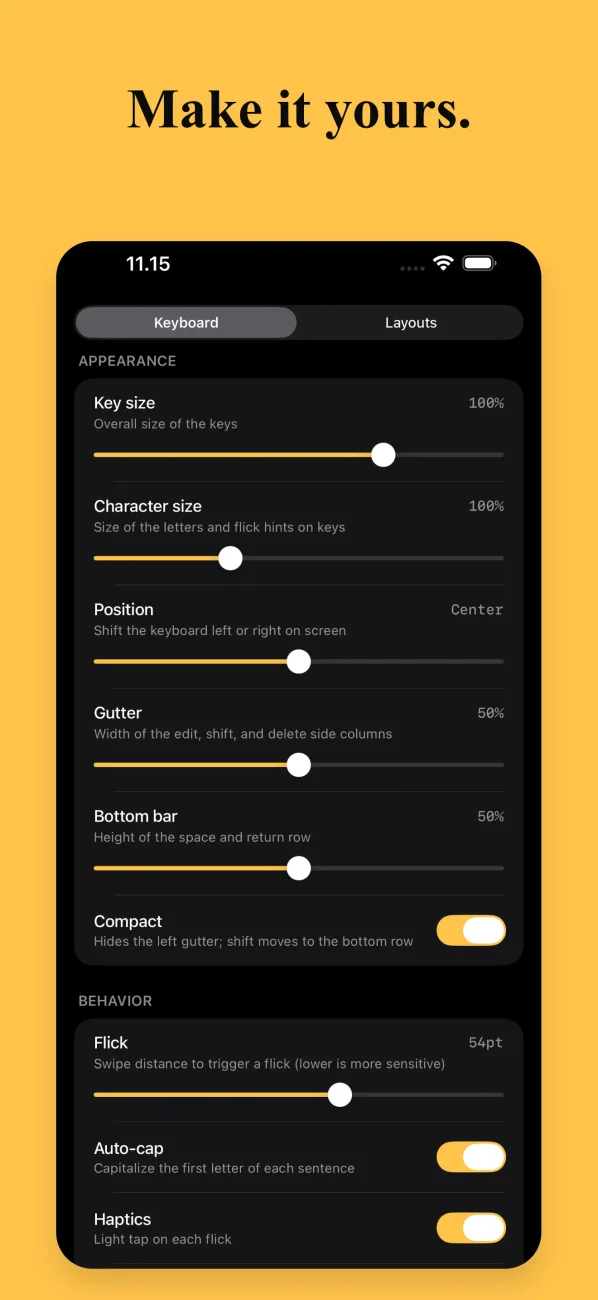
- Edit any key and any flick direction right inside the keyboard. Put letters, symbols, or emoji wherever you want them.
- Adjust key size, flick threshold, and gutter width. Switch to a compact layout with fewer side controls.
- Layouts are plain JSON. Tweak them, share them, and import a .swipey file. Import stays local and validated, and works with Full Access off.
LANGUAGES
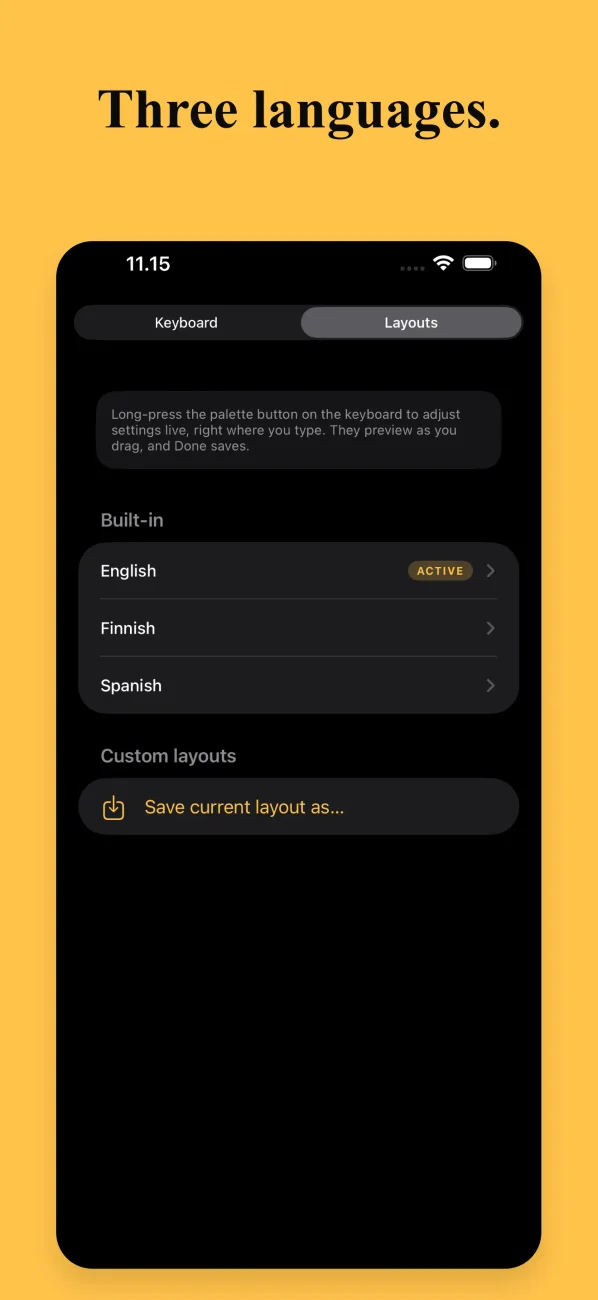
- English, Finnish, and Spanish letter layouts, plus a numerals and symbols layer.
- Switch languages from the keyboard. Touch and hold the 123 key to pick one.
NUMBERS, SYMBOLS, EMOJI
- A numbers page with digits on tap and a curated, editable symbol set on the flicks, shared across every language.
- Emoji picker with recents and categories. Place emoji on any flick in the editor.
GESTURES AND SHORTCUTS
- Slide along the spacebar to move the cursor. Long-press for accents, double-tap space for a period, and let backspace auto-repeat.
PRIVATE BY DESIGN
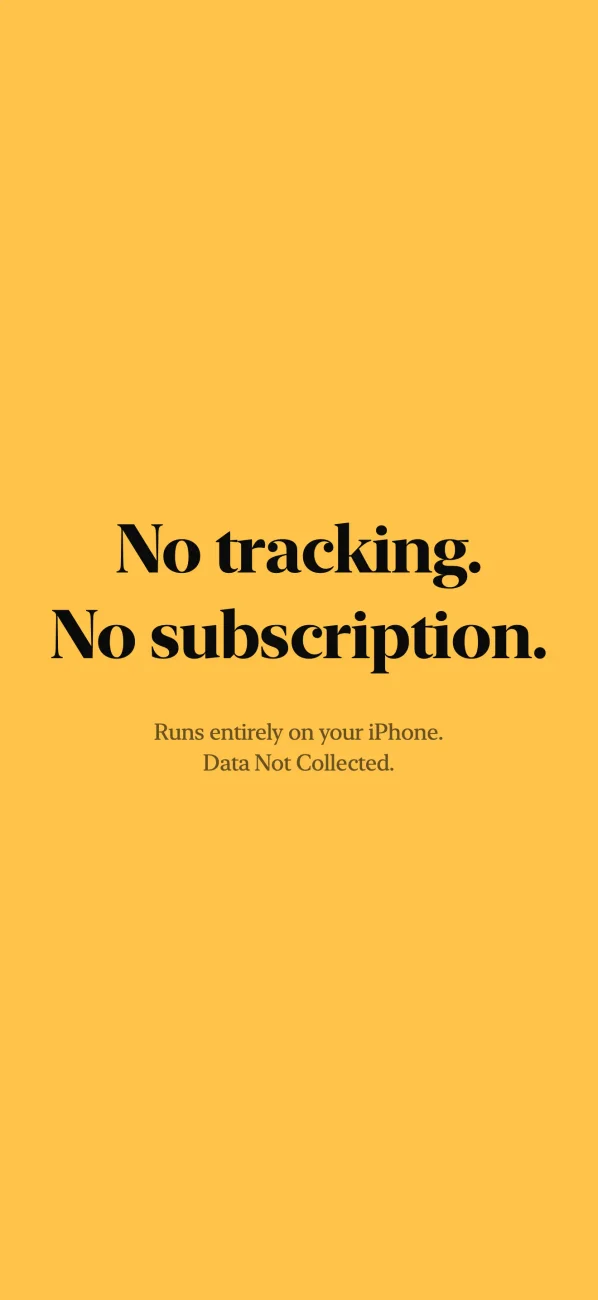
- No tracking, ever. The keyboard makes no network requests.
- No analytics, no telemetry, no crash reporting, no ads, no server. Data Not Collected.
- Core typing, the symbol layer, the emoji picker, and every customization work with Full Access off. Full Access is optional and only enables haptic feedback.
BUY IT, DON'T RENT IT
- Start with a 30-day free trial. No feature gates, no card required to try.
- Unlock Swipeys permanently with a one-time purchase. No subscription, no recurring fees.
- The lifetime unlock is Family Sharing enabled and restores across your devices.
iPhone only. Built by slantedt.
Neue Funktionen
Version 1.0.2 · 08.08.2026
- If your bank or Apple needs to approve a purchase, Swipeys now shows that it is waiting and unlocks on its own once the approval goes through. The wait survives leaving the app or closing it.
- The trial screen says up front that starting the trial is free and that nothing renews.
- Saving a key you edited drops back to typing instead of staying in edit mode.
- The gutter editor marks the selected action with a checkmark, not just a color.
- The locked keyboard screen uses the app's own colors instead of the system tint.
- Fixed a case where the keyboard could come up with no keys if a saved layout could not be loaded.
Questions or ideas? support@swipeyskeyboard.com
App-Datenschutz
Was Toni Vaisanen im App Store zum Umgang dieser App mit Daten angibt.
-
Keine Daten erfasst
Der Entwickler erfasst keine Daten von dieser App.
Die Datenschutzpraktiken können variieren, zum Beispiel je nach den von Ihnen verwendeten Funktionen oder Ihrem Alter.
Informationen
- Anbieter
- Toni Vaisanen
- Kategorie
- Dienstprogramme
- Version
- 1.0.2
- Aktualisiert
- 08.08.2026
- Veröffentlicht
- 21.07.2026
- Größe
- 2,6 MB
- Erfordert
- iOS 17.0 oder neuer
- Altersfreigabe
- 4+
- Preis
- Kostenlos
- In-App-Käufe
- Ja
- Copyright
- © 2026 slantedt
Das könnte Ihnen auch gefallen
-
 Video Maker Ai & Creator MovieDienstprogramme
-
 WurstfingerDie Tastatur für dicke Finger
-
 Simple Clock - ハイブリッド時計Dienstprogramme
-
 ARC Type KeyboardDienstprogramme
-
 Stud Finder | Metal DetectorDienstprogramme
-
 SweetKeyboard ProDienstprogramme
-
 Boomerang One-Hand KeyboardDienstprogramme
-
 YXWH KeyboardDienstprogramme
-
 TypeFlow: Smart KeyboardDienstprogramme
-
 MergeKeyDynamische Tastatur