- Altersfreigabe4+
- KategorieDienstprogramme
- EntwicklerStefano Rampazzo
- SprachenEnglisch
- Größe5,0 MB
Verlinkt auf die offizielle App Store-Seite
Download.org hostet keine Datei von SWLtools. Die Schaltfläche öffnet die App-Seite bei App Store, wo Stefano Rampazzo die App veröffentlicht. Eintrag zuletzt geprüft am 17.11.2026.
Screenshots


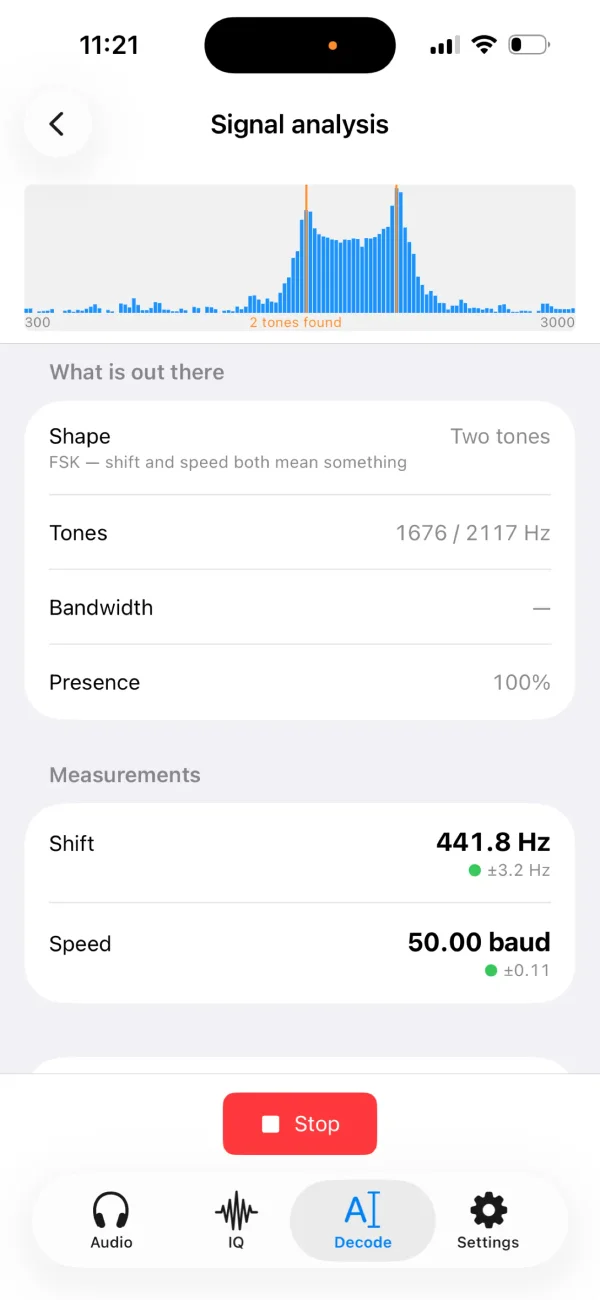
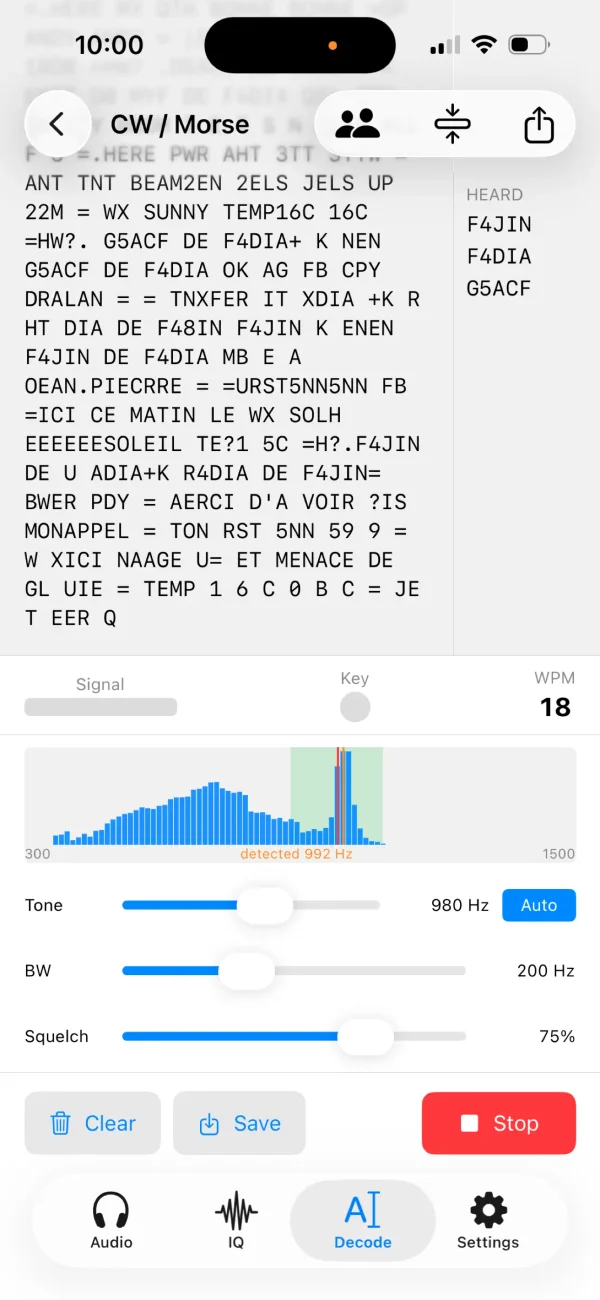
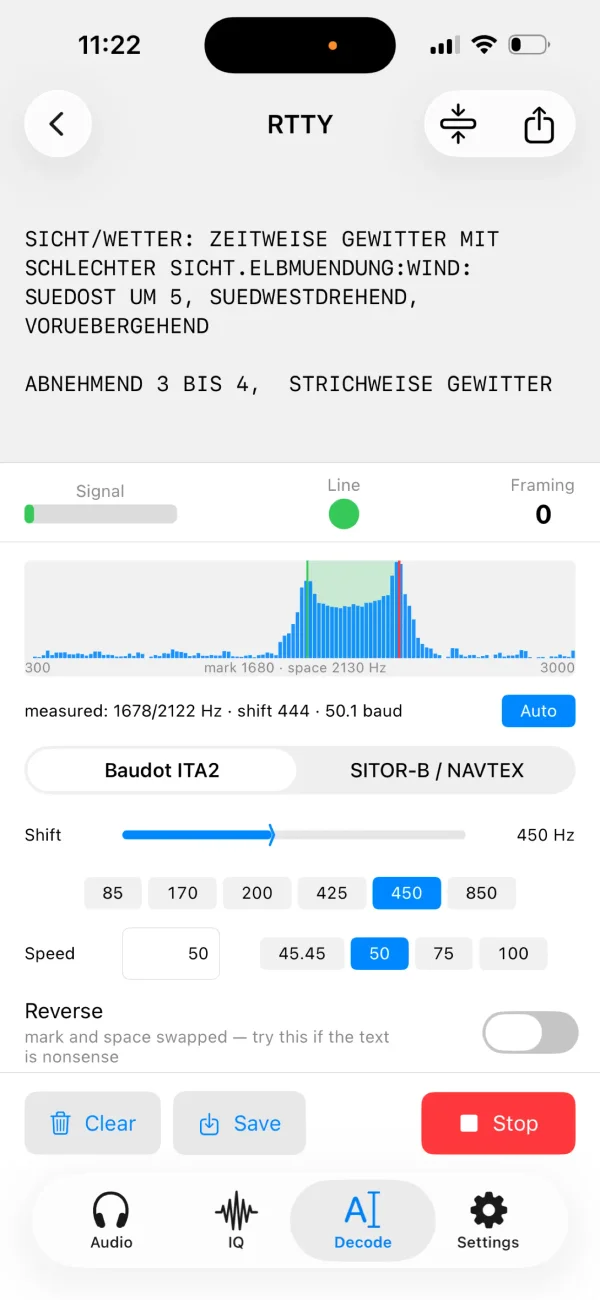

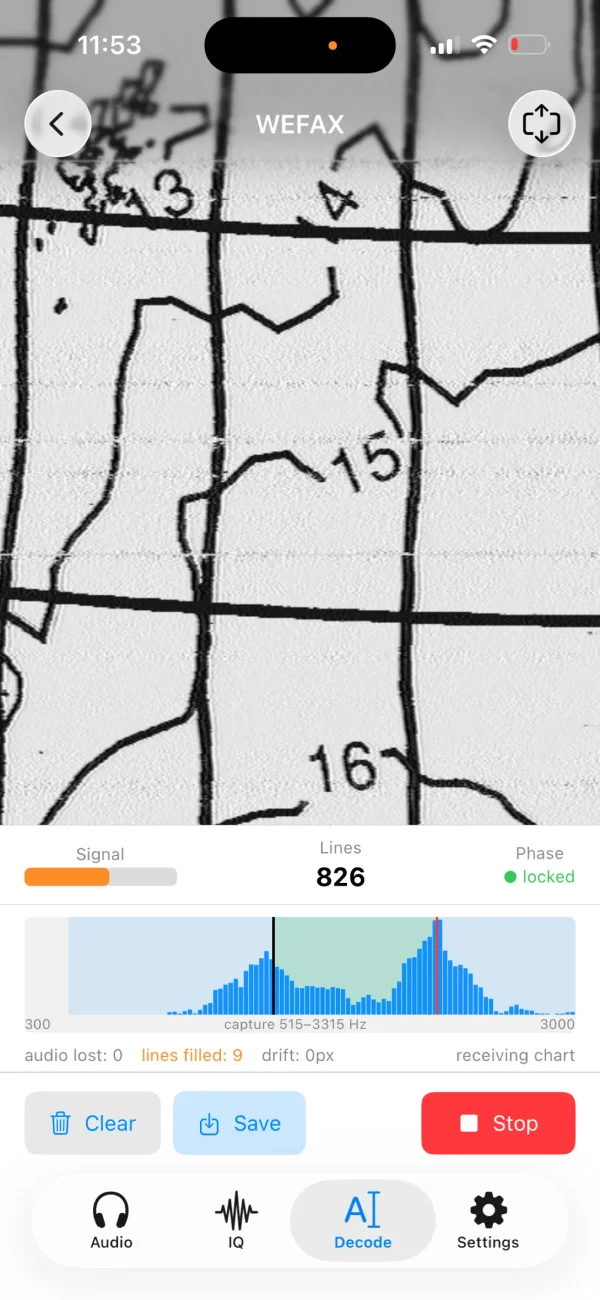
Info
Der Entwickler hat diesen Text nicht in Ihrer Sprache bereitgestellt.
SWLtools: The Companion for Shortwave Listening Enthusiasts
SWLtools is an app designed specifically for Shortwave Listening (SWL)
enthusiasts who want to enhance their listening experience. It records what you
hear, shows you the band, and reads the digital modes that carry text on the air.
Whether you are a hobbyist or a dedicated DXer, SWLtools supports your activity
from the antenna to the logbook.
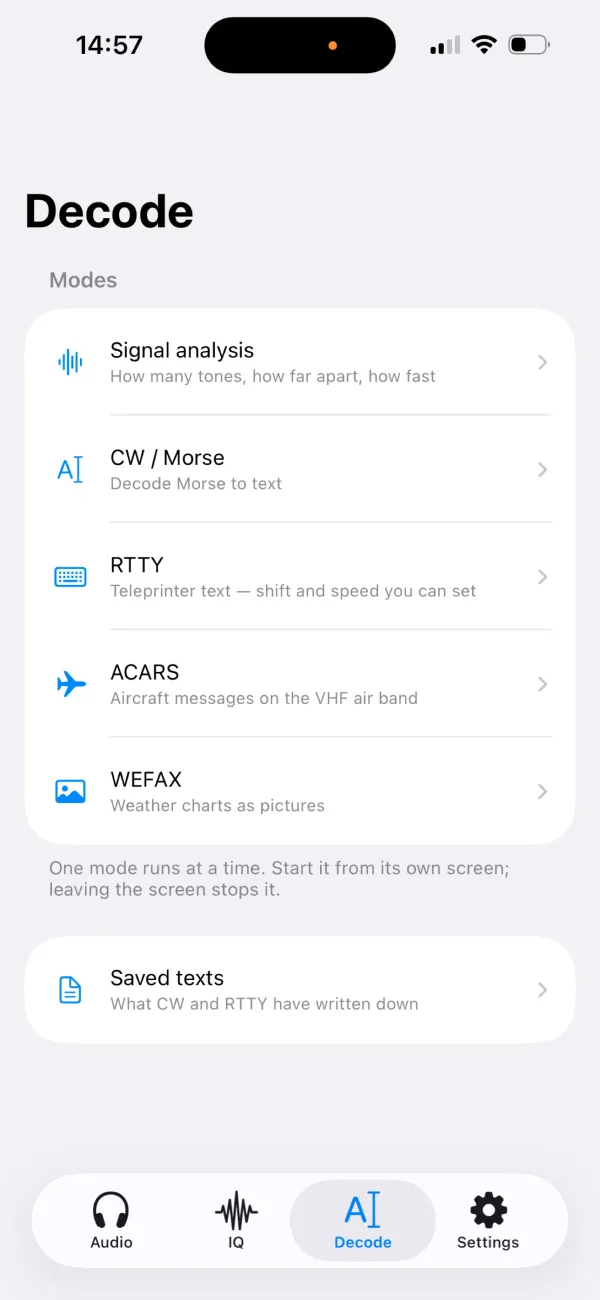
DECODING THE ON-AIR TEXT MODES
Point the app at a signal and it turns it into readable text.
- Morse (CW). The app follows the tone by itself and measures the sending speed
from the signal, so it keeps up with hand-sent Morse as well as machine-sent.
A side panel collects the callsigns it has heard, and each transmission starts
on its own line when the operator hands over.
- RTTY, in both ITA2 and SITOR-B.
- Weather fax (WEFAX). The chart builds up line by line as it arrives, and can
be saved straight to your photo library.
- ACARS aircraft messages, with the ones carrying a position shown on a map.
Decoded text can be saved, reopened later and shared. All times, on screen and
in the saved files, are UTC — the way radio logs are kept.
SPECTRUM AND WATERFALL
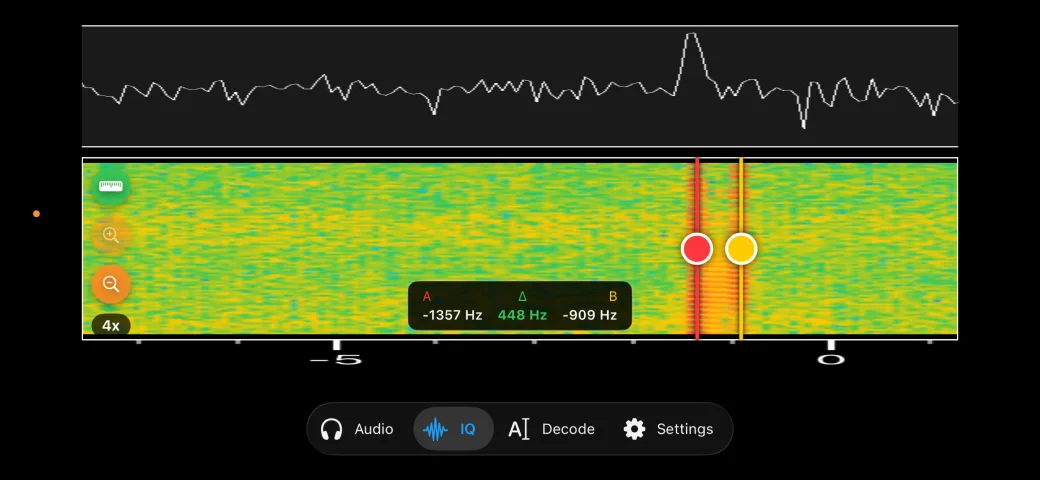
If your receiver provides an IQ output, SWLtools displays the real-time spectrum
and spectrogram. Visually explore the bands and gain deeper insight into the
signals you are receiving. Where the two channels of a USB adapter do not arrive
perfectly in step — a common trait of audio codecs — a sample-delay correction
removes the mirror image that would otherwise appear beside every signal.
AUDIO RECORDING AND STORAGE
Easily record and store audio directly from your receiver. Capture signals from
around the world and listen to them again whenever you want, or turn a recording
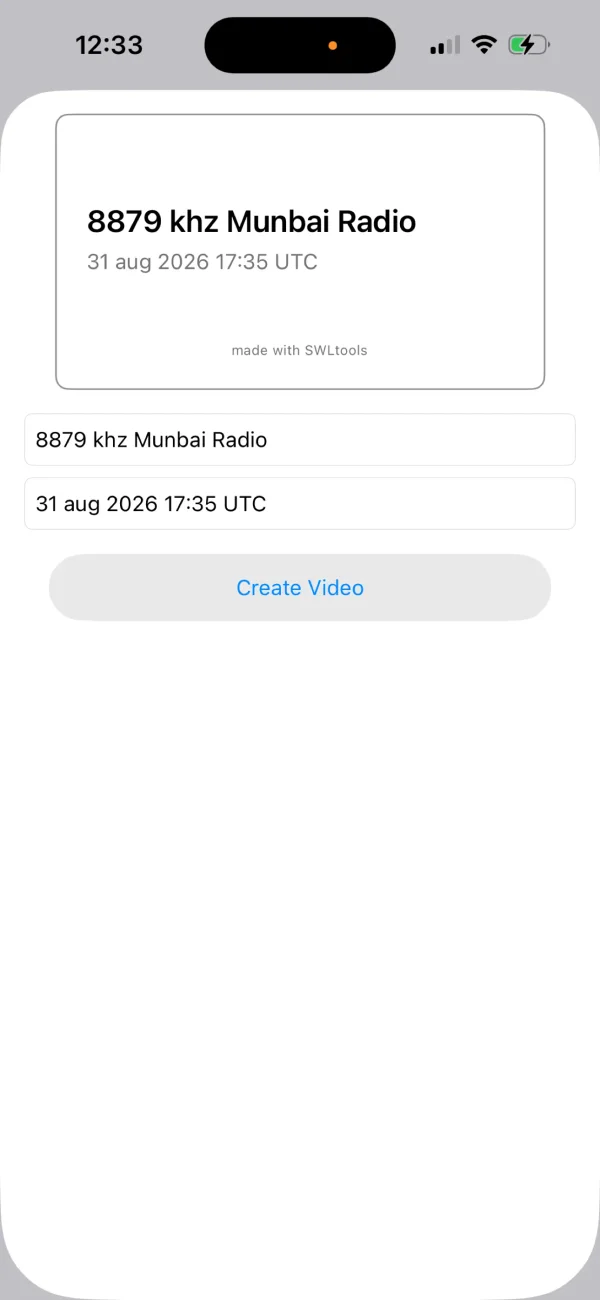
into a video to share.
OPTIMIZED FOR THE BELKA RECEIVER
SWLtools was designed to work seamlessly with the Belka receiver. It is the
perfect companion for outdoor listening sessions, letting you record your DX,
explore frequencies with the spectrum view, or read a weather fax from the field.
The app is optimized for low power consumption when displaying the spectrum and
waterfall, making it ideal for portable use.
REQUIREMENTS
To use SWLtools you need an inexpensive USB audio adapter (ADC/DAC) connected to
your iOS device. These affordable dongles typically provide a microphone input
and a headphone output, which is enough to record, to decode, and to show a
single-channel spectrum.
A two-channel audio interface does more: it carries a true I/Q pair, so the
spectrum shows the full band above and below the tuned frequency, and it is the
only kind that can play the receiver's audio through the iPhone speaker while
you listen. The app tells you which class of device you have connected and what
it allows, and an audio diagnostics panel shows exactly what iOS is doing with
the signal if something does not sound right.
Note: please make sure your receiver is compatible with the app's features and
that you have the required accessories for optimal performance.
Neue Funktionen
Version 1.4.1 · 30.09.2026
LISTEN WHILE YOU DECODE
• The monitor now works with any USB audio adapter. The inexpensive ones play
the receiver through their own headphone socket; a two-channel interface can
still send it to the iPhone speaker.
• Switch the monitor on once, in the Audio tab, and it stays on as you move
around the app: record, or decode CW, RTTY, WEFAX and ACARS, while you keep
listening. The IQ tab pauses it and gives it back when you leave.
CLEARER DIAGNOSTICS
• The audio diagnostics panel opens with what matters most: whether you are
listening to your receiver or to the phone's own microphone.
• Adapters that iOS does not label as USB audio are now recognised as the
dongles they are, and the panel shows how iOS identifies each one.
• The test buttons show which audio path is running.
ALSO
• Unplugging or swapping the adapter while the app is open no longer makes it
quit.
• Leaving the app during a recording now closes and saves the file, so the
recording can no longer be lost if the app is closed afterwards.
• Help pages updated to match.
• SWLstation, the iPad companion app, now listed alongside SWList.
App-Datenschutz
Was Stefano Rampazzo im App Store zum Umgang dieser App mit Daten angibt.
-
Keine Daten erfasst
Der Entwickler erfasst keine Daten von dieser App.
Die Datenschutzpraktiken können variieren, zum Beispiel je nach den von Ihnen verwendeten Funktionen oder Ihrem Alter.
Informationen
- Anbieter
- Stefano Rampazzo
- Kategorie
- Dienstprogramme
- Version
- 1.4.1
- Aktualisiert
- 30.09.2026
- Veröffentlicht
- 27.08.2024
- Größe
- 5,0 MB
- Erfordert
- iOS 17.0 oder neuer
- Altersfreigabe
- 4+
- Preis
- 3,99 €
- Sprachen
- Englisch
- Copyright
- © 2026 Stefano Rampazzo
Das könnte Ihnen auch gefallen
-
 Dxpeditions365Dienstprogramme
-
 PhosphorRTTYDienstprogramme
-
 SimpleCW: Morse DecoderDienstprogramme
-
 VibeSDRDienstprogramme
-
 PhosphorHertzDienstprogramme
-
 Overhead 1090Dienstprogramme
-
 AIM SADienstprogramme
-
 qFT8: Amateurfunk, SWL und SDRFT8 und Digimodes für Funker
-
 FreqChatDienstprogramme
-
 Ham Radio Logbook: LogMasterDienstprogramme