Sync Sticky Notes
Desktop Notes with Cloud Sync
Entwickelt für iPhone, iPad, Mac
Kostenlos · In-App-Käufe
- Altersfreigabe4+
- KategorieProduktivität
- Entwicklerokobbe
- SprachenEnglisch+ 5 weitere
- Größe3,6 MB
Verlinkt auf die offizielle App Store-Seite
Download.org hostet keine Datei von Sync Sticky Notes. Die Schaltfläche öffnet die App-Seite bei App Store, wo okobbe die App veröffentlicht. Eintrag zuletzt geprüft am 14.11.2026.
Screenshots

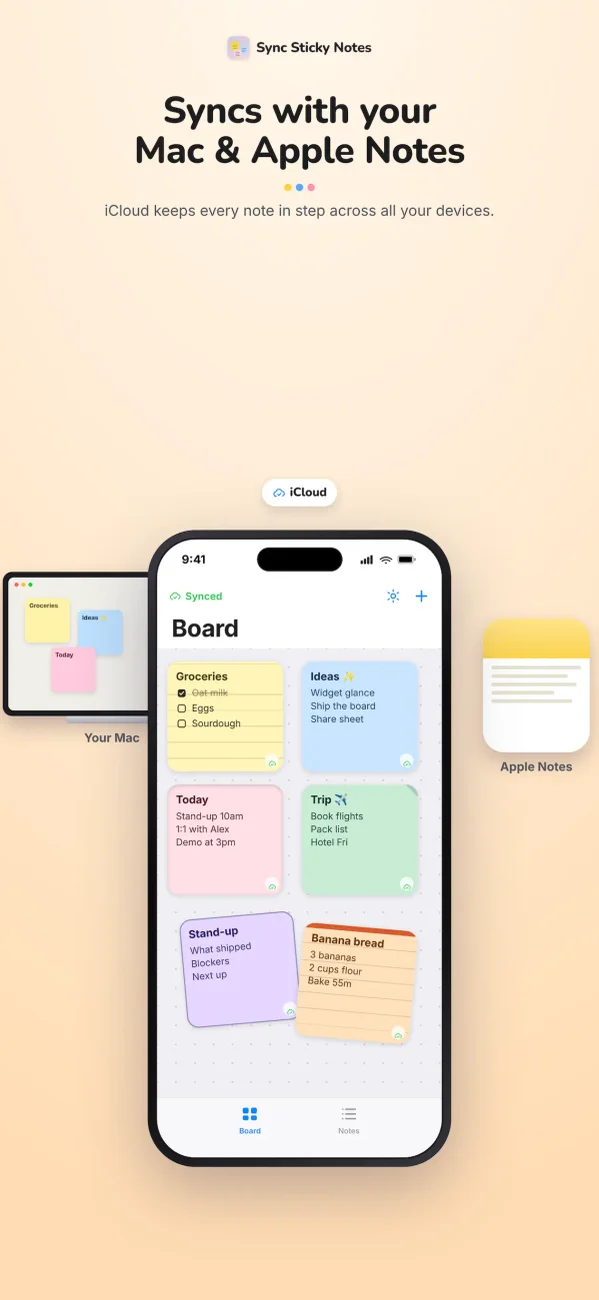

Info
Der Entwickler hat diesen Text nicht in Ihrer Sprache bereitgestellt.
Sync Sticky Notes: Beautiful sticky notes that live on your desktop and follow you across every Apple device.
Pin quick thoughts to your Mac desktop as floating notes, jot ideas on your iPhone, sketch on your iPad and everything stays perfectly in sync through iCloud. It even syncs two ways with the built‑in Apple Notes app, so your notes are never locked in.
FLOATING DESKTOP NOTES (Mac) Keep notes right on your desktop where you'll actually see them. Drag them anywhere, restyle them, and tuck them into a screen‑edge drawer when you want a clean desk.
SYNC EVERYWHERE:
• Two‑way iCloud sync across iPhone, iPad & Mac
• Two‑way sync and import with the Apple Notes app
• "Open on devices" see what you left open elsewhere, even when a device is asleep or off
• Per‑note sync status, so you always know it saved
MAKE THEM YOURS:
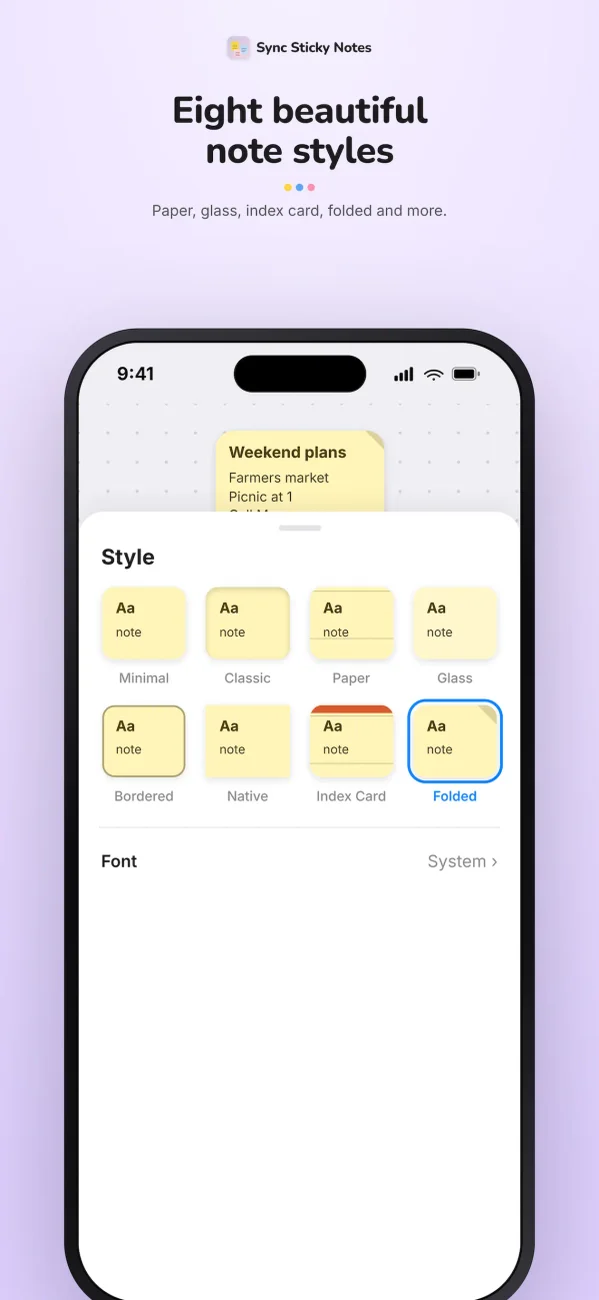
• 6 designs: Minimal, Classic, Paper, Glass, Bordered & Native
• Custom colors, themes & fonts
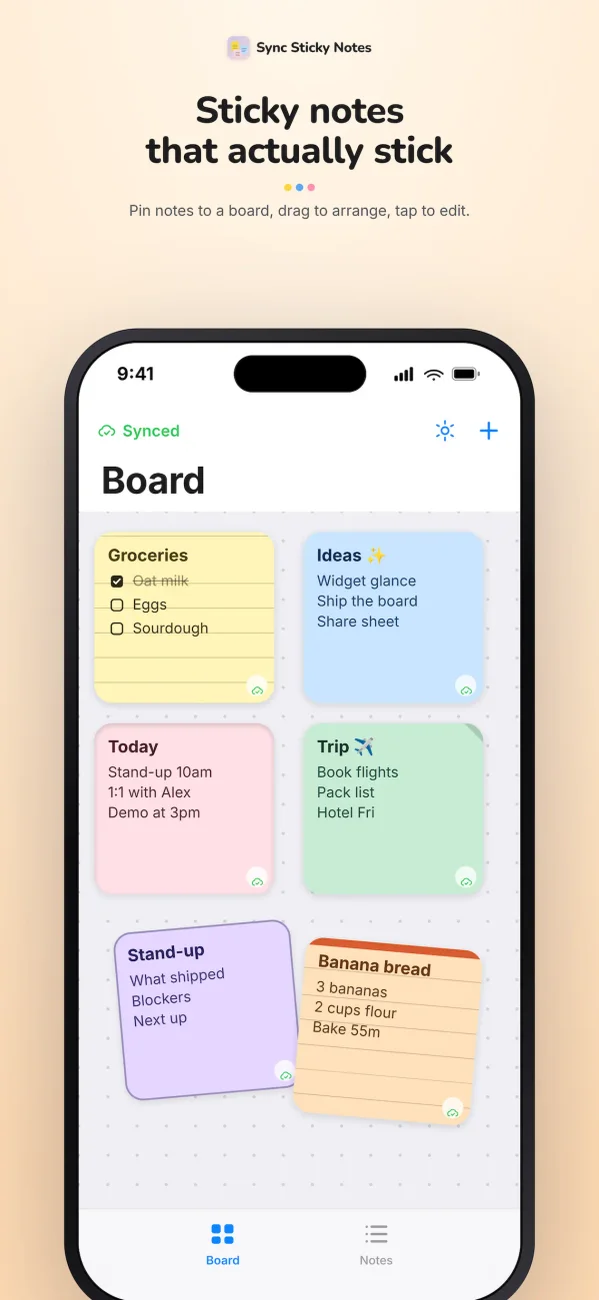
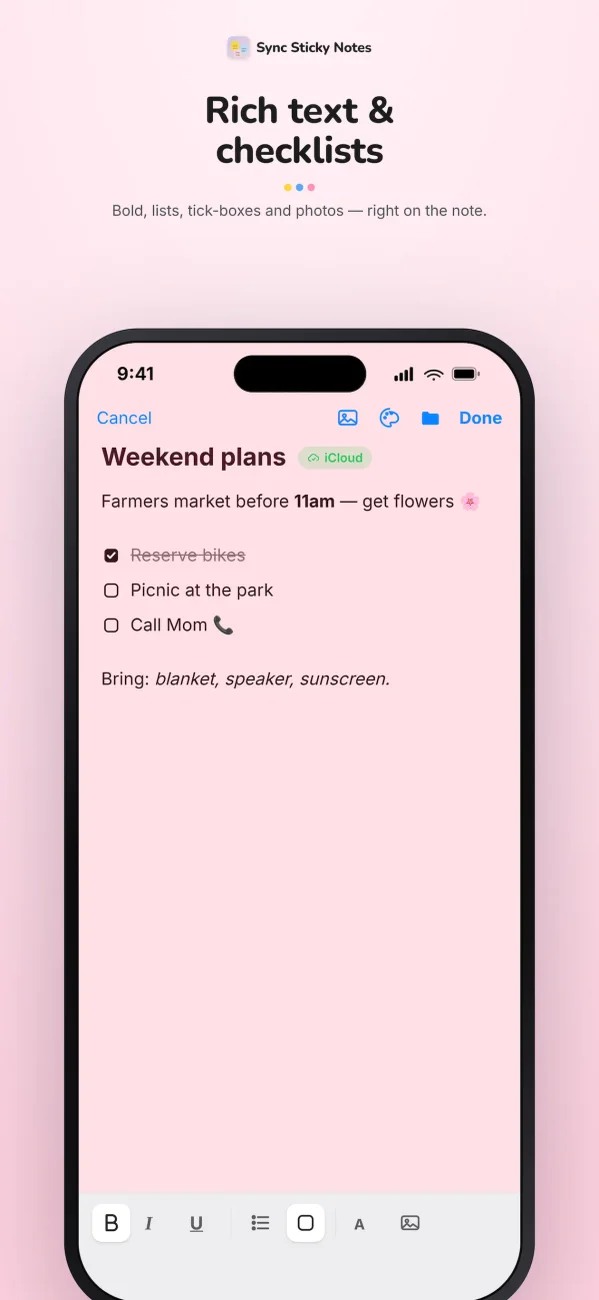
• Rich text with modern, tappable checklists
ORGANIZE YOUR WAY:
• Folders & tags
• Link notes together with [[wiki‑style links]] and visual board connectors
• Pin the important notes in place on the board
• Templates for the notes you create again and again
• Fast on‑device search, plus Spotlight
• Screen‑edge drawer & quick capture for grabbing a thought instantly
MORE THAN TEXT:
• Add photos and Apple Pencil drawings
• Set reminders so nothing slips
• Lock private notes behind Face ID / Touch ID
APPLE INTELLIGENCE (on‑device):
Summarize a note, turn it into a checklist, or get a suggested title, tags, and reminder all processed privately on your device.
WIDGETS & SHORTCUTS:
• Home Screen widgets that show your notes at a glance
• App Shortcuts, Siri & URL actions to create and open notes hands‑free
SHARE & EXPORT:
Send any note as text or as an image in a tap.
SPEAKS YOUR LANGUAGE:
English, Spanish, French, German & Chinese (Simplified).
FREE & PRO:
Create and edit your basic yellow notes free, forever. Unlock sync, styling, Apple Notes, photos, drawings, reminders, folders, tags, widgets and more with Pro:
• 7‑day free trial
• $3.99/month
• $29.99/year
• $89.99 Lifetime
Payment is charged to your Apple Account. Subscriptions renew automatically unless canceled at least 24 hours before the current period ends; manage or cancel anytime in Settings. Lifetime is a one‑time purchase. The app and its yellow notes stay free without a subscription.
Terms of Use: https://www.apple.com/legal/internet-services/itunes/dev/stdeula/
Privacy Policy: https://okobbe.com/SyncStickyNotesPP
Neue Funktionen
Version 4.2 · 28.09.2026
Changes in preparation for upcoming MacOS/iOS 27 Update
A big update focused on organizing your notes and keeping them with you everywhere.
Desktop Drawer (Mac):
Tuck your notes into a sleek panel that slides out from the edge of your screen. Pick from 5 drawer styles, drag to resize it, and pop it open with a keyboard shortcut.
Folder Boards (iPhone & iPad):
Stay more organized with individual boards represented as customizable folders on your main board.
Open on Devices Enhancements
See what you left open on your other devices and it now stays accurate even when a device is asleep, off, or the app is closed. Devices you no longer use drop off on their own, or you can stop tracking one yourself. The sync badge now shows how long ago each note last synced.
Polish
• Icons throughout the Mac menus
• Full emoji picker for note icons
• Smoother note dragging, collapsing & expanding
• The yearly plan now shows how much you save
• Performance and reliability improvements
Thanks for using Sync Sticky Notes! Questions or ideas? We'd love to hear from you.
App-Datenschutz
Was okobbe im App Store zum Umgang dieser App mit Daten angibt.
-
Keine Daten erfasst
Der Entwickler erfasst keine Daten von dieser App.
Die Datenschutzpraktiken können variieren, zum Beispiel je nach den von Ihnen verwendeten Funktionen oder Ihrem Alter.
Informationen
- Anbieter
- Okobbe LLC
- Kategorie
- Produktivität
- Version
- 4.2
- Aktualisiert
- 28.09.2026
- Veröffentlicht
- 09.05.2026
- Größe
- 3,6 MB
- Erfordert
- iOS 17.0 oder neuer
- Altersfreigabe
- 4+
- Preis
- Kostenlos
- In-App-Käufe
- Ja
- Sprachen
- Englisch, Französisch, Deutsch, Japanisch, Vereinf. Chinesisch, Spanisch
- Copyright
- © 2026 okobbe LLC
Das könnte Ihnen auch gefallen
-
 Desktop Note - Notes & PhotosAlways-on-desktop sticky note
-
 Sticky Notes - PostyProduktivität
-
 Notizzettel + Notizen WidgetSketchnotes und aufgabenliste
-
 Notes: Aesthetic NotesTo-dos, Tabellen & Bildwidgets
-
 Quick Note – Notizen im MenüHaftnotizen, Todo & Memo
-
 Color Notes - Journals, To DosNotizen in Pastellfarben
-
 Sticky Notes + WidgetsProduktivität
-
 Notizen: Notizbuch, NotizblockHinweise Zu Den Täglichen Aufg
-
 Hi Sticky: HaftnotizenNotizen, Listen & Widgets
-
 Sticky Notes : StickMeNie vergessen. Erinnere dich.