
Tally: Expense Tracker
Expenses without bank linking
Entwickelt für iPhone, iPad, iPod touch
Kostenlos · In-App-Käufe
- Altersfreigabe4+
- KategorieFinanzen
- EntwicklerJuan Carlos Rodicio Tirado
- SprachenSpanisch+ 1 weitere
- Größe44,2 MB
Verlinkt auf die offizielle App Store-Seite
Download.org hostet keine Datei von Tally: Expense Tracker. Die Schaltfläche öffnet die App-Seite bei App Store, wo Juan Carlos Rodicio Tirado die App veröffentlicht. Eintrag zuletzt geprüft am 13.11.2026.
Screenshots

Info
Der Entwickler hat diesen Text nicht in Ihrer Sprache bereitgestellt.
No bank connection doesn’t mean typing everything in.
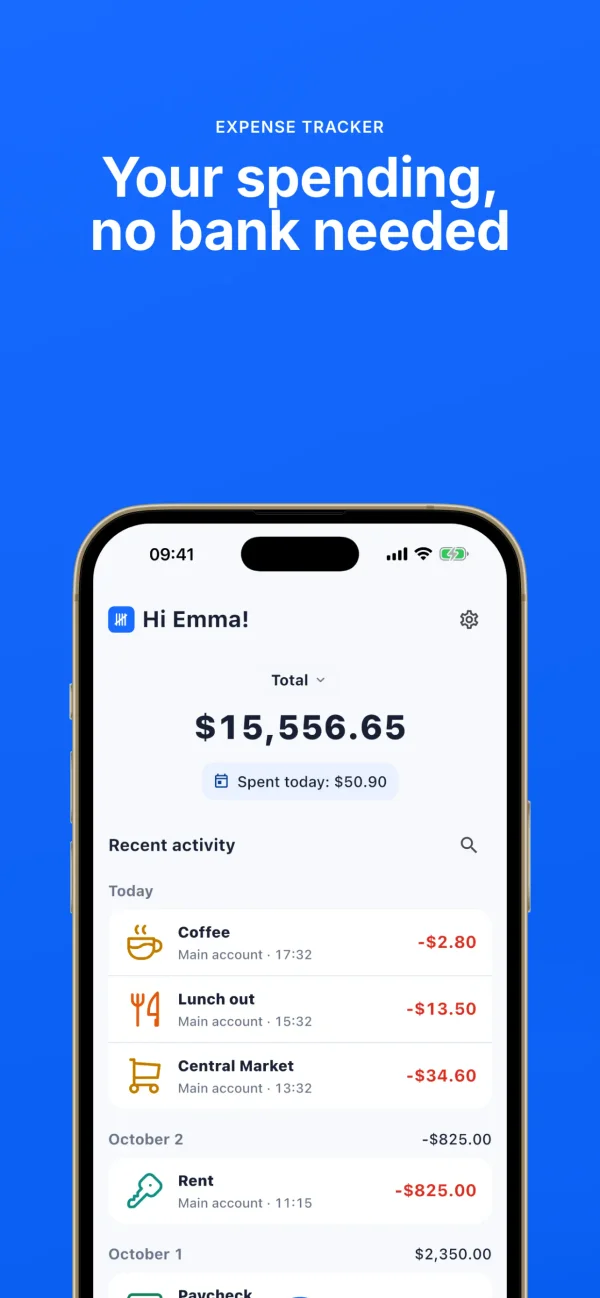
Tally is an expense tracker for iPhone that never connects to your bank account. You choose how each movement gets in, and none of them is saved until you approve it.
FOUR WAYS TO LOG
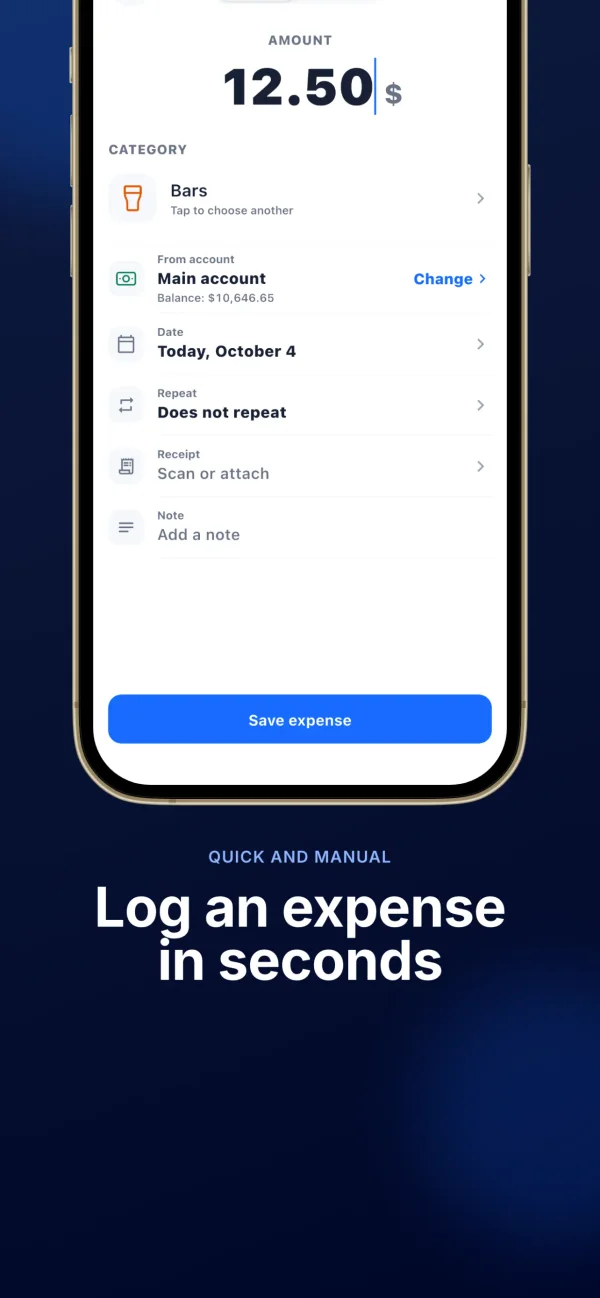
- By hand: tap +, pick expense or income, account, category, and date. Seconds.
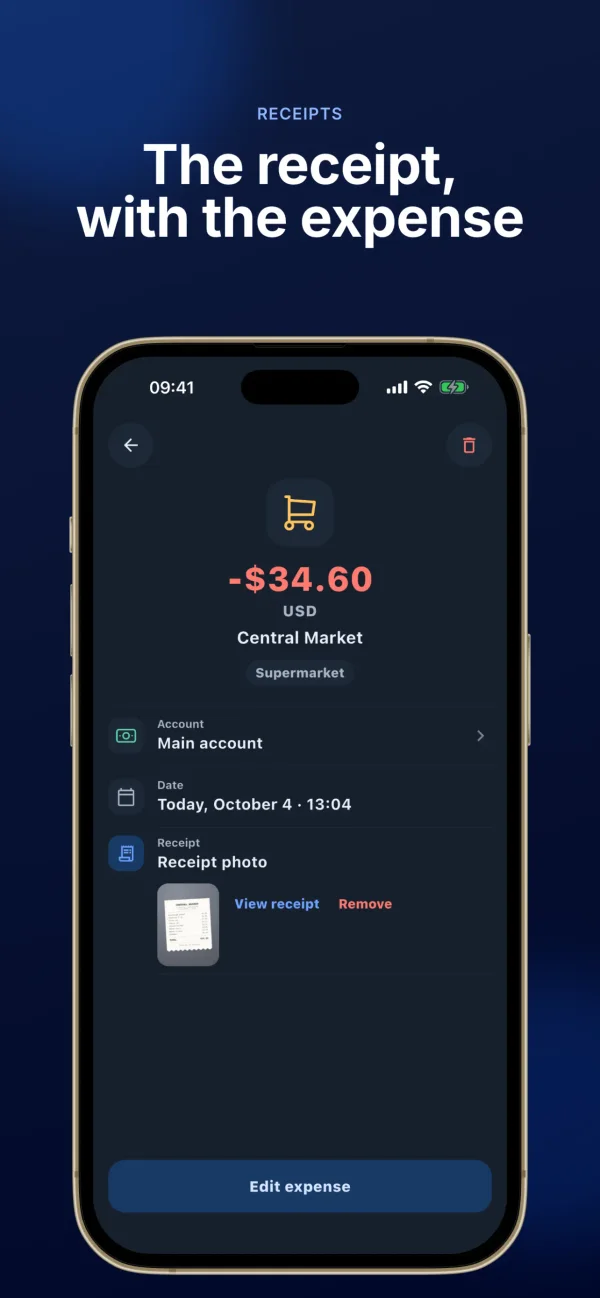
- From a receipt: take the photo and tap “Analyze receipt”. Tally proposes the amount, date, and category, and you review them before saving.
- By importing a statement: a CSV or Excel file you download yourself from your online banking (or Norma 43, for Spanish banks). Row-by-row preview, with possible duplicates flagged.
- With Apple Wallet: an optional Shortcuts automation leaves each payment as a draft for you to review.
The last two, and unlimited receipt analyses, are part of Tally PRO.
WHAT MAKES TALLY DIFFERENT
- It never asks for access to your bank.
- Nothing is saved until you approve it.
- Your movements, accounts, and receipts stay on the device by default.
- No ads, and we do not sell your data.
WHAT ELSE YOU CAN DO
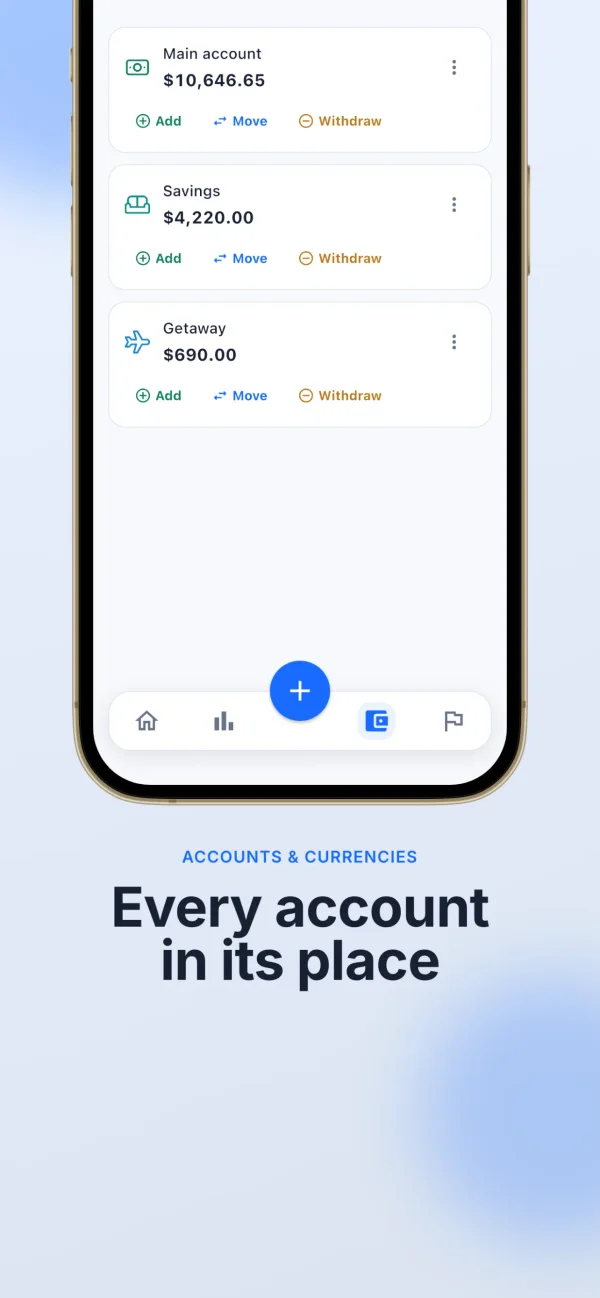
- Split your money across accounts, including event accounts for a trip or a party.
- Keep each account in its own currency, out of 47: your total is converted to your main currency on the phone, with the day’s exchange rates.
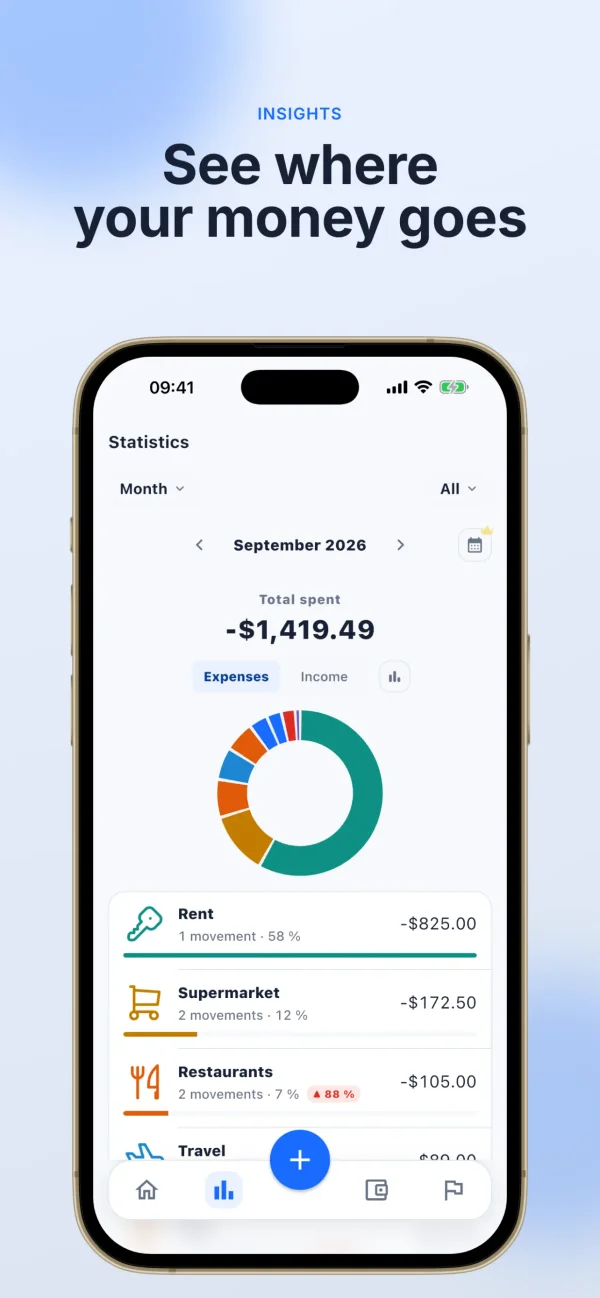
- Sort by category, and create 3 of your own for free (unlimited with PRO).
- Keep the receipt photo next to the movement.
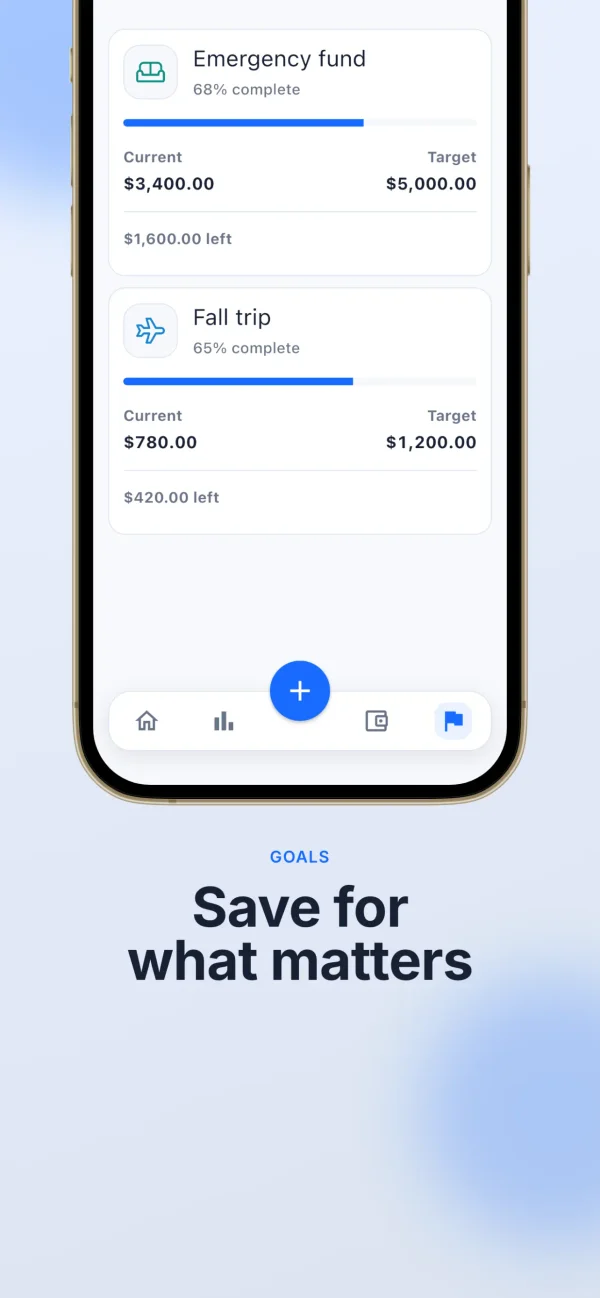
- Track savings goals and recurring movements.
- See statistics by month, quarter, semester, and year.
- Share one specific account with someone else, such as your partner, encrypted on the device before it is uploaded. Requires PRO on both phones.
- Export your data to CSV whenever you want.
FREE AND TALLY PRO
Free, with no time limit and no ads: 3 accounts, the built-in categories plus 3 custom ones, 1 AI receipt analysis, 1 statement import (up to 300 entries, with an account), 1 recurring item, and 1 goal.
Tally PRO adds unlimited and event accounts, unlimited custom categories, unlimited receipt analyses, unlimited statement imports, the Wallet automation, advanced statistics and filters, and shared accounts. Billed monthly, yearly, or as a one-time purchase.
ABOUT THE AI
Tally uses artificial intelligence in two places, and only when you ask for it: when you tap “Analyze receipt”, and when it tidies up the rows of a statement you imported. The Apple Wallet automation uses no AI and makes no network calls. Neither of them needs access to your bank.
WHAT TALLY DOES NOT DO
- It does not connect to banks or Open Banking.
- It has no category budgets.
- It does not work out who owes what between people.
- It does not use real-time exchange rates: it converts with the day’s rates.
- There is no guest mode: an account is required.
Requires an account (Apple, Google, or email).
Built by Juan Carlos Rodicio.
Terms of use (EULA): https://www.apple.com/legal/internet-services/itunes/dev/stdeula/
Neue Funktionen
Version 2.12.0 · 05.11.2026
New: export a year of spending to Excel from Settings > Data.
3 custom categories for free (up from 2).
Try bank import for free: with your account, one statement of up to 300 entries without PRO.
Adding, taking out and moving money no longer fails now and then.
A new category's icons and colors no longer disappear while you type.
View-only shared accounts are no longer offered for adding money.
The "Date range" button now shows properly in dark mode.
App-Datenschutz
Was Juan Carlos Rodicio Tirado im App Store zum Umgang dieser App mit Daten angibt.
-
Mit Ihnen verknüpfte Daten
Können erfasst und mit Ihrer Identität verknüpft werden.
- Kontaktinformationen
-
Nicht mit Ihnen verknüpfte Daten
Können erfasst werden, sind aber nicht mit Ihrer Identität verknüpft.
- Nutzungsdaten
- Diagnose
Die Datenschutzpraktiken können variieren, zum Beispiel je nach den von Ihnen verwendeten Funktionen oder Ihrem Alter.
Informationen
- Anbieter
- Juan Carlos Rodicio Tirado
- Kategorie
- Finanzen
- Version
- 2.12.0
- Aktualisiert
- 05.11.2026
- Veröffentlicht
- 01.06.2026
- Größe
- 44,2 MB
- Erfordert
- iOS 15.0 oder neuer
- Altersfreigabe
- 4+
- Preis
- Kostenlos
- In-App-Käufe
- Ja
- Sprachen
- Spanisch, Englisch
- Copyright
- © 2026 R Cuadrado
Das könnte Ihnen auch gefallen
-
 Aurio - Your finances, clearFinanzen
-
 Control de gastos: TiqsyFinanzen
-
 OngMon - Budget TrackerFinanzen
-
 Kwito: Receipt ScannerFinanzen
-
 DuoBalanceFinanzen
-
 Savings: KI-Ausgaben-TrackerKI-Belegscan & Schnelleingabe
-
 FinOncesFinanzen
-
 SPRKFinanzen
-
 Ausgaben-Tracker: TallyAusgaben & Rechnungen teilen
-
 Pikscan: Expense reportsFinanzen