
Tasmo:ToDoリスト・タスク管理
メモ、期限通知、繰り返しタスク対応
Entwickelt für iPhone, iPad, iPod touch
Kostenlos
- Altersfreigabe4+
- KategorieProduktivität
- EntwicklerMasato Hayashi
- SprachenJapanisch+ 1 weitere
- Größe31,0 MB
Verlinkt auf die offizielle App Store-Seite
Download.org hostet keine Datei von Tasmo:ToDoリスト・タスク管理. Die Schaltfläche öffnet die App-Seite bei App Store, wo Masato Hayashi die App veröffentlicht. Eintrag zuletzt geprüft am 12.11.2026.
Screenshots
Info
Der Entwickler hat diesen Text nicht in Ihrer Sprache bereitgestellt.
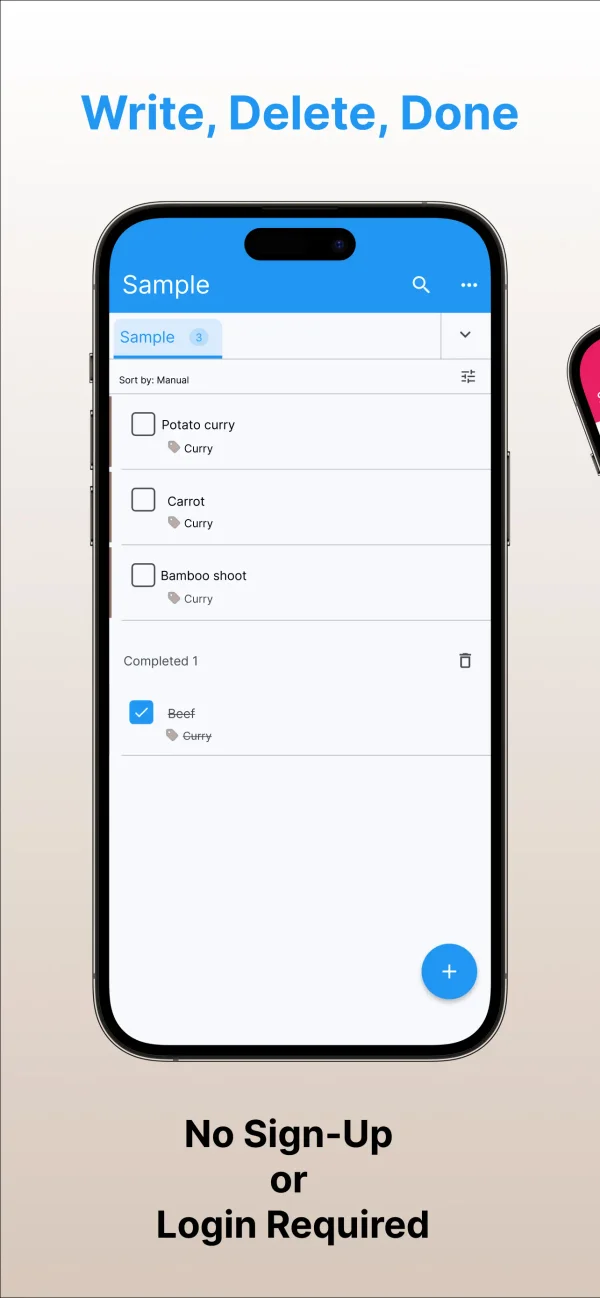
Write down what you have to do, so you stop forgetting it. That is all this app does.
Tasmo is a to-do app you can write in the moment you think of something, and search later when you cannot remember the words. There is no account and no sign-in. Your tasks and memos stay on your device.
■ Fast to write
Tap + at the bottom right and start typing. Every task has a memo field, so you can keep the detail you will need to remember next to the task itself.
■ Due dates and reminders
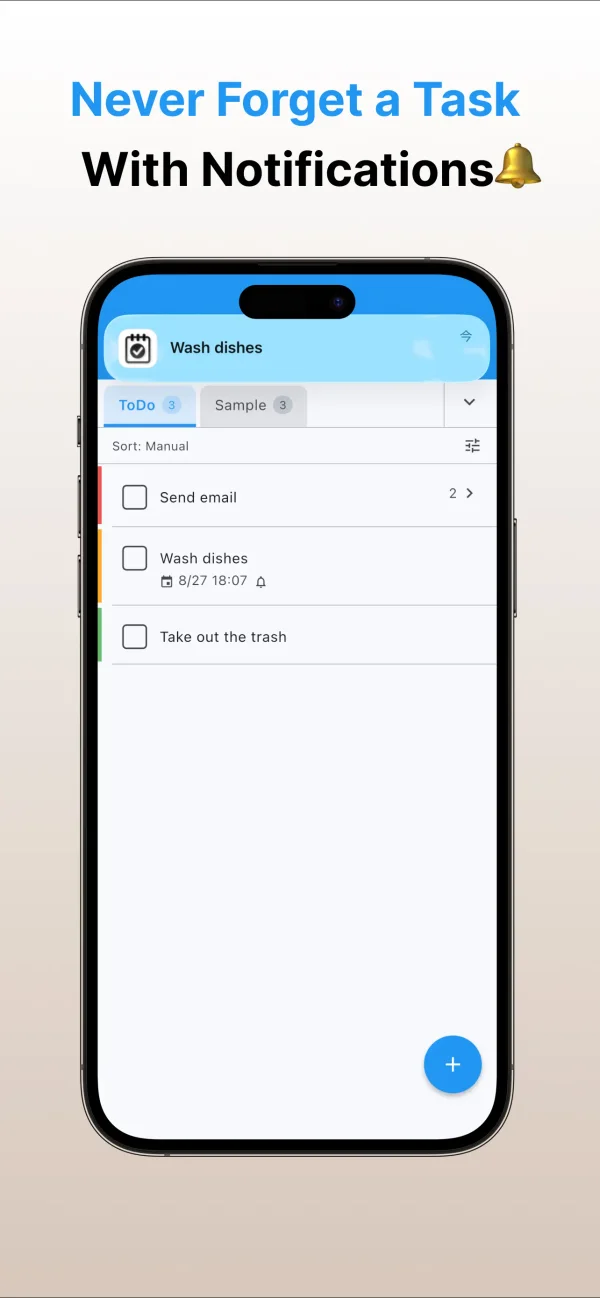
Give a task a date and a time, and a notification arrives at that time.
You can also be told early — 5 minutes before, an hour before, or the day before.
You no longer have to remember today's list yourself.
■ Home Screen and Lock Screen widgets
Keep your list on your Home Screen, or on your Lock Screen.
You can tick tasks off in the widget itself, without opening the app.
Each widget can show what you want: everything unfinished, or only tasks with a due date.
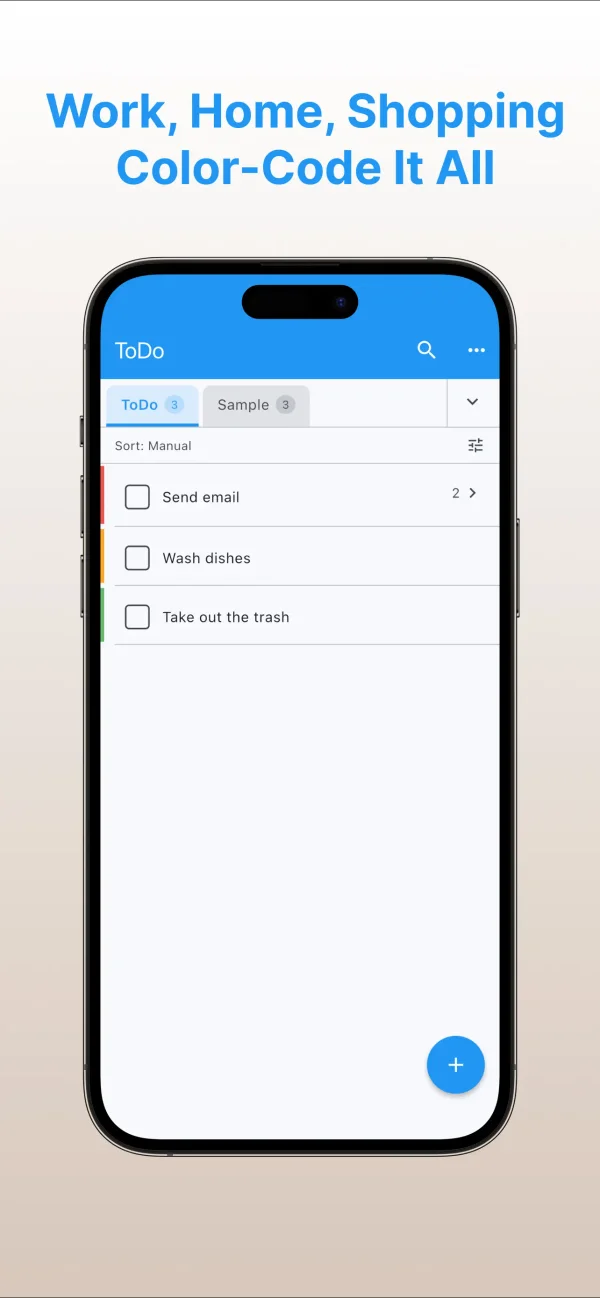
■ Folders and tags
Work, chores, shopping, study. Make folders and keep them apart. There is no limit on how many.
Tags cut across folders, so you can also group things as "urgent" or "this week".
■ Search when you only half remember
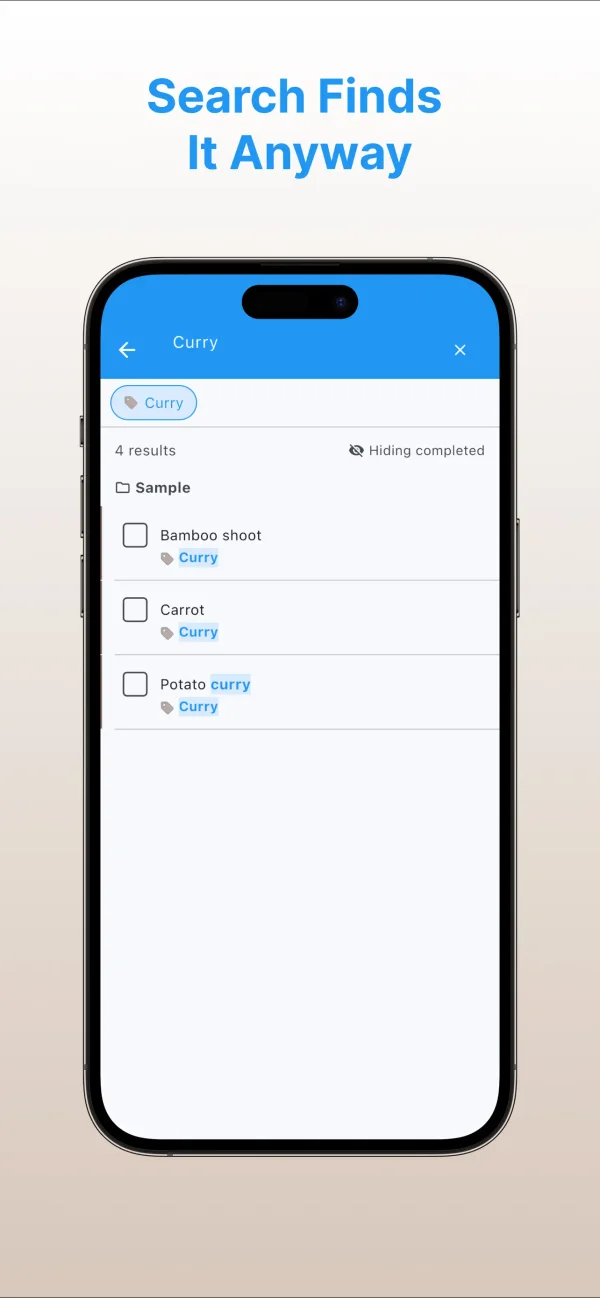
Search task names, memos and tag names — across every folder at once, not just the one you are in.
Matches are highlighted, so you can see why a task came up.
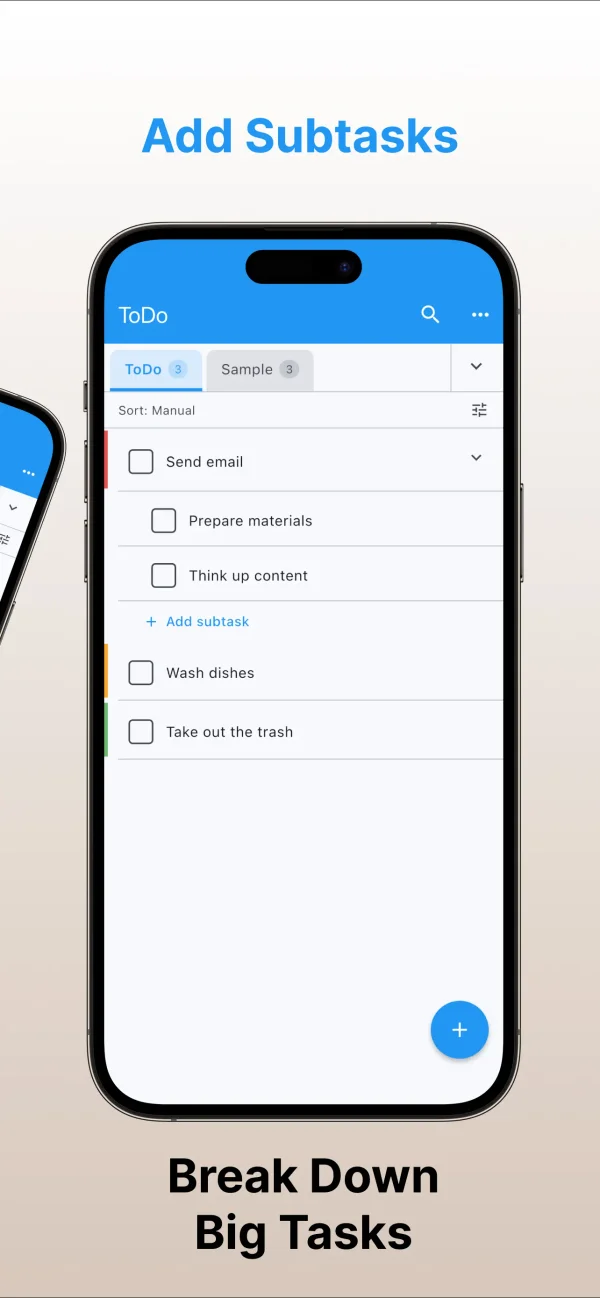
■ Subtasks
Hang the individual steps under a bigger task.
Nesting stops at one level, so a list can never get so deep that you lose track of it.
■ Recurring tasks
Repeat on an interval ("every 3 days"), on days of the week ("every Tuesday", "weekdays only"), or on dates of the month ("the 1st", "end of month").
When the day comes around, the task is added for you.
■ Nothing is lost when you delete it
Deleted tasks go to the trash. If you delete one by mistake, you can restore it.
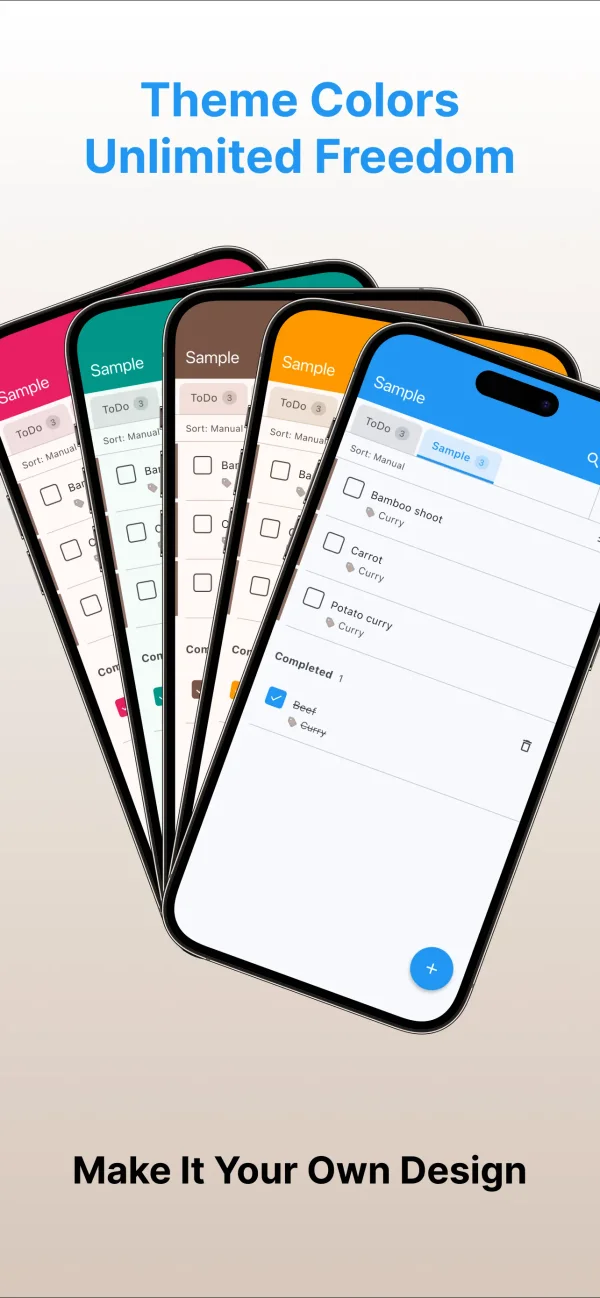
■ Make it yours
Switch between light and dark, and change the theme color.
Sort by hand, by due date, by color, or by tag.
Give individual tasks a color, so you can pick them out at a glance.
■ English and Japanese
The app follows your device language, and you can also choose one in Settings.
■ iPhone and iPad
Both are supported.
―――
Your tasks and memos are stored on your device and are not sent to a server.
Writing, searching and reminders all keep working in airplane mode.
Note: ads and anonymous usage statistics do use the network.
Tasmo is for you if
- You are tired of switching between a notes app and a to-do app
- You have tried a powerful task manager and never got the hang of it
- You rebuild the same shopping or packing list every time
- You want to start using something now, without signing up
Free to use, supported by ads.
Neue Funktionen
Version 2.0.0 · 31.08.2026
Version 2.0 rebuilds Tasmo, inside and out.
- Home Screen and Lock Screen widgets. You can tick tasks off in the widget.
- Subtasks. Hang the individual steps under a bigger task.
- Recurring tasks. Repeat on an interval, on days of the week, or on dates of the month.
- Rebuilt search. Look through task names, memos and tag names across every folder at once.
- Reminders can now arrive early — 5 minutes before, or the day before.
- Individual tasks can be given a color.
- New sort orders: by due date, by color, and by tag.
- Dark mode and a choice of theme color.
- English is now supported, following your device language.
- A short walkthrough the first time you open the app.
- iPad support.
Everything you already wrote carries over.
App-Datenschutz
Was Masato Hayashi im App Store zum Umgang dieser App mit Daten angibt.
-
Daten, die zum Tracking Ihrer Person verwendet werden
Können verwendet werden, um Sie über Apps und Websites anderer Unternehmen hinweg zu verfolgen.
- Standort
- Kennungen
- Nutzungsdaten
-
Nicht mit Ihnen verknüpfte Daten
Können erfasst werden, sind aber nicht mit Ihrer Identität verknüpft.
- Standort
- Kennungen
- Nutzungsdaten
Die Datenschutzpraktiken können variieren, zum Beispiel je nach den von Ihnen verwendeten Funktionen oder Ihrem Alter.
Informationen
- Anbieter
- Masato Hayashi
- Kategorie
- Produktivität
- Version
- 2.0.0
- Aktualisiert
- 31.08.2026
- Veröffentlicht
- 26.03.2023
- Größe
- 31,0 MB
- Erfordert
- iOS 15.6 oder neuer
- Altersfreigabe
- 4+
- Preis
- Kostenlos
- Sprachen
- Japanisch, Englisch
- Copyright
- © 2022 MasatoHayashi Inc.
Das könnte Ihnen auch gefallen
-
 MemoTag – Simple Notes & TagsProduktivität
-
 期限管理カレンダーProduktivität
-
 GanttsProduktivität
-
 MindMapToDo: Planner & IdeasProduktivität
-
 FlowDo: Simple Order To-DoProduktivität
-
 Palm.Scheduling - スケジュール帳Produktivität
-
 DooNuts - Cozy TodosNiedlicher Tagesplaner
-
 Yoko TimelineProduktivität
-
 ぴよToDo - シンプルなタスク管理Produktivität
-
 おたよりBoxProduktivität