
- Altersfreigabe4+
- KategorieProduktivität
- EntwicklerBrandon Cambron
- SprachenEnglisch
- Größe7,6 MB
Team Recorder ist bei App Store derzeit möglicherweise nicht verfügbar
Bei unserer letzten Prüfung war der Store-Eintrag nicht erreichbar. Der Link führt weiterhin zur offiziellen App Store-Seite.
Screenshots




Info
Der Entwickler hat diesen Text nicht in Ihrer Sprache bereitgestellt.
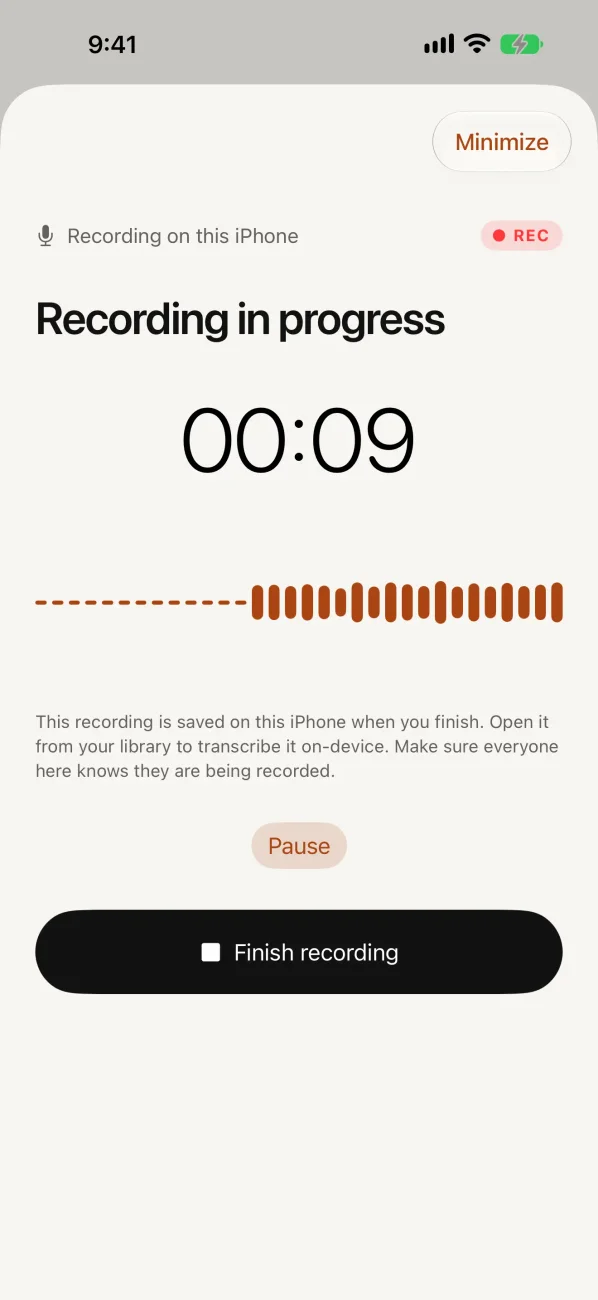
Team Recorder captures conversations and meetings on your Apple Watch or iPhone and keeps them private on your devices. There is no account to create and your recordings are never uploaded.
RECORD ANYWHERE
- Start a recording from your wrist with one tap (or a double tap on the Watch screen), or from your iPhone.
- Pause, resume and finish. A red REC indicator and timer stay on screen the whole time the microphone is on.
- Long meetings are saved in segments, and interrupted audio is recovered instead of lost.
- Gentle check-ins every 15 minutes help you remember a recording is still running.
WATCH TO IPHONE
- Recordings made on Apple Watch transfer to your iPhone with a verified checksum receipt, so you know the copy arrived intact.
- The Watch also works on its own when your iPhone is not nearby.
REVIEW PRIVATELY
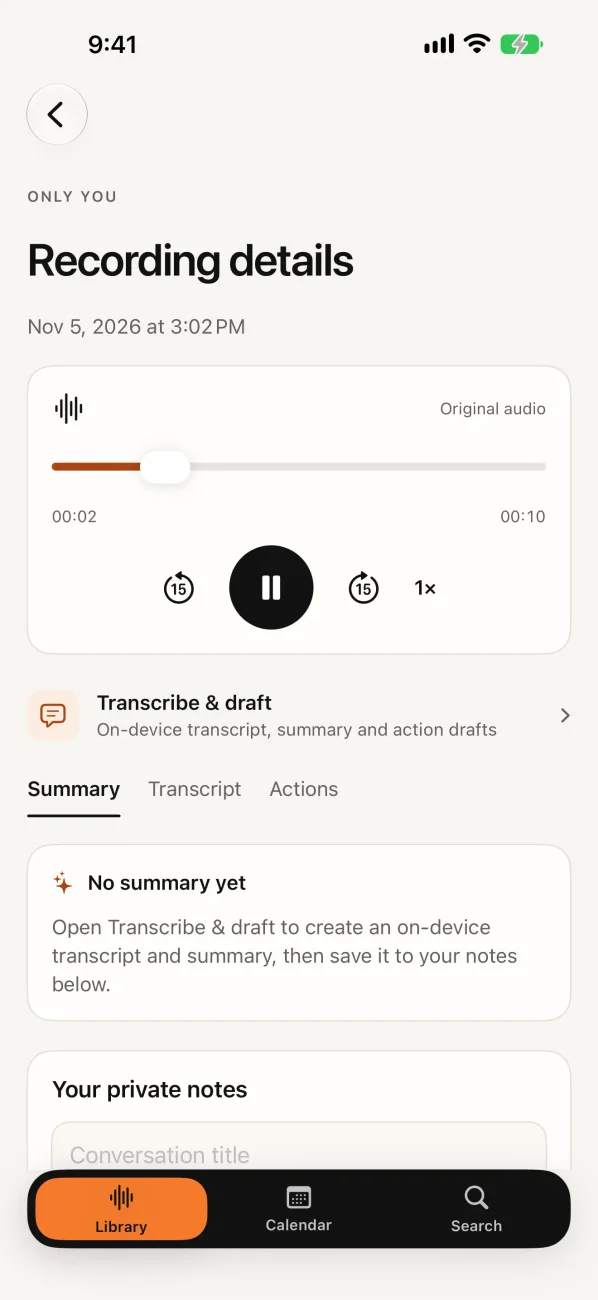
- Play back with 15-second skips and adjustable speed.
- Add a title, private notes and your own action items.
- Transcribe saved audio on your iPhone with Apple's on-device speech recognition (iOS 26 on supported iPhones).
- Draft a summary, action items, decisions or open questions with the on-device Apple Intelligence model, where available. Every suggestion quotes its source so you can check it.
- Search titles, notes and transcripts.
BRING IN WHAT YOU ALREADY HAVE
- Import audio files and plain-text notes or transcripts.
- See upcoming events from the Apple Calendar calendars you choose (read-only), so it is easy to find the meeting you are about to record.
PRIVATE BY DESIGN
- No sign-in, no ads, no tracking.
- If the app crashes or freezes, an anonymous crash report (code locations, app and iOS version, device model) helps us fix it. It never includes audio, transcripts, notes, titles or names.
- Audio, transcripts and notes stay on your iPhone and Watch and are excluded from device backups.
- Delete any recording from your iPhone or Watch at any time.
RECORDING CONSENT
Always tell people when you are recording and get their consent where the law requires it, including in all-party consent states such as California. Team Recorder never records in the background on its own; you start and stop every recording.
Questions: info@serviceaihq.com
Neue Funktionen
Version 1.0.2 · 08.11.2026
- Rate Team Recorder any time from Settings with the new "Rate on the App Store" row. After you have saved a few recordings, iOS may ask once per version whether you'd like to rate the app.
- Anonymous crash reports: if the app crashes or freezes, a report with code locations, app and iOS version and device model is sent so we can fix the problem. It never includes audio, transcripts, notes, titles or names.
- Stability improvements.
App-Datenschutz
Was Brandon Cambron im App Store zum Umgang dieser App mit Daten angibt.
-
Nicht mit Ihnen verknüpfte Daten
Können erfasst werden, sind aber nicht mit Ihrer Identität verknüpft.
- Kennungen
- Nutzungsdaten
- Diagnose
Die Datenschutzpraktiken können variieren, zum Beispiel je nach den von Ihnen verwendeten Funktionen oder Ihrem Alter.
Informationen
- Anbieter
- Brandon Cambron
- Kategorie
- Produktivität
- Version
- 1.0.2
- Aktualisiert
- 08.11.2026
- Veröffentlicht
- 06.11.2026
- Größe
- 7,6 MB
- Erfordert
- iOS 17.0 oder neuer
- Altersfreigabe
- 4+
- Sprachen
- Englisch
- Copyright
- © 2026 ServiceAi HQ LLC
Das könnte Ihnen auch gefallen
-
 DearDocProduktivität
-
 WhatLingo: Chat-ÜbersetzerWhatsApp Texte & Sprachnoten
-
 Proximity MobileProduktivität
-
 Volunteer ConnectionProduktivität
-
 Voicepal: your AI GhostwriterProduktivität
-
 Astari: AI Note TakerProduktivität
-
 OpenClawProduktivität
-
 Crowdcast MobileProduktivität
-
 RenoPlan - Floor Plan CreatorProduktivität
-
 AVG Secure VPN & Proxy serverSchnelles VPN + IP-Wechsler