Tellytide - STEM Scrolling
Science & Learning Videos
Entwickelt für iPhone, iPad
Kostenlos
- Altersfreigabe4+
- KategorieBildung
- EntwicklerAUGE XR AG
- SprachenEnglisch
- Größe7,1 MB
Verlinkt auf die offizielle App Store-Seite
Download.org hostet keine Datei von Tellytide - STEM Scrolling. Die Schaltfläche öffnet die App-Seite bei App Store, wo AUGE XR AG die App veröffentlicht. Eintrag zuletzt geprüft am 16.11.2026.
Screenshots

Info
Der Entwickler hat diesen Text nicht in Ihrer Sprache bereitgestellt.
Turn “one more video” into “one more why.”
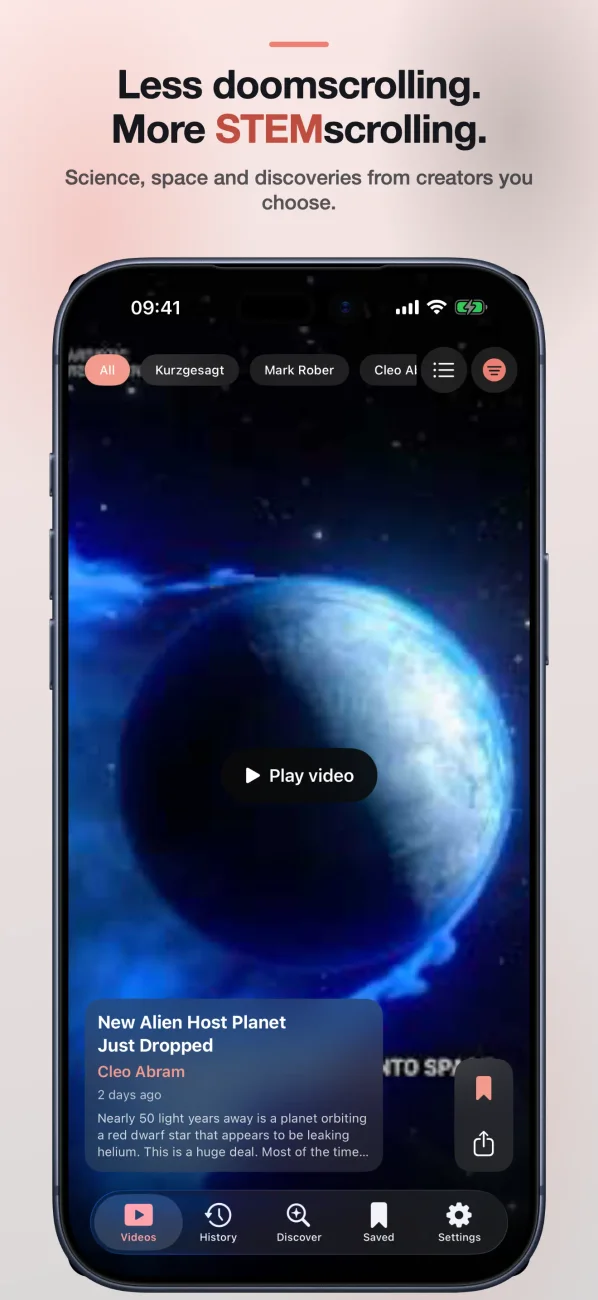
Less doomscrolling. More STEMscrolling.
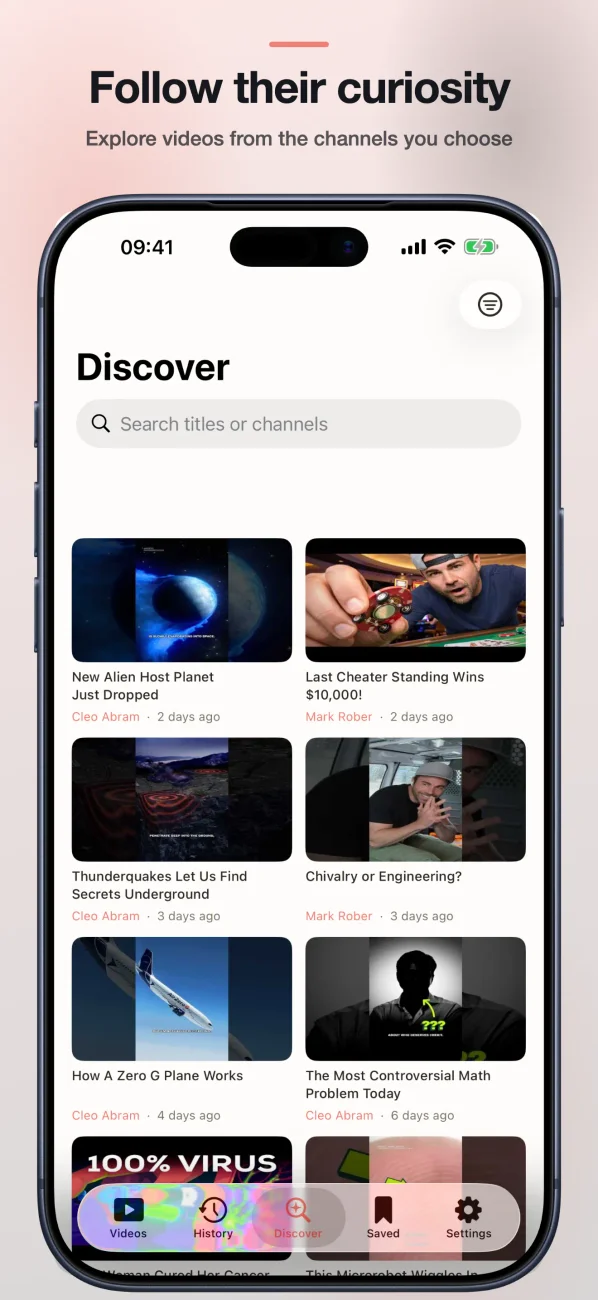
Choose educational YouTube creators you trust. Tellytide brings their videos together for your child to explore science, technology, engineering and math, alongside space, history, nature and other interests.
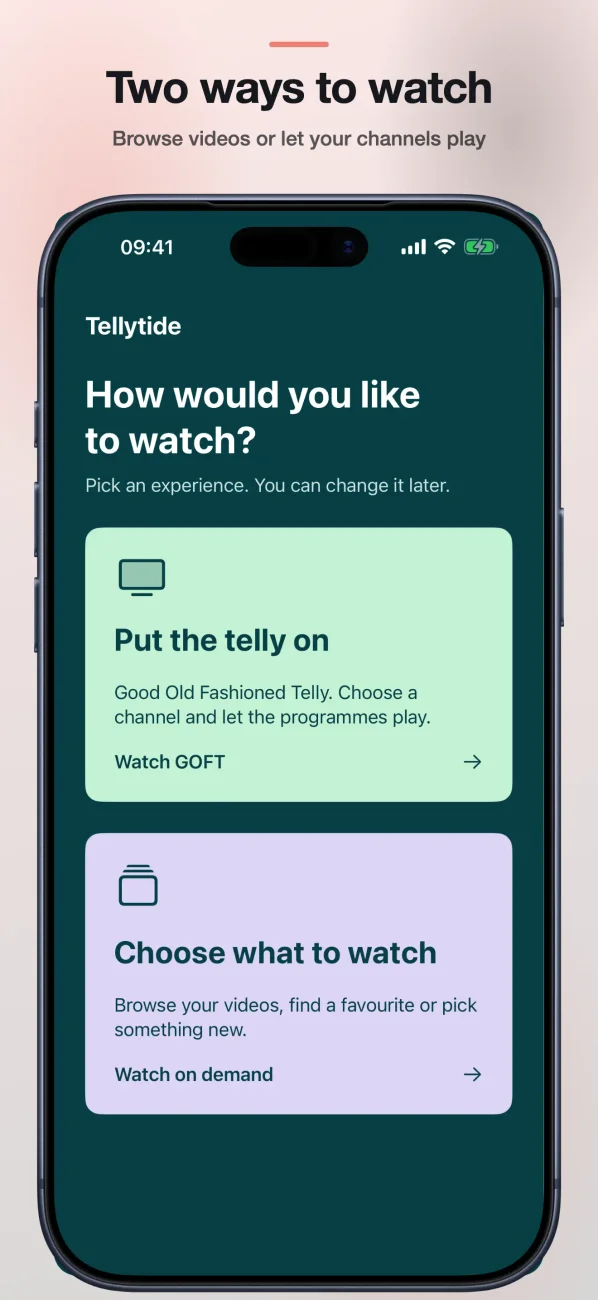
Two ways to watch
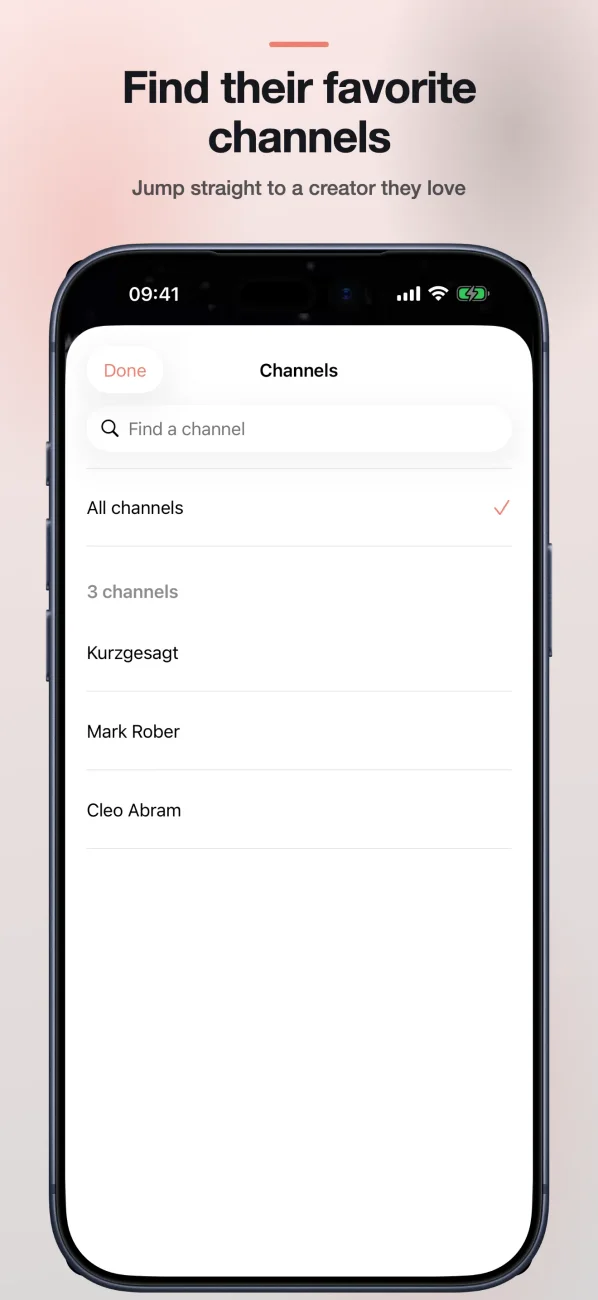
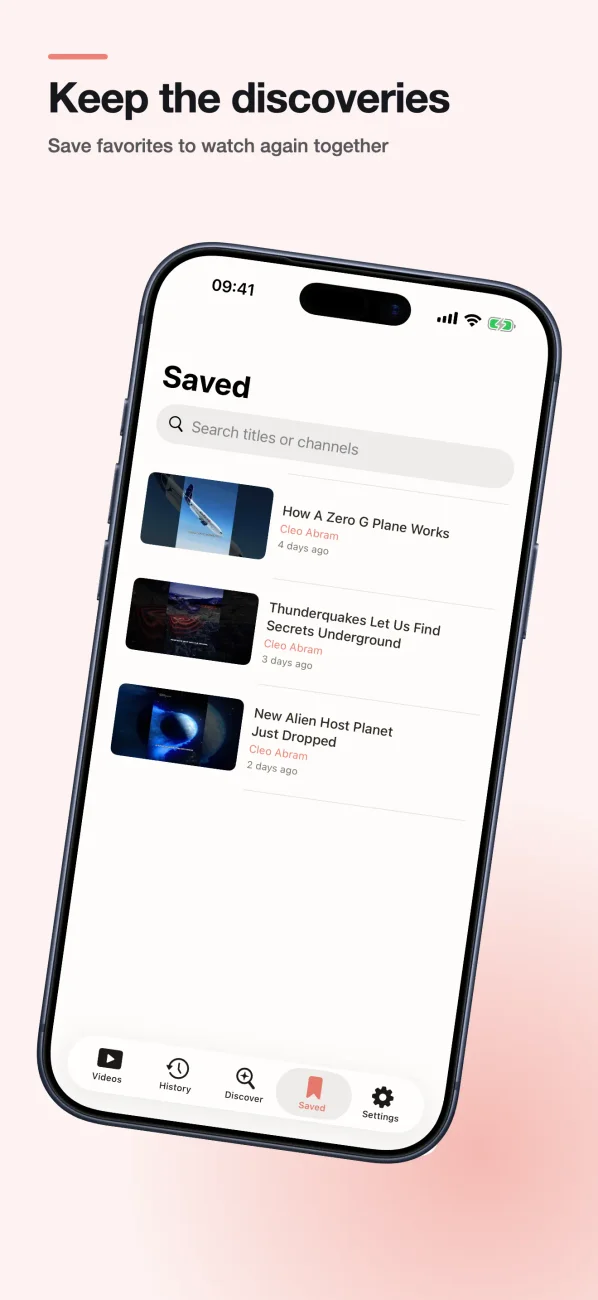
In Videos mode, swipe through videos, browse your chosen creators, and save discoveries to watch again. Search the channel chooser to jump straight to a favorite creator, even in a large library. Find finished videos in History. When the selected videos run out, the feed ends.
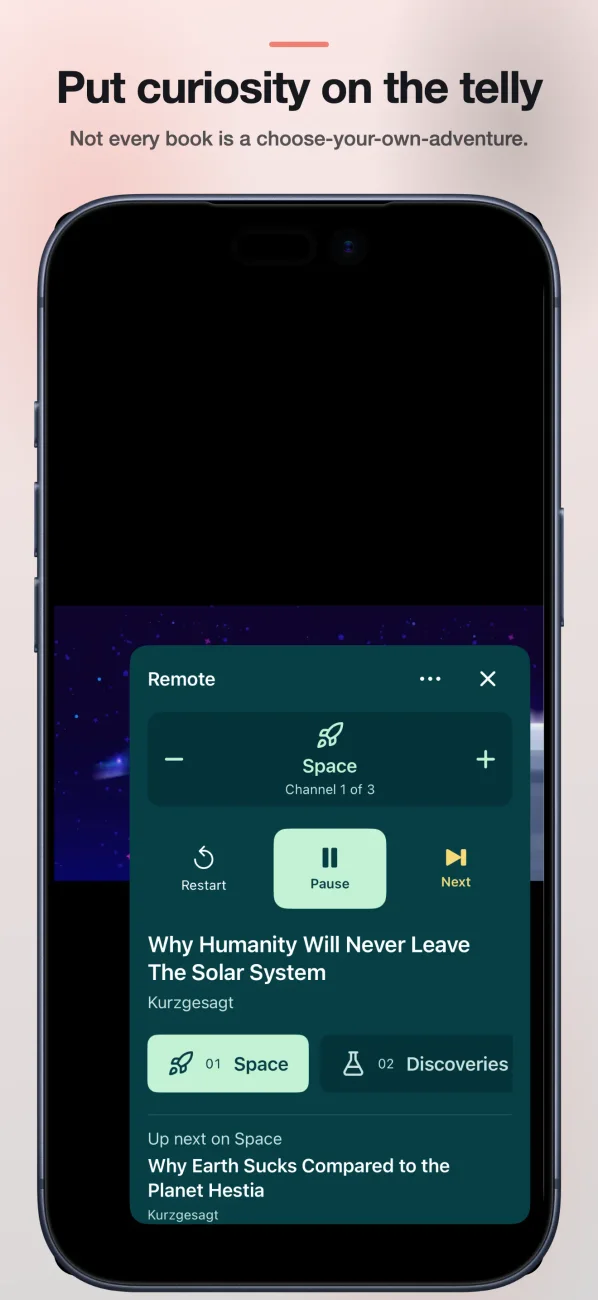
Put curiosity on the telly
Not every book is a choose-your-own-adventure. Sometimes, you just want to turn the page.
With GOFT (Good Old Fashioned Telly), parents choose the channels and programmes play back to back. There’s no need to choose a new video after each one. Open the remote control to change channels, pause or play, skip to the next video, or restart the current one. Clear channel icons help children recognize what they want to watch. Parents can choose an icon for each TV channel on the web.
Parents choose Videos, GOFT, or both modes. When both are allowed, viewers can switch using Change viewing mode in Settings or the GOFT viewing options.
Start with a preview
Try the sample feed in the app before creating your own.
Set up your family feed:
- Choose creators and viewing settings at tellytide.com.
- Pair an iPhone or iPad with a six-character code.
- Watch videos from your chosen creators, with settings managed by a parent.
Parents can set a daily limit, add limits to individual creators, and decide whether Shorts appear. The parent dashboard shows watch activity. Search, comments and links out to the rest of YouTube are blocked in the player.
No behavioral advertising or analytics SDKs are included in the child-facing app. We store pairing and watch time so the feed, history and limits work. We do not sell your data.
Videos play through YouTube's official embedded player, so YouTube ads may still play. Tellytide is independent and is not affiliated with YouTube.
Neue Funktionen
Version 1.0.7 · 25.10.2026
Made for more ways to watch.
- Enjoy layouts that adapt as you open, fold or turn iPhone Duo.
- Keep your Explore search when closing search or changing layout.
- Save videos from Explore with a swipe on iOS 27.
- Open saved videos or a chosen telly channel with Shortcuts on iOS 27.
- Use one daily limit for a telly channel’s creators across Videos and TV.
Your paired devices, selected channels, saved videos and watch history stay with you.
App-Datenschutz
Was AUGE XR AG im App Store zum Umgang dieser App mit Daten angibt.
-
Mit Ihnen verknüpfte Daten
Können erfasst und mit Ihrer Identität verknüpft werden.
- Kennungen
- Diagnose
Die Datenschutzpraktiken können variieren, zum Beispiel je nach den von Ihnen verwendeten Funktionen oder Ihrem Alter.
Informationen
- Anbieter
- AUGE XR AG
- Kategorie
- Bildung
- Version
- 1.0.7
- Aktualisiert
- 25.10.2026
- Veröffentlicht
- 20.07.2026
- Größe
- 7,1 MB
- Erfordert
- iOS 26.0 oder neuer
- Altersfreigabe
- 4+
- Preis
- Kostenlos
- Sprachen
- Englisch
- Copyright
- © 2026 - Auge XR AG