
Termalin: SSH & SFTP Client
Terminal & live server monitor
Entwickelt für iPhone, iPad, Mac, iPod touch
Kostenlos · In-App-Käufe
- Altersfreigabe4+
- KategorieEntwickler-Tools
- EntwicklerSviatoslav Pavlov
- SprachenEnglisch
- Größe136,4 MB
Verlinkt auf die offizielle App Store-Seite
Download.org hostet keine Datei von Termalin: SSH & SFTP Client. Die Schaltfläche öffnet die App-Seite bei App Store, wo Sviatoslav Pavlov die App veröffentlicht. Eintrag zuletzt geprüft am 23.11.2026.
Screenshots
Info
Der Entwickler hat diesen Text nicht in Ihrer Sprache bereitgestellt.
Termalin is a fast, no-nonsense SSH client built for people who live in the terminal — and for working on servers from a phone, including with AI coding agents like Claude Code.
A TERMINAL THAT WORKS FROM A PHONE
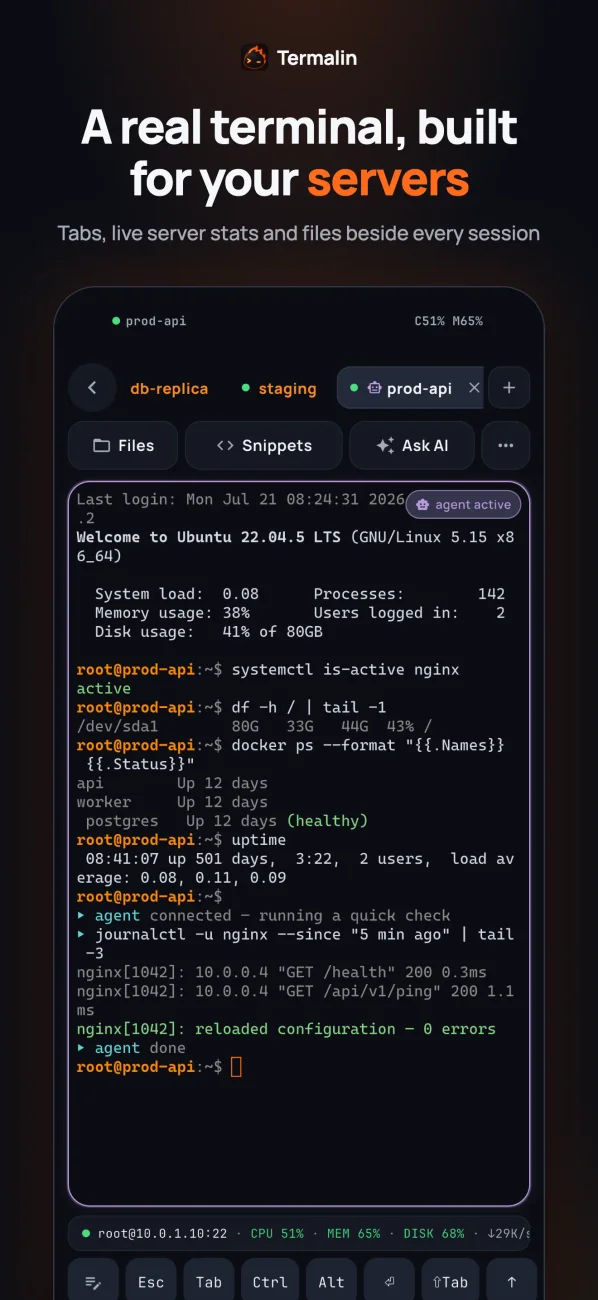
• Real SSH terminal (xterm-256color) with tabs
• Key row above the keyboard: Esc, Tab, Ctrl, Alt, Enter, Shift+Tab, arrows, Backspace, Delete, F1–F12, paste — keys repeat when held, Ctrl and Alt lock with a second tap
• Message box: write a command or a message to Claude Code like a chat message — dictation, autocorrect, cursor — and send it with Enter in one tap
• Slide on the space bar to move the cursor, pinch to change the font size, swipe between sessions
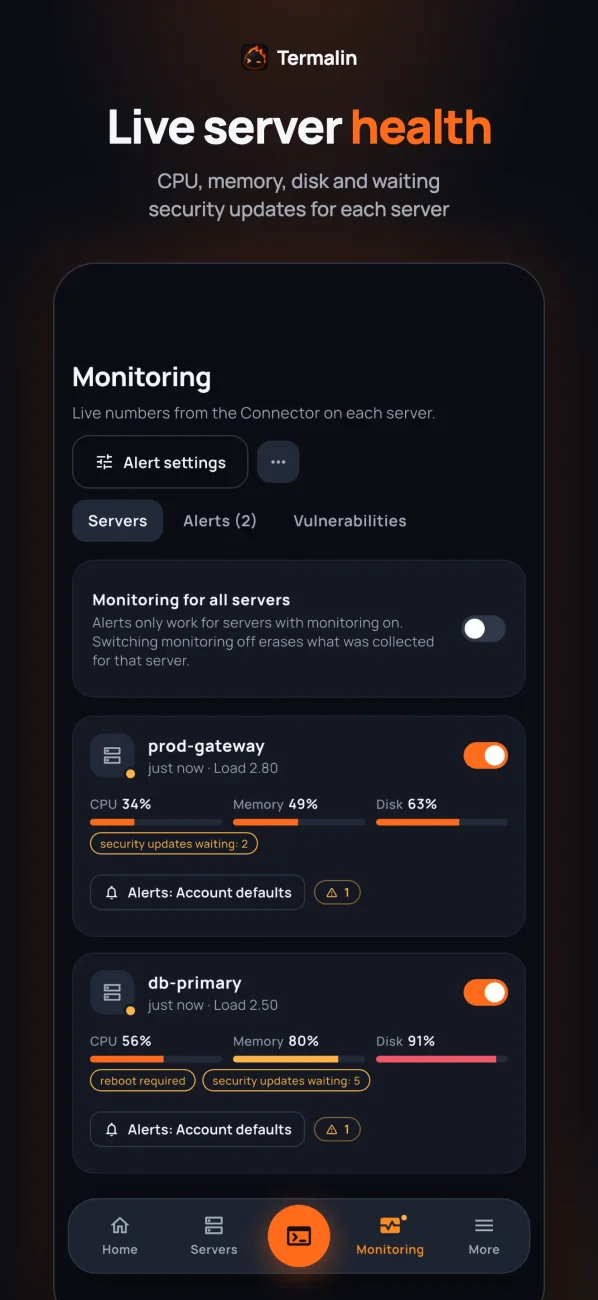
• Live server stats while you're connected: CPU, memory, disk, load, network — right above the terminal
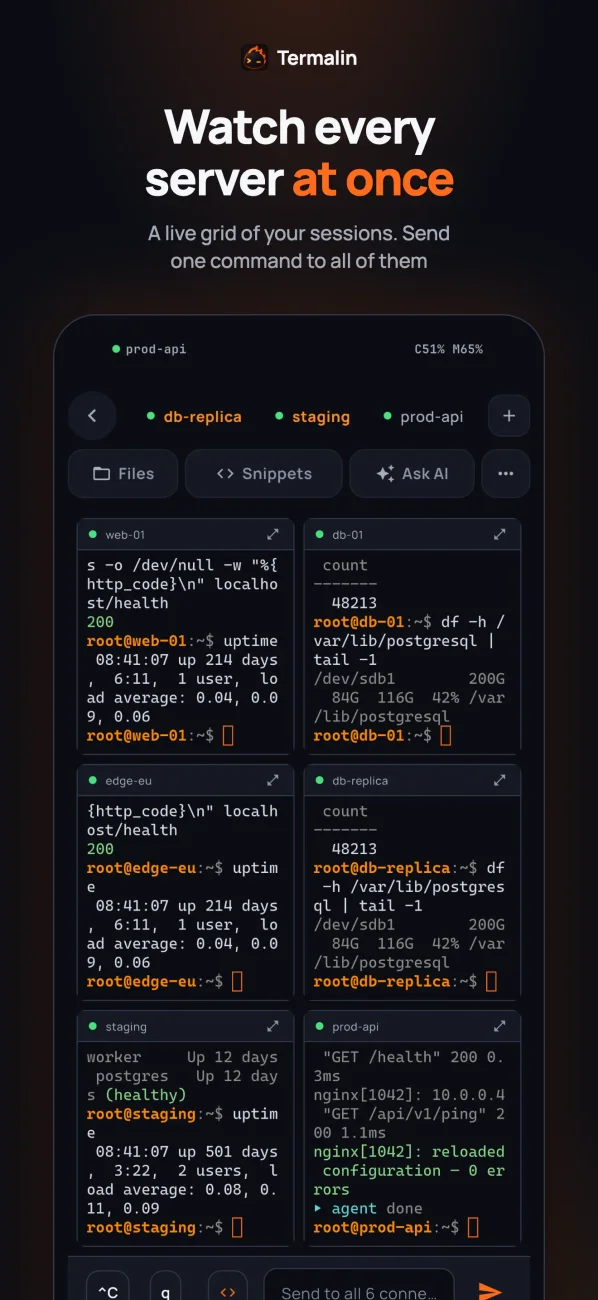
• Watch grid: keep several servers on screen at once, and send a command to all of them
• Snippets with variables, command history and inline suggestions
• Remote desktops over RDP and VNC, made for touch
AI ASSISTANT, ON YOUR TERMS
• Ask for a command in plain words — it is typed at the cursor, never run for you
• Explain selected output: what it means, the likely cause, what to do
• Summarize a recorded session: what was done, what went wrong, what is left
• Works with the built-in model, your own Anthropic key, or any compatible chat-completions endpoint — including a local model, where nothing leaves your network
• Nothing is sent until you allow it, and Termalin does not store what you send
CONNECT WITHOUT COPYING KEYS AROUND
• Install the Termalin Connector on a server once (one command, from the app) — then connect from any of your devices with no keys on the phone at all
• Works behind firewalls and NAT: the server connects out, nothing to open
• Or use classic SSH keys: generate, import, sync. Jump hosts and port forwarding included
FILES AND DATA
• SFTP file manager: browse, upload, download, edit
• Built-in editor with syntax highlighting, word wrap and full-screen mode
• FTP and S3 buckets
• Database client for PostgreSQL, MySQL, Redis, MongoDB, ClickHouse and more — directly or through a Connector, with a structure view and query export
YOUR SECRETS STAY YOURS
• Hosts, keys and snippets are end-to-end encrypted with your master password before they ever leave the device
• We can't read your data — and that's the point
• Face ID / Touch ID unlock, two-factor sign-in, recovery codes, sign out a lost device remotely
KEEP WATCH FROM THE HOME SCREEN AND YOUR WRIST
• Server stats widget: CPU, memory and disk for your servers at a glance
• Dynamic Island shows your active SSH sessions
• Apple Watch app: your servers and their stats on the wrist
WORKS EVERYWHERE
• iPhone and iPad (with a full desktop-style layout), plus desktop apps for macOS, Windows and Linux and a web cabinet at termal.in
• Sign in with email, Google, GitHub or Apple
• Free to use as a local SSH client. Termalin Pro adds cloud sync across devices, Connectors, session recordings and a monthly AI allowance.
Questions? hello@termal.in — we read everything.
Terms of Use (EULA): https://www.apple.com/legal/internet-services/itunes/dev/stdeula/
Privacy Policy: https://termal.in/privacy/
Neue Funktionen
Version 0.1.52 · 21.11.2026
A new design for Termalin, with one layout on every device.
New look:
• A side menu with nine pages: Home, Servers, Sessions, Recordings, Monitoring, Backups, Vault, AI access and Settings. On a phone the main pages sit in a bottom bar, the rest under More.
• Dark and light themes, or follow the system.
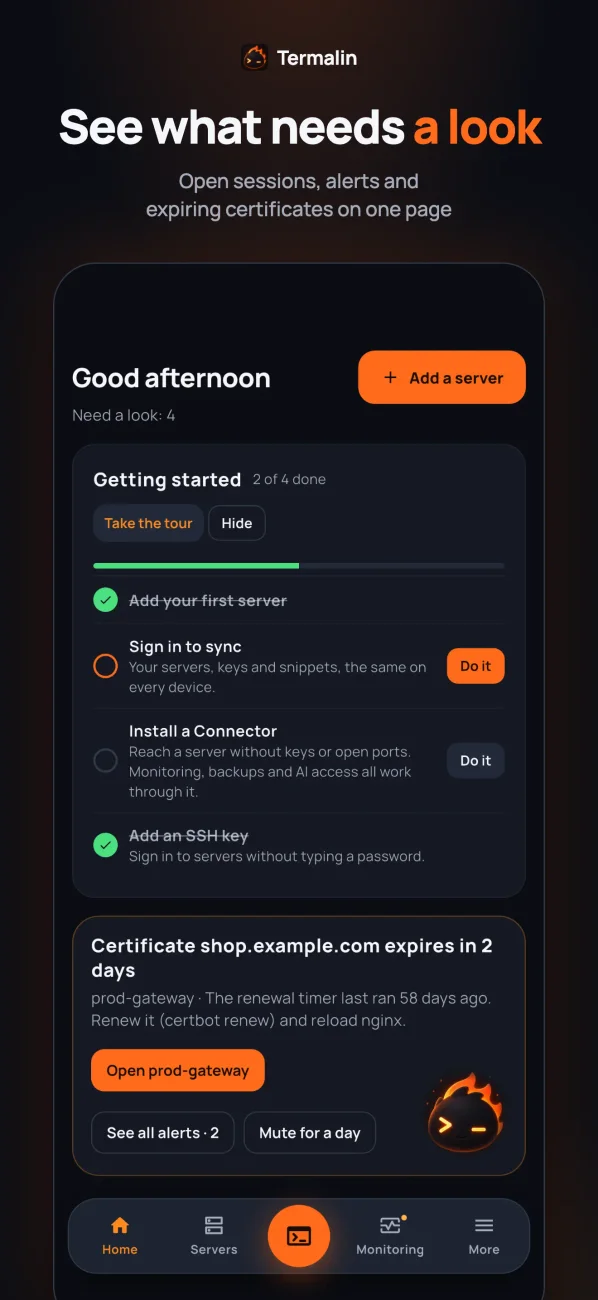
• Home opens on what needs attention, with your recent servers and open sessions.
• One search for servers, pages and quick actions.
Servers:
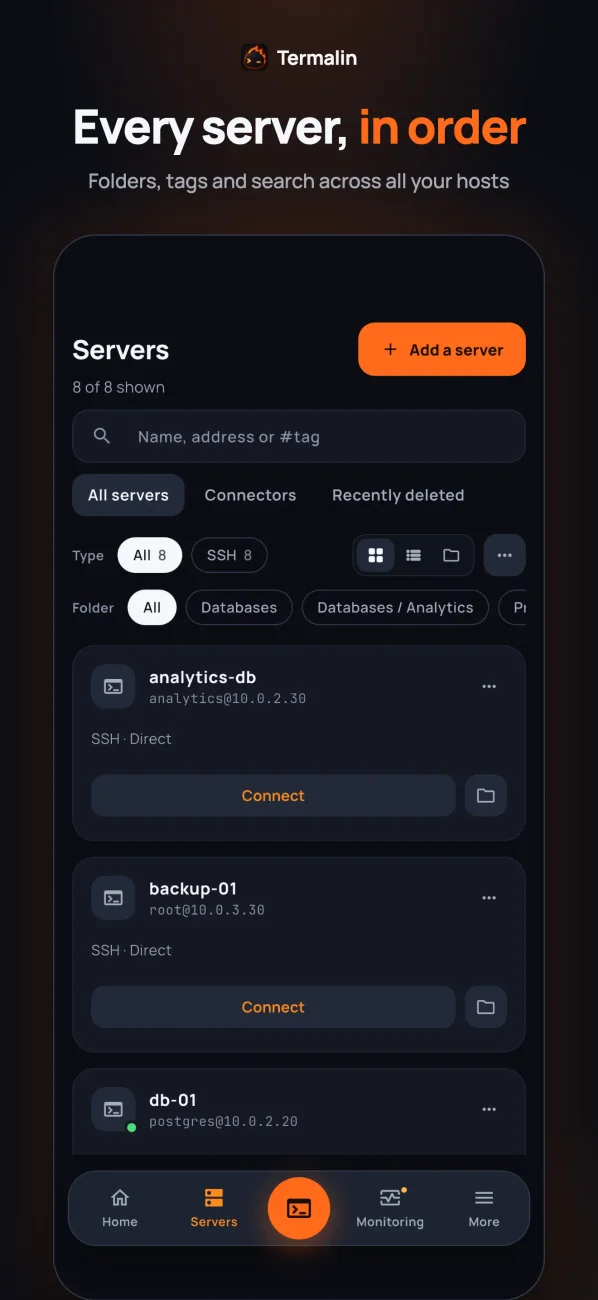
• One list for everything you connect to, in three views: Cards, List and Folders, with tags and search. Folders can sit inside folders.
Sessions:
• Open sessions are tabs, with a One / Watch all switch. Watch all shows every open session side by side as live tiles.
• A side panel beside the terminal: live server stats, Files, Snippets and Ask AI.
• Ask AI is one chat per session. A command it suggests is typed at the cursor, never run for you.
Also:
• Recordings lists the commands AI apps ran on your servers.
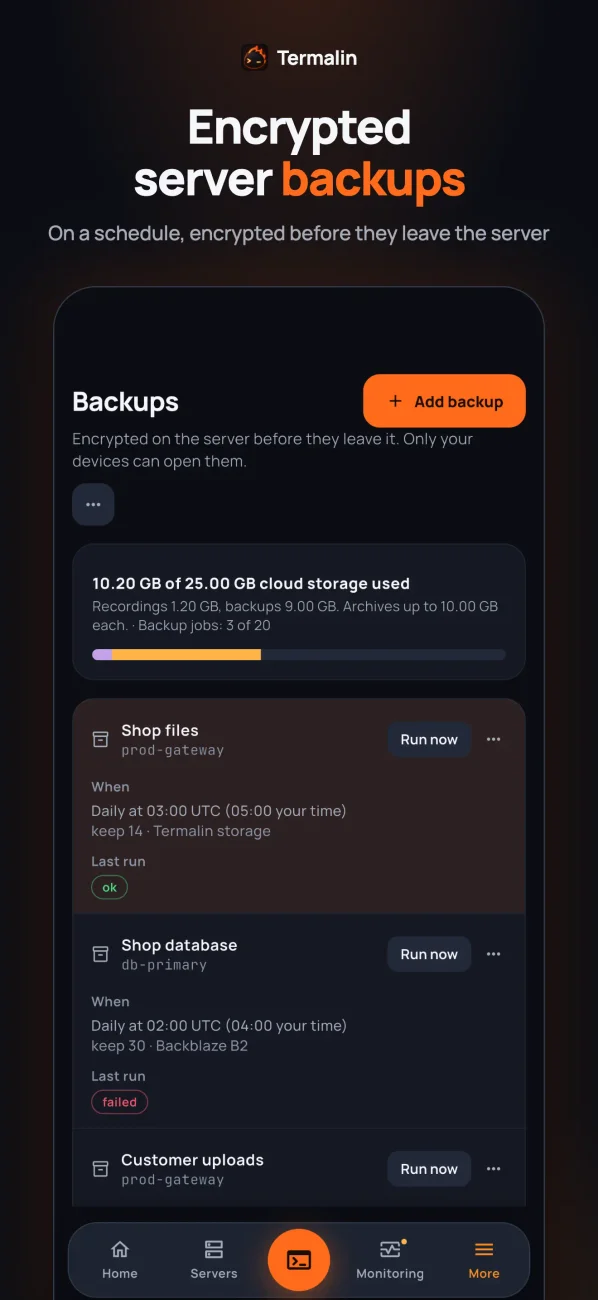
• Monitoring and Backups are their own pages.
• Feedback can carry a screenshot or a short video.
• Security fixes and smaller improvements.
App-Datenschutz
Was Sviatoslav Pavlov im App Store zum Umgang dieser App mit Daten angibt.
-
Mit Ihnen verknüpfte Daten
Können erfasst und mit Ihrer Identität verknüpft werden.
- Käufe
- Kontaktinformationen
- Benutzerinhalte
- Kennungen
Die Datenschutzpraktiken können variieren, zum Beispiel je nach den von Ihnen verwendeten Funktionen oder Ihrem Alter.
Informationen
- Anbieter
- Sviatoslav Pavlov
- Kategorie
- Entwickler-Tools
- Version
- 0.1.52
- Aktualisiert
- 21.11.2026
- Veröffentlicht
- 16.09.2026
- Größe
- 136,4 MB
- Erfordert
- iOS 15.0 oder neuer
- Altersfreigabe
- 4+
- Preis
- Kostenlos
- In-App-Käufe
- Ja
- Sprachen
- Englisch
- Copyright
- © 2026 Sviatoslav Pavlov
Das könnte Ihnen auch gefallen
-
 Shellter: SSH & SFTP ClientEntwickler-Tools
-
 EzsshEntwickler-Tools
-
 ShellDiver: SSH ClientEchtes Terminal, kein Abo
-
 Light SSI WalletEntwickler-Tools
-
 NuverianEntwickler-Tools
-
 Shepd: SSH with herdr & tmuxEntwickler-Tools
-
 ShellPhone - SSH clientTerminal, SFTP, Docker & KI
-
 Opsivo: SSH, SFTP & DockerEntwickler-Tools
-
 U Game Engine + xLuaEntwickler-Tools
-
 Termini Desk SSH ClientEntwickler-Tools