TickDown: Countdown & Tasks
Countdown widgets & to-do list
Entwickelt für iPhone, iPad
Kostenlos · In-App-Käufe
- Altersfreigabe4+
- KategorieProduktivität
- EntwicklerNusaif Valappil
- SprachenEnglisch
- Größe14,4 MB
Verlinkt auf die offizielle App Store-Seite
Download.org hostet keine Datei von TickDown: Countdown & Tasks. Die Schaltfläche öffnet die App-Seite bei App Store, wo Nusaif Valappil die App veröffentlicht. Eintrag zuletzt geprüft am 20.11.2026.
Screenshots

Info
Der Entwickler hat diesen Text nicht in Ihrer Sprache bereitgestellt.
TickDown puts the moments you're counting toward and the work in front of you on the same screen.
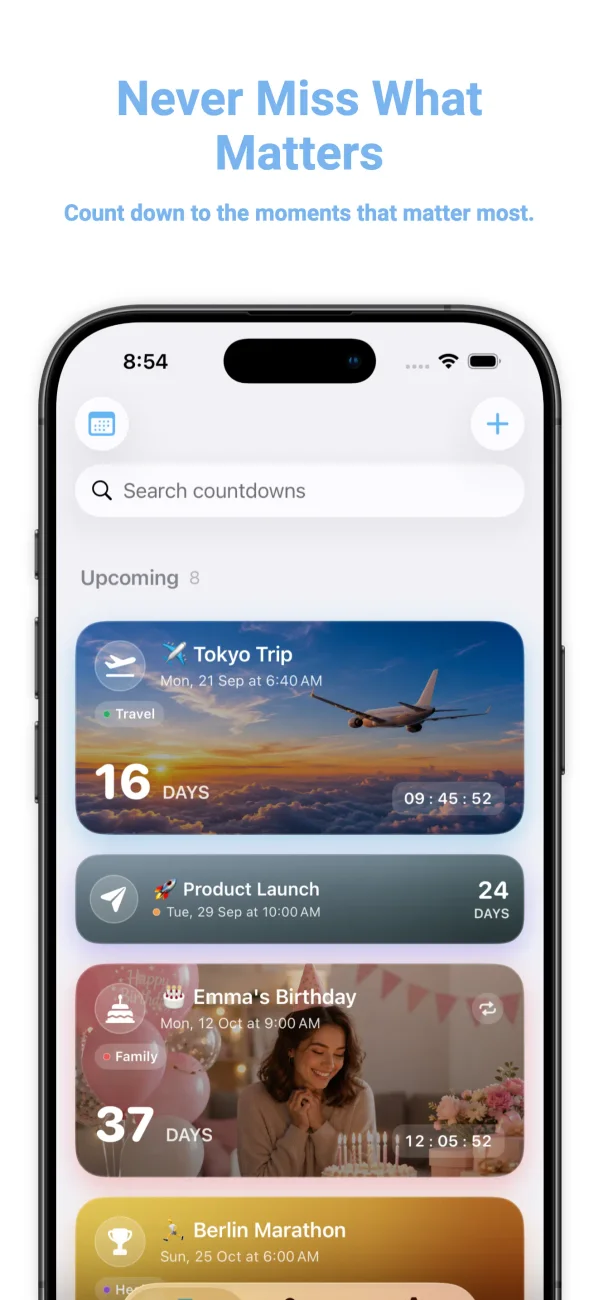
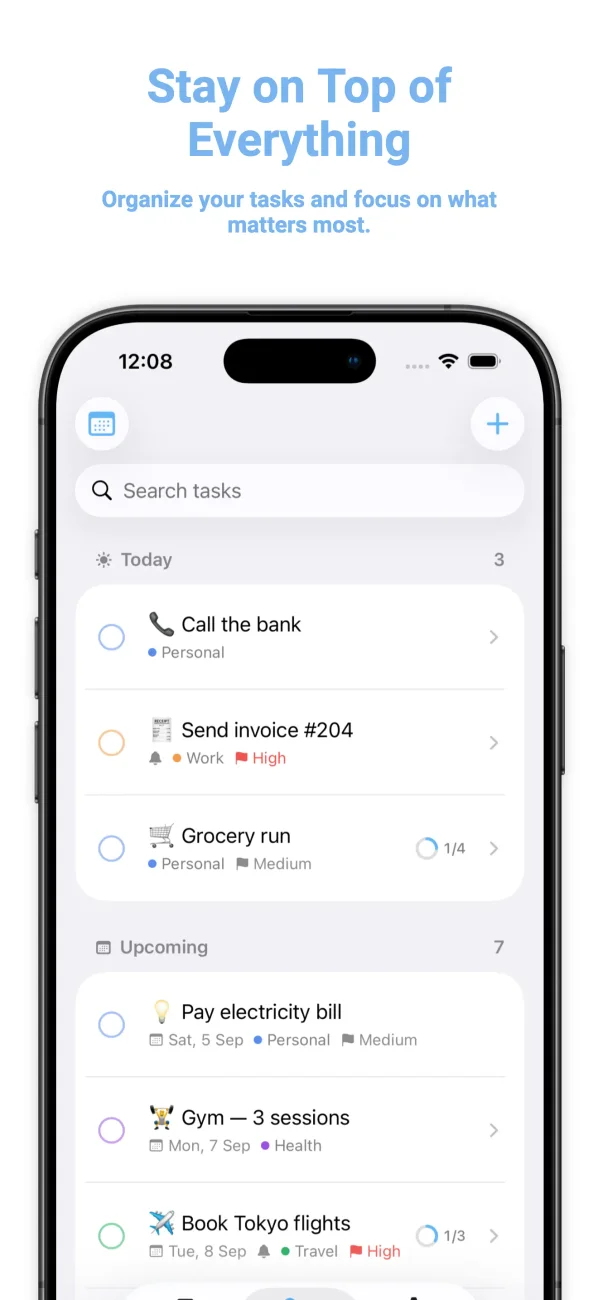
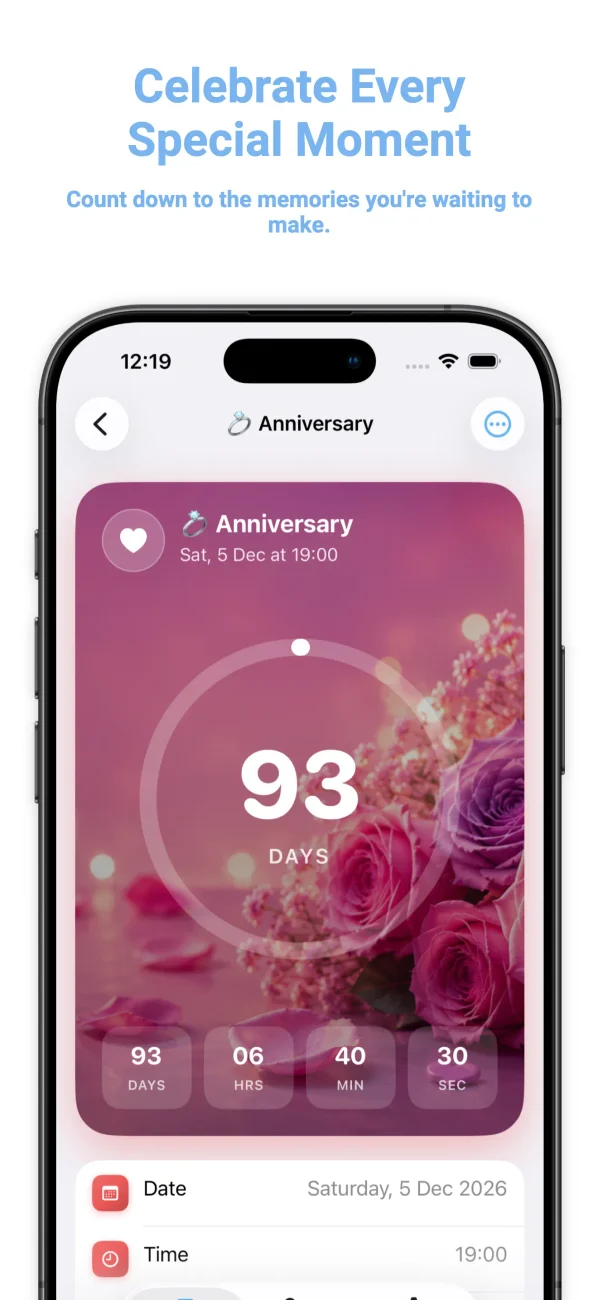
Birthdays, trips, deadlines and launches count down to the second on beautiful cards. Your tasks sit beside them, with subtasks, priorities and progress visible at a glance.
COUNTDOWNS THAT FEEL PERSONAL
• Live countdowns to the second — days, hours and minutes
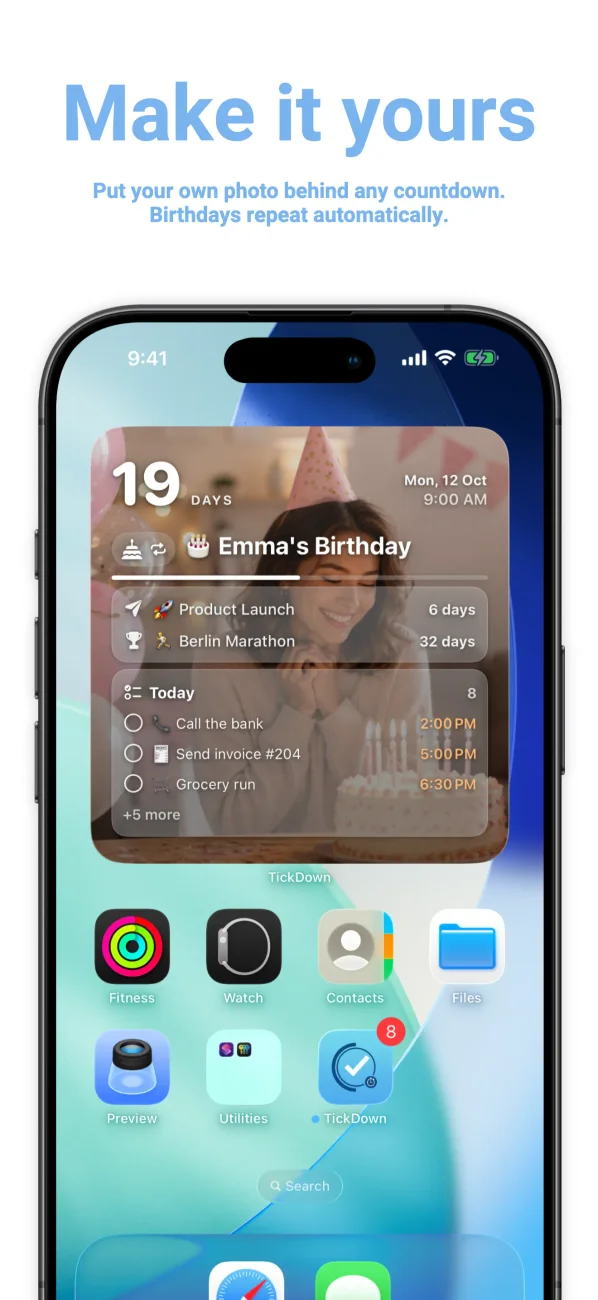
• Use your own photos or built-in artwork for every event
• Reposition photos so the important part is always visible
• Categories and colors to organize birthdays, work and travel
• Repeating events for anniversaries and annual occasions
A CALM, POWERFUL TASK LIST
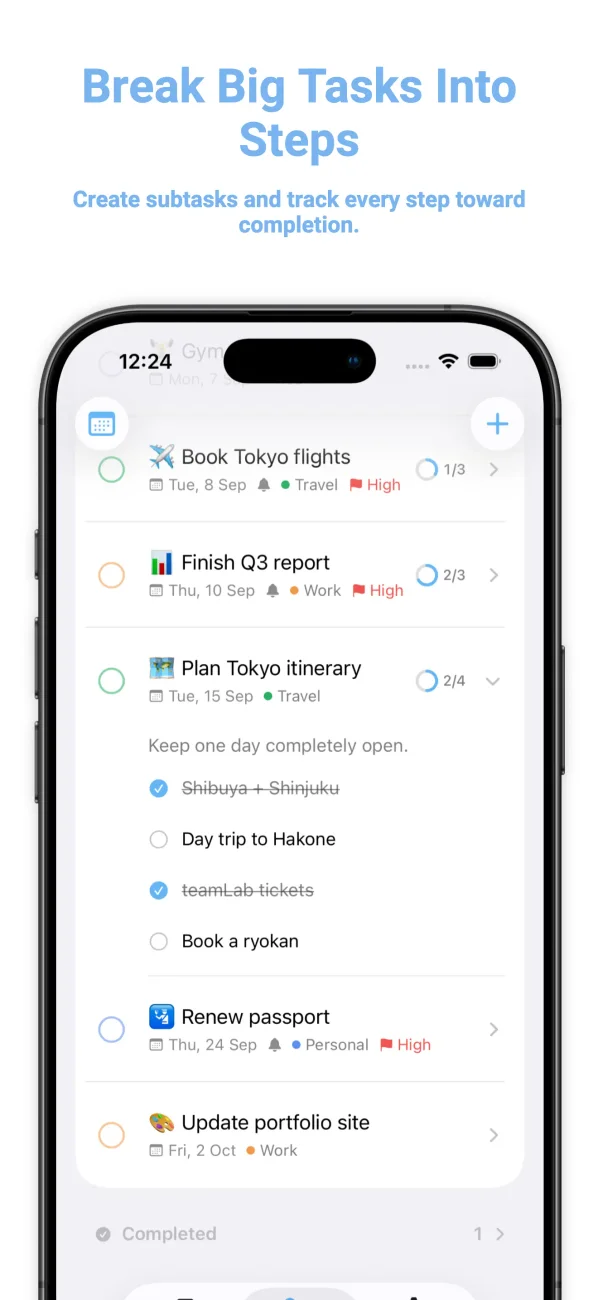
• Subtasks with progress that rolls up to the parent task
• Priorities, due dates and individual task reminders
• Repeating tasks automatically roll forward when completed
• Auto-archive completed tasks and automatically delete old archives
• Keep an archive of everything you've finished
WIDGETS YOU'LL ACTUALLY USE — PREMIUM
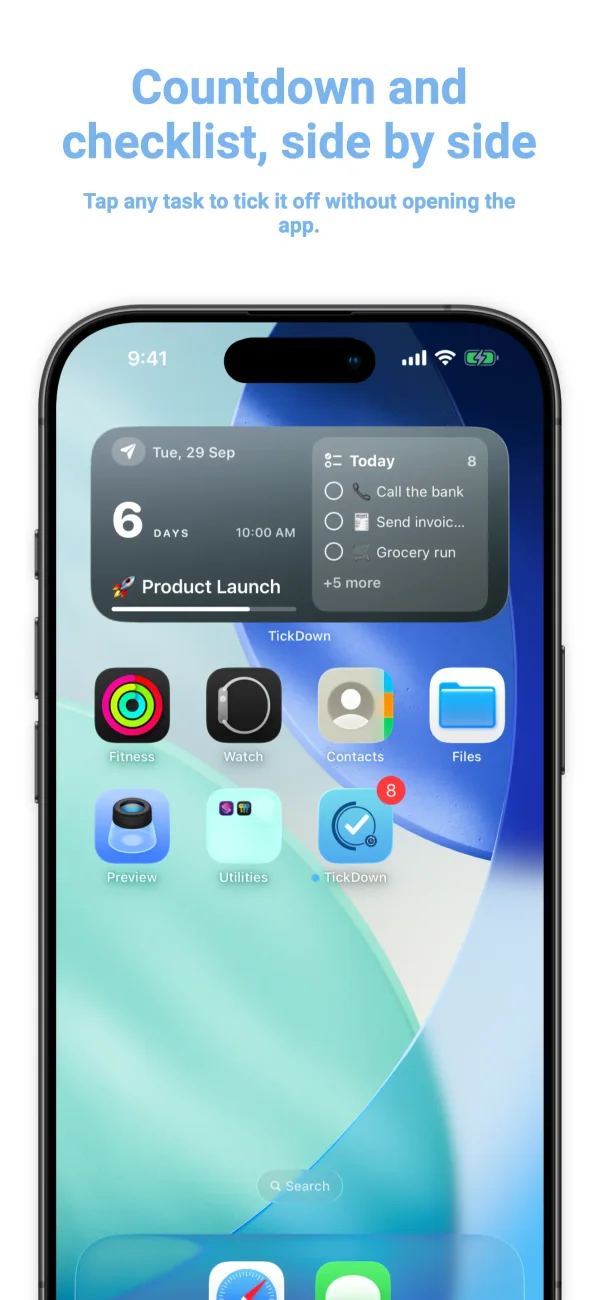
• Home Screen and Lock Screen countdown widgets
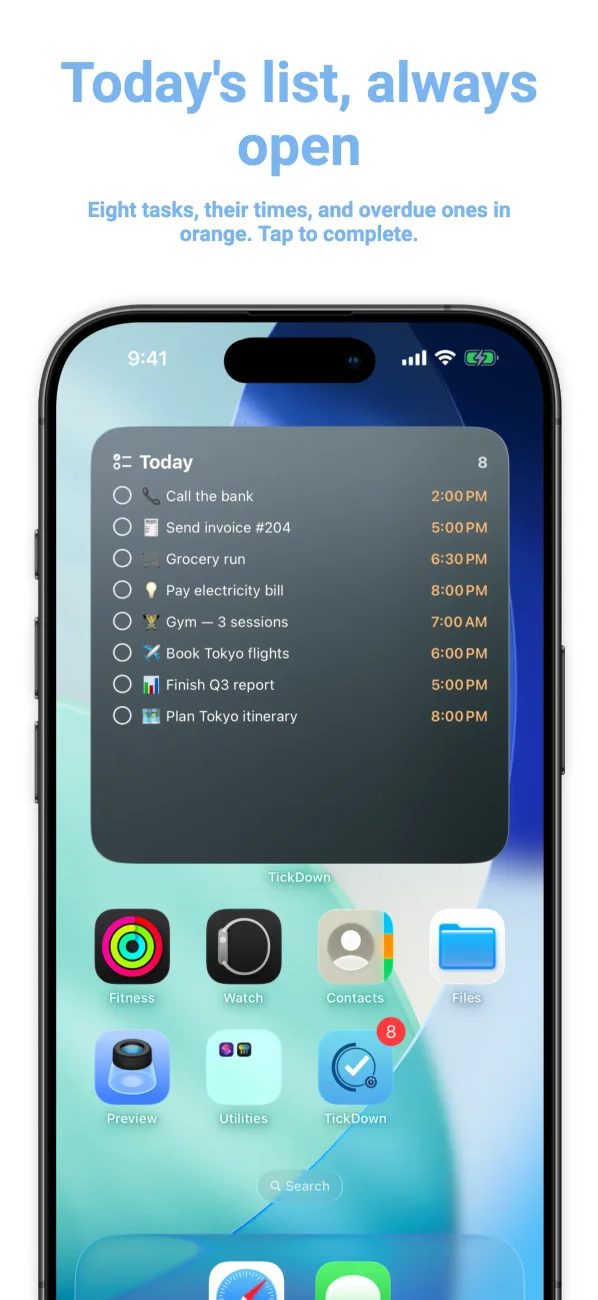
• Tasks widget showing what's due today
• Tap a task directly from the widget to mark it complete
• Small, medium, large and Smart Stack sizes
• Use your own photo as a widget background
SIRI & CONTROL CENTER
• "Add a task in TickDown" — create tasks hands-free
• "What's due today in TickDown" — hear your tasks without opening the app
• Add TickDown controls to Control Center for quick task creation
ONE CALENDAR FOR EVERYTHING
• See countdowns, tasks and device calendar events together
• Month and agenda views
• Choose your preferred start day of the week
• Calendar access is optional and read-only
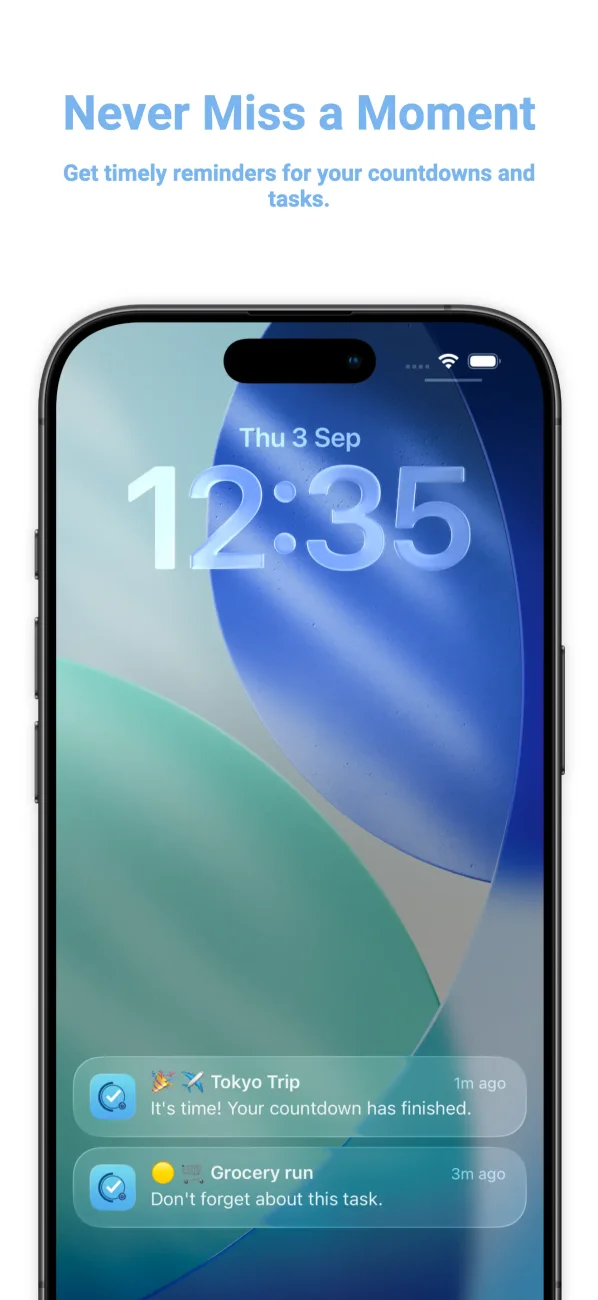
REMINDERS THAT FIT YOUR DAY
• Event and task reminders
• Choose your preferred alert sounds
• Daily and weekly summaries at a time you choose
• 12- or 24-hour time formats based on your region
BACKUP YOU CONTROL
• Export an encrypted .tickdown backup using AES-256-GCM encryption
• Back up to your own iCloud Drive whenever you want
• Automatic daily iCloud backup with Premium
• Restore on a new iPhone or iPad from iCloud or a saved file
• Restoring is always free — your data is never locked behind a purchase
PRIVATE BY DESIGN
• No account or sign-in required
• No servers
• Your countdowns, tasks, notes and photos stay on your device
• The core app works entirely offline
TICKDOWN PREMIUM
One purchase. No subscription.
• Removes all ads
• Unlocks Home Screen and Lock Screen widgets
• Unlimited photo backgrounds — the built-in artwork is free for everyone
• Automatic daily iCloud backup
• Supports independent development
TickDown is free and ad-supported. Premium is optional and permanent.
Privacy Policy: https://futuretekapps.github.io/tickdownapple/privacy-policy.html
Support: https://futuretekapps.github.io/tickdownapple/
Neue Funktionen
Version 1.0.2 · 25.09.2026
Widgets you can actually use.
• Tick tasks off straight from the Tasks widget — no need to open the app
• Ask Siri to add a task, or to read out what's due today
• Add TickDown controls to Control Center for a task in one tap
• Repeating tasks now roll forward automatically when you complete them
• Choose your own background for the Tasks widget
• A sharper Large widget: more of your day at a glance, and the event date now sits beside the countdown, where it belongs
• Widgets keep their margins at larger text sizes
App-Datenschutz
Was Nusaif Valappil im App Store zum Umgang dieser App mit Daten angibt.
-
Daten, die zum Tracking Ihrer Person verwendet werden
Können verwendet werden, um Sie über Apps und Websites anderer Unternehmen hinweg zu verfolgen.
- Standort
- Kennungen
- Nutzungsdaten
-
Mit Ihnen verknüpfte Daten
Können erfasst und mit Ihrer Identität verknüpft werden.
- Standort
- Kennungen
- Nutzungsdaten
-
Nicht mit Ihnen verknüpfte Daten
Können erfasst werden, sind aber nicht mit Ihrer Identität verknüpft.
- Nutzungsdaten
- Diagnose
Die Datenschutzpraktiken können variieren, zum Beispiel je nach den von Ihnen verwendeten Funktionen oder Ihrem Alter.
Informationen
- Anbieter
- Nusaif Valappil
- Kategorie
- Produktivität
- Version
- 1.0.2
- Aktualisiert
- 25.09.2026
- Veröffentlicht
- 17.09.2026
- Größe
- 14,4 MB
- Erfordert
- iOS 18.0 oder neuer
- Altersfreigabe
- 4+
- Preis
- Kostenlos
- In-App-Käufe
- Ja
- Sprachen
- Englisch
- Copyright
- © 2026 FutureTek Apps
Das könnte Ihnen auch gefallen
-
 Ahead: Countdown CalendarProduktivität
-
 Kiwi PDF: Editor & ScannerProduktivität
-
 Rutly: Routine & Goal PlannerProduktivität
-
 Countdown Timer – FristenWidget, Ereignisse&Erinnerung
-
 ScheduleNote - Simple CalendarProduktivität
-
 Cheap VPN - Fast Secure ProxyProduktivität
-
 Tagesplaner & Ziele: GriplyGewohnheiten & To-do-Liste
-
 Kalender PlanerPlaner: Tag Woche Monat Jahr
-
 HPE Instant OnProduktivität
-
 GoodTask: Aufgaben & TagesplanErinnerungen, Kalender, Listen