
Time Journal: Time Tracker
Where your hours actually go?
Entwickelt für iPhone, iPad
Kostenlos
- Altersfreigabe4+
- KategorieProduktivität
- EntwicklerDaniel Linares Saab
- SprachenEnglisch
- Größe3,2 MB
Verlinkt auf die offizielle App Store-Seite
Download.org hostet keine Datei von Time Journal: Time Tracker. Die Schaltfläche öffnet die App-Seite bei App Store, wo Daniel Linares Saab die App veröffentlicht. Eintrag zuletzt geprüft am 16.11.2026.
Screenshots

Info
Der Entwickler hat diesen Text nicht in Ihrer Sprache bereitgestellt.
Where did today actually go?
Most of us can't say. Time Journal keeps an honest record of how you spend your hours, so instead of guessing, you know.
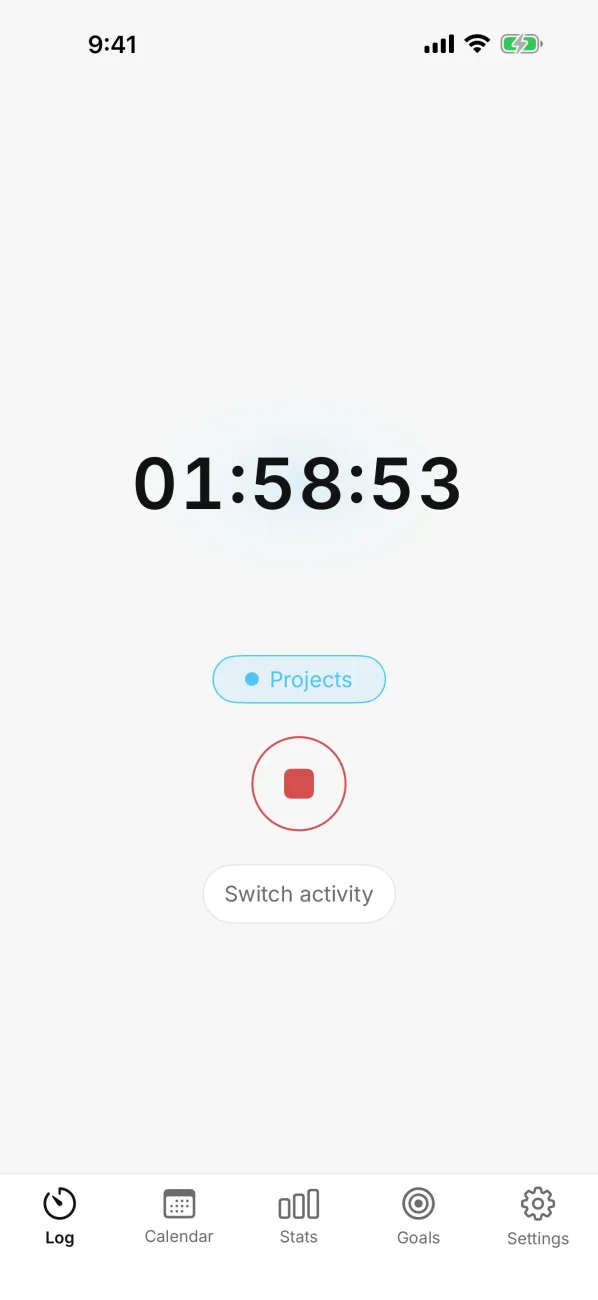
Start a timer when you begin something and stop it when you're done. Or skip the timer and fill the day in later. Then look at the breakdown and decide for yourself what it means.
That's the whole app. No advice, no scores, nobody looking over your shoulder.
Two ways to log
• Live timer: one tap on an activity starts tracking. Switch to a different activity without stopping first. A running timer appears as a Live Activity on your Lock Screen and in the Dynamic Island, so you never lose track of what's counting.
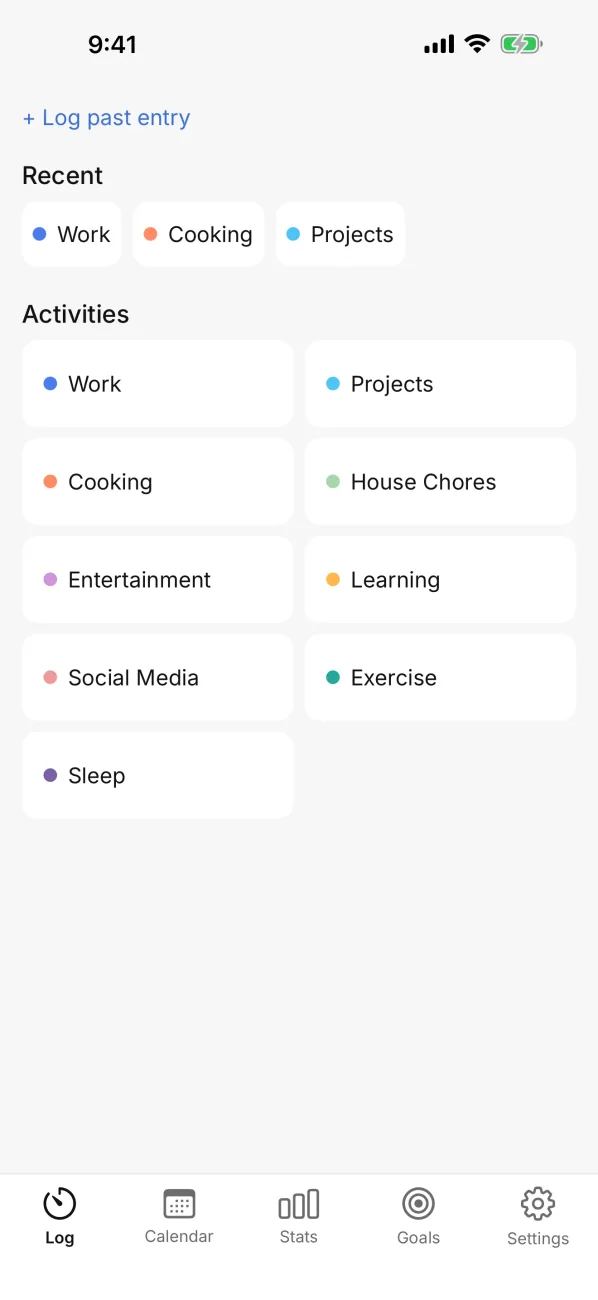
• Quick log: add an entry after the fact with a start time, an end time, and an activity. Suggestions from your recent entries make it quick.
Missed a few days? Fill them in whenever you like. The app won't mention it.
See your time
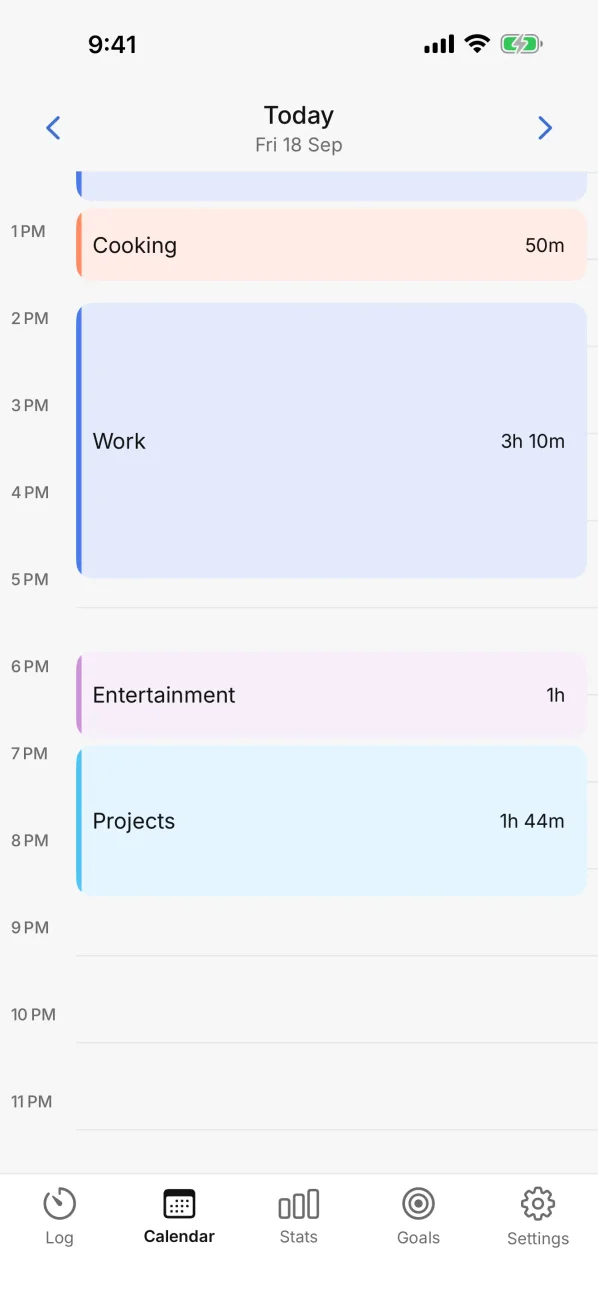
• Day view: every logged hour as a color-coded timeline. One glance shows what the day was actually made of, and where the gaps are.
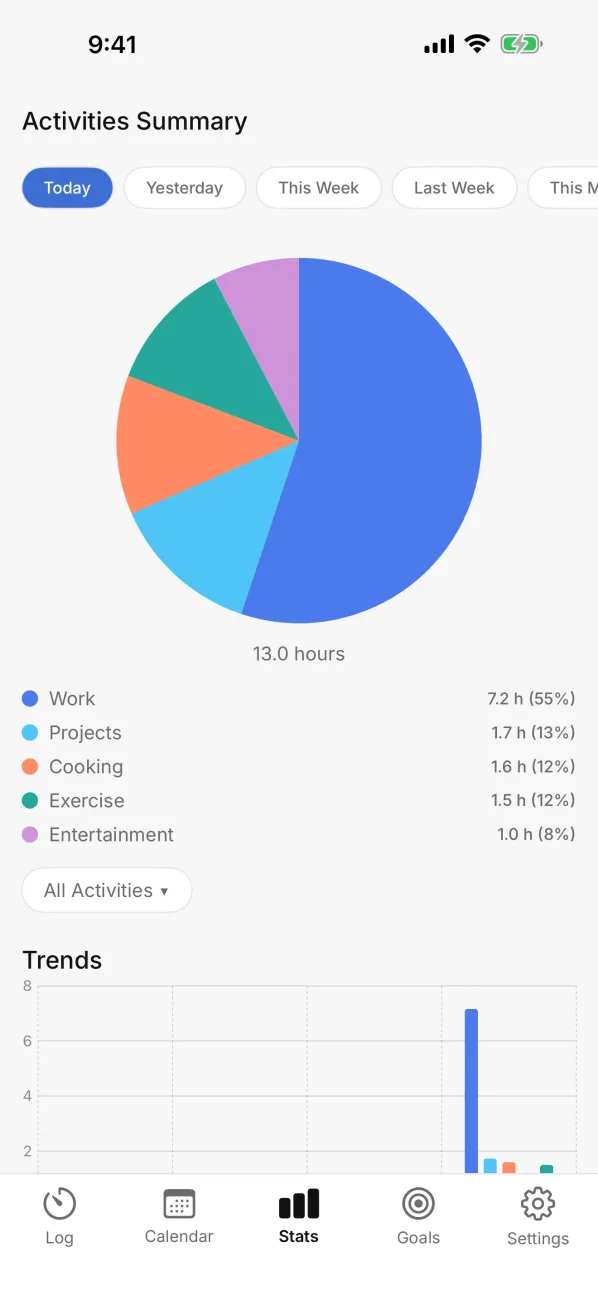
• Breakdown chart: your time by activity, filtered to today, this week, last month, or any range you pick.
• Trends: how each activity moves week over week, so you can watch a change take hold instead of guessing at it.
Set a budget, if you want one
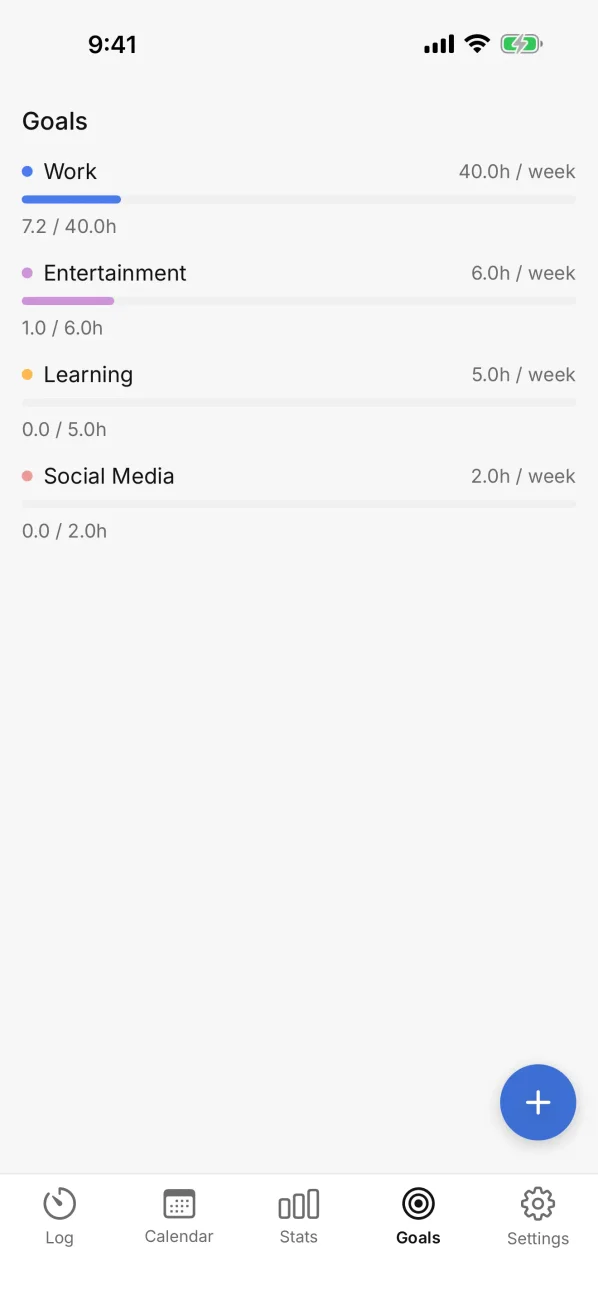
Pick an activity and a weekly hour target. Five hours of exercise. Three hours of reading. A ceiling on social media. Progress updates as you log, and each week starts fresh.
Goals are entirely optional. Ignore them and the app works exactly the same.
Make it yours
Nine activities are ready to go: Work, Projects, Cooking, House Chores, Entertainment, Learning, Social Media, Exercise, and Sleep. Turn off the ones that don't fit, add your own, give each one a color, and reorder them so what you use most sits at the top. Light and dark themes included.
Notifications you control
Two of them, and you can switch either off:
• A nudge when a timer has been running longer than you'd expect, in case you forgot to stop it.
• A periodic check-in asking what you're doing right now, only during the hours you choose.
That's all. No streak reminders, no "we miss you," no marketing.
Your data stays on your phone
• Works completely offline. No connection needed for anything.
• No account, no sign-up, no email address.
• Nothing is uploaded, synced, or sold. Your entries stay on your device.
• No ads.
Built to be usable
Full VoiceOver support, Dynamic Type handled throughout, and contrast that holds up. Activities are never identified by color alone.
What it won't do
It won't tell you you're spending too long on anything. It won't break a streak or dock you points for a day you didn't log. It won't turn your life into a leaderboard.
It keeps the record. What you do with it is yours to decide.
Neue Funktionen
Version 1.0.1 · 09.11.2026
• Fixed the Custom color option in the activity color picker, which did not open.
• The Dynamic Island timer now matches the style of the Clock app timer.
• If notifications are turned off, Settings now shows a card with a button to turn them back on. Check-ins resume as soon as you allow them.
• Reduced battery use while the app is open.
• Calendar and Stats custom date ranges no longer let you pick future dates.
• The Stats filter hides inactive activities that have no time in the selected range.
App-Datenschutz
Was Daniel Linares Saab im App Store zum Umgang dieser App mit Daten angibt.
-
Keine Daten erfasst
Der Entwickler erfasst keine Daten von dieser App.
Die Datenschutzpraktiken können variieren, zum Beispiel je nach den von Ihnen verwendeten Funktionen oder Ihrem Alter.
Informationen
- Anbieter
- Daniel Linares Saab
- Kategorie
- Produktivität
- Version
- 1.0.1
- Aktualisiert
- 09.11.2026
- Veröffentlicht
- 22.09.2026
- Größe
- 3,2 MB
- Erfordert
- iOS 17.0 oder neuer
- Altersfreigabe
- 4+
- Preis
- Kostenlos
- Sprachen
- Englisch
- Copyright
- © 2026 Asok Labs
Das könnte Ihnen auch gefallen
-
 Minutely: Time JournalProduktivität
-
 Plotamus : Index your lifeProduktivität
-
 Lifeline: Daily PlanningProduktivität
-
 TimeMirror - Track your dayProduktivität
-
 Disty: Project Time TrackerProduktivität
-
 Daglog: Work Hours TrackerProduktivität
-
 Chopped: Time TrackerProduktivität
-
 Sessions - Time TrackerProduktivität
-
 FEM Time TrackerArbeitsstunden leicht erfassen
-
 OCD CountdownProduktivität