Time Tracker: Work & Leave
Track Hours, Overtime & Days
Entwickelt für iPhone, iPad
Kostenlos · In-App-Käufe
- Altersfreigabe4+
- KategorieWirtschaft
- EntwicklerTomas Pollak
- SprachenEnglisch+ 5 weitere
- Größe14,9 MB
Verlinkt auf die offizielle App Store-Seite
Download.org hostet keine Datei von Time Tracker: Work & Leave. Die Schaltfläche öffnet die App-Seite bei App Store, wo Tomas Pollak die App veröffentlicht. Eintrag zuletzt geprüft am 13.11.2026.
Screenshots

Info
Der Entwickler hat diesen Text nicht in Ihrer Sprache bereitgestellt.
Know exactly how many vacation days you have left, how much overtime you've built up and how often you worked from home. Time Tracker keeps every allowance and counter in one place, and syncs it across your iPhone and iPad with iCloud.
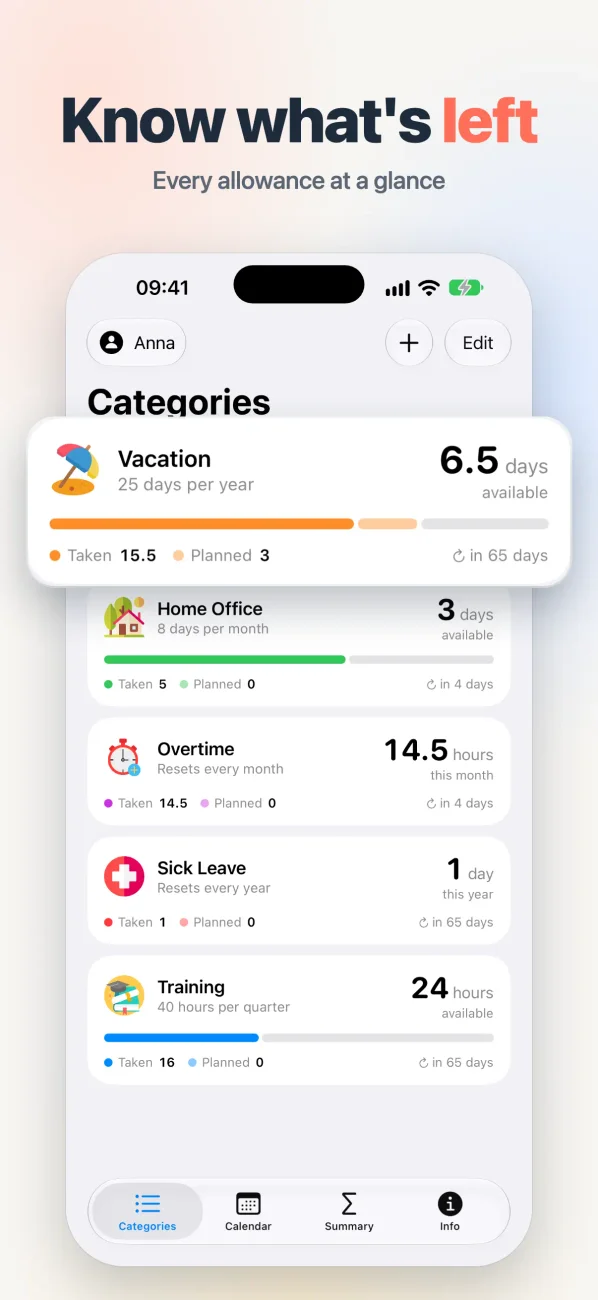
SEE WHAT'S LEFT AT A GLANCE
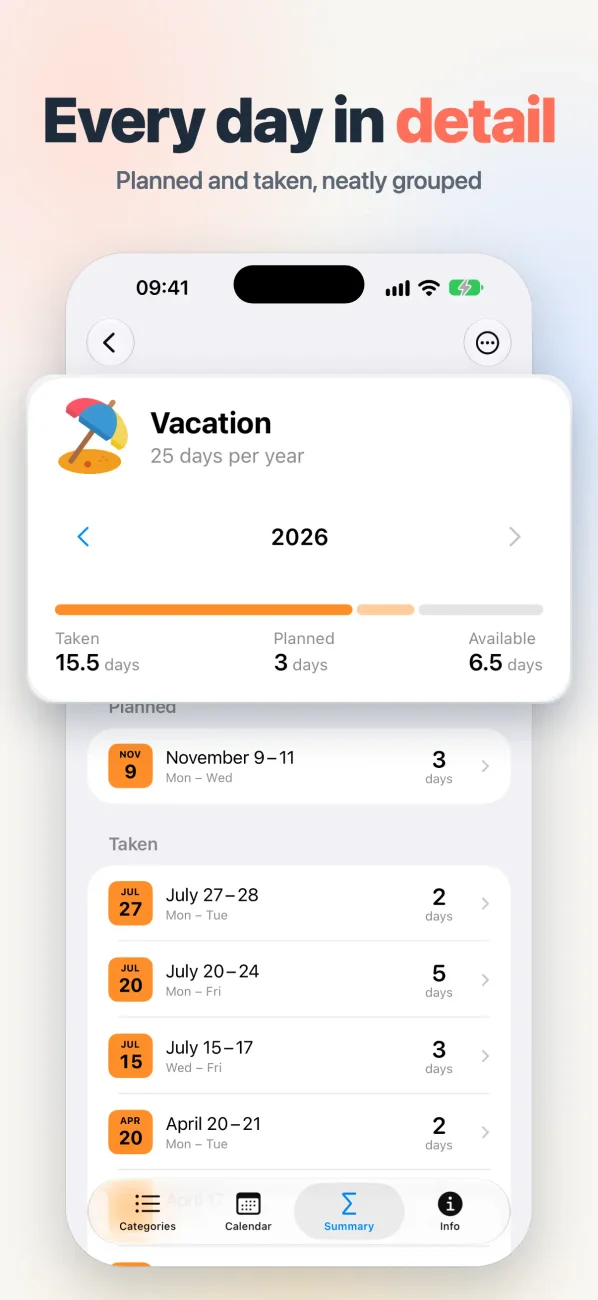
• Every category is a card with a big balance, a bar for taken, planned and free time, and the date it resets
• Overbooked? The card says so, in red and in words
• Swipe a card, or touch and hold it, to record today in one move, with Undo
TRACK ANYTHING, YOUR WAY
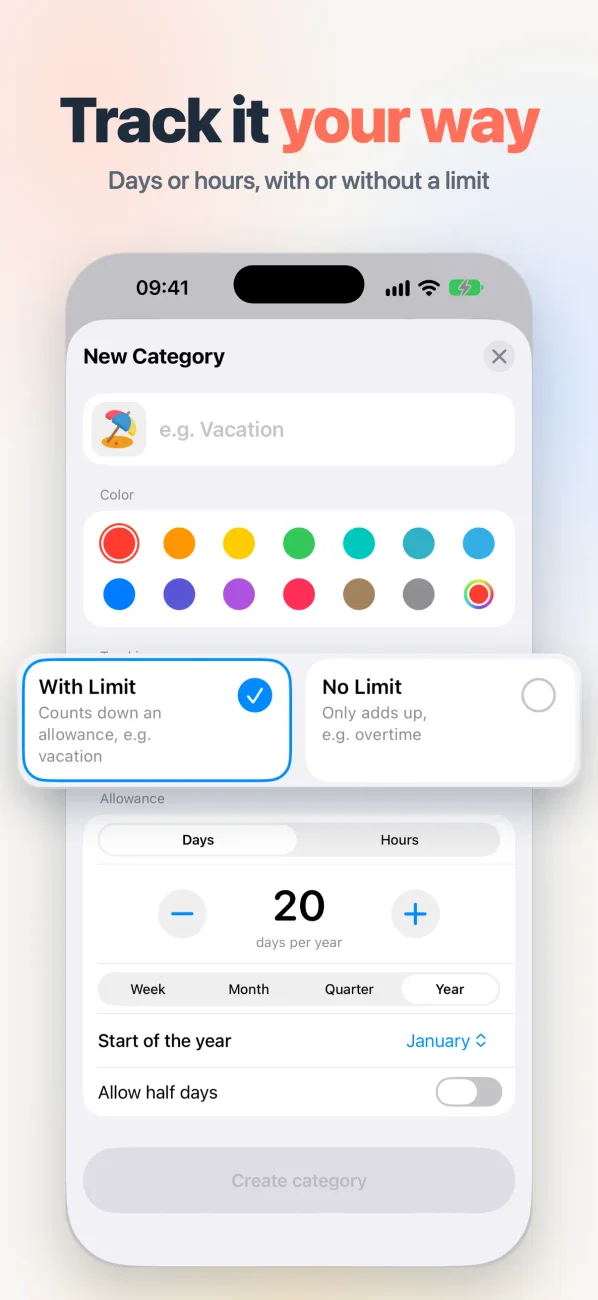
• With a limit: count down an allowance, like 25 vacation days a year or 8 home office days a month
• No limit: just add up, like overtime hours or sick days
• Days or hours, with half days and half hours
• Resets every week, month, quarter or year, with a year that can start in any month
• 36 illustrated icons and a full colour palette
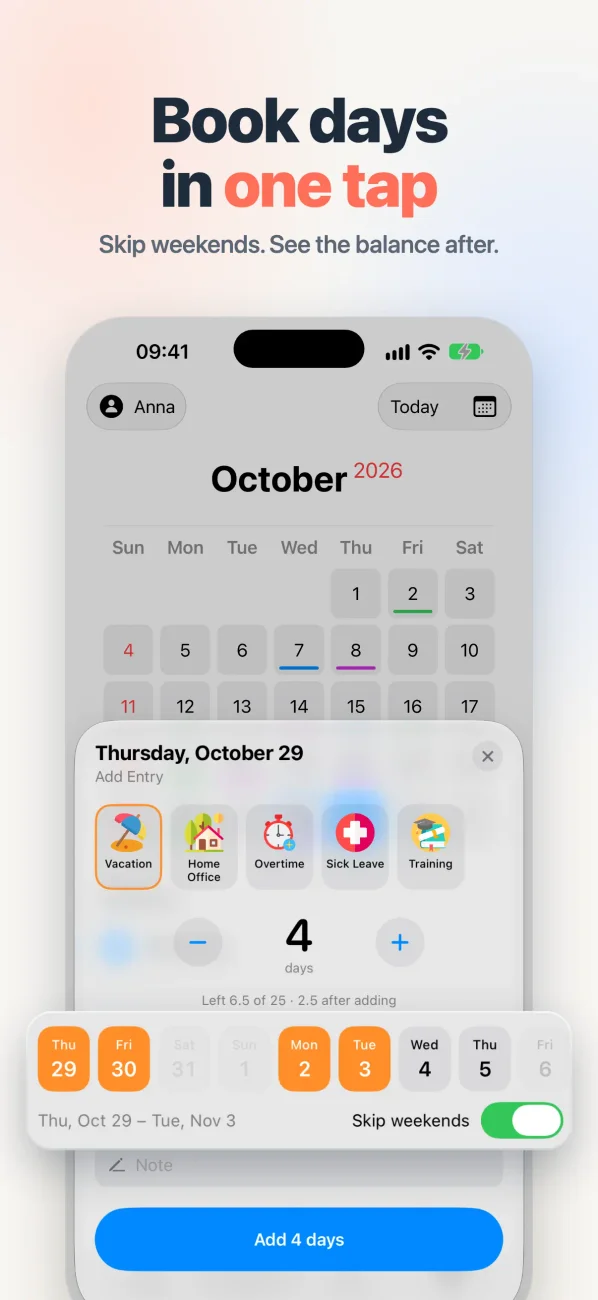
ADD SEVERAL DAYS IN ONE GO
• Pick the category, the amount and how many days the entry runs
• Skip weekends automatically
• See the balance after adding before you save
• Add a note to any entry
A CALENDAR THAT SHOWS IT ALL
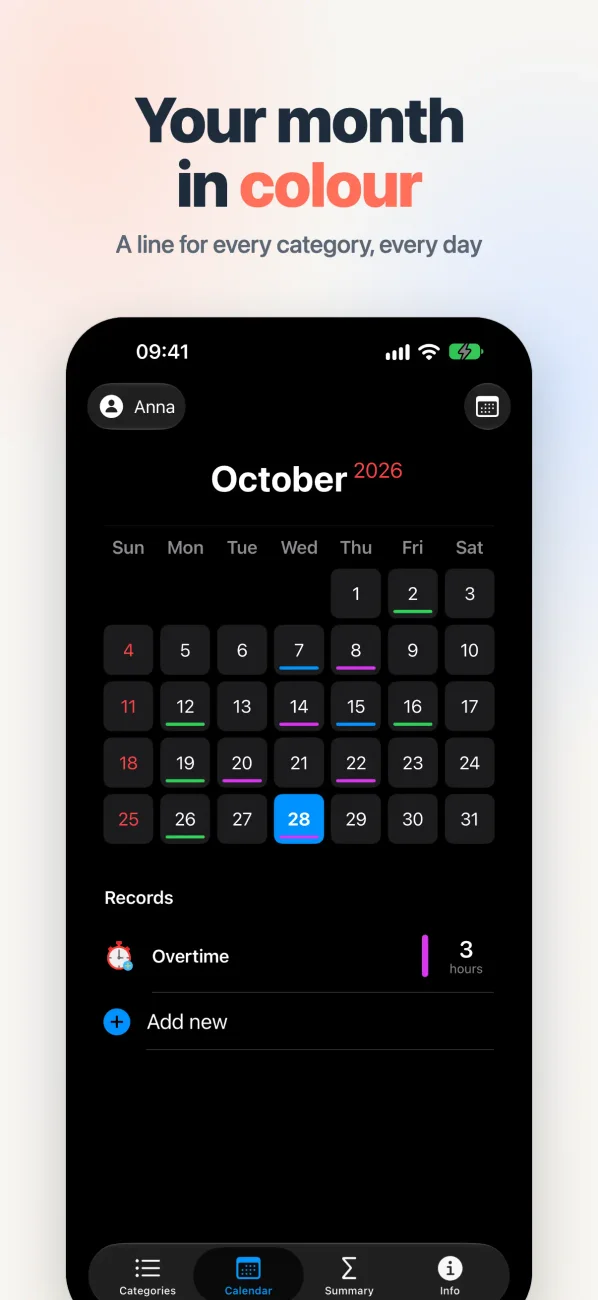
• Swipe through months, with a coloured line for each category on every day
• Tap a day to see, add, edit notes or delete its records
• Jump to any date or back to today
• Two months side by side on iPad
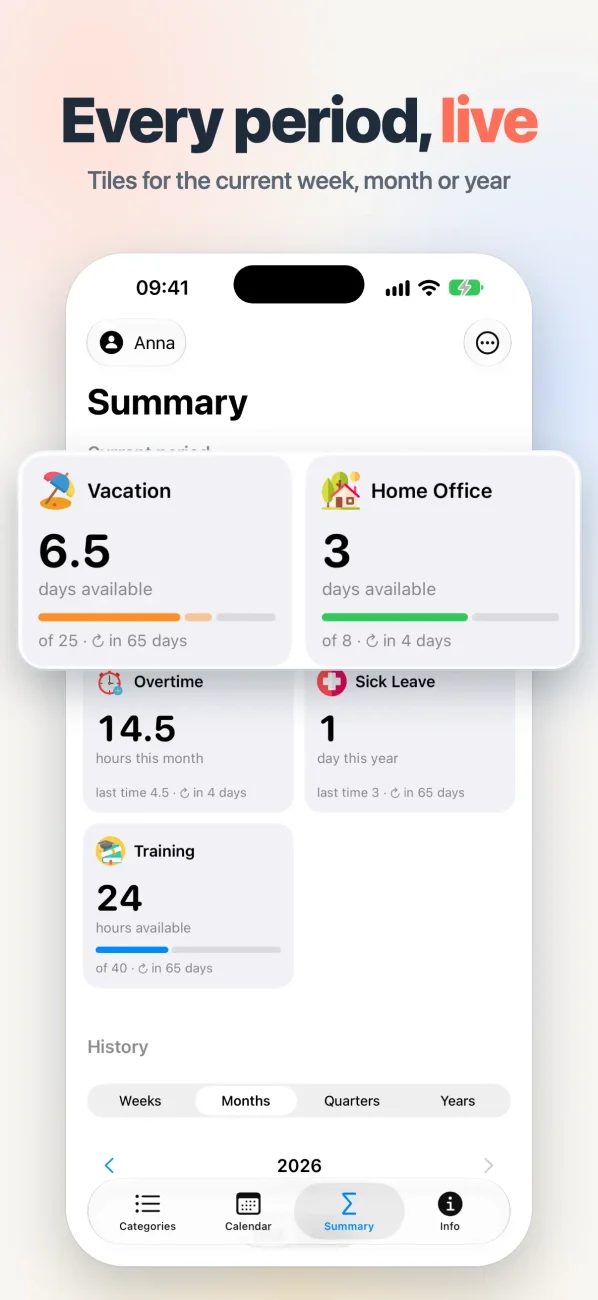
A SUMMARY THAT TELLS THE STORY
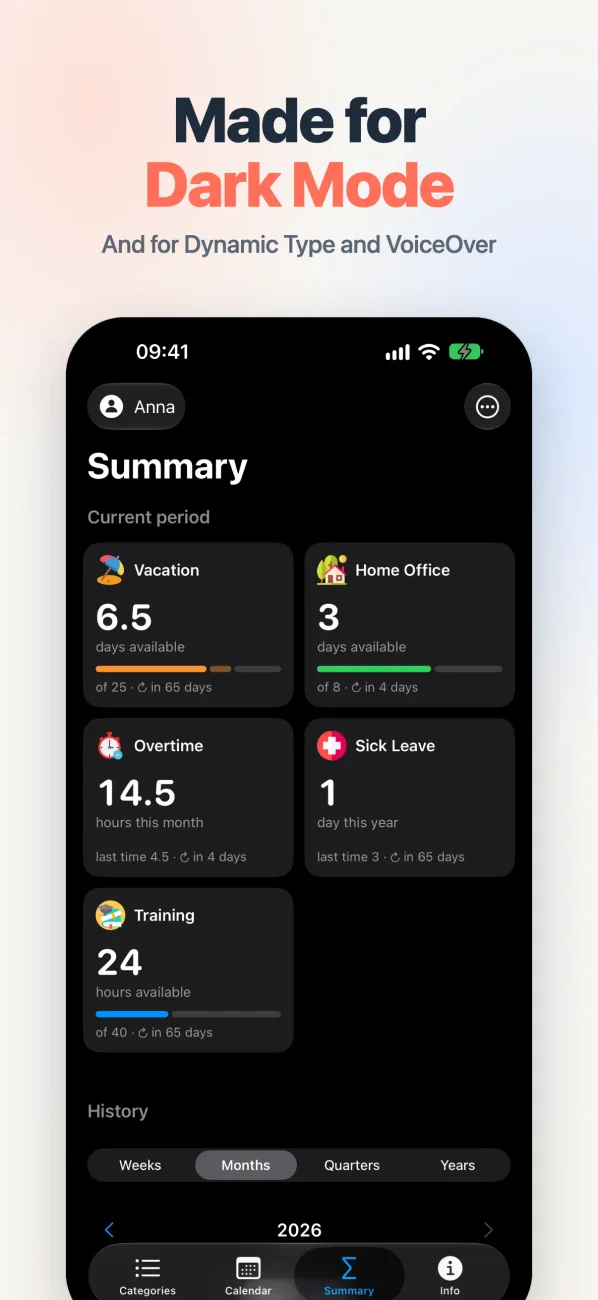
• Tiles for the current period of every category
• A history chart by weeks, months, quarters or years
• Open any period to see its days, with consecutive days merged into one row
• Planned days apart from the days already taken
FOR YOU, YOUR FAMILY OR YOUR TEAM
• Keep separate users, each with their own categories
• Share a user with others through iCloud, so everyone sees the same numbers
• Choose who can only view and who can make changes
EXPORT AND TIDY UP
• Export all entries as a clear PDF report, year by year
• Erase the entries of a past year or a date range, while keeping your categories
MADE FOR EVERY SCREEN
• iPhone and iPad, in portrait and landscape on iPad
• On iPad and on the unfolded iPhone Duo, categories, calendar and the day's records sit side by side
• Dark Mode, Dynamic Type and full VoiceOver support
• English, Slovak and Czech
FREE AND PRO
The free version includes two categories and two users, with iCloud sync, sharing, the calendar, the summary and PDF export. PRO unlocks unlimited categories and unlimited users. One purchase, no subscription.
Your data stays in your own iCloud. There is no account to create and no ads.
Neue Funktionen
Version 2.2.0 · 05.11.2026
A big update that makes your balance easy to read.
• Category cards: each category shows what's available, a bar for taken, planned and free time, and when it resets
• Record today with a swipe or a long press, with Undo
• New Add Entry: pick the days on a strip, skip weekends and see the balance after adding
• New New Category screen: icon, name, colour and limit on one page
• Summary: tiles for the current period and a history chart by weeks, months, quarters or years
• Widgets for the Home Screen and the Lock Screen: choose your categories and see what's left and when it resets, without opening the app
• Open any period to see its days, with consecutive days merged into one row
• Erase the entries of a year or a date range, keeping your categories
• Better layout on iPad and on the unfolded iPhone Duo, with categories and calendar side by side
• The calendar marks today, and every day reads well with VoiceOver
• Fixes for half days, hours over several days, sharing and creating users
App-Datenschutz
Was Tomas Pollak im App Store zum Umgang dieser App mit Daten angibt.
-
Keine Daten erfasst
Der Entwickler erfasst keine Daten von dieser App.
Die Datenschutzpraktiken können variieren, zum Beispiel je nach den von Ihnen verwendeten Funktionen oder Ihrem Alter.
Informationen
- Anbieter
- Tomas Pollak
- Kategorie
- Wirtschaft
- Version
- 2.2.0
- Aktualisiert
- 05.11.2026
- Veröffentlicht
- 24.04.2017
- Größe
- 14,9 MB
- Erfordert
- iOS 17.0 oder neuer
- Altersfreigabe
- 4+
- Preis
- Kostenlos
- In-App-Käufe
- Ja
- Sprachen
- Englisch, Tschechisch, Deutsch, Italienisch, Slowakisch, Spanisch
- Copyright
- © Tomas Pollak
Das könnte Ihnen auch gefallen
-
 TOT: Time Off TrackerWirtschaft
-
 Paid Time OffProduktivität
-
 My Time Off Tracker 2Wirtschaft
-
 PlayTime: PTO TrackerProduktivität
-
 TimeOffHubProduktivität
-
 Leave Balance TrackerProduktivität
-
 Clocking Zeiterfassung StundenÜberstunden Arbeitszeit Urlaub
-
 Meine ArbeitsstundenÜberstunden & Urlaub
-
 VacationTracker.comWirtschaft
-
 Leave DatesWirtschaft