Time Tracking for Projects
Time tracking by project
Entwickelt für iPhone, iPad, Mac
Kostenlos · In-App-Käufe
- Altersfreigabe4+
- KategorieProduktivität
- EntwicklerHDF Advisory
- SprachenEnglisch+ 1 weitere
- Größe15,8 MB
Verlinkt auf die offizielle App Store-Seite
Download.org hostet keine Datei von Time Tracking for Projects. Die Schaltfläche öffnet die App-Seite bei App Store, wo HDF Advisory die App veröffentlicht. Eintrag zuletzt geprüft am 20.11.2026.
Screenshots
Info
Der Entwickler hat diesen Text nicht in Ihrer Sprache bereitgestellt.
Time Tracking for Projects is a simple work-time tracker and timesheet app, built for consultants, freelancers and small teams who bill by the hour.
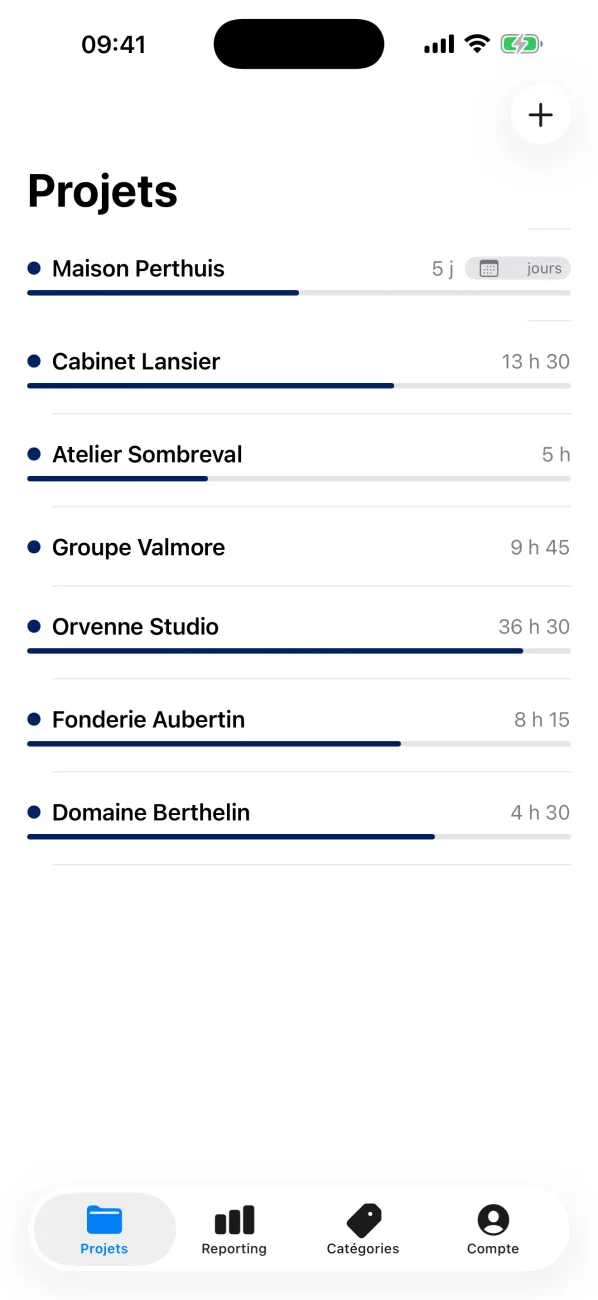
No spreadsheet to maintain, no timesheet to rebuild from memory at the end of the month. Create a project, start the stopwatch, and the app keeps the count.
A STOPWATCH THAT KEEPS RUNNING
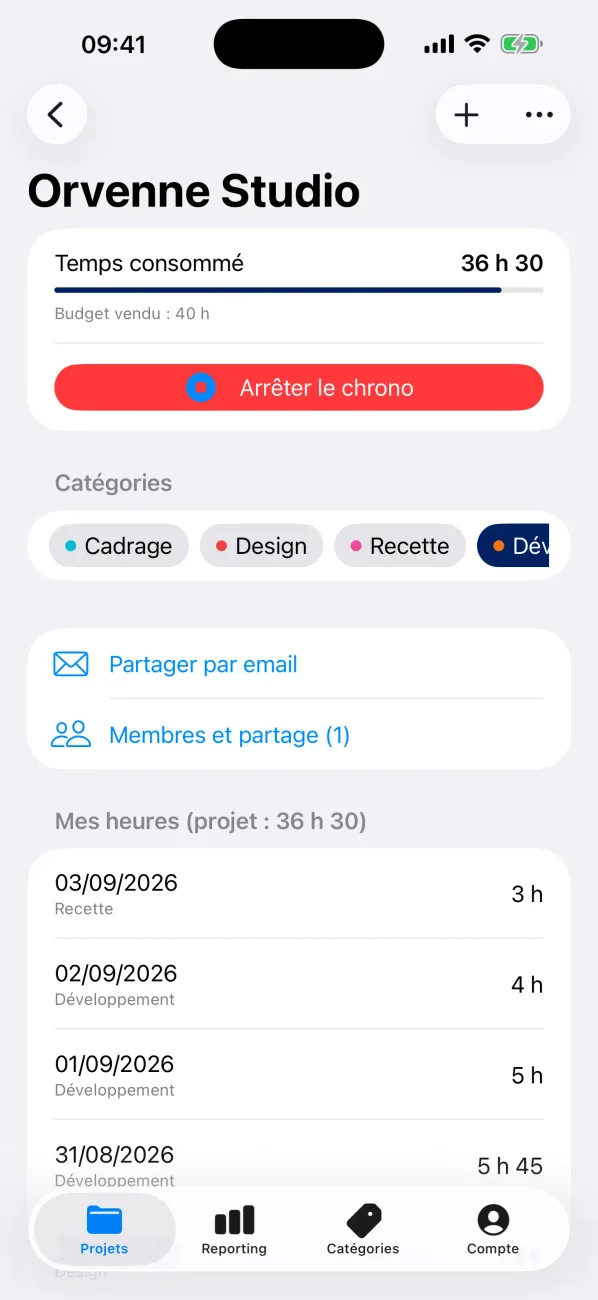
Start a timer on a project in one tap. It keeps counting in the background: close the app, lock your phone, the time is still recorded. A notification shows which project is running and how long it has been going, and a reminder every 30 minutes makes sure a timer is never left running by mistake.
TIME YOU ENTER YOURSELF
Forgot to start the timer? Add hours and minutes manually, on any date. Every entry can be edited or deleted afterwards, so a wrong figure never stays in your records.
CATEGORIES AND SOLD HOURS
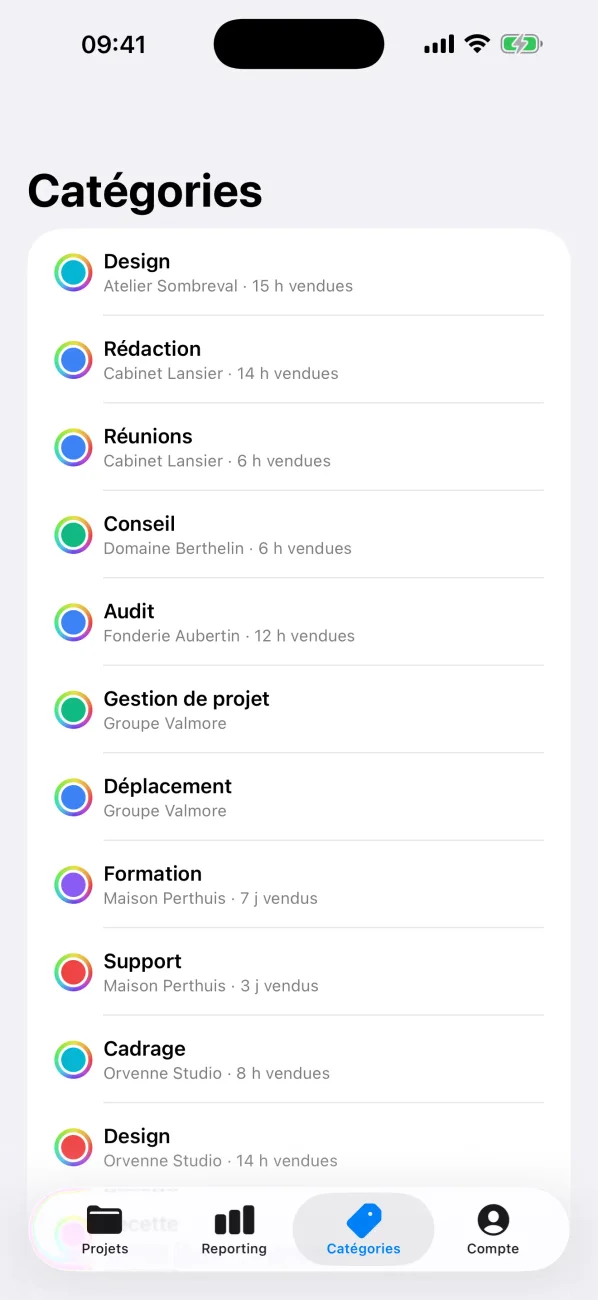
Sort your hours by category — meeting, writing, travel, whatever your work is made of. When a project was sold as an envelope of hours, set that envelope and a gauge shows how much of it is consumed. You see a budget overrun coming instead of discovering it at invoicing time.
REPORTING THAT ANSWERS THE REAL QUESTION
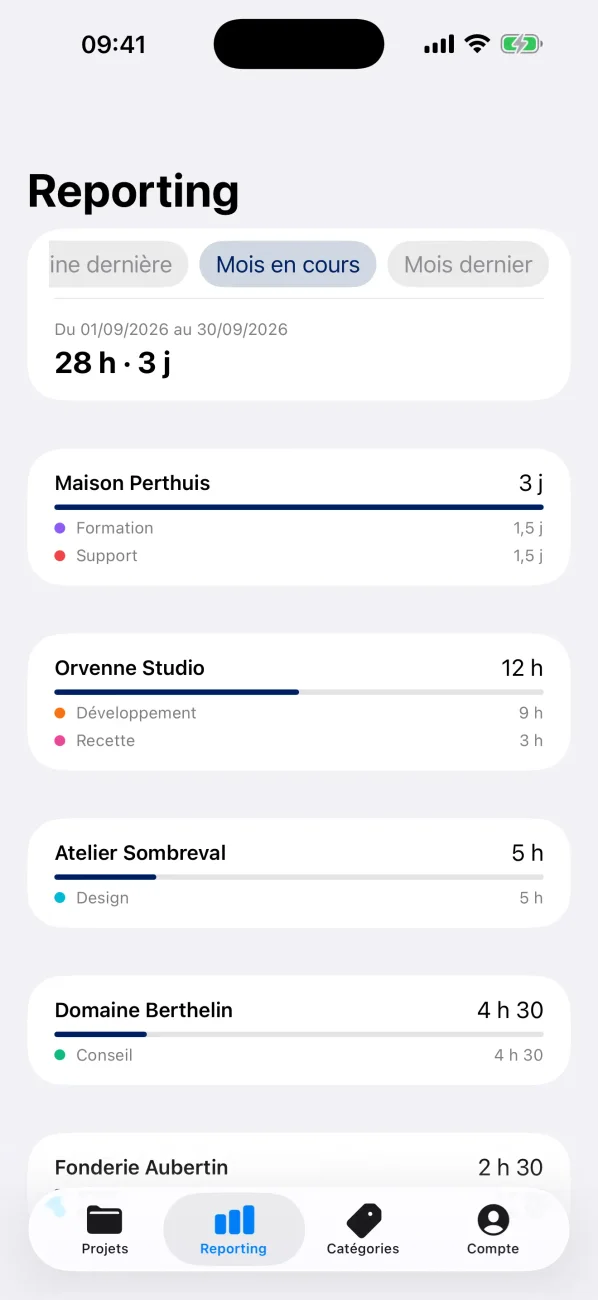
Per project and per category: today, this week, last week, this month, last month. Enough to check a timesheet before you send it, and to know whether a client is taking more time than they are paying for.
CSV EXPORT AND CLIENT EMAILS
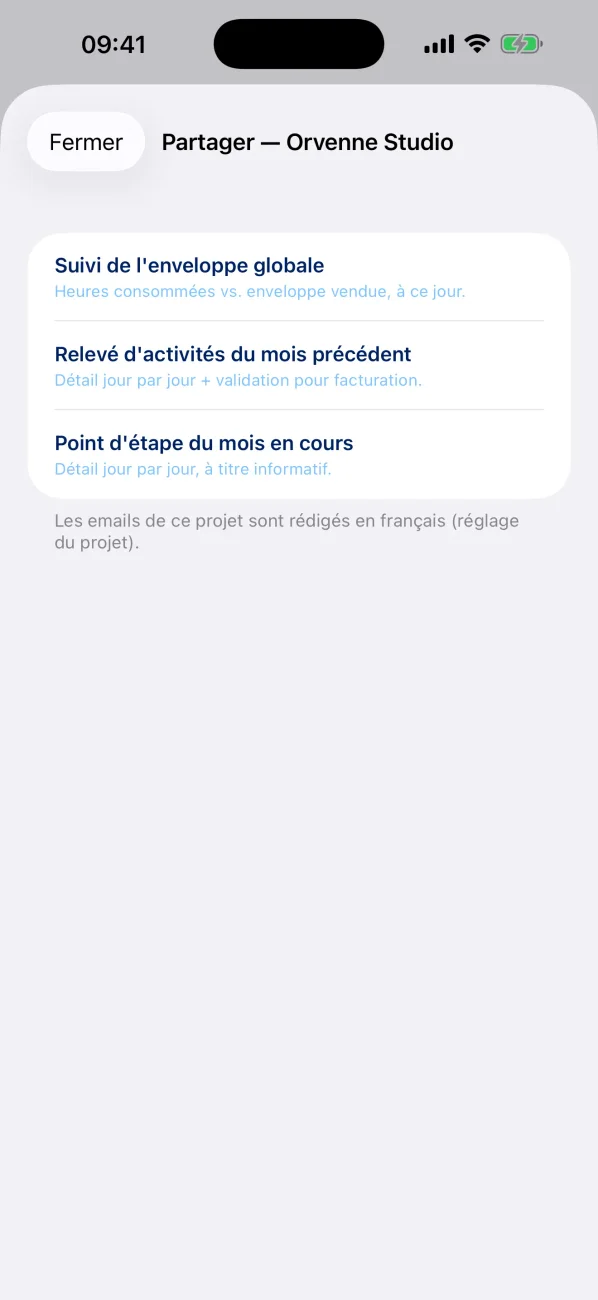
Export your hours as a CSV file sent straight to your own address — open it in any spreadsheet, attach it to an invoice, hand it to your accountant. The app also writes ready-to-send emails for your clients: budget tracking, monthly timesheet, progress update, in English or in French. You read them, you adjust them, you send them.
IPHONE, MAC AND BROWSER
The same account works everywhere. Start a stopwatch on your iPhone and stop it from your Mac; everything updates in real time. Your projects, your hours and your categories follow you from one device to the next.
WORKING WITH OTHERS
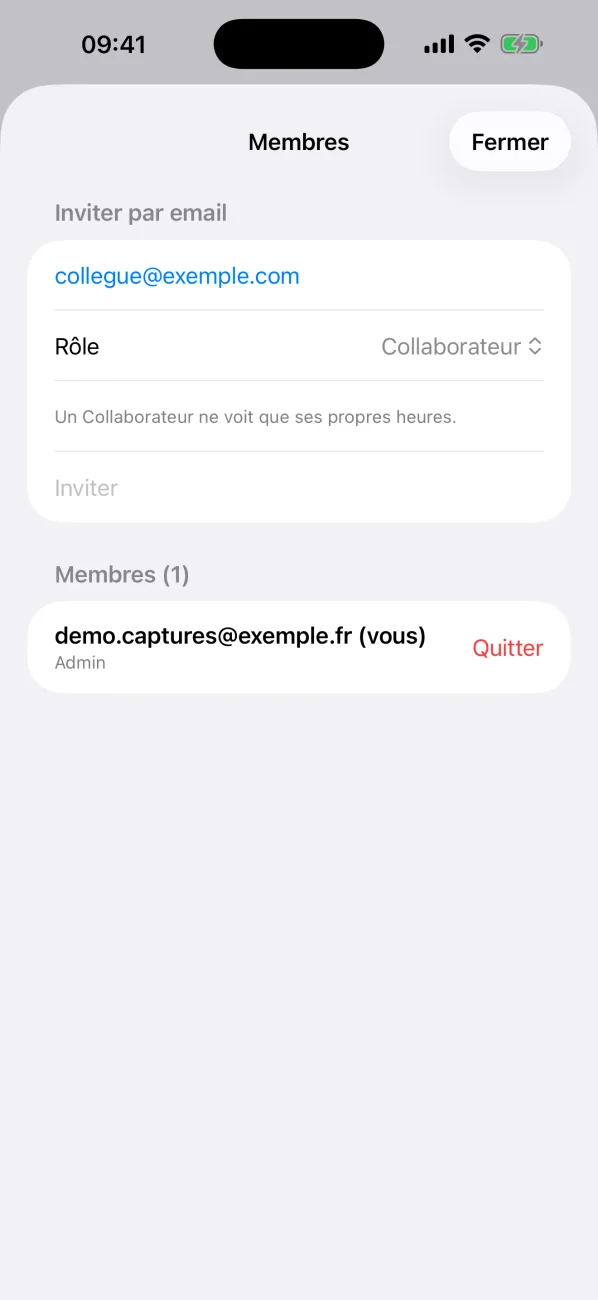
Invite the people you work with onto a project and their hours join the same reporting as yours. Roles are set project by project: a collaborator sees only their own entries, a manager sees the project totals. Nobody joins a project without being invited.
YOUR DATA
Your hours belong to your account. They are visible only to you and to the people you invite yourself onto a project. No advertising, and your data is never sold.
SUBSCRIPTION
Time Tracking for Projects offers a free 2-month trial, then an auto-renewable subscription, Individuel mensuel, at $4.99 per month. The price may vary by region and is always shown in the app before you confirm.
Payment is charged to your Apple Account at confirmation of purchase. The subscription renews automatically for the same period unless auto-renewal is turned off at least 24 hours before the end of the current period. Your account is charged for renewal within 24 hours before the end of the current period. You can manage your subscription and turn off auto-renewal in your Apple Account settings after purchase. Any unused portion of a free trial period is forfeited when you purchase a subscription.
Terms of Use (EULA): https://www.apple.com/legal/internet-services/itunes/dev/stdeula/
Privacy Policy: https://advisory-temps.com/en/privacy/
Neue Funktionen
Version 1.1.0 · 22.10.2026
• Project billing: mark time as billable or not, record the invoices you issue and see what is left to bill.
• Sign in with Google on iPhone, iPad and Mac.
• "Forgot password?" on the sign-in screen.
• Time history grouped by day, collapsed by default.
• Reminders stop as soon as the day has an entry.
• Faster project creation and small fixes.
App-Datenschutz
Was HDF Advisory im App Store zum Umgang dieser App mit Daten angibt.
-
Mit Ihnen verknüpfte Daten
Können erfasst und mit Ihrer Identität verknüpft werden.
- Käufe
- Kontaktinformationen
- Benutzerinhalte
- Kennungen
- Nutzungsdaten
Die Datenschutzpraktiken können variieren, zum Beispiel je nach den von Ihnen verwendeten Funktionen oder Ihrem Alter.
Informationen
- Anbieter
- HDF Advisory
- Kategorie
- Produktivität
- Version
- 1.1.0
- Aktualisiert
- 22.10.2026
- Veröffentlicht
- 11.09.2026
- Größe
- 15,8 MB
- Erfordert
- iOS 17.0 oder neuer
- Altersfreigabe
- 4+
- Preis
- Kostenlos
- In-App-Käufe
- Ja
- Sprachen
- Englisch, Französisch
- Copyright
- © 2026 HDF Advisory
Das könnte Ihnen auch gefallen
-
 TimeTrack: Arbeitszeit TimerStoppuhr, Stunden & Zeitlog
-
 SimpleTime – ZeiterfassungEin Tipp startet die Uhr
-
 Horizon: Kalender-HighlightsÜberblicke, Ziele & Countdowns
-
 Archipad ™Baumanagement
-
 Diktat App: Audio zu TextSprache in Text umwandeln, KI
-
 Working Timer - StempeluhrArbeitszeit und Anwesenheit
-
 Timelines Time TrackingProduktivität
-
 RoomScan Pro LiDAR floor plansEinfach Art Räume zu vermessen
-
 24me Persönlicher AssistantKalender, Aufgaben & Notizen
-
 Bluebird Focus TimerProduktivität