TIMER - Work Timer Tracker
Smart Timer for Work Tasks
Entwickelt für iPhone, iPad
7,99 €
- Altersfreigabe4+
- KategorieDienstprogramme
- EntwicklerCHI HAO CHIU
- SprachenEnglisch+ 10 weitere
- Größe23,7 MB
Verlinkt auf die offizielle App Store-Seite
Download.org hostet keine Datei von TIMER - Work Timer Tracker. Die Schaltfläche öffnet die App-Seite bei App Store, wo CHI HAO CHIU die App veröffentlicht. Eintrag zuletzt geprüft am 09.11.2026.
Screenshots



Info
Der Entwickler hat diesen Text nicht in Ihrer Sprache bereitgestellt.
TIMER is a versatile work timer and task tracking app designed for anyone who needs to track time across any type of work or activity. Whether you are tracking project hours, timing tasks, managing daily work, or just need a reliable timer, TIMER adapts to your workflow.
v4.1 UPDATE - BETTER FOR ALL YOUR WORK
Bug fixes and improvements make TIMER even more reliable for tracking any kind of work item or task. Smoother performance, better stability, and a more refined experience across the board.
TRACK ANY KIND OF WORK
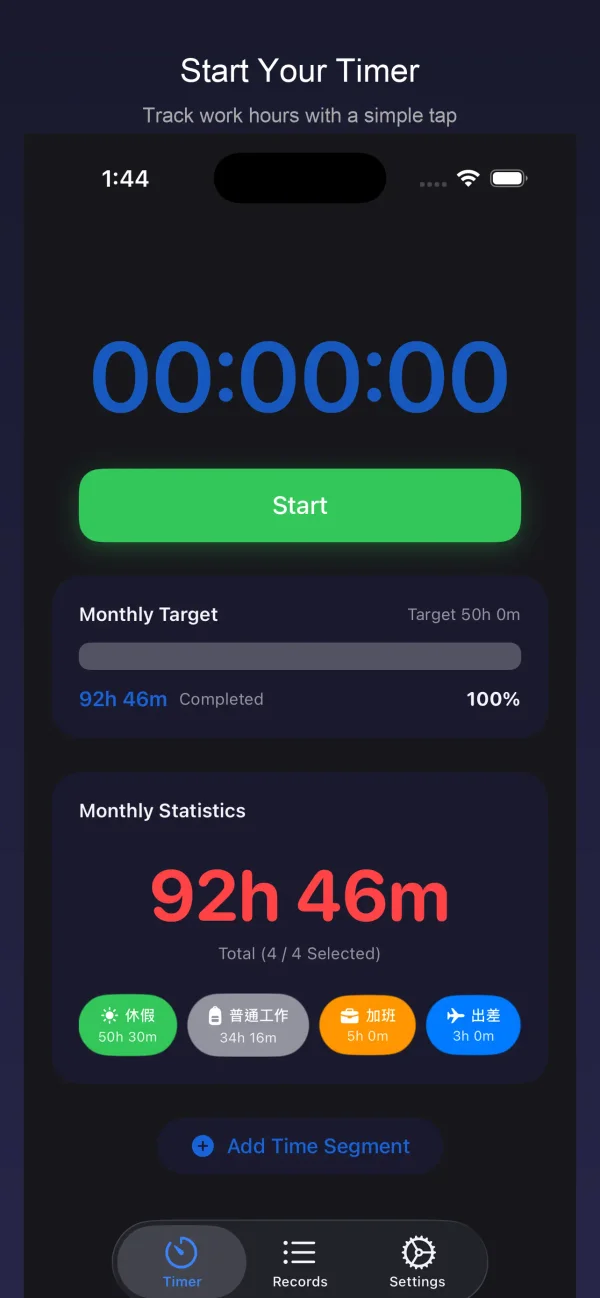
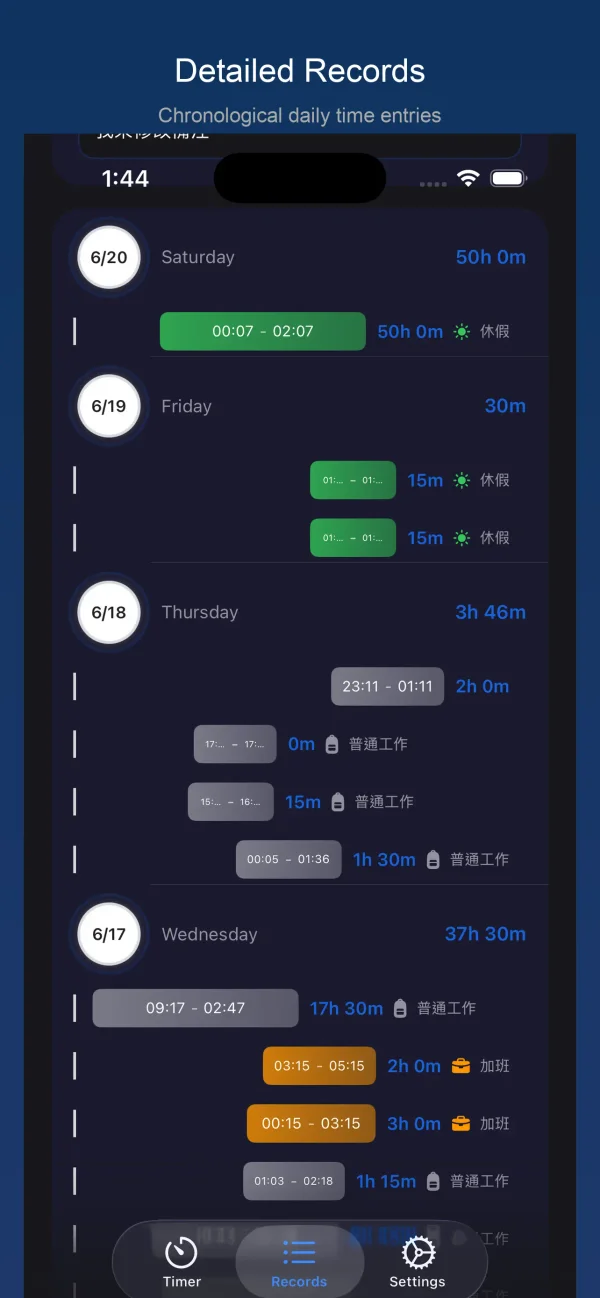
From freelance projects and client work to personal tasks and daily routines - TIMER handles it all. Start the timer with one tap, categorize your time, and let the app do the rest.
ADVANCED ANALYTICS DASHBOARD
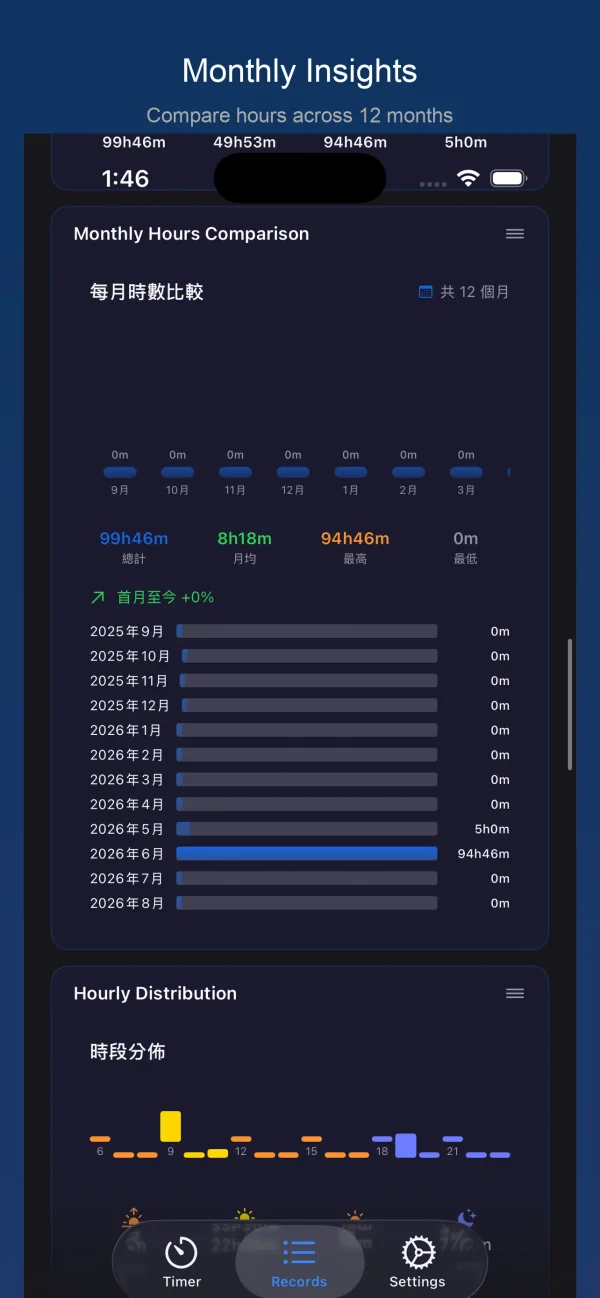
Get deep insights into how you spend your time with 11 powerful chart types:
- Pie chart showing time distribution across categories
- Heatmap visualizing your daily work intensity
- Trend line tracking your hours over time
- Goal prediction estimating when you will reach your monthly target
- Hourly distribution showing when you work most
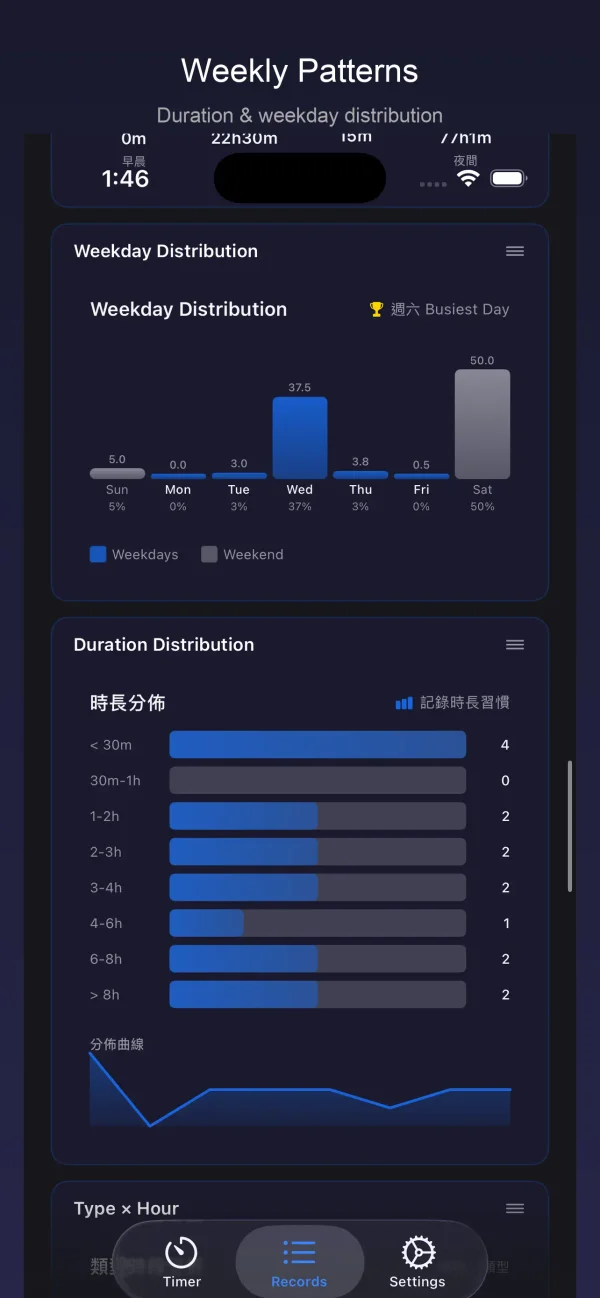
- Weekday comparison revealing your productive days
- Duration distribution analyzing your session lengths
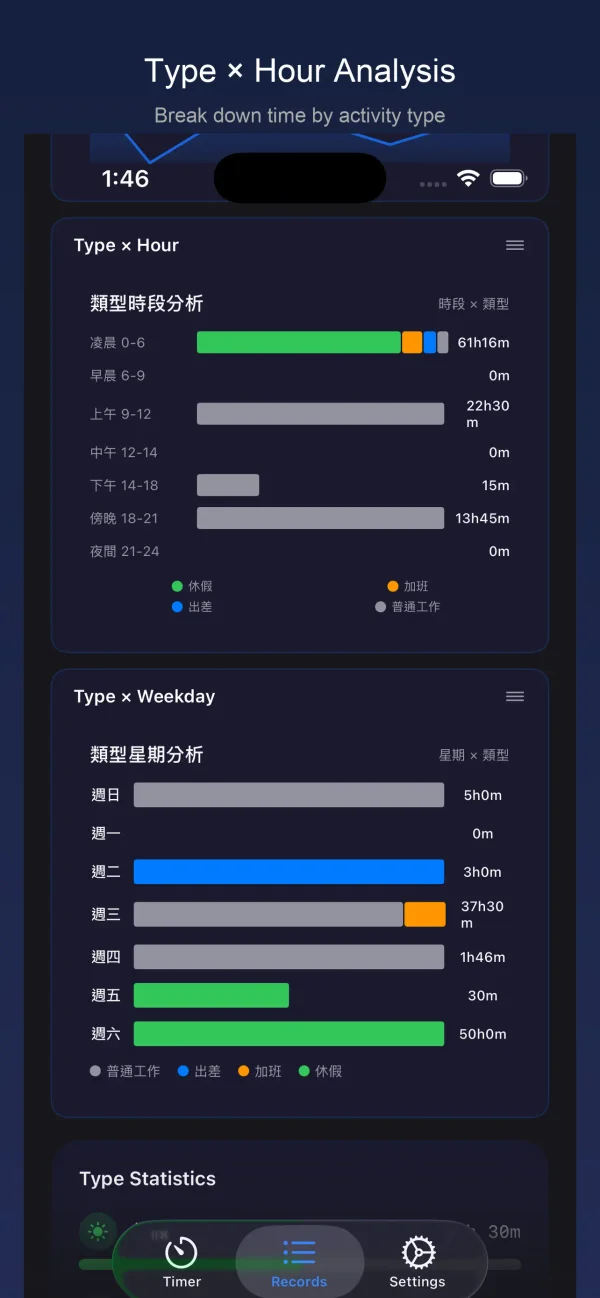
- Type-by-hour breakdown for time-of-day patterns
- Type-by-weekday analysis for weekly rhythms
- Monthly comparison chart for long-term trends
- Average statistics with daily, weekly, and workday averages
CUSTOMIZABLE TIME CATEGORIES
Create up to 11 custom categories with your own names and colors. Perfect for tracking multiple projects, clients, or work types. Each category gets its own color-coded visualization.
SMART ROUNDING FEATURE
Automatically round your tracked time to the nearest 5, 10, 15, 30, or 60 minutes. Toggle between actual and rounded time with a single tap. Ideal for billing clients.
DYNAMIC ISLAND INTEGRATION
See your elapsed time in real-time on the Dynamic Island while tracking. No need to open the app to check.
MONTHLY GOALS AND NOTES
Set monthly hour targets and track your progress. Add monthly notes to document achievements. Your data persists across months.
SECURE AND PRIVATE
Lock TIMER with Face ID or Touch ID. Your time records are stored locally on your device and never shared.
EXPORT PROFESSIONAL PDF REPORTS
Generate beautiful PDF reports with all your analytics charts. Perfect for invoicing clients, tax preparation, or personal record keeping.
KEY FEATURES AT A GLANCE:
- One-tap timer with beautiful v4.0 interface
- 11 customizable time categories with custom colors
- Advanced analytics with 11 different chart types
- Smart time rounding for standard billing increments
- Dynamic Island support for real-time tracking
- Monthly goals with progress tracking and predictions
- Face ID / Touch ID security
- Professional PDF report generation
- Monthly notes for documentation
- Local storage - your data stays on your device
- Works offline with no account required
TIMER is the perfect companion for tracking your time, no matter what you do. Download now and take control of your time.
Neue Funktionen
Version 4.1 · 10.07.2026
Minor bug fixes to make TIMER work better for all your work items and task timing needs.
App-Datenschutz
Was CHI HAO CHIU im App Store zum Umgang dieser App mit Daten angibt.
-
Keine Daten erfasst
Der Entwickler erfasst keine Daten von dieser App.
Die Datenschutzpraktiken können variieren, zum Beispiel je nach den von Ihnen verwendeten Funktionen oder Ihrem Alter.
Informationen
- Anbieter
- CHI HAO CHIU
- Kategorie
- Dienstprogramme
- Version
- 4.1
- Aktualisiert
- 10.07.2026
- Veröffentlicht
- 30.06.2016
- Größe
- 23,7 MB
- Erfordert
- iOS 18.6 oder neuer
- Altersfreigabe
- 4+
- Preis
- 7,99 €
- Sprachen
- Englisch, Französisch, Deutsch, Italienisch, Japanisch, Koreanisch, Portugiesisch, Russisch, Vereinf. Chinesisch, Spanisch, Tradit. Chinesisch
- Copyright
- © 2016 - 2026 Millva
Das könnte Ihnen auch gefallen
-
 FocusList: Habit TrackerDienstprogramme
-
 BestTimerAppDienstprogramme
-
 Multi Timer Interval StopwatchDienstprogramme
-
 MileageMate: Fuel TrackerDienstprogramme
-
 WTDI - Date CalculatorDienstprogramme
-
 My IP ProDienstprogramme
-
 DevHabit - Habit TrackerDienstprogramme
-
 SilentProof: Noise ComplaintDienstprogramme
-
 My Password SaveDienstprogramme
-
 All-In-One Calculator ProDienstprogramme