TimeSee: Visual Timer for ADHD
Beat Time Blindness & Focus
Entwickelt für iPhone
Kostenlos
- Altersfreigabe4+
- KategorieProduktivität
- EntwicklerHIDEKAZU YAMAOKA
- SprachenEnglisch
- Größe11,0 MB
Verlinkt auf die offizielle App Store-Seite
Download.org hostet keine Datei von TimeSee: Visual Timer for ADHD. Die Schaltfläche öffnet die App-Seite bei App Store, wo HIDEKAZU YAMAOKA die App veröffentlicht. Eintrag zuletzt geprüft am 25.11.2026.
Screenshots
Info
Der Entwickler hat diesen Text nicht in Ihrer Sprache bereitgestellt.
TIME BLINDNESS ENDS HERE
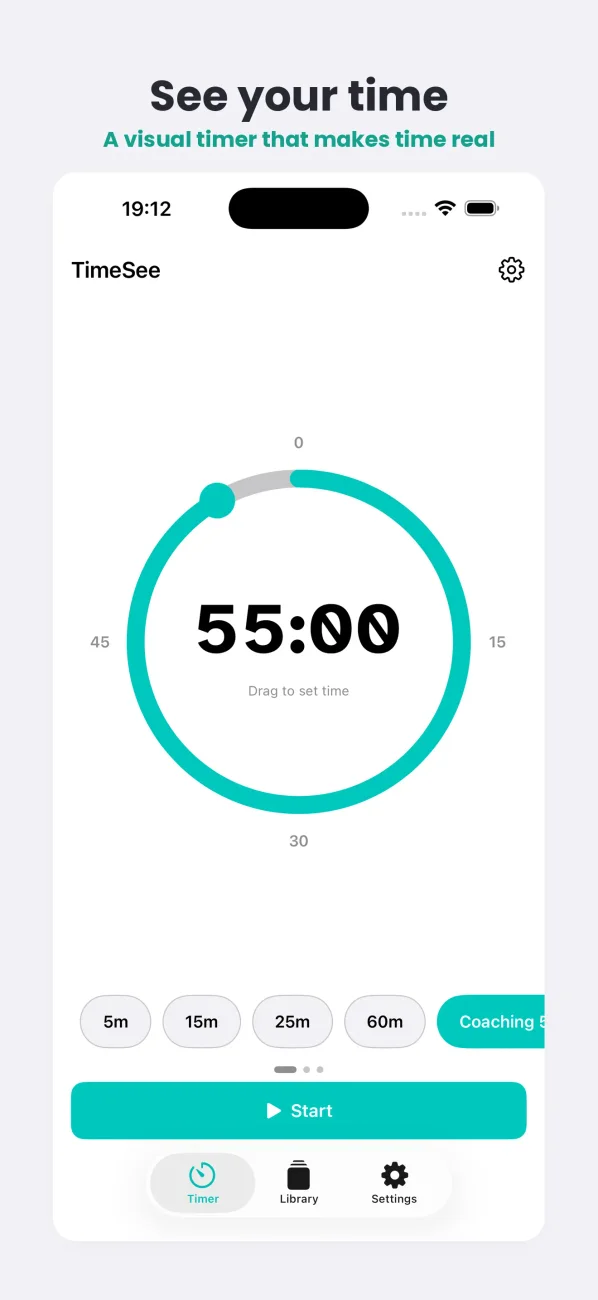
If you have ADHD, you already know: time doesn't feel real. Minutes vanish, deadlines sneak up, and "just 5 more minutes" becomes an hour. TimeSee makes time something you can see - so your attention can stay on your life, not on the clock.
FIVE WAYS TO SEE TIME
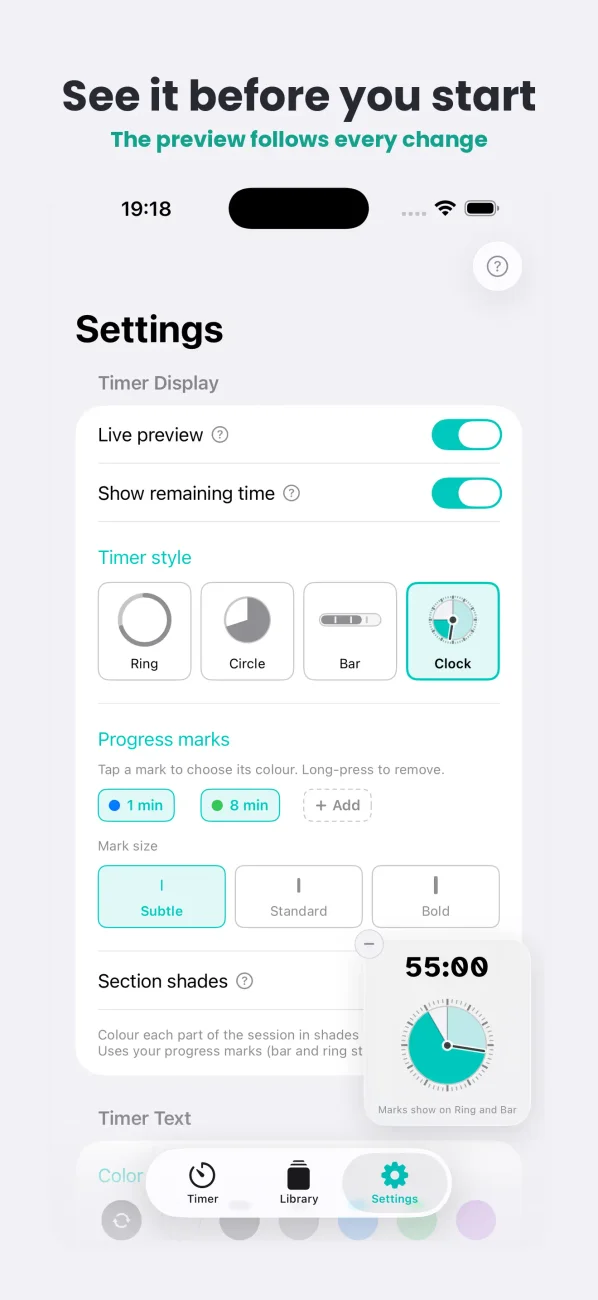
A ring that shrinks. A filling circle. A slim bar. A clock face where the time you have spent stays visible in a lighter shade. And Wall Clock, where the hands show the actual time. Pick the one your eyes read fastest.
WALL CLOCK
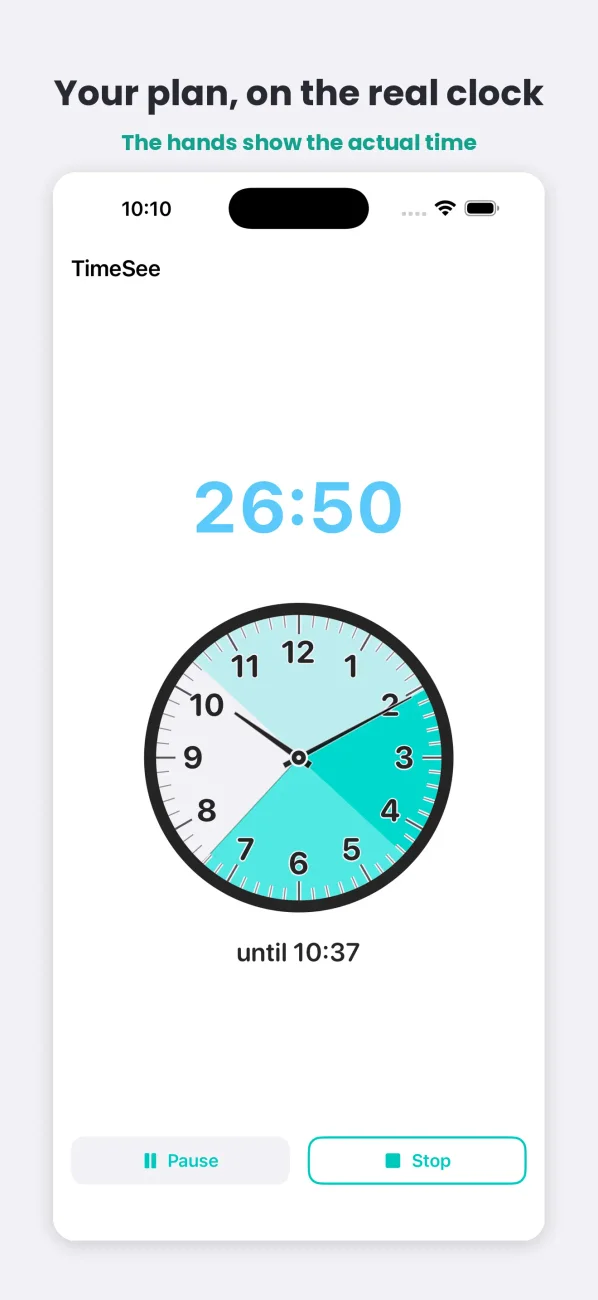
Your session, drawn on a real clock face. The hands show the actual time, so the end of your session is a place on the clock - not a number counting down. The finish time is always written underneath: "until 4:30".
Drag the end of the band to the minute you want to finish, or type the minutes. Pause, and your finish time moves with you - honestly.
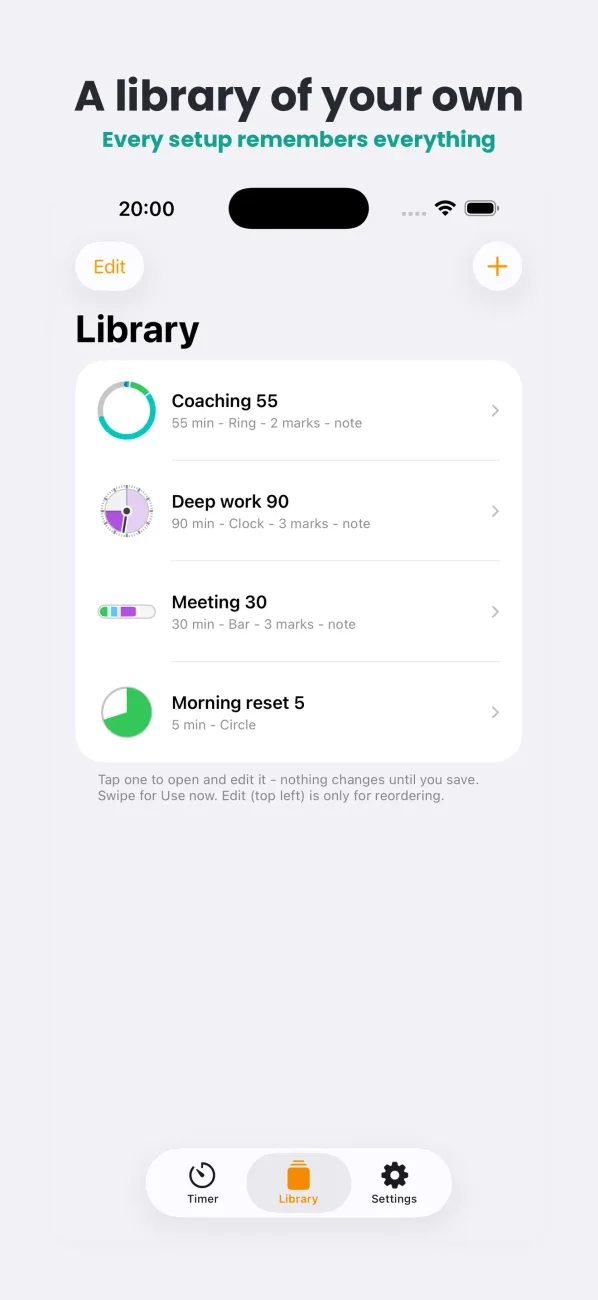
A LIBRARY OF YOUR OWN
Build a session once and keep it. Its length, marks, finish message, colours and sounds - saved together under a name you will recognise.
PROGRESS MARKS
Mark the parts of your session - say, 8 and 16 minutes of a 30-minute call. Up to 8 marks, shown on the dial before you start. Passed marks quietly fade. No sounds, no pop-ups. Guidance, not judgement.
A MESSAGE FOR YOUR FUTURE SELF
Write a note before you start - "book the next appointment", "drink some water" - and it will be waiting when the timer ends. Not a celebration: a handover, from the you who planned to the you who has just finished.
A GENTLE START
Starting right on the second can feel rushed. Settle-in time gives you a few quiet seconds first, while the timer slowly lights up - easy to catch from the corner of your eye. Add a start sound if you like.
AN ENDING, NOT AN ALARM
Instead of one alarm you have to kill, the finish sound comes back gently until you are ready. Snooze it for as long as you choose, or silence it; either can be undone with the same tap. Time being up should not feel like being told off.
OVERTIME MODE
When time's up, TimeSee keeps counting, so you can see how long your task actually took. Red is an option, never a rule.
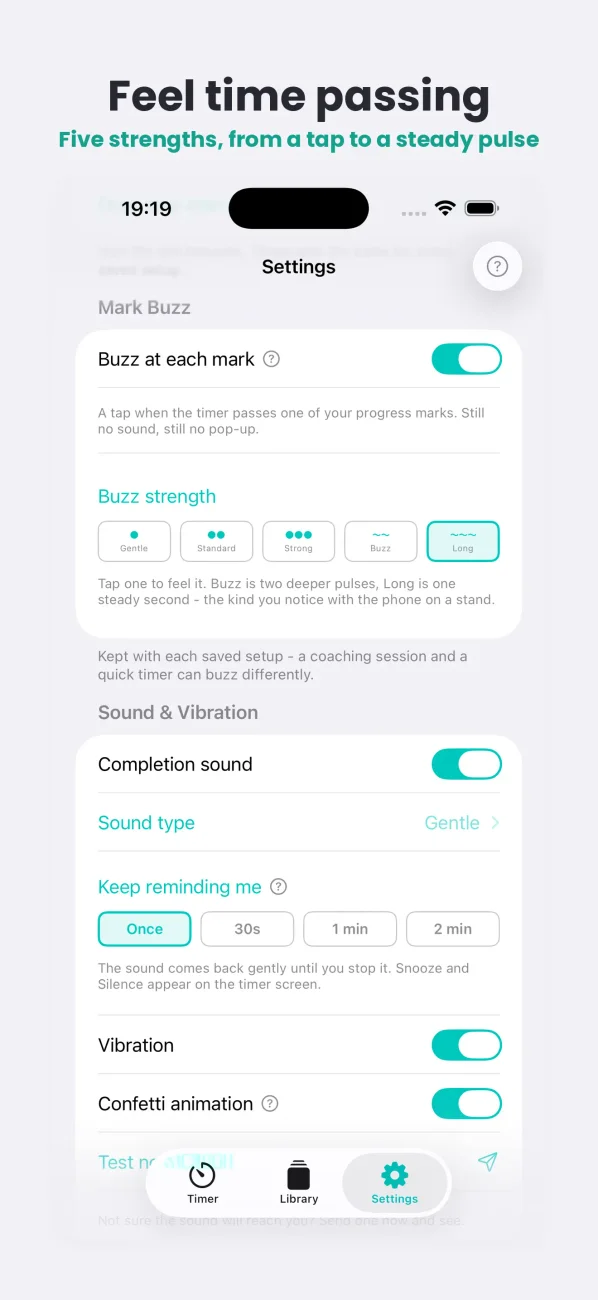
FEEL TIME PASSING
An optional gentle tap as the timer passes each of your marks - five strengths, from a light touch to a long, steady pulse. A quiet tap on the shoulder that does not break your focus.
CALM BY DEFAULT
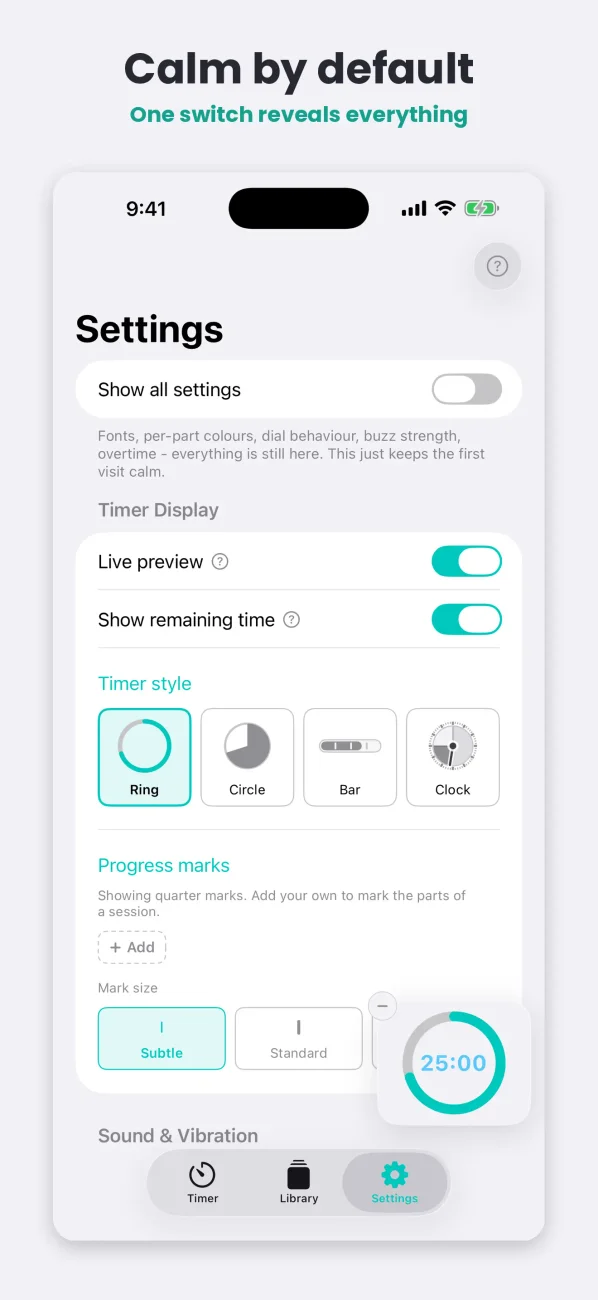
TimeSee opens with the essentials, in the order you actually decide them: which timer, then your session, then sound. One switch at the top - "Show all settings" - reveals every option when you are ready. Nothing is removed; it waits until you ask.
MADE FOR DIFFERENT BRAINS AND DIFFERENT SENSES
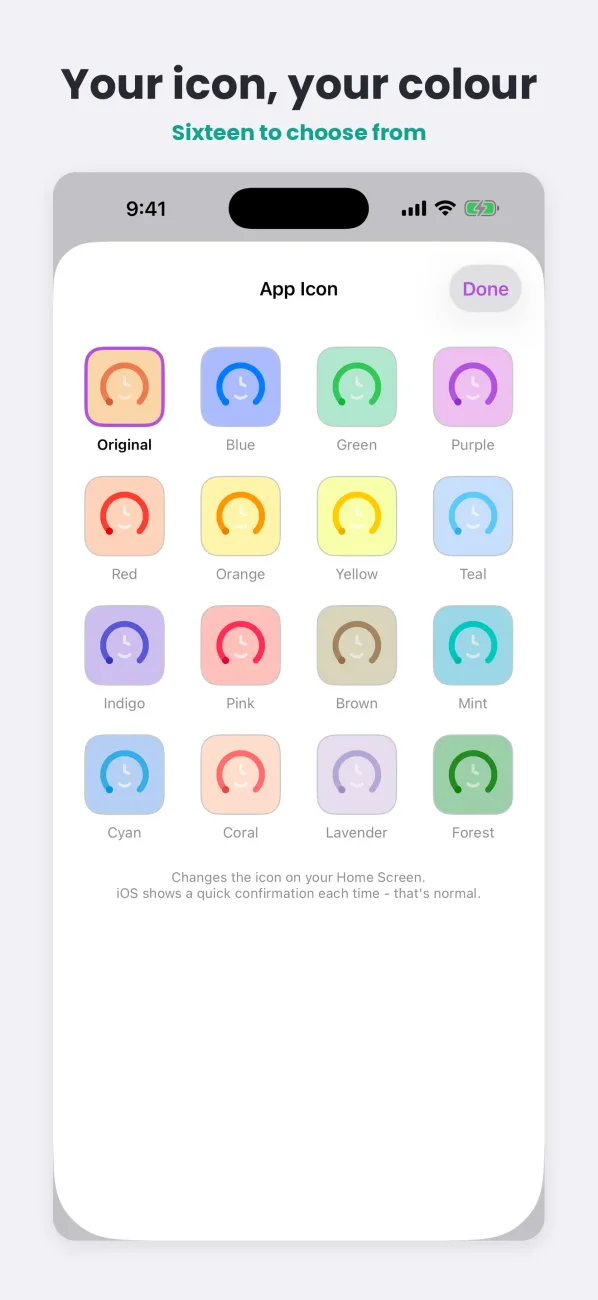
15 colour themes plus any custom colour, 11 colours for the digits, and 5 fonts including Atkinson Hyperlegible and Lexend. Adjust letter spacing, ring thickness, mark sizes and text size. Or turn the numbers off and keep only the shape, if counting down is the part that stresses you.
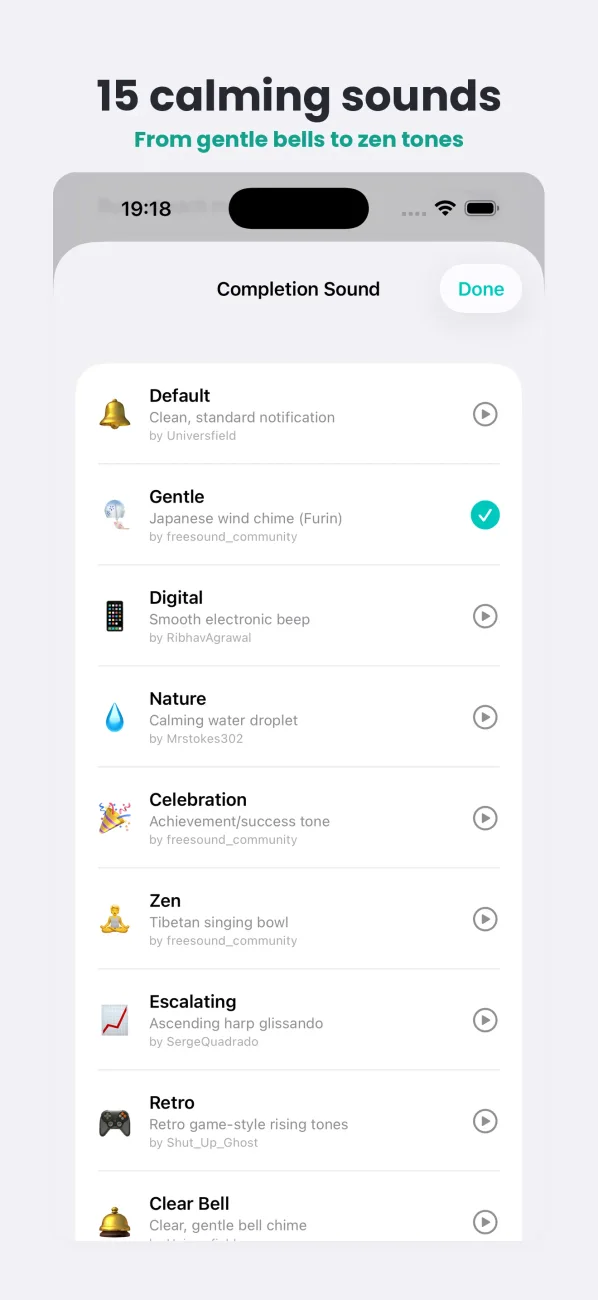
15 COMPLETION SOUNDS
From a Japanese wind chime to a singing bowl or a retro beep. Or turn sound off for silent meetings - the ending still arrives as a gentle vibration.
APPLE WATCH
Your timer follows you to your wrist - Wall Clock included - in the colours, style and marks you chose.
SMALL THINGS THAT HELP
Keep the screen on while the timer runs. A preview card that shows the finish screen. Confetti when you finish - unless Reduce Motion is on.
BUILT WITH ITS USERS
The Clock style, Wall Clock, Progress Marks, the Library, the finish message, the gentler ending, Settle-in time and the settings screen itself all began as user reviews and emails. The app is still growing, and you can help shape it: support@defrust.com
PRIVACY FIRST
Zero data collection. Zero tracking. No account. Everything stays on your device. Your focus is your business - and nobody else's.
100% FREE
Every feature. Every sound. Every theme. No in-app purchases, no subscriptions, no hidden fees. TimeSee is built to help - not to monetize your attention.
Neue Funktionen
Version 2.11.1 · 24.11.2026
See your whole session. When you count overtime, a small Total now shows how long it all took: your timer plus the overtime. The idea came from a user.
• Finish on the overtime screen now stops the alarm and its reminders right away.
• The button on the finish screen now says Done, so it is no longer confused with Finish.
• The preview card in Settings shows more of your choices, including settle-in time and overtime.
• In landscape and with large text, nothing covers the buttons, and the finish screen fits.
• Your finish message: the cursor goes where you tap, and copy and paste work.
• VoiceOver keeps its place on the timer when you turn your phone.
• Sounds start and stop more smoothly, plus small fixes.
App-Datenschutz
Was HIDEKAZU YAMAOKA im App Store zum Umgang dieser App mit Daten angibt.
-
Keine Daten erfasst
Der Entwickler erfasst keine Daten von dieser App.
Die Datenschutzpraktiken können variieren, zum Beispiel je nach den von Ihnen verwendeten Funktionen oder Ihrem Alter.
Informationen
- Anbieter
- HIDEKAZU YAMAOKA
- Kategorie
- Produktivität
- Version
- 2.11.1
- Aktualisiert
- 24.11.2026
- Veröffentlicht
- 03.03.2026
- Größe
- 11,0 MB
- Erfordert
- iOS 18 oder neuer
- Altersfreigabe
- 4+
- Preis
- Kostenlos
- Sprachen
- Englisch
- Copyright
- © 2026 Defrust
Das könnte Ihnen auch gefallen
-
 iWorkUntil: ADHS Fokus TimerZeitblöcke · Fokus-Sessions
-
 FeltimeProduktivität
-
 ADHD Timer: End Time BlindnessProduktivität
-
 ADHD Timer CollectionProduktivität
-
 Ontime – ADHS Planer & WeckerVisueller Timer & Routine
-
 Now: ADHD Focus & RoutinesProduktivität
-
 QuietSession: Haptik-TimerVibrationstimer für Meetings
-
 MinuteCueProduktivität
-
 Waddle: Personalized RoutinesProduktivität
-
 Ready TimeProduktivität