
TipGenie - Tip Tracker
Tip Tracker Built for Servers
Entwickelt für iPhone, iPad
- Altersfreigabe4+
- KategorieLifestyle
- SprachenEnglisch
- Größe15,9 MB
TipGenie - Tip Tracker ist bei App Store derzeit möglicherweise nicht verfügbar
Bei unserer letzten Prüfung war der Store-Eintrag nicht erreichbar. Der Link führt weiterhin zur offiziellen App Store-Seite.
Screenshots
Info
Der Entwickler hat diesen Text nicht in Ihrer Sprache bereitgestellt.
TipGenie is the tip tracker built by a server for servers.
Stop fumbling with the Notes app at the end of your shift. TipGenie makes tracking your tips, sales, hours, and sections faster than typing your password — then turns all that data into insights that actually help you make more money.
— WHY SERVERS LOVE IT —
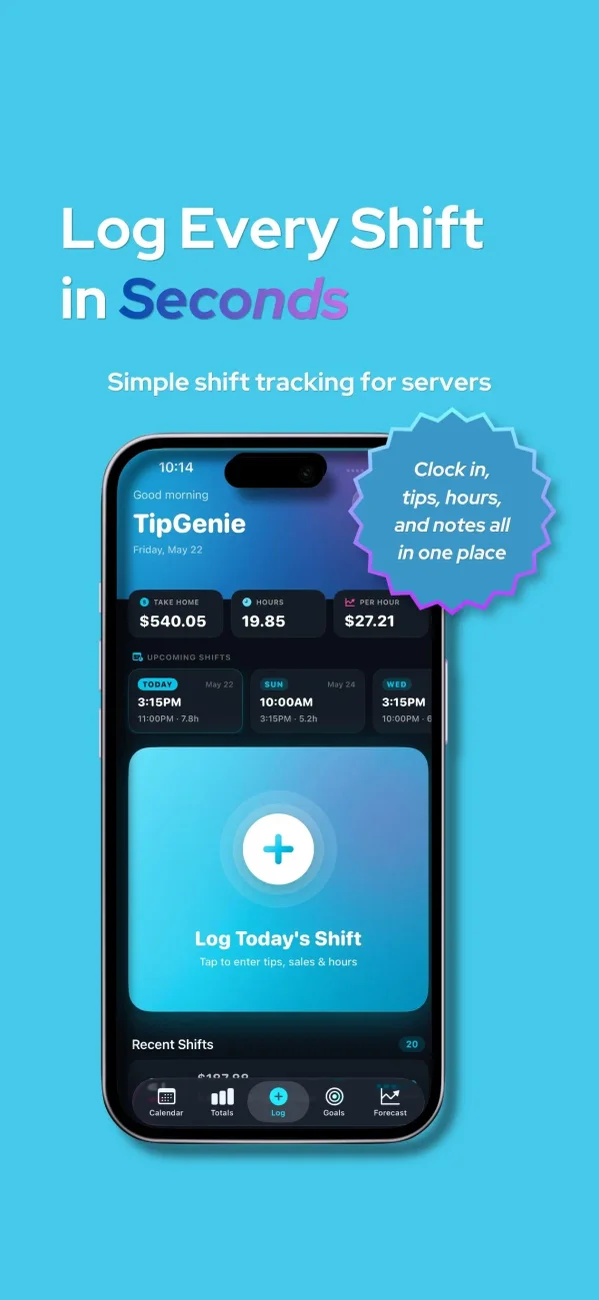
• Log a full shift in 10 seconds. Tap a preset for your hours, type tips and sales, tap your section, done.
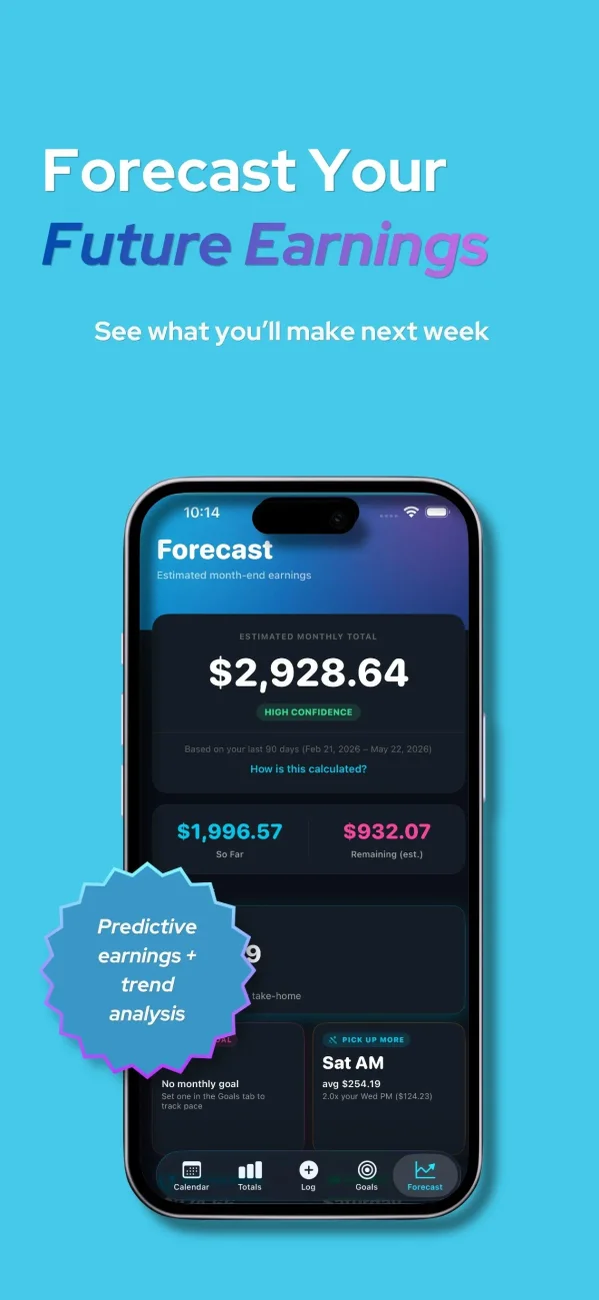
• See exactly which days and sections pay the most. The Forecast tab tells you stuff like "Pick up more Saturday PMs, skip Tuesday AMs" based on your real shift data.
• Auto-sync with HotSchedules or any work calendar. Your hours fill in automatically when you log.
• Home screen and Lock Screen widgets show today's take-home, week total, and your weekly schedule at a glance.
• Track your weekly Google review mentions and see who in your crew is winning the contest.
— WHAT'S INSIDE —
LOG SCREEN
One tap to log a shift. Quick-fill hours from your saved presets (AM, PM, Double). See your week-to-date take-home, hours, and per-hour rate up top. Tap any past shift to edit.
CALENDAR
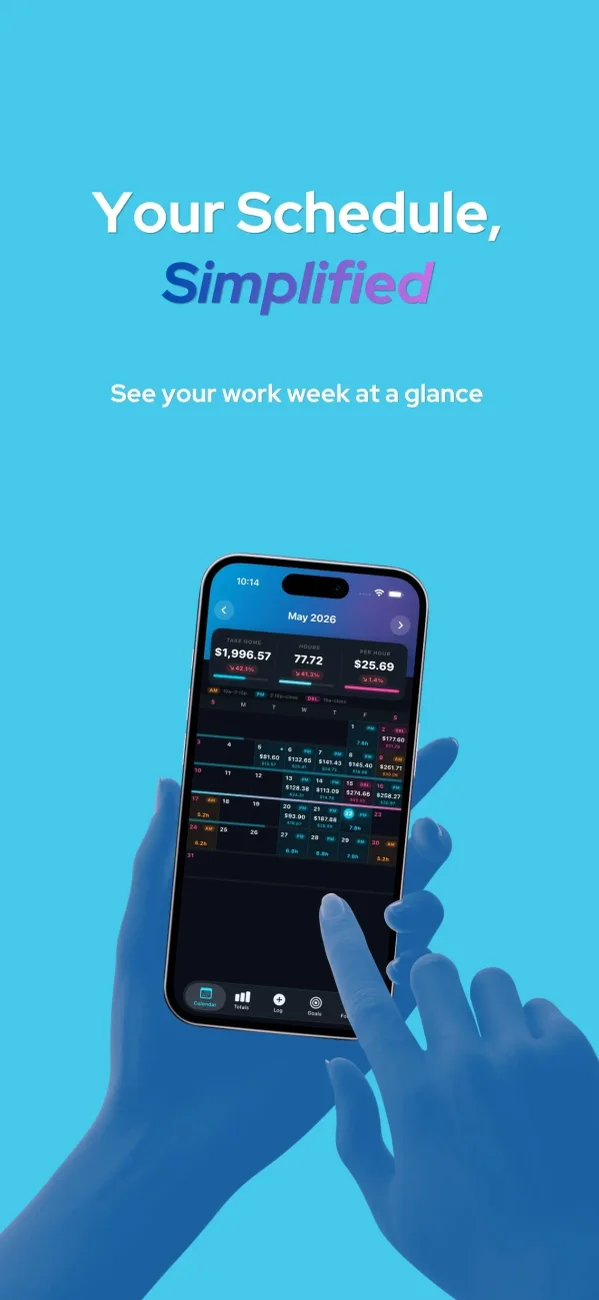
Month view with color-coded AM, PM, and Double shifts. Scheduled shifts auto-appear from your work calendar. Weekly tip bars track your goal progress.
TOTALS
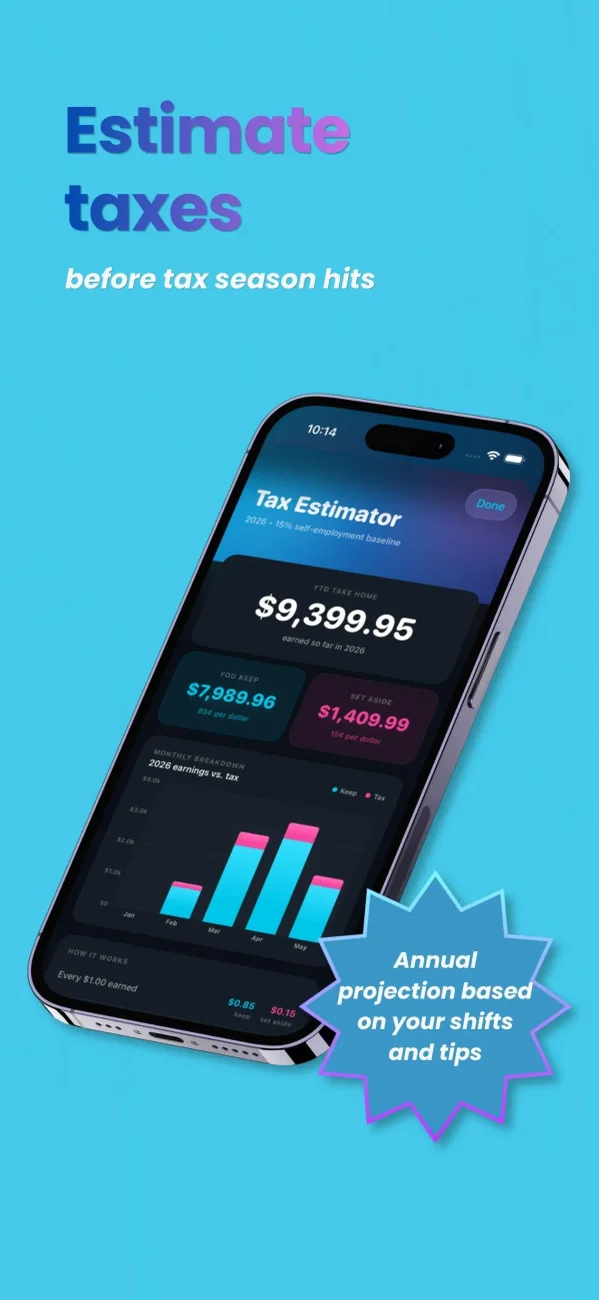
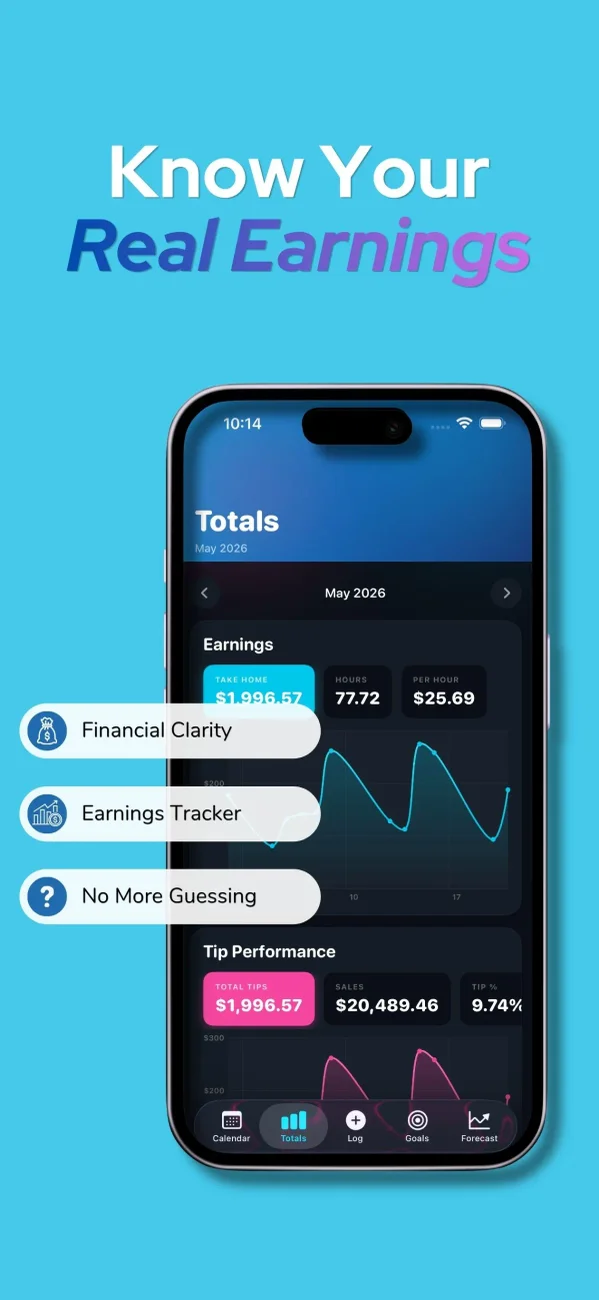
Earnings, hours, sales, and tip % broken down by week, month, year, or any custom date range. Interactive charts you can tap. YTD tax estimator with a 15% baseline for tipped workers.
GOALS
Set daily, weekly, monthly, or yearly take-home goals. Ring charts track your progress. Know if you're falling behind or crushing it.
FORECAST
Project your month-end earnings from your last 90 days of shifts. Smart insights compare your best days, sections, weather correlation, and shift combinations. Each card tells you something actionable.
FLOOR PLAN
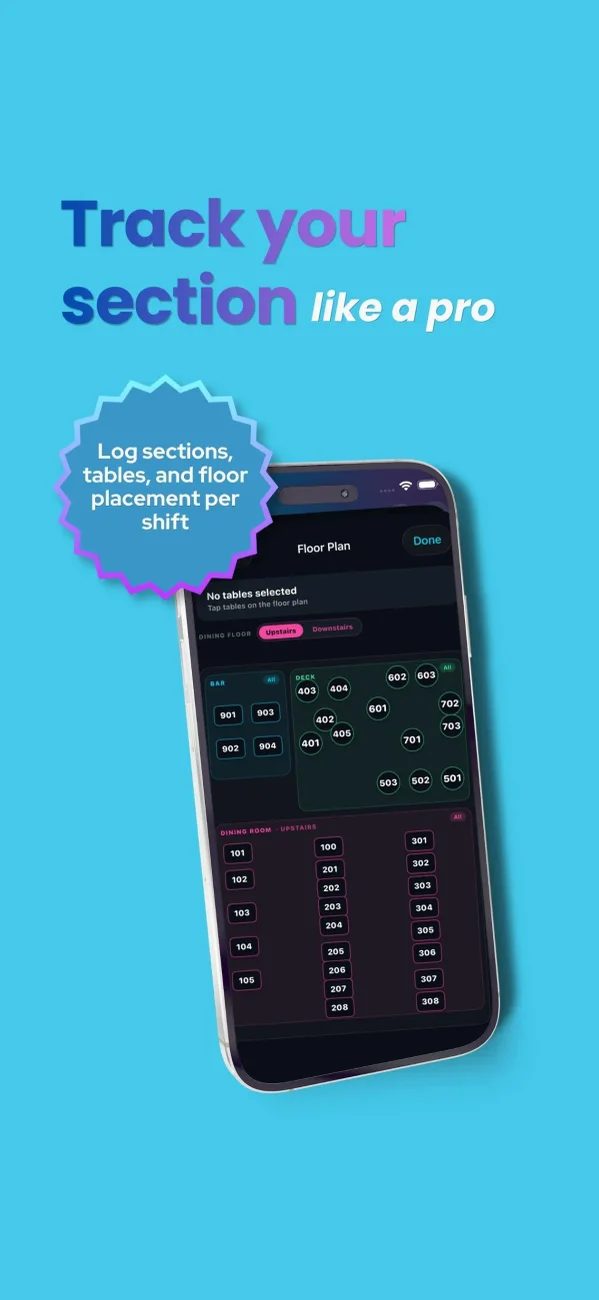
Digital floor plan of your restaurant. Tap the tables you had during each shift. Over time, learn exactly which sections pay the most.
REVIEW LEADERBOARD
Track your Google review mentions. See live counts. Compete with your coworkers.
SMART REMINDERS
Set your work location once. TipGenie reminds you to log tips if you leave without logging.
— PRIVACY FIRST —
No accounts. No ads. No tracking. No data ever leaves your phone. Your tips, your business.
— BUILT BY A SERVER —
Made by Brady Cook, a server at The Catch in Gulf Shores, Alabama. If TipGenie helps you make more money, tell another server.
Neue Funktionen
Version 1.7 · 05.08.2026
What's New in TipGenie 1.7
Weekly Replay
Every Sunday, tap the banner on your Log screen for a story-style walk through your week — what you took home, the shift that carried it, your hours and tip percentage, and a day-by-day breakdown. Ends on a card you can share.
Tap any insight for the full story
Insight cards on Forecast now open when you tap them. See every weekday ranked, every section compared, your best shifts listed out, and exactly what you need per shift to hit your goal. New Top Sales card tracks your biggest sales nights alongside the tip percentage you pulled.
Is it worth it?
Tap any upcoming day on the Calendar to see what that shift is likely worth, based on your own history for that weekday. Filter by AM or PM. Decide before you say yes.
Never forget to log again
TipGenie now nudges you about 30 minutes after your scheduled shift ends. Tap it and the log opens with your hours already filled in. There's also a reminder for when you forget to add your section.
Records worth celebrating
Beat your best night, best hourly, or best tip percentage and the app celebrates it properly.
Floor plan heat map
See which tables actually pay. Your floor plan colors itself by what you've earned at every table.
Face ID lock and private widgets
Lock the app behind Face ID, with a grace period so quick trips out don't make you re-scan. Turn on Private Widgets and your home and lock screen show goal progress instead of dollar amounts.
Calendar and charts, rebuilt
The calendar fits your screen with no scrolling, swipes between months, and puts your month summary and goal pace right under the grid. Tap a day for its breakdown. Charts are cleaner and honest — tap any point to see what it represents.
Send feedback from inside the app
Found a bug or have an idea? Settings → Send Feedback goes straight to me.
Plus faster performance, smoother animations everywhere, tip-out calculator improvements, clearer settings, and a lot of fixes.
App-Datenschutz
Was im App Store zum Umgang dieser App mit Daten angibt.
-
Keine Daten erfasst
Der Entwickler erfasst keine Daten von dieser App.
Die Datenschutzpraktiken können variieren, zum Beispiel je nach den von Ihnen verwendeten Funktionen oder Ihrem Alter.
Informationen
- Anbieter
- Brady Cook
- Kategorie
- Lifestyle
- Version
- 1.7
- Aktualisiert
- 05.08.2026
- Veröffentlicht
- 26.05.2026
- Größe
- 15,9 MB
- Erfordert
- iOS 26.2 oder neuer
- Altersfreigabe
- 4+
- Sprachen
- Englisch
- Copyright
- © 2026 Brady Cook
Das könnte Ihnen auch gefallen
-
 Decision Master: Fast DecisionLifestyle
-
 Before They're Gone: BiografieLebensgeschichte der Eltern
-
 Keepsake CollectionsLifestyle
-
 EnabimnioLifestyle
-
 Basic Card WalletLifestyle
-
 My Study PlannerLifestyle
-
 Pet care tracker: AwwditLifestyle
-
 TRY ON: try before you buy.Lifestyle
-
 LPL on the GoLifestyle
-
 Faver - Wishlist & Shop AppLifestyle