- Altersfreigabe4+
- KategorieProduktivität
- EntwicklerYasuko Shikiuchi
- SprachenEnglisch+ 1 weitere
- Größe37,0 MB
Today's Tasks ist bei App Store derzeit möglicherweise nicht verfügbar
Bei unserer letzten Prüfung war der Store-Eintrag nicht erreichbar. Der Link führt weiterhin zur offiziellen App Store-Seite.
Screenshots
Info
Der Entwickler hat diesen Text nicht in Ihrer Sprache bereitgestellt.
Introduction
This application is an auxiliary tool for the standard iOS reminder application. It manages tasks (i.e. reminder items) with or without a notification date and by list classification.
You can postpone tasks that you don't want to do immediately, or delete the notification date for undecided tasks (I'll do it someday), so that you can focus on today's tasks that are displayed.
About Lists
We recommend that you prepare multiple "Lists" for reminders (created from the standard reminder app, e.g. "Shopping", "Work", "Housework").
The default list set in your iPhone reminder app is called Inbox in this app.
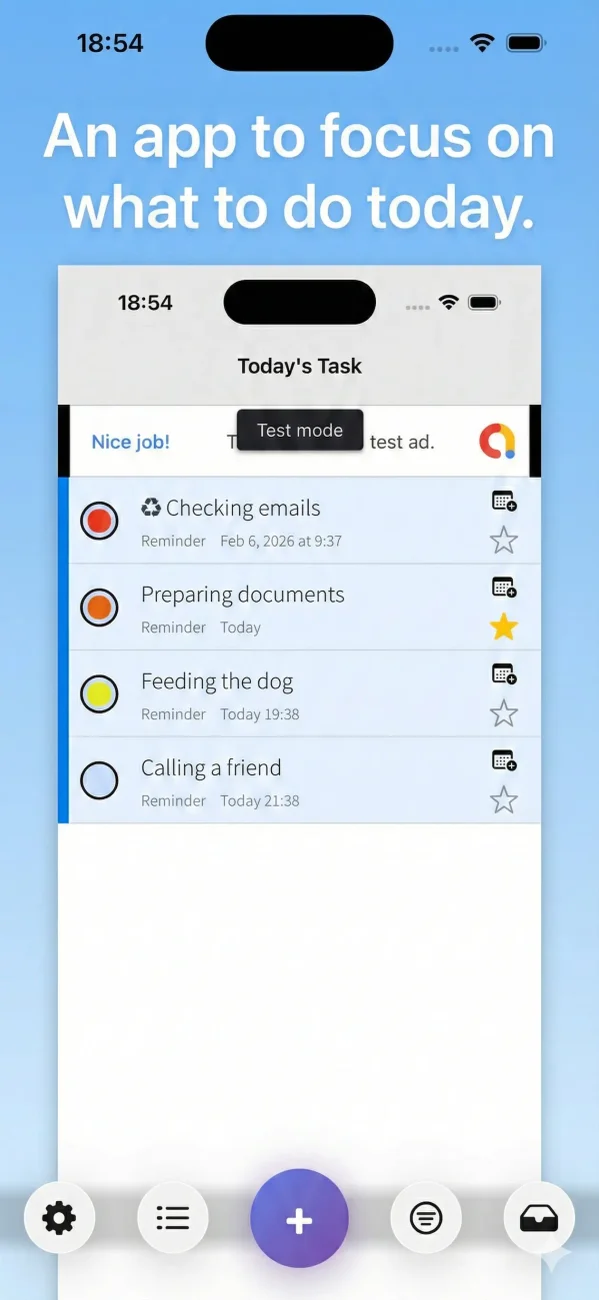
Today's Tasks screen
Displays a list of tasks whose notification dates are up to today.
The background color of the past tasks is red, and the background color of the tasks within an hour from now is yellow.
Complete a task
Tapping the circle icon next to the left side of the task will mark it as completed, and the task will disappear from the list.
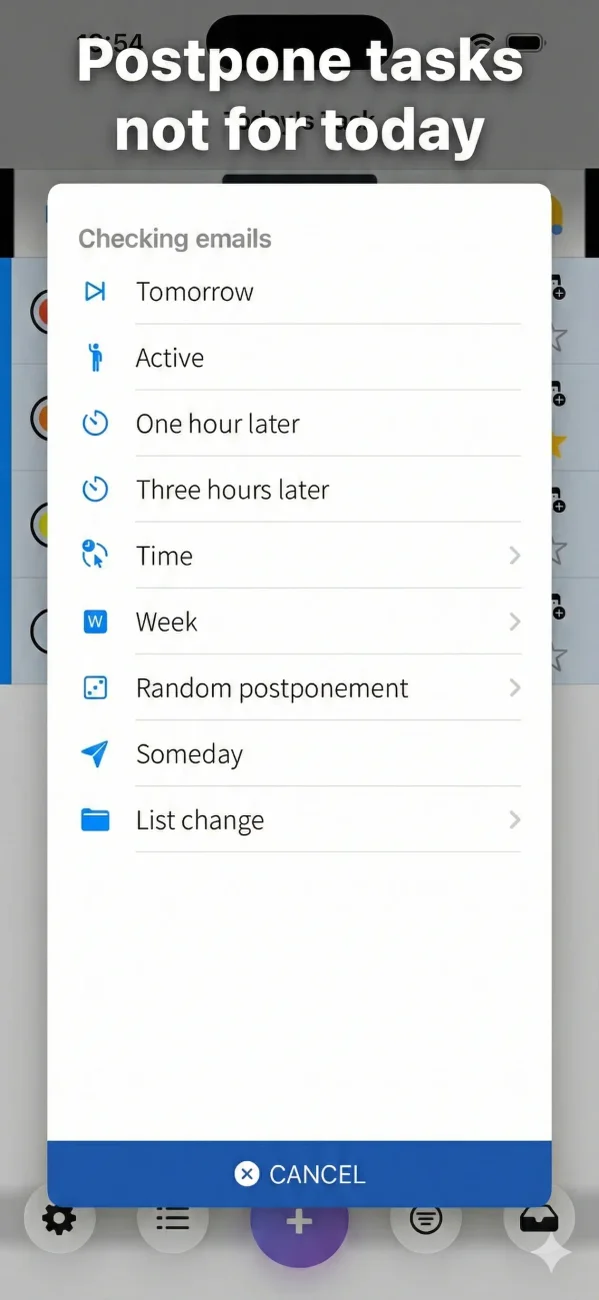
Postpone a Task
Tap the calendar icon on the right side of the task to display the postpone menu.
For example, tapping "3 hours later" will postpone the notification date to 3 hours after the current time.
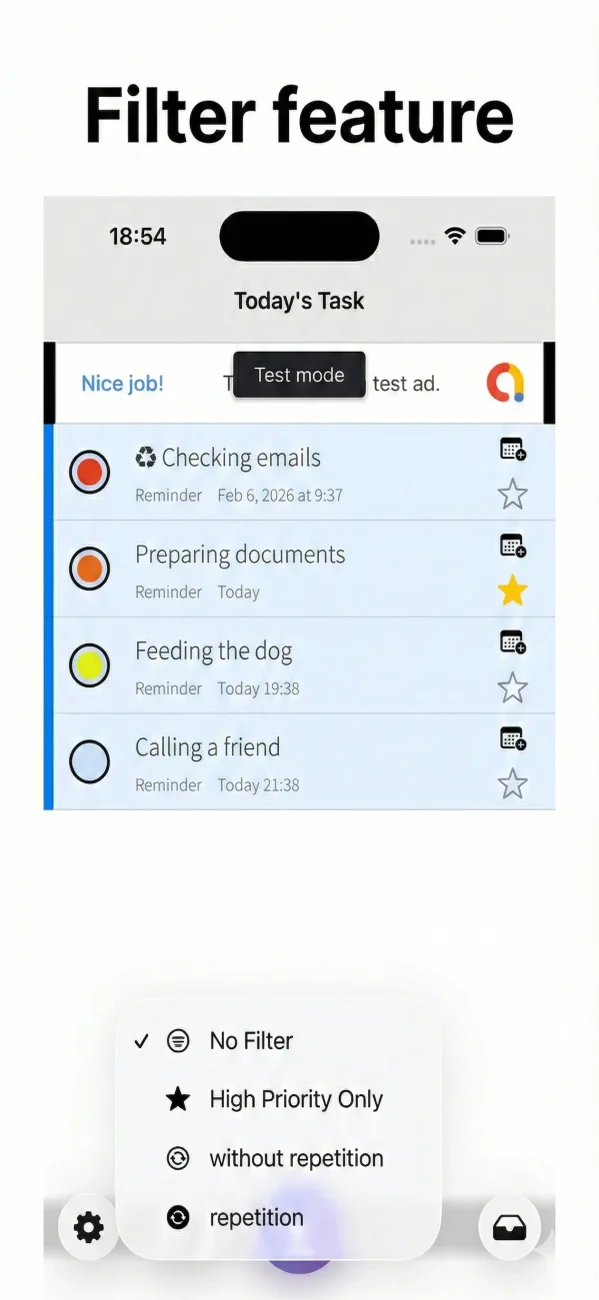
Filter Function
Tap the filter button to display the list of list names. Tap any list name to switch to the task list of that list. Tasks that have not yet been notified as "To be done someday" will also be displayed, so you can change undecided tasks to be done tonight. To remove the filtered view, tap the title at the top of the screen.
Inbox = In other words, from the list of tasks that are set as the default list on your iPhone, use "Change List" to sort them into a list by purpose.
Neue Funktionen
Version 1.1.4 · 06.08.2026
Widget layout adjustment
App-Datenschutz
Was Yasuko Shikiuchi im App Store zum Umgang dieser App mit Daten angibt.
-
Nicht mit Ihnen verknüpfte Daten
Können erfasst werden, sind aber nicht mit Ihrer Identität verknüpft.
- Kennungen
- Diagnose
Die Datenschutzpraktiken können variieren, zum Beispiel je nach den von Ihnen verwendeten Funktionen oder Ihrem Alter.
Informationen
- Anbieter
- Yasuko Shikiuchi
- Kategorie
- Produktivität
- Version
- 1.1.4
- Aktualisiert
- 06.08.2026
- Veröffentlicht
- 08.01.2021
- Größe
- 37,0 MB
- Erfordert
- iOS 16.6 oder neuer
- Altersfreigabe
- 4+
- Sprachen
- Englisch, Japanisch
- Copyright
- © yaas.jp 2021
Das könnte Ihnen auch gefallen
-
 Routick: Habit Tracker & To-DoProduktivität
-
 Daily routine app | RecoProduktivität
-
 鍵付きかんたん日記帳!人気のかわいいカレンダー日記アプリProduktivität
-
 Grid ToDo - Plan 64 ActionsProduktivität
-
 1day ScheduleProduktivität
-
 Daily Chores CheckerProduktivität
-
 Daily Task Manager, To Do ListProduktivität
-
 Simple Notepad・Simple and CoolProduktivität
-
 AIChat KI Chatbot auf DeutschIntelligenter AI-Assistent Bot
-
 Simple ToDo List & TasksProduktivität