
Toolsfolio: PDF Maker & Editor
Invoice, Scanner & Converter
Entwickelt für iPhone
Kostenlos · In-App-Käufe
- Altersfreigabe4+
- KategorieDienstprogramme
- EntwicklerKinjal Pipaliya
- SprachenEnglisch
- Größe12,1 MB
Verlinkt auf die offizielle App Store-Seite
Download.org hostet keine Datei von Toolsfolio: PDF Maker & Editor. Die Schaltfläche öffnet die App-Seite bei App Store, wo Kinjal Pipaliya die App veröffentlicht. Eintrag zuletzt geprüft am 23.11.2026.
Screenshots
Info
Der Entwickler hat diesen Text nicht in Ihrer Sprache bereitgestellt.
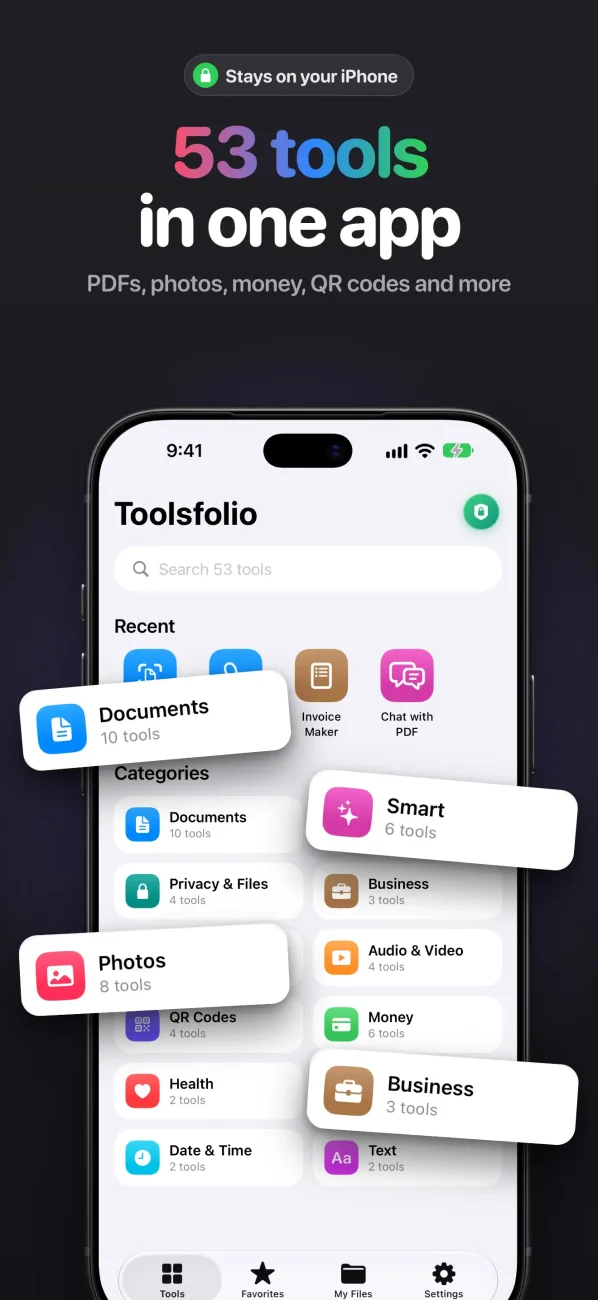
Everyday tools in one place, and none of them need the internet. Toolsfolio scans, edits, signs and compresses your PDFs, makes invoices, converts photos, makes QR codes and handles quick sums, all on your iPhone.
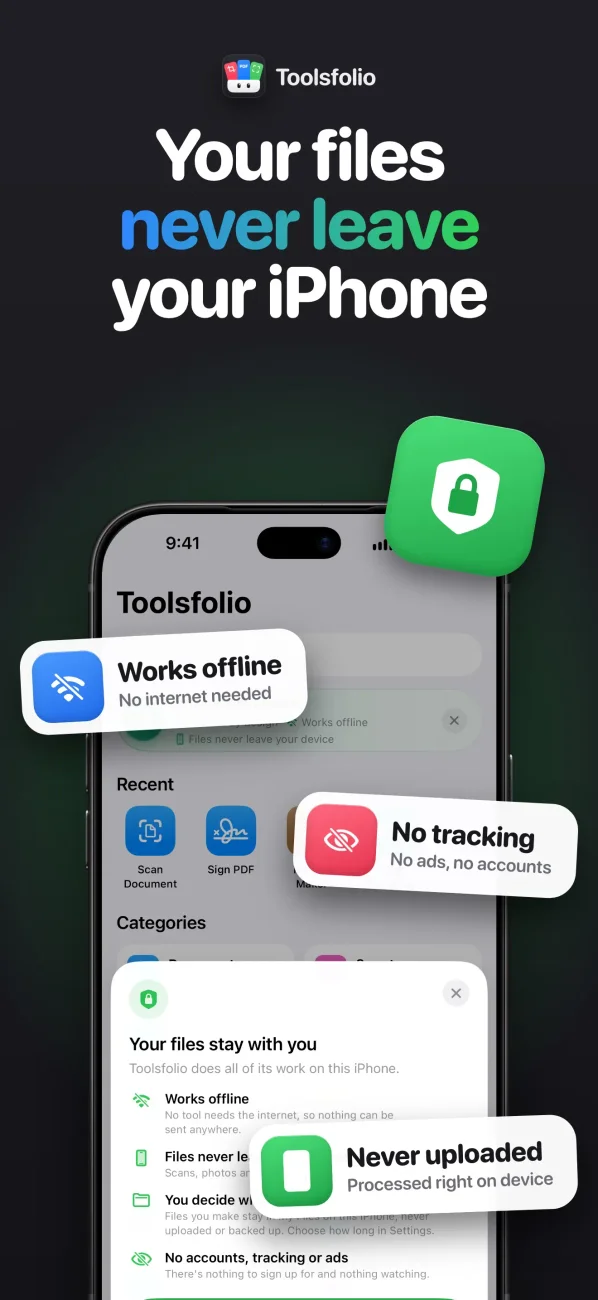
Nothing you open in Toolsfolio is uploaded. There are no accounts, no ads and no tracking.
DOCUMENTS
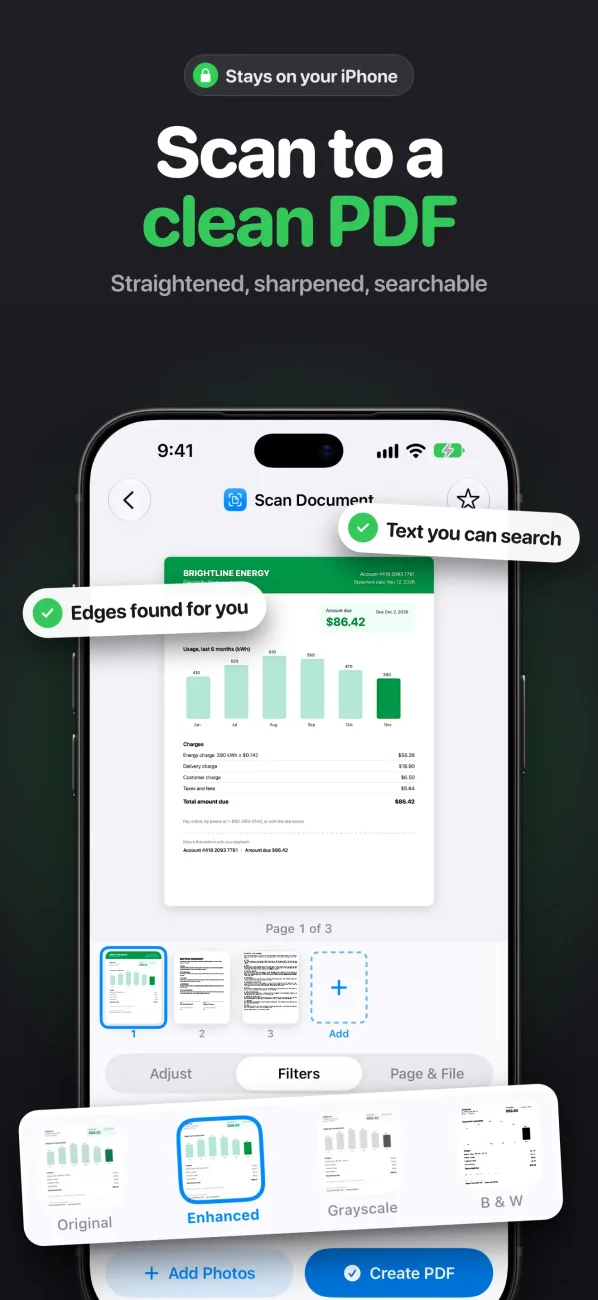
• Scan Document: turn paper into a searchable PDF
• Scan ID Card: front and back on one page
• Edit PDF: add text, draw, highlight, white out and add pictures
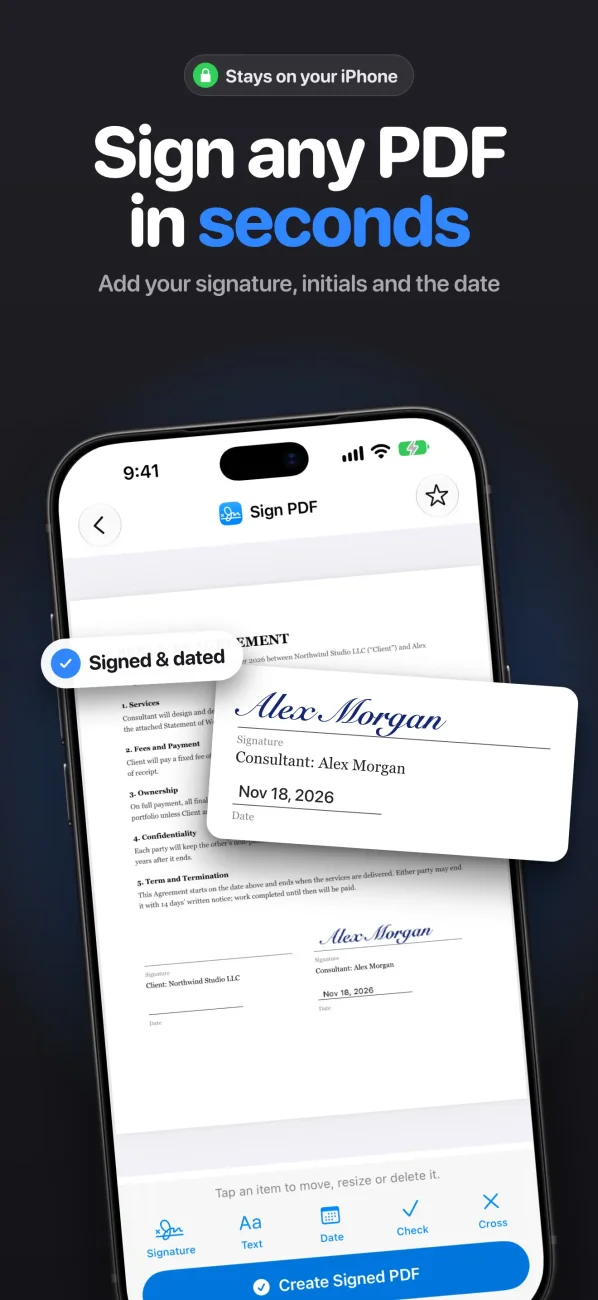
• Sign PDF: draw your signature, or bring one in from a photo
• Fill Form
• Merge, split, reorder, rotate and delete pages
• Photos to PDF
• Compress PDF for email or upload
• Image to Text: copy the words out of any photo
BUSINESS
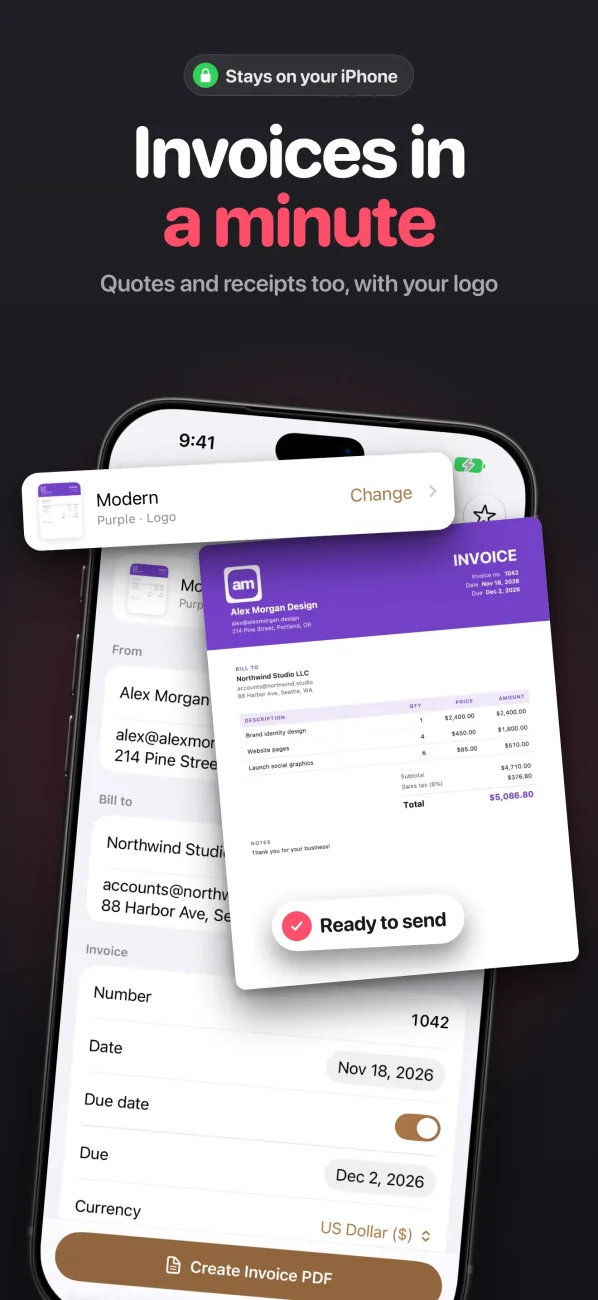
• Invoices, quotes and receipts with ready-made templates
• Add your logo, at the size you like
• Saved clients and numbers that carry on by themselves
SMART TOOLS (on iPhones with Apple Intelligence)
• PDF to Notes: bite-sized notes from any PDF
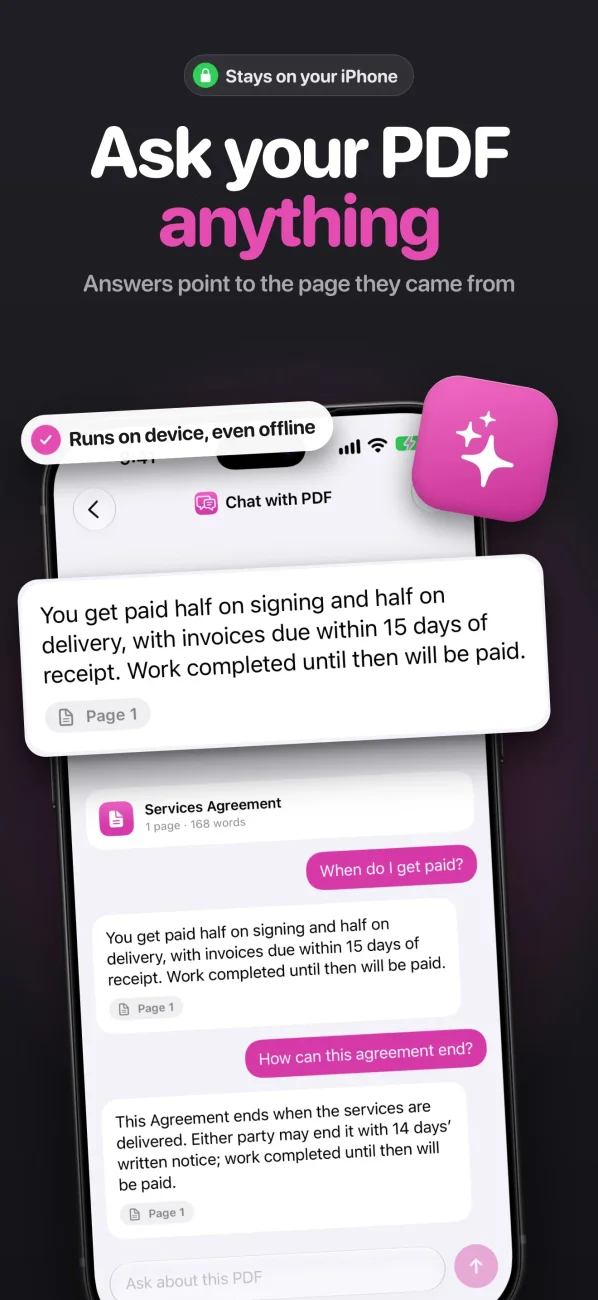
• Chat with PDF: ask questions, get answers with page numbers
• Summarize: a short summary and key points
• Flashcards: study cards from your documents
• Action Items: tasks, dates and payments to act on
• Simplify Text: dense text rewritten in plain words
These use Apple's on-device model, so your documents stay on your iPhone even here.
PHOTOS
• Compress, resize and crop
• Convert between HEIC, JPG and PNG
• Batch edit many photos at once
• Remove Background: cut out the subject
• Remove Location: strip GPS and hidden info before sharing
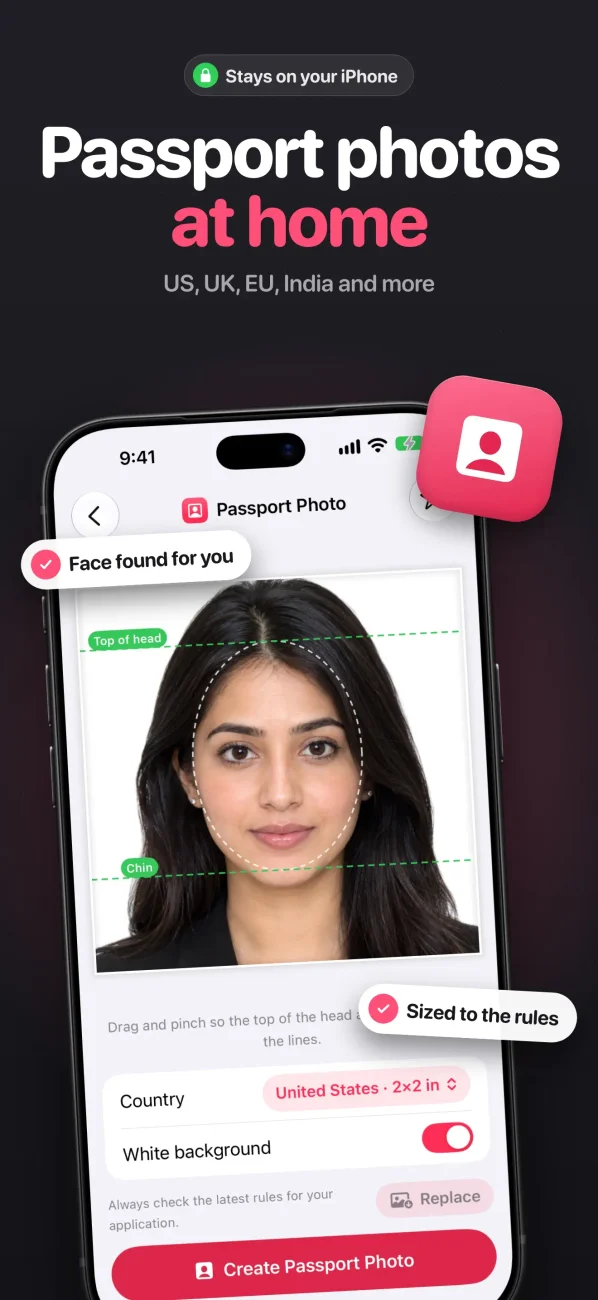
• Passport Photo: sized for your country, ready to print
AUDIO & VIDEO
• Compress video so it's small enough to send
• Extract the audio from a video
• Trim audio and video clips
• GIF Maker: from a video or a set of photos
QR & BARCODES
• Scan QR codes and barcodes, and see where a link goes before you open it
• Create QR codes for links, text, email, phone, Wi-Fi and your contact card
MONEY
• Tip & Split, Discount, Unit Price, Sales Tax / VAT, Percentage and Loan calculators
MORE
• BMI and exact age
• Unit and cooking converters
• Time zones and date calculator
• Word counter with reading time
PRIVACY & FILES
• My Files: everything you make, kept in one place
• Zip & Unzip: bundle files to send, or open a zip
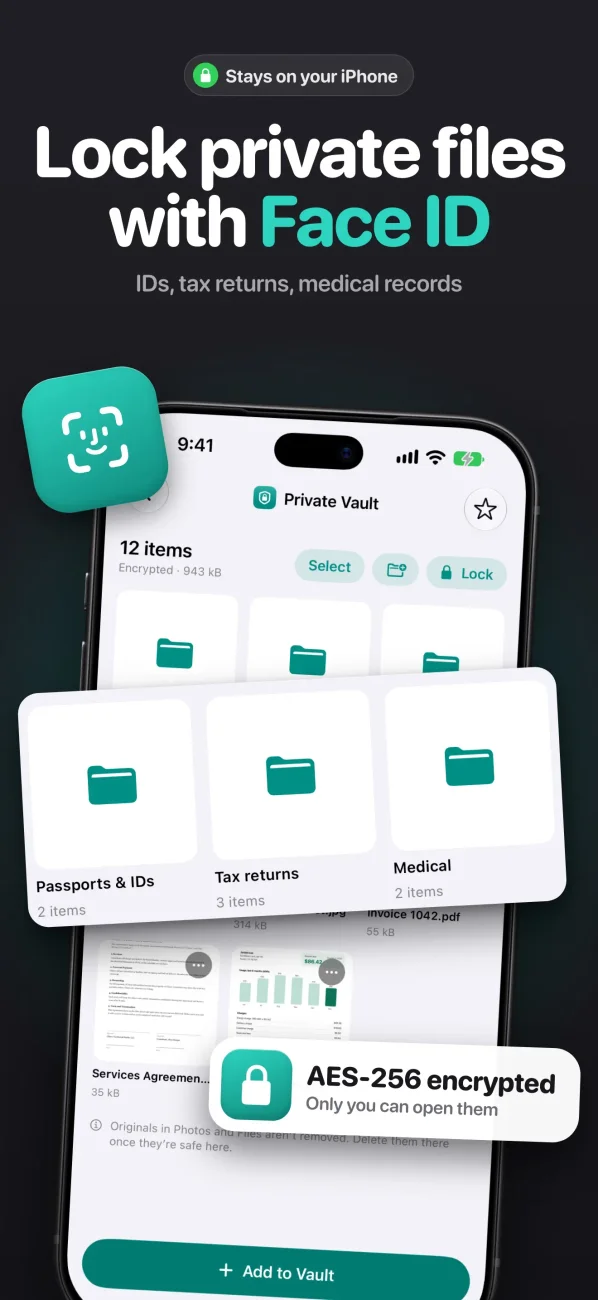
• Private Vault: lock files behind Face ID or Touch ID
• Metadata Scrubber: remove hidden data from any file
• Password Generator: strong passwords and passphrases
TOOLSFOLIO PRO
Most tools are free. Pro unlocks 21 more, including the smart tools, Edit PDF, Sign PDF, Fill Form, Scan ID Card, Compress PDF, the business tools, Remove Background and Passport Photo, plus a Private Vault with no file limit. Each Pro tool can be tried 3 times for free, and the Vault holds 5 files for free.
Pro is available as a yearly subscription with a 1-week free trial, or as a one-time lifetime purchase. Payment is charged to your Apple Account when you confirm the purchase, or when the free trial ends. The subscription renews automatically unless it is cancelled at least 24 hours before the end of the current period. You can manage or cancel it in your Apple Account settings.
Works in airplane mode. Requires iOS 17 or later. Smart tools require iOS 26 and an iPhone that supports Apple Intelligence.
Terms of Use: https://www.apple.com/legal/internet-services/itunes/dev/stdeula/
Privacy Policy: https://kinjalpipaliya.github.io/toolsfolio-site/privacy.html
Neue Funktionen
Version 1.0.2 · 19.11.2026
A fresh new look on the App Store, plus small improvements and fixes.
App-Datenschutz
Was Kinjal Pipaliya im App Store zum Umgang dieser App mit Daten angibt.
-
Keine Daten erfasst
Der Entwickler erfasst keine Daten von dieser App.
Die Datenschutzpraktiken können variieren, zum Beispiel je nach den von Ihnen verwendeten Funktionen oder Ihrem Alter.
Informationen
- Anbieter
- Kinjal Pipaliya
- Kategorie
- Dienstprogramme
- Version
- 1.0.2
- Aktualisiert
- 19.11.2026
- Veröffentlicht
- 26.10.2026
- Größe
- 12,1 MB
- Erfordert
- iOS 17.0 oder neuer
- Altersfreigabe
- 4+
- Preis
- Kostenlos
- In-App-Käufe
- Ja
- Sprachen
- Englisch
- Copyright
- © 2026 Kinjal Pipaliya
Das könnte Ihnen auch gefallen
-
 isuniYe ProDienstprogramme
-
 English - Assamese TranslatorDienstprogramme
-
 ManagdDienstprogramme
-
 Reclaim DevtoolDienstprogramme
-
 MoonBase - The Mining HubDienstprogramme
-
 Family - Crypto WalletDienstprogramme
-
 Okto: Crypto WalletDienstprogramme
-
 Fernweh - Offline MessagesDienstprogramme
-
 Clucky - Loud Alarm ClockDienstprogramme
-
 Self: Human & Agent IdentityDienstprogramme